turn signal RAM 1500 2022 Owners Manual
[x] Cancel search | Manufacturer: RAM, Model Year: 2022, Model line: 1500, Model: RAM 1500 2022Pages: 496, PDF Size: 18.03 MB
Page 5 of 496
3
Power Folding Outside Mirrors For
Standard And Trailer Tow — If Equipped.........48
Trailer Towing Mirrors — If Equipped...............49
Heated Mirrors — If Equipped..........................49
Tilt Side Mirrors In Reverse — If Equipped......49
UNIVERSAL GARAGE DOOR OPENER
(HOMELINK®) — IF EQUIPPED ............................ 49
Before You Begin Programming
HomeLink®.......................................................50
Erasing All The HomeLink® Channels ............50
Identifying Whether You Have A Rolling
Code Or Non-Rolling Code Device ...................50
Programming HomeLink® To A Garage
Door Opener .....................................................51
Programming HomeLink® To A
Miscellaneous Device ......................................52
Reprogramming A Single HomeLink®
Button ...............................................................52
Canadian/Gate Operator Programming .........52
Security .............................................................53
Troubleshooting Tips ........................................53
EXTERIOR LIGHTS.................................................. 54
Headlight Switch...............................................54
Multifunction Lever .........................................55
Daytime Running Lights (DRLs) ......................55
High/Low Beam Switch ...................................55 Automatic High Beam Headlamp
Control — If Equipped ......................................55
Flash-To-Pass ...................................................55
Automatic Headlights — If Equipped ..............56
Parking Lights And Panel Lights ......................56
Automatic Headlights With Wipers .................56
Headlight Delay ................................................56
Lights-On Reminder .........................................56
Fog Lights — If Equipped .................................57
Turn Signals ......................................................57
Lane Change Assist — If Equipped ..................57
Cargo Lights/Trailer Spotter Lights/
Trailer Hitch Light With Bed Lights —
If Equipped........................................................57
Battery Saver ....................................................59
INTERIOR LIGHTS ..................................................59
Courtesy Lights .................................................59
Illuminated Entry .............................................60
WINDSHIELD WIPERS AND WASHERS............... 61
Windshield Wiper Operation ............................61
Rain Sensing Wipers — If Equipped ................62
CLIMATE CONTROLS .............................................62
Automatic Climate Control
Descriptions And Functions ............................62
Manual Climate Control Descriptions And
Functions .........................................................65 Automatic Temperature Control (ATC) —
If Equipped .......................................................67
Climate Voice Recognition — If Equipped ....... 68
Operating Tips .................................................68
INTERIOR STORAGE AND EQUIPMENT ............... 69
Storage ............................................................. 69
USB/AUX Control .............................................. 75
Electrical Power Outlets................................... 76
Power Inverter — If Equipped .......................... 77
Wireless Charging Pad — If Equipped ............. 79
WINDOWS ............................................................. 79
Power Windows ................................................ 79
Automatic Window Features ........................... 80
Reset Auto-Up .................................................. 80
Window Lockout Switch ................................... 81
Power Sliding Rear Window — If Equipped ..... 81
Manual Sliding Rear Window —
If Equipped .......................................................81
Wind Buffeting .................................................81
POWER SUNROOF — IF EQUIPPED ..................... 82
Single Pane Power Sunroof — If Equipped ..... 82
Dual Pane Power Sunroof — If Equipped........ 83
HOOD....................................................................... 85
To Open The Hood............................................ 85
To Close The Hood ........................................... 86
22_DT_OM_EN_USC_t.book Page 3
Page 19 of 496

17
4WD High Indicator Light Úpage 135
Wait To Start Light Indicator Light Úpage 135
Water In Fuel Indicator Light Úpage 136
Green Indicator Lights
Adaptive Cruise Control (ACC) Set With Target Light
Úpage 136
Adaptive Cruise Control (ACC) Set With No Target Detected Indicator Light
Ú page 136
Cruise Control SET Indicator Light With A Premium Instrument Cluster Display
Ú page 136
Yellow Indicator Lights
ECO Mode Indicator Light
Úpage 136
Front Fog Indicator Light Úpage 136
LaneSense Indicator Light Úpage 136
Parking/Headlights On Indicator Light Úpage 136
Stop/Start Active Indicator Light Úpage 136
Turn Signal Indicator Lights Úpage 137
4WD AUTO Indicator Light Úpage 137
Green Indicator Lights
1
22_DT_OM_EN_USC_t.book Page 17
Page 22 of 496
20GETTING TO KNOW YOUR VEHICLE
In case the ignition switch does not change with
the push of a button, the key fob may have a low or
fully depleted battery. A low key fob battery can be
verified by referring to the instrument cluster
display, which will display directions to follow.
NOTE:A low key fob battery condition may be indicated by
a message in the instrument cluster display, or by
the LED light on the key fob. If the LED key fob light
no longer illuminates from key fob button pushes,
then the key fob battery requires replacement
Ú page 480.
To Lock/Unlock The Doors And Tailgate
Push and release the unlock button on the key fob
once to unlock the driver’s door, or, twice within
five seconds to unlock all doors, the tailgate and
the RamBox (if equipped). To lock all the doors and
the tailgate, push the lock button once.
When the doors are unlocked, the turn signals will
flash and the illuminated entry system will be
activated. When the doors are locked, the turn
signals will flash and the horn will chirp.
All doors can be programmed to unlock on the first
push of the unlock button. The horn chirp when the
lock button is pushed can be programmed on/off
within Uconnect Settings Ú page 234.
Key Left Vehicle Feature
If a valid key fob is no longer detected inside the
vehicle while the vehicle’s ignition system is in the
ON/RUN or START position, the message “Key Left
Vehicle” will be shown in the instrument cluster
display along with an interior chime. An exterior
audible and visual alert will also be activated to
warn the driver.
The vehicle’s horn will rapidly chirp three times
along with a single flash of the vehicle’s exterior
lights.
NOTE:
The doors have to be open and then closed in
order for the vehicle to check for the presence of
a key fob; the Key Left Vehicle feature will not
activate until all of the doors are closed.
These alerts will not be activated in situations
where the vehicle’s engine is left running with
the key fob inside.
Air Suspension (Remote Lowering Of The
Vehicle) — If Equipped
For easy entry and loading, your vehicle
can be lowered by pushing the key fob air
suspension lowering button two times.
When air suspension lowering is
requested using the key fob, the vehicle will send a
series of chirps and flashes to alert the customer
that the operation has begun and will continue
these alerts until it successfully lowers. The following conditions must be met for the
vehicle to lower remotely:
The vehicle must not already be in Entry/Exit
ride height.
The vehicle battery must be fully charged.
All doors must be closed.
The key fob must be out of the vehicle.
Gear selector must be in PARK.
NOTE:Ensure the vehicle is clear of all objects, pets, and
people prior to remote lowering.
Canceling Remote Lowering
Vehicle lowering can be canceled at anytime.
When vehicle lowering is canceled, the vehicle will
raise to the next defined level and lock out the
remote lowering feature for five seconds until a
new request is made.
To cancel vehicle lowering, push the key fob air
suspension lowering button one time during the
lowering process. When vehicle lowering is
canceled, the horn will chirp two times and the turn
signal lamps will flash four times. Once raising is
completed, the horn will chirp one time.
NOTE:More information on air suspension is provided
later in this manual, see Ú
page 165.
22_DT_OM_EN_USC_t.book Page 20
Page 29 of 496
GETTING TO KNOW YOUR VEHICLE27
The message will stay active until the ignition is
placed in the ON/RUN position.
REMOTE START — IF EQUIPPED (DIESEL)
This system uses the key fob to start the
engine conveniently from outside the
vehicle while still maintaining security.
The system has a range of approximately
328 ft (100 m).
NOTE:
Obstructions between the vehicle and the key
fob may reduce this range.
The Remote Start system will wait for the Wait
To Start indicator light to extinguish before
cranking the engine. This allows time for the
engine pre-heat cycle to heat the cylinder air,
and is normal in cold weather. For further infor -
mation on the Wait To Start indicator light and
the pre-heat cycle, see Ú page 135.
HOW TO USE REMOTE START
Push and release the Remote Start button on the
key fob twice within five seconds. The vehicle
doors will lock, the parking lights will flash, and the
horn will chirp twice (if programmed). Then, the
engine will start, and the vehicle will remain in the
Remote Start mode for a 15 minute cycle.
Pushing the Remote Start button a third time shuts
the engine off. To drive the vehicle, push the unlock button, and
place the ignition in the ON/RUN position.
All of the following conditions must be met before
the engine will remote start:
Gear selector in PARK
Doors closed
Hood closed
Hazard switch off
Brake switch inactive (brake pedal not pressed)
Battery at an acceptable charge level
PANIC button not pushed
Fuel meets minimum requirement
System not disabled from previous remote start
event
Vehicle Security system not active
Water In Fuel indicator light is not illuminated
Wait To Start indicator light is not illuminated
Malfunction Indicator Light (MIL) is not illumi
-
nated
For additional functions of the Remote Start
system, see Ú page 25.
VEHICLE SECURITY SYSTEM — IF EQUIPPED
The Vehicle Security system monitors the vehicle
doors, hood, tailgate, and the Keyless Enter ‘n Go™
Ignition for unauthorized operation. While the
Vehicle Security system is armed, interior switches
for door locks and tailgate release are disabled. If
something triggers the alarm, the Vehicle Security
system will provide the following audible and
visible signals:
The horn will pulse.
The turn signals will flash.
The Vehicle Security Light, located in the upper
right corner of the instrument cluster display,
will flash.
WARNING!
Do not start or run an engine in a closed
garage or confined area. Exhaust gas contains
Carbon Monoxide (CO) which is odorless and
colorless. Carbon Monoxide is poisonous and
can cause serious injury or death when
inhaled.
Keep key fobs away from children. Operation
of the Remote Start system, windows, door
locks or other controls could cause serious
injury or death.
2
22_DT_OM_EN_USC_t.book Page 27
Page 32 of 496

30GETTING TO KNOW YOUR VEHICLE
If the door lock switch is pushed while the ignition
is in ACC or ON/RUN and the driver's door is open,
the doors will not lock.
If a rear door is locked, it cannot be opened from
inside the vehicle without first unlocking the door.
The door may be unlocked manually by raising the
lock knob.
POWER SIDE STEPS — IF EQUIPPED
The Power Side Steps will extend a step for easier
entry and exit of the vehicle.
When configured for “Auto” mode, the Power Side
Steps will deploy when any of the doors are
opened, or when the deploy setting is activated
through the touchscreen. When configured for
“Store” mode, the steps will not deploy unless the
setting is selected manually through the “Controls”
menu within the touchscreen.
If the vehicle speed exceeds 5 mph (8 km/h), or if the retract setting is selected within Uconnect
Settings Ú page 234, the steps will retract.
KEYLESS ENTER ‘N GO™ — PASSIVE
E
NTRY
The Passive Entry system is an enhancement to
the vehicle’s key fob and a feature of Keyless
Enter ‘n Go™ — Passive Entry. This feature allows you to lock and unlock the vehicle’s door(s) without
having to push the key fob lock or unlock buttons.
NOTE:
Passive Entry may be programmed on or off
within Uconnect Settings Ú
page 234.
The key fob may not be detected by the vehicle
Passive Entry system if it is located next to a
mobile phone, laptop, or other electronic device;
these devices may block the key fob’s wireless
signal and prevent the Passive Entry system
from locking/unlocking the vehicle.
Passive Entry Unlock initiates illuminated
approach (low beams, license plate lamp, posi -
tion lamps) for whichever time duration is set
between 0, 30, 60 or 90 seconds. Passive Entry
Unlock also initiates two flashes of the turn
signal lamps.
If wearing gloves, or if it has been raining/
snowing on the Passive Entry door handle, the
unlock sensitivity can be affected, resulting in a
slower response time.
If the vehicle is unlocked by Passive Entry and
no door is opened within 60 seconds, the
vehicle will relock and (if equipped) will arm the
Vehicle Security system. To Unlock From The Driver Or Passenger Side
With a valid Passive Entry key fob within 5 ft
(1.5 m) of the door handle, grab the handle to
unlock the vehicle. Grabbing the driver’s door
handle will unlock the driver door automatically.
Grabbing the passenger door handle will unlock all
doors and the tailgate automatically.
Grab The Door Handle To Unlock
NOTE:
Either the driver door only or all doors will unlock
when you grab hold of the front driver’s door
handle, depending on the selected setting in the
Uconnect system Ú page 234.
All doors will unlock when the front passenger
door handle is grabbed regardless of the
driver’s door unlock preference setting.
22_DT_OM_EN_USC_t.book Page 30
Page 57 of 496
GETTING TO KNOW YOUR VEHICLE55
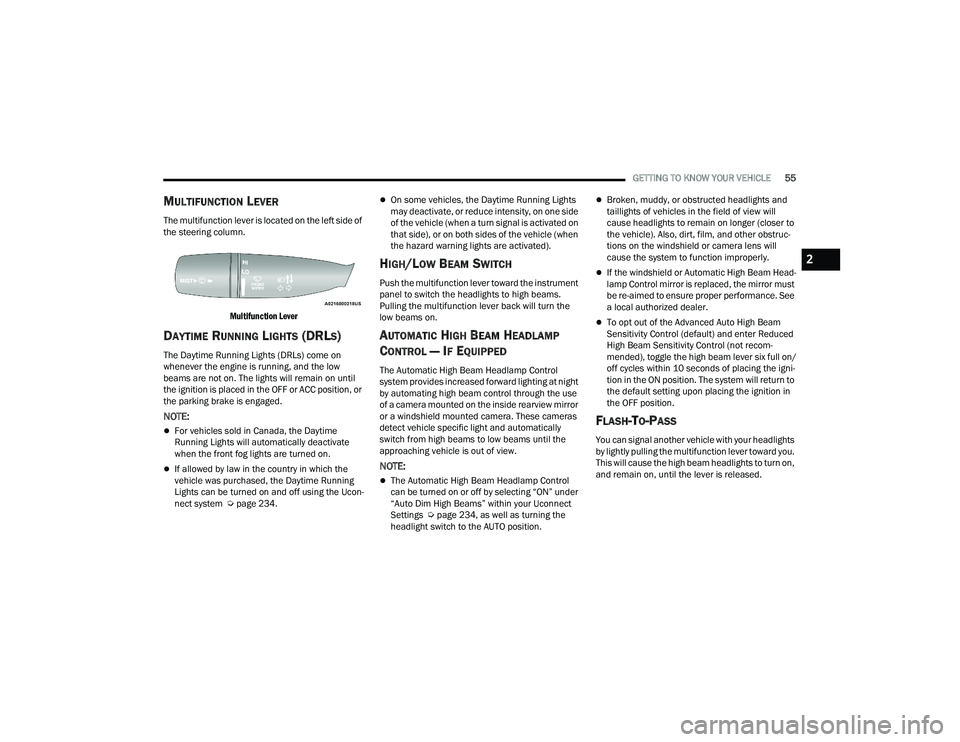
MULTIFUNCTION LEVER
The multifunction lever is located on the left side of
the steering column.
Multifunction Lever
DAYTIME RUNNING LIGHTS (DRLS)
The Daytime Running Lights (DRLs) come on
whenever the engine is running, and the low
beams are not on. The lights will remain on until
the ignition is placed in the OFF or ACC position, or
the parking brake is engaged.
NOTE:
For vehicles sold in Canada, the Daytime
Running Lights will automatically deactivate
when the front fog lights are turned on.
If allowed by law in the country in which the
vehicle was purchased, the Daytime Running
Lights can be turned on and off using the Ucon -
nect system Ú page 234.
On some vehicles, the Daytime Running Lights
may deactivate, or reduce intensity, on one side
of the vehicle (when a turn signal is activated on
that side), or on both sides of the vehicle (when
the hazard warning lights are activated).
HIGH/LOW BEAM SWITCH
Push the multifunction lever toward the instrument
panel to switch the headlights to high beams.
Pulling the multifunction lever back will turn the
low beams on.
AUTOMATIC HIGH BEAM HEADLAMP
C
ONTROL — IF EQUIPPED
The Automatic High Beam Headlamp Control
system provides increased forward lighting at night
by automating high beam control through the use
of a camera mounted on the inside rearview mirror
or a windshield mounted camera. These cameras
detect vehicle specific light and automatically
switch from high beams to low beams until the
approaching vehicle is out of view.
NOTE:
The Automatic High Beam Headlamp Control
can be turned on or off by selecting “ON” under
“Auto Dim High Beams” within your Uconnect
Settings Ú page 234, as well as turning the
headlight switch to the AUTO position.
Broken, muddy, or obstructed headlights and
taillights of vehicles in the field of view will
cause headlights to remain on longer (closer to
the vehicle). Also, dirt, film, and other obstruc -
tions on the windshield or camera lens will
cause the system to function improperly.
If the windshield or Automatic High Beam Head -
lamp Control mirror is replaced, the mirror must
be re-aimed to ensure proper performance. See
a local authorized dealer.
To opt out of the Advanced Auto High Beam
Sensitivity Control (default) and enter Reduced
High Beam Sensitivity Control (not recom -
mended), toggle the high beam lever six full on/
off cycles within 10 seconds of placing the igni -
tion in the ON position. The system will return to
the default setting upon placing the ignition in
the OFF position.
FLASH-TO-PASS
You can signal another vehicle with your headlights
by lightly pulling the multifunction lever toward you.
This will cause the high beam headlights to turn on,
and remain on, until the lever is released.
2
22_DT_OM_EN_USC_t.book Page 55
Page 59 of 496

GETTING TO KNOW YOUR VEHICLE57
FOG LIGHTS — IF EQUIPPED
To activate the front fog lights, turn on the parking
lights or low beam headlights and push the fog
light switch located within the headlight switch.
Pushing the fog light switch a second time will turn
the front fog lights off.
Fog Light Button
Fog Light Switch (Vehicles Sold In Canada Only)
The fog lights will operate only when the parking
lights are on or when the vehicle headlights are on
low beam. An indicator light located in the
instrument cluster will illuminate when the fog
lights are on. The fog lights will turn off when the
button is pushed a second time, when the
headlight switch is rotated to the O (off) position, or
the high beam is selected.
If the fog lights are off, one of the fog lights will
illuminate depending on the direction in which the
vehicle is turning. This will provide increased
visibility while turning, depending on the angle of
the steering wheel.
TURN SIGNALS
Move the multifunction lever up or down to
activate the turn signals. The arrows on each side
of the instrument cluster flash to show proper
operation.
NOTE:If either light remains on and does not flash, or
there is a very fast flash rate, check for a defective
outside light bulb.
LANE CHANGE ASSIST — IF EQUIPPED
Lightly push the multifunction lever up or down,
without moving beyond the detent, and the turn
signal will flash three times then automatically
turn off.
CARGO LIGHTS/TRAILER SPOTTER
L
IGHTS/TRAILER HITCH LIGHT WITH
B
ED LIGHTS — IF EQUIPPED
The cargo light, bed lights, trailer spotter lights, and
trailer hitch light are turned on by pushing the
cargo light button located on the lower half of the
headlight switch.
Cargo/Bed Lights Button On Headlight Switch
2
22_DT_OM_EN_USC_t.book Page 57
Page 130 of 496
128GETTING TO KNOW YOUR INSTRUMENT PANEL
What to do when an electrical load reduction
action message is present (“Battery Saver On” or
“Battery Saver Mode”)
During a trip:
Reduce power to unnecessary loads if possible:
Turn off redundant lights (interior or exte -
rior).
Check what may be plugged in to power
outlets +12 Volts, 115 Volts AC, USB ports.
Check HVAC settings (blower, temperature).
Check the audio settings (volume).
After a trip:
Check if any aftermarket equipment was
installed (additional lights, upfitter electrical
accessories, audio systems, alarms) and review
specifications if any (load and Ignition Off Draw
currents).
Evaluate the latest driving cycles (distance,
driving time and parking time).
The vehicle should have service performed if
the message is still present during consecutive
trips and the evaluation of the vehicle and
driving pattern did not help to identify the cause.
WARNING LIGHTS AND MESSAGES
The warning/indicator lights will illuminate in the
instrument panel together with a dedicated
message and/or acoustic signal when applicable.
These indications are indicative and precautionary
and as such must not be considered as exhaustive
and/or alternative to the information contained in
the Owner’s Manual, which you are advised to read
carefully in all cases. Always refer to the
information in this chapter in the event of a failure
indication. All active telltales will display first if
applicable. The system check menu may appear
different based upon equipment options and
current vehicle status. Some telltales are optional
and may not appear.
RED WARNING LIGHTS
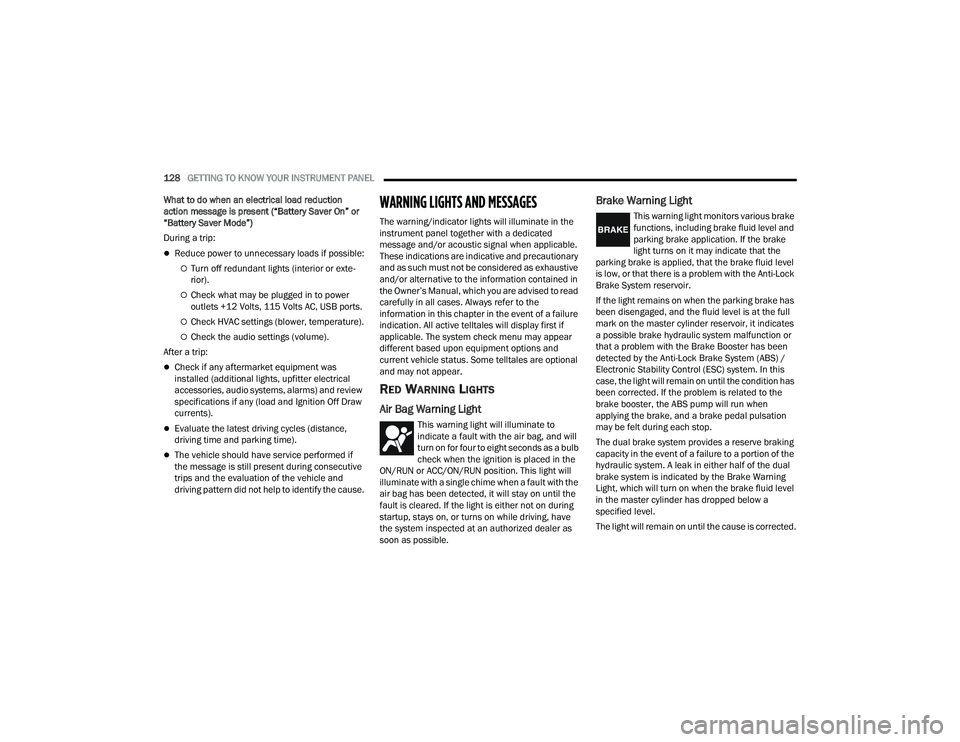
Air Bag Warning Light
This warning light will illuminate to
indicate a fault with the air bag, and will
turn on for four to eight seconds as a bulb
check when the ignition is placed in the
ON/RUN or ACC/ON/RUN position. This light will
illuminate with a single chime when a fault with the
air bag has been detected, it will stay on until the
fault is cleared. If the light is either not on during
startup, stays on, or turns on while driving, have
the system inspected at an authorized dealer as
soon as possible.
Brake Warning Light
This warning light monitors various brake
functions, including brake fluid level and
parking brake application. If the brake
light turns on it may indicate that the
parking brake is applied, that the brake fluid level
is low, or that there is a problem with the Anti-Lock
Brake System reservoir.
If the light remains on when the parking brake has
been disengaged, and the fluid level is at the full
mark on the master cylinder reservoir, it indicates
a possible brake hydraulic system malfunction or
that a problem with the Brake Booster has been
detected by the Anti-Lock Brake System (ABS) /
Electronic Stability Control (ESC) system. In this
case, the light will remain on until the condition has
been corrected. If the problem is related to the
brake booster, the ABS pump will run when
applying the brake, and a brake pedal pulsation
may be felt during each stop.
The dual brake system provides a reserve braking
capacity in the event of a failure to a portion of the
hydraulic system. A leak in either half of the dual
brake system is indicated by the Brake Warning
Light, which will turn on when the brake fluid level
in the master cylinder has dropped below a
specified level.
The light will remain on until the cause is corrected.
22_DT_OM_EN_USC_t.book Page 128
Page 139 of 496

GETTING TO KNOW YOUR INSTRUMENT PANEL137
Turn Signal Indicator Lights
When the left or right turn signal is
activated, the turn signal indicator will
flash independently and the
corresponding exterior turn signal lamps
will flash. Turn signals can be activated when the
multifunction lever is moved down (left) or
up (right).
NOTE:
A continuous chime will sound if the vehicle is
driven more than 1 mile (1.6 km) with either
turn signal on.
Check for an inoperative outside light bulb if
either indicator flashes at a rapid rate.
If equipped with fog lamps, the fog lamp on the
side of the activated turn signal will also illumi -
nate to provide additional light when turning.
4WD AUTO Indicator Light — If Equipped
This light alerts the driver that the vehicle
is in the four-wheel drive auto mode, and
the front axle is engaged, but the
vehicle's power is sent to the rear wheels.
Four-wheel drive will be automatically engaged
when the vehicle senses a loss of traction
Ú page 160.
WHITE INDICATOR LIGHTS
Adaptive Cruise Control (ACC) Ready Light —
If Equipped
This light will illuminate when the vehicle
equipped with ACC has been turned on
but not set Ú page 178.
Cruise Control Ready Indicator
This indicator light will illuminate when
the cruise control is ready, but not set
Úpage 176.
Hill Descent Control (HDC) Indicator Light —
If Equipped
This indicator shows when the HDC
feature is turned on. The lamp will be on
solid when HDC is armed. HDC can only
be armed when the transfer case is in the
4WD Low position and the vehicle speed is less
then 20 mph (32 km/h). If these conditions are not
met while attempting to use the HDC feature, the
HDC indicator light will flash on/off.
LaneSense Indicator Light — If Equipped
When the LaneSense system is ON, but
not armed, the LaneSense indicator light
illuminates solid white. This occurs when
only left, right, or neither lane line has
been detected. If a single lane line is detected, the
system is ready to provide only visual warnings if
an unintentional lane departure occurs on the
detected lane line Ú page 196.
Cruise Control SET Indicator Light —
If Equipped With Base/Midline Instrument
Cluster Display
This light will turn on when the cruise
control is set Úpage 176.
BLUE INDICATOR LIGHTS
High Beam Indicator Light
This indicator light will illuminate to
indicate that the high beam headlights
are on. With the low beams activated,
push the multifunction lever forward
(toward the front of the vehicle) to turn on the high
beams. Pull the multifunction lever rearward
(toward the rear of the vehicle) to turn off the high
beams. If the high beams are off, pull the lever
toward you for a temporary high beam on, “flash to
pass” scenario.
3
22_DT_OM_EN_USC_t.book Page 137
Page 185 of 496
STARTING AND OPERATING183
NOTE:
The “BRAKE!” screen in the instrument cluster
display is a warning for the driver to take action and
does not mean that the Forward Collision Warning
system is applying the brakes autonomously.
Overtake Aid
When driving with Adaptive Cruise Control (ACC)
engaged, and following a vehicle, the system will
provide an additional acceleration up to the ACC
set speed to assist in passing the vehicle. This
additional acceleration is triggered when the driver
utilizes the left turn signal and will only be active
when passing on the left hand side.
ACC Operation At Stop
In the event that the ACC system brings your
vehicle to a standstill while following the vehicle in
front, if the vehicle in front starts moving within two
seconds of your vehicle coming to a standstill, your
vehicle will resume motion without the need for
any driver action.
If the vehicle in front does not start moving within
two seconds of your vehicle coming to a standstill,
the driver will either have to push the RES (resume)
button, or apply the accelerator pedal to reengage
the ACC to the existing set speed.
NOTE:After the ACC system holds your vehicle at a stand -
still for approximately three consecutive minutes, the parking brake will be activated, and the ACC
system will be canceled.
While ACC is holding your vehicle at a standstill, if
the driver seat belt is unbuckled or the driver door
is opened, the parking brake will be activated, and
the ACC system will be canceled.
Display Warnings And Maintenance
“WIPE FRONT RADAR SENSOR IN FRONT OF
VEHICLE” WARNING
The “ACC/FCW Unavailable Wipe Front Radar
Sensor” warning will display and a chime will
sound when conditions temporarily limit system
performance.
This most often occurs at times of poor visibility,
such as in snow or heavy rain. The ACC system may
also become temporarily blinded due to
obstructions, such as mud, dirt or ice. In these
cases, the instrument cluster display will display
“ACC/FCW Unavailable Wipe Front Radar Sensor”
and the system will deactivate.The “ACC/FCW Unavailable Wipe Front Radar
Sensor” message can sometimes be displayed
while driving in highly reflective areas (i.e. ice and
snow, or tunnels with reflective tiles). The ACC
system will recover after the vehicle has left these
areas. Under rare conditions, when the radar is not
tracking any vehicles or objects in its path this
warning may temporarily occur.
NOTE:If the “ACC/FCW Unavailable Wipe Front Radar
Sensor” warning is active, Fixed Speed Cruise
Control is still available.
If weather conditions are not a factor, the driver
should examine the sensor. It may require cleaning
or removal of an obstruction. The sensor is located
in the camera in the center of the windshield, on
the forward side of the rearview mirror.
To keep the ACC system operating properly, it is
important to note the following maintenance
items:
Always keep the sensor clean. Carefully clear
the windshield.
Do not remove any screws from the sensor.
Doing so could cause an ACC system malfunc
-
tion or failure and require a sensor realignment.
Do not attach or install any accessories near the
sensor, including transparent material. Doing so
could cause an ACC system failure or malfunc -
tion.
WARNING!
When the ACC system is resumed, the driver
must ensure that there are no pedestrians,
vehicles or objects in the path of the vehicle.
Failure to follow these warnings can result in a
collision and death or serious personal injury.
4
22_DT_OM_EN_USC_t.book Page 183