Defrost RAM 1500 2023 Owners Manual
[x] Cancel search | Manufacturer: RAM, Model Year: 2023, Model line: 1500, Model: RAM 1500 2023Pages: 416, PDF Size: 20.59 MB
Page 4 of 416
2
INTRODUCTION
SYMBOLS KEY ....................................................................... 9
VAN CONVERSIONS/CAMPERS ......................................... 9
CONSUMER INFORMATION — TRUCK-CAMPER
LOADING ................................................................................ 9
VEHICLE MODIFICATIONS/ALTERATIONS ......................11
SYMBOL GLOSSARY ...........................................................11
GETTING TO KNOW YOUR VEHICLE
KEYS ....................................................................................16 Key Fob ........................................................................ 16
SENTRY KEY ........................................................................19
IGNITION SWITCH ..............................................................20 Keyless Enter ‘n Go™ Ignition .................................... 20
REMOTE START — IF EQUIPPED ......................................21 How To Use Remote Start .......................................... 21
To Exit Remote Start Mode ........................................ 22
Remote Start Front Defrost Activation —
If Equipped .................................................................. 22
Remote Start Comfort Systems — If Equipped.......... 22
Remote Start Windshield Wiper De-Icer
Activation — If Equipped ............................................. 23
Remote Start Abort Message ..................................... 23
VEHICLE SECURITY SYSTEM — IF EQUIPPED .................23 To Arm The System ..................................................... 23
To Disarm The System ................................................ 23
Rearming Of The System ............................................ 24
Security System Manual Override.............................. 24 DOORS ................................................................................ 24
Manual Door Locks......................................................24
Power Door Locks — If Equipped ............................... 25
Power Side Steps — If Equipped ................................ 25
Keyless Enter ‘n Go™ — Passive Entry ...................... 25
Automatic Unlock Doors On Exit — If Equipped ......... 27
Automatic Door Locks — If Equipped ........................ 27
Child-Protection Door Lock System — Rear Doors.....27
STEERING WHEEL .............................................................. 28 Tilt/Telescoping Steering Column ............................. 28
Heated Steering Wheel — If Equipped ....................... 28
DRIVER MEMORY SETTINGS — IF EQUIPPED ................ 29 Programming The Memory Feature............................ 29
Linking And Unlinking The Key Fob To Memory......... 29
Memory Position Recall............................................... 30
SEATS .................................................................................. 30 Manual Adjustment
(Front Seats) — If Equipped......................................... 30
Manual Adjustment (Rear Seats) ............................... 31
Power Adjustment (Front Seats) — If Equipped ......... 32
Heated Seats — If Equipped ....................................... 33
Ventilated Seats — If Equipped................................... 34
Plastic Grocery Bag Retainers — If Equipped ............ 34
Head Restraints .......................................................... 34
UCONNECT VOICE RECOGNITION —
IF EQUIPPED ....................................................................... 36 Introducing Voice Recognition .................................... 36
Basic Voice Commands............................................... 36
Get Started ................................................................... 37
Additional Information................................................. 37 DRIVER ADJUSTABLE PEDALS —
IF EQUIPPED ...................................................................... 38
MIRRORS ............................................................................ 38
Inside Rearview Mirror ................................................ 38
Illuminated Vanity Mirror ............................................ 39
Outside Mirrors ........................................................... 40
Outside Automatic Dimming Mirrors —
If Equipped................................................................... 40
Outside Mirrors With Turn Signal And
Approach Lighting — If Equipped................................ 40
Power Mirrors .............................................................. 41
Power Folding Outside Mirrors For Standard
And Trailer Tow — If Equipped .................................... 41
Trailer Towing Mirrors — If Equipped ......................... 42
Heated Mirrors — If Equipped .................................... 42
UNIVERSAL GARAGE DOOR OPENER
(HOMELINK®) — IF EQUIPPED ......................................... 42 Before You Begin Programming HomeLink® ............ 43
Erasing All The HomeLink® Channels ....................... 43
Identifying Whether You Have A Rolling Code Or
Non-Rolling Code Device............................................. 43
Programming HomeLink® To A Garage Door
Opener ......................................................................... 44
Programming HomeLink® To A Miscellaneous
Device .......................................................................... 44
Reprogramming A Single HomeLink® Button ........... 45
Canadian/Gate Operator Programming .................... 45
Security ........................................................................ 45
Troubleshooting Tips ................................................... 46
23_DT_OM_EN_USC_t.book Page 2
Page 23 of 416

GETTING TO KNOW YOUR VEHICLE21
NOTE:
The key fob may not be detected by the vehicle Keyless
Enter ‘n Go™ system if it is located next to a mobile
phone, laptop or other electronic device; these devices
may block the key fob’s wireless signal and prevent the
Keyless Enter ‘n Go™ system from starting the vehicle.
For more information on normal engine starting, see
Úpage 118.
When opening the driver's door and the ignition is in
the ON/RUN position (engine not running), a chime will
sound to remind you to place the ignition in the OFF
position. In addition to the chime, the message “Igni-
tion or Accessory ON” will display in the cluster.
REMOTE START — IF EQUIPPED
This system uses the key fob to start the engine
conveniently from outside the vehicle while still
maintaining security. The system has a range
of approximately 328 ft (100 m).
Remote Start is used to defrost windows in cold weather
and to reach a comfortable climate in all ambient
conditions before the customer enters the vehicle.
NOTE:Obstructions between the vehicle and key fob may reduce
this range Úpage 402.
HOW TO USE REMOTE START
Push and release the Remote Start button on the key fob
twice within five seconds. The vehicle doors will lock, the
parking lights will flash, and the horn will chirp twice
(if programmed). Then, the engine will start, and the
vehicle will remain in the Remote Start mode for a
15 minute cycle.
Pushing the Remote Start button a third time shuts the
engine off. To drive the vehicle, push the unlock button, and place the
ignition in the ON/RUN position.
NOTE:
With Remote Start, the engine will only run for
15 minutes.
Remote Start can only be used twice.
If an engine fault is present or fuel level is low, the
vehicle will start and then shut down in 10 seconds.
The parking lights will turn on and remain on during
Remote Start mode.
For security, power window and power sunroof opera -
tion (if equipped) are disabled when the vehicle is in
the Remote Start mode.
The ignition must be placed in the ON/RUN position
before the Remote Start sequence can be repeated for
a third cycle.
All of the following conditions must be met before the
engine will remote start:
Gear selector in PARK
Doors closed
Hood closed
Hazard switch off
Brake switch inactive (brake pedal not pressed)
Battery at an acceptable charge level
CAUTION!
An unlocked vehicle is an invitation for thieves. Always
remove key fob from the vehicle and lock all doors
when leaving the vehicle unattended.
WARNING!
Do not start or run an engine in a closed garage or
confined area. Exhaust gas contains carbon
monoxide (CO) which is odorless and colorless.
Carbon monoxide is poisonous and can cause
serious injury or death when inhaled.
Keep key fobs away from children. Operation of the
Remote Start system, windows, door locks or other
controls could cause serious injury or death.2
23_DT_OM_EN_USC_t.book Page 21
Page 24 of 416

22GETTING TO KNOW YOUR VEHICLE
Panic button not pushed
Fuel meets minimum requirement
System not disabled from previous Remote Start event
Vehicle Security system not active
Malfunction Indicator Light (MIL) is not illuminated
TO EXIT REMOTE START MODE
To drive the vehicle after a Remote Start, unlock the doors
using the key fob or Passive Entry and disarm the Vehicle
Security system (if equipped). Then, prior to the end of the
15 minute cycle, press the brake pedal and push and
release the START/STOP ignition button.
The Remote Start system will turn the engine off if the
Remote Start button on the key fob is pushed again, or if
the engine is allowed to run for the entire 15 minute cycle.
Once the ignition is placed in the ON/RUN position, the
climate controls will resume the previously set operations
(temperature, blower control, etc.).
NOTE:
To avoid unintentional shutdowns, the system will
disable for two seconds after receiving a valid Remote
Start request.
For vehicles equipped with the Keyless Enter ‘n Go™ —
Passive Entry feature, the message “Remote Start
Active — Push Start Button” will display in the instru -
ment cluster display until you push the START/STOP
ignition button.
REMOTE START FRONT DEFROST
A
CTIVATION — IF EQUIPPED
When Remote Start is active, and the outside ambient
temperature is 40°F (4.5°C) or below, the system will
automatically activate front defrost for 15 minutes or less.
The time is dependent on the ambient temperature. Once
the timer expires, the system will automatically adjust the
settings depending on ambient conditions. See “Remote
Start Comfort Systems — If Equipped” in the next section
for detailed operation.
REMOTE START COMFORT SYSTEMS —
I
F EQUIPPED
When Remote Start is activated, the front and rear defrost
will automatically turn on in cold weather. The heated
steering wheel and driver heated seat feature will turn on
if programmed in the Comfort menu screen within
Uconnect Settings
Úpage 191. In warm weather, the
driver vented seat feature will automatically turn on when
the Remote Start is activated and is programmed in the
Comfort menu screen. The vehicle will adjust the climate control settings
depending on the outside ambient temperature.
Automatic Temperature Control (ATC) — If Equipped
The climate controls automatically adjust to an optimal
temperature and mode, dependent on the outside
ambient temperature. When the ignition is placed in the
ON/RUN position, the climate controls will resume their
previous settings.
Manual Temperature Control (MTC) — If Equipped
In ambient temperatures of 40°F (4.5°C) or below, the
climate settings will default to maximum heat, with
fresh air entering the cabin. If the front defrost timer
expires, the vehicle will enter Mix Mode.
In ambient temperatures from 40°F (4.5°C) to 78°F
(26°C), the climate settings will be based on the last
settings selected by the driver.
In ambient temperatures of 78°F (26°C) or above, the
climate settings will default to MAX A/C, Bi-Level mode,
with Recirculation on.
For more information on ATC, MTC, and climate control
settings, see
Úpage 54.
NOTE:These features will stay on through the duration of Remote
Start, or until the ignition is placed in the ON/RUN
position. The climate control settings will change, and exit
the automatic defaults, if manually adjusted by the driver
while the vehicle is in Remote Start mode. This includes
turning the climate controls off using the OFF button.
WARNING!
Do not start or run an engine in a closed garage or
confined area. Exhaust gas contains carbon
monoxide (CO) which is odorless and colorless.
Carbon monoxide is poisonous and can cause
serious injury or death when inhaled.
Keep key fobs away from children. Operation of the
Remote Start system, windows, door locks or other
controls could cause serious injury or death.
23_DT_OM_EN_USC_t.book Page 22
Page 44 of 416

42GETTING TO KNOW YOUR VEHICLE
Resetting The Power Folding Outside Mirrors
You may need to reset the power folding mirrors if the
following occurs:
The mirrors are accidentally blocked while folding.
The mirrors are accidentally manually folded/unfolded
(by hand or by pushing the power folding mirror switch).
The mirrors come out of the unfolded position.
The mirrors shake and vibrate at normal driving
speeds.
To reset the power folding mirrors: Fold and unfold them
by pushing the button (this may require multiple
attempts). This resets them to their normal driving
position.
TRAILER TOWING MIRRORS —
I
F EQUIPPED
These mirrors are designed with an adjustable mirror
head to provide a greater vision range when towing
extra-wide loads. To change position inboard or outboard,
the mirror head should be rotated (flipped in or out).
Trailer Towing Position
NOTE:
Fold the trailer towing mirrors prior to entering an auto -
mated car wash.
A small blindspot mirror is located next to the main mirror
and can be adjusted manually.
Blindspot Mirror
HEATED MIRRORS — IF EQUIPPED
These mirrors are heated to melt frost or ice.
This feature will be activated whenever you
turn on the rear window defroster (if equipped)
Úpage 54.
UNIVERSAL GARAGE DOOR OPENER
(HOMELINK®) — IF EQUIPPED
HomeLink® Buttons
23_DT_OM_EN_USC_t.book Page 42
Page 55 of 416
GETTING TO KNOW YOUR VEHICLE53
The delay interval decreases as you rotate the knob until
it enters the low continual speed position. The delay can
be regulated from a maximum of about 18 seconds
between cycles, to a cycle every one second. The delay
intervals will double in duration when the vehicle speed is
10 mph (16 km/h) or less.
Windshield Washers
To use the windshield washer, push the washer knob,
located on the end of the multifunction lever, inward and
hold. Washer fluid will be sprayed and the wipers will
operate for two to three cycles after the washer knob is
released.
If the washer knob is pushed while in the delay range, the
wipers will operate for several seconds after the washer
knob is released. It will then resume the intermittent
interval previously selected. If the washer knob is pushed
while in the off position, the wipers will turn on and cycle
approximately three times after the washer knob is
released.
To prevent freeze-up of your windshield washer system in
cold weather, select a solution or mixture that meets or
exceeds the temperature range of your climate. This rating
information can be found on most washer fluid containers. Mist
When a single wipe to clear off road mist or spray from a
passing vehicle is needed, push the washer knob, located
on the end of the multifunction lever, inward briefly and
release. The wipers will cycle one time and automatically
shut off.
NOTE:The mist feature does not activate the washer pump;
therefore, no washer fluid will be sprayed on the wind
-
shield. The washer function must be used in order to spray
the windshield with washer fluid.
For information on wiper care and replacement, see
Úpage 347.
RAIN SENSING WIPERS — IF EQUIPPED
This feature senses rain or snowfall on the windshield and
automatically activates the wipers. Rotate the end of the
multifunction lever to one of four detent positions to
activate this feature.
The sensitivity of the system can be adjusted with the
multifunction lever. Wiper delay position one is the least
sensitive, and wiper delay detent position four is the most
sensitive.
Wiper delay position three should be used for normal rain
conditions.
Positions one and two can be used if the driver desires
less wiper sensitivity. Position four can be used if the
driver desires more sensitivity. Place the wiper switch in
the O (off) position when not using the system.
NOTE:
The Rain Sensing feature will not operate when the
wiper switch is in the low or high-speed position.
The Rain Sensing feature may not function properly
when ice, or dried salt water is present on the wind -
shield.
Use of products containing wax or silicone may reduce
Rain Sensing performance.
The Rain Sensing feature can be turned on and off
using the Uconnect system
Úpage 191.
The Rain Sensing system has protection features for the
wiper blades and arms, and will not operate under the
following conditions:
Low Ambient Temperature — When the ignition is first
placed in the ON position, the Rain Sensing system will
not operate until the wiper switch is moved, vehicle
speed is greater than 3 mph (5 km/h), or the outside
temperature is greater than 32°F (0°C).
Transmission In NEUTRAL Position — When the ignition
is ON, and the automatic transmission is in the
NEUTRAL position, the Rain Sensing system will not
operate until the wiper switch is moved, vehicle speed
is greater than 3 mph (5 km/h), or the gear selector is
moved out of the NEUTRAL position.
Remote Start Mode Inhibit — On vehicles equipped
with a Remote Start system, Rain Sensing wipers are
not operational when the vehicle is in the Remote
Start mode.
WARNING!
Sudden loss of visibility through the windshield could
lead to a collision. You might not see other vehicles or
other obstacles. To avoid sudden icing of the windshield
during freezing weather, warm the windshield with the
defroster before and during windshield washer use.
2
23_DT_OM_EN_USC_t.book Page 53
Page 57 of 416
GETTING TO KNOW YOUR VEHICLE55
Auto Button
Set your desired temperature and press AUTO.
AUTO will achieve and maintain your desired
temperature by automatically adjusting the
blower speed and air distribution. Air
Conditioning (A/C) may be active during AUTO operation to
improve performance. AUTO mode is highly recommended
for efficiency.
You can turn AUTO on in one of two ways:
Press and release this button on the touchscreen.
Push the button on the faceplate.
Toggling this function will cause the system to switch
between manual mode and automatic mode
Úpage 59.
Front Defrost Button
Press and release the Front Defrost button on
the touchscreen, or push and release the
button on the faceplate, to change the current
airflow setting to Defrost mode. The Front
Defrost indicator illuminates when Front Defrost is on.
Air comes from the windshield and side window demist
outlets. When the defrost button is selected, the blower
level may increase. Use Defrost mode with maximum
temperature settings for best windshield and side window
defrosting and defogging. When toggling the front defrost
mode button, the climate system will return to the
previous setting.
Rear Defrost Button
Press and release the Rear Defrost button on
the touchscreen, or push and release the
button on the faceplate, to turn on the rear
window defroster and the heated outside
mirrors (if equipped). The Rear Defrost indicator
illuminates when the rear window defroster is on. The rear
window defroster automatically turns off after 10 minutes.
Driver And Passenger Temperature Up And
Down Buttons
These buttons provide the driver and passenger with
independent temperature control. Push the red button (or rotate knob if
equipped) on the faceplate, press the red
button on the touchscreen, or press and slide
the temperature bar towards the red arrow
button on the touchscreen for warmer temperature
settings.
Push the blue button (or rotate knob if
equipped) on the faceplate, press the blue
button on the touchscreen, or press and slide
the temperature bar towards the blue arrow
button on the touchscreen for cooler temperature
settings.
NOTE:
The numbers within the temperature display will only
appear if the system is equipped with an automatic
climate control system.
Up and down buttons are only available on vehicles
equipped with a 12-inch display.
SYNC Button
Press the SYNC button on the touchscreen to
toggle the SYNC feature on/off. The SYNC
indicator illuminates when SYNC is on. SYNC
synchronizes the passenger temperature
setting with the driver temperature setting. Changing the
passenger’s temperature setting while in SYNC will
automatically exit this feature.
NOTE:The SYNC button is only available on the touchscreen.
CAUTION!
Failure to follow these cautions can cause damage to
the heating elements:
Use care when washing the inside of the rear
window. Do not use abrasive window cleaners on the
interior surface of the window. Use a soft cloth and a
mild washing solution, wiping parallel to the heating
elements. Labels can be peeled off after soaking
with warm water.
Do not use scrapers, sharp instruments, or abrasive
window cleaners on the interior surface of the
window.
Keep all objects a safe distance from the window.
2
23_DT_OM_EN_USC_t.book Page 55
Page 58 of 416
56GETTING TO KNOW YOUR VEHICLE
Blower Control
Blower Control regulates the amount of air
forced through the climate control system.
There are seven blower speeds available.
Adjusting the blower will cause automatic
mode to switch to manual operation. The speeds can be
selected using either the blower control knob on the
faceplate or the buttons on the touchscreen.
Faceplate
The blower speed increases as you turn the blower control
knob clockwise from the lowest blower setting. The blower
speed decreases as you turn the blower control knob
counterclockwise.
Touchscreen
Use the small blower icon to reduce the blower setting and
the large blower icon to increase the blower setting.
Blower can also be selected by pressing the blower bar
area between the icons.
Mode Control
Select Mode by pressing one of the Mode
buttons on the touchscreen, or pushing the
Mode button on the faceplate, to change the
airflow distribution mode. The airflow
distribution mode can be adjusted so air comes from the
instrument panel outlets, floor outlets, defrost outlets, and
demist outlets.
Panel Mode
Air comes from the outlets in the instrument
panel. Each of these outlets can be individually
adjusted to direct the flow of air. The air vanes
of the center outlets and outboard outlets can
be moved up and down or side to side to regulate airflow
direction. There is a shut-off wheel located below the air
vanes to shut off or adjust the amount of airflow from
these outlets.
Bi-Level Mode
Air comes from the instrument panel outlets
and floor outlets. A slight amount of air is
directed through the defrost and side window
demister outlets.
NOTE:Bi-Level mode is designed under comfort conditions to
provide cooler air out of the panel outlets and warmer air
from the floor outlets.
Floor Mode
Air comes from the floor outlets. A slight
amount of air is directed through the defrost
and side window demister outlets.
Mix Mode
Air is directed through the floor, defrost, and
side window demister outlets. This setting
works best in cold or snowy conditions that
require extra heat to the windshield. This
setting is good for maintaining comfort while reducing
moisture on the windshield.
Climate Control OFF Button
Press and release the OFF button on the
touchscreen, or push the OFF button on the
faceplate (if equipped) to turn the Climate
Control on/off.
MANUAL CLIMATE CONTROL
D
ESCRIPTIONS AND FUNCTIONS
Uconnect 3 With 5-inch Display Manual Temperature Controls
23_DT_OM_EN_USC_t.book Page 56
Page 59 of 416
GETTING TO KNOW YOUR VEHICLE57
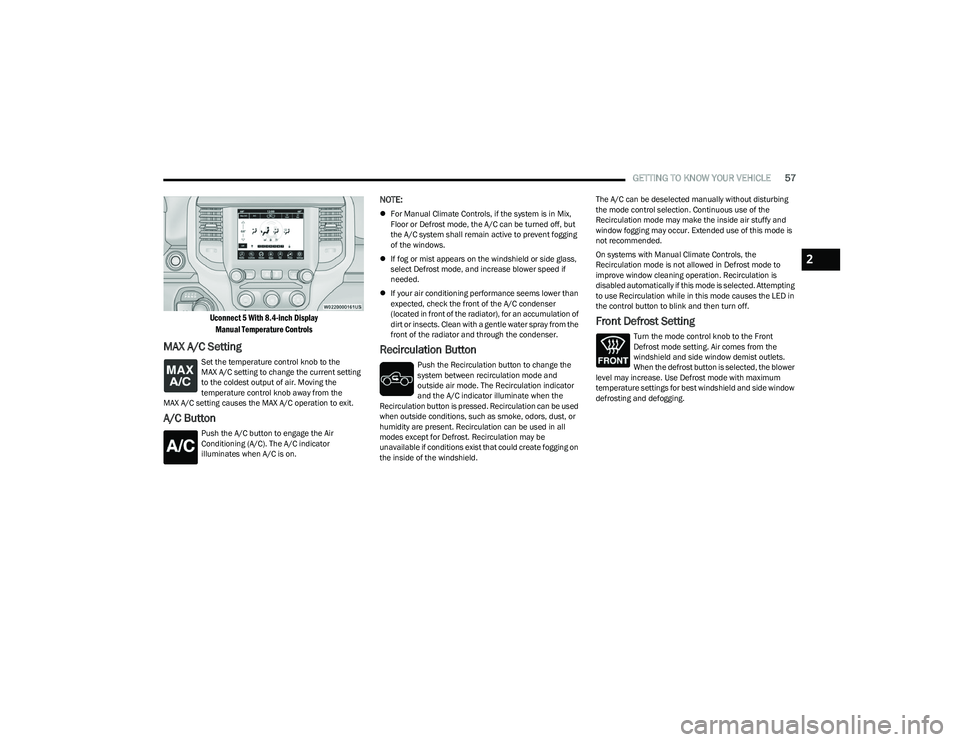
Uconnect 5 With 8.4-inch Display
Manual Temperature Controls
MAX A/C Setting
Set the temperature control knob to the
MAX A/C setting to change the current setting
to the coldest output of air. Moving the
temperature control knob away from the
MAX A/C setting causes the MAX A/C operation to exit.
A/C Button
Push the A/C button to engage the Air
Conditioning (A/C). The A/C indicator
illuminates when A/C is on.
NOTE:
For Manual Climate Controls, if the system is in Mix,
Floor or Defrost mode, the A/C can be turned off, but
the A/C system shall remain active to prevent fogging
of the windows.
If fog or mist appears on the windshield or side glass,
select Defrost mode, and increase blower speed if
needed.
If your air conditioning performance seems lower than
expected, check the front of the A/C condenser
(located in front of the radiator), for an accumulation of
dirt or insects. Clean with a gentle water spray from the
front of the radiator and through the condenser.
Recirculation Button
Push the Recirculation button to change the
system between recirculation mode and
outside air mode. The Recirculation indicator
and the A/C indicator illuminate when the
Recirculation button is pressed. Recirculation can be used
when outside conditions, such as smoke, odors, dust, or
humidity are present. Recirculation can be used in all
modes except for Defrost. Recirculation may be
unavailable if conditions exist that could create fogging on
the inside of the windshield. The A/C can be deselected manually without disturbing
the mode control selection. Continuous use of the
Recirculation mode may make the inside air stuffy and
window fogging may occur. Extended use of this mode is
not recommended.
On systems with Manual Climate Controls, the
Recirculation mode is not allowed in Defrost mode to
improve window cleaning operation. Recirculation is
disabled automatically if this mode is selected. Attempting
to use Recirculation while in this mode causes the LED in
the control button to blink and then turn off.
Front Defrost Setting
Turn the mode control knob to the Front
Defrost mode setting. Air comes from the
windshield and side window demist outlets.
When the defrost button is selected, the blower
level may increase. Use Defrost mode with maximum
temperature settings for best windshield and side window
defrosting and defogging.
2
23_DT_OM_EN_USC_t.book Page 57
Page 60 of 416
58GETTING TO KNOW YOUR VEHICLE
Rear Defrost Button
Push and release the Rear Defrost Control
button to turn on the rear window defroster and
the heated outside mirrors (if equipped). The
Rear Defrost indicator illuminates when the
rear window defroster is on. The rear window defroster
automatically turns off after 10 minutes.
Temperature Control
Temperature Control regulates the temperature of the air
forced through the climate system. The temperature increases as you turn the
temperature control knob clockwise.
The temperature decreases as you turn the
temperature control knob counterclockwise.
Blower Control
Blower Control regulates the amount of air
forced through the climate control system.
There are seven blower speeds available. The
blower speed increases as you turn the blower
control knob clockwise from the lowest blower setting. The
blower speed decreases as you turn the blower control
knob counterclockwise.
Mode Control
Turn the mode control knob or press the mode
control button (if equipped) to adjust airflow
distribution. The airflow distribution mode can
be adjusted so air comes from the instrument
panel outlets, floor outlets, defrost outlets and demist
outlets.
Panel Mode
Air comes from the outlets in the instrument
panel. Each of these outlets can be individually
adjusted to direct the flow of air. The air vanes
of the center outlets and outboard outlets can
be moved up and down or side to side to regulate airflow
direction. There is a shut-off wheel located below the air vanes to
shut off or adjust the amount of airflow from these outlets.
Bi-Level Mode
Air comes from the instrument panel outlets
and floor outlets. A slight amount of air is
directed through the defrost and side window
demister outlets.
NOTE:Bi-Level mode is designed under comfort conditions to
provide cooler air out of the panel outlets and warmer air
from the floor outlets.
Floor Mode
Air comes from the floor outlets. A slight
amount of air is directed through the defrost
and side window demister outlets.
Mix Mode
Air is directed through the floor, defrost, and
side window demister outlets. This setting
works best in cold or snowy conditions that
require extra heat to the windshield. This
setting is good for maintaining comfort while reducing
moisture on the windshield.
CAUTION!
Failure to follow these cautions can cause damage to
the heating elements:
Use care when washing the inside of the rear
window. Do not use abrasive window cleaners on the
interior surface of the window. Use a soft cloth and a
mild washing solution, wiping parallel to the heating
elements. Labels can be peeled off after soaking
with warm water.
Do not use scrapers, sharp instruments, or abrasive
window cleaners on the interior surface of the
window.
Keep all objects a safe distance from the window.
23_DT_OM_EN_USC_t.book Page 58
Page 61 of 416
GETTING TO KNOW YOUR VEHICLE59
AUTOMATIC TEMPERATURE CONTROL
(ATC) — I
F EQUIPPED
Automatic Operation
1. Push the AUTO button on the faceplate, or the AUTO
button on the touchscreen on the Automatic
Temperature Control (ATC) Panel.
2. Next, adjust the temperature that you would like the system to maintain by adjusting the driver and
passenger temperature control buttons. Once the
desired temperature is displayed, the system will
achieve and automatically maintain that
temperature.
3. When the system is set up for your comfort level, it is not necessary to change the settings. You will
experience the greatest efficiency by simply allowing
the system to function automatically.
NOTE:
It is not necessary to move the temperature settings for
cold or hot vehicles. The system automatically adjusts
the temperature, mode, and blower speed to provide
comfort as quickly as possible.
The temperature can be displayed in US or Metric units
by selecting the US/Metric customer-programmable
feature within Uconnect Settings
Úpage 191.
To provide you with maximum comfort in the Automatic
mode during cold start-ups, the blower fan will remain on
low until the engine warms up. The blower will increase in
speed and transition into Auto mode.
Manual Operation Override
This system offers a full complement of manual override
features. The AUTO symbol in the front ATC display will be
turned off when the system is being used in the manual
mode.
CLIMATE VOICE RECOGNITION —
I
F EQUIPPED
Adjust vehicle temperatures hands-free and keep
everyone comfortable while you keep moving ahead.
Push the VR button on the steering wheel. After the beep,
say one of the following commands:
“Set driver temperature to 70 degrees”
“Set passenger temperature to 70 degrees”
Did you know: Voice Command for Climate may only be
used to adjust the interior temperature of your vehicle.
Voice Command will not work to adjust the heated seats
or steering wheel if equipped.
OPERATING TIPS
Refer to the chart at the end of this section for suggested
control settings for various weather conditions.
Summer Operation
The engine cooling system must be protected with a
high-quality antifreeze coolant to provide proper corrosion
protection and to protect against engine overheating. OAT
coolant (conforming to MS.90032) is recommended.
Winter Operation
To ensure the best possible heater and defroster
performance, make sure the engine cooling system is
functioning properly and the proper amount, type, and
concentration of coolant is used. Use of the Air
Recirculation mode during Winter months is not
recommended, because it may cause window fogging.
Vacation/Storage
For information on maintaining the Climate Control system
when the vehicle is being stored for an extended period of
time, see
Úpage 387.
Window Fogging
Vehicle windows tend to fog on the inside in mild, rainy,
and/or humid weather. To clear the windows, select
Defrost or Mix mode and increase the front blower speed.
Do not use the Recirculation mode without A/C for long
periods, as fogging may occur.
Outside Air Intake
Make sure the air intake, located directly in front of the
windshield, is free of obstructions, such as leaves. Leaves
collected in the air intake may reduce airflow, and if they
enter the air distribution box, they could plug the water
drains. In Winter months, make sure the air intake is clear
of ice, slush, and snow.
Cabin Air Filter
The Climate Control system filters out dust and pollen
from the air. Contact an authorized dealer to service your
cabin air filter, and to have it replaced when needed.
2
23_DT_OM_EN_USC_t.book Page 59