engine oil RAM 1500 2023 Owners Manual
[x] Cancel search | Manufacturer: RAM, Model Year: 2023, Model line: 1500, Model: RAM 1500 2023Pages: 416, PDF Size: 20.59 MB
Page 8 of 416
6
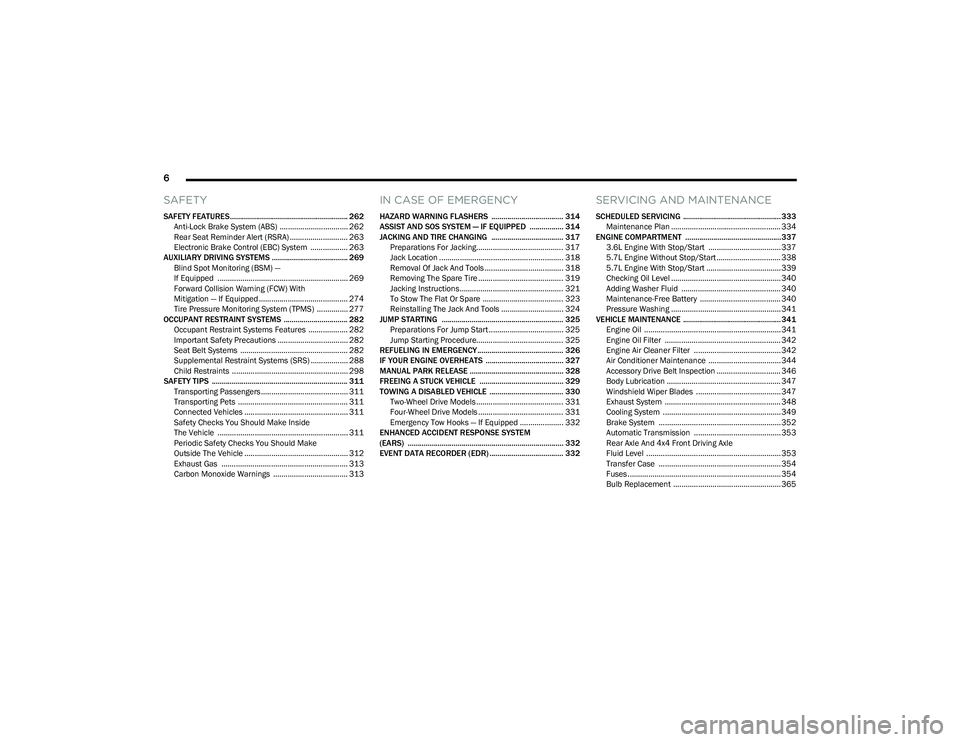
SAFETY
SAFETY FEATURES........................................................... 262
Anti-Lock Brake System (ABS) ................................. 262Rear Seat Reminder Alert (RSRA) ............................ 263
Electronic Brake Control (EBC) System .................. 263
AUXILIARY DRIVING SYSTEMS ...................................... 269 Blind Spot Monitoring (BSM) —
If Equipped ............................................................... 269
Forward Collision Warning (FCW) With
Mitigation — If Equipped ........................................... 274
Tire Pressure Monitoring System (TPMS) ............... 277
OCCUPANT RESTRAINT SYSTEMS ................................ 282 Occupant Restraint Systems Features ................... 282Important Safety Precautions .................................. 282Seat Belt Systems .................................................... 282
Supplemental Restraint Systems (SRS) .................. 288Child Restraints ........................................................ 298
SAFETY TIPS .................................................................... 311 Transporting Passengers .......................................... 311
Transporting Pets ..................................................... 311
Connected Vehicles .................................................. 311
Safety Checks You Should Make Inside
The Vehicle ............................................................... 311
Periodic Safety Checks You Should Make
Outside The Vehicle .................................................. 312
Exhaust Gas ............................................................. 313Carbon Monoxide Warnings .................................... 313
IN CASE OF EMERGENCY
HAZARD WARNING FLASHERS .................................... 314
ASSIST AND SOS SYSTEM — IF EQUIPPED ................. 314
JACKING AND TIRE CHANGING .................................... 317 Preparations For Jacking.......................................... 317Jack Location ............................................................ 318
Removal Of Jack And Tools ...................................... 318
Removing The Spare Tire ......................................... 319
Jacking Instructions.................................................. 321To Stow The Flat Or Spare ....................................... 323
Reinstalling The Jack And Tools .............................. 324
JUMP STARTING ............................................................. 325 Preparations For Jump Start .................................... 325Jump Starting Procedure.......................................... 325
REFUELING IN EMERGENCY........................................... 326
IF YOUR ENGINE OVERHEATS ....................................... 327
MANUAL PARK RELEASE ............................................... 328
FREEING A STUCK VEHICLE .......................................... 329
TOWING A DISABLED VEHICLE ..................................... 330 Two-Wheel Drive Models .......................................... 331Four-Wheel Drive Models ......................................... 331
Emergency Tow Hooks — If Equipped ..................... 332
ENHANCED ACCIDENT RESPONSE SYSTEM
(EARS) .............................................................................. 332
EVENT DATA RECORDER (EDR) ..................................... 332
SERVICING AND MAINTENANCE
SCHEDULED SERVICING ................................................. 333 Maintenance Plan ..................................................... 334
ENGINE COMPARTMENT ................................................337 3.6L Engine With Stop/Start ................................... 337
5.7L Engine Without Stop/Start ............................... 3385.7L Engine With Stop/Start .................................... 339
Checking Oil Level ..................................................... 340Adding Washer Fluid ................................................ 340
Maintenance-Free Battery ....................................... 340Pressure Washing ..................................................... 341
VEHICLE MAINTENANCE ................................................. 341 Engine Oil .................................................................. 341
Engine Oil Filter ........................................................ 342
Engine Air Cleaner Filter .......................................... 342
Air Conditioner Maintenance ................................... 344
Accessory Drive Belt Inspection ............................... 346Body Lubrication ....................................................... 347
Windshield Wiper Blades ......................................... 347
Exhaust System ........................................................ 348
Cooling System ......................................................... 349
Brake System ........................................................... 352
Automatic Transmission .......................................... 353
Rear Axle And 4x4 Front Driving Axle
Fluid Level ................................................................. 353
Transfer Case ........................................................... 354
Fuses .......................................................................... 354Bulb Replacement .................................................... 365
23_DT_OM_EN_USC_t.book Page 6
Page 14 of 416
12
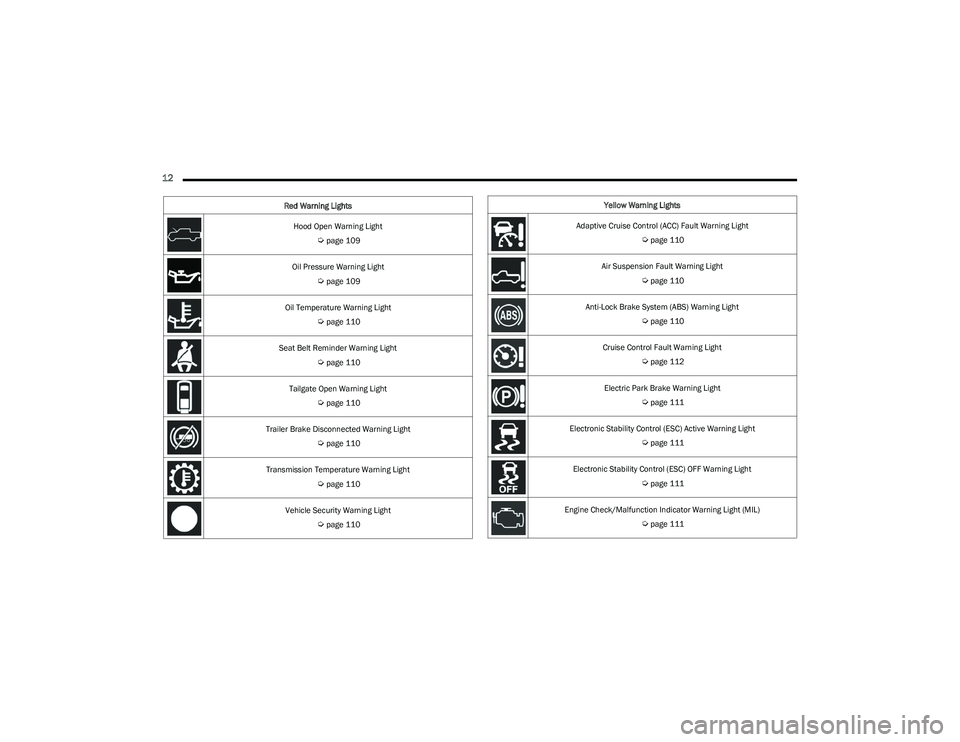
Hood Open Warning Light
Úpage 109
Oil Pressure Warning Light
Úpage 109
Oil Temperature Warning Light
Úpage 110
Seat Belt Reminder Warning Light
Úpage 110
Tailgate Open Warning Light
Úpage 110
Trailer Brake Disconnected Warning Light
Úpage 110
Transmission Temperature Warning Light
Úpage 110
Vehicle Security Warning Light
Úpage 110
Red Warning Lights
Yellow Warning Lights
Adaptive Cruise Control (ACC) Fault Warning Light
Úpage 110
Air Suspension Fault Warning Light
Úpage 110
Anti-Lock Brake System (ABS) Warning Light
Úpage 110
Cruise Control Fault Warning Light
Úpage 112
Electric Park Brake Warning Light
Úpage 111
Electronic Stability Control (ESC) Active Warning Light
Úpage 111
Electronic Stability Control (ESC) OFF Warning Light
Úpage 111
Engine Check/Malfunction Indicator Warning Light (MIL)
Úpage 111
23_DT_OM_EN_USC_t.book Page 12
Page 96 of 416
94GETTING TO KNOW YOUR INSTRUMENT PANEL
MIDLINE INSTRUMENT CLUSTER
D
ESCRIPTIONS — GASOLINE
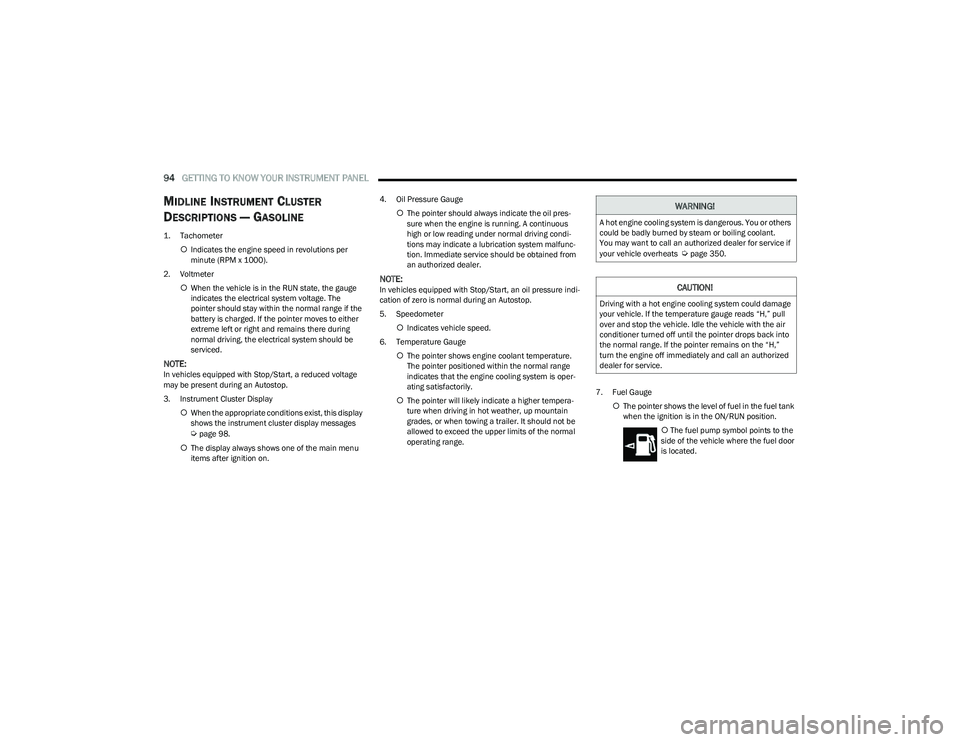
1. Tachometer
Indicates the engine speed in revolutions per
minute (RPM x 1000).
2. Voltmeter When the vehicle is in the RUN state, the gauge
indicates the electrical system voltage. The
pointer should stay within the normal range if the
battery is charged. If the pointer moves to either
extreme left or right and remains there during
normal driving, the electrical system should be
serviced.
NOTE:In vehicles equipped with Stop/Start, a reduced voltage
may be present during an Autostop.
3. Instrument Cluster Display
When the appropriate conditions exist, this display
shows the instrument cluster display messages
Úpage 98.
The display always shows one of the main menu
items after ignition on. 4. Oil Pressure Gauge
The pointer should always indicate the oil pres -
sure when the engine is running. A continuous
high or low reading under normal driving condi -
tions may indicate a lubrication system malfunc -
tion. Immediate service should be obtained from
an authorized dealer.
NOTE:In vehicles equipped with Stop/Start, an oil pressure indi -
cation of zero is normal during an Autostop.
5. Speedometer
Indicates vehicle speed.
6. Temperature Gauge The pointer shows engine coolant temperature.
The pointer positioned within the normal range
indicates that the engine cooling system is oper -
ating satisfactorily.
The pointer will likely indicate a higher tempera -
ture when driving in hot weather, up mountain
grades, or when towing a trailer. It should not be
allowed to exceed the upper limits of the normal
operating range. 7. Fuel Gauge
The pointer shows the level of fuel in the fuel tank
when the ignition is in the ON/RUN position.
The fuel pump symbol points to the
side of the vehicle where the fuel door
is located.
WARNING!
A hot engine cooling system is dangerous. You or others
could be badly burned by steam or boiling coolant.
You may want to call an authorized dealer for service if
your vehicle overheats
Úpage 350.
CAUTION!
Driving with a hot engine cooling system could damage
your vehicle. If the temperature gauge reads “H,” pull
over and stop the vehicle. Idle the vehicle with the air
conditioner turned off until the pointer drops back into
the normal range. If the pointer remains on the “H,”
turn the engine off immediately and call an authorized
dealer for service.
23_DT_OM_EN_USC_t.book Page 94
Page 98 of 416
96GETTING TO KNOW YOUR INSTRUMENT PANEL
HIGHLINE INSTRUMENT CLUSTER
D
ESCRIPTIONS — GASOLINE
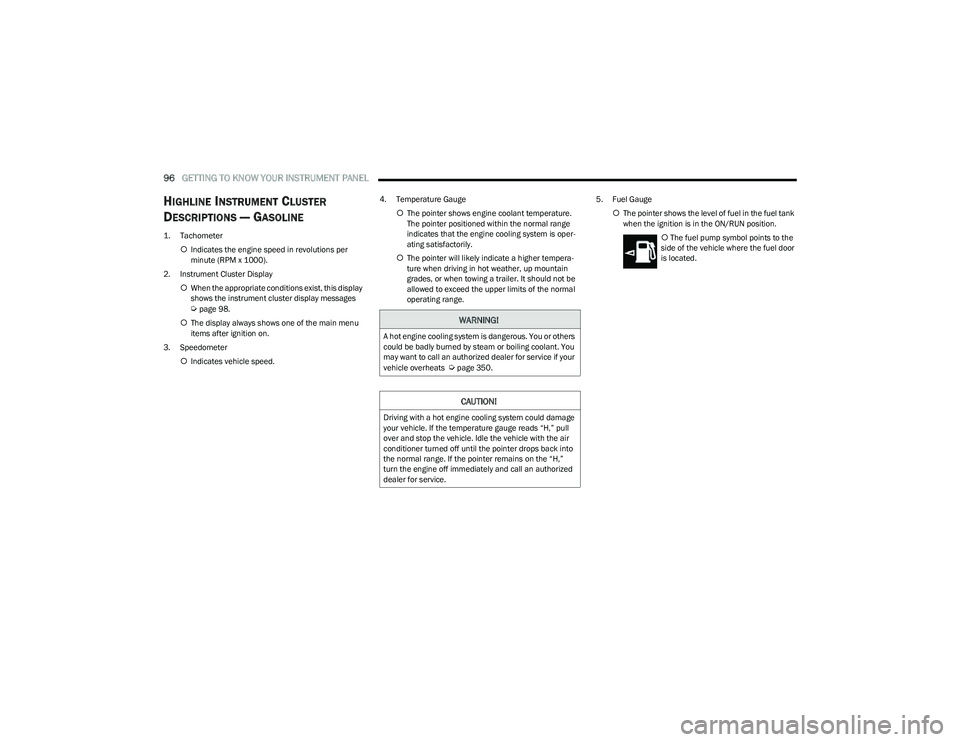
1. Tachometer
Indicates the engine speed in revolutions per
minute (RPM x 1000).
2. Instrument Cluster Display When the appropriate conditions exist, this display
shows the instrument cluster display messages
Úpage 98.
The display always shows one of the main menu
items after ignition on.
3. Speedometer Indicates vehicle speed. 4. Temperature Gauge
The pointer shows engine coolant temperature.
The pointer positioned within the normal range
indicates that the engine cooling system is oper -
ating satisfactorily.
The pointer will likely indicate a higher tempera -
ture when driving in hot weather, up mountain
grades, or when towing a trailer. It should not be
allowed to exceed the upper limits of the normal
operating range. 5. Fuel Gauge
The pointer shows the level of fuel in the fuel tank
when the ignition is in the ON/RUN position.
The fuel pump symbol points to the
side of the vehicle where the fuel door
is located.WARNING!
A hot engine cooling system is dangerous. You or others
could be badly burned by steam or boiling coolant. You
may want to call an authorized dealer for service if your
vehicle overheats
Úpage 350.
CAUTION!
Driving with a hot engine cooling system could damage
your vehicle. If the temperature gauge reads “H,” pull
over and stop the vehicle. Idle the vehicle with the air
conditioner turned off until the pointer drops back into
the normal range. If the pointer remains on the “H,”
turn the engine off immediately and call an authorized
dealer for service.
23_DT_OM_EN_USC_t.book Page 96
Page 100 of 416
98GETTING TO KNOW YOUR INSTRUMENT PANEL
PREMIUM INSTRUMENT CLUSTER
D
ESCRIPTIONS — GASOLINE
1. Temperature Gauge
The temperature gauge shows engine coolant
temperature. Any reading within 203°F - 230°F
(95°C - 110°C) indicates that the engine cooling
system is operating satisfactorily.
The pointer will likely indicate a higher tempera -
ture when driving in hot weather, up mountain
grades, or when towing a trailer. It should not be
allowed to exceed the upper limits of the normal
operating range. 2. Speedometer
Indicates vehicle speed.
3. Fuel Gauge The pointer shows the level of fuel in the fuel tank
when the Keyless Push Button Ignition is in the
ON/RUN position.
The fuel pump symbol points to the
side of the vehicle where the fuel door
is located.
4. Tachometer Indicates the engine speed in revolutions per
minute (RPM x 1000).
5. Instrument Cluster Display The instrument cluster display features a driver
interactive display
Úpage 98.
NOTE:The hard telltales will illuminate for a bulb check when the
ignition is first cycled.
INSTRUMENT CLUSTER DISPLAY
Depending on your vehicles trim level, features and
options may vary.
Your vehicle will be equipped with an instrument cluster
display, which offers useful information to the driver. With
the ignition in the OFF mode, opening/closing of a door will
activate the display for viewing, and display the total miles,
or kilometers, in the odometer. Your instrument cluster
display is designed to display important information about
your vehicle’s systems and features. Using a driver interactive display located on the
instrument panel, your instrument cluster display can
show you how systems are working and give you warnings
when they are not. The steering wheel mounted controls
allow you to scroll through the main menus and
submenus. You can access the specific information you
want and make selections and adjustments.
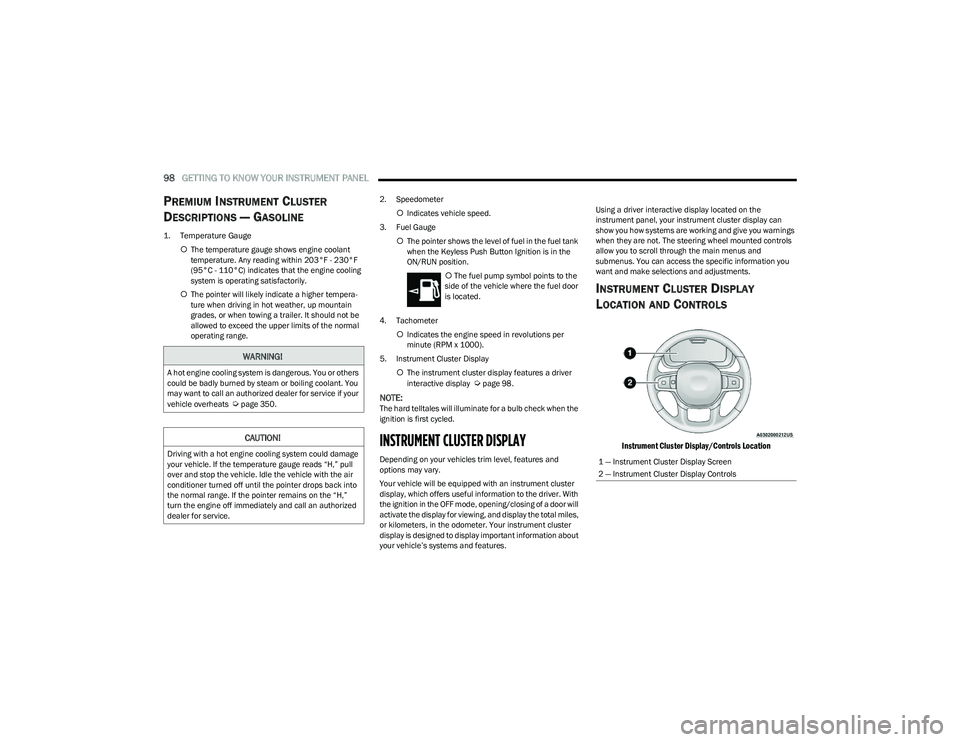
INSTRUMENT CLUSTER DISPLAY
L
OCATION AND CONTROLS
Instrument Cluster Display/Controls Location
WARNING!
A hot engine cooling system is dangerous. You or others
could be badly burned by steam or boiling coolant. You
may want to call an authorized dealer for service if your
vehicle overheats
Úpage 350.
CAUTION!
Driving with a hot engine cooling system could damage
your vehicle. If the temperature gauge reads “H,” pull
over and stop the vehicle. Idle the vehicle with the air
conditioner turned off until the pointer drops back into
the normal range. If the pointer remains on the “H,”
turn the engine off immediately and call an authorized
dealer for service.1 — Instrument Cluster Display Screen
2 — Instrument Cluster Display Controls
23_DT_OM_EN_USC_t.book Page 98
Page 103 of 416

GETTING TO KNOW YOUR INSTRUMENT PANEL101
OIL LIFE RESET
Use this QR code to access your digital
experience.
Your vehicle is equipped with an
engine oil change indicator system.
The “Oil Change Required” message
will display in the instrument cluster
display for five seconds after a single
chime has sounded, to indicate the
next scheduled oil change interval. The engine oil change
indicator system is duty cycle based, which means the
engine oil change interval may fluctuate, dependent upon
your personal driving style.
Unless reset, this message will continue to display each
time you place the ignition in the ON/RUN position. To turn
off the message temporarily, push and release the OK or
arrow buttons. To reset the oil change indicator system
(after performing the scheduled maintenance), refer to
the following procedure:
1. Without pressing the brake pedal, push the ENGINE START/STOP button and place the ignition in the
ON/RUN position (do not start the engine).
2. Push and release the down arrow button to scroll
downward through the main menu to “Vehicle Info.”
3. Push and release the right arrow button to access
the ”Oil Life” screen. 4. Push and hold the
OK button to reset oil life. If
conditions are met, the gauge and numeric display
will update to show 100%. If conditions are not met a
pop-up message of “To reset oil life engine must be
off with ignition in run” will be displayed (for five
seconds), and the user will remain at the Oil Life
screen.
5. Push and release the up or down arrow button
to exit the submenu screen.
NOTE:If the indicator message illuminates when you start the
vehicle, the oil change indicator system did not reset. If
necessary, repeat this procedure.
DISPLAY MENU ITEMS
Push and release the up or down arrow button until
the desired selectable menu icon is highlighted in the
instrument cluster display.
Speedometer
Push and release the up or down arrow button
until the speedometer menu item is highlighted in the
instrument cluster display. Push and release the OK
button to cycle the display between mph and km/h.
Driver Assist — If Equipped
The Driver Assist menu displays the status of the ACC and
LaneSense systems.
Push and release the up or down arrow button
until the Driver Assist menu is displayed in the instrument
cluster display. Adaptive Cruise Control (ACC) Feature
The instrument cluster display displays the current ACC
system settings. The information displayed depends on
ACC system status.
Push the ACC on/off button (located on the steering
wheel) until one of the following displays in the instrument
cluster display:
Adaptive Cruise Control Off
When ACC is deactivated, the display will read “Adaptive
Cruise Control Off.”
Adaptive Cruise Control Ready
When ACC is activated but the vehicle speed setting has
not been selected, the display will read “Adaptive Cruise
Control Ready.”
Push the SET + or the SET- button (located on the steering
wheel) and the following will display in the instrument
cluster display:
ACC SET
When ACC is set, the set speed will display in the
instrument cluster
Úpage 145.
The ACC screen may display once again if any ACC activity
occurs, which may include any of the following:
Distance Setting Change
System Cancel
Driver Override
System Off
ACC Proximity Warning
ACC Unavailable Warning
3
23_DT_OM_EN_USC_t.book Page 101
Page 104 of 416
102GETTING TO KNOW YOUR INSTRUMENT PANEL
LaneSense — If Equipped
The instrument cluster display displays the current
LaneSense system settings. The information displayed
depends on LaneSense system status and the conditions
that need to be met
Úpage 116.
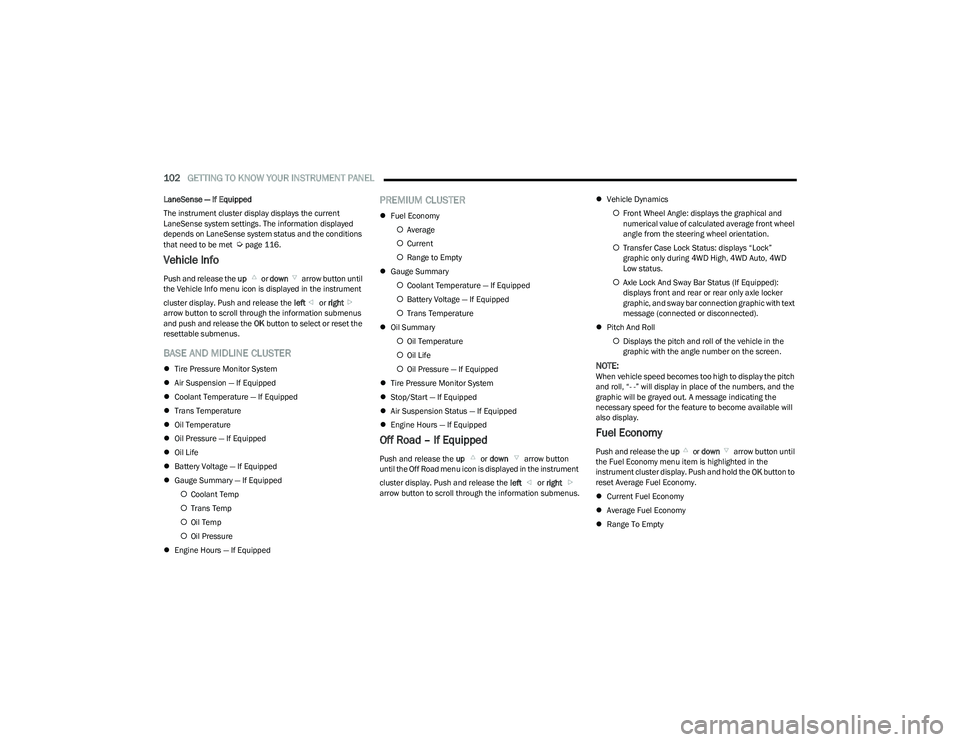
Vehicle Info
Push and release the up or down arrow button until
the Vehicle Info menu icon is displayed in the instrument
cluster display. Push and release the left or right
arrow button to scroll through the information submenus
and push and release the OK button to select or reset the
resettable submenus.
BASE AND MIDLINE CLUSTER
Tire Pressure Monitor System
Air Suspension — If Equipped
Coolant Temperature — If Equipped
Trans Temperature
Oil Temperature
Oil Pressure — If Equipped
Oil Life
Battery Voltage — If Equipped
Gauge Summary — If Equipped
Coolant Temp
Trans Temp
Oil Temp
Oil Pressure
Engine Hours — If Equipped
PREMIUM CLUSTER
Fuel Economy
Average
Current
Range to Empty
Gauge Summary
Coolant Temperature — If Equipped
Battery Voltage — If Equipped
Trans Temperature
Oil Summary
Oil Temperature
Oil Life
Oil Pressure — If Equipped
Tire Pressure Monitor System
Stop/Start — If Equipped
Air Suspension Status — If Equipped
Engine Hours — If Equipped
Off Road – If Equipped
Push and release the up or down arrow button
until the Off Road menu icon is displayed in the instrument
cluster display. Push and release the left or right
arrow button to scroll through the information submenus.
Vehicle Dynamics
Front Wheel Angle: displays the graphical and
numerical value of calculated average front wheel
angle from the steering wheel orientation.
Transfer Case Lock Status: displays “Lock”
graphic only during 4WD High, 4WD Auto, 4WD
Low status.
Axle Lock And Sway Bar Status (If Equipped):
displays front and rear or rear only axle locker
graphic, and sway bar connection graphic with text
message (connected or disconnected).
Pitch And Roll
Displays the pitch and roll of the vehicle in the
graphic with the angle number on the screen.
NOTE:When vehicle speed becomes too high to display the pitch
and roll, “- -” will display in place of the numbers, and the
graphic will be grayed out. A message indicating the
necessary speed for the feature to become available will
also display.
Fuel Economy
Push and release the up or down arrow button until
the Fuel Economy menu item is highlighted in the
instrument cluster display. Push and hold the OK button to
reset Average Fuel Economy.
Current Fuel Economy
Average Fuel Economy
Range To Empty
23_DT_OM_EN_USC_t.book Page 102
Page 111 of 416
GETTING TO KNOW YOUR INSTRUMENT PANEL109
Electric Power Steering (EPS) Fault
Warning Light
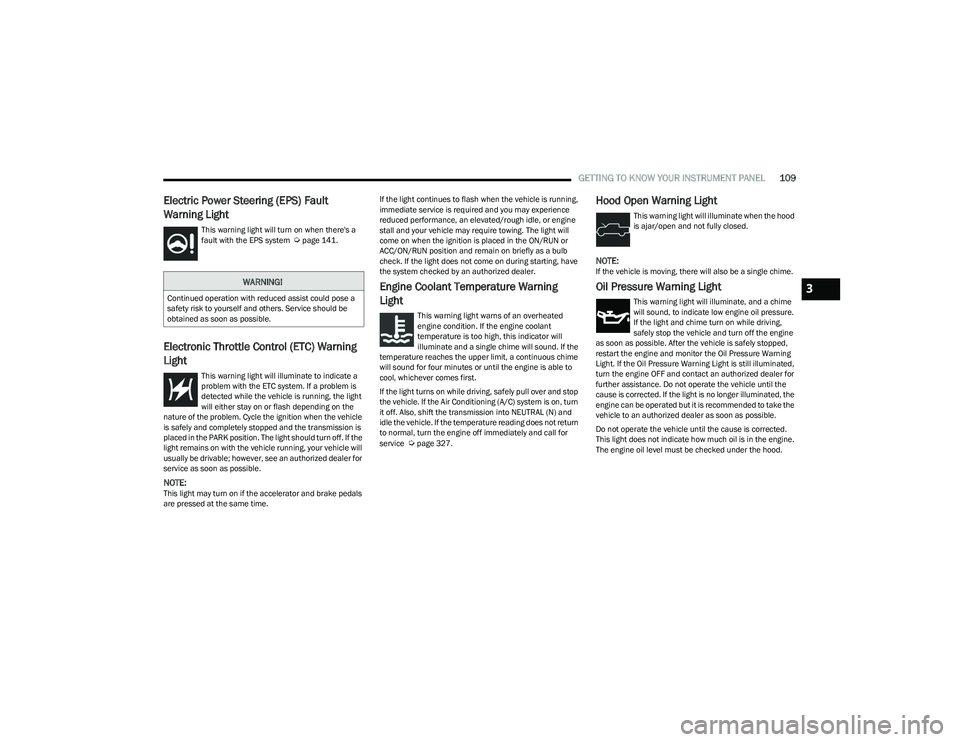
This warning light will turn on when there's a
fault with the EPS system Úpage 141.
Electronic Throttle Control (ETC) Warning
Light
This warning light will illuminate to indicate a
problem with the ETC system. If a problem is
detected while the vehicle is running, the light
will either stay on or flash depending on the
nature of the problem. Cycle the ignition when the vehicle
is safely and completely stopped and the transmission is
placed in the PARK position. The light should turn off. If the
light remains on with the vehicle running, your vehicle will
usually be drivable; however, see an authorized dealer for
service as soon as possible.
NOTE:This light may turn on if the accelerator and brake pedals
are pressed at the same time. If the light continues to flash when the vehicle is running,
immediate service is required and you may experience
reduced performance, an elevated/rough idle, or engine
stall and your vehicle may require towing. The light will
come on when the ignition is placed in the ON/RUN or
ACC/ON/RUN position and remain on briefly as a bulb
check. If the light does not come on during starting, have
the system checked by an authorized dealer.
Engine Coolant Temperature Warning
Light
This warning light warns of an overheated
engine condition. If the engine coolant
temperature is too high, this indicator will
illuminate and a single chime will sound. If the
temperature reaches the upper limit, a continuous chime
will sound for four minutes or until the engine is able to
cool, whichever comes first.
If the light turns on while driving, safely pull over and stop
the vehicle. If the Air Conditioning (A/C) system is on, turn
it off. Also, shift the transmission into NEUTRAL (N) and
idle the vehicle. If the temperature reading does not return
to normal, turn the engine off immediately and call for
service
Úpage 327.
Hood Open Warning Light
This warning light will illuminate when the hood
is ajar/open and not fully closed.
NOTE:If the vehicle is moving, there will also be a single chime.
Oil Pressure Warning Light
This warning light will illuminate, and a chime
will sound, to indicate low engine oil pressure.
If the light and chime turn on while driving,
safely stop the vehicle and turn off the engine
as soon as possible. After the vehicle is safely stopped,
restart the engine and monitor the Oil Pressure Warning
Light. If the Oil Pressure Warning Light is still illuminated,
turn the engine OFF and contact an authorized dealer for
further assistance. Do not operate the vehicle until the
cause is corrected. If the light is no longer illuminated, the
engine can be operated but it is recommended to take the
vehicle to an authorized dealer as soon as possible.
Do not operate the vehicle until the cause is corrected.
This light does not indicate how much oil is in the engine.
The engine oil level must be checked under the hood.
WARNING!
Continued operation with reduced assist could pose a
safety risk to yourself and others. Service should be
obtained as soon as possible.3
23_DT_OM_EN_USC_t.book Page 109
Page 112 of 416
110GETTING TO KNOW YOUR INSTRUMENT PANEL
Oil Temperature Warning Light
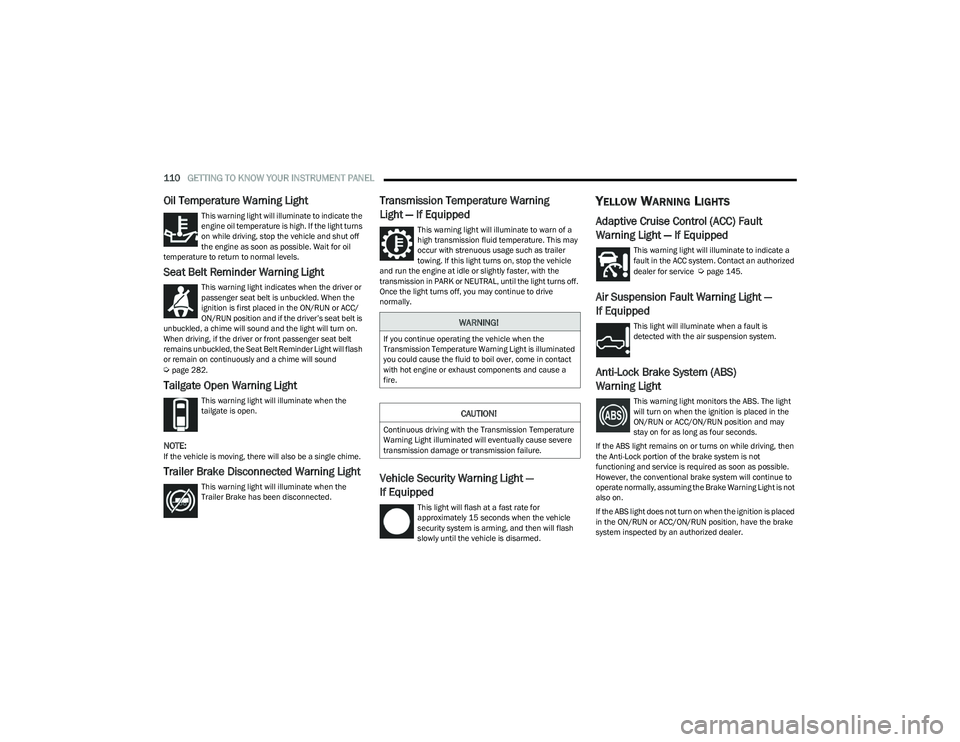
This warning light will illuminate to indicate the
engine oil temperature is high. If the light turns
on while driving, stop the vehicle and shut off
the engine as soon as possible. Wait for oil
temperature to return to normal levels.
Seat Belt Reminder Warning Light
This warning light indicates when the driver or
passenger seat belt is unbuckled. When the
ignition is first placed in the ON/RUN or ACC/
ON/RUN position and if the driver’s seat belt is
unbuckled, a chime will sound and the light will turn on.
When driving, if the driver or front passenger seat belt
remains unbuckled, the Seat Belt Reminder Light will flash
or remain on continuously and a chime will sound
Úpage 282.
Tailgate Open Warning Light
This warning light will illuminate when the
tailgate is open.
NOTE:If the vehicle is moving, there will also be a single chime.
Trailer Brake Disconnected Warning Light
This warning light will illuminate when the
Trailer Brake has been disconnected.
Transmission Temperature Warning
Light — If Equipped
This warning light will illuminate to warn of a
high transmission fluid temperature. This may
occur with strenuous usage such as trailer
towing. If this light turns on, stop the vehicle
and run the engine at idle or slightly faster, with the
transmission in PARK or NEUTRAL, until the light turns off.
Once the light turns off, you may continue to drive
normally.
Vehicle Security Warning Light —
If Equipped
This light will flash at a fast rate for
approximately 15 seconds when the vehicle
security system is arming, and then will flash
slowly until the vehicle is disarmed.
YELLOW WARNING LIGHTS
Adaptive Cruise Control (ACC) Fault
Warning Light — If Equipped
This warning light will illuminate to indicate a
fault in the ACC system. Contact an authorized
dealer for service
Úpage 145.
Air Suspension Fault Warning Light —
If Equipped
This light will illuminate when a fault is
detected with the air suspension system.
Anti-Lock Brake System (ABS)
Warning Light
This warning light monitors the ABS. The light
will turn on when the ignition is placed in the
ON/RUN or ACC/ON/RUN position and may
stay on for as long as four seconds.
If the ABS light remains on or turns on while driving, then
the Anti-Lock portion of the brake system is not
functioning and service is required as soon as possible.
However, the conventional brake system will continue to
operate normally, assuming the Brake Warning Light is not
also on.
If the ABS light does not turn on when the ignition is placed
in the ON/RUN or ACC/ON/RUN position, have the brake
system inspected by an authorized dealer.
WARNING!
If you continue operating the vehicle when the
Transmission Temperature Warning Light is illuminated
you could cause the fluid to boil over, come in contact
with hot engine or exhaust components and cause a
fire.
CAUTION!
Continuous driving with the Transmission Temperature
Warning Light illuminated will eventually cause severe
transmission damage or transmission failure.
23_DT_OM_EN_USC_t.book Page 110
Page 124 of 416
122STARTING AND OPERATING
ENGINE BREAK-IN RECOMMENDATIONS
A long break-in period is not required for the engine and
drivetrain (transmission and axle) in your vehicle.
Drive moderately during the first 300 miles (500 km).
After the initial 60 miles (100 km), speeds up to 50 or
55 mph (80 or 90 km/h) are desirable.
While cruising, brief full-throttle acceleration within the
limits of local traffic laws contributes to a good break-in.
Wide-open throttle acceleration in low gear can be
detrimental and should be avoided.
The engine oil installed in the engine at the factory is a
high-quality energy conserving type lubricant. Oil changes
should be consistent with anticipated climate conditions
under which vehicle operations will occur. For the
recommended viscosity and quality grades
Úpage 396.
NOTE:A new engine may consume some oil during its first few
thousand miles (kilometers) of operation. This should be
considered a normal part of the break-in and not inter -
preted as a problem. Please check your oil level with the
engine oil indicator often during the break-in period. Add
oil as required.
PARKING BRAKE
ELECTRIC PARK BRAKE (EPB)
Your vehicle is equipped with an EPB that offers simple
operation, and some additional features that make the
parking brake more convenient and useful.
The parking brake is primarily intended to prevent the
vehicle from rolling while parked. Before leaving the
vehicle, make sure that the parking brake is applied. Also,
be certain to leave the transmission in PARK.
You can engage the parking brake in two ways:
Manually, by applying the parking brake switch.
Automatically, by enabling the Auto Park Brake feature
in the Customer Programmable Features section of the
Uconnect settings.
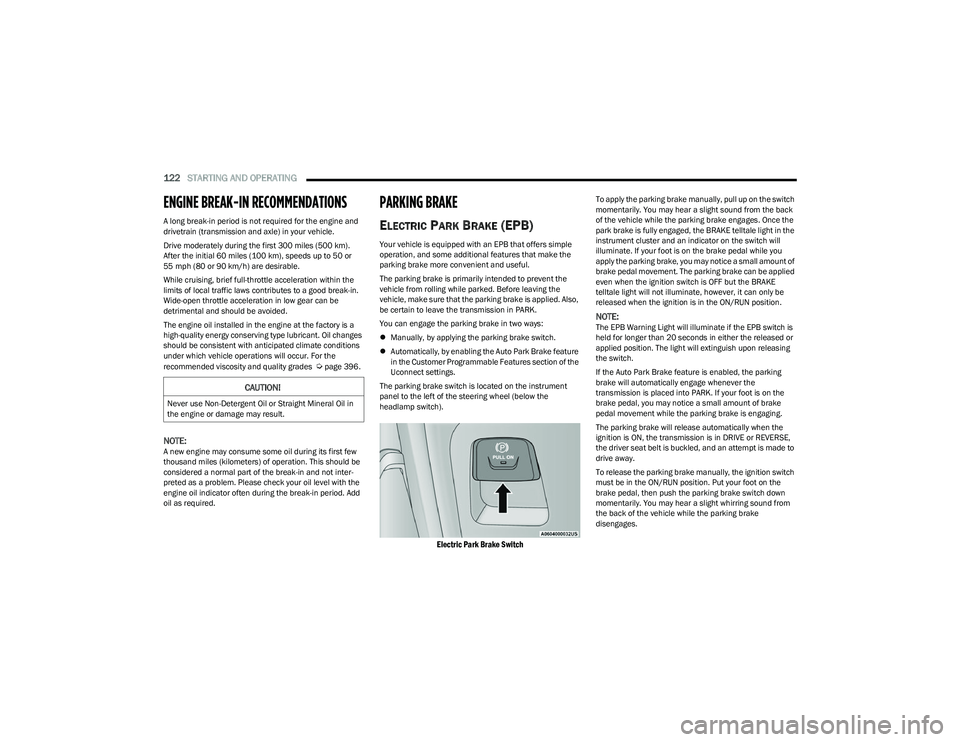
The parking brake switch is located on the instrument
panel to the left of the steering wheel (below the
headlamp switch).
Electric Park Brake Switch
To apply the parking brake manually, pull up on the switch
momentarily. You may hear a slight sound from the back
of the vehicle while the parking brake engages. Once the
park brake is fully engaged, the BRAKE telltale light in the
instrument cluster and an indicator on the switch will
illuminate. If your foot is on the brake pedal while you
apply the parking brake, you may notice a small amount of
brake pedal movement. The parking brake can be applied
even when the ignition switch is OFF but the BRAKE
telltale light will not illuminate, however, it can only be
released when the ignition is in the ON/RUN position.
NOTE:The EPB Warning Light will illuminate if the EPB switch is
held for longer than 20 seconds in either the released or
applied position. The light will extinguish upon releasing
the switch.
If the Auto Park Brake feature is enabled, the parking
brake will automatically engage whenever the
transmission is placed into PARK. If your foot is on the
brake pedal, you may notice a small amount of brake
pedal movement while the parking brake is engaging.
The parking brake will release automatically when the
ignition is ON, the transmission is in DRIVE or REVERSE,
the driver seat belt is buckled, and an attempt is made to
drive away.
To release the parking brake manually, the ignition switch
must be in the ON/RUN position. Put your foot on the
brake pedal, then push the parking brake switch down
momentarily. You may hear a slight whirring sound from
the back of the vehicle while the parking brake
disengages.
CAUTION!
Never use Non-Detergent Oil or Straight Mineral Oil in
the engine or damage may result.
23_DT_OM_EN_USC_t.book Page 122