center console RAM 1500 2023 User Guide
[x] Cancel search | Manufacturer: RAM, Model Year: 2023, Model line: 1500, Model: RAM 1500 2023Pages: 416, PDF Size: 20.59 MB
Page 77 of 416
GETTING TO KNOW YOUR VEHICLE75
Electronic Tailgate Release — If Equipped
The key fob may be equipped with an electronic
release feature for the tailgate, allowing
hands-free tailgate opening. To activate, push
and release the Tailgate Release button on the
key fob twice within five seconds. The tailgate door will
unlatch, and slowly lower into the open position.
If equipped, a button on the center overhead console
inside the vehicle can be used to release the tailgate.
An indicator light may also signal when the tailgate is
open.
For the tailgate to lower, the vehicle must be stationary
and in PARK or NEUTRAL.
NOTE:The optional Tri-Fold Tonneau Cover Úpage 86 may
prevent electronic tailgate release. The Tonneau Cover
must be removed or folded up before releasing the
tailgate.
CLOSING
To close the tailgate, push it upward until both sides are
securely latched.
LOCKING TAILGATE
The tailgate can be locked using the key fob lock button.
MULTIFUNCTION TAILGATE —
I
F EQUIPPED
The 60/40 multifunction tailgate has two swing doors to
allow for closer access to the pickup box with the doors
open.
Opening
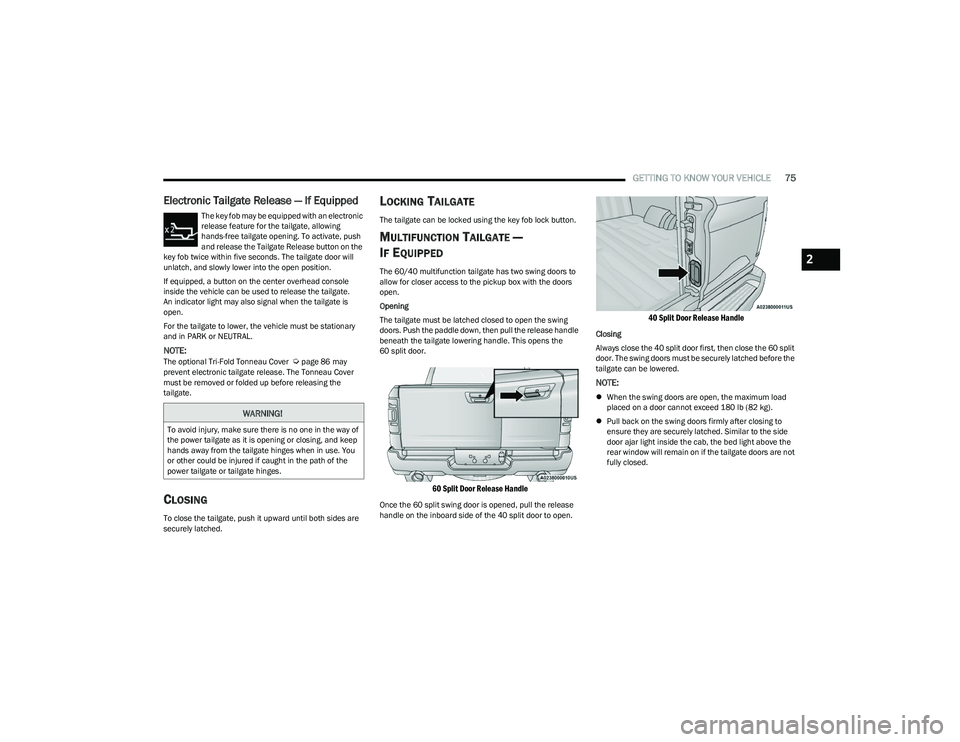
The tailgate must be latched closed to open the swing
doors. Push the paddle down, then pull the release handle
beneath the tailgate lowering handle. This opens the
60 split door.
60 Split Door Release Handle
Once the 60 split swing door is opened, pull the release
handle on the inboard side of the 40 split door to open.
40 Split Door Release Handle
Closing
Always close the 40 split door first, then close the 60 split
door. The swing doors must be securely latched before the
tailgate can be lowered.
NOTE:
When the swing doors are open, the maximum load
placed on a door cannot exceed 180 lb (82 kg).
Pull back on the swing doors firmly after closing to
ensure they are securely latched. Similar to the side
door ajar light inside the cab, the bed light above the
rear window will remain on if the tailgate doors are not
fully closed.
WARNING!
To avoid injury, make sure there is no one in the way of
the power tailgate as it is opening or closing, and keep
hands away from the tailgate hinges when in use. You
or other could be injured if caught in the path of the
power tailgate or tailgate hinges.
2
23_DT_OM_EN_USC_t.book Page 75
Page 239 of 416
MULTIMEDIA237
INTRODUCTION TO CONNECTED VEHICLE
S
ERVICES
One of the many benefits of your vehicle’s Uconnect
system is that you can now take advantage of SiriusXM
Guardian™ connected services. To unlock the full
potential of SiriusXM Guardian™ in your vehicle, you first
need to activate SiriusXM Guardian™ connected services.
NOTE:SiriusXM Guardian™ involves the collection, transmission
and use of data from your vehicle Úpage 252.
SiriusXM Guardian™ Contact Information
SiriusXM Guardian™/Care
US residents visit: https://www.driveuconnect.com/
sirius-xm-guardian.html or call 1-844-796-4827
Canadian residents visit: https://www.driveucon -
nect.ca/en/sirius-xm-guardian or call 1-877-324-9091
What Is SiriusXM Guardian™?
SiriusXM Guardian™ uses an embedded device in the
Uconnect system installed in your vehicle, which receives
GPS signals and communicates with the SiriusXM
Guardian™ Customer Care center via wireless and
landline communications networks. Depending on the
type of device in your vehicle, some SiriusXM Guardian™
connected services require an operable LTE (voice/data)
or 4G (data) network compatible with your device.
SiriusXM Guardian™ is available only on equipped
vehicles purchased within the continental United States,
Alaska, Hawaii, Puerto Rico and Canada.
NOTE:
Certain SiriusXM Guardian™ connected services are
dependent upon an operative telematics device, a
cellular connection, navigation map data, and GPS
satellite signal reception, which can limit the ability to
reach the response center or reach emergency
support.
Not all features of SiriusXM Guardian™ are available
everywhere at all times, particularly in remote or
enclosed areas.
Other factors outside the control of SiriusXM
Guardian™ that may limit or prevent service delivery
are hills, structures, buildings, tunnels, weather,
damage to the electrical system or other important
parts of your vehicle, network congestion, civil distur -
bances, actions of third parties or the government,
Internet failure, and/or the physical location of your
vehicle, such as in an underground parking structure or
under a bridge. Not all SiriusXM Guardian™ features are available for all
models.
SiriusXM Guardian™ provides:
The ability to remotely lock/unlock and remote start
your vehicle from virtually anywhere by using the
Vehicle Branded App or your computer.
If equipped — Send & Go capability with the Vehicle
Branded App. Use the Vehicle Branded App to easily
search, map and send your locations directly to your
Uconnect Navigation.
The ability to locate your vehicle, when you forget
where you parked, using the Vehicle Finder function of
the Vehicle Branded App.
Before you drive, familiarize yourself with the easy-to-use
Uconnect system and SiriusXM Guardian™ connected
services.
The ASSIST and SOS Call Buttons On Your Rearview Mirror
Or Overhead Console
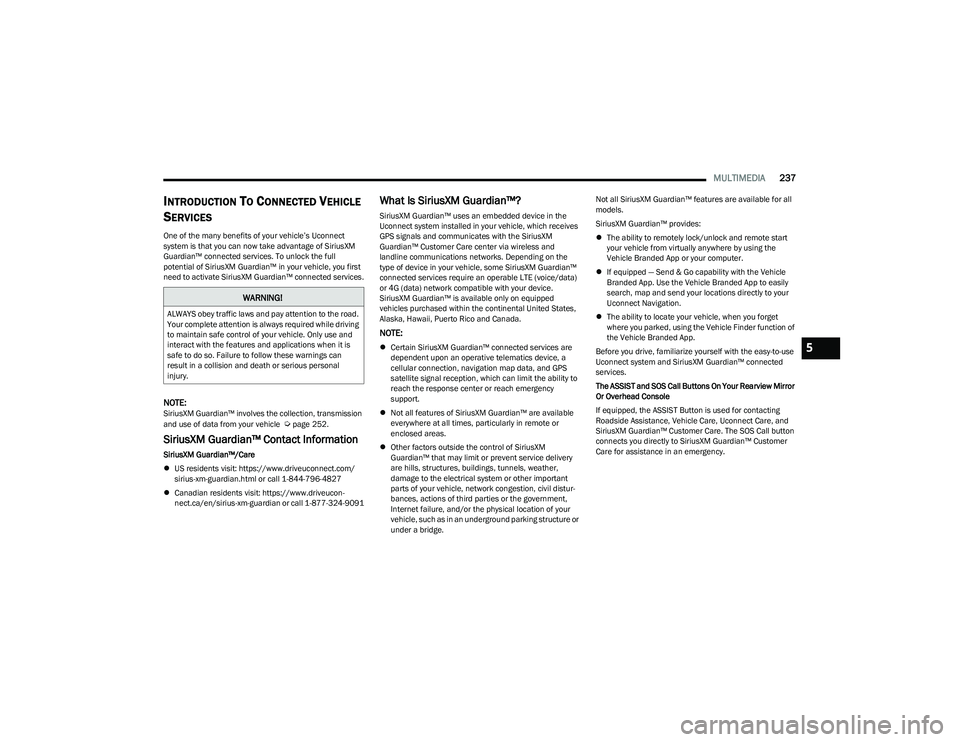
If equipped, the ASSIST Button is used for contacting
Roadside Assistance, Vehicle Care, Uconnect Care, and
SiriusXM Guardian™ Customer Care. The SOS Call button
connects you directly to SiriusXM Guardian™ Customer
Care for assistance in an emergency.
WARNING!
ALWAYS obey traffic laws and pay attention to the road.
Your complete attention is always required while driving
to maintain safe control of your vehicle. Only use and
interact with the features and applications when it is
safe to do so. Failure to follow these warnings can
result in a collision and death or serious personal
injury.
5
23_DT_OM_EN_USC_t.book Page 237
Page 241 of 416

MULTIMEDIA239
Using Your Owner’s Site
Your Owner’s Site website https://www.mopar.com/
en-us.html (US Residents), or www.mopar.ca (Canadian
Residents) provides you with all the information you need,
all in one place. You can track your service history, find
recommended accessories for your vehicle, watch videos
about your vehicle's features, and easily access your
manuals. It is also where you can manage your SiriusXM
Guardian™ account. This section will familiarize you with
the key elements of the website that will help you get the
most of your SiriusXM Guardian™ connected services.
For customers in the United States, press the Sign
In/Register button and enter your email address and
password.
For customers in Canada, press the My Vehicle button.
Select from “Dashboard”, “Vehicle Health Report”, and
“Recalls”. The website will then prompt you to log in using
your email address and password.
Edit/Edit Profile:
To manage the details of your SiriusXM Guardian™
account, such as your contact information, password
and SiriusXM Guardian™ PIN, click on the Edit/Edit
Profile button to access the details of your account.
Connected Services Status:
This statement will indicate your SiriusXM
Guardian™-equipped vehicle.
Remote Commands:
For vehicles with an active SiriusXM Guardian™
subscription, press one of these icons and enter your
four-digit SiriusXM Guardian™ Security PIN to remotely
start (if equipped), lock/unlock doors or sound the horn
and flash the lights. Editing Your Notifications
Notifications are an important element of your SiriusXM
Guardian™ account. For example, any time you use your
remote services (such as Remote Door Unlock), you can
elect to receive a text message, push notification, and/or
E-mail to notify you of the event. To set up the
notifications, please follow these instructions.
1. Log on to your Owner’s Account at
https://
www.mopar.com/en-us.html (US Residents) and
select “Dashboard”, or www.mopar.ca
(Canadian
Residents), select “My Vehicle” and then
“Dashboard”.
2. Click the Edit/Edit Profile button.
3. Once there, select “SiriusXM Guardian™” where you can edit Notification Preferences.
4. You can enter a mobile phone and/or email address to notify you, and you can customize the types of
messages.
USING SIRIUSXM GUARDIAN™
SOS Call — If Equipped
Access To Emergency Services At The Push Of A Button
SiriusXM Guardian™ In-Vehicle Assistance Features
With SiriusXM Guardian™, your vehicle has onboard
assistance features located on the rearview mirror or
overhead console designed to enhance your driving
experience if you should ever need assistance or support.
Description
SOS Call offers a convenient way to get in contact with a
SiriusXM Guardian™ Customer Care agent in the event of
an emergency. When the connection between the vehicle
and the live agent is made, your vehicle will automatically
transmit location information. In the event of a minor
collision, medical or any other emergency, press the SOS
button to be connected to a call center agent who can
send emergency assistance to your vehicle’s location.
NOTE:Certain SiriusXM Guardian™ connected services are
dependent on an operational Uconnect system, cellular
network availability that is compatible with the device in
your vehicle, and GPS network availability. Not all features
of SiriusXM Guardian™ are available everywhere at all
times, particularly in remote or enclosed areas.WARNING!
Some SiriusXM Guardian™ connected services,
including SOS Call and Roadside Assistance Call, will
NOT work without a network connection compatible
with your device.
Center Light Status Description
Off No call activated
Green Active call in progress
Red System error
5
23_DT_OM_EN_USC_t.book Page 239
Page 242 of 416

240MULTIMEDIA
How It Works
1. Push the SOS Call button; the indicator light will turn green indicating a call has been placed.
NOTE:
In case the SOS Call button is accidentally pushed,
there is a 10-second delay before the SOS call is
placed. The system will verbally alert you that a
call is about to be made. To cancel the SOS Call
connection, push the SOS Call button on the
rearview mirror or overhead console or press
the Cancel button on the touchscreen within
10 seconds.
During an SOS Call, the Bluetooth®-paired phone
is disconnected so incoming or outgoing calls will
go through your mobile device versus the
hands-free system which is not available due to
the SOS Call.
2. Once a connection between the vehicle and a SiriusXM Guardian™ Customer Care agent is made,
the agent will stay on the line with you.
NOTE:Calls between the vehicle occupants and the SiriusXM
Guardian™ Customer Care center may be recorded or
monitored for quality assurance purposes. Through your
enrollment in and use of the SiriusXM Guardian™
connected services, you consent to being recorded. SOS Call System Limitations
Vehicles that have been purchased in the US and that
travel into Mexico and Canada may have limited services.
In particular, responses to SOS calls or other emergency
services may be unavailable or very limited. Vehicles
purchased outside the United States and Canada are
unable to receive SiriusXM Guardian™ connected
services.
If the SOS Call system detects a malfunction, any of the
following may occur at the time the malfunction is
detected:
The light will continuously be illuminated red.
The screen will display the following message “Vehicle
phone requires service. Please contact your dealer.”
An in-vehicle audio message will state “Vehicle phone
requires service. Please contact your dealer.”
Even if the SOS Call system is fully functional, factors
beyond FCA US LLC’s control may prevent or stop SOS Call
system operation. These include, but are not limited to,
the following factors:
The ignition key is in OFF position.
The vehicle’s electrical systems are not intact.
The vehicle battery loses power or becomes
disconnected during a vehicle crash.
The SOS Call system software and/or hardware is
damaged during a vehicle crash.
LTE (voice/data) or 4G (data) coverage and/or GPS
signals are unavailable or obstructed.
Network congestion.
Weather conditions.
Buildings, structures, geographic terrain, or tunnels.
If your vehicle loses battery power for any reason
(including during or after an accident), the SOS Call
system, among other vehicle systems, will not operate.
Requirements
This feature is available only on vehicles sold in the US
or Canada.
Vehicle must be properly equipped with the SiriusXM
Guardian™ connected services. Vehicle must be regis -
tered with SiriusXM Guardian™ and have an active
subscription that includes the applicable feature.
Vehicle must have an operable LTE (voice/data) or 4G
(data) network connection compatible with your device.
Vehicle must be powered in the ON/RUN or ACC
(Accessory) position with a properly functioning elec -
trical system.
23_DT_OM_EN_USC_t.book Page 240
Page 246 of 416
244MULTIMEDIA
Assist — If Equipped
Description
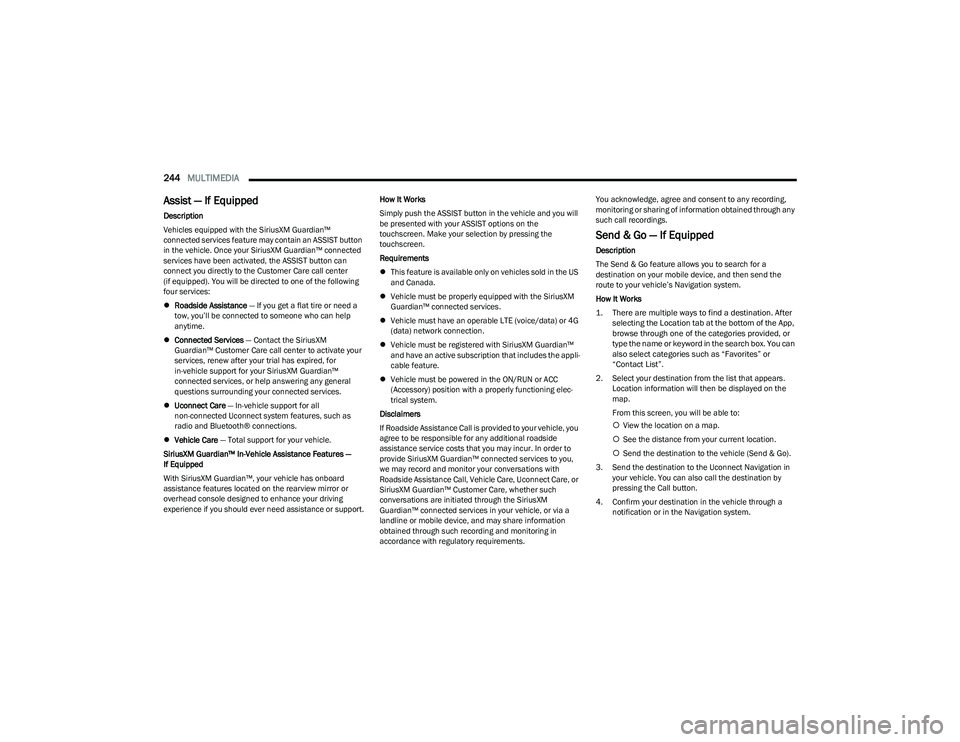
Vehicles equipped with the SiriusXM Guardian™
connected services feature may contain an ASSIST button
in the vehicle. Once your SiriusXM Guardian™ connected
services have been activated, the ASSIST button can
connect you directly to the Customer Care call center
(if equipped). You will be directed to one of the following
four services:
Roadside Assistance — If you get a flat tire or need a
tow, you’ll be connected to someone who can help
anytime.
Connected Services — Contact the SiriusXM
Guardian™ Customer Care call center to activate your
services, renew after your trial has expired, for
in-vehicle support for your SiriusXM Guardian™
connected services, or help answering any general
questions surrounding your connected services.
Uconnect Care — In-vehicle support for all
non-connected Uconnect system features, such as
radio and Bluetooth® connections.
Vehicle Care — Total support for your vehicle.
SiriusXM Guardian™ In-Vehicle Assistance Features —
If Equipped
With SiriusXM Guardian™, your vehicle has onboard
assistance features located on the rearview mirror or
overhead console designed to enhance your driving
experience if you should ever need assistance or support. How It Works
Simply push the ASSIST button in the vehicle and you will
be presented with your ASSIST options on the
touchscreen. Make your selection by pressing the
touchscreen.
Requirements
This feature is available only on vehicles sold in the US
and Canada.
Vehicle must be properly equipped with the SiriusXM
Guardian™ connected services.
Vehicle must have an operable LTE (voice/data) or 4G
(data) network connection.
Vehicle must be registered with SiriusXM Guardian™
and have an active subscription that includes the appli -
cable feature.
Vehicle must be powered in the ON/RUN or ACC
(Accessory) position with a properly functioning elec -
trical system.
Disclaimers
If Roadside Assistance Call is provided to your vehicle, you
agree to be responsible for any additional roadside
assistance service costs that you may incur. In order to
provide SiriusXM Guardian™ connected services to you,
we may record and monitor your conversations with
Roadside Assistance Call, Vehicle Care, Uconnect Care, or
SiriusXM Guardian™ Customer Care, whether such
conversations are initiated through the SiriusXM
Guardian™ connected services in your vehicle, or via a
landline or mobile device, and may share information
obtained through such recording and monitoring in
accordance with regulatory requirements. You acknowledge, agree and consent to any recording,
monitoring or sharing of information obtained through any
such call recordings.
Send & Go — If Equipped
Description
The Send & Go feature allows you to search for a
destination on your mobile device, and then send the
route to your vehicle’s Navigation system.
How It Works
1. There are multiple ways to find a destination. After
selecting the Location tab at the bottom of the App,
browse through one of the categories provided, or
type the name or keyword in the search box. You can
also select categories such as “Favorites” or
“Contact List”.
2. Select your destination from the list that appears. Location information will then be displayed on the
map.
From this screen, you will be able to:
View the location on a map.
See the distance from your current location.
Send the destination to the vehicle (Send & Go).
3. Send the destination to the Uconnect Navigation in your vehicle. You can also call the destination by
pressing the Call button.
4. Confirm your destination in the vehicle through a notification or in the Navigation system.
23_DT_OM_EN_USC_t.book Page 244
Page 294 of 416
292SAFETY
The OCS determines the front passenger’s most probable
classification. The OCS estimates the seated weight on the
front passenger seat and where that weight is located. The
OCS communicates the classification status to the ORC.
The ORC uses the classification to determine whether the
Passenger Advanced Front Air Bag inflation rate should be
adjusted.
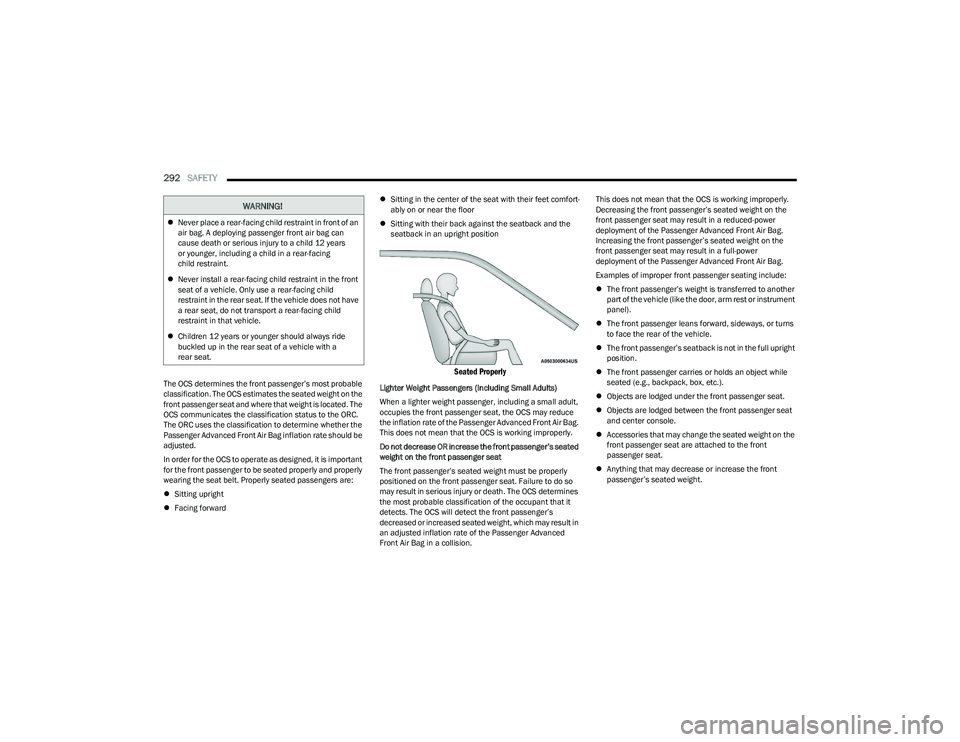
In order for the OCS to operate as designed, it is important
for the front passenger to be seated properly and properly
wearing the seat belt. Properly seated passengers are:
Sitting upright
Facing forward
Sitting in the center of the seat with their feet comfort -
ably on or near the floor
Sitting with their back against the seatback and the
seatback in an upright position
Seated Properly
Lighter Weight Passengers (Including Small Adults)
When a lighter weight passenger, including a small adult,
occupies the front passenger seat, the OCS may reduce
the inflation rate of the Passenger Advanced Front Air Bag.
This does not mean that the OCS is working improperly.
Do not decrease OR increase the front passenger’s seated
weight on the front passenger seat
The front passenger’s seated weight must be properly
positioned on the front passenger seat. Failure to do so
may result in serious injury or death. The OCS determines
the most probable classification of the occupant that it
detects. The OCS will detect the front passenger’s
decreased or increased seated weight, which may result in
an adjusted inflation rate of the Passenger Advanced
Front Air Bag in a collision. This does not mean that the OCS is working improperly.
Decreasing the front passenger’s seated weight on the
front passenger seat may result in a reduced-power
deployment of the Passenger Advanced Front Air Bag.
Increasing the front passenger’s seated weight on the
front passenger seat may result in a full-power
deployment of the Passenger Advanced Front Air Bag.
Examples of improper front passenger seating include:
The front passenger’s weight is transferred to another
part of the vehicle (like the door, arm rest or instrument
panel).
The front passenger leans forward, sideways, or turns
to face the rear of the vehicle.
The front passenger’s seatback is not in the full upright
position.
The front passenger carries or holds an object while
seated (e.g., backpack, box, etc.).
Objects are lodged under the front passenger seat.
Objects are lodged between the front passenger seat
and center console.
Accessories that may change the seated weight on the
front passenger seat are attached to the front
passenger seat.
Anything that may decrease or increase the front
passenger’s seated weight.
WARNING!
Never place a rear-facing child restraint in front of an
air bag. A deploying passenger front air bag can
cause death or serious injury to a child 12 years
or younger, including a child in a rear-facing
child restraint.
Never install a rear-facing child restraint in the front
seat of a vehicle. Only use a rear-facing child
restraint in the rear seat. If the vehicle does not have
a rear seat, do not transport a rear-facing child
restraint in that vehicle.
Children 12 years or younger should always ride
buckled up in the rear seat of a vehicle with a
rear seat.
23_DT_OM_EN_USC_t.book Page 292
Page 317 of 416
IN CASE OF EMERGENCY315
NOTE:
Your vehicle may be transmitting data as authorized by
the subscriber Úpage 402.
The ASSIST and SOS buttons will only function if you
are connected to an operable LTE (voice/data) or 4G
(data) network, which comes as a built in function.
Other services will only be operable if your SiriusXM
Guardian™ or Brand Connect service is active and you
are connected to an operable 4G (data) network.
ASSIST Call
The ASSIST Button is used to automatically connect you to
any one of the following support centers:
Roadside Assistance – If you get a flat tire, or need a
tow, just push the ASSIST button, select the Roadside
Assistance button and you’ll be connected to someone
who can help. Roadside Assistance will know what
vehicle you’re driving and its location. Additional fees
may apply for roadside Assistance.
SiriusXM Guardian™ Customer Care (If available) –
In-vehicle support for SiriusXM Guardian™.
Vehicle Customer Care – Total support for all other
vehicle issues.
Uconnect Customer Care – Total support for Radio,
Phone and NAV issues and Uconnect enrollment if
SiriusXM Guardian™ is not supported.
SOS Call
1. Push the SOS Call button on the overhead console or in the radio screen.
NOTE:In case the SOS Call button is pushed in error, there will be
a ten second delay before the SOS Call system initiates a
call to a SOS operator. To cancel the SOS Call connection,
push the SOS call button on the overhead console or press
the cancellation button on the Device Screen. Termination
of the SOS Call will turn off the green LED light on the
overhead console.
2. The LED lights located within the ASSIST and SOS buttons on the overhead console will turn green once
a connection to a SOS operator has been made.
3. Once a connection between the vehicle and a SOS operator is made, the SOS Call system may transmit
the following important vehicle information to a SOS
operator:
Indication that the occupant placed a SOS Call
The vehicle brand
The last known GPS coordinates of the vehicle
4. You should be able to speak with the SOS operator through the vehicle audio system to determine if
additional help is needed.NOTE:
Your vehicle may be transmitting data as autho -
rized by the subscriber.
Once a connection is made between the vehicle’s
SOS Call system and the SOS operator, the SOS
operator may be able to open a voice connection
with the vehicle to determine if additional help is
needed. Once the SOS operator opens a voice
connection with the vehicle’s SOS Call system, the
operator should be able to speak with you or other
vehicle occupants and hear sounds occurring in
the vehicle. The vehicle’s SOS Call system will
attempt to remain connected with the SOS
operator until the SOS operator terminates the
connection.
5. The SOS operator may attempt to contact appropriate emergency responders and provide them with
important vehicle information and GPS coordinates.
WARNING!
ALWAYS obey traffic laws and pay attention to the road.
ALWAYS drive safely with your hands on the steering
wheel. You have full responsibility and assume all risks
related to the use of the features and applications in
this vehicle. Only use the features and applications
when it is safe to do so. Failure to do so may result in an
accident involving serious injury or death.
WARNING!
ALWAYS obey traffic laws and pay attention to the road.
ALWAYS drive safely with your hands on the steering
wheel. You have full responsibility and assume all risks
related to the use of the features and applications in
this vehicle. Only use the features and applications
when it is safe to do so. Failure to do so may result in an
accident involving serious injury or death.
7
23_DT_OM_EN_USC_t.book Page 315
Page 412 of 416
410
Shifting.......................................................................... 124Automatic Transmission......................................... 125
Transfer Case, Shifting Into Transfer CaseNeutral (N) ......................................................... 187
Transfer Case, Shifting Out Of Transfer Case Neutral (N) ......................................................... 188
Shoulder Belts .............................................................. 283
Side Steps, Power ...........................................................25
Signals, Turn................................................. 49
, 115, 313
Sirius Satellite Radio ................................................... 220 Favorites.................................................................. 223
Replay ...................................................................... 222
SiriusXM Satellite Radio Browse in SXM ........................................................ 223Favorites.................................................................. 223
Replay ...................................................................... 222
Sliding Rear Window, Power...........................................71 Smart Watch................................................................. 248
Snow Chains (Tire Chains)........................................... 384
Snow Plow .................................................................... 184
Snow Tires .................................................................... 381
SOS Call ............................................................... 239
, 248
Spare Tires .......................................................... 381, 382
Speed Control (Cruise Control) ................................... 145
Starting ......................................................................... 118 Automatic Transmission......................................... 118
Button .........................................................................20
Engine Fails To Start............................................... 121
Starting And Operating ................................................ 118
Starting Procedures ..................................................... 118 Steering
Power ....................................................................... 141
Tilt Column ................................................................. 28
Wheel, Heated ........................................................... 28
Wheel, Tilt .................................................................. 28
Wheel, Voice Recognition ......................................... 36
Steering Wheel Audio Controls ....................................218
Steering Wheel Mounted Sound System .................... 218
Steps, Power Side ........................................................... 25
Stolen Vehicle Assistance .................................. 246
, 250
Stop/Start .....................................................................141
Storage ............................................................................ 60 Below Seat ................................................................. 64
Door ............................................................................ 60
Front Bench Seat....................................................... 63
Glove Compartment .................................................. 60
In Floor ....................................................................... 64
Rear Console ............................................................. 63
Storage Compartment, Center Seat .............................. 60
Storage, Vehicle .....................................................59
, 387
Store Radio Presets ...................................................... 224
Storing Your Vehicle ..................................................... 387
Sun Roof ................................................................... 72
, 73
Sunglasses Storage ........................................................ 62
Sunshade Operation....................................................... 73
Surround View Camera ................................................ 165
Suspension Air ................................................................... 134
, 137
Sway Control, Trailer..................................................... 268
Symbol Glossary ............................................................. 11
Synthetic Engine Oil ...................................................... 342
TTailgate ........................................................................... 74
Tailgate Removal ............................................................ 76
Tailgate, Electronic Lowering ......................................... 75 Tailgate, Multifunction ................................................... 75
Telescoping Steering Column ........................................ 28
Temperature Control, Automatic (ATC) ......................... 59
Tilt Down .......................................................................... 32
Up ............................................................................... 32
Tilt Steering Column ....................................................... 28 Tip Start......................................................................... 118
Tire And Loading Information Placard ........................ 374
Tire Identification Number (TIN) .................................. 372
Tire Markings ................................................................ 370
Tire Safety Information ................................................ 370
Tire Terminology And Definitions................................. 373
Tires ................................................... 312
, 377, 381, 386
Aging (Life Of Tires) ................................................. 379 Air Pressure ............................................................. 377
Chains ...................................................................... 384Compact Spare........................................................ 381Dual.......................................................................... 392
General Information.......................................377
, 381
High Speed .............................................................. 378 Inflation Pressure .................................................... 377
Life Of Tires ............................................................. 379
Load Capacity .......................................................... 374
Pressure Monitoring System (TPMS) ............ 112
, 277
Quality Grading........................................................ 386 Radial ....................................................................... 378
23_DT_OM_EN_USC_t.book Page 410