maintenance RAM 1500 2023 Owners Manual
[x] Cancel search | Manufacturer: RAM, Model Year: 2023, Model line: 1500, Model: RAM 1500 2023Pages: 416, PDF Size: 20.59 MB
Page 3 of 416
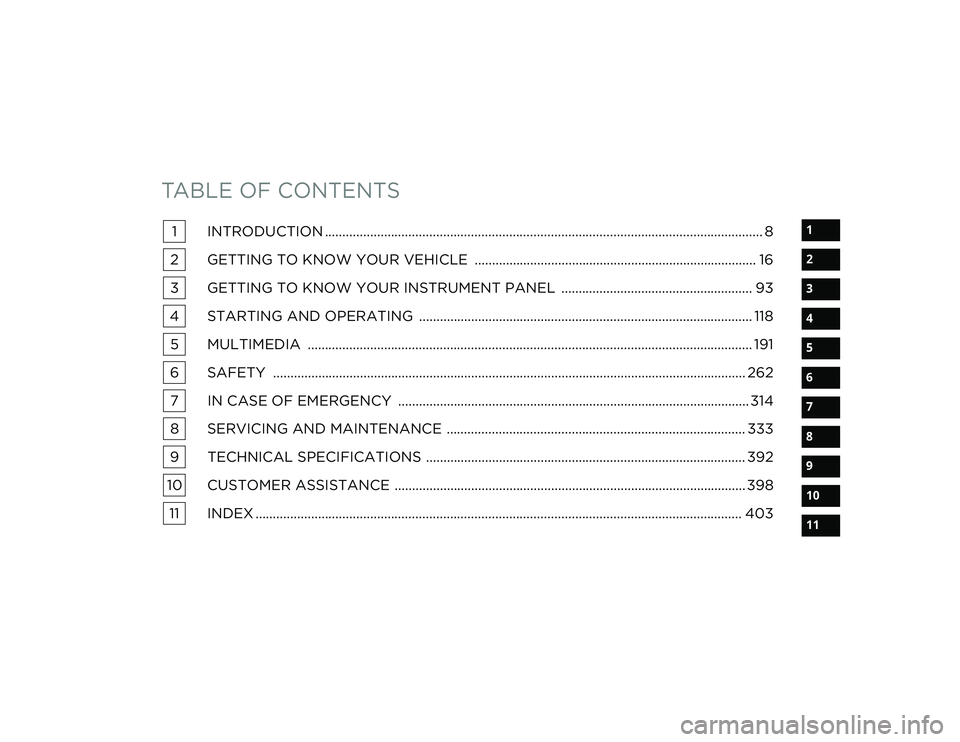
TABLE OF CONTENTS
1
2
3
4
5
6
7
8
9
10
11
1 INTRODUCTION .............................................................................................................................. 8
2 GETTING TO KNOW YOUR VEHICLE ................................................................................. 16
3 GETTING TO KNOW YOUR INSTRUMENT PANEL ....................................................... 93
4 STARTING AND OPERATING ................................................................................................ 118 5 MULTIMEDIA ................................................................................................................................ 191
6 SAFETY ........................................................................................................................................ 262 7 IN CASE OF EMERGENCY ..................................................................................................... 314
8 SERVICING AND MAINTENANCE ...................................................................................... 333
9 TECHNICAL SPECIFICATIONS ............................................................................................ 392
10 CUSTOMER ASSISTANCE ..................................................................................................... 398 11 INDEX ............................................................................................................................................ 403
23_DT_OM_EN_USC_t.book Page 1
Page 6 of 416
4
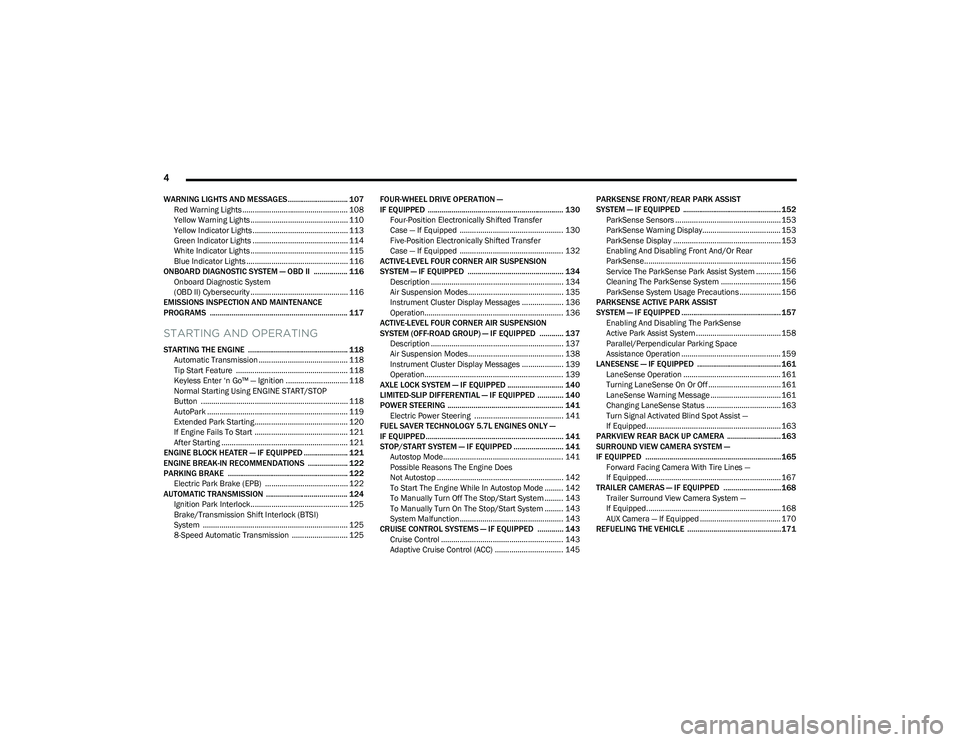
WARNING LIGHTS AND MESSAGES.............................. 107
Red Warning Lights ................................................... 108
Yellow Warning Lights ............................................... 110Yellow Indicator Lights .............................................. 113
Green Indicator Lights .............................................. 114
White Indicator Lights ............................................... 115Blue Indicator Lights ................................................. 116
ONBOARD DIAGNOSTIC SYSTEM — OBD II ................. 116 Onboard Diagnostic System
(OBD II) Cybersecurity ............................................... 116
EMISSIONS INSPECTION AND MAINTENANCE
PROGRAMS ..................................................................... 117
STARTING AND OPERATING
STARTING THE ENGINE .................................................. 118 Automatic Transmission ........................................... 118
Tip Start Feature ...................................................... 118Keyless Enter ‘n Go™ — Ignition .............................. 118
Normal Starting Using ENGINE START/STOP
Button ....................................................................... 118
AutoPark .................................................................... 119Extended Park Starting............................................. 120
If Engine Fails To Start ............................................. 121
After Starting ............................................................. 121
ENGINE BLOCK HEATER — IF EQUIPPED ...................... 121
ENGINE BREAK-IN RECOMMENDATIONS .................... 122
PARKING BRAKE ............................................................ 122 Electric Park Brake (EPB) ........................................ 122
AUTOMATIC TRANSMISSION ......................................... 124 Ignition Park Interlock............................................... 125Brake/Transmission Shift Interlock (BTSI)
System ...................................................................... 125
8-Speed Automatic Transmission ........................... 125 FOUR-WHEEL DRIVE OPERATION —
IF EQUIPPED .................................................................... 130
Four-Position Electronically Shifted Transfer
Case — If Equipped .................................................. 130Five-Position Electronically Shifted Transfer
Case — If Equipped .................................................. 132
ACTIVE-LEVEL FOUR CORNER AIR SUSPENSION
SYSTEM — IF EQUIPPED ................................................ 134 Description ................................................................ 134Air Suspension Modes.............................................. 135
Instrument Cluster Display Messages .................... 136
Operation................................................................... 136
ACTIVE-LEVEL FOUR CORNER AIR SUSPENSION
SYSTEM (OFF-ROAD GROUP) — IF EQUIPPED ............ 137 Description ................................................................ 137Air Suspension Modes.............................................. 138
Instrument Cluster Display Messages .................... 139
Operation................................................................... 139
AXLE LOCK SYSTEM — IF EQUIPPED ............................ 140
LIMITED-SLIP DIFFERENTIAL — IF EQUIPPED ............. 140
POWER STEERING .......................................................... 141 Electric Power Steering ........................................... 141
FUEL SAVER TECHNOLOGY 5.7L ENGINES ONLY —
IF EQUIPPED ..................................................................... 141
STOP/START SYSTEM — IF EQUIPPED ......................... 141 Autostop Mode.......................................................... 141
Possible Reasons The Engine Does
Not Autostop ............................................................. 142
To Start The Engine While In Autostop Mode ......... 142
To Manually Turn Off The Stop/Start System ......... 143
To Manually Turn On The Stop/Start System ......... 143
System Malfunction.................................................. 143
CRUISE CONTROL SYSTEMS — IF EQUIPPED ............. 143 Cruise Control ........................................................... 143
Adaptive Cruise Control (ACC) ................................. 145 PARKSENSE FRONT/REAR PARK ASSIST
SYSTEM — IF EQUIPPED ................................................. 152
ParkSense Sensors ................................................... 153
ParkSense Warning Display...................................... 153ParkSense Display .................................................... 153
Enabling And Disabling Front And/Or Rear
ParkSense.................................................................. 156
Service The ParkSense Park Assist System ............ 156
Cleaning The ParkSense System ............................. 156
ParkSense System Usage Precautions .................... 156
PARKSENSE ACTIVE PARK ASSIST
SYSTEM — IF EQUIPPED .................................................. 157 Enabling And Disabling The ParkSense
Active Park Assist System ......................................... 158
Parallel/Perpendicular Parking Space
Assistance Operation ................................................ 159
LANESENSE — IF EQUIPPED .......................................... 161 LaneSense Operation ............................................... 161Turning LaneSense On Or Off ................................... 161
LaneSense Warning Message .................................. 161
Changing LaneSense Status .................................... 163
Turn Signal Activated Blind Spot Assist —
If Equipped................................................................. 163
PARKVIEW REAR BACK UP CAMERA ........................... 163
SURROUND VIEW CAMERA SYSTEM —
IF EQUIPPED ....................................................................165 Forward Facing Camera With Tire Lines —
If Equipped................................................................. 167
TRAILER CAMERAS — IF EQUIPPED ............................. 168 Trailer Surround View Camera System —
If Equipped................................................................. 168
AUX Camera — If Equipped ....................................... 170
REFUELING THE VEHICLE ...............................................171
23_DT_OM_EN_USC_t.book Page 4
Page 7 of 416
5
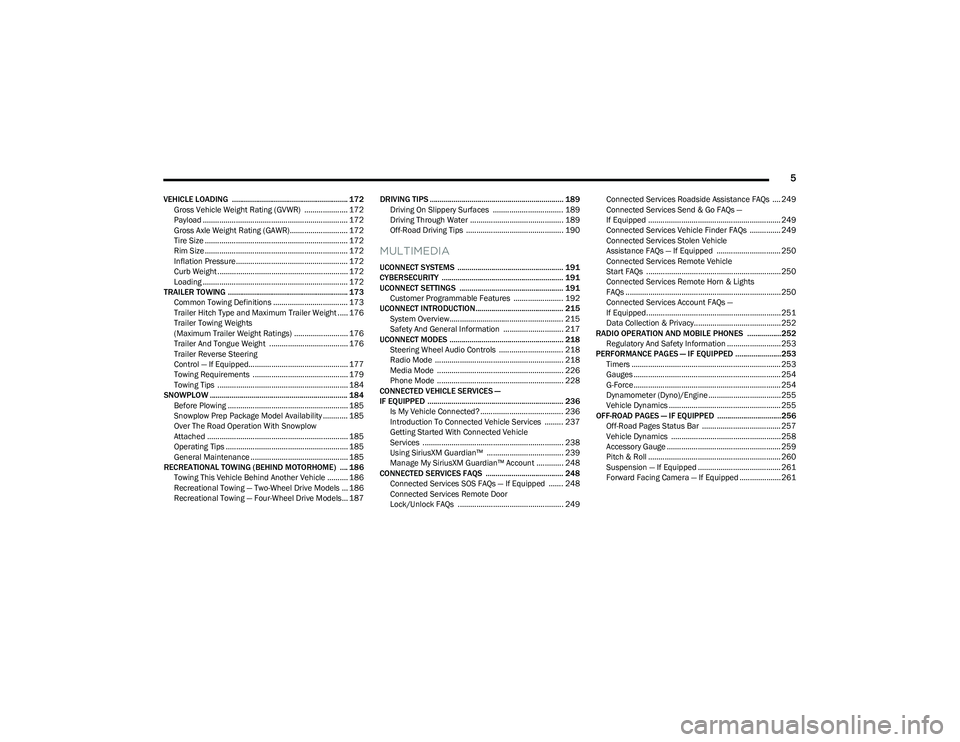
VEHICLE LOADING .......................................................... 172Gross Vehicle Weight Rating (GVWR) ..................... 172
Payload ...................................................................... 172
Gross Axle Weight Rating (GAWR)............................ 172
Tire Size ..................................................................... 172Rim Size ..................................................................... 172Inflation Pressure ...................................................... 172Curb Weight ............................................................... 172
Loading ...................................................................... 172
TRAILER TOWING ............................................................ 173 Common Towing Definitions .................................... 173
Trailer Hitch Type and Maximum Trailer Weight ..... 176Trailer Towing Weights
(Maximum Trailer Weight Ratings) .......................... 176Trailer And Tongue Weight ...................................... 176
Trailer Reverse Steering
Control — If Equipped................................................ 177Towing Requirements .............................................. 179
Towing Tips ............................................................... 184
SNOWPLOW ..................................................................... 184 Before Plowing .......................................................... 185
Snowplow Prep Package Model Availability ............ 185Over The Road Operation With Snowplow
Attached .................................................................... 185Operating Tips ........................................................... 185
General Maintenance ............................................... 185
RECREATIONAL TOWING (BEHIND MOTORHOME) .... 186 Towing This Vehicle Behind Another Vehicle .......... 186
Recreational Towing — Two-Wheel Drive Models ... 186
Recreational Towing — Four-Wheel Drive Models... 187 DRIVING TIPS ................................................................... 189
Driving On Slippery Surfaces .................................. 189
Driving Through Water ............................................. 189
Off-Road Driving Tips ............................................... 190
MULTIMEDIA
UCONNECT SYSTEMS ..................................................... 191
CYBERSECURITY ............................................................. 191
UCONNECT SETTINGS .................................................... 191 Customer Programmable Features ........................ 192
UCONNECT INTRODUCTION............................................ 215 System Overview....................................................... 215
Safety And General Information ............................. 217
UCONNECT MODES ......................................................... 218 Steering Wheel Audio Controls ............................... 218
Radio Mode .............................................................. 218
Media Mode ............................................................. 226
Phone Mode ............................................................. 228
CONNECTED VEHICLE SERVICES —
IF EQUIPPED .................................................................... 236 Is My Vehicle Connected? ........................................ 236
Introduction To Connected Vehicle Services ......... 237
Getting Started With Connected Vehicle
Services .................................................................... 238
Using SiriusXM Guardian™ ..................................... 239
Manage My SiriusXM Guardian™ Account ............. 248
CONNECTED SERVICES FAQS ....................................... 248 Connected Services SOS FAQs — If Equipped ....... 248Connected Services Remote Door
Lock/Unlock FAQs ................................................... 249 Connected Services Roadside Assistance FAQs .... 249
Connected Services Send & Go FAQs —
If Equipped ................................................................ 249
Connected Services Vehicle Finder FAQs ............... 249
Connected Services Stolen Vehicle
Assistance FAQs — If Equipped ............................... 250Connected Services Remote Vehicle
Start FAQs ................................................................. 250
Connected Services Remote Horn & Lights
FAQs ........................................................................... 250Connected Services Account FAQs —
If Equipped................................................................. 251
Data Collection & Privacy.......................................... 252
RADIO OPERATION AND MOBILE PHONES .................252 Regulatory And Safety Information .......................... 253
PERFORMANCE PAGES — IF EQUIPPED .......................253 Timers ........................................................................ 253
Gauges ....................................................................... 254
G-Force ....................................................................... 254
Dynamometer (Dyno)/Engine ................................... 255
Vehicle Dynamics ...................................................... 255
OFF-ROAD PAGES — IF EQUIPPED ................................256 Off-Road Pages Status Bar ...................................... 257Vehicle Dynamics ..................................................... 258Accessory Gauge ....................................................... 259
Pitch & Roll ................................................................ 260
Suspension — If Equipped ........................................ 261Forward Facing Camera — If Equipped .................... 261
23_DT_OM_EN_USC_t.book Page 5
Page 8 of 416
6
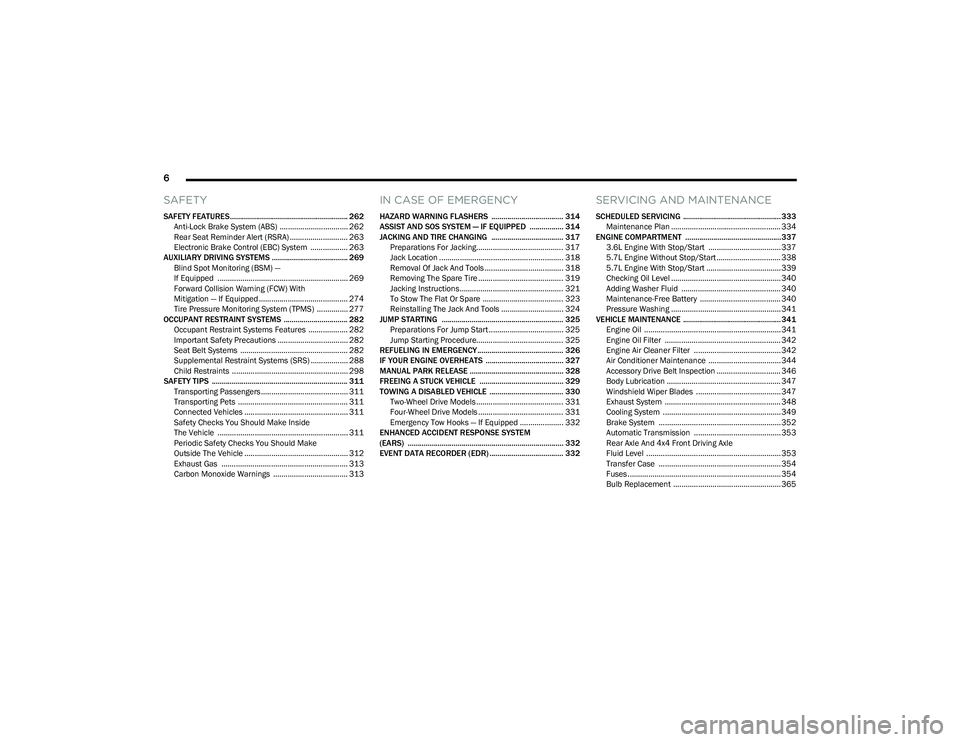
SAFETY
SAFETY FEATURES........................................................... 262
Anti-Lock Brake System (ABS) ................................. 262Rear Seat Reminder Alert (RSRA) ............................ 263
Electronic Brake Control (EBC) System .................. 263
AUXILIARY DRIVING SYSTEMS ...................................... 269 Blind Spot Monitoring (BSM) —
If Equipped ............................................................... 269
Forward Collision Warning (FCW) With
Mitigation — If Equipped ........................................... 274
Tire Pressure Monitoring System (TPMS) ............... 277
OCCUPANT RESTRAINT SYSTEMS ................................ 282 Occupant Restraint Systems Features ................... 282Important Safety Precautions .................................. 282Seat Belt Systems .................................................... 282
Supplemental Restraint Systems (SRS) .................. 288Child Restraints ........................................................ 298
SAFETY TIPS .................................................................... 311 Transporting Passengers .......................................... 311
Transporting Pets ..................................................... 311
Connected Vehicles .................................................. 311
Safety Checks You Should Make Inside
The Vehicle ............................................................... 311
Periodic Safety Checks You Should Make
Outside The Vehicle .................................................. 312
Exhaust Gas ............................................................. 313Carbon Monoxide Warnings .................................... 313
IN CASE OF EMERGENCY
HAZARD WARNING FLASHERS .................................... 314
ASSIST AND SOS SYSTEM — IF EQUIPPED ................. 314
JACKING AND TIRE CHANGING .................................... 317 Preparations For Jacking.......................................... 317Jack Location ............................................................ 318
Removal Of Jack And Tools ...................................... 318
Removing The Spare Tire ......................................... 319
Jacking Instructions.................................................. 321To Stow The Flat Or Spare ....................................... 323
Reinstalling The Jack And Tools .............................. 324
JUMP STARTING ............................................................. 325 Preparations For Jump Start .................................... 325Jump Starting Procedure.......................................... 325
REFUELING IN EMERGENCY........................................... 326
IF YOUR ENGINE OVERHEATS ....................................... 327
MANUAL PARK RELEASE ............................................... 328
FREEING A STUCK VEHICLE .......................................... 329
TOWING A DISABLED VEHICLE ..................................... 330 Two-Wheel Drive Models .......................................... 331Four-Wheel Drive Models ......................................... 331
Emergency Tow Hooks — If Equipped ..................... 332
ENHANCED ACCIDENT RESPONSE SYSTEM
(EARS) .............................................................................. 332
EVENT DATA RECORDER (EDR) ..................................... 332
SERVICING AND MAINTENANCE
SCHEDULED SERVICING ................................................. 333 Maintenance Plan ..................................................... 334
ENGINE COMPARTMENT ................................................337 3.6L Engine With Stop/Start ................................... 337
5.7L Engine Without Stop/Start ............................... 3385.7L Engine With Stop/Start .................................... 339
Checking Oil Level ..................................................... 340Adding Washer Fluid ................................................ 340
Maintenance-Free Battery ....................................... 340Pressure Washing ..................................................... 341
VEHICLE MAINTENANCE ................................................. 341 Engine Oil .................................................................. 341
Engine Oil Filter ........................................................ 342
Engine Air Cleaner Filter .......................................... 342
Air Conditioner Maintenance ................................... 344
Accessory Drive Belt Inspection ............................... 346Body Lubrication ....................................................... 347
Windshield Wiper Blades ......................................... 347
Exhaust System ........................................................ 348
Cooling System ......................................................... 349
Brake System ........................................................... 352
Automatic Transmission .......................................... 353
Rear Axle And 4x4 Front Driving Axle
Fluid Level ................................................................. 353
Transfer Case ........................................................... 354
Fuses .......................................................................... 354Bulb Replacement .................................................... 365
23_DT_OM_EN_USC_t.book Page 6
Page 9 of 416
7
TIRES ................................................................................. 370Tire Safety Information ............................................ 370
Tires — General Information .................................... 377
Tire Types................................................................... 380
Spare Tires — If Equipped ........................................ 381Wheel And Wheel Trim Care .................................... 383
Snow Traction Devices ............................................ 384
Tire Rotation Recommendations ............................ 386
DEPARTMENT OF TRANSPORTATION UNIFORM
TIRE QUALITY GRADES .................................................. 386 Treadwear .................................................................. 386
Traction Grades ......................................................... 387
Temperature Grades................................................. 387
STORING THE VEHICLE ................................................... 387
BODYWORK ...................................................................... 388 Protection From Atmospheric Agents ..................... 388
Body And Underbody Maintenance ......................... 388Preserving The Bodywork ......................................... 388
INTERIORS ....................................................................... 390 Seats And Fabric Parts ............................................. 390
Plastic And Coated Parts .......................................... 390
Leather Surfaces....................................................... 391Glass Surfaces ......................................................... 391TECHNICAL SPECIFICATIONS
VEHICLE IDENTIFICATION NUMBER (VIN)..................... 392
BRAKE SYSTEM .............................................................. 392
WHEEL AND TIRE TORQUE SPECIFICATIONS ............. 392 Torque Specifications .............................................. 392
FUEL REQUIREMENTS .................................................... 393 3.6L Engine .............................................................. 393
5.7L Engine ............................................................... 393Reformulated Gasoline ........................................... 393Materials Added To Fuel ......................................... 393
Gasoline/Oxygenate Blends ................................... 394Do Not Use E-85 In Non-Flex Fuel Vehicles ............ 394
CNG And LP Fuel System Modifications.................. 394
Methylcyclopentadienyl Manganese
Tricarbonyl (MMT) In Gasoline ................................. 394
Fuel System Cautions ............................................... 394
FLUID CAPACITIES .......................................................... 395
ENGINE FLUIDS AND LUBRICANTS .............................. 396
CHASSIS FLUIDS AND LUBRICANTS ............................ 397
CUSTOMER ASSISTANCE
SUGGESTIONS FOR OBTAINING SERVICE FOR YOUR
VEHICLE ............................................................................398 Prepare For The Appointment .................................. 398
Prepare A List ............................................................ 398Be Reasonable With Requests ................................. 398
IF YOU NEED ASSISTANCE .............................................398 Roadside Assistance ................................................. 398
FCA US LLC Customer Center ................................... 399
FCA Canada Inc. Customer Center........................... 399
Mexico ........................................................................ 399
Puerto Rico And US Virgin Islands............................ 399
Customer Assistance For The Hearing Or
Speech Impaired (TDD/TTY) ..................................... 400
Service Contract ....................................................... 400
WARRANTY INFORMATION.............................................400
MOPAR® PARTS ..............................................................400
REPORTING SAFETY DEFECTS ......................................401 In The 50 United States And Washington, D.C........ 401
In Canada................................................................... 401
PUBLICATION ORDER FORMS .......................................401
CHANGE OF OWNERSHIP OR ADDRESS.......................402
GENERAL INFORMATION................................................. 402
23_DT_OM_EN_USC_t.book Page 7
Page 10 of 416
8
INTRODUCTION
Dear Customer,
Congratulations on the purchase of your new Ram vehicle. Be assured that it represents precision workmanship, distinctive styling, and high quality.
This is a specialized utility vehicle. It can go places and perform tasks that are not intended for conventional passenger vehicles. It handles and maneuvers differently from many
passenger vehicles both on-road and off-road, so take time to become familiar with your vehicle. If equipped, the two-wheel drive version of this vehicle was designed for on-road use
only. It is not intended for off-road driving or use in other severe conditions suited for a four-wheel drive vehicle. Before you start to drive this vehicle, read the Owner’s Manual. Be sure
you are familiar with all vehicle controls, particularly those used for braking, steering, transmission, and transfer case shifting. Learn how your vehicle handles on different road surfaces.
Your driving skills will improve with experience. When driving off-road, or working the vehicle, don’t overload the vehicle or expect the vehicle to overcome the natural laws of physics.
Always observe federal, state, provincial and local laws wherever you drive. As with other vehicles of this type, failure to operate this vehicle correctly may result in loss of control or a
collision
Úpage 189.
This Owner's Manual has been prepared with the assistance of service and engineering specialists to acquaint you with the operation and maintenance of your vehicle. It is
supplemented by customer-oriented documents. Within this information, you will find a description of the services that FCA US LLC offers to its customers as well as the details of the
terms and conditions for maintaining its validity. Please take the time to read all of these publications carefully before driving your vehicle for the first time. Following the instructions,
recommendations, tips, and important warnings in this manual will help ensure safe and enjoyable operation of your vehicle.
This Owner's Manual describes all versions of this vehicle. Options and equipment dedicated to specific markets or versions are not expressly indicated in the text. Therefore, you should
only consider the information that is related to the trim level, engine, and version that you have purchased. Any content introduced throughout the Owner's Information, which may or
may not be applicable to your vehicle, will be identified with the wording “If Equipped”. All data contained in this publication are intended to help you use your vehicle in the best possible
way. FCA US LLC aims at a constant improvement of the vehicles produced. For this reason, it reserves the right to make changes to the model described for technical and/or commercial
reasons. For further information, contact an authorized dealer.
When it comes to service, remember that authorized dealers know your Ram vehicle best, have factory-trained technicians, genuine Mopar® parts, and care about your satisfaction.
23_DT_OM_EN_USC_t.book Page 8
Page 75 of 416
GETTING TO KNOW YOUR VEHICLE73
Manual Open/Close
To open the sunroof, push and hold the switch rearward to
full open.
To close the sunroof, push and hold the switch in the
forward position.
Any release of the switch during open or close operation
will stop the sunroof movement. The sunroof will remain in
a partially opened position until the switch is operated and
held again.
NOTE:If the sunshade is in the closed position when Express or
Manual Open operation is initiated the sunshade will auto -
matically open to the half open position prior to the
sunroof opening.
Opening And Closing The Power Sunshade
The sunshade has two programmed positions: half open
and full open positions. When operating the sunshade
from the closed position, the sunshade will always stop at
the half open position regardless of express or manual
open operation. The switch must be actuated again to
continue on to full open position.
If the sunroof is open or vented, the sunshade cannot be
closed beyond the half open position. Pushing the
sunshade close switch when the sunroof is open/vented
and the sunshade is at half open position will first
automatically close the sunroof prior to the sunshade
closing. Express Open/Close
Push the sunshade switch rearward and release it within
one-half second, the sunshade will open to the half open
position and stop automatically. Push and release the
switch again from the half open position and the
sunshade will open to the full open position and stop
automatically.
Push the sunshade switch forward and release it within
one-half second and the sunshade will close
automatically.
During Express Open or Express Close operation, any
other actuation of the sunroof switches will stop the
sunshade in a partially open position.
Manual Open/Close
Push and hold the sunshade switch rearward, the
sunshade will open to the half open position and stop
automatically. Push and hold the sunshade switch again
and the sunshade will open to the full open position.
Push and hold the switch forward and the sunshade will
close and stop at full closed position.
Releasing the switch while the sunshade is in motion will
stop the sunshade in a partially open position.
Pinch Protect Feature
This feature will detect an obstruction in the opening of
the sunroof during Express Close operation. If an
obstruction in the path of the sunroof is detected, the
sunroof will automatically retract. Remove the obstruction
if this occurs.
NOTE:If three consecutive sunroof close attempts result in Pinch
Protect reversals, Pinch Protect will disable and the
sunroof must be closed in Manual Mode.
Venting Sunroof
Push and release the Vent button within one half second
and the sunroof will open to the vent position. This is
called “Express Vent” and it will occur regardless of
sunroof position. During Express Vent operation, any
movement of the switch will stop the sunroof.
NOTE:If the sunshade was not already open, it will automatically
open prior to the roof opening to the vent position.
Ignition Off Operation
The power sunroof switch will remain active for up to
approximately 10 minutes after the ignition switch is
placed in the OFF position. Opening either front door will
cancel this feature.
NOTE:Ignition Off timing is programmable through the Uconnect
system Úpage 191.
Sunroof Maintenance
Use only a non-abrasive cleaner and a soft cloth to clean
the glass panel. Periodically check for and clear out any
debris that may have collected in the tracks.
2
23_DT_OM_EN_USC_t.book Page 73
Page 103 of 416

GETTING TO KNOW YOUR INSTRUMENT PANEL101
OIL LIFE RESET
Use this QR code to access your digital
experience.
Your vehicle is equipped with an
engine oil change indicator system.
The “Oil Change Required” message
will display in the instrument cluster
display for five seconds after a single
chime has sounded, to indicate the
next scheduled oil change interval. The engine oil change
indicator system is duty cycle based, which means the
engine oil change interval may fluctuate, dependent upon
your personal driving style.
Unless reset, this message will continue to display each
time you place the ignition in the ON/RUN position. To turn
off the message temporarily, push and release the OK or
arrow buttons. To reset the oil change indicator system
(after performing the scheduled maintenance), refer to
the following procedure:
1. Without pressing the brake pedal, push the ENGINE START/STOP button and place the ignition in the
ON/RUN position (do not start the engine).
2. Push and release the down arrow button to scroll
downward through the main menu to “Vehicle Info.”
3. Push and release the right arrow button to access
the ”Oil Life” screen. 4. Push and hold the
OK button to reset oil life. If
conditions are met, the gauge and numeric display
will update to show 100%. If conditions are not met a
pop-up message of “To reset oil life engine must be
off with ignition in run” will be displayed (for five
seconds), and the user will remain at the Oil Life
screen.
5. Push and release the up or down arrow button
to exit the submenu screen.
NOTE:If the indicator message illuminates when you start the
vehicle, the oil change indicator system did not reset. If
necessary, repeat this procedure.
DISPLAY MENU ITEMS
Push and release the up or down arrow button until
the desired selectable menu icon is highlighted in the
instrument cluster display.
Speedometer
Push and release the up or down arrow button
until the speedometer menu item is highlighted in the
instrument cluster display. Push and release the OK
button to cycle the display between mph and km/h.
Driver Assist — If Equipped
The Driver Assist menu displays the status of the ACC and
LaneSense systems.
Push and release the up or down arrow button
until the Driver Assist menu is displayed in the instrument
cluster display. Adaptive Cruise Control (ACC) Feature
The instrument cluster display displays the current ACC
system settings. The information displayed depends on
ACC system status.
Push the ACC on/off button (located on the steering
wheel) until one of the following displays in the instrument
cluster display:
Adaptive Cruise Control Off
When ACC is deactivated, the display will read “Adaptive
Cruise Control Off.”
Adaptive Cruise Control Ready
When ACC is activated but the vehicle speed setting has
not been selected, the display will read “Adaptive Cruise
Control Ready.”
Push the SET + or the SET- button (located on the steering
wheel) and the following will display in the instrument
cluster display:
ACC SET
When ACC is set, the set speed will display in the
instrument cluster
Úpage 145.
The ACC screen may display once again if any ACC activity
occurs, which may include any of the following:
Distance Setting Change
System Cancel
Driver Override
System Off
ACC Proximity Warning
ACC Unavailable Warning
3
23_DT_OM_EN_USC_t.book Page 101
Page 114 of 416
112GETTING TO KNOW YOUR INSTRUMENT PANEL
Rear Axle Locker Fault Warning Light —
If Equipped
This warning light will illuminate to indicate
when a rear axle locker fault has been
detected.
Service Forward Collision Warning (FCW)
Light — If Equipped
This warning light will illuminate to indicate a
fault in the FCW System. Contact an authorized
dealer for service
Úpage 274.
Service Stop/Start System Warning Light —
If Equipped
This warning light will illuminate when the
Stop/Start system is not functioning properly
and service is required. Contact an authorized
dealer for service.
Service 4WD Warning Light — If Equipped
This warning light will illuminate to signal a fault
with the 4WD system. If the light stays on or
comes on during driving, it means that the 4WD
system is not functioning properly and that
service is required. We recommend you drive to the
nearest service center and have the vehicle serviced
immediately.
Cruise Control Fault Warning Light
This warning light will illuminate to indicate the
Cruise Control System is not functioning
properly and service is required. Contact an
authorized dealer.
Tire Pressure Monitoring System (TPMS)
Warning Light
The warning light switches on and a message is
displayed to indicate that the tire pressure is
lower than the recommended value and/or
that slow pressure loss is occurring. In these
cases, optimal tire duration and fuel consumption may not
be guaranteed.
Should one or more tires be in the condition previously
mentioned, the display will show the indications
corresponding to each tire. Each tire, including the spare (if provided), should be
checked monthly when cold and inflated to the inflation
pressure recommended by the vehicle manufacturer on
the vehicle placard or tire inflation pressure label. If your
vehicle has tires of a different size than the size indicated
on the vehicle placard or tire inflation pressure label, you
should determine the proper tire inflation pressure for
those tires.
As an added safety feature, your vehicle has been
equipped with a TPMS that illuminates a low tire pressure
telltale when one or more of your tires is significantly
underinflated. Accordingly, when the low tire pressure
telltale illuminates, you should stop and check your tires
as soon as possible, and inflate them to the proper
pressure. Driving on a significantly underinflated tire
causes the tire to overheat and can lead to tire failure.
Underinflation also reduces fuel efficiency and tire tread
life, and may affect the vehicle’s handling and stopping
ability.
Please note that the TPMS is not a substitute for proper
tire maintenance, and it is the driver’s responsibility to
maintain correct tire pressure, even if underinflation has
not reached the level to trigger illumination of the TPMS
low tire pressure telltale.
CAUTION!
Prolonged driving with the Malfunction Indicator Light
(MIL) on could cause damage to the vehicle control
system. It also could affect fuel economy and
driveability. If the MIL is flashing, severe catalytic
converter damage and power loss will soon occur.
Immediate service is required.
CAUTION!
Do not continue driving with one or more flat tires as
handling may be compromised. Stop the vehicle,
avoiding sharp braking and steering. If a tire puncture
occurs, repair immediately using the dedicated tire
repair kit and contact an authorized dealer as soon as
possible.
23_DT_OM_EN_USC_t.book Page 112
Page 119 of 416

GETTING TO KNOW YOUR INSTRUMENT PANEL117
EMISSIONS INSPECTION AND
MAINTENANCE PROGRAMS
In some localities, it may be a legal requirement to pass an
inspection of your vehicle's emissions control system.
Failure to pass could prevent vehicle registration.
For states that require an Inspection and
Maintenance (I/M), this check verifies the
Malfunction Indicator Light (MIL) is functioning
and is not on when the engine is running, and
that the OBD II system is ready for testing.
Normally, the OBD II system will be ready. The OBD II
system may not be ready if your vehicle was recently
serviced, recently had a depleted battery or a battery
replacement. If the OBD II system should be determined
not ready for the I/M test, your vehicle may fail the test. Your vehicle has a simple ignition actuated test, which you
can use prior to going to the test station. To check if your
vehicle's OBD II system is ready, you must do the following:
1. Cycle the ignition switch to the ON position, but do
not crank or start the engine.
NOTE:If you crank or start the engine, you will have to start this
test over.
2. As soon as you cycle the ignition switch to the ON position, you will see the Malfunction Indicator Light
(MIL) symbol come on as part of a normal bulb check.
3. Approximately 15 seconds later, one of two things will happen:
The MIL will flash for about 10 seconds and then
return to being fully illuminated until you turn OFF
the ignition or start the engine. This means that
your vehicle's OBD II system is not ready and you
should not proceed to the I/M station.
The MIL will not flash at all and will remain fully illu -
minated until you place the ignition in the off posi -
tion or start the engine. This means that your
vehicle's OBD II system is ready and you can
proceed to the I/M station. If your OBD II system is
not ready, you should see an
authorized dealer or repair facility. If your vehicle was
recently serviced or had a battery failure or replacement,
you may need to do nothing more than drive your vehicle
as you normally would in order for your OBD II system to
update. A recheck with the approved test routine may then
indicate that the system is now ready.
Regardless of whether your vehicle's OBD II system is
ready or not, if the MIL is illuminated during normal vehicle
operation you should have your vehicle serviced before
going to the I/M station. The I/M station can fail your
vehicle because the MIL is on with the engine running.
3
23_DT_OM_EN_USC_t.book Page 117