transmission Ram 2500 2019 Workshop Manual
[x] Cancel search | Manufacturer: RAM, Model Year: 2019, Model line: 2500, Model: Ram 2500 2019Pages: 696, PDF Size: 13.89 MB
Page 348 of 696

346 STARTING AND OPERATING
NOTE:
How to choose an anchor point: A secure anchor is critical to
winching operations. An anchor must be strong enough to
hold while winching. Natural anchors include trees, stumps
and rocks. Hook the cable as low as possible. If no natural
anchors are available when recovering another vehicle, your
vehicle becomes the anchor point. In this case, be sure to put
the transmission in NEUTRAL, apply the hand brake and
block its wheels to prevent your vehicle from moving.
Ideally, you'll want an anchor point that will enable you to
pull straight in the direction the vehicle will move. This
allows the synthetic rope to wind tightly and evenly onto the
spooling drum. An anchor point as far away as possible will
provide the winch with its greatest pulling power.
7. Attach the Clevis/D-shackle and Tree Trunk Protector. Attach the shackle to the two ends of the strap or chain
and through the hook, being careful not to over tighten
(tighten and back-off 1/2 turn). Clevis/D-Shackles
8. Lock the clutch. Lock the winch drum by rotating the clutch lever on the winch to engage.
NOTE:
Always ensure the clutch is fully engaged or disengaged.
Page 358 of 696

356 STARTING AND OPERATING
Metric Speed (km/h)
• Pushing the RES (+) button once will result in a 1 km/h increase in set speed. Each subsequent tap of the button
results in an increase of 1 km/h.
• If the button is continually pushed, the set speed will continue to increase until the button is released, then the
new set speed will be established.
To Decrease Speed
When the Speed Control is set, you can decrease speed by
pushing the SET (-) button.
The driver’s preferred units can be selected through the
instrument panel settings if equipped. Refer to “Getting To
Know Your Instrument Panel” for more information. The
speed decrement shown is dependant on the chosen speed
unit of U.S. (mph) or Metric (km/h):
U.S. Speed (mph)
• Pushing the SET (-) button once will result in a 1 mph decrease in set speed. Each subsequent tap of the button
results in a decrease of 1 mph.
• If the button is continually pushed, the set speed will continue to decrease until the button is released, then the
new set speed will be established. Metric Speed (km/h)
• Pushing the SET (-) button once will result in a 1 km/h decrease in set speed. Each subsequent tap of the button
results in a decrease of 1 km/h.
• If the button is continually pushed, the set speed will continue to decrease until the button is released, then the
new set speed will be established.
To Accelerate For Passing
Press the accelerator as you would normally. When the pedal
is released, the vehicle will return to the set speed.
Using Speed Control On Hills
The transmission may downshift on hills to maintain the
vehicle set speed.
NOTE:
The Speed Control system maintains speed up and down
hills. A slight speed change on moderate hills is normal.
Page 362 of 696

360 STARTING AND OPERATING
Activating Adaptive Cruise Control (ACC)
You can only engage ACC if the vehicle speed is above
0 mph (0 km/h).
The minimum set speed for the ACC system is 20 mph (32 km/h).
When the system is turned on and in the ready state, the
instrument cluster display will read “ACC Ready.”
When the system is off, the instrument cluster display will
read “Adaptive Cruise Control (ACC) Off.”
NOTE:
You cannot engage ACC under the following conditions:
• When in Four-Wheel Drive Low.
• When you apply the brakes.
• When the parking brake is applied.
• When the automatic transmission is in PARK, REVERSE orNEUTRAL.
• When the vehicle speed is outside of the speed range.
• When the brakes are overheated.
• When the driver door is open at low speed.
• When the driver seat belt is unbuckled at low speed.
• ESC Full-Off Mode is active.
To Activate/Deactivate
Push and release the Adaptive Cruise Control (ACC) on/off
button. The ACC menu in the instrument cluster displays
“ACC Ready.”
Adaptive Cruise Control Ready
To turn the system off, push and release the Adaptive Cruise
Control (ACC) on/off button again. At this time, the system
will turn off and the instrument cluster display will show
“Adaptive Cruise Control (ACC) Off.”
Page 399 of 696

STARTING AND OPERATING 397
PARKVIEW REAR BACK UP CAMERA
Your vehicle may be equipped with the ParkView Rear Back
Up Camera that allows you to see a image of the rear
surroundings of your vehicle whenever the gear selector is
put into REVERSE or whenever it is initiated through the
"Backup Camera" button in the "Controls" menu. Whenever
the gear selector is put into REVERSE, the image will be
displayed in the rearview mirror display (if equipped) or
Uconnect screen (if equipped). If the image is displayed in
the Uconnect screen, a caution note to “check entire
surroundings” will display across the top of the screen. After
five seconds this note will disappear.
Manual Activation Of The Rear View Camera:
1. Press the "Controls" button located on the bottom of theUconnect display.
2. Press the "Backup Camera" button to turn the Rear View Camera system on.
When the vehicle is shifted out of REVERSE (with Camera
delay turned off), the rear Camera mode is exited and the
previous screen appears again. When the vehicle is shifted out of REVERSE (with Camera
delay turned on), the rear Camera image will be displayed
for up to 10 seconds after shifting to another gear, unless the
vehicle speed exceeds 8 mph (13 km/h), the transmission is
shifted into PARK, the ignition is switched to the OFF posi
-
tion, or the touchscreen button “X” to disable display of the
Rear View Camera image is pressed.
Whenever the Rear View Camera image is activated through
the "Backup Camera" button in the "Controls" menu, and the
vehicle speed is greater than, or equal to, 8 mph (13 km/h), a display timer for the image is initiated. The image will
continue to be displayed until the display timer exceeds 10
seconds.
NOTE:
• If the vehicle speed remains below 8 mph (13 km/h), the Rear View Camera image will be displayed continuously
until deactivated via the touchscreen button "X", the trans -
mission is shifted into PARK, or the ignition is cycled to
the OFF position.
• The touchscreen button "X" to disable display of the camera image is made available ONLY when the vehicle is
not in REVERSE.
5
Page 421 of 696
STARTING AND OPERATING 419
(Continued)
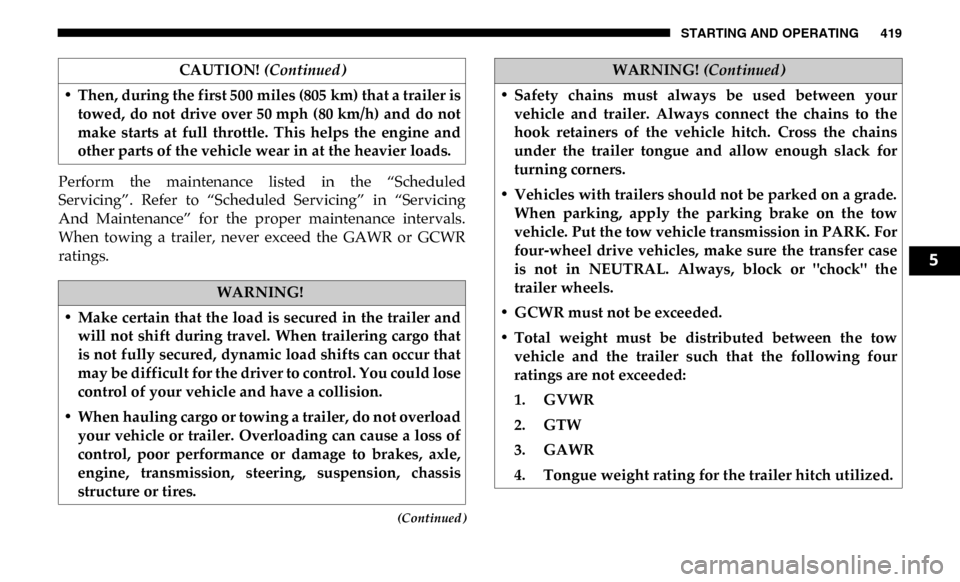
Perform the maintenance listed in the “Scheduled
Servicing”. Refer to “Scheduled Servicing” in “Servicing
And Maintenance” for the proper maintenance intervals.
When towing a trailer, never exceed the GAWR or GCWR
ratings.• Then, during the first 500 miles (805 km) that a trailer is
towed, do not drive over 50 mph (80 km/h) and do not
make starts at full throttle. This helps the engine and
other parts of the vehicle wear in at the heavier loads.
WARNING!
• Make certain that the load is secured in the trailer and will not shift during travel. When trailering cargo that
is not fully secured, dynamic load shifts can occur that
may be difficult for the driver to control. You could lose
control of your vehicle and have a collision.
• When hauling cargo or towing a trailer, do not overload your vehicle or trailer. Overloading can cause a loss of
control, poor performance or damage to brakes, axle,
engine, transmission, steering, suspension, chassis
structure or tires. CAUTION!
(Continued)
• Safety chains must always be used between your
vehicle and trailer. Always connect the chains to the
hook retainers of the vehicle hitch. Cross the chains
under the trailer tongue and allow enough slack for
turning corners.
• Vehicles with trailers should not be parked on a grade. When parking, apply the parking brake on the tow
vehicle. Put the tow vehicle transmission in PARK. For
four-wheel drive vehicles, make sure the transfer case
is not in NEUTRAL. Always, block or "chock" the
trailer wheels.
• GCWR must not be exceeded.
• Total weight must be distributed between the tow vehicle and the trailer such that the following four
ratings are not exceeded:
1. GVWR
2. GTW
3. GAWR
4. Tongue weight rating for the trailer hitch utilized.
WARNING! (Continued)
5
Page 428 of 696

426 STARTING AND OPERATING
Towing Tips
Before setting out on a trip, practice turning, stopping, and
backing up the trailer in an area located away from heavy
traffic.
Automatic Transmission
The DRIVE range can be selected when towing. The trans-
mission controls include a drive strategy to avoid frequent
shifting when towing. However, if frequent shifting does
occur while in DRIVE, select TOW/HAUL mode or select a
lower gear range (using the Electronic Range Select (ERS)
shift control).
NOTE:
Using TOW/HAUL mode or selecting a lower gear range
(using the ERS shift control) while operating the vehicle
under heavy loading conditions will improve performance
and extend transmission life by reducing excessive shifting
and heat build up. This action will also provide better engine
braking.
Tow/Haul Mode
To reduce potential for automatic transmission overheating,
activate TOW/HAUL mode when driving in hilly areas, or select a lower gear range (using the Electronic Range Select
(ERS) shift control) on more severe grades.
Speed Control — If Equipped
• Do not use on hilly terrain or with heavy loads.
• When using the speed control, if you experience speed
drops greater than 10 mph (16 km/h), disengage until you
can get back to cruising speed.
• Use speed control in flat terrain and with light loads to maximize fuel efficiency.
Cooling System
To reduce potential for engine and transmission over -
heating, take the following actions:
City Driving
• In city traffic — while stopped, place the transmission in NEUTRAL, but do not increase engine idle speed.
Highway Driving
• Reduce speed.
• Temporarily turn off air conditioning.
Page 431 of 696

STARTING AND OPERATING 429
Over The Road Operation With Snowplow Attached
The blade restricts air flow to the radiator and causes the
engine to operate at higher than normal temperatures.
Therefore, when transporting the plow, angle the blade
completely and position it as low as road or surface condi-
tions permit. Do not exceed 40 mph (64 km/h). The operator
should always maintain a safe stopping distance and allow
adequate passing clearance.
Operating Tips
Under ideal snow plowing conditions, 20 mph (32 km/h)
should be maximum operating speed. The operator should
be familiar with the area and surface to be cleaned. Reduce
speed and use extreme caution when plowing unfamiliar
areas or under poor visibility. General Maintenance
Snowplows should be maintained in accordance with the
plow manufacturer's instructions.
Keep all snowplow electrical connections and battery termi
-
nals clean and free of corrosion.
When plowing snow, to avoid transmission and drivetrain
damage, the following precautions should be observed.
• Operate with transfer case in 4LO when plowing small or congested areas where speeds are not likely to exceed
15 mph (24 km/h). At higher speeds operate in 4HI.
• Vehicles with automatic transmissions should use 4LO range when plowing deep or heavy snow for extended
periods of time to avoid transmission overheating.
• Do not shift the transmission unless the engine has returned to idle and wheels have stopped. Make a practice
of stepping on the brake pedal while shifting the transmis -
sion.
5
Page 432 of 696

430 STARTING AND OPERATING
RECREATIONAL TOWING (BEHIND MOTORHOME, ETC.)
Towing This Vehicle Behind Another Vehicle
NOTE:
• When towing your vehicle, always follow applicable stateand provincial laws. Contact state and provincial
Highway Safety offices for additional details. • Vehicles equipped with air suspension must be placed in
Transport mode before tying them down (from the body)
on a trailer or flatbed truck. Refer to “Air Suspension – If
Equipped” for more information. If the vehicle cannot be
placed in Transport mode (for example, engine will not
run), tie-downs must be fastened to the axles (not to the
body). Failure to follow these instructions may cause fault
codes to be set and/or cause loss of proper tie-down
tension.
Towing Condition
Wheels OFF The
Ground Two-Wheel
Drive Models Four-Wheel Drive Models
Flat Tow NONENOT ALLOWED See Instructions
• Automatic transmission in PARK
• Transfer case in NEUTRAL (N)
• Tow in forward direction
Dolly Tow Front
NOT ALLOWED NOT ALLOWED
Rear OK NOT ALLOWED
On Trailer ALLOK OK
Page 433 of 696

STARTING AND OPERATING 431
Recreational Towing — Two-Wheel Drive Models
DO NOT flat tow this vehicle. Damage to the drivetrain
will result.
Recreational towing (for two-wheel drive models) is allowed
ONLY if the rear wheels are OFF the ground. This may be
accomplished using a tow dolly or vehicle trailer. If using a
tow dolly, follow this procedure:
NOTE:
If vehicle is equipped with air suspension, ensure the vehicle
is set to Normal Ride Height.
1. Properly secure the dolly to the tow vehicle, following the dolly manufacturer's instructions.
2. Drive the rear wheels onto the tow dolly.
3. Firmly apply the parking brake. Place automatic trans -
mission in PARK. 4. Properly secure the rear wheels to the dolly, following the
dolly manufacturer's instructions.
5. Turn the ignition OFF and remove the key fob.
6. Install a suitable clamping device, designed for towing, to secure the front wheels in the straight position.
CAUTION!
• Towing with the rear wheels on the ground will cause severe transmission damage. Damage from improper
towing is not covered under the New Vehicle Limited
Warranty.
• Do not disconnect the driveshaft because fluid may leak from the transmission, causing damage to internal
parts.
5
Page 434 of 696

432 STARTING AND OPERATING
(Continued)
Recreational Towing — Four-Wheel Drive Models
NOTE:
Both the manual shift and electronic shift transfer cases must
be shifted into NEUTRAL (N) for recreational towing. Auto-
matic transmissions must be shifted into PARK for recre -
ational towing. Refer to the following for the proper transfer
case NEUTRAL (N) shifting procedure for your vehicle.
CAUTION!
• DO NOT dolly tow any 4WD vehicle. Towing with only one set of wheels on the ground (front or rear) will
cause severe transmission and/or transfer case damage.
Tow with all four wheels either ON the ground, or OFF
the ground (using a vehicle trailer).
• Tow only in the forward direction. Towing this vehicle backwards can cause severe damage to the transfer case.
• Before recreational towing, the transfer case must be in NEUTRAL. To be certain the transfer case is fully in
NEUTRAL, perform the procedure outlined under
“Shifting Into NEUTRAL”. Internal transmission
damage will result, if the transfer case is not in
NEUTRAL during towing.
• The transmission must be placed in PARK for recre -
ational towing.• Towing this vehicle in violation of the above require -
ments can cause severe transmission and/or transfer
case damage. Damage from improper towing is not
covered under the New Vehicle Limited Warranty.
• Do not disconnect the rear driveshaft because fluid will leak from the transfer case, causing damage to internal
parts.
• Do not use a bumper-mounted clamp-on tow bar on your vehicle. The bumper face bar will be damaged. CAUTION!
(Continued)