tail light Ram 2500 2020 User Guide
[x] Cancel search | Manufacturer: RAM, Model Year: 2020, Model line: 2500, Model: Ram 2500 2020Pages: 553, PDF Size: 21.99 MB
Page 102 of 553

100GETTING TO KNOW YOUR VEHICLE
SLIDE-IN CAMPERS
Camper Applications
Certain truck models are not recommended for
slide-in campers. To determine if your vehicle is
excluded, please refer to the “Consumer Infor -
mation Truck-Camper Loading” document at
www.ramtrucks.com . For safety reasons, follow
all instructions in this important document.
NOTE:
When a cap or pickup camper is installed on a
vehicle, an alternate Center High-Mounted Stop
Light (CHMSL) must be provided.
EASY-OFF TAILGATE
To simplify mounting of a camper unit with an
overhang, the tailgate can be removed.
NOTE:
The electric connector at the bottom of the tail -
gate must be disconnected prior to removing
the tailgate.
Disconnecting The Rear Camera And
Remote Keyless Entry
1. Open the tailgate to access the rear camera or Remote Keyless Entry
connector bracket located on the rear sill.
Connector Bracket
2. Remove the connector bracket from the sill by pushing inward in the locking tab.
Locking Tab
3. Disconnect the chassis wiring harness, ensuring the connector bracket does not
fall into the sill.
4. Connect the chassis plug and bracket (provided in the glove compartment) to the
chassis wiring harness and insert the
bracket back into the sill.
5. Connect the tailgate plug (provided in the glove compartment) to the tailgate wiring
harness to ensure that the terminals do not
corrode.
6. Tape the tailgate harness and bracket against the forward-facing surface of the
tailgate. This will prevent damaging the
connector and bracket when storing or rein -
stalling the tailgate.
WARNING!
To avoid inhaling carbon monoxide, which is
deadly, the exhaust system on vehicles
equipped with “Cap or Slide-In Campers”
should extend beyond the overhanging
camper compartment and be free of leaks.
20_DJD2_OM_EN_USC_t.book Page 100
Page 155 of 553
SAFETY153
Traction Control System (TCS)
This system monitors the amount of wheel spin
of each of the driven wheels. If wheel spin is
detected, the Traction Control System (TCS)
may apply brake pressure to the spinning
wheel(s) and/or reduce engine power to provide
enhanced acceleration and stability. A feature
of the TCS, Brake Limited Differential (BLD),
functions similar to a limited slip differential
and controls the wheel spin across a driven
axle. If one wheel on a driven axle is spinning
faster than the other, the system will apply the
brake of the spinning wheel. This will allow more
engine power to be applied to the wheel that is
not spinning. BLD may remain enabled even if
TCS and Electronic Stability Control (ESC) are in
a reduced mode.
Trailer Sway Control (TSC)
Trailer Sway Control (TSC) uses sensors in the
vehicle to recognize an excessively swaying
trailer and will take the appropriate actions to
attempt to stop the sway. TSC will become
active automatically once an excessively
swaying trailer is recognized. NOTE:
TSC cannot stop all trailers from swaying.
Always use caution when towing a trailer and
follow the trailer tongue weight recommenda
-
tions. Refer to “Trailer Towing” in “Starting And
Operating” for further information.
When TSC is functioning, the “ESC Activation/
Malfunction Indicator Light” will flash, the
engine power may be reduced and you may feel
the brakes being applied to individual wheels to
attempt to stop the trailer from swaying. TSC is
disabled when the ESC system is in the “Partial
Off” or “Full Off” modes.
AUXILIARY DRIVING SYSTEMS
Blind Spot Monitoring (BSM) — If Equipped
The Blind Spot Monitoring (BSM) system uses
two radar-based sensors, located inside the tail -
lights, to detect highway licensable vehicles
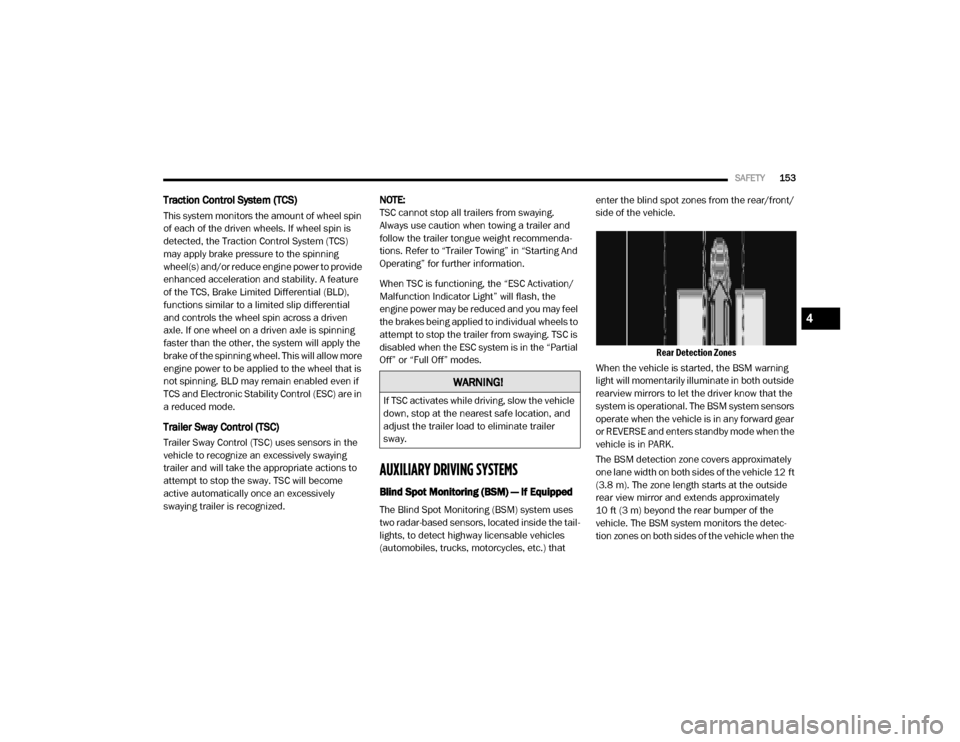
(automobiles, trucks, motorcycles, etc.) that enter the blind spot zones from the rear/front/
side of the vehicle.
Rear Detection Zones
When the vehicle is started, the BSM warning
light will momentarily illuminate in both outside
rearview mirrors to let the driver know that the
system is operational. The BSM system sensors
operate when the vehicle is in any forward gear
or REVERSE and enters standby mode when the
vehicle is in PARK.
The BSM detection zone covers approximately
one lane width on both sides of the vehicle 12 ft
(3.8 m). The zone length starts at the outside
rear view mirror and extends approximately
10 ft (3 m) beyond the rear bumper of the
vehicle. The BSM system monitors the detec -
tion zones on both sides of the vehicle when the
WARNING!
If TSC activates while driving, slow the vehicle
down, stop at the nearest safe location, and
adjust the trailer load to eliminate trailer
sway.
4
20_DJD2_OM_EN_USC_t.book Page 153
Page 156 of 553

154SAFETY
vehicle speed reaches approximately 6 mph
(10 km/h) or higher and will alert the driver of
vehicles in these areas.
NOTE:
The BSM system DOES NOT alert the driver
about rapidly approaching vehicles that are
outside the detection zones.
The Blind Spot Monitoring (BSM) system may
experience drop outs (blinking on and off) of
the side mirror Warning Indicator lamps
when a motorcycle or any small object
remains at the side of the vehicle for
extended periods of time (more than a couple
of seconds).
The vehicle’s taillights, where the radar sensors
are located, must remain free of snow, ice, and
dirt/road contamination so that the BSM
system can function properly. Do not block the
taillights with foreign objects (bumper stickers,
bicycle racks, etc.).
Radar Sensor Locations
If the system detects degraded performance
due to contamination or foreign objects, a
message will warn you of a blocked sensor and
the warning indicators in side view mirrors will
be on. The warning indicators will remain illumi -
nated until blockage clearing conditions are
met. First clear the taillights around the sensors
of the blockage. After removing the blockage,
the following procedure can be used to reset
the system, cycle the ignition from ON to OFF
and then back ON.
If the blockage message is still present after
cycling the ignition and driving in traffic, check
again for a blockage. The BSM system notifies the driver of objects in
the detection zones by illuminating the BSM
warning light located in the outside mirrors in
addition to sounding an audible (chime) alert
and reducing the radio volume. Refer to “Modes
Of Operation” in this section for further informa-
tion.
Warning Light Location
The BSM system monitors the detection zone
from three different entry points (side, rear,
front) while driving to see if an alert is neces -
sary. The BSM system will issue an alert during
these types of zone entries.
20_DJD2_OM_EN_USC_t.book Page 154
Page 410 of 553

408SERVICING AND MAINTENANCE
exhaust after-treatment system work together
to achieve the EPA Heavy Duty Diesel Engine
Emissions Standards. These systems are seam -
lessly integrated into your vehicle and managed
by the Cummins Powertrain Control Module
(PCM). The PCM manages engine combustion
to allow the exhaust system’s catalyst to trap
and burn Particulate Matter (PM) pollutants,
with no input or interaction on your part.
If the engine is allowed to idle or the truck is
driven on low engine speed drive cycles for
more than two hours, the system will automati -
cally enter an emissions operating mode that
will increase the engine idle speed to 900 RPM
(1050 RPM for Chassis Cab). While in this
mode, which is designed to help maintain the
Diesel Particulate Filter, the engine idle speed
will return to normal when the brake pedal is
applied. A small change in engine tone or a
slight change in engine performance while
accelerating may also be noticeable at speeds
below 20 mph (32 kmh). This operating mode
may last for up to an hour of idle time, or around
20 minutes of driving time.
Additionally, your vehicle has the ability to alert
you to additional maintenance required on your
truck or engine. Refer to “Instrument Cluster Display” in
“Getting To Know Your Instrument Panel” for
further information.
Diesel Exhaust Fluid
Diesel Exhaust Fluid (DEF) sometimes known
simply by the name of its active component,
UREA—is a key component of selective catalytic
reduction (SCR) systems, which help diesel
vehicles meet stringent emission regulations.
DEF is a liquid reducing agent that reacts with
engine exhaust in the presence of a catalyst to
convert smog-forming nitrogen oxides (NOx)
into harmless nitrogen and water vapor.
Refer to “Fluids And Lubricants” in “Technical
Specification” for further information.
You can receive assistance in locating DEF in
the United States by calling 866-RAM-INFO (866-726-4636). In Canada call
1–800–465–2001 (English) or
1–800–387–9983 (French)
You can receive assistance in locating DEF by
contacting an authorized dealer.
Body Lubrication
Locks and all body pivot points, including such
items as seat tracks, door hinge pivot points
and rollers, liftgate, tailgate, decklid, sliding
doors and hood hinges, should be lubricated
periodically with a lithium based grease, such
as Mopar Spray White Lube to ensure quiet,
easy operation and to protect against rust and
wear. Prior to the application of any lubricant,
the parts concerned should be wiped clean to
remove dust and grit; after lubricating, excess
oil and grease should be removed. Particular
attention should also be given to hood latching
components to ensure proper function. When
performing other underhood services, the hood
latch, release mechanism and safety catch
should be cleaned and lubricated.
The external lock cylinders should be lubricated
twice a year, preferably in the Autumn and
Spring. Apply a small amount of a high quality
lubricant, such as Mopar Lock Cylinder Lubri
-
cant directly into the lock cylinder.
WARNING!
A hot exhaust system can start a fire if you
park over materials that can burn. Such
materials might be grass or leaves coming
into contact with your exhaust system. Do not
park or operate your vehicle in areas where
your exhaust system can contact anything
that can burn.
20_DJD2_OM_EN_USC_t.book Page 408
Page 448 of 553

446TECHNICAL SPECIFICATIONS
FUEL REQUIREMENTS — GAS ENGINE
6.4L Engine
Do not use E-85 flex fuel or ethanol blends
greater than 15% in this engine.
This engine is designed to meet all
emissions regulations and provide
satisfactory fuel economy and perfor -
mance when using high quality
unleaded gasoline having a posted octane
number range of 87 to 89 as specified by the
(R+M)/2 method. The use of 89 octane “Plus”
gasoline is recommended for optimum perfor -
mance and fuel economy.
While operating on gasoline with an octane
number of 87, hearing a light knocking sound
from the engine is not a cause for concern.
However, if the engine is heard making a heavy
knocking sound, see dealer immediately. Use of
gasoline with an octane number lower than 87
can cause engine failure and may void or not be
covered by the New Vehicle Limited Warranty.
Poor quality gasoline can cause problems such
as hard starting, stalling, and hesitations. If you
experience these symptoms, try another brand
of gasoline before considering service for the
vehicle.
Reformulated Gasoline
Many areas of the country require the use of
cleaner burning gasoline referred to as “Refor -
mulated Gasoline”. Reformulated gasoline
contains oxygenates and are specifically
blended to reduce vehicle emissions and
improve air quality.
The use of reformulated gasoline is recom -
mended. Properly blended reformulated gaso -
line will provide improved performance and
durability of engine and fuel system compo -
nents.
Materials Added To Fuel
Besides using unleaded gasoline with the
proper octane rating, gasolines that contain
detergents, corrosion and stability additives are
recommended. Using gasolines that have these
additives will help improve fuel economy,
reduce emissions, and maintain vehicle perfor -
mance.
Designated TOP TIER Detergent Gaso -
line contains a higher level of deter -
gents to further aide in minimizing
engine and fuel system deposits.
When available, the usage of TOP TIER Deter -
gent gasoline is recommended. Visit www.toptiergas.com
for a list of TOP TIER Deter -
gent Gasoline Retailers.
Indiscriminate use of fuel system cleaning
agents should be avoided. Many of these mate -
rials intended for gum and varnish removal may
contain active solvents or similar ingredients.
These can harm fuel system gasket and
diaphragm materials.
Gasoline/Oxygenate Blends
Some fuel suppliers blend unleaded gasoline
with oxygenates such as ethanol.
CAUTION!
DO NOT use E-85, gasoline containing
methanol, or gasoline containing more than
15% ethanol (E-15). Use of these blends may
result in starting and drivability problems,
damage critical fuel system components,
cause emissions to exceed the applicable
standard, and/or cause the Malfunction
Indicator Light to illuminate. Please observe
pump labels as they should clearly
communicate if a fuel contains greater than
15% ethanol (E-15).
20_DJD2_OM_EN_USC_t.book Page 446
Page 449 of 553

TECHNICAL SPECIFICATIONS447
Problems that result from using gasoline
containing more than 15% ethanol (E-15) or
gasoline containing methanol are not the
responsibility of the manufacturer and may void
or not be covered under New Vehicle Limited
Warranty.
Do Not Use E-85 In Non-Flex Fuel Vehicles
Non-Flex Fuel Vehicles (FFV) are compatible
with gasoline containing up to 15% ethanol
(E-15). Use of gasoline with higher ethanol
content may void the New Vehicle Limited
Warranty.
If a Non-FFV vehicle is inadvertently fueled with
E-85 fuel, the engine will have some or all of
these symptoms:
Operate in a lean mode.
OBD II Malfunction Indicator Light on.
Poor engine performance.
Poor cold start and cold drivability.
Increased risk for fuel system component
corrosion.
CNG And LP Fuel System Modifications
Modifications that allow the engine to run on
Compressed Natural Gas (CNG) or Liquid
Propane (LP) may result in damage to the
engine, emissions, and fuel system compo -
nents. Problems that result from running CNG
or LP are not the responsibility of the manufac -
turer and may void or not be covered under the
New Vehicle Limited Warranty.
MMT In Gasoline
Methylcyclopentadienyl Manganese Tricarbonyl
(MMT) is a manganese-containing metallic addi -
tive that is blended into some gasoline to
increase octane. Gasoline blended with MMT
provides no performance advantage beyond
gasoline of the same octane number without
MMT. Gasoline blended with MMT reduces
spark plug life and reduces emissions system
performance in some vehicles. The manufac -
turer recommends that gasoline without MMT
be used in your vehicle. The MMT content of
gasoline may not be indicated on the gasoline
pump; therefore, you should ask your gasoline
retailer whether the gasoline contains MMT.
MMT is prohibited in Federal and California
reformulated gasoline.
Fuel System Cautions
CAUTION!
Follow these guidelines to maintain your
vehicle’s performance:
The use of leaded gasoline is prohibited by
Federal law. Using leaded gasoline can
impair engine performance and damage
the emissions control system.
An out-of-tune engine or certain fuel or igni -
tion malfunctions can cause the catalytic
converter to overheat. If you notice a
pungent burning odor or some light smoke,
your engine may be out of tune or malfunc -
tioning and may require immediate service.
Contact an authorized dealer for service
assistance.
The use of fuel additives, which are now
being sold as octane enhancers, is not
recommended. Most of these products
contain high concentrations of methanol.
Fuel system damage or vehicle perfor -
mance problems resulting from the use of
such fuels or additives is not the responsi -
bility of the manufacturer and may void or
not be covered under the New Vehicle
Limited Warranty.8
20_DJD2_OM_EN_USC_t.book Page 447
Page 523 of 553
MULTIMEDIA521
Storing Names/Numbers in The Mobile Phone
Before pairing your mobile phone, you must
make sure you have stored the names you want
to contact in the phonebook on your mobile
phone, so you can call them using the vehicle's
hands-free system.
If your phonebook does not contain any names,
enter new names for the most frequently used
numbers.
For further details, consult your mobile phone
owner's handbook.
NOTE:
The names in the phonebook which do not
contain phone numbers or where both fields
(name and surname) are empty will not be
displayed.
Connection
The system connects automatically to the
paired mobile phone with the highest priority.
To choose a specific mobile phone or Blue-
tooth® audio device, proceed as follows:
1. Access the Settings menu.
2. Select the Phone/Bluetooth® button. 3. Select the Paired Phones or Paired Audio
list using the corresponding button on the
display.
4. Select the specific device (mobile phone or Bluetooth® device).
5. Press the Connect button.
6. During the connection stage, a screen is displayed showing the progress of the oper -
ation.
7. The device connected is highlighted in the list.
Disconnection
To disconnect a specific mobile phone or Blue -
tooth® audio device, proceed as follows:
1. Access the Settings menu.
2. Select the Phone/Bluetooth® button.
3. Select the Paired Phones or Paired Audio list using the corresponding button on the
display.
4. Select the specific device (mobile phone or Bluetooth® device).
5. Press the Disconnect button.Deletion Of A Mobile Phone Or A Bluetooth®
Audio Device
To delete a mobile phone or Bluetooth® audio
device from a list, proceed as follows:
1. Access the Settings menu.
2. Select the Phone/Bluetooth® button.
3. Select the Paired Phones or Paired Audio list using the corresponding button on the
display.
4. Select the device (mobile phone or Blue -
tooth® device).
5. Press the Delete Device button.
6. A confirmation screen will appear on the display:
Press the Yes button to delete the device.
Press the No button to cancel the opera -
tion.
9
20_DJD2_OM_EN_USC_t.book Page 521
Page 542 of 553
540
INDEX
A
Adaptive Cruise Control (ACC) (Cruise
Control)
.......................................................... 275
Adding Engine Coolant (Antifreeze)............... 413
Adding Fuel.......................................... 312, 313
Additives, Fuel............................................... 446AdjustDown
........................................................... 34
Forward....................................................... 34
Rearward..................................................... 34
Up................................................................ 34
Adjustable Pedals............................................ 43
Air BagAir Bag Operation
...................................... 184
Air Bag Warning Light................................ 181Enhanced Accident Response......... 189, 371
Event Data Recorder (EDR)....................... 371
If Deployment Occurs................................ 188Knee Impact Bolsters................................ 184
Maintaining Your Air Bag System.............. 189
Maintenance............................................. 189Redundant Air Bag Warning Light.............182
Transporting Pets...................................... 208
Air Bag Light............................... 130, 181, 209
Air Cleaner, Engine (Engine Air Cleaner
Filter)
................................................... 398, 419
Air Conditioner Maintenance........................ 400
Air Conditioner Refrigerant........................... 400
Air Conditioner System................................. 400
Air Conditioning......................................... 57, 68
Air Conditioning Filter..............................70, 401
Air Conditioning System................................... 68Air Conditioning, Operating Tips....................... 69
Air Filter........................................................ 398
Air PressureTires
......................................................... 429
AlarmPanic
........................................................... 15
Security Alarm....................................25, 131
Alterations/ModificationsVehicle
......................................................... 12Android Auto................................................. 533
Antifreeze (Engine Coolant)................. 412, 451
Capacites................................................. 451Disposal................................................... 414
Anti-Lock Brake System (ABS)...................... 144
Anti-Lock Warning Light................................ 136Apple CarPlay................................................ 533
Assist, Hill Start............................................. 151
Audio Systems (Radio).................................. 458
Auto Down Power Windows............................. 71
Automatic Door Locks...................................... 31
Automatic Headlights.......................................51
Automatic Tailgate Release.............................75
Automatic Temperature Control (ATC)..............68
Automatic Transmission....................... 233, 418
Adding Fluid.............................................. 418
Fluid And Filter Change............................. 418Fluid Change............................................. 418
Fluid Level Check............................. 416, 417
Fluid Type...............................416, 454, 457
Shifting..................................................... 237
Special Additives...................................... 416
Automatic Transmission Limp Home Mode... 236
AUX Camera......................................... 304, 311
Auxiliary Driving Systems.............................. 153
Axle Fluid.....................................418, 454, 457Axle Lubrication............................................ 418
B
Back-Up
......................................................... 302
Back-Up Camera........................................... 302
Bar, Stabilizer/Sway System......................... 253Battery................................................. 132, 395
Blanket..................................................... 223
Charging System Light.............................. 132Keyless Key Fob Replacement....................15
Battery Saver Feature......................................53
20_DJD2_OM_EN_USC_t.book Page 540