parking brake Ram 2500 2020 Owner's Manual
[x] Cancel search | Manufacturer: RAM, Model Year: 2020, Model line: 2500, Model: Ram 2500 2020Pages: 553, PDF Size: 21.99 MB
Page 7 of 553

5
STARTING AND OPERATING
STARTING THE ENGINE — GAS ENGINE ......... 211Automatic Transmission ............................211
Tip Start Feature .......................................211
Keyless Enter-N-Go — Ignition ...................211
Normal Starting Using ENGINE START/
STOP Button ...............................................212 Cold Weather Operation (Below –22°F Or
−30°C) ......................................................215 After Starting ..............................................215
STARTING THE ENGINE — DIESEL ENGINE..... 215
Automatic Transmission ............................215
Keyless Enter-N-Go — Ignition ...................216
Extreme Cold Weather...............................218
Normal Starting Procedure — Engine
Manifold Air Temperature Above 66° F
(19° C)........................................................ 218 Starting Procedure — Engine Manifold Air
Temperature 0°F To 66°F (–18°C to
19°C) ..........................................................219 Starting Procedure — Engine Manifold Air
Temperature Below 0°F (-18°C) ..............220 Starting Fluids ............................................221 NORMAL OPERATION — DIESEL ENGINE ........221
Cold Weather Precautions ........................ 222
Engine Idling ............................................. 224
Noise........................................................... 225
Stopping The Engine ................................. 225
Idle Shutdown ............................................ 226
Programmable Maximum Vehicle
Speed ......................................................... 226 Operating Precautions............................... 226
Cooling System Tips .................................. 226
ENGINE BLOCK HEATER — GAS ENGINE (IF
EQUIPPED) ..........................................................227
ENGINE BLOCK HEATER — DIESEL ENGINE (IF
EQUIPPED) ......................................................... 227
Block Heater Usage ................................... 228
ENGINE BREAK-IN RECOMMENDATIONS — GAS
ENGINE ................................................................ 228
ENGINE BREAK-IN RECOMMENDATIONS —
DIESEL ENGINE...................................................228
PARKING BRAKE ............................................... 229
DIESEL EXHAUST BRAKE — ENGINE BRAKING
(IF EQUIPPED) ....................................................230
AUTOMATIC TRANSMISSION ........................... 231
Ignition Park Interlock ............................... 232
Brake/Transmission Shift Interlock
System ....................................................... 232 Eight-Speed Automatic Transmission — If
Equipped .................................................... 233 Six-Speed Automatic Transmission — If
Equipped .................................................... 237
AUXILIARY SWITCHES — IF EQUIPPED ........... 243
ACTIVE NOISE CANCELLATION ........................ 243
FOUR-WHEEL DRIVE OPERATION —
IF EQUIPPED ...................................................... 244
Four-Position Electronically Shifted Transfer
Case — If Equipped ................................... 244
Manually Shifted Transfer Case —
If Equipped ................................................. 247
AIR SUSPENSION SYSTEM — IF EQUIPPED.... 250
Description ................................................. 250
Air Suspension Modes .............................. 251
Instrument Cluster Display Messages ..... 251
Operation ................................................... 251
AXLE LOCKER SYSTEM — POWER WAGON
MODELS ONLY (IF EQUIPPED) ......................... 252
STABILIZER/SWAY BAR SYSTEM — POWER
WAGON ONLY .................................................... 253
20_DJD2_OM_EN_USC_t.book Page 5
Page 21 of 553
GETTING TO KNOW YOUR VEHICLE19
(Continued)
RUN
Driving position.
All the electrical devices are available.
START
The engine will start.
The engine only runs in the ON/RUN ignition
position or from a remote start request.
In case the ignition switch does not change with
the push of a button, the key fob may have a low
or depleted battery. In this situation, a back up
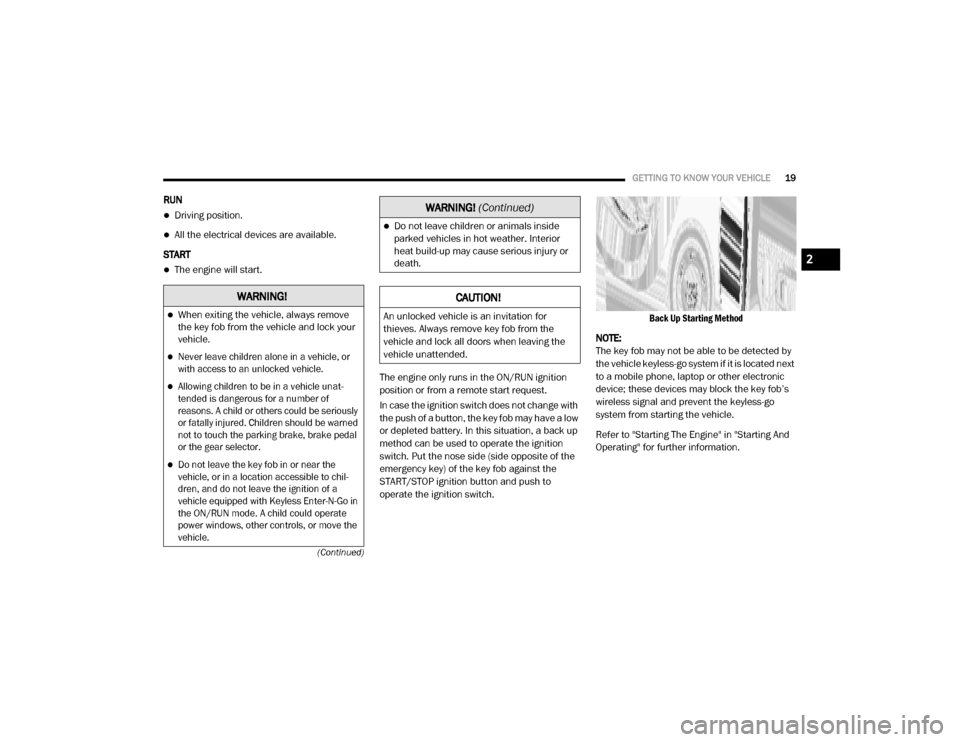
method can be used to operate the ignition
switch. Put the nose side (side opposite of the
emergency key) of the key fob against the
START/STOP ignition button and push to
operate the ignition switch.
Back Up Starting Method
NOTE:
The key fob may not be able to be detected by
the vehicle keyless-go system if it is located next
to a mobile phone, laptop or other electronic
device; these devices may block the key fob’s
wireless signal and prevent the keyless-go
system from starting the vehicle.
Refer to "Starting The Engine" in "Starting And
Operating" for further information.
WARNING!
When exiting the vehicle, always remove
the key fob from the vehicle and lock your
vehicle.
Never leave children alone in a vehicle, or
with access to an unlocked vehicle.
Allowing children to be in a vehicle unat -
tended is dangerous for a number of
reasons. A child or others could be seriously
or fatally injured. Children should be warned
not to touch the parking brake, brake pedal
or the gear selector.
Do not leave the key fob in or near the
vehicle, or in a location accessible to chil -
dren, and do not leave the ignition of a
vehicle equipped with Keyless Enter-N-Go in
the ON/RUN mode. A child could operate
power windows, other controls, or move the
vehicle.
Do not leave children or animals inside
parked vehicles in hot weather. Interior
heat build-up may cause serious injury or
death.
CAUTION!
An unlocked vehicle is an invitation for
thieves. Always remove key fob from the
vehicle and lock all doors when leaving the
vehicle unattended.
WARNING! (Continued)
2
20_DJD2_OM_EN_USC_t.book Page 19
Page 22 of 553
20GETTING TO KNOW YOUR VEHICLE
REMOTE START — IF EQUIPPED
(GASOLINE)
This system uses the key fob to start
the engine conveniently from outside
the vehicle while still maintaining
security. The system has a range of
approximately 300 ft (91 m).
NOTE:
Obstructions between the vehicle and the key
fob may reduce this range.
How To Use Remote Start
All of the following conditions must be met
before the engine will remote start:
Gear selector in PARK
Doors closed
Hood closed
Hazard switch off
Brake switch inactive (brake pedal not
pushed)
Battery at an acceptable charge level
PANIC button not pushed
Fuel meets minimum requirement
System not disabled from previous remote
start event
Vehicle security alarm not active
Malfunction Indicator Light is not illuminated
Remote Start Abort Message
The following messages will display in the
instrument cluster display if the vehicle fails to
remote start or exits remote start prematurely:
Remote Start Cancelled — Door Open
Remote Start Cancelled — Hood Open
Remote Start Cancelled — Fuel Low
Remote Start Cancelled — System Fault
Remote Start Disabled — Start Vehicle to
Reset
The instrument cluster display message stays
active until the ignition is placed in the ON/RUN
position.
To Enter Remote Start Mode
Push and release the Remote Start
button on the key fob twice within five
seconds. The parking lights will flash,
vehicle doors will lock, and the horn
will chirp twice (if programmed). Once the
vehicle has started, the engine will run for
15 minutes.
WARNING!
Do not start or run an engine in a closed
garage or confined area. Exhaust gas
contains Carbon Monoxide (CO) which is
odorless and colorless. Carbon Monoxide is
poisonous and can cause serious injury or
death when inhaled.
Keep key fobs away from children. Opera -
tion of the Remote Start System, windows,
door locks or other controls could cause
serious injury or death.
20_DJD2_OM_EN_USC_t.book Page 20
Page 29 of 553
GETTING TO KNOW YOUR VEHICLE27
(Continued)
DOORS
Manual Door Locks
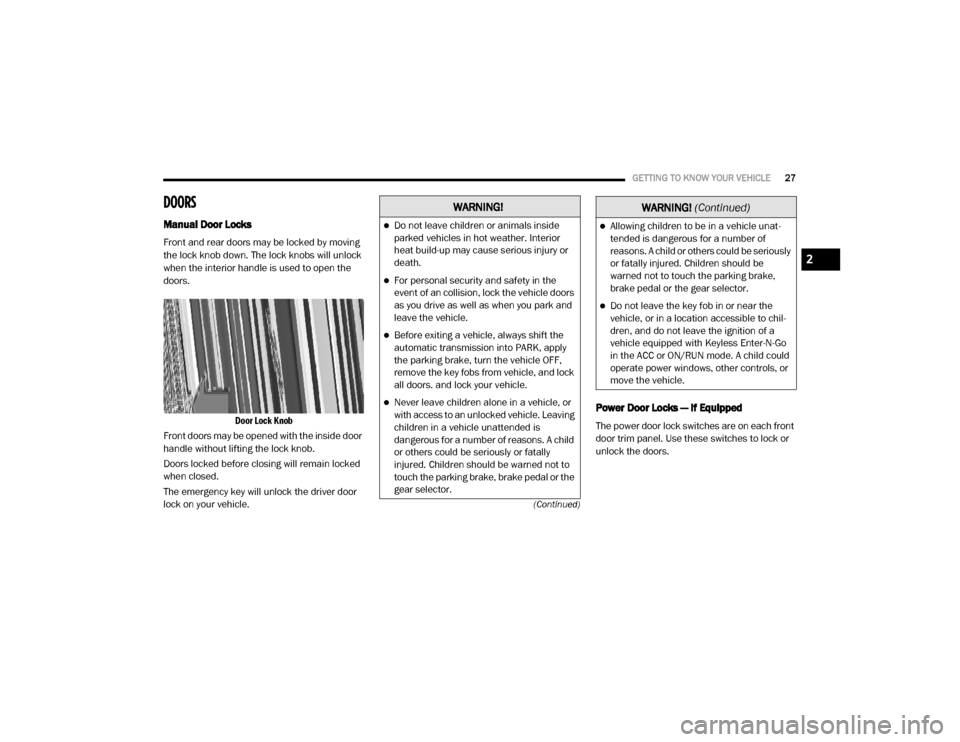
Front and rear doors may be locked by moving
the lock knob down. The lock knobs will unlock
when the interior handle is used to open the
doors.
Door Lock Knob
Front doors may be opened with the inside door
handle without lifting the lock knob.
Doors locked before closing will remain locked
when closed.
The emergency key will unlock the driver door
lock on your vehicle.
Power Door Locks — If Equipped
The power door lock switches are on each front
door trim panel. Use these switches to lock or
unlock the doors.
WARNING!
Do not leave children or animals inside
parked vehicles in hot weather. Interior
heat build-up may cause serious injury or
death.
For personal security and safety in the
event of an collision, lock the vehicle doors
as you drive as well as when you park and
leave the vehicle.
Before exiting a vehicle, always shift the
automatic transmission into PARK, apply
the parking brake, turn the vehicle OFF,
remove the key fobs from vehicle, and lock
all doors. and lock your vehicle.
Never leave children alone in a vehicle, or
with access to an unlocked vehicle. Leaving
children in a vehicle unattended is
dangerous for a number of reasons. A child
or others could be seriously or fatally
injured. Children should be warned not to
touch the parking brake, brake pedal or the
gear selector.
Allowing children to be in a vehicle unat -
tended is dangerous for a number of
reasons. A child or others could be seriously
or fatally injured. Children should be
warned not to touch the parking brake,
brake pedal or the gear selector.
Do not leave the key fob in or near the
vehicle, or in a location accessible to chil -
dren, and do not leave the ignition of a
vehicle equipped with Keyless Enter-N-Go
in the ACC or ON/RUN mode. A child could
operate power windows, other controls, or
move the vehicle.
WARNING! (Continued)
2
20_DJD2_OM_EN_USC_t.book Page 27
Page 51 of 553
GETTING TO KNOW YOUR VEHICLE49
“Slide-On-Rod” Features Of Sun Visor — If
Equipped
The sun visor “Slide-On-Rod” feature allows for
additional flexibility in positioning the visor to
block out the sun.
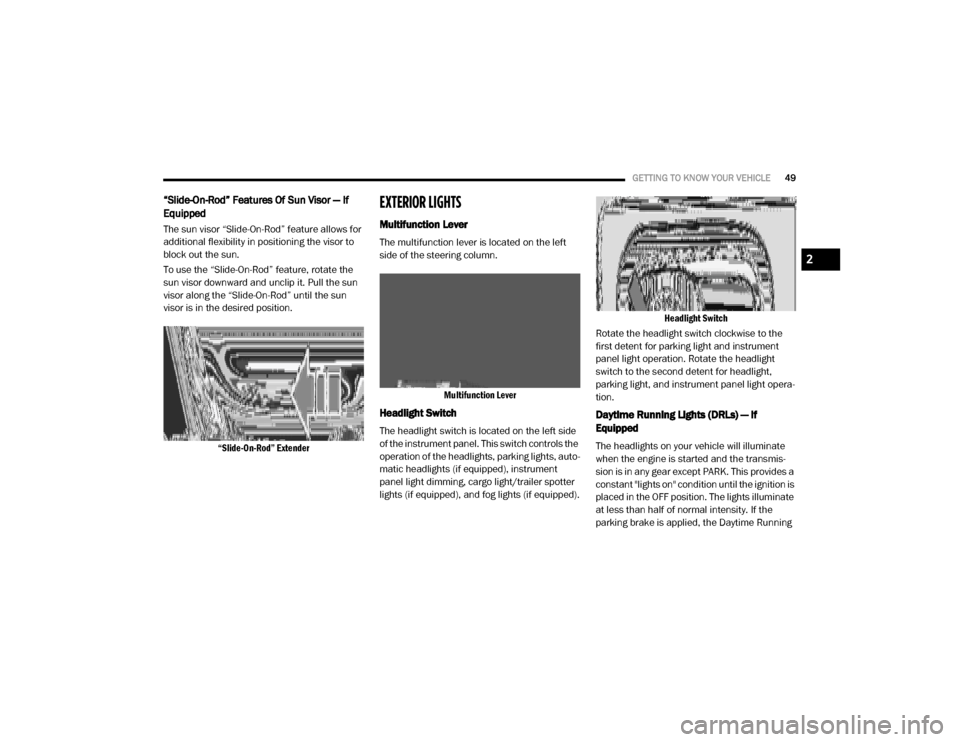
To use the “Slide-On-Rod” feature, rotate the
sun visor downward and unclip it. Pull the sun
visor along the “Slide-On-Rod” until the sun
visor is in the desired position.
“Slide-On-Rod” Extender
EXTERIOR LIGHTS
Multifunction Lever
The multifunction lever is located on the left
side of the steering column.
Multifunction Lever
Headlight Switch
The headlight switch is located on the left side
of the instrument panel. This switch controls the
operation of the headlights, parking lights, auto -
matic headlights (if equipped), instrument
panel light dimming, cargo light/trailer spotter
lights (if equipped), and fog lights (if equipped).
Headlight Switch
Rotate the headlight switch clockwise to the
first detent for parking light and instrument
panel light operation. Rotate the headlight
switch to the second detent for headlight,
parking light, and instrument panel light opera -
tion.
Daytime Running Lights (DRLs) — If
Equipped
The headlights on your vehicle will illuminate
when the engine is started and the transmis -
sion is in any gear except PARK. This provides a
constant "lights on" condition until the ignition is
placed in the OFF position. The lights illuminate
at less than half of normal intensity. If the
parking brake is applied, the Daytime Running
2
20_DJD2_OM_EN_USC_t.book Page 49
Page 132 of 553
130GETTING TO KNOW YOUR INSTRUMENT PANEL
After a trip:
Check if any aftermarket equipment was
installed (additional lights, upfitter electrical
accessories, audio systems, alarms) and
review specifications if any (load and Ignition
Off Draw currents).
Evaluate the latest driving cycles (distance,
driving time and parking time).
The vehicle should have service performed if
the message is still present during consecu-
tive trips and the evaluation of the vehicle
and driving pattern did not help to identify the
cause.
WARNING LIGHTS AND MESSAGES
The warning/indicator lights will illuminate in
the instrument panel together with a dedicated
message and/or acoustic signal when appli -
cable. These indications are indicative and
precautionary and as such must not be consid -
ered as exhaustive. Always refer to the informa-
tion in this chapter in the event of a failure
indication. All active telltales will display first if
applicable. The system check menu may
appear different based upon equipment
options and current vehicle status. Some tell -
tales are optional and may not appear.
Red Warning Lights
Seat Belt Reminder Warning Light
This warning light indicates when the
driver or passenger seat belt is
unbuckled. When the ignition is first
placed in the ON/RUN or ACC/ON/
RUN position and if the driver’s seat belt is
unbuckled, a chime will sound and the light will
turn on. When driving, if the driver or front
passenger seat belt remains unbuckled, the
Seat Belt Reminder Light will flash or remain on
continuously and a chime will sound.
Refer to “Occupant Restraint Systems” in
“Safety” for further information.
Air Bag Warning Light
This warning light will illuminate to
indicate a fault with the air bag, and
will turn on for four to eight seconds
as a bulb check when the ignition is
placed in the ON/RUN or ACC/ON/RUN posi -
tion. This light will illuminate with a single chime
when a fault with the air bag has been detected,
it will stay on until the fault is cleared. If the light
is either not on during startup, stays on, or turns
on while driving, have the system inspected at
an authorized dealer as soon as possible.
Brake Warning Light
This warning light monitors various
brake functions, including brake fluid
level and parking brake application. If
the brake light turns on it may indi -
cate that the parking brake is applied, that the
brake fluid level is low, or that there is a
problem with the anti-lock brake system reser -
voir.
If the light remains on when the parking brake
has been disengaged, and the fluid level is at
the full mark on the master cylinder reservoir, it
indicates a possible brake hydraulic system
malfunction or that a problem with the Brake
Booster has been detected by the Anti-Lock
Brake System (ABS) / Electronic Stability
Control (ESC) system. In this case, the light will
remain on until the condition has been
corrected. If the problem is related to the brake
booster, the ABS pump will run when applying
the brake, and a brake pedal pulsation may be
felt during each stop.
The dual brake system provides a reserve
braking capacity in the event of a failure to a
portion of the hydraulic system. A leak in either
half of the dual brake system is indicated by the
Brake Warning Light, which will turn on when
20_DJD2_OM_EN_USC_t.book Page 130
Page 133 of 553
GETTING TO KNOW YOUR INSTRUMENT PANEL131
the brake fluid level in the master cylinder has
dropped below a specified level.
The light will remain on until the cause is
corrected.
NOTE:
The light may flash momentarily during sharp
cornering maneuvers, which change fluid level
conditions. The vehicle should have service
performed, and the brake fluid level checked.
If brake failure is indicated, immediate repair is
necessary.
Vehicles equipped with the Anti-Lock Brake
System (ABS) are also equipped with Electronic
Brake Force Distribution (EBD). In the event of
an EBD failure, the Brake Warning Light will turn
on along with the ABS Light. Immediate repair to
the ABS system is required. Operation of the Brake Warning Light can be
checked by turning the ignition switch from the
OFF position to the ON/RUN position. The light
should illuminate for approximately two
seconds. The light should then turn off unless
the parking brake is applied or a brake fault is
detected. If the light does not illuminate, have
the light inspected by an authorized dealer.
The light also will turn on when the parking
brake is applied with the ignition switch in the
ON/RUN position.
NOTE:
This light shows only that the parking brake is
applied. It does not show the degree of brake
application.
Hood Open Warning Light
This warning light will illuminate when
the hood is ajar/open and not fully
closed.
NOTE:
If the vehicle is moving, there will also be a
single chime.
Vehicle Security Warning Light — If Equipped
This light will flash at a fast rate for
approximately 15 seconds when the
vehicle security alarm is arming, and
then will flash slowly until the vehicle
is disarmed.
Engine Coolant Temperature Warning Light
This warning light warns of an over -
heated engine condition. If the engine
coolant temperature is too high, this
indicator will illuminate and a single
chime will sound. If the temperature reaches
the upper limit, a continuous chime will sound
for four minutes or until the engine is able to
cool; whichever comes first.
If the light turns on while driving, safely pull over
and stop the vehicle. If the Air Conditioning
(A/C) system is on, turn it off. Also, shift the
transmission into NEUTRAL and idle the vehicle.
If the temperature reading does not return to
normal, turn the engine off immediately and call
for service.
Refer to “If Your Engine Overheats” in “In Case
Of Emergency” for further information.
WARNING!
Driving a vehicle with the red brake light on is
dangerous. Part of the brake system may
have failed. It will take longer to stop the
vehicle. You could have a collision. Have the
vehicle checked immediately.
3
20_DJD2_OM_EN_USC_t.book Page 131
Page 151 of 553
SAFETY149
The “ESC OFF Indicator Light” indi -
cates the customer has elected to
have the Electronic Stability Control
(ESC) in a reduced mode.
Electronic Roll Mitigation (ERM)
This system anticipates the potential for wheel
lift by monitoring the driver’s steering wheel
input and the speed of the vehicle. When Elec -
tronic Roll Mitigation (ERM) determines that the
rate of change of the steering wheel angle and
vehicle’s speed are sufficient to potentially
cause wheel lift, it then applies the appropriate
brake and may also reduce engine power to
lessen the chance that wheel lift will occur. ERM
can only reduce the chance of wheel lift occur -
ring during severe or evasive driving maneu -
vers; it cannot prevent wheel lift due to other
factors, such as road conditions, leaving the
roadway, or striking objects or other vehicles.
NOTE:
ERM is disabled anytime the ESC is in “Full Off”
mode (if equipped). Refer to “Electronic Stability
Control (ESC)” in this section for a complete
explanation of the available ESC modes.
Hill Descent Control (HDC) — If Equipped
Hill Descent Control (HDC) is intended for low
speed off road driving while in 4L Range. HDC
maintains vehicle speed while descending hills
during various driving situations. HDC controls
vehicle speed by actively controlling the brakes. HDC Has Three States:
1. Off (feature is not enabled and will not acti
-
vate)
2. Enabled (feature is enabled and ready but activation conditions are not met, or driver
is actively overriding with brake or throttle
application)
3. Active (feature is enabled and actively controlling vehicle speed)
Enabling HDC
HDC is enabled by pushing the HDC switch, but
the following conditions must also be met to
enable HDC:Driveline is in 4L Range
Vehicle speed is below 5 mph (8 km/h)
Parking brake is released
Driver door is closed
WARNING!
Many factors, such as vehicle loading, road
conditions and driving conditions, influence
the chance that wheel lift or rollover may
occur. ERM cannot prevent all wheel lift or roll
overs, especially those that involve leaving
the roadway or striking objects or other
vehicles. The capabilities of an
ERM-equipped vehicle must never be
exploited in a reckless or dangerous manner
which could jeopardize the user's safety or
the safety of others.
4
20_DJD2_OM_EN_USC_t.book Page 149
Page 152 of 553

150SAFETY
Activating HDC
Once HDC is enabled it will activate automati -
cally if driven down a grade of sufficient magni -
tude. The set speed for HDC is selectable by the
driver, and can be adjusted by using the gear
shift +/-. The following summarizes the HDC set
speeds:
HDC Target Set Speeds
P = No set speed. HDC may be enabled but
will not activate.
R = 0.6 mph (1 km/h)
N = 1.2 mph (2 km/h)
D = 0.6 mph (1 km/h)
1st = 0.6 mph (1 km/h)
2nd = 1.2 mph (2 km/h)
3rd = 1.8 mph (3 km/h)
4th = 2.5 mph (4 km/h)
5th = 3.1 mph (5 km/h)
6th = 3.7 mph (6 km/h)
7th = 4.3 mph (7 km/h)
8th = 5.0 mph (8 km/h)
9th = 5.6 mph (9 km/h) – If Equipped
NOTE:
During HDC the +/- shifter input is used for HDC
target speed selection, but will not affect the
gear chosen by the transmission. When actively
controlling HDC the transmission will shift
appropriately for the driver-selected set speed
and corresponding driving conditions.
Driver Override
The driver may override HDC activation with
throttle or brake application at any time.
Deactivating HDC
HDC will be deactivated but remain available if
any of the following conditions occur:
Driver overrides HDC set speed with throttle
or brake application.
Vehicle speed exceeds 20 mph (32 km/h) but remains below 40 mph (64 km/h).
Vehicle is on a downhill grade of insufficient
magnitude, is on level ground, or is on an
uphill grade.
Vehicle is shifted to PARK. Disabling HDC
HDC will be deactivated and disabled if any of
the following conditions occur:
The driver pushes the HDC switch.
The driveline is shifted out of 4L Range.
The parking brake is applied.
The driver door opens.
The vehicle is driven greater than 20 mph
(32 km/h) for greater than 70 seconds.
The vehicle is driven greater than 40 mph
(64 km/h) (HDC exits immediately).
HDC detects excessive brake temperature.
Feedback To The Driver
The instrument cluster has an HDC icon and the
HDC switch has an LED icon, which offers feed -
back to the driver about the state HDC is in.
The cluster icon and switch lamp will illumi -
nate and remain on solid when HDC is
enabled or activated. This is the normal oper -
ating condition for HDC.
The cluster icon and switch lamp will flash for
several seconds then extinguish when the
driver pushes the HDC switch but enable
conditions are not met.
20_DJD2_OM_EN_USC_t.book Page 150
Page 154 of 553

152SAFETY
Disabling And Enabling HSA
This feature can be turned on or turned off. To
change the current setting, proceed as follows:
If disabling HSA using your instrument cluster
display, refer to “Instrument Cluster Display”
in “Getting To Know Your Instrument Panel”
for further information.
If disabling HSA using Uconnect Settings,
refer to “Uconnect Settings” in “Multimedia”
for further information.
For vehicles not equipped with an instrument
cluster display, perform the following steps:
1. Center the steering wheel (front wheels pointing straight forward).
2. Shift the transmission into PARK.
3. Apply the parking brake.
4. Start the engine.
5. Rotate the steering wheel slightly more than one-half turn to the left. 6. Push the “ESC OFF” button located in the
lower switch bank below the climate control
four times within 20 seconds. The “ESC OFF
Indicator Light” should turn on and turn off
two times.
7. Rotate the steering wheel back to center and then an additional slightly more than
one-half turn to the right.
8. Place the ignition in the OFF mode and then back to ON. If the sequence was completed
properly, the “ESC OFF Indicator Light” will
blink several times to confirm HSA is
disabled.
9. Repeat these steps if you want to return this feature to its previous setting.
Towing With HSA
HSA will also provide assistance to mitigate roll
back while towing a trailer.
WARNING!
If you use a trailer brake controller with your
trailer, the trailer brakes may be activated
and deactivated with the brake switch. If
so, there may not be enough brake pres -
sure to hold both the vehicle and the trailer
on a hill when the brake pedal is released.
In order to avoid rolling down an incline
while resuming acceleration, manually acti -
vate the trailer brake or apply more vehicle
brake pressure prior to releasing the brake
pedal.
HSA is not a parking brake. Always apply
the parking brake fully when exiting your
vehicle. Also, be certain to place the trans -
mission in PARK.
Failure to follow these warnings can result
in a collision or serious personal injury.
20_DJD2_OM_EN_USC_t.book Page 152