instrument panel Ram 3500 2020 Owners Manual
[x] Cancel search | Manufacturer: RAM, Model Year: 2020, Model line: 3500, Model: Ram 3500 2020Pages: 568
Page 387 of 568
385
SERVICING AND MAINTENANCE
SCHEDULED SERVICING — GAS ENGINE
Your vehicle is equipped with an automatic oil
change indicator system. The oil change
indicator system will remind you that it is time to
take your vehicle in for scheduled maintenance.
Based on engine operation conditions, the oil
change indicator message will illuminate. This
means that service is required for your vehicle.
Operating conditions such as frequent
short-trips, trailer tow, extremely hot or cold
ambient temperatures, and E85 fuel usage will
influence when the “Oil Change Required”
message is displayed. Severe Operating
Conditions can cause the change oil message to
illuminate as early as 3,500 miles (5,600 km)
since last reset. Have your vehicle serviced as
soon as possible, within the next 500 miles
(805 km).
An authorized dealer will reset the oil change
indicator message after completing the
scheduled oil change.If a scheduled oil change is performed by
someone other than an authorized dealer, the
message can be reset by referring to the steps
described under “Instrument Cluster Display” in
“Getting To Know Your Instrument Panel”.
NOTE:
Under no circumstances should oil change
intervals exceed 8,000 miles (13,000 km),
12 months or 350 hours of engine run time,
whichever comes first. The 350 hours of engine
run or idle time is generally only a concern for
fleet customers.
Severe Duty All Models
NOTE:
Change Engine Oil at 4,000 miles (6,500 km) or
350 hours of engine run time if the vehicle is
operated in a dusty and off road environment or
is operated predominantly at idle, or only very
low engine RPM. This type of vehicle use is
considered Severe Duty.
Once A Month Or Before A Long Trip:Check engine oil level
Check windshield washer fluid level
Check tire pressure and look for unusual
wear or damage. Rotate tires at the first sign
of irregular wear, even if it occurs before the
oil indicator system turns on.
Check the fluid levels of the coolant reservoir,
brake master cylinder, power steering and
automatic transmission (six-speed only) and
fill as needed
Check function of all interior and exterior
lights7
20_DJD2_OM_EN_USC_t.book Page 385
Page 392 of 568

390SERVICING AND MAINTENANCE
Inspection and service should also be
performed anytime a malfunction is observed or
suspected. Retain all receipts.
NOTE:
Using white lithium grease, lubricate the door
hinge pivot joints twice a year to prevent prema-
ture wear.
OIL CHANGE INDICATOR SYSTEM —
C
UMMINS DIESEL
Your vehicle is equipped with an engine oil
change indicator system. This system will alert
you when it is time to change your engine oil by
displaying the words “Oil Change Due” in your
instrument cluster display. The oil change
reminder will remind the owner to change the
engine oil every 15,000 miles (24,000 km) or
500 hours, whichever comes first, except for the
Chassis Cab models configured with optional
B20 capability that are using greater than 5%
levels of biodiesel, which are 12,500 miles
(20,000 km) or 400 hours, whichever comes
first. Failure to change the engine oil per the
maintenance schedule can result in internal
engine damage.
An authorized dealer will reset the oil change
indicator message after completing the
scheduled oil change. If a scheduled oil change
is performed by someone other than an
authorized dealer, the message can be reset by
referring to the steps described under
“Instrument Cluster Display” in “Getting To
Know Your Instrument Panel” for further
information.
Replace the engine oil and oil filter every
15,000 miles (24,000 km) or 12 months, or
sooner if prompted by the oil change indicator
system. Under no circumstances should oil
change intervals exceed 15,000 miles
(24,000 km) or 12 months, whichever comes
first.
NOTE:
Under no circumstances should oil change
intervals exceed 15,000 miles (24,000 km)
or 12 months or 500 hours, whichever
comes first.
Replace the engine oil and oil filter every
12,500 miles (20,000 km) or 400 hours,
whichever comes first when running greater
than 5% levels of biodiesel (Chassis Cab
models configured with optional B20 capa -
bility). If Chassis Cab models configured with optional
B20 capability are operated with greater than
5% levels of biodiesel, the oil change interval
must not exceed 12,500 miles (20,000 km) or
400 hours, whichever comes first under any
circumstances. See the Fuel Requirements
section for more information regarding
operation with biodiesel blend (B6-B20) fuel
meeting ASTM specification D-7467.
PERFORM SERVICE INDICATOR —
C
UMMINS DIESEL
Your vehicle will require emissions
maintenance at a set interval. To help remind
you when this maintenance is due, the
instrument cluster will display “Perform
Service”. When the “Perform Service” message
is displayed on the instrument cluster it is
necessary to have the emissions maintenance
performed. Emissions maintenance may
include replacing the Closed Crankcase
Ventilation (CCV) filter element. The procedure
for clearing and resetting the “Perform Service”
indicator message is located in the appropriate
Service Information.
20_DJD2_OM_EN_USC_t.book Page 390
Page 416 of 568
414SERVICING AND MAINTENANCE
the Diesel Particulate Filter, the engine idle
speed will return to normal when the brake
pedal is applied. A small change in engine tone
or a slight change in engine performance while
accelerating may also be noticeable at speeds
below 20 mph (32 km/h). This operating mode
may last for up to an hour of idle time, or around
20 minutes of driving time.
Additionally, your vehicle has the ability to alert
you to additional maintenance required on your
truck or engine.
Refer to “Instrument Cluster Display” in
“Getting To Know Your Instrument Panel” for
further information.DIESEL EXHAUST FLUID
Diesel Exhaust Fluid (DEF) sometimes known
simply by the name of its active component,
UREA—is a key component of selective catalytic
reduction (SCR) systems, which help diesel
vehicles meet stringent emission regulations.
DEF is a liquid reducing agent that reacts with
engine exhaust in the presence of a catalyst to
convert smog-forming nitrogen oxides (NOx)
into harmless nitrogen and water vapor.
Refer to “Fluids And Lubricants” in “Technical
Specification” for further information.
You can receive assistance in locating DEF in
the United States by calling 866-RAM-INFO
(866-726-4636). In Canada call
1–800–465–2001 (English) or
1–800–387–9983 (French)
You can receive assistance in locating DEF by
contacting an authorized dealer.
BODY LUBRICATION
Locks and all body pivot points, including such
items as seat tracks, door hinge pivot points
and rollers, liftgate, tailgate, decklid, sliding
doors and hood hinges, should be lubricated
periodically with a lithium based grease, such as Mopar Spray White Lube to ensure quiet,
easy operation and to protect against rust and
wear. Prior to the application of any lubricant,
the parts concerned should be wiped clean to
remove dust and grit; after lubricating, excess
oil and grease should be removed. Particular
attention should also be given to hood latching
components to ensure proper function. When
performing other underhood services, the hood
latch, release mechanism and safety catch
should be cleaned and lubricated.
The external lock cylinders should be lubricated
twice a year, preferably in the Autumn and
Spring. Apply a small amount of a high quality
lubricant, such as Mopar Lock Cylinder
Lubricant directly into the lock cylinder.
WINDSHIELD WIPER BLADES
Clean the rubber edges of the wiper blades and
the windshield periodically with a sponge or soft
cloth and a mild nonabrasive cleaner. This will
remove accumulations of salt or road film.
Operation of the wipers on dry glass for long
periods may cause deterioration of the wiper
blades. Always use washer fluid when using the
wipers to remove salt or dirt from a dry
windshield.
WARNING!
A hot exhaust system can start a fire if you
park over materials that can burn. Such
materials might be grass or leaves coming
into contact with your exhaust system. Do not
park or operate your vehicle in areas where
your exhaust system can contact anything
that can burn.
20_DJD2_OM_EN_USC_t.book Page 414
Page 425 of 568

SERVICING AND MAINTENANCE423
Fluid Level Check — Six-Speed
Transmission
It is best to check the fluid level when the
transmission is at normal operating
temperature (158-176°F / 70-80°C). This
normally occurs after at least 15 miles (25 km)
of driving. At normal operating temperature the
fluid cannot be held comfortably between the
fingertips. You can read the transmission sump
temperature in the instrument cluster screen
refer to “Instrument Cluster Display” in “Getting
To Know Your Instrument Panel” for further
information.
Use the following procedure to check the
transmission fluid level properly:
1. Monitor the transmission temperature using the instrument cluster display, and
operate the vehicle as required to reach
the normal operating temperature. If the transmission is not functioning properly, or
the vehicle cannot be driven, see the NOTE
and CAUTION below about checking the
fluid level at colder temperatures.
2. Park the vehicle on level ground.
3. Run the engine at normal idle speed for at least 60 seconds, and leave the engine
running for the rest of this procedure.
4. Fully apply the parking brake, and press the brake pedal.
5. Place the gear selector momentarily into each gear position (allowing time for the
transmission to fully engage in each
position), ending with the transmission in
PARK.
6. Remove the dipstick, wipe it clean and reinsert it until seated.
7. Remove the dipstick again and note the fluid level on both sides. The fluid level
reading is only valid if there is a solid
coating of oil on both sides of the dipstick.
Note that the holes in the dipstick will be full
of fluid if the actual level is at or above the
hole. The fluid level should be between the
“HOT” (upper) reference holes on the dipstick at normal operating temperature. If
the fluid level is low, add fluid through the
dipstick tube to bring it to the proper level.
Do not overfill.
Use ONLY the specified fluid
refer to "Fluids And Lubricants" in
“Technical Specifications” for fluid specifi -
cations. After adding any quantity of oil
through the dipstick tube, wait a minimum
of two minutes for the oil to fully drain into
the transmission before rechecking the
fluid level.
NOTE:
If it is necessary to check the transmission
below the operating temperature, the fluid level
should be between the two “COLD” (lower)
holes on the dipstick with the fluid at 60-70°F /
16-21°C. Only use the COLD region of the
dipstick as a rough reference when setting the
fluid level after a transmission service or fluid
change. Re-check the fluid level, and adjust as
required, once the transmission reaches
normal operating temperature.
CAUTION!
If a transmission fluid leak occurs, visit an
authorized dealer immediately. Severe
transmission damage may occur. An
authorized dealer has the proper tools to
adjust the fluid level accurately.
7
20_DJD2_OM_EN_USC_t.book Page 423
Page 454 of 568

452
TECHNICAL SPECIFICATIONS
IDENTIFICATION DATA
VEHICLE IDENTIFICATION NUMBER
The Vehicle Identification Number (VIN) is found
on the left front corner of the instrument panel,
visible through the windshield.
Vehicle Identification Number
NOTE:
It is illegal to remove or alter the VIN.
BRAKE SYSTEM
If power assist is lost for any reason (for
example, repeated brake applications with the
engine off), the brakes will still function. However, you will experience a substantial
increase in braking effort to stop the vehicle.
If either the front or rear hydraulic system loses
normal braking capability, the remaining
system will still function with some loss of
overall braking effectiveness. This will be
evident by increased pedal travel during
application, greater pedal force required to slow
or stop, and activation of the “Brake Warning
Light” and/or the “ABS Warning Light” during
brake use.
HYDRAULIC BRAKE ASSIST — IF
E
QUIPPED
The brake system power assist is provided by a
hydro-boost unit which shares fluid with the
power steering system. You may experience
some clicking or hissing noises from the
hydro-boost system during hard braking
conditions.
NOTE:
Under cold temperatures, pedal effort will be
higher than normal until the power steering fluid
reaches operating temperature.
WHEEL AND TIRE TORQUE SPECIFICATIONS
Proper lug nut/bolt torque is very important to
ensure that the wheel is properly mounted to
the vehicle. Any time a wheel has been removed
and reinstalled on the vehicle, the lug nuts/
bolts should be torqued using a properly
calibrated torque wrench using a high quality six
sided (hex) deep wall socket.
TORQUE SPECIFICATIONS
**Use only authorized dealer recommended
lug nuts/bolts and clean or remove any dirt or
oil before tightening.
Lug Nut/
Bolt
Torque Lug Nut/
Bolt Type **Lug
Nut/Bolt
SizeLug Nut/
Bolt
Socket
Size
130
Ft-Lbs
(176 N·m) Cone
M14 x
1.5022 mm
140
Ft-Lbs
(190 N·m) Flanged
20_DJD2_OM_EN_USC_t.book Page 452
Page 470 of 568
468MULTIMEDIA
Privacy of any wireless and wired
communications cannot be assured. Third
parties may unlawfully intercept information
and private communications without your
consent. For further information, refer to “Data
Collection & Privacy” in your Uconnect Owner’s
Manual Supplement or “Onboard Diagnostic
System (OBD II) Cybersecurity” in “Getting To
Know Your Instrument Panel”.
UCONNECT SETTINGS
The Uconnect system uses a combination of
buttons on the touchscreen and buttons on the
faceplate located on the center of the
instrument panel. These buttons allow you to
access and change the customer
programmable features. Many features can
vary by vehicle.
Buttons on the faceplate are located below
and/or beside the Uconnect system in the
center of the instrument panel. In addition,
there is a Scroll/Enter control knob located on
the right side. Turn the control knob to scroll
through menus and change settings. Push the
center of the control knob one or more times to
select or change a setting. Your Uconnect system may also have Screen
Off and Mute buttons on the faceplate.
Push the Screen Off button on the faceplate to
turn off the Uconnect screen. Push the button
again or tap the screen to turn the screen on.
Push the Back Arrow button to exit out of a
Menu or certain option on the Uconnect system.
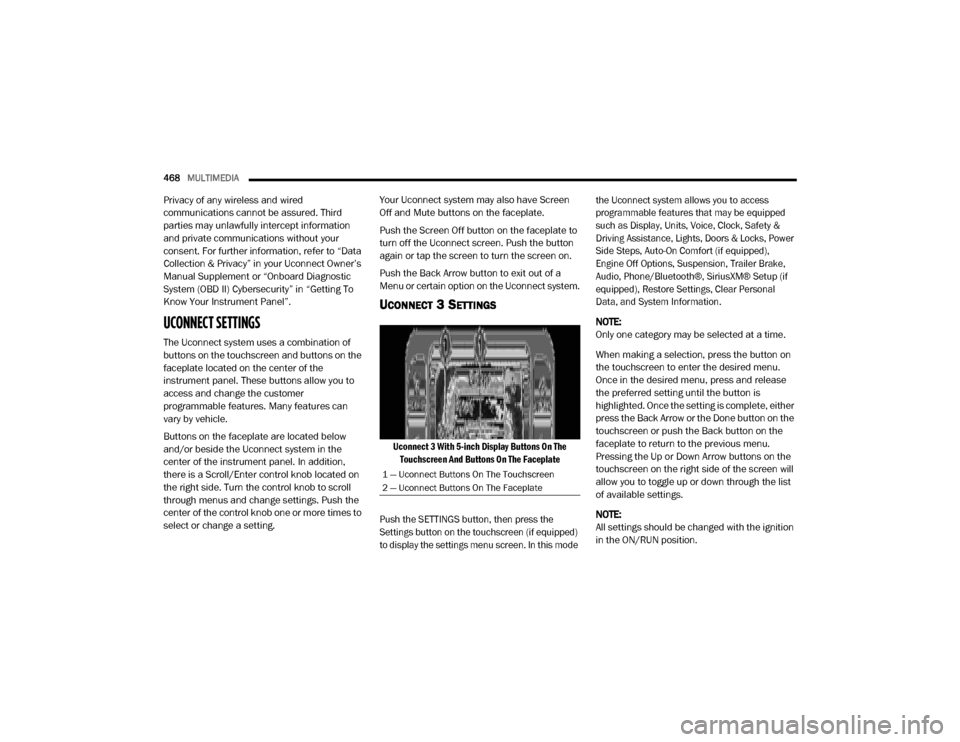
UCONNECT 3 SETTINGS
Uconnect 3 With 5-inch Display Buttons On The
Touchscreen And Buttons On The Faceplate
Push the SETTINGS button, then press the
Settings button on the touchscreen (if equipped)
to display the settings menu screen. In this mode the Uconnect system allows you to access
programmable features that may be equipped
such as Display, Units, Voice, Clock, Safety &
Driving Assistance, Lights, Doors & Locks, Power
Side Steps, Auto-On Comfort (if equipped),
Engine Off Options, Suspension, Trailer Brake,
Audio, Phone/Bluetooth®, SiriusXM® Setup (if
equipped), Restore Settings, Clear Personal
Data, and System Information.
NOTE:
Only one category may be selected at a time.
When making a selection, press the button on
the touchscreen to enter the desired menu.
Once in the desired menu, press and release
the preferred setting until the button is
highlighted. Once the setting is complete, either
press the Back Arrow or the Done button on the
touchscreen or push the Back button on the
faceplate to return to the previous menu.
Pressing the Up or Down Arrow buttons on the
touchscreen on the right side of the screen will
allow you to toggle up or down through the list
of available settings.
NOTE:
All settings should be changed with the ignition
in the ON/RUN position.
1 — Uconnect Buttons On The Touchscreen
2 — Uconnect Buttons On The Faceplate
20_DJD2_OM_EN_USC_t.book Page 468
Page 539 of 568
MULTIMEDIA537
Ending A Call
Press the End button on the touchscreen or the
PHONE button on the steering wheel controls to
end a call in progress.
Only the ongoing call is ended and any call on
hold becomes the new active call.
Depending on the type of mobile phone, if the
ongoing call is ended by the caller, the call on
hold may not be activated automatically.
Uconnect Phone Features
Mute/Unmute
1. During a call, push the VOICE COMMAND
button on the steering wheel.
2. After the beep, say “mute” or “mute off”.
Reading Messages
The system can read the messages received by
the mobile phone.
To use this function, the mobile phone must
support the SMS exchange function via
Bluetooth®. If this function is not supported by the phone,
the corresponding message button is
deactivated (grayed out) or may only accept
incoming messages.
When a text message is received, the display
will show a screen where the options "Listen",
"Call" or "Ignore" can be selected.
Press the Message button to access the list of
SMS messages received by the mobile phone.
The list displays a maximum of 60 messages
received.
Browsing SMS
Using the steering wheel commands, you can
view and manage the last 10 SMS messages
received on the instrument panel. To use this
function, the mobile phone must support the
SMS exchange function through Bluetooth®.
Select the PHONE button on the instrument
panel menu, and then select “SMS Reader”
using the arrow keys on the steering wheel
controls.
The “SMS Reader” submenu allows the last 10
SMS messages to be displayed.
STEERING WHEEL AUDIO CONTROLS — IF
EQUIPPED
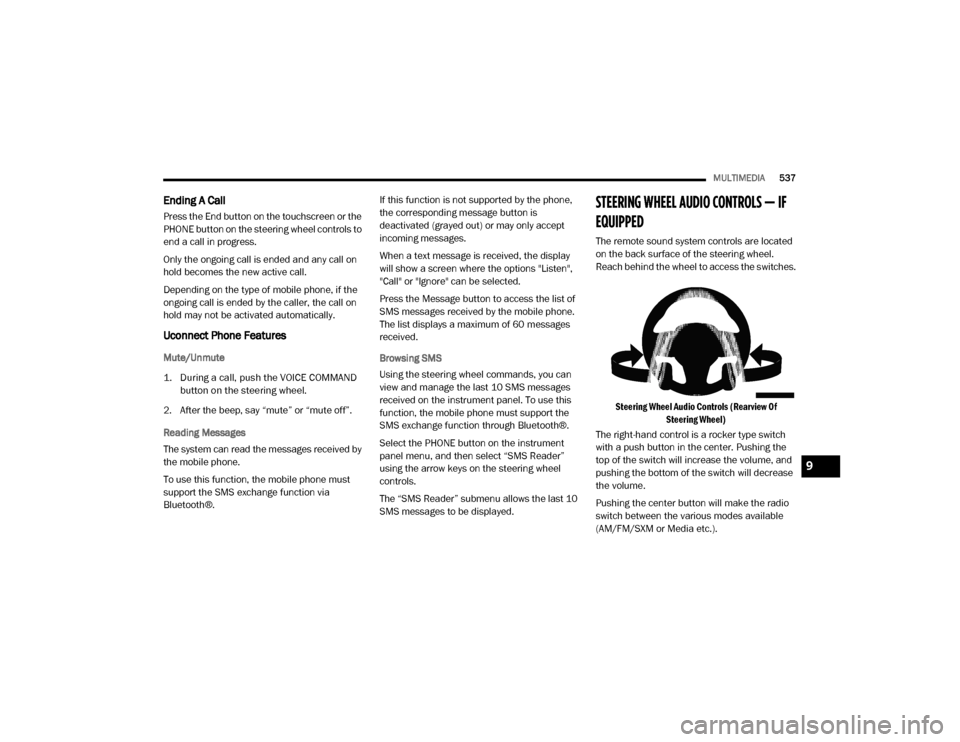
The remote sound system controls are located
on the back surface of the steering wheel.
Reach behind the wheel to access the switches.
Steering Wheel Audio Controls (Rearview Of Steering Wheel)
The right-hand control is a rocker type switch
with a push button in the center. Pushing the
top of the switch will increase the volume, and
pushing the bottom of the switch will decrease
the volume.
Pushing the center button will make the radio
switch between the various modes available
(AM/FM/SXM or Media etc.).
9
20_DJD2_OM_EN_USC_t.book Page 537
Page 540 of 568
538MULTIMEDIA
The left-hand control is a rocker type switch with
a push button in the center. The function of the
left-hand control is different depending on
which mode you are in.
The following describes the left-hand control
operation in each mode.
RADIO OPERATION
Pushing the top of the switch will SEEK up for
the next listenable station and pushing the
bottom of the switch will SEEK down for the next
listenable station.
The button located in the center of the left-hand
control will tune to the next preset station that
you have programmed in the radio preset
button.
MEDIA MODE
Pushing the top of the switch once will go to the
next track on the selected media (AUX/USB/
Bluetooth®). Pushing the bottom of the switch
once goes to the beginning of the current track,
or to the beginning of the previous track if it is
within eight seconds after the current track
begins to play.
IPOD®/USB/MP3 CONTROL — IF EQUIPPED
Located on the center stack, just below the
instrument panel, is the main media hub. There
are four total USB Ports: Two Mini-USBs (Type C)
and two Standard USBs (Type A). There is also
an AUX Port located in the middle of the USB
Ports.
Plugging in a smartphone device to a USB Port
may activate Android Auto™ or Apple CarPlay®
features, if equipped. For further information,
refer to “Android Auto™” or “Apple CarPlay®” in
the Owner’s Manual Supplement.
NOTE:
Two devices can be plugged in at the same time
and both ports will provide charging capabili -
ties. Only one port can transfer data to the
system at a time. A pop-up will appear and allow
you to select the device transferring data.
For example, if a device is plugged into the Type
A USB port and another device is plugged into
the Type C USB port, a message will appear and
allow you to select which device to use.
Center Stack USB/AUX Media Hub
A third and fourth USB Ports are located behind
the center console, above the power inverter.
One is a charge only port, and can only charge
USB devices. The other USB Port allows you to
play music from iPod®/MP3 players or USB
devices through your vehicle’s sound system.
1 — Standard USB Type A Port #1
2 — AUX Port
3 — Standard USB Type A Port #2
20_DJD2_OM_EN_USC_t.book Page 538
Page 557 of 568

555
Four-Way Hazard Flasher
............................... 346Freeing A Stuck Vehicle................................. 380Front Axle (Differential).................................. 424Fuel..................................................... 454, 456Adding............................................. 319, 320Additives................................................... 454Capacity.................................................... 460Clean Air.................................................... 454Diesel.............................................. 456, 464Ethanol...................................................... 454Filler Cap (Gas Cap)................................... 320Filter.......................................................... 409Gasoline.................................................... 454Light.......................................................... 135Materials Added........................................ 454Methanol................................................... 454Octane Rating................................. 454, 461Requirements........................ 454, 456, 459Specifications............................................ 457Tank Capacity............................................ 459Fueling........................................................... 320Fuses............................................................. 358
G
Garage Door Opener (HomeLink).................... 76Gas Cap (Fuel Filler Cap)............................... 320Gasoline, Clean Air........................................ 454Gasoline, Reformulated................................. 454Gauges Voltage...................................................... 223
Gear Ranges................................................. 240Gear Selector Override................................. 377Glass Cleaning.............................................. 451Gross Axle Weight Rating.............................. 326Gross Vehicle Weight Rating......................... 325GuideBody Builders.............................................. 12GVWR............................................................ 324
H
HazardDriving Through Flowing, Rising, Or Shallow Standing Water
....................... 343Hazard Warning Flashers.............................. 346Head Restraints............................................... 38Head Rests...................................................... 38Headlights.................................................... 353Automatic High Beam.................................. 49Cleaning................................................... 447High Beam................................................... 49Lights On Reminder..................................... 51Passing........................................................ 50Switch.......................................................... 48Heated Mirrors................................................. 46Heater, Engine Block.................................... 229Hill Descent Control...................................... 149Hill Descent Control Indicator....................... 149Hill Start Assist.............................................. 151HitchesTrailer Towing........................................... 329
Hoisting......................................................... 429HomeLink (Garage Door Opener).....................76Hood Prop........................................................74Hood Release...................................................74Hub Caps...................................................... 374
I
Idle-Up Feature............................................. 226Ignition.............................................................17Switch..........................................................17Illuminated Entry..............................................54In Vehicle HelpVehicle User Guide......................................13Inside Rearview Mirror.................... 42, 43, 346Instrument Cluster............................... 110, 112Descriptions.............................................. 141Display...................................................... 113Engine Oil Reset....................................... 115Instrument Panel Lens Cleaning................... 451Integrated Trailer Brake Control.................... 332Interior Appearance Care.............................. 450Interior Lights...................................................53Intermittent Wipers (Delay Wipers)..................55Intervention Regeneration Strategy..... 125, 413Introduction.....................................................11Inverter Outlet (115V)......................................88iPod/USB/MP3 Control................................. 53811
20_DJD2_OM_EN_USC_t.book Page 555