instrument panel Ram 3500 2020 Manual PDF
[x] Cancel search | Manufacturer: RAM, Model Year: 2020, Model line: 3500, Model: Ram 3500 2020Pages: 568
Page 222 of 568

220STARTING AND OPERATING
5. After engine start-up, check to see that
there is oil pressure.
6. Release the parking brake and drive.
NOTE:
Engine idle speed will automatically increase
to 1,000 RPM and engage the Variable
Geometry Turbocharger at low coolant
temperatures to improve engine warm-up.
The engine will not automatically crank after
the engine “Wait To Start” telltale goes off if
a door or the hood is ajar.
If the engine stalls, or if the ignition switch is
left ON for more than two minutes after the
“Wait To Start” telltale goes out, reset the
intake air heater by turning the ignition switch
to the OFF position for at least 5 seconds and
then back ON. Repeat steps 1 through 7 of
“Keyless Enter-N-Go Starting Procedure –
Engine Manifold Air Temperature Below 66° F
(19° C).”
EXTREME COLD WEATHER
The Cummins® Turbo Diesel engine is
equipped with several features designed to
assist cold weather starting and operation:
The engine block heater is a resistance
heater installed in the water jacket of the
engine just above and behind the oil filter. It
requires a 110–115 Volt AC electrical outlet
with a grounded, three-wire extension cord.
NOTE:
The engine block heater cord is a factory
installed option. If your vehicle is not equipped,
heater cords are available from an authorized
Mopar dealer.
A 12 Volt heater built into the fuel filter hous -
ings aid in preventing fuel gelling. It is
controlled by a built-in thermostat.
A intake air heater system both improves
engine starting and reduces the amount of
white smoke generated by a warming engine.
NORMAL STARTING PROCEDURE —
E
NGINE MANIFOLD AIR TEMPERATURE
A
BOVE 66° F (19° C)
Observe the instrument panel cluster lights
when starting the engine.
1. Always apply the parking brake.
2. Shift into PARK for an automatic
transmission.
3. Place the ignition switch in the ON position and watch the instrument panel cluster
lights.
4. Place the ignition switch in the START position and crank the engine. Do not press
the accelerator during starting.
CAUTION!
If the “Water in Fuel Indicator Light” remains
on, DO NOT START the engine before you
drain the water from the fuel filters to avoid
engine damage. Refer to “Draining Fuel/
Water Separator Filter” in “Servicing And
Maintenance” for further information.
20_DJD2_OM_EN_USC_t.book Page 220
Page 223 of 568

STARTING AND OPERATING221
5. Check that the oil pressure warning light
has turned off.
6. Release the parking brake.
STARTING PROCEDURE — ENGINE
M
ANIFOLD AIR TEMPERATURE 0°F TO
66°F (–18°C
TO 19°C)
NOTE:
The temperature displayed in the instrument
cluster does not necessarily reflect the engine
manifold air temperature. Refer to “Instrument
Cluster Display” in “Getting To Know Your
Instrument Panel” for further information.
When engine temperatures fall below 66°F
(19°C) the “Wait To Start Light” will remain on
indicating the intake air heater system is active. Follow the steps in the “Normal Starting”
procedure except:
1. The “Wait To Start” telltale will remain on
for a period of time that varies depending
on the engine temperature.
2. While the “Wait To Start” telltale is on, the instrument cluster will additionally display a
gauge or bar whose initial length represents
the full “Wait To Start” time period. Its
length will decrease until it disappears
when the “Wait To Start” time has elapsed.
3. After the “Wait To Start” telltale goes off, place the ignition switch in the START
position. Do not press the accelerator
during starting. 4. After engine start-up, check that the oil
pressure warning light has turned off.
5. Release the parking brake and drive.
NOTE:
Engine idle speed will automatically increase
to 1,000 RPM and engage the Variable
Geometry Turbocharger at low coolant
temperatures to improve engine warm-up.
Automatic equipped vehicles with optional
Keyless Enter-N-Go – If the start button is
pushed once while in park with the ignition
off and driver’s foot on the brake pedal, the
vehicle will automatically crank and start
after the Wait to Start time has elapsed. If it
is desired to abort the start process before it
completes, the driver’s foot should be fully
CAUTION!
Do not crank engine for more than 25 seconds
at a time or starter motor damage may result.
Turn the ignition switch to the OFF position and
wait at least two minutes for the starter to cool
before repeating start procedure.
CAUTION!
If the “Water in Fuel Indicator Light” remains
on, DO NOT START the engine before you
drain the water from the fuel filters to avoid
engine damage. Refer to “Draining Fuel/
Water Separator Filter” in “Servicing And
Maintenance” for further information.
CAUTION!
Do not crank engine for more than 25 seconds
at a time or starter motor damage may result.
Turn the ignition switch to the OFF position and
wait at least two minutes for the starter to cool
before repeating start procedure.
5
20_DJD2_OM_EN_USC_t.book Page 221
Page 228 of 568

226STARTING AND OPERATING
NOTE:
If ambient temperatures are low and the coolant
temperature is below 180°F (82°C), the engine
idle speed will slowly increase to 1,000 RPM after
two minutes of idle, if the following conditions are
met:
Foot is off brake pedal and throttle pedal.
Automatic transmission is in PARK.
Vehicle speed is 0 mph (0 km/h).
Applying the throttle will cancel fast idle.
Operating the exhaust brake at idle will
greatly improve warm up rate and will help
keep the engine close to operating tempera -
ture during extended idle.
ENGINE IDLING
Avoid prolonged idling, long periods of idling
may be harmful to your engine because
combustion chamber temperatures can drop so
low that the fuel may not burn completely.
Incomplete combustion allows carbon and
varnish to form on piston rings, engine valves,
and injector nozzles. Also, the unburned fuel
can enter the crankcase, diluting the oil and
causing rapid wear to the engine. If the engine is allowed to idle or the truck is
driven on low engine speed drive cycles for
more than 2 hours, the system will
automatically enter an emissions operating
mode that will increase the engine idle speed to
900 RPM. While in this mode, which is designed
to help maintain the diesel particulate filter, the
engine idle speed will return to normal when the
brake pedal is applied. A small change in engine
tone or a slight change in engine performance
while accelerating may also be noticeable at
speeds below 20 mph (32 km/h). This
operating mode may last for up to an hour of
idle time, or around 20 minutes of driving time.
Your truck may have been ordered with an
optional voltage monitoring idle up feature. If a
load is placed on the electrical system while the
truck is in park, this feature will attempt to
maintain normal system voltage by
automatically increasing engine idle speed. You
may notice several consecutive increases in
idle speed, up to a maximum of 1,450 RPM, as
the system will attempt to utilize the smallest
increase in idle speed necessary to maintain
normal system voltage. The idle speed will
return to normal when either the electrical load
is removed, or when the brake pedal is applied.
NOTE:
For instrument cluster display messages
related to the vehicle's exhaust system, refer to
“Instrument Cluster Display” in “Getting To
Know Your Instrument Panel” for further infor
-
mation.
Idle-Up Feature
The driver-controlled high idle speed feature will
help increase cylinder temperatures and
provide additional cab heat, however, excessive
idling may still cause the exhaust
aftertreatment system to not properly
regenerate. Extended periods of idle time
should be avoided.
The Idle-Up feature uses the Speed Control
switches to increase engine idle speed and
quickly warm the vehicle's interior.
1. With the transmission in PARK, the parking brake applied, and the engine running,
push the speed control switch to the ON
position, then push the SET switch.
2. The engine RPM will go up to 1,100 RPM. To increase the RPM, push and hold the
ACCEL/RESUME switch and the idle speed
will increase to approximately 1,500 RPM.
To decrease the RPM, push and hold the
20_DJD2_OM_EN_USC_t.book Page 226
Page 233 of 568

STARTING AND OPERATING231
(Continued)
NOTE:
Light duty operation such as light trailer towing
or no load operation will extend the time before
the engine is at full efficiency. Reduced fuel
economy and power may be seen at this time.
For additional vehicle break-in requirements,
refer to “Trailer Towing” in “Starting And
Operating” of the Owners Manual.
Because of the construction of the Cummins®
Turbo Diesel engine, engine run-in is enhanced
by loaded operating conditions which allow the
engine parts to achieve final finish and fit during
the first 6,000 miles (10,000 km).
PARKING BRAKE
Before leaving the vehicle, make sure that the
parking brake is fully applied. Also, be certain to
leave the transmission in PARK.
The foot-operated parking brake is located
below the lower left corner of the instrument
panel. To apply the park brake, firmly push the
park brake pedal fully. To release the parking
brake, pull the parking brake release handle.
Parking Brake Release
When the parking brake is applied with the
ignition switch ON, the “Brake Warning Light” in
the instrument cluster will illuminate.
NOTE:When the parking brake is applied and the
transmission is placed in gear, the “Brake
Warning Light” will flash. If vehicle speed is
detected, a chime will sound to alert the
driver. Fully release the parking brake before
attempting to move the vehicle.
This light only shows that the parking brake is
applied. It does not show the degree of brake
application. When parking on a hill, it is important to turn the
front wheels toward the curb on a downhill
grade and away from the curb on an uphill
grade. Apply the parking brake before placing
the gear selector in PARK, otherwise the load on
the transmission locking mechanism may make
it difficult to move the gear selector out of PARK.
The parking brake should always be applied
whenever the driver is not in the vehicle.
WARNING!
Never use the PARK position as a substi
-
tute for the parking brake. Always apply the
parking brake fully when parked to guard
against vehicle movement and possible
injury or damage.
Never leave children alone in a vehicle, or
with access to an unlocked vehicle. Leaving
unattended children in a vehicle is
dangerous for a number of reasons. A child
or others could be seriously or fatally
injured.
5
20_DJD2_OM_EN_USC_t.book Page 231
Page 237 of 568

STARTING AND OPERATING235
BRAKE/TRANSMISSION SHIFT
I
NTERLOCK SYSTEM
This vehicle is equipped with a Brake
Transmission Shift Interlock System (BTSI) that
holds the transmission gear selector in PARK
unless the brakes are applied. To shift the
transmission out of PARK, the engine must be
running and the brake pedal must be pressed.
The brake pedal must also be pressed to shift
from NEUTRAL into DRIVE or REVERSE when the
vehicle is stopped or moving at low speeds.
EIGHT-SPEED AUTOMATIC
T
RANSMISSION — IF EQUIPPED
The transmission is controlled using a rotary
electronic gear selector located on the
instrument panel. The transmission gear range
(PRND) is displayed both above the gear
selector and in the instrument cluster. To select
a gear range, simply rotate the gear selector.
You must press the brake pedal to shift the
transmission out of PARK (or NEUTRAL, when
the vehicle is stopped or moving at low speeds).
To shift past multiple gear ranges at once (such
as PARK to DRIVE), simply rotate the gear
selector to the appropriate detent. Select the
DRIVE range for normal driving. NOTE:
In the event of a mismatch between the gear
selector position and the actual transmission
gear (for example, driver selects PARK while
driving), the position indicator will blink continu
-
ously until the selector is returned to the proper
position, or the requested shift can be
completed.
The electronically-controlled transmission
adapts its shift schedule based on driver inputs,
along with environmental and road conditions.
The transmission electronics are
self-calibrating; therefore, the first few shifts on
a new vehicle may be somewhat abrupt. This is
a normal condition, and precision shifts will
develop within a few hundred miles
(kilometers).
Only shift from DRIVE to PARK or REVERSE when
the accelerator pedal is released and the vehicle
is stopped. Be sure to keep your foot on the brake
pedal when shifting between these gears.
The transmission gear selector has only PARK,
REVERSE, NEUTRAL, and DRIVE positions.
Manual downshifts can be made using the
Electronic Range Select (ERS) shift control.
Pressing the GEAR -/GEAR + switches (on the
steering wheel) while in the DRIVE position will select the highest available transmission gear,
and will display that gear limit in the instrument
cluster as 1, 2, 3, etc. Refer to “Electronic
Range Select (ERS) Operation” in this section
for further information. Some models will
display both the selected gear limit, and the
actual current gear, while in ERS mode.
Electronic Transmission Gear Selector
Gear Ranges
Do not depress the accelerator pedal when
shifting from PARK or NEUTRAL into another
gear range.
NOTE:
After selecting any gear range, wait a moment
to allow the selected gear to engage before
accelerating. This is especially important when
the engine is cold.
5
20_DJD2_OM_EN_USC_t.book Page 235
Page 248 of 568
246STARTING AND OPERATING
AUXILIARY SWITCHES — IF EQUIPPED
There can be up to six auxiliary switches located
in the lower switch bank of the instrument panel
which can be used to power various electronic
devices and PTO (Power Take Off) – If Equipped.
If Power Take Off is equipped, it will take the
place of the sixth Auxiliary switch. Connections
to the switches are found under the hood in the
connectors attached to the auxiliary Power
Distribution Center.
You have the ability to configure the
functionality of the auxiliary switches via the
instrument cluster display. All switches can now
be configured for setting the switch type
operation to latching or momentary, power
source of either battery or ignition, and ability to
hold last state across key cycles.
NOTE:
Holding last state conditions are met when
switch type is set to latching and power source
is set to ignition.
For further information on using the auxiliary
switches, please refer to the Ram Body Builders
Guide by accessing www.rambodybuilder.com
and choosing the appropriate links.
ACTIVE NOISE CANCELLATION
Your vehicle is equipped with an Active Noise
Cancellation system that cannot be turned off.
This system is designed to address exhaust and
engine noise. The system relies on four
microphones embedded in the headliner, which
monitor exhaust and engine noise, and assists
an onboard frequency generator, which creates
counteracting sound waves in the audio
system’s speakers. This helps keep the vehicle
quiet at idle and during drive. The system is
deactivated when the windows are rolled down.
FOUR-WHEEL DRIVE OPERATION — IF
EQUIPPED
Four-wheel drive trucks are equipped with
either a manually shifted transfer case or an
electronically shifted transfer case. Refer to the
operating instructions for your transfer case,
located in this section for further information.
ELECTRONICALLY SHIFTED TRANSFER
C
ASE (EIGHT SPEED TRANSMISSION) —
I
F EQUIPPED
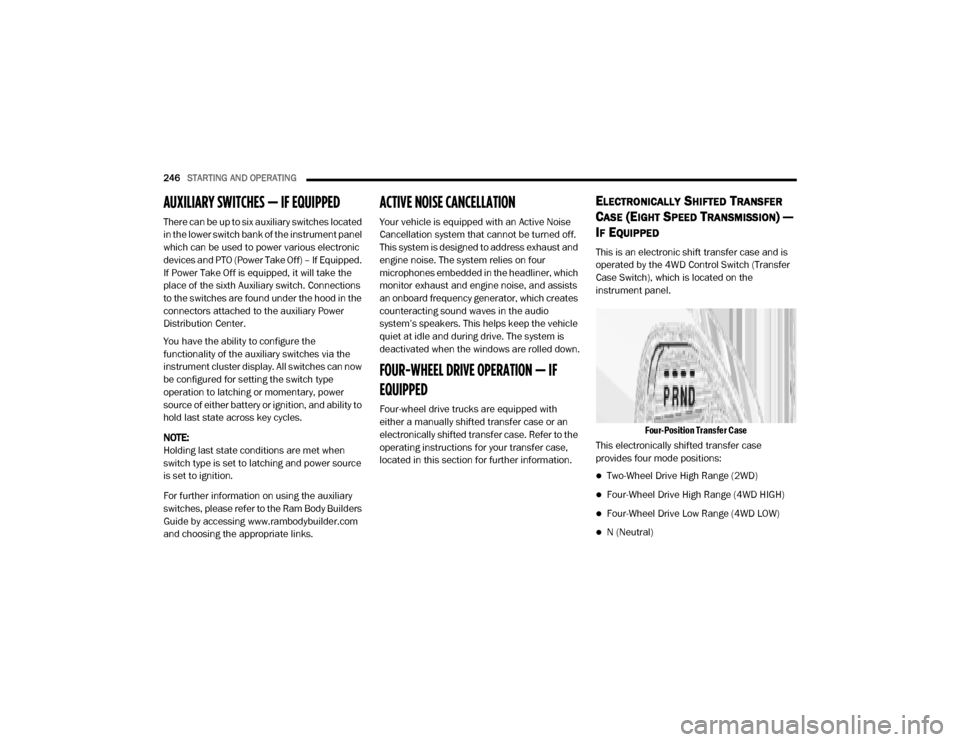
This is an electronic shift transfer case and is
operated by the 4WD Control Switch (Transfer
Case Switch), which is located on the
instrument panel.
Four-Position Transfer Case
This electronically shifted transfer case
provides four mode positions:
Two-Wheel Drive High Range (2WD)
Four-Wheel Drive High Range (4WD HIGH)
Four-Wheel Drive Low Range (4WD LOW)
N (Neutral)
20_DJD2_OM_EN_USC_t.book Page 246
Page 252 of 568
250STARTING AND OPERATING
ELECTRONICALLY SHIFTED TRANSFER
C
ASE (SIX SPEED TRANSMISSION) — IF
E
QUIPPED
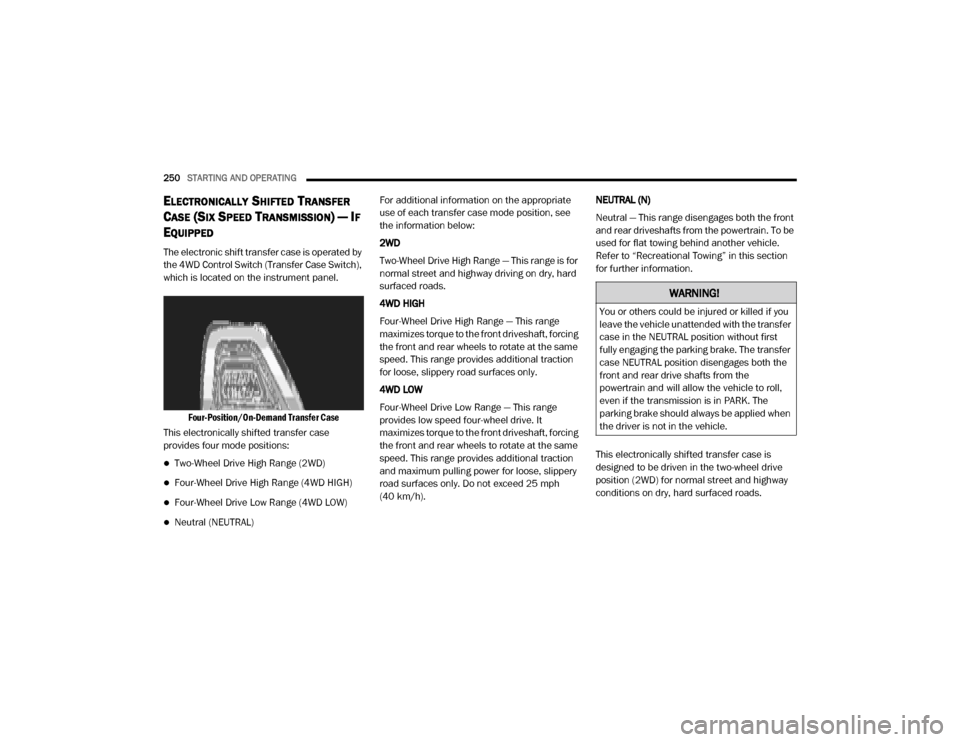
The electronic shift transfer case is operated by
the 4WD Control Switch (Transfer Case Switch),
which is located on the instrument panel.
Four-Position/On-Demand Transfer Case
This electronically shifted transfer case
provides four mode positions:
Two-Wheel Drive High Range (2WD)
Four-Wheel Drive High Range (4WD HIGH)
Four-Wheel Drive Low Range (4WD LOW)
Neutral (NEUTRAL) For additional information on the appropriate
use of each transfer case mode position, see
the information below:
2WD
Two-Wheel Drive High Range — This range is for
normal street and highway driving on dry, hard
surfaced roads.
4WD HIGH
Four-Wheel Drive High Range — This range
maximizes torque to the front driveshaft, forcing
the front and rear wheels to rotate at the same
speed. This range provides additional traction
for loose, slippery road surfaces only.
4WD LOW
Four-Wheel Drive Low Range — This range
provides low speed four-wheel drive. It
maximizes torque to the front driveshaft, forcing
the front and rear wheels to rotate at the same
speed. This range provides additional traction
and maximum pulling power for loose, slippery
road surfaces only. Do not exceed 25 mph
(40 km/h).
NEUTRAL (N)
Neutral — This range disengages both the front
and rear driveshafts from the powertrain. To be
used for flat towing behind another vehicle.
Refer to “Recreational Towing” in this section
for further information.
This electronically shifted transfer case is
designed to be driven in the two-wheel drive
position (2WD) for normal street and highway
conditions on dry, hard surfaced roads.
WARNING!
You or others could be injured or killed if you
leave the vehicle unattended with the transfer
case in the NEUTRAL position without first
fully engaging the parking brake. The transfer
case NEUTRAL position disengages both the
front and rear drive shafts from the
powertrain and will allow the vehicle to roll,
even if the transmission is in PARK. The
parking brake should always be applied when
the driver is not in the vehicle.
20_DJD2_OM_EN_USC_t.book Page 250
Page 259 of 568

STARTING AND OPERATING257
in “Getting To Know Your Instrument Panel” or
“Uconnect Settings” in “Multimedia” (if
equipped with a touch screen radio) for further
information.
NOTE:
This mode is intended to be enabled with the
engine running.
Transport Mode
For towing your vehicle with four wheels off the
road, the air suspension system has a feature
which will put the vehicle below Normal Ride
Height (NRH) and disable the automatic load
leveling system. This mode is intended to be
enabled with engine running. Refer to
“Instrument Cluster Display” in “Getting To
Know Your Instrument Panel” or “Uconnect
Settings” in “Understanding Your Instrument
Panel” if equipped with a touch screen radio for
further information.
NOTE:
This mode is intended to be enabled with the
engine running. Wheel Alignment Mode
Before performing a wheel alignment this mode
must be enabled. Refer to “Instrument Cluster
Display” in “Getting To Know Your Instrument
Panel” or “Uconnect Settings” in “Multimedia”
(if equipped with a touch screen radio) for
further information.
NOTE:
This mode is intended to be enabled with the
engine running.
Bed Lowering Mode
This setting is used to lower the rear suspension
to the lowest possible height and disable the air
suspension system. It enables easier loading/
unloading of the truck and makes it easier to
hook up trailers. Refer to “Instrument Cluster
Display” in “Getting To Know Your Instrument
Panel” or “Uconnect Settings” in
“Understanding Your Instrument Panel” if
equipped with a touch screen radio for further
information.
Protection Strategy
In order to “protect” the air suspension system,
the vehicle will disable load leveling as required
(suspension overloaded, battery charge low,
etc.). Load leveling will automatically resume as
soon as system operation requirements are
met. See an authorized dealer if system does
not resume.
INSTRUMENT CLUSTER DISPLAY
M
ESSAGES
When the appropriate conditions exist, a
message will appear in the instrument cluster
display. Refer to “Instrument Cluster Display” in
“Getting To Know Your Instrument Panel” for
further information.
An audible chime will be heard whenever a
system error has been detected.
See an authorized dealer for system service if
normal operation does not resume.5
20_DJD2_OM_EN_USC_t.book Page 257
Page 262 of 568

260STARTING AND OPERATING
STABILIZER/SWAY BAR SYSTEM — POWER
WAGON ONLY
Your vehicle is equipped with an electronic
disconnecting stabilizer/sway bar. This system
allows greater front suspension travel in
off-road situations.
Due to the use of taller springs, this vehicle has
an increased ride height of approximately
1.9 inches (48.3 mm) in the front and
1.5 inches (38.1 mm) in the rear. A major advantage to increasing ride height is the
positive effect it has on approach/departure
and break over angles.
This system is controlled by the electronic
control sway bar switch located below the
instrument panel.
Sway Bar Disconnect Button
Push the SWAY BAR switch to activate the
system. Push the switch again to deactivate the
system. The “Sway Bar Indicator Light” (located
in the instrument cluster) will illuminate when
the bar is disconnected. The “Sway Bar
Indicator Light” will flash during activation
transition, or when activation conditions are not
met. The stabilizer/sway bar should remain in
on-road mode during normal driving conditions.
To disconnect the stabilizer/sway bar, shift to
either 4WD HIGH or 4WD LOW and push the
SWAY BAR button to obtain the Off-Road
position. Refer to “Four Wheel Drive Operation”
in “Starting And Operating” for further
information. The “Sway Bar Indicator Light” will
flash until the stabilizer/sway bar has been fully
disconnected.
NOTE:
The stabilizer/sway bar may be torque locked
due to left and right suspension height differ
-
ences. This condition is due to driving surface
differences or vehicle loading. In order for the
stabilizer/sway bar to disconnect/reconnect,
the right and left halves of the bar must be
aligned. This alignment may require that the
vehicle be driven onto level ground or rocked
from side to side.
To return to the On-Road mode, push the SWAY
BAR button again.
WARNING!
Do not disconnect the stabilizer bar and drive
on hard surfaced roads or at speeds above
18 mph (29 km/h), you may lose control of
the vehicle, which could result in serious
injury or death. The front stabilizer bar
enhances vehicle stability and assists in
maintaining control of the vehicle. The system
monitors vehicle speed and will attempt to
reconnect the stabilizer bar at speeds over
18 mph (29 km/h). This is indicated by a
flashing off road light and solid on road light.
Once vehicle speed is reduced below 14 mph
(22 km/h), the system will attempt to return
to the Off-Road mode.
20_DJD2_OM_EN_USC_t.book Page 260
Page 282 of 568
280STARTING AND OPERATING
SPEED CONTROL
When engaged, the Speed Control takes over
accelerator operations at speeds greater than
20 mph (32 km/h), or 25 mph (40 km/h),
depending on the powertrain used.
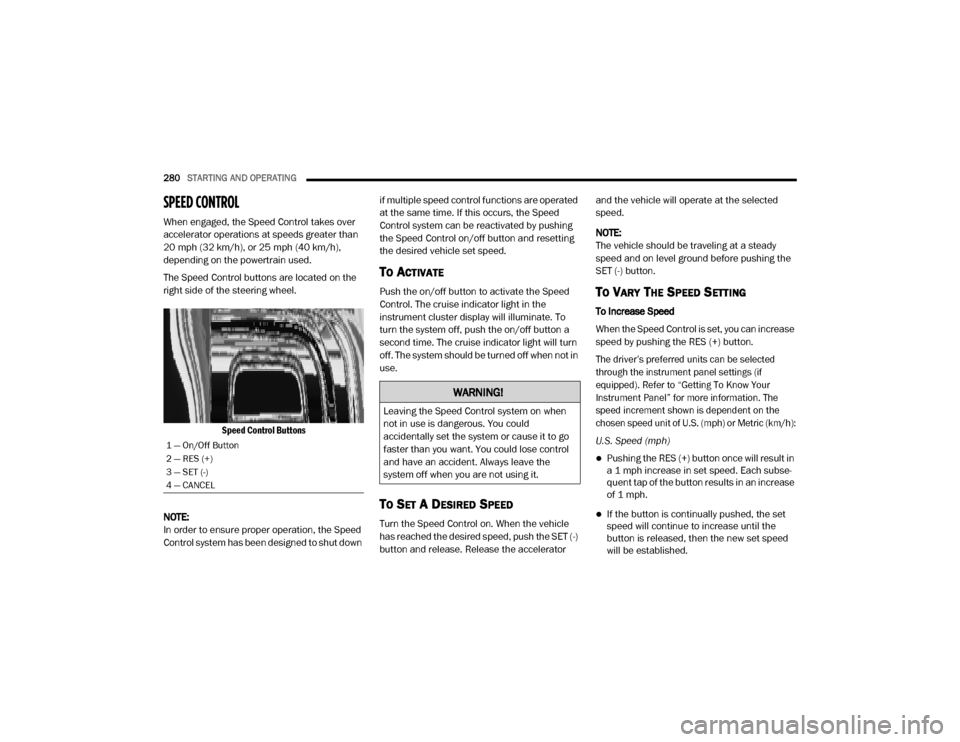
The Speed Control buttons are located on the
right side of the steering wheel.
Speed Control Buttons
NOTE:
In order to ensure proper operation, the Speed
Control system has been designed to shut down if multiple speed control functions are operated
at the same time. If this occurs, the Speed
Control system can be reactivated by pushing
the Speed Control on/off button and resetting
the desired vehicle set speed.
TO ACTIVATE
Push the on/off button to activate the Speed
Control. The cruise indicator light in the
instrument cluster display will illuminate. To
turn the system off, push the on/off button a
second time. The cruise indicator light will turn
off. The system should be turned off when not in
use.
TO SET A DESIRED SPEED
Turn the Speed Control on. When the vehicle
has reached the desired speed, push the SET (-)
button and release. Release the accelerator and the vehicle will operate at the selected
speed.
NOTE:
The vehicle should be traveling at a steady
speed and on level ground before pushing the
SET (-) button.
TO VARY THE SPEED SETTING
To Increase Speed
When the Speed Control is set, you can increase
speed by pushing the RES (+) button.
The driver’s preferred units can be selected
through the instrument panel settings (if
equipped). Refer to “Getting To Know Your
Instrument Panel” for more information. The
speed increment shown is dependent on the
chosen speed unit of U.S. (mph) or Metric (km/h):
U.S. Speed (mph)
Pushing the RES (+) button once will result in
a 1 mph increase in set speed. Each subse -
quent tap of the button results in an increase
of 1 mph.
If the button is continually pushed, the set
speed will continue to increase until the
button is released, then the new set speed
will be established.
1 — On/Off Button
2 — RES (+)
3 — SET (-)
4 — CANCEL
WARNING!
Leaving the Speed Control system on when
not in use is dangerous. You could
accidentally set the system or cause it to go
faster than you want. You could lose control
and have an accident. Always leave the
system off when you are not using it.
20_DJD2_OM_EN_USC_t.book Page 280