change wheel Ram 3500 2020 User Guide
[x] Cancel search | Manufacturer: RAM, Model Year: 2020, Model line: 3500, Model: Ram 3500 2020Pages: 568
Page 192 of 568
190SAFETY
(Continued)
Enhanced Accident Response System
Reset Procedure
In order to reset the Enhanced Accident
Response System functions after an event, the
ignition switch must be changed from ignition
START or ON/RUN to ignition OFF. Carefully
check the vehicle for fuel leaks in the engine
compartment and on the ground near the
engine compartment and fuel tank before
resetting the system and starting the engine.
Maintaining Your Air Bag System Event Data Recorder (EDR)
This vehicle is equipped with an event data
recorder (EDR). The main purpose of an EDR is
to record, in certain crash or near crash-like
situations, such as an air bag deployment or
hitting a road obstacle, data that will assist in
understanding how a vehicle’s systems
performed. The EDR is designed to record data
related to vehicle dynamics and safety systems
for a short period of time, typically 30 seconds
or less. The EDR in this vehicle is designed to
record such data as:
How various systems in your vehicle were
operating;
Whether or not the driver and passenger
safety belts were buckled/fastened;
How far (if at all) the driver was depressing
the accelerator and/or brake pedal; and,
How fast the vehicle was traveling.
These data can help provide a better
understanding of the circumstances in which
crashes and injuries occur.
WARNING!
Modifications to any part of the air bag
system could cause it to fail when you need
it. You could be injured if the air bag system
is not there to protect you. Do not modify
the components or wiring, including adding
any kind of badges or stickers to the
steering wheel hub trim cover or the upper
passenger side of the instrument panel. Do
not modify the front bumper, vehicle body
structure, or add aftermarket side steps or
running boards.
It is dangerous to try to repair any part of
the air bag system yourself. Be sure to tell
anyone who works on your vehicle that it
has an air bag system.
Do not attempt to modify any part of your
air bag system. The air bag may inflate acci -
dentally or may not function properly if
modifications are made. Take your vehicle
to an authorized dealer for any air bag
system service. If your seat, including your
trim cover and cushion, needs to be
serviced in any way (including removal or
loosening/tightening of seat attachment
bolts), take the vehicle to an authorized
dealer. Only manufacturer approved seat
accessories may be used. If it is necessary
to modify the air bag system for persons
with disabilities, contact an authorized
dealer.
WARNING! (Continued)
20_DJD2_OM_EN_USC_t.book Page 190
Page 235 of 568

STARTING AND OPERATING233
(Continued)
NOTE:
For optimum braking power it is recommended
to use the exhaust brake while in TOW/HAUL
mode.
The exhaust brake feature can also be used to
reduce the engine warm up time. To use the
exhaust brake as a warm-up device, the vehicle
must be stopped or moving less than 5 mph
(8 km/h), the "Exhaust Brake Indicator" must be
on, and the coolant temperature must be below
180°F (82°C) and ambient temperature below
60°F (16°C). Automatic “Smart” Exhaust Brake
Automatic “Smart” Exhaust Brake technology
delivers smoother, less aggressive exhaust
braking characteristics during downhill
descents. Although it can apply full exhaust
braking force if needed, Automatic “Smart”
Exhaust Brake may not apply obvious braking if
the vehicle speed is not increasing. Automatic
“Smart” Exhaust Brake is intended to maintain
vehicle speed, while Full Exhaust Brake is
intended to reduce vehicle speed.
Automatic “Smart” Exhaust Brake can be
enabled by pushing the exhaust brake button
(on the center stack) again anytime after the
normal Full Exhaust Brake has been turned on.
The “Exhaust Brake Indicator” in the instrument
cluster display will change from Yellow to Green
when Automatic “Smart” Exhaust Brake is
enabled. Pushing the exhaust brake button
again will toggle the exhaust brake mode to off.
AUTOMATIC TRANSMISSION WARNING!
Do not use the exhaust brake feature when
driving in icy or slippery conditions as the
increased engine braking can cause the rear
wheels to slide and the vehicle to swing
around with the possible loss of vehicle
control, which may cause an accident
possibly resulting in personal injury or death.
CAUTION!
Use of aftermarket exhaust brakes is not
recommended and could lead to engine
damage
WARNING!
Never use the PARK position as a substi
-
tute for the parking brake. Always apply the
parking brake fully when exiting the vehicle
to guard against vehicle movement and
possible injury or damage.
Your vehicle could move and injure you and
others if it is not in PARK. Check by trying to
move the transmission gear selector out of
PARK with the brake pedal released. Make
sure the transmission is in PARK before
exiting the vehicle.
The transmission may not engage PARK if
the vehicle is moving. Always bring the
vehicle to a complete stop before shifting to
PARK, and verify that the transmission gear
position indicator solidly indicates PARK (P)
without blinking. Ensure that the vehicle is
completely stopped, and the PARK position
is properly indicated, before exiting the
vehicle.
5
20_DJD2_OM_EN_USC_t.book Page 233
Page 241 of 568

STARTING AND OPERATING239
gear. Once in ERS mode, tapping the GEAR – or
GEAR + switch will change the top available
gear.
ERS Control
To exit ERS mode, simply push and hold the
GEAR + switch until the gear limit display
disappears from the instrument cluster.When to Use TOW/HAUL Mode
When driving in hilly areas, towing a trailer,
carrying a heavy load, etc., and frequent
transmission shifting occurs, push the TOW/
HAUL switch to activate TOW/HAUL mode. This
will improve performance and reduce the
potential for transmission overheating or failure
due to excessive shifting.
TOW/HAUL Switch
The “TOW/HAUL Indicator Light” will illuminate
in the instrument cluster to indicate that TOW/
HAUL mode has been activated. Pushing the
switch a second time restores normal
operation. Normal operation is always the
default at engine start-up. If TOW/HAUL mode is
desired, the switch must be pushed each time
the engine is started.
SIX-SPEED AUTOMATIC TRANSMISSION
— I
F EQUIPPED
Pickup models may use either AISIN (AS69RC
HD) transmission, or the 68RFE transmission
(which has no PTO access cover).
The transmission gear position display (located
in the instrument cluster) indicates the
transmission gear range. The gear selector is
mounted on the right side of the steering
column. You must press the brake pedal to
move the gear selector out of PARK; refer to
“Brake/Transmission Shift Interlock System” in
this section. To drive, move the gear selector
from PARK or NEUTRAL to the DRIVE position.
Pull the gear selector toward you when shifting
into REVERSE or PARK, or when shifting out of
PARK.
1 — GEAR + Switch
2 — GEAR – Switch
WARNING!
Do not downshift for additional engine
braking on a slippery surface. The drive
wheels could lose their grip and the vehicle
could skid, causing a collision or personal
injury.
WARNING!
Do not use the “TOW/HAUL” feature when
driving in icy or slippery conditions. The
increased engine braking can cause the rear
wheels to slide, and the vehicle to swing
around with the possible loss of vehicle
control, which may cause an accident
possibly resulting in personal injury or death.
5
20_DJD2_OM_EN_USC_t.book Page 239
Page 246 of 568

244STARTING AND OPERATING
available gears. Tapping the ERS (-) switch will
activate ERS mode, display the current gear in
the instrument cluster, and set that gear as the
top available gear. Once in ERS mode, tapping
the ERS (-) or (+) switch will change the top
available gear.
Electronic Range Select
To exit ERS mode, simply push and hold the ERS
(+) switch until the gear limit display disappears
from the instrument cluster. NOTE:
To select the proper gear position for maximum
deceleration (engine braking), simply push and
hold the ERS (-) switch. The transmission will
shift to the range from which the vehicle can
best be slowed down.
Overdrive Operation
The automatic transmission includes an
electronically controlled Overdrive (fifth and
sixth gears). The transmission will automatically
shift into Overdrive if the following conditions
are present:
The gear selector is in the DRIVE position.
The transmission fluid has reached an
adequate temperature.
The engine coolant has reached an adequate
temperature.
The vehicle speed is sufficiently high.
The driver is not heavily pressing the acceler
-
ator.
1 — GEAR + Switch
2 — GEAR – Switch
WARNING!
Do not downshift for additional engine
braking on a slippery surface. The drive
wheels could lose their grip and the vehicle
could skid, causing a collision or personal
injury.
Transmis -
sion Gear
Limit
Display 1 2 3 4 5 6 D
Actual
Gear(s)
Allowed
1 1-2 1-3 1-4 1-5 1-6 1-6
CAUTION!
When using ERS for engine braking while
descending steep grades, be careful not to
overspeed the engine. Apply the brakes as
needed to prevent engine overspeed.
20_DJD2_OM_EN_USC_t.book Page 244
Page 264 of 568
262STARTING AND OPERATING
The Basics Of Off-Road Driving
You will encounter many types of terrain driving
off-road. You should be familiar with the terrain
and area before proceeding. There are many
types of surface conditions: hard packed dirt,
gravel, rocks, grass, sand, mud, snow and ice.
Every surface has a different effect on your
vehicle's steering, handling and traction.
Controlling your vehicle is one of the keys to
successful off-road driving, so always keep a
firm grip on the steering wheel and maintain a
good driving posture. Avoid sudden
accelerations, turns or braking. In most cases
there are no road signs, posted speed limits or
signal lights. Therefore you will need to use your
own good judgment on what is safe and what
isn't. When on a trail you should always be
looking ahead for surface obstacles and
changes in terrain. The key is to plan your future
driving route while remembering what you are
currently driving over.
When To Use Low Range
When driving off-road, shift into 4WD LOW for
additional traction or to improve handling and
control on slippery or difficult terrain. Due to the
lower gearing, low range will allow the engine to
operate in a higher power range. This will allow
you to idle over obstacles and down hills, with
improved control and less effort. Also, use 4WD
LOW in rain, ice, snow, mud, and sand to get
heavy loads rolling, improve traction, or
whenever 4WD HIGH traction will not do the job.
DRIVING IN SNOW, MUD AND SAND
There is a drastic reduction in traction when
driving in snow, mud or sand. The vehicle will be
less responsive to steering, acceleration and
braking inputs. Therefore you should accelerate
slowly, leave greater stopping distances and
avoid abrupt vehicle maneuvers. You want to
keep a slow constant steady pace. The key is to
maintain the vehicle's momentum.
Snow – In heavy snow or for additional
control and traction at slower speeds, shift
the transmission to a low gear and shift the
transfer case to 4WD LOW if necessary. Do
not shift to a lower gear than necessary to
maintain headway. Over-revving the engine
can spin the wheels and traction will be lost.
If you start to slow to a stop, try turning your
steering wheel no more than a quarter turn
quickly back and forth, while still applying
throttle. This will allow the tires to get a fresh
"bite" and help maintain your momentum.
Mud – Deep mud creates a great deal of
suction around the tires and is very difficult to
get through. You should use 4WD LOW with a
gear low enough to maintain your momentum
without shifting. If you start to slow to a stop,
try turning your steering wheel no more than
a quarter turn quickly back and forth for addi -
tional traction. Mud holes pose an increased
threat of vehicle damage and getting stuck.
WARNING!
Always wear your seat belt and firmly tie down
cargo. Unsecured cargo can become
projectiles in an off-road situation.
CAUTION!
Never park your vehicle over dry grass or
other combustible materials. The heat from
your vehicle exhaust system could cause a
fire.
CAUTION!
On icy or slippery roads, do not downshift at
high engine RPMs or vehicle speeds because
engine braking may cause skidding and loss
of control.
20_DJD2_OM_EN_USC_t.book Page 262
Page 267 of 568
STARTING AND OPERATING265
case into 4WD LOW and proceed with
caution. You should use first gear and 4WD
LOW for very steep hills.
Driving Uphill – Once you have determined
your ability to proceed and have shifted into
the appropriate gear, line your vehicle up for
the straightest possible run. Accelerate with
an easy constant throttle and apply more
power as you start up the hill. Do not race
forward into a steep grade, the abrupt
change of grade could cause you to lose
control. If the front end begins to bounce,
ease off the throttle slightly to bring all four
tires back on the ground. As you approach
the crest of the hill ease off the throttle and
slowly proceed over the top. If the wheels
start to slip as you approach the crest of a
hill, ease off the accelerator and maintain
headway by turning the steering wheel no
more than a quarter turn quickly back and
forth. This will provide a fresh "bite" into the
surface and will usually provide enough trac -
tion to complete the climb. If you do not make
it to the top, place the vehicle in REVERSE
and back straight down the grade using
engine resistance along with the vehicle
brakes.
Driving Downhill – Before driving down a
steep hill you need to determine if it is too
steep for a safe descent. What is the surface
traction? Is the grade too steep to maintain a
slow controlled descent? Are there obsta -
cles? Is it a straight descent? Is there plenty
of distance at the base of the hill to regain
control if the vehicle descends too fast? If
you feel confident in your ability to proceed
then make sure you are in 4WD LOW with the
transmission in FIRST gear (manually select
FIRST gear on automatic transmissions) and
proceed with caution. Allow engine braking to
control the descent and apply your brakes if
necessary, but do not allow the tires to lock.
Driving Across An Incline – If at all possible
avoid driving across an incline. If it is neces -
sary, know your vehicle's abilities. Driving
across an incline places more weight on the
downhill wheels, which increases the possi -
bilities of a downhill slide or rollover. Make
sure the surface has good traction with firm
and stable soils. If possible transverse the
incline at an angle heading slightly up or
down.
WARNING!
Never attempt to climb a hill at an angle or
turn around on a steep grade. Driving across
an incline increases the risk of a roll over,
which may result in severe injury or death.
WARNING!
Do not descend a steep grade in NEUTRAL. Use
vehicle brakes in conjunction with engine
braking. Descending a grade too fast could
cause you to lose control and be seriously
injured or killed.
WARNING!
Driving across an incline increases the risk of
a rollover, which may result in severe injury.
5
20_DJD2_OM_EN_USC_t.book Page 265
Page 290 of 568
288STARTING AND OPERATING
The system automatically defaults to the
longest distance setting. To decrease the
distance setting, push the Distance Button and
release. Each time the button is pushed, the
distance setting decreases by one bar. Once the
shortest setting is reached, if the button is
pushed again it will reset to the default setting
(longest).
If there is no vehicle ahead, the vehicle will
maintain the set speed. If a slower moving
vehicle is detected in the same lane, the
instrument cluster displays the ACC Set With
Target Indicator Light, and the system adjusts
vehicle speed automatically to maintain the
distance setting, regardless of the set speed.
The vehicle will then maintain the set distance
until:
The vehicle ahead accelerates to a speed
above the set speed.
The vehicle ahead moves out of your lane or
view of the sensor.
The distance setting is changed.
The system disengages. (Refer to “Activating
Adaptive Cruise Control (ACC)” in this
chapter. The maximum braking applied by ACC is limited;
however, the driver can always apply the brakes
manually, if necessary.
NOTE:
The brake lights will illuminate whenever the
ACC system applies the brakes.
A Proximity Warning will alert the driver if ACC
predicts that its maximum braking level is not
sufficient to maintain the set distance. If this
occurs, a visual alert “BRAKE” will flash in the
instrument cluster display and a chime will
sound while ACC continues to apply its
maximum braking capacity.
Brake Alert
NOTE:
The “BRAKE!” Screen in the instrument cluster
display is a warning for the driver to take action
and does not necessarily mean that the
Forward Collision Warning system is applying
the brakes autonomously.
Trailer Detect — If Equipped
When a trailer is detected, the ACC system
automatically defaults to the longest setting (four
bars). The setting can be overridden by pushing
the Distance Button on the steering wheel.
OVERTAKE AID
When driving with ACC engaged and following a
vehicle, the system will provide an additional
acceleration up to the ACC set speed to assist in
passing the vehicle. This additional acceleration
is triggered when the driver utilizes the left turn
signal and will only be active when passing on
the left hand side.
20_DJD2_OM_EN_USC_t.book Page 288
Page 310 of 568

308STARTING AND OPERATING
Left Lane Departure — Only Left Lane Detected
When the LaneSense system is on, the Lane -
Sense Telltale is solid white when only the
left lane marking has been detected and the
system is ready to provide visual warnings in
the instrument cluster display if an uninten -
tional lane departure occurs on the left side.
When the LaneSense system senses the lane
has been approached and is in a lane depar -
ture situation, the visual warning in the
instrument cluster display will show the left
lane line flashing yellow (on/off). The Lane -
Sense telltale changes from solid white to
flashing yellow.
Lane Crossed (Flashing Yellow Lane Line) With Yellow Telltale
NOTE:
The LaneSense system operates with similar
behavior for a right lane departure when only
the right lane marking has been detected.
Left Lane Departure — Both Lane Lines
Detected
When the LaneSense system is on and both
the lane markings have been detected, the
system is "armed" to provide visual warnings
in the instrument cluster display and a torque
warning in the steering wheel if an uninten -
tional lane departure occurs. The lane lines
turn from gray to white and the LaneSense
telltale is solid green.
Lanes Sensed (White Lines) With Green Telltale
When the LaneSense system senses a lane
drift situation, the left lane line turns solid
yellow. The LaneSense telltale changes
from solid green to solid yellow. At this time
torque is applied to the steering wheel in the
opposite direction of the lane boundary.
For example: If approaching the left side of
the lane the steering wheel will turn to the
right.
Lane Approached (Solid Yellow Lane Line) With Solid Yellow Telltale
20_DJD2_OM_EN_USC_t.book Page 308
Page 311 of 568
STARTING AND OPERATING309
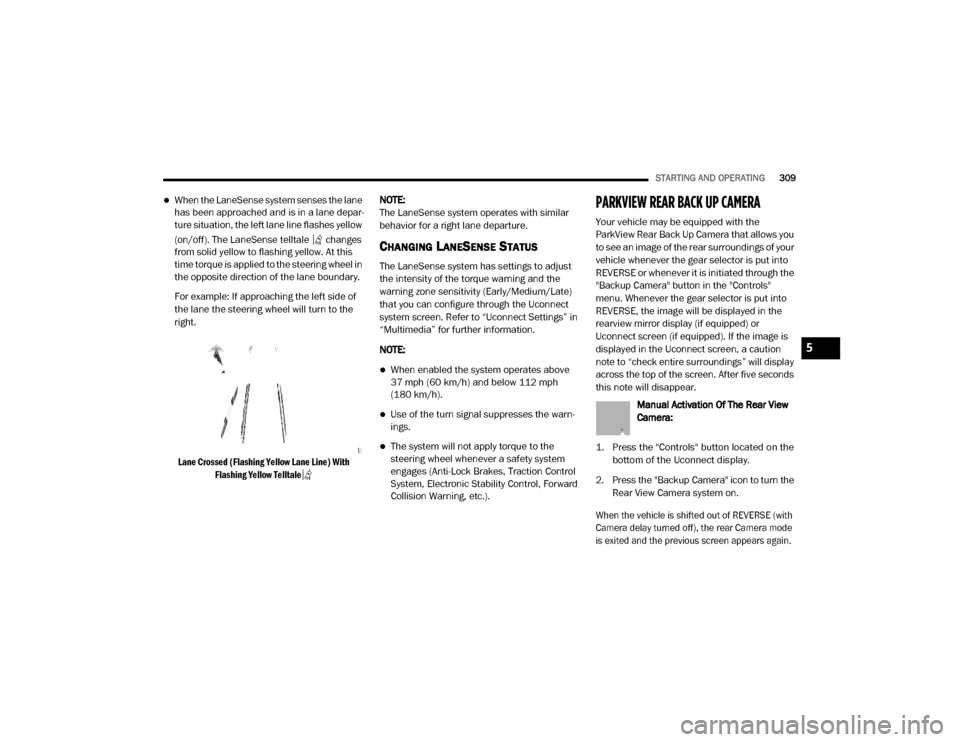
When the LaneSense system senses the lane
has been approached and is in a lane depar -
ture situation, the left lane line flashes yellow
(on/off). The LaneSense telltale changes
from solid yellow to flashing yellow. At this
time torque is applied to the steering wheel in
the opposite direction of the lane boundary.
For example: If approaching the left side of
the lane the steering wheel will turn to the
right.
Lane Crossed (Flashing Yellow Lane Line) With Flashing Yellow Telltale
NOTE:
The LaneSense system operates with similar
behavior for a right lane departure.
CHANGING LANESENSE STATUS
The LaneSense system has settings to adjust
the intensity of the torque warning and the
warning zone sensitivity (Early/Medium/Late)
that you can configure through the Uconnect
system screen. Refer to “Uconnect Settings” in
“Multimedia” for further information.
NOTE:
When enabled the system operates above
37 mph (60 km/h) and below 112 mph
(180 km/h).
Use of the turn signal suppresses the warn -
ings.
The system will not apply torque to the
steering wheel whenever a safety system
engages (Anti-Lock Brakes, Traction Control
System, Electronic Stability Control, Forward
Collision Warning, etc.).
PARKVIEW REAR BACK UP CAMERA
Your vehicle may be equipped with the
ParkView Rear Back Up Camera that allows you
to see an image of the rear surroundings of your
vehicle whenever the gear selector is put into
REVERSE or whenever it is initiated through the
"Backup Camera" button in the "Controls"
menu. Whenever the gear selector is put into
REVERSE, the image will be displayed in the
rearview mirror display (if equipped) or
Uconnect screen (if equipped). If the image is
displayed in the Uconnect screen, a caution
note to “check entire surroundings” will display
across the top of the screen. After five seconds
this note will disappear.
Manual Activation Of The Rear View
Camera:
1. Press the "Controls" button located on the bottom of the Uconnect display.
2. Press the "Backup Camera" icon to turn the Rear View Camera system on.
When the vehicle is shifted out of REVERSE (with
Camera delay turned off), the rear Camera mode
is exited and the previous screen appears again.
5
20_DJD2_OM_EN_USC_t.book Page 309
Page 312 of 568
310STARTING AND OPERATING
When the vehicle is shifted out of REVERSE
(with Camera delay turned on), the rear Camera
image will be displayed for up to 10 seconds
after shifting to another gear, unless the vehicle
speed exceeds 8 mph (13 km/h), the
transmission is shifted into PARK, the ignition is
placed in the OFF position, or the touchscreen
button “X” to disable display of the Rear View
Camera image is pressed.
Whenever the Rear View Camera image is
activated through the "Backup Camera" button
in the "Controls" menu, and the vehicle speed is
greater than, or equal to, 8 mph (13 km/h), a
display timer for the image is initiated. The
image will continue to be displayed until the
display timer exceeds 10 seconds.
NOTE:
If the vehicle speed remains below 8 mph
(13 km/h), the Rear View Camera image will
be displayed continuously until deactivated
via the touchscreen button "X", the transmis -
sion is shifted into PARK, or the ignition is
placed in the OFF position.
The touchscreen button "X" to disable display
of the camera image is made available ONLY
when the vehicle is not in REVERSE. Cargo Camera Icons — If Equipped
Backup Camera Touchscreen Button
Cargo Camera Touchscreen Button
AUX Camera Touchscreen Button
If equipped with a Cargo Camera, a
touchscreen button is made available
to indicate the current active Camera image
being displayed whenever the Rear View
Camera image is displayed.
If equipped with a Cargo Camera, a touchscreen
button to switch the display to Cargo Camera
image is made available whenever the Rear
View Camera image is displayed.
A touchscreen button "X" to disable display of
the camera image is made available when the
vehicle is not in REVERSE gear.
When enabled, active guidelines are overlaid on
the backup camera image to illustrate the width
of the vehicle and its projected backup path
based on the steering wheel position. The active
guidelines will show separate zones that will
help indicate the distance to the rear of the
vehicle. NOTE:
For further information about how to access
and change the programmable features of the
ParkView Rear Backup Camera, refer to “Ucon
-
nect Settings” in “Multimedia.”
A dashed center line overlay indicates the center
of the vehicle to assist with parking or aligning to
a hitch/receiver. The following table shows the
approximate distances for each zone:
Zones Distance To The Rear
Of The Vehicle
Red 0 - 1 ft (0 - 30 cm)
Yellow 1 ft - 6.5 ft
(30 cm - 2m)
Green 6.5 ft or greater
(2 m or greater)
WARNING!
Drivers must be careful when backing up even
when using the ParkView Rear Back Up Camera.
Always check carefully behind your vehicle, and
be sure to check for pedestrians, animals, other
vehicles, obstructions, or blind spots before
backing up. You are responsible for the safety of
your surroundings and must continue to pay
attention while backing up. Failure to do so can
result in serious injury or death.
20_DJD2_OM_EN_USC_t.book Page 310