park assist Ram 3500 2020 User Guide
[x] Cancel search | Manufacturer: RAM, Model Year: 2020, Model line: 3500, Model: Ram 3500 2020Pages: 568
Page 217 of 568

STARTING AND OPERATING215
(Continued)
AutoPark — Rotary Shifter and 8-Speed
Transmission Only
AutoPark is a supplemental feature to assist in
placing the vehicle in PARK should the
situations on the following pages occur. It is a
back up system and should not be relied upon
as the primary method by which the driver shifts
the vehicle into PARK.
The conditions under which AutoPark will
engage are outlined on the following pages. If the vehicle is not in PARK and the driver turns
off the engine, the vehicle may AutoPark.
AutoPark will engage when all of these
conditions are met:
Vehicle is equipped with a rotary shifter and
an 8-speed transmission
Vehicle is not in PARK
Vehicle speed is 1.2 mph (1.9 km/h) or less
Ignition switched from RUN to ACC
NOTE:
For Keyless Enter-N-Go equipped vehicles, The
engine will turn off and the ignition switch will
change to ACC mode. After 30 minutes the igni -
tion switches to OFF automatically, unless the
driver turns the ignition switch OFF. If the vehicle is not in PARK and the driver exits
the vehicle with the engine running, the vehicle
may AutoPark.
AutoPark will engage when all of these
conditions are met:
Vehicle is equipped with a rotary shifter and
an 8-speed transmission
Vehicle is not in PARK
Vehicle speed is 1.2 mph (1.9 km/h) or less
Driver’s seat belt is unbuckled
Driver’s door is ajar
Brake pedal is not depressed
The message “ AutoPark Engaged Shift to P then
Shift to Gear ” will display in the instrument
cluster.
NOTE:
In some cases the ParkSense graphic will be
displayed in the instrument cluster, causing the
“ AutoPark Engaged Shift to P then Shift to Gear ”
to not be seen. In these cases, the shifter must
be returned to “P” to select desired gear.
WARNING!
Driver inattention could lead to failure to
place the vehicle in PARK. ALWAYS DO A
VISUAL CHECK that your vehicle is in PARK
by verifying that a solid (not blinking) “P” is
indicated in the Instrument Cluster Display
and near the gear selector. If the “P” indi -
cator is blinking, your vehicle is not in
PARK. As an added precaution, always
apply the parking brake when exiting the
vehicle.
AutoPark is a supplemental feature. It is not
designed to replace the need to shift your
vehicle into PARK. It is a back up system
and should not be relied upon as the
primary method by which the driver shifts
the vehicle into PARK.
WARNING! (Continued)
5
20_DJD2_OM_EN_USC_t.book Page 215
Page 222 of 568

220STARTING AND OPERATING
5. After engine start-up, check to see that
there is oil pressure.
6. Release the parking brake and drive.
NOTE:
Engine idle speed will automatically increase
to 1,000 RPM and engage the Variable
Geometry Turbocharger at low coolant
temperatures to improve engine warm-up.
The engine will not automatically crank after
the engine “Wait To Start” telltale goes off if
a door or the hood is ajar.
If the engine stalls, or if the ignition switch is
left ON for more than two minutes after the
“Wait To Start” telltale goes out, reset the
intake air heater by turning the ignition switch
to the OFF position for at least 5 seconds and
then back ON. Repeat steps 1 through 7 of
“Keyless Enter-N-Go Starting Procedure –
Engine Manifold Air Temperature Below 66° F
(19° C).”
EXTREME COLD WEATHER
The Cummins® Turbo Diesel engine is
equipped with several features designed to
assist cold weather starting and operation:
The engine block heater is a resistance
heater installed in the water jacket of the
engine just above and behind the oil filter. It
requires a 110–115 Volt AC electrical outlet
with a grounded, three-wire extension cord.
NOTE:
The engine block heater cord is a factory
installed option. If your vehicle is not equipped,
heater cords are available from an authorized
Mopar dealer.
A 12 Volt heater built into the fuel filter hous -
ings aid in preventing fuel gelling. It is
controlled by a built-in thermostat.
A intake air heater system both improves
engine starting and reduces the amount of
white smoke generated by a warming engine.
NORMAL STARTING PROCEDURE —
E
NGINE MANIFOLD AIR TEMPERATURE
A
BOVE 66° F (19° C)
Observe the instrument panel cluster lights
when starting the engine.
1. Always apply the parking brake.
2. Shift into PARK for an automatic
transmission.
3. Place the ignition switch in the ON position and watch the instrument panel cluster
lights.
4. Place the ignition switch in the START position and crank the engine. Do not press
the accelerator during starting.
CAUTION!
If the “Water in Fuel Indicator Light” remains
on, DO NOT START the engine before you
drain the water from the fuel filters to avoid
engine damage. Refer to “Draining Fuel/
Water Separator Filter” in “Servicing And
Maintenance” for further information.
20_DJD2_OM_EN_USC_t.book Page 220
Page 271 of 568

STARTING AND OPERATING269
30 feet (6 to 9 meters) between the vehicles
to allow for a safe recovery. If necessary join
two tow straps together using a 1.5 inch hard
wood dowel. This will keep the straps from
becoming knotted and is safer than using a
clevis pin if the strap breaks. Next have the
tow vehicle backup, leaving two to three feet
worth of slack in the strap. Then the tow
vehicle, using light throttle, should accelerate
tightening the strap providing the pulling
force needed to free the vehicle. The vehicle
being recovered should assist in the
recovery, at the time of the snap, by slowly
spinning the tires in the same direction as
the pulling vehicle. After the vehicle becomes
free, the driver of the previously stuck vehicle
should signal they are free and should hit
their brakes stopping both vehicles. The
driver of the pulling vehicle should let off the
throttle without using the brakes, once
signaled by the other driver. This sequence is
important to avoid having the recovered
vehicle hit the pulling vehicle.
Winching (Refer To “Winch Operation” For
Additional Information) – Winching is most
commonly used in the following situations:
there is no support vehicle available, a high
controlled force is required to recover the
vehicle, there is a high risk of environmental
or vehicle damage, or where nothing else
seems to work. A winch can deliver a high
pulling force with a great deal of control. It
allows you to walk the vehicle out of the situ -
ation in a slow controlled manner. This
control works well for avoiding further vehicle
damage. Once you decide it is time to use the
winch look for a good anchor point. It needs
to be strong enough to hold more than the vehicle's weight and provide a direction of
pull as straight as possible. Use block and
tackle if necessary to improve the angle of
pull or increase the winch's pulling force. If
the anchor point is a tree use a strap around
its base and hook the cable to the strap. If it
is another vehicle, then place that vehicle in
PARK and block the front tires. If you cannot
find an anchor point within reach try using
your spare tire by burying it. Once you have
determined an anchor point hook up the
cable, ensuring there are a least five wraps of
cable left on the drum, and place a floor mat
or something else over the strung out cable.
Placing something over the strung out cable
helps keep the cable on the ground if it
breaks. Next, place the vehicle in FIRST gear
and apply a very light throttle as you power
the winch in. Be careful not to allow slack in
the cable as you recover the vehicle. Do not
try to guide the cable into the drum. If it starts
to bunch up on one end, let it. You can
re-spool the cable afterwards. Never use a
winch cable as a tow strap and always stand
back while winching.
WARNING!
Never use tow straps with end hooks or link
two straps with a clevis pin. These heavy
metal objects could become projectiles if a
strap breaks, which could cause severe
injury. Never leave more than 2 to 3 feet
(0.60 to 1 meter) of slack in the strap. More
slack than this greatly increases the risk of
injury and vehicle damage. Always keep
everyone at least 30 feet (9 meters) away
from a strapping or winching situation.
5
20_DJD2_OM_EN_USC_t.book Page 269
Page 298 of 568

296STARTING AND OPERATING
The vehicle parking brake is applied.
The braking temperature exceeds normal
range (overheated).
The gear selector is removed from the DRIVE
position.
The driver switches ESC to Full Off mode.
To Resume Speed
To resume a previously set speed, push the RES
(+) button and release. Resume can be used at
any speed above 20 mph (32 km/h).
To Turn Off
The system will turn off and erase the set speed
in memory if:
The Normal (Fixed Speed) Cruise Control on/
off button is pushed.
The ignition is placed in the OFF position.
You engage Four-Wheel Drive Low.
The Adaptive Cruise Control (ACC) on/off
button is pushed.
PARKSENSE REAR PARK ASSIST — IF
EQUIPPED
The ParkSense Rear Park Assist system
provides visual and audible indications of the
distance between the rear fascia and a
detected obstacle when backing up (e.g. during
a parking maneuver). Refer to “ParkSense
System Usage Precautions” in this section for
limitations of this system and
recommendations.
ParkSense will retain the system state (enabled
or disabled) from the previous ignition cycle
when the ignition is placed in the ON/RUN
position.
ParkSense can be active only when the gear
selector is in REVERSE. If ParkSense is enabled
at this gear selector position, the system will
remain active until the vehicle speed is
increased to approximately 7 mph (11 km/h) or
above. When in REVERSE and above the
system's operating speed, a warning will appear
within the instrument cluster display indicating
the vehicle speed is too fast. The system will
become active again if the vehicle speed is
decreased to speeds less than approximately
6 mph (9 km/h).
PARKSENSE SENSORS
The four ParkSense sensors, located in the rear
fascia/bumper, monitor the area behind the
vehicle that is within the sensors’ field of view.
The sensors can detect obstacles from
approximately 12 inches (30 cm) up to
79 inches (200 cm) from the rear fascia/
bumper in the horizontal direction, depending
on the location, type and orientation of the
obstacle.
NOTE:
If equipped as a dually, the ParkSense system
has six rear sensors to assist in detection
around the dually flares.
PARKSENSE WARNING DISPLAY
The ParkSense Warning screen is located within
the instrument cluster display. It provides visual
warnings to indicate the distance between the
rear fascia/bumper and the detected obstacle.
Refer to “Instrument Cluster Display” in
“Getting To Know Your Instrument Panel” for
further information.
20_DJD2_OM_EN_USC_t.book Page 296
Page 303 of 568

STARTING AND OPERATING301
PARKSENSE FRONT AND REAR PARK ASSIST
The ParkSense Park Assist system provides
visual and audible indications of the distance
between the rear, and/or front fascia/bumper,
and a detected obstacle when backing up or
moving forward (e.g. during a parking
maneuver).
Refer to “ParkSense System Usage
Precautions” in this section for limitations of
this system and recommendations.
ParkSense will retain the system state (enabled
or disabled) from the previous ignition cycle
when the ignition is placed in the ON/RUN
position.
ParkSense can be active only when the gear
selector is in REVERSE or DRIVE. If ParkSense is
enabled at one of these gear selector positions,
the system will remain active until the vehicle
speed is increased to approximately 7 mph (11 km/h) or above. A warning will appear in the
instrument cluster display when the vehicle is in
REVERSE, indicating the vehicle is above
ParkSense operating speed. The system will
become active again if the vehicle speed is
decreased to speeds less than approximately
6 mph (9 km/h).
PARKSENSE SENSORS
The four ParkSense sensors, located in the rear
fascia/bumper, monitor the area behind the
vehicle that is within the sensors’ field of view.
The sensors can detect obstacles from
approximately 12 inches (30 cm) up to
79 inches (200 cm) from the rear fascia/
bumper in the horizontal direction, depending
on the location, type and orientation of the
obstacle.
NOTE:
If equipped as a dually, the ParkSense system
has six rear sensors to assist in detection
around the dually flares.
The six ParkSense sensors, located in the front
fascia/bumper, monitor the area in front of the
vehicle that is within the sensors’ field of view.
The sensors can detect obstacles from
approximately 12 inches (30 cm) up to 47 inches (120 cm) from the front fascia/
bumper in the horizontal direction, depending
on the location, type and orientation of the
obstacle.
PARKSENSE WARNING DISPLAY
The ParkSense Warning screen is located within
the instrument cluster display. It provides visual
warnings to indicate the distance between the
rear fascia/bumper and/or front fascia/bumper
and the detected obstacle. Refer to “Instrument
Cluster Display” in “Getting To Know Your
Instrument Panel” for further information.
PARKSENSE DISPLAY
The warning display will turn on indicating the
system status when the vehicle is in REVERSE
or when the vehicle is in DRIVE and an obstacle
has been detected.
The system will indicate a detected obstacle by
showing a single arc in the left and/or right rear
regions based on the obstacle’s distance and
location relative to the vehicle.
The vehicle must be driven slowly when
using ParkSense in order to be able to stop
in time when an obstacle is detected. It is
recommended that the driver looks over
his/her shoulder when using ParkSense.
CAUTION!
(Continued)
5
20_DJD2_OM_EN_USC_t.book Page 301
Page 306 of 568

304STARTING AND OPERATING
NOTE:
ParkSense will reduce the volume of the radio, if
on, when the system is sounding an audio tone.
Front Park Assist Audible Alerts
ParkSense will turn off the Front Park Assist
audible alert (chime) after approximately three
seconds when an obstacle has been detected,
the vehicle is stationary, and brake pedal is
applied.
Adjustable Chime Volume Settings
The Front and Rear chime volume settings are
programmable through the Uconnect system.
Refer to “Uconnect Settings” in “Multimedia”
for further information. The chime volume settings include low,
medium, and high. The factory default volume is
medium.
ENABLING AND DISABLING FRONT
A
ND/OR REAR PARKSENSE
Front ParkSense can be enabled and disabled
with the Front ParkSense switch.
Rear ParkSense can be enabled and disabled
with the Rear ParkSense switch. When the gear selector is moved to
REVERSE and the Front or Rear
system is disabled, the instrument
cluster display will show a vehicle
graphic with an “Off” message overlay over the
system that is off (Front or Rear system). This
vehicle graphic will be displayed for as long as
the vehicle is in REVERSE.
The Front or Rear ParkSense switch LED will be
on when Front or Rear ParkSense is disabled or
requires service. The Front or Rear ParkSense
switch LED will be off when the Front or Rear
system is enabled. If the Front or Rear
ParkSense switch is pushed, and the system
WARNING ALERTS FOR FRONT
Front Distance (inches/cm) Greater than 47 inches
(120 cm) 47-39 inches
(120-100 cm) 39-25 inches
(100-65 cm) 25-12 inches
(65-30 cm) Less than 12 inches
(30 cm)
Audible Alert Chime NoneNoneNone FastContinuous
Arcs-Left NoneNoneNone2nd Flashing 1st Flashing
Arcs-Center None4th Solid 3rd Flashing 2nd Flashing 1st Flashing
Arcs-Right NoneNoneNone2nd Flashing 1st Flashing
Radio Volume Reduced No
NoNo Yes Yes
20_DJD2_OM_EN_USC_t.book Page 304
Page 307 of 568

STARTING AND OPERATING305
requires service, the Front or Rear ParkSense
switch LED will blink momentarily, and then the
LED will be on.
SERVICE THE PARKSENSE FRONT/
R
EAR PARK ASSIST SYSTEM
During vehicle start up, when the Front/Rear
ParkSense System has detected a faulted
condition, the instrument cluster display will
show the "Front/Rear ParkSense Unavailable
Service Required" or the "Front/Rear
ParkSense Unavailable Wipe Sensors"
message.
When the gear selector is moved into REVERSE,
a vehicle graphic will show in the instrument
cluster display, along with the display overlay
“Wipe Sensors.” If the system needs service,
the display overlay will read “Service.” Under
this condition, ParkSense will not operate. If "Front/Rear ParkSense Unavailable Wipe
Sensors" appears in the instrument cluster
display make sure the outer surface and the
underside of the rear fascia/bumper is clean
and clear of snow, ice, mud, dirt or other
obstruction, and then cycle the ignition. If the
message continues to appear, see an
authorized dealer.
If "Front/Rear ParkSense Unavailable Service
Required" appears in the instrument cluster
display, see an authorized dealer.
CLEANING THE PARKSENSE SYSTEM
Clean the ParkSense sensors with water, car
wash soap and a soft cloth. Do not use rough or
hard cloths. Do not scratch or poke the sensors.
Otherwise, you could damage the sensors.
PARKSENSE SYSTEM USAGE
P
RECAUTIONS
NOTE:
Ensure that the front and rear bumpers are
free of snow, ice, mud, dirt and debris to keep
the ParkSense system operating properly.
Jackhammers, large trucks, and other vibra -
tions could affect the performance of Park -
Sense.
When you move the gear selector to the
REVERSE position and Front or Rear Park -
Sense is turned off, the instrument cluster
display will show "Off" on the vehicle graphic
arcs. This vehicle graphic will be displayed for
as long as the vehicle is in REVERSE.
ParkSense, when on, will reduce the volume
of the radio when it is sounding a tone.
5
20_DJD2_OM_EN_USC_t.book Page 305
Page 312 of 568
310STARTING AND OPERATING
When the vehicle is shifted out of REVERSE
(with Camera delay turned on), the rear Camera
image will be displayed for up to 10 seconds
after shifting to another gear, unless the vehicle
speed exceeds 8 mph (13 km/h), the
transmission is shifted into PARK, the ignition is
placed in the OFF position, or the touchscreen
button “X” to disable display of the Rear View
Camera image is pressed.
Whenever the Rear View Camera image is
activated through the "Backup Camera" button
in the "Controls" menu, and the vehicle speed is
greater than, or equal to, 8 mph (13 km/h), a
display timer for the image is initiated. The
image will continue to be displayed until the
display timer exceeds 10 seconds.
NOTE:
If the vehicle speed remains below 8 mph
(13 km/h), the Rear View Camera image will
be displayed continuously until deactivated
via the touchscreen button "X", the transmis -
sion is shifted into PARK, or the ignition is
placed in the OFF position.
The touchscreen button "X" to disable display
of the camera image is made available ONLY
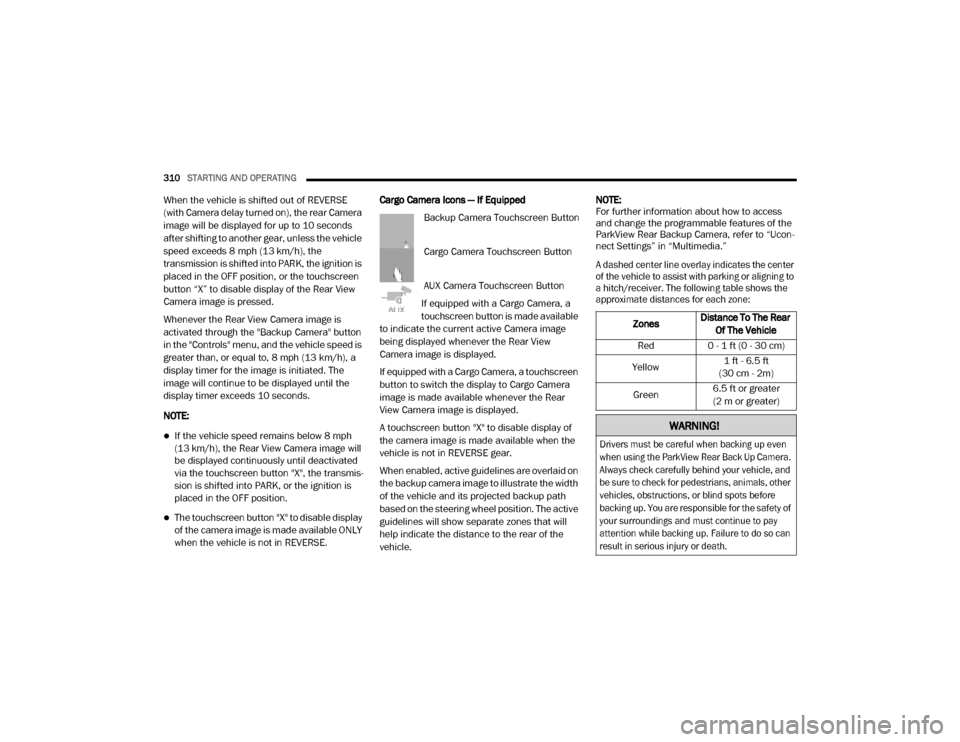
when the vehicle is not in REVERSE. Cargo Camera Icons — If Equipped
Backup Camera Touchscreen Button
Cargo Camera Touchscreen Button
AUX Camera Touchscreen Button
If equipped with a Cargo Camera, a
touchscreen button is made available
to indicate the current active Camera image
being displayed whenever the Rear View
Camera image is displayed.
If equipped with a Cargo Camera, a touchscreen
button to switch the display to Cargo Camera
image is made available whenever the Rear
View Camera image is displayed.
A touchscreen button "X" to disable display of
the camera image is made available when the
vehicle is not in REVERSE gear.
When enabled, active guidelines are overlaid on
the backup camera image to illustrate the width
of the vehicle and its projected backup path
based on the steering wheel position. The active
guidelines will show separate zones that will
help indicate the distance to the rear of the
vehicle. NOTE:
For further information about how to access
and change the programmable features of the
ParkView Rear Backup Camera, refer to “Ucon
-
nect Settings” in “Multimedia.”
A dashed center line overlay indicates the center
of the vehicle to assist with parking or aligning to
a hitch/receiver. The following table shows the
approximate distances for each zone:
Zones Distance To The Rear
Of The Vehicle
Red 0 - 1 ft (0 - 30 cm)
Yellow 1 ft - 6.5 ft
(30 cm - 2m)
Green 6.5 ft or greater
(2 m or greater)
WARNING!
Drivers must be careful when backing up even
when using the ParkView Rear Back Up Camera.
Always check carefully behind your vehicle, and
be sure to check for pedestrians, animals, other
vehicles, obstructions, or blind spots before
backing up. You are responsible for the safety of
your surroundings and must continue to pay
attention while backing up. Failure to do so can
result in serious injury or death.
20_DJD2_OM_EN_USC_t.book Page 310
Page 319 of 568

STARTING AND OPERATING317
(Continued)
Deactivation
The Forward Facing Camera is deactivated in
the following conditions:
The vehicle is not in 4WD Low and the vehicle
speed exceeds 8 mph (13 km/h) for
10 seconds.
The “X” button on the display is pressed.
Vehicle is shifted into PARK.
Ignition is placed in the OFF position.
NOTE:
If the vehicle is in 4WD Low, the Forward Facing
Camera image will be displayed until the “X”
button is pressed or the ignition is placed in the
OFF position. If the vehicle goes out of 4WD
Low, then the regular deactivation conditions
listed above are applied.
Trailer Reverse Guidance — If Equipped
The Trailer Reverse Guidance feature assists
the driver in backing up a trailer by providing
adjustable camera views of the trailer and
surrounding area. The cameras are mounted on
the side mirrors and the images will be displayed side-by-side on the touchscreen. Left
and right camera images are swapped and
mirrored on the touchscreen to show the
equivalent area behind the vehicle as though
the driver is using the side mirrors.
Activation
The Trailer Reverse Guidance feature can be
activated by pressing the Trailer Reverse
Guidance button on the Backup/Cargo Camera
Display.
Deactivation
When the vehicle is shifted out of REVERSE
(with camera delay turned on), the camera
image will continue to be displayed for up to
10 seconds, unless the vehicle speed exceeds
8 mph (13 km/h), the vehicle is shifted into
PARK or the ignition is placed in the OFF
position. There is a touchscreen button “X” to
disable the display of the camera image.
If Trailer Reverse Guidance is selected through
manually activated Surround View, Backup
Camera, or Cargo Camera, the below
deactivation conditions apply:
The “X” button on the display is pressed
The vehicle is shifted into PARK
The ignition is placed in the OFF position
The vehicle speed is over 8 mph (13 km/h)
for 10 seconds
WARNING!
Drivers must be careful when backing up
even when using the Surround View Camera.
Always check carefully behind your vehicle,
and be sure to check for pedestrians,
animals, other vehicles, obstructions, or blind
spots before backing up. You are responsible
for the safety of your surroundings and must
continue to pay attention while backing up.
Failure to do so can result in serious injury or
death.
CAUTION!
To avoid vehicle damage, Surround View
should only be used as a parking aid. The
Surround View camera is unable to view
every obstacle or object in your drive path.
5
20_DJD2_OM_EN_USC_t.book Page 317
Page 365 of 568

IN CASE OF EMERGENCY363
F81 –20 Amp Yellow Trailer Tow Right Turn / Stop Lights - If Equipped
F82 –10 Amp Red Steering Column Control Module / Cruise Control
F83 ––Spare
F84 –15 Amp Blue ASBM / HVAC / ICS / Rear Heated Seat Switches
F85 –10 Amp Red Airbag Module
F86 –10 Amp Red Airbag Module
F87 –10 Amp RedAir Suspension / ITBM / Steering Column Control Module
/ MOD Gateway CAN-C Trailer TPM
F88 –15 Amp Blue Instrument Panel Cluster
F90/F91 –20 Amp Yellow Power Outlet / Batt
Power Outlet / Acc
F92 ––Spare
F93 ––Spare
F94 –10 Amp RedShift-By-Wire / Transfer Case Switch / Module TPM Trailer
/ Module Gateway Can-C Trailer TPM
F95 –10 Amp RedRearview Camera / Park Assist / CHMSL Camera / Blind
Spot Sensor / Surround View Camera
F96 –10 Amp Red Trailer Camera – If Equipped
F97 –20 Amp Yellow Front Heated Seat Passenger – If Equipped
F98 –20 Amp Yellow Front Heated Seat Driver – If Equipped
F99 –10 Amp Red HVAC / In-Car Temperature Sensor / CSG MOD
CavityCartridge Fuse Micro Fuse Description
6
20_DJD2_OM_EN_USC_t.book Page 363