park assist Ram 3500 2020 Owner's Manual
[x] Cancel search | Manufacturer: RAM, Model Year: 2020, Model line: 3500, Model: Ram 3500 2020Pages: 568
Page 5 of 568

3
HEAD RESTRAINTS...............................................38 Front Head Restraints ................................. 39
Front Head Restraint Removal ................... 40
Rear Head Restraint Adjustment ................ 40
Rear Head Restraint Removal .................... 40
STEERING WHEEL.................................................41
Tilt Steering Column ................................... 41
Heated Steering Wheel — If Equipped ....... 41
DRIVER ADJUSTABLE PEDALS —
IF EQUIPPED .........................................................42
MIRRORS ..............................................................42
Inside Day/Night Mirror — If Equipped ...... 42
Automatic Dimming Mirror — If Equipped ... 43
Automatic Dimming Mirror With Rear
View Camera Display — If Equipped .......... 43 Outside Mirrors ........................................... 44
Driver's Outside Automatic Dimming
Mirror — If Equipped .................................... 44 Power Mirrors — If Equipped ...................... 44
Power Convex Mirror Switch — If Equipped .. 45
Trailer Towing Mirrors — If Equipped ......... 46
Heated Mirrors — If Equipped .................... 46
Tilt Side Mirrors In Reverse — If Equipped ... 46
Power Folding Outside Mirrors For
Standard And Trailer Tow — If Equipped .... 46 Illuminated Vanity Mirror — If Equipped ..... 48 EXTERIOR LIGHTS ............................................... 48
Multifunction Lever...................................... 48
Headlight Switch .......................................... 48
Daytime Running Lights (DRLs) —
If Equipped ................................................... 49 High/Low Beam Switch ............................... 49
Automatic High Beam Headlamp
Control — If Equipped .................................. 49 Flash-To-Pass ............................................... 50
Automatic Headlights — If Equipped .......... 50
Directional LED Headlamp System —
If Equipped ................................................... 50 Parking Lights And Panel Lights ................. 51
Headlights On With Wipers (Available
With Automatic Headlights Only) ................ 51 Headlight Delay............................................ 51
Lights-On Reminder ..................................... 51
Front Fog Lights — If Equipped .................. 51
Turn Signals ................................................. 51
Lane Change Assist — If Equipped ............. 52
Cargo Lights/Trailer Spotter Lights
With Bed Lights — If Equipped .................... 52 Battery Saver ............................................... 53 INTERIOR LIGHTS ................................................53
Courtesy Lights ............................................ 53
Illuminated Entry ........................................ 54
WINDSHIELD WIPERS AND WASHERS .............55
Windshield Wipers ...................................... 55
Rain Sensing Wipers — If Equipped ........... 56
CLIMATE CONTROLS ...........................................57
Manual Climate Control Overview .............. 57
Automatic Climate Control Overview .......... 61
Climate Control Functions........................... 67
Automatic Temperature Control (ATC) ...... 67
Operating Tips ............................................. 68
WINDOWS ............................................................70
Power Windows .......................................... 70
Wind Buffeting ............................................ 71
POWER SUNROOF — IF EQUIPPED ....................72
Single Pane Power Sunroof — If Equipped ... 72
HOOD......................................................................74
To Open The Hood ...................................... 74
To Close The Hood....................................... 74
TAILGATE ...............................................................74
Opening ........................................................ 74
Closing.......................................................... 75
Bed Step — If Equipped ............................... 75
20_DJD2_OM_EN_USC_t.book Page 3
Page 9 of 568

7
PARKSENSE REAR PARK ASSIST —
IF EQUIPPED ...................................................... 296 ParkSense Sensors ...................................296
ParkSense Warning Display ......................296
ParkSense Display ..................................... 297Enabling And Disabling ParkSense ..........299
Service The ParkSense Rear Park
Assist System .............................................299 Cleaning The ParkSense System ..............299
ParkSense System Usage Precautions ....299
PARKSENSE FRONT AND REAR
PARK ASSIST ..................................................... 301
ParkSense Sensors ...................................301
ParkSense Warning Display ......................301
ParkSense Display ..................................... 301Enabling And Disabling Front And/Or
Rear ParkSense .........................................304 Service The ParkSense Front/Rear
Park Assist System ....................................305 Cleaning The ParkSense System ..............305
ParkSense System Usage Precautions ....305
LANESENSE — IF EQUIPPED ........................... 306
LaneSense Operation ................................306Turning LaneSense On Or Off ...................307LaneSense Warning Message ..................307
Changing LaneSense Status .....................309 PARKVIEW REAR BACK UP CAMERA..............309
AUX Camera — If Equipped ...................... 311
SURROUND VIEW CAMERA SYSTEM —
IF EQUIPPED ....................................................... 312
AUX Camera — If Equipped ...................... 318
ENGINE RUNAWAY — DIESEL ENGINE ............ 319
REFUELING THE VEHICLE — GAS ENGINE ...... 319
Loose Fuel Filler Cap Message ................ 320
REFUELING THE VEHICLE — DIESEL ENGINE ... 320
Diesel Exhaust Fluid .................................. 321
VEHICLE LOADING ............................................324
Gross Vehicle Weight Rating (GVWR) ...... 324
Payload ....................................................... 324Gross Axle Weight Rating (GAWR) ............ 324
Tire Size ...................................................... 324
Rim Size ..................................................... 324
Inflation Pressure ...................................... 324
Curb Weight................................................ 324
Loading ....................................................... 324
TRAILER TOWING ............................................... 325
Common Towing Definitions ..................... 325Trailer Hitch Type and Maximum
Trailer Weight ............................................. 329 Trailer Towing Weights (Maximum Trailer
Weight Ratings) ......................................... 330 Trailer And Tongue Weight ........................ 330
Towing Requirements ............................... 330Towing Tips ................................................ 335 SNOWPLOW ...................................................... 336
Before Plowing ........................................... 337
Snowplow Prep Package Model
Availability .................................................. 337 Over The Road Operation With
Snowplow Attached ................................... 338 Operating Tips............................................ 338General Maintenance................................ 338
RECREATIONAL TOWING (BEHIND
MOTORHOME, ETC.) ......................................... 339
Towing This Vehicle Behind Another
Vehicle ........................................................ 339 Recreational Towing — Two-Wheel Drive
Models........................................................ 339 Recreational Towing — Four-Wheel Drive
Models........................................................ 340
DRIVING TIPS ..................................................... 343
Driving On Slippery Surfaces ................... 343
Driving Through Water ............................. 343
Off-Road Driving Tips ................................. 344
IN CASE OF EMERGENCY
HAZARD WARNING FLASHERS ...................... 346
ASSIST AND SOS SYSTEM — IF EQUIPPED .... 346General Information .................................. 350
20_DJD2_OM_EN_USC_t.book Page 7
Page 29 of 568
GETTING TO KNOW YOUR VEHICLE27
POWER DOOR LOCKS — IF EQUIPPED
The power door lock switches are on each front
door trim panel. Use these switches to lock or
unlock the doors.
NOTE:
The key fob may not be able to be detected by
the vehicle Keyless Enter-N-Go system if it is
located next to a mobile phone, laptop or other
electronic device; these devices may block the
key fob’s wireless signal and prevent the
Keyless Enter-N-Go system from starting the
vehicle.
Power Door Lock Switches
While the ignition is in the ACC or ON/RUN
position, if you push the power door lock switch,
and any front door is open, the power locks will
not operate. This prevents you from accidentally locking your key fob in the vehicle. Removing
the key fob or closing the door will allow the
locks to operate. A chime will sound if the key
fob is inside the vehicle and a door is open, as
a reminder to remove the key fob.
POWER SIDE STEPS — IF EQUIPPED
The Power Side Steps will extend a step for
easier entry and exit of the vehicle.
When configured for “Auto” mode, under
“Safety And Driving Assistance” within
Uconnect Settings, the Power Side Steps will
deploy when either the driver’s or passenger’s
side door is opened, or when the deploy setting
is activated through the touchscreen. When
configured for “Store” mode, the steps will stay
in their position but can also be deployed
manually through the “controls” menu within
the radio touchscreen.
If the vehicle speed exceeds 5 mph (8 km/h), or
if the retract setting is selected in the
touchscreen, the steps will retract.
Refer to “Uconnect Settings” in “Multimedia”
for additional information.
Never leave children alone in a vehicle, or
with access to an unlocked vehicle. Leaving
children in a vehicle unattended is
dangerous for a number of reasons. A child
or others could be seriously or fatally
injured. Children should be warned not to
touch the parking brake, brake pedal or the
gear selector.
Allowing children to be in a vehicle unat
-
tended is dangerous for a number of
reasons. A child or others could be seriously
or fatally injured. Children should be
warned not to touch the parking brake,
brake pedal or the gear selector.
Do not leave the key fob in or near the
vehicle, or in a location accessible to chil-
dren, and do not leave the ignition of a
vehicle equipped with Keyless Enter-N-Go
in the ACC or ON/RUN mode. A child could
operate power windows, other controls, or
move the vehicle.
WARNING! (Continued)
2
20_DJD2_OM_EN_USC_t.book Page 27
Page 54 of 568
52GETTING TO KNOW YOUR VEHICLE
LANE CHANGE ASSIST — IF EQUIPPED
Tap the multifunction lever up or down once,
without moving beyond the detent, and the turn
signal (right or left) will flash three times then
automatically turn off.
CARGO LIGHTS/TRAILER SPOTTER
L
IGHTS WITH BED LIGHTS — IF
E
QUIPPED
The cargo light and bed lights (if equipped), as
well as trailer spotter lights (if equipped) are
turned on by pushing the cargo lights button
located on the lower half of the headlight
switch.
Cargo/Bed Lights Button On Headlight Switch
If equipped, and the vehicle’s speed is 0 mph
(0 km/h), these lights can also be turned on
using the switch located just inside the pickup
box, on the lower part of the bed light lens. A
telltale will illuminate in the instrument cluster
display when these lights are on. Pushing the
switch a second time will turn the lights off.
Bed Light Switch Without RamBox Bed Light Switch With RamBox
The cargo light and bed lights (if equipped) will
turn on for approximately 30 seconds when a
key fob unlock button is pushed, as part of the
Illuminated Entry feature.
When these lights are activated using the
button on the headlight switch, the trailer
spotter lights will remain illuminated when the
vehicle transmission is in PARK, NEUTRAL, or
REVERSE. The trailer spotter lights will turn off
when the vehicle transmission is placed in
DRIVE.
20_DJD2_OM_EN_USC_t.book Page 52
Page 78 of 568

76GETTING TO KNOW YOUR VEHICLE
(Continued)
To stow the bed step back under the tailgate,
push the bed step forward with your foot until
the bed step is retracted by the spring load.
GARAGE DOOR OPENER — IF EQUIPPED
HomeLink® replaces up to three hand-held
transmitters that operate devices such as
garage door openers, motorized gates, lighting
or home security systems. The HomeLink® unit
is powered by your vehicle’s 12 Volt battery.
The HomeLink® buttons that are located on the
sun visor designate the three different
HomeLink® channels.
HomeLink® Buttons
NOTE:
HomeLink® is disabled when the Vehicle Secu -
rity Alarm is active. NOTE:
Only use this transceiver with a garage door
opener that has a “stop and reverse” feature as
required by federal safety standards. This includes
most garage door opener models manufactured
after 1982. Do not use a garage door opener
without these safety features. Call toll-free
1-800-355-3515 or, on the Internet at
Home-
Link.com
for safety information or assistance.
BEFORE YOU BEGIN PROGRAMMING
H
OMELINK®
Be sure that your vehicle is parked outside of
the garage before you begin programming.
For more efficient programming and accurate
transmission of the Radio Frequency (RF) signal
it is recommended that a new battery be placed
in the hand-held transmitter of the device that is
being programmed to the HomeLink® system.
WARNING!
Do not attempt to stow the bed step with your
hands. The low clearance space between the
bed step and the rear bumper as the bed step
returns to the stowed position could result in
injury to your hands or fingers.
WARNING!
Your motorized door or gate will open and
close while you are programming the
universal transceiver. Do not program the
transceiver if people, pets or other objects
are in the path of the door or gate. Only use
this transceiver with a garage door opener
that has a “stop and reverse” feature as
required by Federal safety standards. This
includes most garage door opener models
manufactured after 1982. Do not use a
garage door opener without these safety
features.
Vehicle exhaust contains carbon monoxide,
a dangerous gas. Do not run your vehicle in
the garage while programming the trans -
ceiver. Exhaust gas can cause serious
injury or death.
WARNING! (Continued)
20_DJD2_OM_EN_USC_t.book Page 76
Page 123 of 568

GETTING TO KNOW YOUR INSTRUMENT PANEL121
Settings — If Equipped
Personal Settings allows the driver to set and
recall features when the transmission is in
PARK.
Push and release the up and down button until
Settings displays in the instrument cluster
display.
Follow the prompts to display and set any of the
following Vehicle Settings. NOTE:
Your vehicle may be equipped with the following
settings.
If equipped with a base radio (Non-Touch
-
screen) Vehicle Settings will be included in
the instrument cluster display.
If equipped with a Touchscreen radio, the
Vehicle Settings will be included in the radio
head unit.
Setting Names Setting Names Abbreviated
(Left Submenu Layer) Sub-Menus (Right Submenu Layer)
Language Select
LanguageEnglish, Spanish, French, Italian, German,
Dutch, Arabic
Units UnitsU.S.; Metric
ParkSense ParkSense
Front Volume — Low; Medium; High
Rear Volume — Low; Medium; High
Tilt Mirror in Reverse Tilt Mirror in ROn; Off
Rain Sensing Wipers Auto WipersOn; Off
Hill Start Assist Hill Start AssistOn; Off
Headlights Off Delay Lights Off Delay0 seconds; 30 seconds; 60 seconds;
90 seconds
Illuminated Approach Lights w/ Unlock0 seconds; 30 seconds; 60 seconds;
90 seconds
3
20_DJD2_OM_EN_USC_t.book Page 121
Page 153 of 568

SAFETY151
Disabling HDC
HDC will be deactivated and disabled if any of
the following conditions occur:
The driver pushes the HDC switch.
The driveline is shifted out of 4L Range.
The parking brake is applied.
The driver door opens.
The vehicle is driven greater than 20 mph
(32 km/h) for greater than 70 seconds.
The vehicle is driven greater than 40 mph
(64 km/h) (HDC exits immediately).
HDC detects excessive brake temperature.
Feedback To The Driver
The instrument cluster has an HDC icon and the
HDC switch has an LED icon, which offers
feedback to the driver about the state HDC is in.
The cluster icon and switch lamp will illumi -
nate and remain on solid when HDC is
enabled or activated. This is the normal oper -
ating condition for HDC.
The cluster icon and switch lamp will flash for
several seconds then extinguish when the
driver pushes the HDC switch but enable
conditions are not met.
The cluster icon and switch lamp will flash for
several seconds then extinguish when HDC
disables due to excess speed.
The cluster icon and switch lamp will flash when
HDC deactivates due to overheated brakes. The
flashing will stop and HDC will activate again
once the brakes have cooled sufficiently.
Hill Start Assist (HSA)
The Hill Start Assist (HSA) system is designed to
mitigate roll back from a complete stop while on
an incline. If the driver releases the brake while
stopped on an incline, HSA will continue to hold
the brake pressure for a short period. If the driver does not apply the throttle before this
time expires, the system will release brake
pressure and the vehicle will roll down the hill as
normal.
The following conditions must be met in order
for HSA to activate:
The feature must be enabled.
The vehicle must be stopped.
The park brake must be off.
The driver door must be closed.
The vehicle must be on a sufficient grade.
The gear selection must match vehicle uphill
direction (i.e., vehicle facing uphill is in
forward gear; vehicle backing uphill is in
REVERSE (R) gear).
HSA will work in REVERSE gear and all
forward gears. The system will not activate if
the transmission is in PARK or NEUTRAL (N).
For vehicles equipped with a manual trans
-
mission, if the clutch is pressed, HSA will
remain active.
WARNING!
HDC is only intended to assist the driver in
controlling vehicle speed when descending
hills. The driver must remain attentive to the
driving conditions and is responsible for
maintaining a safe vehicle speed.
4
20_DJD2_OM_EN_USC_t.book Page 151
Page 154 of 568

152SAFETY
Disabling And Enabling HSA
This feature can be turned on or turned off. To
change the current setting, proceed as follows:
If disabling HSA using your instrument cluster
display, refer to “Instrument Cluster Display”
in “Getting To Know Your Instrument Panel”
for further information.
If disabling HSA using Uconnect Settings,
refer to “Uconnect Settings” in “Multimedia”
for further information.
For vehicles not equipped with an instrument
cluster display, perform the following steps:
1. Center the steering wheel (front wheels pointing straight forward).
2. Shift the transmission into PARK.
3. Apply the parking brake.
4. Start the engine.
5. Rotate the steering wheel slightly more than one-half turn to the left.
6. Push the “ESC OFF” button located in the lower switch bank below the climate control
four times within 20 seconds. The “ESC OFF
Indicator Light” should turn on and turn off
two times.
7. Rotate the steering wheel back to center and then an additional slightly more than
one-half turn to the right.
8. Place the ignition in the OFF mode and then back to ON. If the sequence was completed
properly, the “ESC OFF Indicator Light” will blink several times to confirm HSA is
disabled.
9. Repeat these steps if you want to return this feature to its previous setting.
Towing With HSA
HSA will also provide assistance to mitigate roll
back while towing a trailer.
WARNING!
There may be situations where the Hill Start
Assist (HSA) will not activate and slight rolling
may occur, such as on minor hills or with a
loaded vehicle, or while pulling a trailer. HSA
is not a substitute for active driving
involvement. It is always the driver’s
responsibility to be attentive to distance to
other vehicles, people, and objects, and most
importantly brake operation to ensure safe
operation of the vehicle under all road
conditions. Your complete attention is always
required while driving to maintain safe control
of your vehicle. Failure to follow these
warnings can result in a collision or serious
personal injury.
WARNING!
If you use a trailer brake controller with your
trailer, the trailer brakes may be activated
and deactivated with the brake switch. If so,
there may not be enough brake pressure to
hold both the vehicle and the trailer on a hill
when the brake pedal is released. In order to
avoid rolling down an incline while resuming
acceleration, manually activate the trailer
brake or apply more vehicle brake pressure
prior to releasing the brake pedal.
HSA is not a parking brake. Always apply
the parking brake fully when exiting your
vehicle. Also, be certain to place the trans -
mission in PARK.
Failure to follow these warnings can result
in a collision or serious personal injury.
20_DJD2_OM_EN_USC_t.book Page 152
Page 159 of 568

SAFETY157
When RCP is on and the vehicle is in REVERSE,
the driver is alerted using both the visual and
audible alarms, including reducing the radio
volume.
Modes Of Operation
Three selectable modes of operation are
available in the Uconnect System.
Refer to “Uconnect Settings” in “Multimedia”
for further information. Blind Spot Alert Lights Only
When operating in Blind Spot Alert mode, the
BSM system will provide a visual alert in the
appropriate side view mirror based on a
detected object. However, when the system is
operating in Rear Cross Path (RCP) mode, the
system will respond with both visual and
audible alerts when a detected object is
present. Whenever an audible alert is
requested, the radio is muted.
Blind Spot Alert Lights/Chime
When operating in Blind Spot Alert Lights/
Chime mode, the BSM system will provide a
visual alert in the appropriate side view mirror
based on a detected object. If the turn signal is
then activated, and it corresponds to an alert
present on that side of the vehicle, an audible
chime will also be sounded. Whenever a turn
signal and detected object are present on the
same side at the same time, both the visual and
audible alerts will be issued. In addition to the
audible alert the radio (if on) will also be muted.
NOTE:
Whenever an audible alert is requested by the
BSM system, the radio is also muted.
When the system is in RCP, the system shall
respond with both visual and audible alerts
when a detected object is present. Whenever
an audible alert is requested, the radio is also
muted. Turn/hazard signal status is ignored;
the RCP state always requests the chime.
Blind Spot Alert Off
When the BSM system is turned off there will be
no visual or audible alerts from either the BSM
or RCP systems.
NOTE:
The BSM system will store the current operating
mode when the vehicle is shut off. Each time
the vehicle is started the previously stored
mode will be recalled and used.Trailer Merge Assist
NOTE:
When Trailer Merge Assist is activated, Rear
Cross Path is disabled.
WARNING!
Rear Cross Path Detection (RCP) is not a back
up aid system. It is intended to be used to
help a driver detect an oncoming vehicle in a
parking lot situation. Drivers must be careful
when backing up, even when using RCP.
Always check carefully behind your vehicle,
look behind you, and be sure to check for
pedestrians, animals, other vehicles,
obstructions, and blind spots before backing
up. Failure to do so can result in serious
injury or death.
4
20_DJD2_OM_EN_USC_t.book Page 157
Page 161 of 568
SAFETY159
Maximum length supported by the Trailer Merge
Assist feature is 39.5 ft (12 m). Trailer length is
considered the forward most portion of the
trailer hitch to the rearward most portion of the
body, bumper, or ramp of the trailer.
Maximum width supported by the Trailer Merge
Assist feature is 8.5 ft (2.59 m). Trailer width is
measured at the widest portion of the trailer
and may include wheels, tires, finders, or rails.
NOTE:
Fifth wheel or gooseneck trailers are not
supported by Trailer Merge Assist.
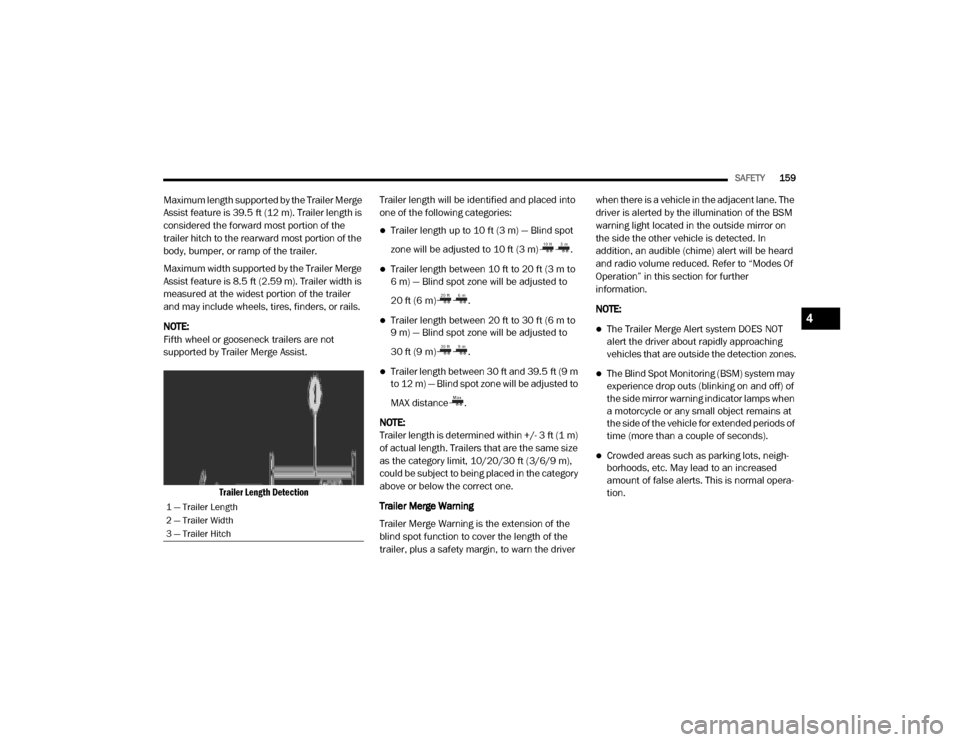
Trailer Length Detection
Trailer length will be identified and placed into
one of the following categories:
Trailer length up to 10 ft (3 m) — Blind spot
zone will be adjusted to 10 ft (3 m) .
Trailer length between 10 ft to 20 ft (3 m to
6 m) — Blind spot zone will be adjusted to
20 ft (6 m) .
Trailer length between 20 ft to 30 ft (6 m to
9 m) — Blind spot zone will be adjusted to
30 ft (9 m) .
Trailer length between 30 ft and 39.5 ft (9 m
to 12 m) — Blind spot zone will be adjusted to
MAX distance .
NOTE:
Trailer length is determined within +/- 3 ft (1 m)
of actual length. Trailers that are the same size
as the category limit, 10/20/30 ft (3/6/9 m),
could be subject to being placed in the category
above or below the correct one.
Trailer Merge Warning
Trailer Merge Warning is the extension of the
blind spot function to cover the length of the
trailer, plus a safety margin, to warn the driver when there is a vehicle in the adjacent lane. The
driver is alerted by the illumination of the BSM
warning light located in the outside mirror on
the side the other vehicle is detected. In
addition, an audible (chime) alert will be heard
and radio volume reduced. Refer to “Modes Of
Operation” in this section for further
information.
NOTE:
The Trailer Merge Alert system DOES NOT
alert the driver about rapidly approaching
vehicles that are outside the detection zones.
The Blind Spot Monitoring (BSM) system may
experience drop outs (blinking on and off) of
the side mirror warning indicator lamps when
a motorcycle or any small object remains at
the side of the vehicle for extended periods of
time (more than a couple of seconds).
Crowded areas such as parking lots, neigh
-
borhoods, etc. May lead to an increased
amount of false alerts. This is normal opera -
tion.
1 — Trailer Length
2 — Trailer Width
3 — Trailer Hitch
4
20_DJD2_OM_EN_USC_t.book Page 159