fuel Ram 3500 Chassis Cab 2016 User Guide
[x] Cancel search | Manufacturer: RAM, Model Year: 2016, Model line: 3500 Chassis Cab, Model: Ram 3500 Chassis Cab 2016Pages: 669, PDF Size: 4.78 MB
Page 255 of 669
vehicle placard or tire inflation pressure label, you should
determine the proper tire inflation pressure for those tires.
As an added safety feature, your vehicle has been
equipped with a Tire Pressure Monitoring System
(TPMS) that illuminates a low tire pressure telltale when
one or more of your tires is significantly under-inflated.
Accordingly, when the low tire pressure telltale illumi-
nates, you should stop and check your tires as soon as
possible and inflate them to the proper pressure. Driving
on a significantly under-inflated tire causes the tire to
overheat and can lead to tire failure. Under-inflation also
reduces fuel efficiency and tire tread life, and may affect
the vehicle’s handling and stopping ability.
Please note that the TPMS is not a substitute for proper
tire maintenance, and it is the driver ’s responsibility to
maintain correct tire pressure, even if under-inflation has
not reached the level to trigger illumination of the TPMS
low tire pressure telltale.Your vehicle has also been equipped with a TPMS
malfunction indicator to indicate when the system is not
operating properly. The TPMS malfunction indicator is
combined with the low tire pressure telltale. When the
system detects a malfunction, the telltale will flash for
approximately one minute and then remain continuously
illuminated. This sequence will continue upon subse-
quent vehicle start-ups as long as the malfunction exists.
When the malfunction indicator is illuminated, the sys-
tem may not be able to detect or signal low tire pressure
as intended. TPMS malfunctions may occur for a variety
of reasons, including the installation of replacement or
alternate tires or wheels on the vehicle that prevent the
TPMS from functioning properly. Always check the
TPMS malfunction telltale after replacing one or more
tires or wheels on your vehicle, to ensure that the
replacement or alternate tires and wheels allow the TPMS
to continue to function properly.
4
UNDERSTANDING YOUR INSTRUMENT PANEL 253
Page 256 of 669
CAUTION!
The TPMS has been optimized for the original
equipment tires and wheels. TPMS pressures and
warning have been established for the tire size
equipped on your vehicle. Undesirable system opera-
tion or sensor damage may result when using re-
placement equipment that is not of the same size,
(Continued)
CAUTION!(Continued)
type, and/or style. Aftermarket wheels can cause
sensor damage. Using aftermarket tire sealants may
cause the Tire Pressure Monitoring System (TPMS)
sensor to become inoperable. After using an after-
market tire sealant it is recommended that you take
your vehicle to an authorized dealership to have your
sensor function checked.
Low Fuel Indicator Light
Yellow Telltale
Light What It Means
Low Fuel Indicator Light
When the fuel level reaches approximately 3.0 gal (11.0 L) this light will turn on, and remain
on until fuel is added.
254 UNDERSTANDING YOUR INSTRUMENT PANEL
Page 261 of 669

Loose Fuel Filler Cap Indicator Light — If Equipped
Yellow TelltaleLight What It Means
Loose Fuel Filler Cap Indicator Light
This light will illuminate when fuel filler cap is loose. Properly close the filler cap to disen-
gage the light. If the light does not turn off, please see your authorized dealer.
Service 4WD Indicator Light — If Equipped
Yellow Telltale
Light What It Means
Service 4WD Indicator Light
If the light stays on or comes on during driving, it means that the 4WD system is not func-
tioning properly and that service is required. We recommend you drive to the nearest ser-
vice center and have the vehicle serviced immediately.
4
UNDERSTANDING YOUR INSTRUMENT PANEL 259
Page 268 of 669

ELECTRONIC VEHICLE INFORMATION CENTER
(EVIC)
The Electronic Vehicle Information Center (EVIC) fea-
tures a driver-interactive display that is located in the
instrument cluster.The EVIC Menu items consists of the following:
•
Speedometer
• Vehicle Info
• Fuel Economy Info
• Trip A
• Trip B
• Stop/Start Info (If Equipped)
• Trailer Tow
• Messages
• Screen Setup
• Vehicle Settings (Not Equipped with a Uconnect 5.0 &
8.4 radio)
Electronic Vehicle Information Center (EVIC)
266 UNDERSTANDING YOUR INSTRUMENT PANEL
Page 274 of 669
•Traction Control Off
• Washer Fluid Low
• Oil Pressure Low
• Oil Change Due
• Fuel Low
• Service Antilock Brake System
• Service Electronic Throttle Control
• Service Power Steering
• Cruise Off
• Cruise Ready
• Cruise Set To XXX MPH
• Tire Pressure Screen With Low Tire(s) “Inflate Tire to
XX” •
Tire Pressure Information System (TPIS)
• Service Tire Pressure System
• Parking Brake Engaged
• Brake Fluid Low
• Service Electronic Braking System
• Engine Temperature Hot
• Battery Voltage Low
• Service Electronic Throttle Control
• Lights On
• Right Turn Signal Light Out
• Left Turn Signal Light Out
• Turn Signal On
272 UNDERSTANDING YOUR INSTRUMENT PANEL
Page 275 of 669
•Sound Horn with Remote Lock: Off; 1st Press; 2nd
Press
• Vehicle Not in Park
• Key in Ignition
• Key in Ignition Lights On
• Remote Start Active Key to Run
• Remote Start Active Push Start Button
• Remote Start Aborted Fuel Low
• Remote Start Aborted Too Cold
• Remote Start Aborted Door Open
• Remote Start Aborted Hood Open
• Remote Start Aborted Trunk Open
• Remote Start Aborted Time Expired •
Remote Start Disabled Start to Reset
• Service Airbag System
• Service Airbag Warning Light
• Driver Seatbelt Unbuckled
• Passenger Seatbelt Unbuckled
• Front Seatbelts Unbuckled
• Door Open
• Doors Open
• Gear Not Available
• Shift Not Allowed
• Shift to Neutral then Drive or Reverse
• Automatic Unavailable Use Autostick Service Req.
• Transmission Getting Hot Press Brake
4
UNDERSTANDING YOUR INSTRUMENT PANEL 273
Page 277 of 669
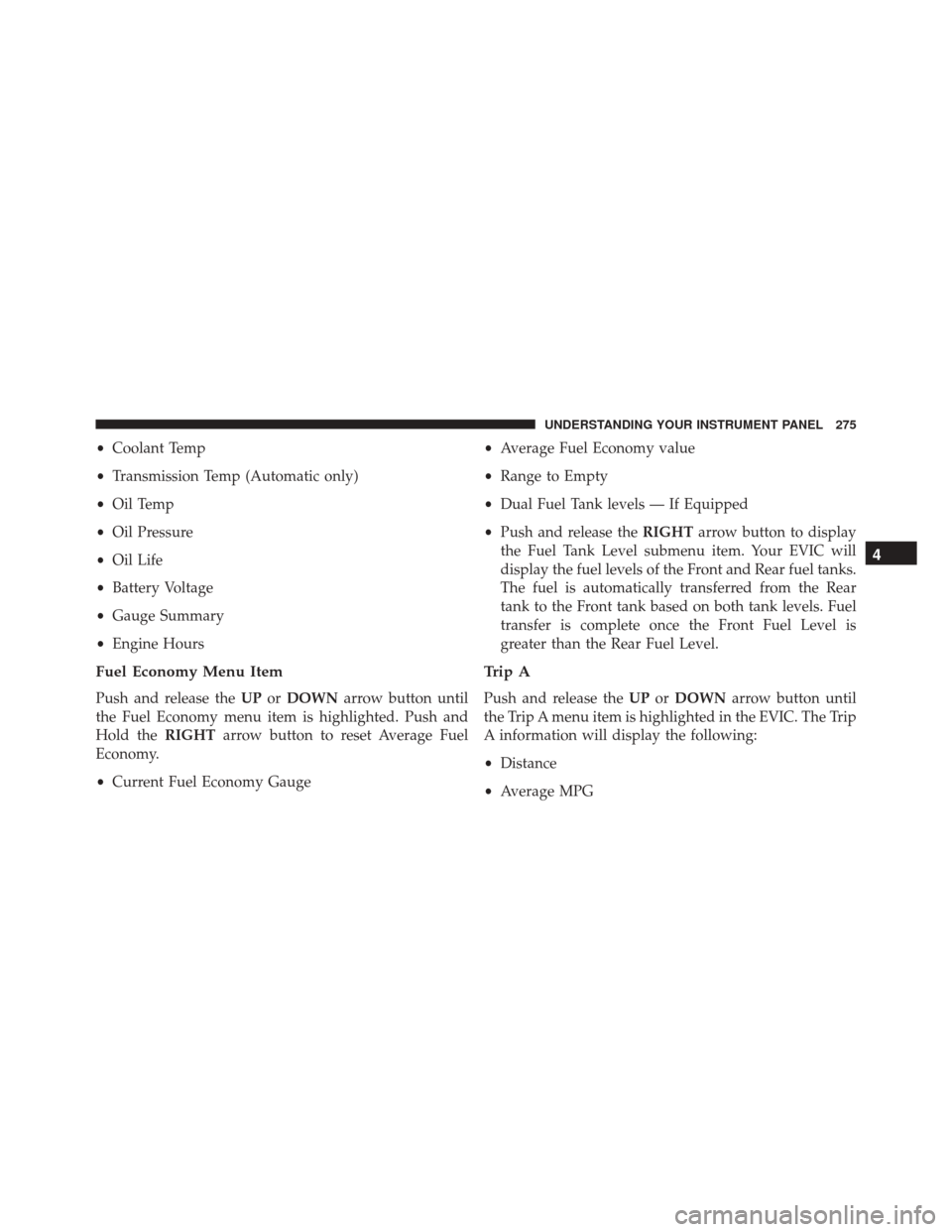
•Coolant Temp
• Transmission Temp (Automatic only)
• Oil Temp
• Oil Pressure
• Oil Life
• Battery Voltage
• Gauge Summary
• Engine Hours
Fuel Economy Menu Item
Push and release the UPorDOWN arrow button until
the Fuel Economy menu item is highlighted. Push and
Hold the RIGHTarrow button to reset Average Fuel
Economy.
• Current Fuel Economy Gauge •
Average Fuel Economy value
• Range to Empty
• Dual Fuel Tank levels — If Equipped
• Push and release the RIGHTarrow button to display
the Fuel Tank Level submenu item. Your EVIC will
display the fuel levels of the Front and Rear fuel tanks.
The fuel is automatically transferred from the Rear
tank to the Front tank based on both tank levels. Fuel
transfer is complete once the Front Fuel Level is
greater than the Rear Fuel Level.
Trip A
Push and release the UPorDOWN arrow button until
the Trip A menu item is highlighted in the EVIC. The Trip
A information will display the following:
• Distance
• Average MPG
4
UNDERSTANDING YOUR INSTRUMENT PANEL 275
Page 279 of 669
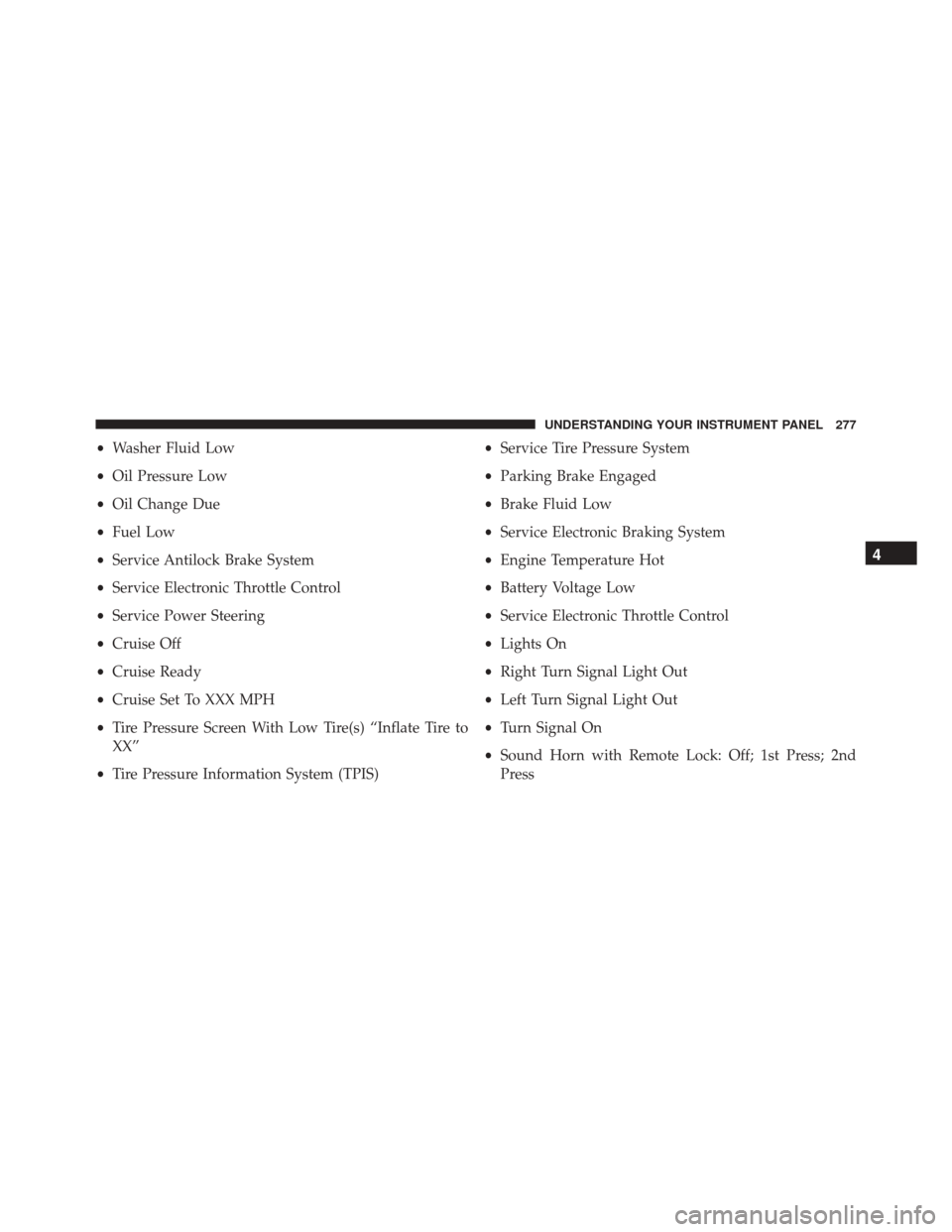
•Washer Fluid Low
• Oil Pressure Low
• Oil Change Due
• Fuel Low
• Service Antilock Brake System
• Service Electronic Throttle Control
• Service Power Steering
• Cruise Off
• Cruise Ready
• Cruise Set To XXX MPH
• Tire Pressure Screen With Low Tire(s) “Inflate Tire to
XX”
• Tire Pressure Information System (TPIS) •
Service Tire Pressure System
• Parking Brake Engaged
• Brake Fluid Low
• Service Electronic Braking System
• Engine Temperature Hot
• Battery Voltage Low
• Service Electronic Throttle Control
• Lights On
• Right Turn Signal Light Out
• Left Turn Signal Light Out
• Turn Signal On
• Sound Horn with Remote Lock: Off; 1st Press; 2nd
Press
4
UNDERSTANDING YOUR INSTRUMENT PANEL 277
Page 280 of 669
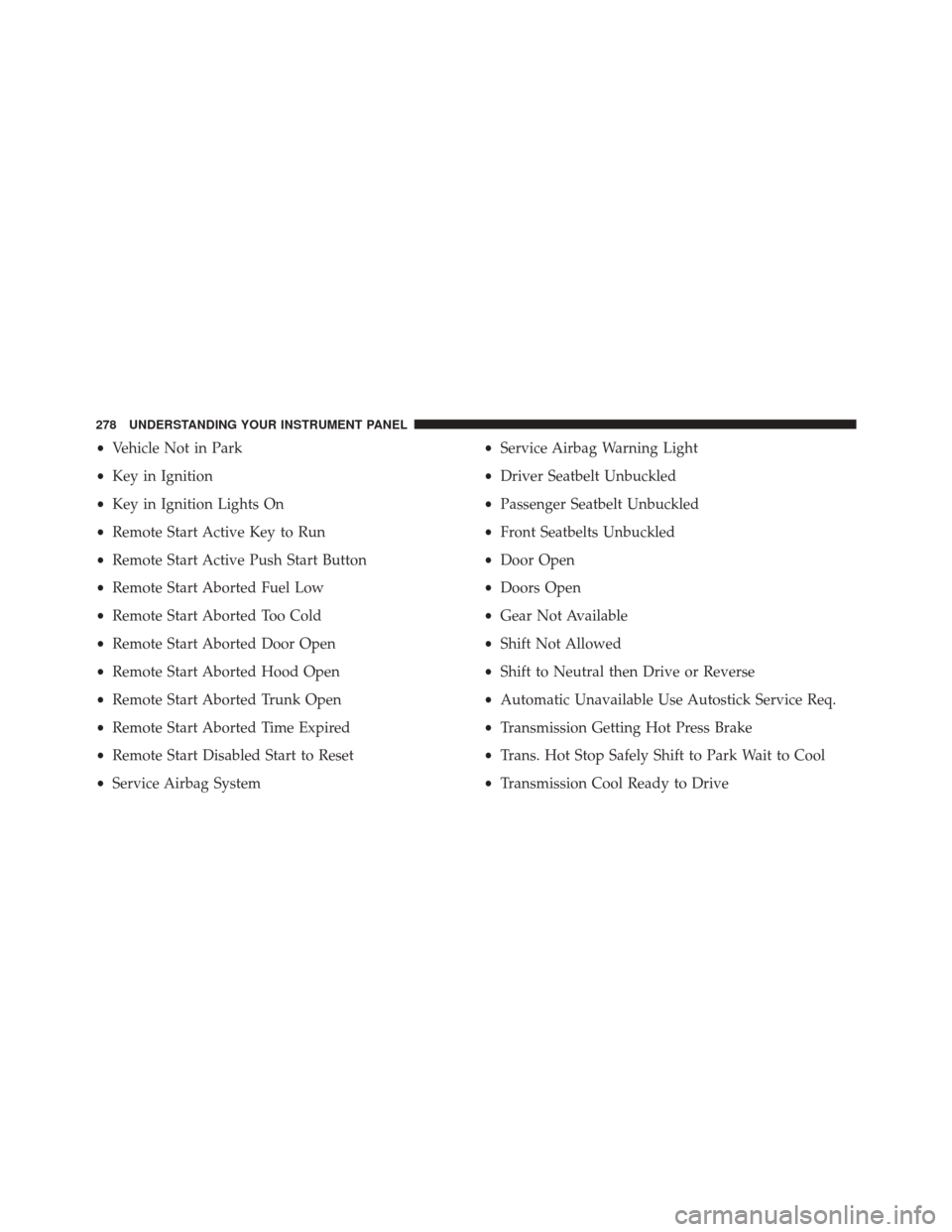
•Vehicle Not in Park
• Key in Ignition
• Key in Ignition Lights On
• Remote Start Active Key to Run
• Remote Start Active Push Start Button
• Remote Start Aborted Fuel Low
• Remote Start Aborted Too Cold
• Remote Start Aborted Door Open
• Remote Start Aborted Hood Open
• Remote Start Aborted Trunk Open
• Remote Start Aborted Time Expired
• Remote Start Disabled Start to Reset
• Service Airbag System •
Service Airbag Warning Light
• Driver Seatbelt Unbuckled
• Passenger Seatbelt Unbuckled
• Front Seatbelts Unbuckled
• Door Open
• Doors Open
• Gear Not Available
• Shift Not Allowed
• Shift to Neutral then Drive or Reverse
• Automatic Unavailable Use Autostick Service Req.
• Transmission Getting Hot Press Brake
• Trans. Hot Stop Safely Shift to Park Wait to Cool
• Transmission Cool Ready to Drive
278 UNDERSTANDING YOUR INSTRUMENT PANEL
Page 288 of 669

The DID Menu items consists of the following:
•Digital Speedometer
• Vehicle Info
• Fuel Economy Info
• Trip A
• Trip B
• Stop/Start Info (If Equipped)
• Trailer Tow
• Audio
• Stored Messages
• Screen Setup
• Vehicle Settings (Not Equipped with a Uconnect 5.0 &
8.4 radio) Vehicle Information (Customer Information Features)
The system allows the driver to select information by
pushing the following buttons mounted on the steering
wheel:
DID Controls
286 UNDERSTANDING YOUR INSTRUMENT PANEL