alarm Ram 3500 Chassis Cab 2017 User Guide
[x] Cancel search | Manufacturer: RAM, Model Year: 2017, Model line: 3500 Chassis Cab, Model: Ram 3500 Chassis Cab 2017Pages: 542, PDF Size: 5.09 MB
Page 37 of 542

NOTE:
•Passive Entry may be programmed ON/OFF. Refer to
“Uconnect Settings” in “Understanding Your Instrument
Panel” for further information.
• If wearing gloves on your hands, or if it has been
raining/snowing on the Passive Entry door handle, the
unlock sensitivity can be affected, resulting in a slower
response time.
• If the vehicle is unlocked by Passive Entry and no door
is opened within 60 seconds, the vehicle will re-lock and
if equipped will arm the security alarm.
• The vehicles security alarm can be armed/disarmed by
pushing the passive entry key fob lock/unlock buttons
(if equipped).
• The key fob may not be able to be detected by the vehicle
keyless-go system if it is located next to a mobile phone,
laptop or other electronic device; these devices may
block the key fob’s wireless signal and prevent the
keyless-go system from starting the vehicle.
To Unlock From The Driver’s Side:
With a valid Passive Entry key fob within 5 ft (1.5 m) of the
driver door handle, grab the front driver door handle to unlock the driver’s door automatically. The interior door
panel lock knob will raise when the door is unlocked.
NOTE:
If “Unlock All Doors 1st Press” is programmed, all
doors will unlock when you grab hold of the front driver ’s
door handle. To select between “Unlock Driver Door 1st
Press” and “Unlock All Doors 1st Press,” refer to
“Uconnect Settings” in “Understanding Your Instrument
Panel” for further information.
To Unlock From The Passenger Side:
With a valid Passive Entry key fob within 5 ft (1.5 m) of the
passenger door handle, grab the front passenger door
Grab The Door Handle To Unlock
2
THINGS TO KNOW BEFORE STARTING YOUR VEHICLE 35
Page 61 of 542

The steering wheel hub trim cover and the upper right side
of the instrument panel separate and fold out of the way as
the air bags inflate to their full size. The front air bags fully
inflate in less time than it takes to blink your eyes. The
front air bags then quickly deflate while helping to restrain
the driver and front passenger.
Knee Impact Bolsters
The Knee Impact Bolsters help protect the knees of the
driver and front passenger, and position the front occu-
pants for improved interaction with the front air bags.
WARNING!
•Do not drill, cut, or tamper with the knee impact
bolsters in any way.
• Do not mount any accessories to the knee impact
bolsters such as alarm lights, stereos, citizen band
radios, etc.
Supplemental Side Air Bags — If Equipped
Your vehicle is equipped with two types of side air bags:
1. Supplemental Seat-Mounted Side Air Bags (SABs) (If
Equipped): Located in the outboard side of the front
seats. The SABs are marked with a “SRS AIRBAG” or
“AIRBAG” label sewn into the outboard side of the
seats.
Supplemental Seat-Mounted Side Air Bag Label
2
THINGS TO KNOW BEFORE STARTING YOUR VEHICLE 59
Page 167 of 542

The HomeLink buttons that are located in the overhead
console designate the three different HomeLink channels.
NOTE:HomeLink is disabled when the Vehicle Security
Alarm is active.
WARNING!
• Your motorized door or gate will open and close
while you are training the universal transceiver. Do
not train the transceiver if people, pets or other
objects are in the path of the door or gate. Only use
(Continued)
WARNING! (Continued)
this transceiver with a garage door opener that has a
“stop and reverse” feature as required by Federal
safety standards. This includes most garage door
opener models manufactured after 1982. Do not use a
garage door opener without these safety features.
Call toll-free 1-800-355-3515 or, on the Internet at
www.HomeLink.com for safety information or assis-
tance.
• Vehicle exhaust contains carbon monoxide, a danger-
ous gas. Do not run your vehicle in the garage while
training the transceiver. Exhaust gas can cause seri-
ous injury or death.
NOTE: Only use this transceiver with a garage door
opener that has a “stop and reverse” feature as required by
federal safety standards. This includes most garage door
opener models manufactured after 1982. Do not use a
garage door opener without these safety features. Call
toll-free 1-800-355-3515 or, on the Internet at
HomeLink.com for safety information or assistance.
HomeLink Buttons
3
UNDERSTANDING THE FEATURES OF YOUR VEHICLE 165
Page 173 of 542

Using HomeLink
To operate, push and release the programmed HomeLink
button. Activation will now occur for the programmed
device (i.e. garage door opener, gate operator, security
system, entry door lock, home/office lighting, etc.) The
hand-held transmitter of the device may also be used at
any time.
Security
It is advised to erase all channels before you sell or turn in
your vehicle.
To erase the channels press and hold the two outside
HomeLink buttons (I and III) for up 20 seconds. The
instrument cluster display will display “CLEARING
CHANNELS.” Release the buttons when the instrument
cluster display shows “CHANNELS CLEARED.”
The HomeLink Universal Transceiver is disabled when the
Vehicle Security Alarm is active.
Troubleshooting Tips
If you are having trouble programming HomeLink, here
are some of the most common solutions:
•Replace the battery in the Garage Door Opener hand-
held transmitter. •
Push the LEARN button on the Garage Door Opener to
complete the training for a Rolling Code.
• Did you unplug the device for programming and re-
member to plug it back in?
If you have any problems, or require assistance, please call
toll-free 1-800-355-3515 or, on the Internet at
HomeLink.com for information or assistance.
WARNING!
• Vehicle exhaust contains carbon monoxide, a danger-
ous gas. Do not run your vehicle in the garage while
programming the transceiver. Exhaust gas can cause
serious injury or death.
• Your motorized door or gate will open and close
while you are programming the universal trans-
ceiver. Do not program the transceiver if people, pets
or other objects are in the path of the door or gate.
Only use this transceiver with a garage door opener
that has a “stop and reverse” feature as required by
Federal safety standards. This includes most garage
door opener models manufactured after 1982. Do not
(Continued)
3
UNDERSTANDING THE FEATURES OF YOUR VEHICLE 171
Page 205 of 542
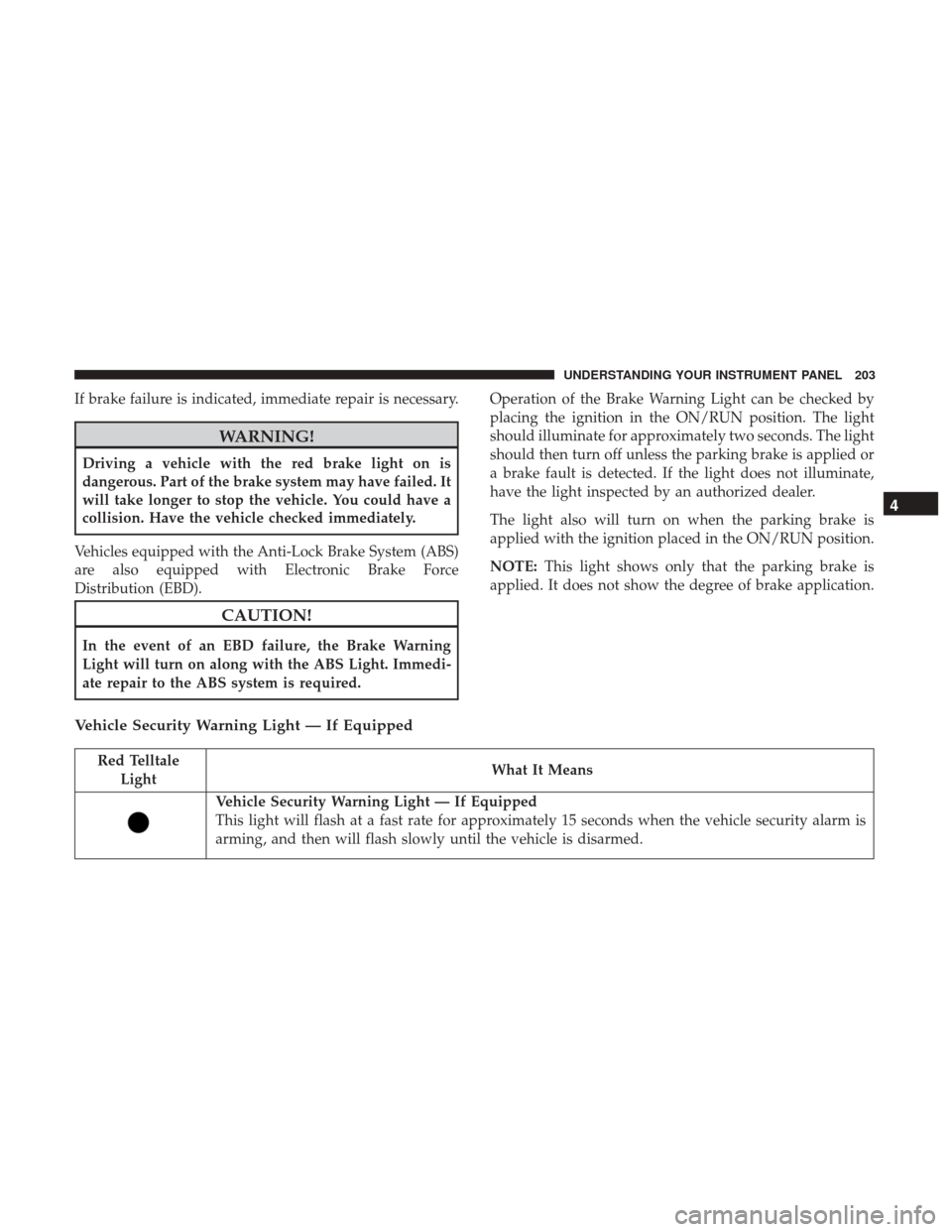
If brake failure is indicated, immediate repair is necessary.
WARNING!
Driving a vehicle with the red brake light on is
dangerous. Part of the brake system may have failed. It
will take longer to stop the vehicle. You could have a
collision. Have the vehicle checked immediately.
Vehicles equipped with the Anti-Lock Brake System (ABS)
are also equipped with Electronic Brake Force
Distribution (EBD).
CAUTION!
In the event of an EBD failure, the Brake Warning
Light will turn on along with the ABS Light. Immedi-
ate repair to the ABS system is required. Operation of the Brake Warning Light can be checked by
placing the ignition in the ON/RUN position. The light
should illuminate for approximately two seconds. The light
should then turn off unless the parking brake is applied or
a brake fault is detected. If the light does not illuminate,
have the light inspected by an authorized dealer.
The light also will turn on when the parking brake is
applied with the ignition placed in the ON/RUN position.
NOTE:
This light shows only that the parking brake is
applied. It does not show the degree of brake application.
Vehicle Security Warning Light — If Equipped
Red Telltale Light What It Means
Vehicle Security Warning Light — If Equipped
This light will flash at a fast rate for approximately 15 seconds when the vehicle security alarm is
arming, and then will flash slowly until the vehicle is disarmed.
4
UNDERSTANDING YOUR INSTRUMENT PANEL 203
Page 240 of 542

Loss of the battery charge may indicate one or more of the
following conditions:
•The charging system cannot deliver enough electrical
power to the vehicle system because the electrical loads
are larger than the capability of charging system. The
charging system is still functioning properly.
• Turning on all possible vehicle electrical loads (e.g.
HVAC to max settings, exterior and interior lights,
overloaded power outlets +12V, 115V AC, USB ports)
during certain driving conditions (city driving, towing,
frequent stopping).
•
Installing options like additional lights, upfitter electrical
accessories, audio systems, alarms and similar devices.
• Unusual driving cycles (short trips separated by long
parking periods).
• The vehicle was parked for an extended period of time
(weeks, months).
• The battery was recently replaced and was not charged
completely.
• The battery was discharged by an electrical load left on
when the vehicle was parked. •
The battery was used for an extended period with the
engine not running to supply radio, lights, chargers,
+12V portable appliances like vacuum cleaners, game
consoles and similar devices.
What to do when an electrical load reduction action
message is present (“Battery Saver On” or “Battery Saver
Mode”)
During a trip:
• Reduce power to unnecessary loads if possible:
– Turn off redundant lights (interior or exterior)
– Check what may be plugged in to power outlets +12V, 115V AC, USB ports
– Check HVAC settings (blower, temperature)
– Check the audio settings (volume)
After a trip:
• Check if any aftermarket equipment was installed (ad-
ditional lights, upfitter electrical accessories, audio sys-
tems, alarms) and review specifications if any (load and
Ignition Off Draw currents).
• Evaluate the latest driving cycles (distance, driving time
and parking time).
238 UNDERSTANDING YOUR INSTRUMENT PANEL
Page 313 of 542

NOTE:Your vehicle may be transmitting data as autho-
rized by the subscriber.
An included trial and/or subscription is required to take
advantage of the Uconnect Access services in the next
section of this guide. To register with Uconnect Access,
press the Apps button on the 8.4-inch touchscreen to get
started. Detailed registration instructions can be found on
the next page.
NOTE: Uconnect Access is available only on equipped
vehicles purchased within the continental United States,
Alaska and Hawaii. Services can only be used where
coverage is available; see coverage map for details.
9-1-1 Call
Security Alarm Notification
Remote Door Lock/Unlock
Stolen Vehicle Assistance
Remote Vehicle Start**
Remote Horn and Lights
Vehicle Finder
Send ‘N Go
Yelp Search
Voice Texting
Roadside Assistance Call
3G Wi-Fi Hotspot***
**If vehicle is equipped.
***Extra charges apply.
Vehicle Health Alert
Your vehicle will send you an email alert if it senses a
problem under the hood with one of your vehicles key
systems. For further information go to the Mopar Owner
Connect website moparownerconnect.com.
4
UNDERSTANDING YOUR INSTRUMENT PANEL 311
Page 526 of 542

Adding Engine Coolant (Antifreeze).............478
Adding Fuel ............................. .406
Additives, Fuel ........................... .404
Adjust Down .............................113,114
Forward ............................112,113
Rearward ...........................112,113
Up................................113,114
Adjustable Pedals ......................... .140
Air Bag Air Bag Operation .........................58
Air Bag Warning Light .....................55
Enhanced Accident Response ..............64, 448
Event Data Recorder (EDR) .................449
If A Deployment Occurs ....................63
Knee Impact Bolsters .......................59
Maintaining Your Air Bag System ..............65
Side Air Bags ............................59
Transporting Pets .........................91
Air Bag Light ....................... .55, 94, 201
Air Bag Maintenance .........................65
Air Cleaner, Engine (Engine Air Cleaner Filter) ......460
Air Conditioner Maintenance ..................464
Air Conditioning .......................... .280
Air Conditioning Controls ....................280 Air Conditioning Filter
...................295, 465
Air Conditioning, Operating Tips ...............295
Air Conditioning Refrigerant ...............464, 465
Air Conditioning System ...............280, 294, 464
Air Pressure, Tires ......................... .382
Alarm, Panic ...............................24
Alarm (Security Alarm) ....................19, 203
Alarm System (Security Alarm) .................19
Alterations/Modifications, Vehicle ................7
Antifreeze (Engine Coolant) ...................477
Capacities ............................. .507
Disposal .............................. .479
Anti-Lock Brake System (ABS) .................358
Appearance Care .......................... .486
Ashtray ................................ .177
Assist, Hill Start .......................... .360
Auto
Down Power Windows ...................39
Automatic Door Locks ........................32
Automatic Headlights ...................... .128
Automatic High Beams ..................... .130
Automatic Temperature Control (ATC) ...........294
Automatic Transmission ..................... .484
Adding Fluid .......................... .485
Fluid And Filter Changes ...................486
Fluid Level Check .....................484, 485
524 INDEX
Page 533 of 542
Interior..................... .132, 133, 134, 164
Low Fuel ............................. .214
Malfunction Indicator (Check Engine) ..........208
Park ................................. .219
Passing ............................... .136
Seat Belt Reminder ...................... .201
Security Alarm ......................... .203
Service ............................ .500, 501
Tire Pressure Monitoring (TPMS) ..........212, 395
Traction Control ........................ .366
Transfer Case .......................... .345
Turn Signal ....................96, 135, 220, 501
Warning (Instrument Cluster Description) . . . .204, 220
Limited-Slip Differential ..................350, 483
Loading Vehicle ........................... .407
Tires................................. .376
Load Shed Battery Saver Mode ...................... .237
Battery Saver On ........................ .237
Electrical Load Reduction ...................237
Intelligent Battery Sensor ...................237
Locks ....................................31
Automatic Door ..........................32
Child Protection ..........................33 Door
..................................31
Power Door .............................32
Low Tire Pressure System .....................395
Lubrication, Body ......................... .471
Lug Nuts ......................... .431, 437, 439
Maintenance Free Battery .....................463
Maintenance Procedures ..................... .457
Maintenance Schedule ...................... .512
Malfunction Indicator Light (Check Engine) . . . .208, 455
Manual, Service ........................... .522
Manual Transmission Fluid Level Check ....................... .484
Memory Seat ............................. .121
Methanol ............................... .403
Mirr
ors ................................. .101
Electric Powered ........................ .108
Heated ............................... .109
Memory .............................. .121
Outside .............................. .107
Rearview .......................... .101, 106
Trailer Towing ...........................111
Modifications/Alterations, Vehicle ................7
Monitor, Tire Pressure System ..................395
10
INDEX 531
Page 534 of 542

Mopar Parts.......................... .456, 521
MTBE/ETBE ............................. .403
Multi-Function Control Lever ..................135
Navigation System (Uconnect GPS) ..............160
New Vehicle Break-In Period .................91, 92
Occupant Restraints .........................41
Octane Rating, Gasoline (Fuel) .................402
Oil, Engine ........................... .457, 508
Capacity .............................. .507
Change Interval ........................ .458
Dipstick .............................. .457
Disposal .............................. .459
Filter ............................. .459, 508
Filter Disposal .......................... .459
Identification Logo ...................... .458
Pressure Warning Light ....................205
Recommendation ........................ .458
Synthetic ............................. .459
Viscosity .............................. .459
Oil Filter, Change ......................... .459
Oil Pressure Light ......................... .205
Onboard Diagnostic System ...................454
Operating Precautions ...................... .454Operator Manual (Owner’s Manual)
...............4
Outside Rearview Mirrors ....................107
Overdrive ............................... .337
Overdrive OFF Switch ...................... .337
Overhead Console ......................... .163
Overheating, Engine ....................... .430
Owner’s Manual (Operator Manual) ...........4,522
Paint Care ............................... .486
Panic Alarm ...............................24
Parking Brake ............................ .355
ParkSense System, Rear ...................146, 154
Passing Light ............................ .136
Passive Entry ..............................
34
Pedals, Adjustable ......................... .140
Personalized Menu Bar ..................... .297
Personal Settings .......................... .231
Pets .....................................91
Placard, Tire And Loading Information ........376, 377
Power Distribution Center (Fuses) ..................493
Door Locks ..............................32
Mirrors ............................... .108
Outlet (Auxiliary Electrical Outlet) .........172, 177
Seats .................................112
532 INDEX