warning Ram 3500 Chassis Cab 2018 Owner's Guide
[x] Cancel search | Manufacturer: RAM, Model Year: 2018, Model line: 3500 Chassis Cab, Model: Ram 3500 Chassis Cab 2018Pages: 527, PDF Size: 5.83 MB
Page 98 of 527
WINDOWS
Power Windows — If Equipped
The power window controls located on the driver’s door
trim panel have up—down switches that give you fingertip
control of all power windows. There is a single opening
and closing switch on the front passenger door for passen-
ger window control and on the rear doors of the Crew Cab
models. The windows will operate when the ignition
switch is turned to the ON/RUN or ACC position, and for
up to 10 minutes after the ignition is turned OFF or until a
front door is opened.NOTE:
The Key Off Power Delay feature will allow the
power windows to operate for up to 10 minutes after the
ignition is turned OFF. This feature is cancelled when
either front door is opened.
WARNING!
Never leave children unattended in a vehicle. Do not
leave the key fob in or near the vehicle or in a location
accessible to children, and do not leave the ignition of
a vehicle equipped with Keyless Enter-N-Go in the
ACC or ON/RUN mode. Occupants, particularly unat-
tended children, can become entrapped by the win-
dows while operating the power window switches.
Such entrapment may result in serious injury or death.
Auto-Down
Both the driver and front passenger window switch have
an Auto-Down feature. Push the window switch past the
first detent, release, and the window will go down auto-
matically. To cancel the Auto-Down movement, operate the
switch in either the up or down direction and release the
switch.
To stop the window from going all the way down during
the Auto-Down operation, pull up on the switch briefly.
Power Window Switches
96 GETTING TO KNOW YOUR VEHICLE
Page 99 of 527
To open the window part way, push to the switch to the
first detent and release it when you want the window to
stop.
Auto-Up Feature With Anti-Pinch Protection (4-Door
Models Driver And Front Passenger Door Only) —
If Equipped
Pull the window switch fully upward to the second detent,
release, and the window will go up automatically.
To stop the window from going all the way up during the
Auto-Up operation, push down on the switch briefly.
To close the window part way, lift the window switch to
the first detent and release when you want the window to
stop.
NOTE:If the window runs into any obstacle during the
Auto-Closure, it will reverse direction and then go back
down. Remove the obstacle and use the window switch
again to close the window. Any impact due to rough road
conditions may trigger the auto reverse function unexpect-
edly during auto closure. If this happens, pull the switch
lightly to the first detent and hold to close the window
manually.
WARNING!
There is no anti-pinch protection when the window is
almost closed. Be sure to clear all objects from the
window before closing.
Reset Auto-Up
Should the Auto-Up feature stop working, the window
may need to be reset. To reset Auto-Up:
1. Make sure the door is fully closed.
2. Pull the window switch up to close the window com- pletely and continue to hold the switch up for an
additional two seconds after the window is closed.
3. Push the window switch down firmly to the second detent to open the window completely and continue to
hold the switch down for an additional two seconds
after the window is fully open.
Window Lockout Switch (4–Door Models Only)
The window lockout switch on the driver’s door allows
you to disable the window control on the rear passenger
doors. To disable the window controls on the rear passen-
ger doors, push the window lock switch into the latched or
3
GETTING TO KNOW YOUR VEHICLE 97
Page 101 of 527
2. Reach into the opening beneath the center of the hoodand push the safety latch lever to the left to release it,
before raising the hood.
To Close The Hood
Lower the hood to approximately 12 inches (30 cm) from
the engine compartment and drop it. Make sure that the
hood is completely closed.
WARNING!
Be sure the hood is fully latched before driving your
vehicle. If the hood is not fully latched, it could open
when the vehicle is in motion and block your vision.
Failure to follow this warning could result in serious
injury or death.
CAUTION!
To prevent possible damage, do not slam the hood to
close it. Use a firm downward push at the front center
of the hood to ensure that both latches engage.
GARAGE DOOR OPENER — IF EQUIPPED
HomeLink replaces up to three hand-held transmitters that
operate devices such as garage door openers, motorized
gates, lighting or home security systems. The HomeLink
unit is powered by your vehicles 12 Volt battery.
The HomeLink buttons that are located in the overhead
console designate the three different HomeLink channels.Safety Latch Location
3
GETTING TO KNOW YOUR VEHICLE 99
Page 102 of 527
NOTE:HomeLink is disabled when the Vehicle Security
Alarm is active.
WARNING!
• Your motorized door or gate will open and close
while you are training the universal transceiver. Do
not train the transceiver if people, pets or other
objects are in the path of the door or gate. Only use
this transceiver with a garage door opener that has a
“stop and reverse” feature as required by Federal
(Continued)
WARNING! (Continued)
safety standards. This includes most garage door
opener models manufactured after 1982. Do not use a
garage door opener without these safety features.
Call toll-free 1-800-355-3515 or, on the Internet at
www.HomeLink.com for safety information or assis-
tance.
• Vehicle exhaust contains carbon monoxide, a danger-
ous gas. Do not run your vehicle in the garage while
training the transceiver. Exhaust gas can cause seri-
ous injury or death.
NOTE: Only use this transceiver with a garage door
opener that has a “stop and reverse” feature as required by
federal safety standards. This includes most garage door
opener models manufactured after 1982. Do not use a
garage door opener without these safety features. Call
toll-free 1-800-355-3515 or, on the Internet at
HomeLink.com for safety information or assistance.
Before You Begin Programming HomeLink
Ensure your vehicle is parked outside of the garage before
you begin programming.
HomeLink Buttons
100 GETTING TO KNOW YOUR VEHICLE
Page 108 of 527
Troubleshooting Tips
If you are having trouble programming HomeLink, here
are some of the most common solutions:
•Replace the battery in the Garage Door Opener hand-
held transmitter.
• Push the LEARN button on the Garage Door Opener to
complete the training for a Rolling Code.
• Did you unplug the device for programming and re-
member to plug it back in?
If you have any problems, or require assistance, please call
toll-free 1-800-355-3515 or, on the Internet at
HomeLink.com for information or assistance.
WARNING!
• Vehicle exhaust contains carbon monoxide, a danger-
ous gas. Do not run your vehicle in the garage while
programming the transceiver. Exhaust gas can cause
serious injury or death.
• Your motorized door or gate will open and close
while you are programming the universal trans-
ceiver. Do not program the transceiver if people, pets
or other objects are in the path of the door or gate.
Only use this transceiver with a garage door opener
that has a “stop and reverse” feature as required by
Federal safety standards. This includes most garage
door opener models manufactured after 1982. Do not
use a garage door opener without these safety fea-
tures. Call toll-free 1-800-355-3515 or, on the Internet
at HomeLink.com for safety information or assis-
tance.
106 GETTING TO KNOW YOUR VEHICLE
Page 112 of 527
WARNING!
•This armrest is not a seat. Anyone seated on the
armrest could be seriously injured during vehicle
operation, or a collision. Only use the center seating
position when the armrest is fully upright.
• In a collision, the latch may open if the total weight
of the items stored exceeds about 10 lbs (4.5 kg).
These items could be thrown about endangering
occupants of the vehicle. Items stored should not
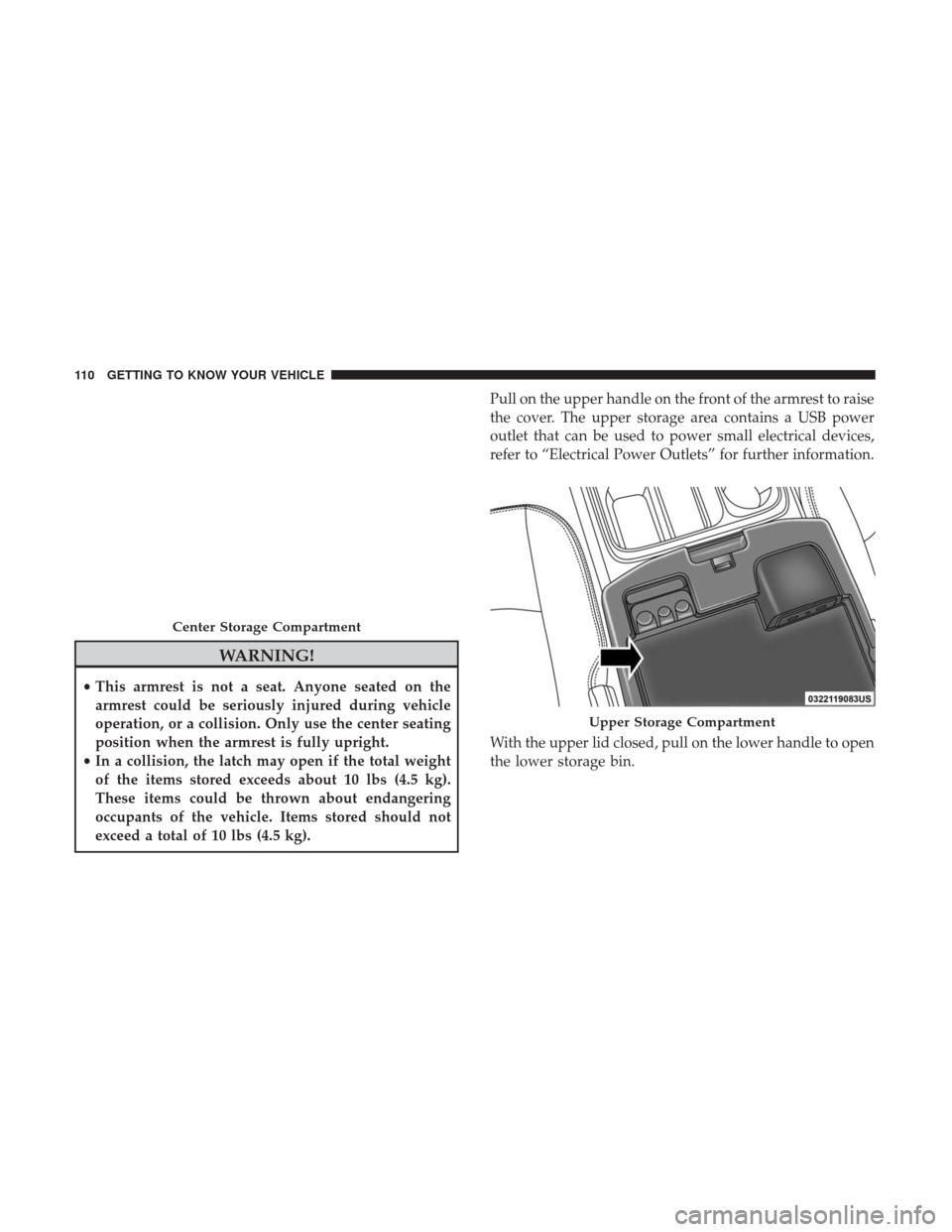
exceed a total of 10 lbs (4.5 kg). Pull on the upper handle on the front of the armrest to raise
the cover. The upper storage area contains a USB power
outlet that can be used to power small electrical devices,
refer to “Electrical Power Outlets” for further information.
With the upper lid closed, pull on the lower handle to open
the lower storage bin.
Center Storage Compartment
Upper Storage Compartment
110 GETTING TO KNOW YOUR VEHICLE
Page 113 of 527
WARNING!
Do not operate this vehicle with a console compart-
ment lid in the open position. Driving with the console
compartment lid open may result in injury in a colli-
sion.The center console is equipped with a front storage bin
located next to the cupholders. This storage bin may be
equipped with a manual sliding top door.
Lower Storage Bin
Front Storage Bin With Door — If Equipped
3
GETTING TO KNOW YOUR VEHICLE 111
Page 115 of 527
NOTE:The front seat may have to be moved forward to
fully open the lid.
Storage Bin (Regular Cab)
The storage bin is located behind the front seats and runs
the length of the cab.
Fold Flat Load Floor — If Equipped
Quad Cab and Crew Cab models with a 60/40 rear seat
may be equipped with a folding load floor.
WARNING!
Do not operate the vehicle with loose items stored on
the load floor. While driving or in an accident you may
experience abrupt stopping, rapid acceleration, or
sharp turns. Loose objects stored on the load floor may
move around with force and strike occupants, resulting
in serious or fatal injury.
Opened Storage Bin
Storage Bin
3
GETTING TO KNOW YOUR VEHICLE 113
Page 118 of 527
3. Lift the front panel until the load floor unfolds intoposition.
4. Reverse the procedure to store the load floor.
Positioning The Load Floor For Storage Access Under
The Seat
1. Lift the 60/40 seat cushion(s) to the upward position.
2. Unsnap the securing snap located at either side of the load floor. 3. Lift the load floor up to access storage under the load
floor.
WARNING!
Do not drive with the load floor in the up position.
When stopping fast or in an accident, the load floor
could move to the down position causing serious
injury.
Quad Cab — If Equipped
Load Floor In Open Position
Load Floor Securing Straps/Quad Cab
116 GETTING TO KNOW YOUR VEHICLE
Page 124 of 527
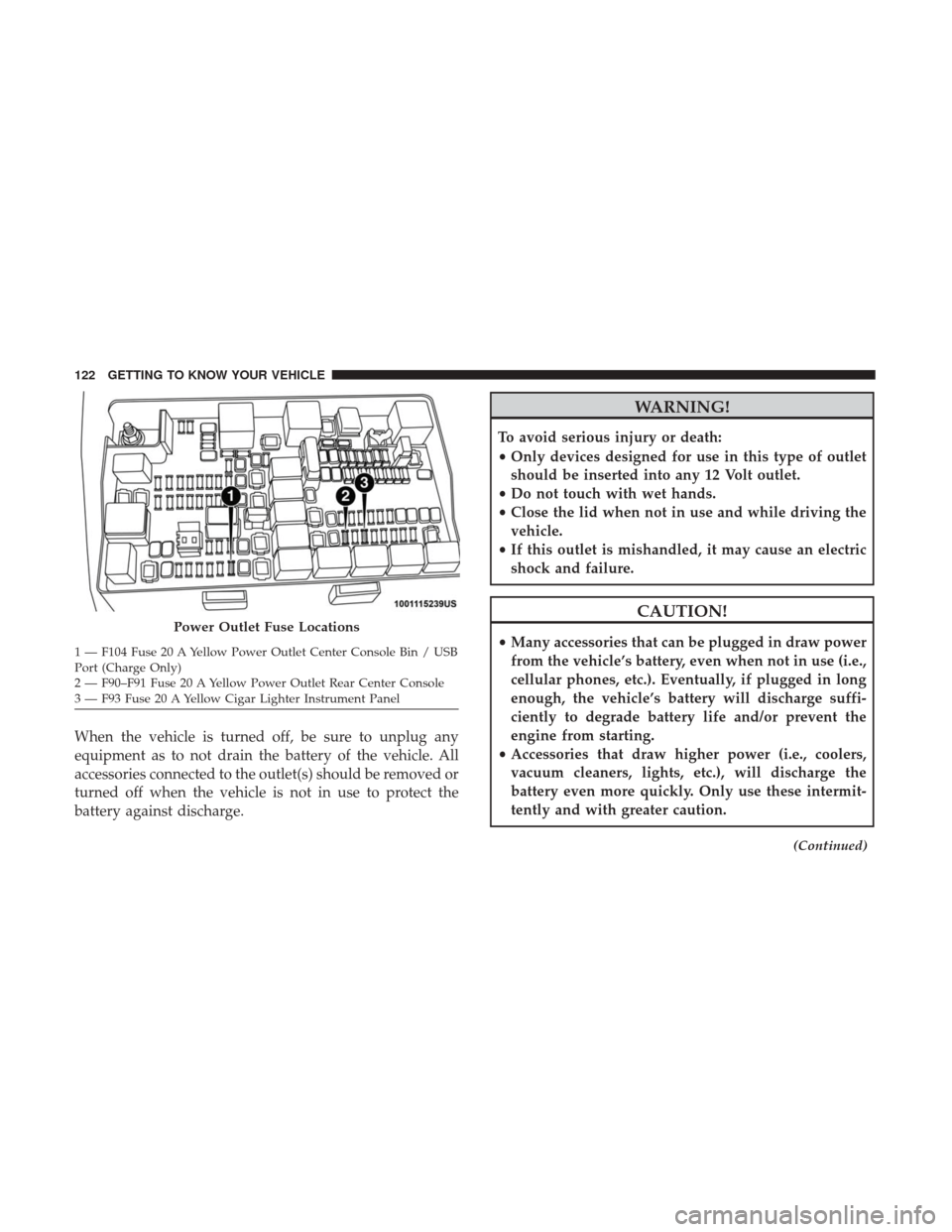
When the vehicle is turned off, be sure to unplug any
equipment as to not drain the battery of the vehicle. All
accessories connected to the outlet(s) should be removed or
turned off when the vehicle is not in use to protect the
battery against discharge.
WARNING!
To avoid serious injury or death:
•Only devices designed for use in this type of outlet
should be inserted into any 12 Volt outlet.
• Do not touch with wet hands.
• Close the lid when not in use and while driving the
vehicle.
• If this outlet is mishandled, it may cause an electric
shock and failure.
CAUTION!
• Many accessories that can be plugged in draw power
from the vehicle’s battery, even when not in use (i.e.,
cellular phones, etc.). Eventually, if plugged in long
enough, the vehicle’s battery will discharge suffi-
ciently to degrade battery life and/or prevent the
engine from starting.
• Accessories that draw higher power (i.e., coolers,
vacuum cleaners, lights, etc.), will discharge the
battery even more quickly. Only use these intermit-
tently and with greater caution.
(Continued)
Power Outlet Fuse Locations
1 — F104 Fuse 20 A Yellow Power Outlet Center Console Bin / USB
Port (Charge Only)
2 — F90–F91 Fuse 20 A Yellow Power Outlet Rear Center Console
3 — F93 Fuse 20 A Yellow Cigar Lighter Instrument Panel 122 GETTING TO KNOW YOUR VEHICLE