center console Ram 3500 Chassis Cab 2019 User Guide
[x] Cancel search | Manufacturer: RAM, Model Year: 2019, Model line: 3500 Chassis Cab, Model: Ram 3500 Chassis Cab 2019Pages: 607, PDF Size: 10.72 MB
Page 392 of 607

390 IN CASE OF EMERGENCY
(Continued)
JACKING AND TIRE CHANGING
F102–20 Amp Yellow Rear Heated Seat Left / Run RLY #3 Coil (HD Only)
F103 –10 Amp Red HeadLamp AFLS (HD Only)
F104 –20 Amp Yellow Power Outlets (Instrument Panel / Center Console) /
Trunk – If Equipped (DS 1500 Only)
UCI Port / USB Rear (HD Only)
Cavity Cartridge Fuse
Micro FuseDescription
CAUTION!
• When installing the power distribution center cover, it is important to ensure the cover is properly positioned
and fully latched. Failure to do so may allow water to
get into the power distribution center and possibly
result in an electrical system failure.
• When replacing a blown fuse, it is important to use only a fuse having the correct amperage rating. The use
of a fuse with a rating other than indicated may result
in a dangerous electrical system overload. If a properly
rated fuse continues to blow, it indicates a problem in
the circuit that must be corrected.
WARNING!
• Do not attempt to change a tire on the side of the vehicle close to moving traffic. Pull far enough off the road to
avoid the danger of being hit when operating the jack
or changing the wheel.
• Being under a jacked-up vehicle is dangerous. The vehicle could slip off the jack and fall on you. You
could be crushed. Never put any part of your body
under a vehicle that is on a jack. If you need to get
under a raised vehicle, take it to a service center where
it can be raised on a lift.
• Never start or run the engine while the vehicle is on a jack.
Page 554 of 607

552 MULTIMEDIA
A third and fourth USB Ports are located behind the center
console, above the Power Inverter. One is a charge only port,
and can only charge USB devices. The other USB Port allows
you to play music from iPod/MP3 players or USB devices
through your vehicle’s sound system.Rear Center Console Mini-USB (Type C) USB Ports Rear Center Console Standard (Type A) USB Ports
1 — Mini-USB Type C Port #1
2 — Mini-USB Type C Port #2
1 — Standard USB Type A Port #1
2 — Standard USB Type A Port #2
Page 556 of 607
554 MULTIMEDIA
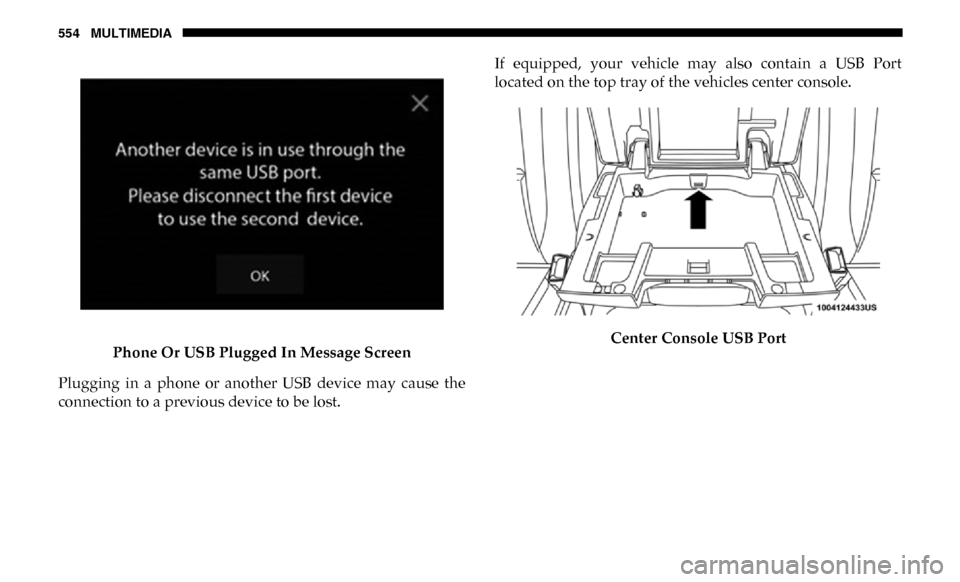
Phone Or USB Plugged In Message Screen
Plugging in a phone or another USB device may cause the
connection to a previous device to be lost. If equipped, your vehicle may also contain a USB Port
located on the top tray of the vehicles center console.
Center Console USB Port
Page 557 of 607
MULTIMEDIA 555
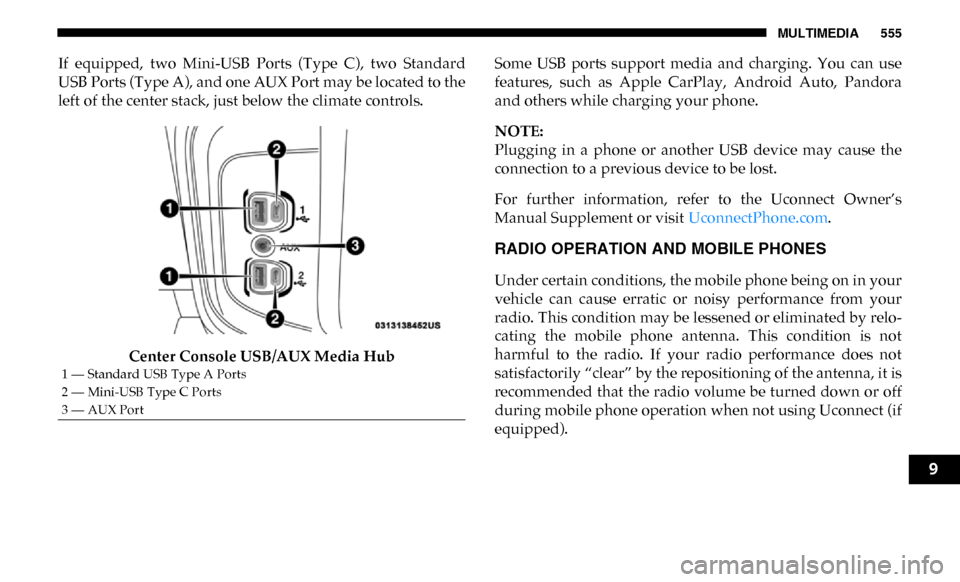
If equipped, two Mini-USB Ports (Type C), two Standard
USB Ports (Type A), and one AUX Port may be located to the
left of the center stack, just below the climate controls.Center Console USB/AUX Media Hub Some USB ports support media and charging. You can use
features, such as Apple CarPlay, Android Auto, Pandora
and others while charging your phone.
NOTE:
Plugging in a phone or another USB device may cause the
connection to a previous device to be lost.
For further information, refer to the Uconnect Owner’s
Manual Supplement or visit
UconnectPhone.com.
RADIO OPERATION AND MOBILE PHONES
Under certain conditions, the mobile phone being on in your
vehicle can cause erratic or noisy performance from your
radio. This condition may be lessened or eliminated by relo -
cating the mobile phone antenna. This condition is not
harmful to the radio. If your radio performance does not
satisfactorily “clear” by the repositioning of the antenna, it is
recommended that the radio volume be turned down or off
during mobile phone operation when not using Uconnect (if
equipped).
1 — Standard USB Type A Ports
2 — Mini-USB Type C Ports
3 — AUX Port
9