tires Ram 3500 Chassis Cab 2019 Owner's Guide
[x] Cancel search | Manufacturer: RAM, Model Year: 2019, Model line: 3500 Chassis Cab, Model: Ram 3500 Chassis Cab 2019Pages: 607, PDF Size: 10.72 MB
Page 334 of 607

332 STARTING AND OPERATING
NOTE:
• Front tires will be in image when the tires are turned.
• Due to wide angle cameras in mirror, the image willappear distorted.
• Top view will show which doors are open.
• Open front doors will remove outside image.
Rear View
This is the Default view of the system in REVERSE
and is always paired with the Top view of the
vehicle with optional active guide lines for the
projected path when enabled.
Rear Cross Path View
Pressing the Rear Cross Path soft key will give the
driver a wider angle view of the rear camera system.
The Top view will be disabled when this is selected.
Front View The Front view will show you what is immedi -
ately in front of the vehicle and is always paired
with the Top view of the vehicle. Front Cross Path View
Pressing the Front Cross Path soft key will give the
driver a wider angle view of the front camera system.
The Top view will be disabled when this is selected.
Rear View Camera Pressing the Backup Camera soft key will provide
a full screen rear view with Zoom View.
NOTE:
If the Backup Camera view was selected through the
Surround View Screen, exiting out of the Rear View Camera
screen will return to the Surround View Screen. If the Backup
Camera was manually activated through the Controls menu
of the Uconnect display, exiting out of the display screen will
return to the Controls menu.
Page 340 of 607

338 STARTING AND OPERATING
Payload
The payload of a vehicle is defined as the allowable load
weight a truck can carry, including the weight of the driver,
all passengers, options and cargo.
Gross Axle Weight Rating (GAWR)
The GAWR is the maximum permissible load on the front
and rear axles. The load must be distributed in the cargo area
so that the GAWR of each axle is not exceeded.
Each axle GAWR is determined by the components in the
system with the lowest load carrying capacity (axle, springs,
tires or wheels). Heavier axles or suspension components
sometimes specified by purchasers for increased durability
does not necessarily increase the vehicle's GVWR.
Tire Size
The tire size on the Vehicle Certification Label represents the
actual tire size on your vehicle. Replacement tires must be
equal to the load capacity of this tire size.
Rim Size
This is the rim size that is appropriate for the tire size listed.
Inflation Pressure
This is the cold tire inflation pressure for your vehicle for all
loading conditions up to full GAWR.
Curb Weight
The curb weight of a vehicle is defined as the total weight of
the vehicle with all fluids, including vehicle fuel, at full
capacity conditions, and with no occupants or cargo loaded
into the vehicle. The front and rear curb weight values are
determined by weighing your vehicle on a commercial scale
before any occupants or cargo are added.
Loading
The actual total weight and the weight of the front and rear
of your vehicle at the ground can best be determined by
weighing it when it is loaded and ready for operation.
The entire vehicle should first be weighed on a commercial
scale to insure that the GVWR has not been exceeded. The
weight on the front and rear of the vehicle should then be
determined separately to be sure that the load is properly
distributed over the front and rear axle. Weighing the vehicle
may show that the GAWR of either the front or rear axles has
been exceeded but the total load is within the specified
GVWR. If so, weight must be shifted from front to rear or
Page 349 of 607
STARTING AND OPERATING 347
(Continued)
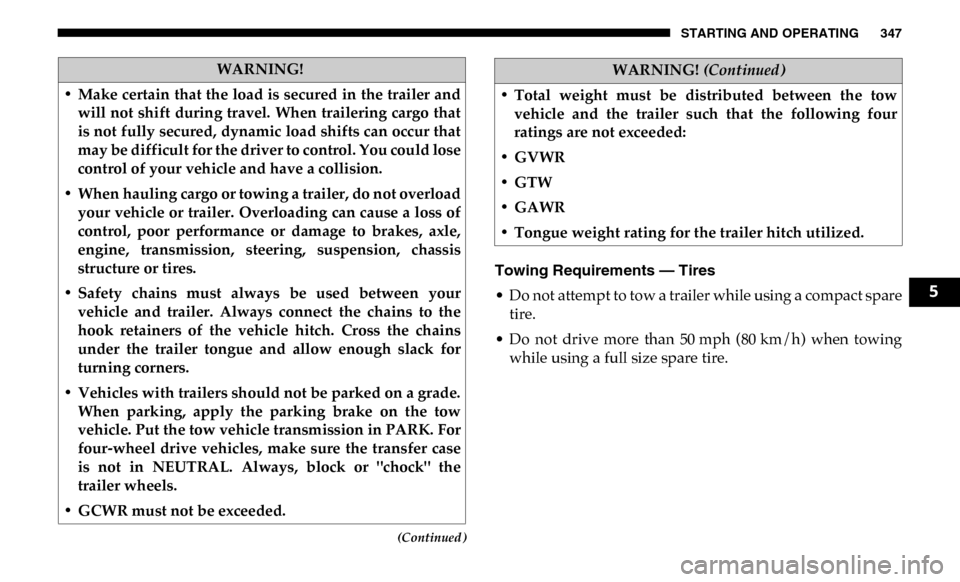
Towing Requirements — Tires
• Do not attempt to tow a trailer while using a compact sparetire.
• Do not drive more than 50 mph (80 km/h) when towing while using a full size spare tire.
WARNING!
• Make certain that the load is secured in the trailer and will not shift during travel. When trailering cargo that
is not fully secured, dynamic load shifts can occur that
may be difficult for the driver to control. You could lose
control of your vehicle and have a collision.
• When hauling cargo or towing a trailer, do not overload your vehicle or trailer. Overloading can cause a loss of
control, poor performance or damage to brakes, axle,
engine, transmission, steering, suspension, chassis
structure or tires.
• Safety chains must always be used between your vehicle and trailer. Always connect the chains to the
hook retainers of the vehicle hitch. Cross the chains
under the trailer tongue and allow enough slack for
turning corners.
• Vehicles with trailers should not be parked on a grade. When parking, apply the parking brake on the tow
vehicle. Put the tow vehicle transmission in PARK. For
four-wheel drive vehicles, make sure the transfer case
is not in NEUTRAL. Always, block or "chock" the
trailer wheels.
• GCWR must not be exceeded.
• Total weight must be distributed between the tow vehicle and the trailer such that the following four
ratings are not exceeded:
• GVWR
• GTW
• GAWR
• Tongue weight rating for the trailer hitch utilized.
WARNING! (Continued)
5
Page 350 of 607

348 STARTING AND OPERATING
• Proper tire inflation pressures are essential to the safe andsatisfactory operation of your vehicle. Refer to “Tires” in
“Servicing And Maintenance” for proper tire inflation
procedures.
• Check the trailer tires for proper tire inflation pressures before trailer usage.
• Check for signs of tire wear or visible tire damage before towing a trailer. Refer to “Tires” in “Servicing And Main -
tenance” for the proper inspection procedure.
• When replacing tires, refer to “Tires” in “Servicing And Maintenance” for the proper tire replacement procedures.
Replacing tires with a higher load carrying capacity will
not increase the vehicle's GVWR and GAWR limits.
Towing Requirements — Trailer Brakes
• Do not interconnect the hydraulic brake system or vacuum
system of your vehicle with that of the trailer. This could
cause inadequate braking and possible personal injury.
• An electronically actuated trailer brake controller is required when towing a trailer with electronically actu -
ated brakes. When towing a trailer equipped with a
hydraulic surge actuated brake system, an electronic brake
controller is not required.
• Trailer brakes are recommended for trailers over 1,000 lbs
(453 kg) and required for trailers in excess of 2,000 lbs (907 kg).
WARNING!
• Do not connect trailer brakes to your vehicle's hydraulic brake lines. It can overload your brake
system and cause it to fail. You might not have brakes
when you need them and could have an accident.
• Towing any trailer will increase your stopping distance. When towing, you should allow for addi -
tional space between your vehicle and the vehicle in
front of you. Failure to do so could result in an accident.
CAUTION!
If the trailer weighs more than 1,000 lbs (453 kg) loaded,
it should have its own brakes and they should be of
adequate capacity. Failure to do this could lead to
accelerated brake lining wear, higher brake pedal effort,
and longer stopping distances.
Page 352 of 607

350 STARTING AND OPERATING
GAIN Adjustment Buttons (+/-)
Pushing these buttons will adjust the brake control power
output to the trailer brakes in 0.5 increments. The GAIN
setting can be increased to a maximum of 10 or decreased to
a minimum of 0 (no trailer braking).
GAIN
The GAIN setting is used to set the trailer brake control for
the specific towing condition and should be changed as
towing conditions change. Changes to towing conditions
include trailer load, vehicle load, road conditions and
weather.
Adjusting GAIN
NOTE:
This should only be performed in a traffic free environment
at speeds of approximately 20–25 mph (30–40 km/h).
1. Make sure the trailer brakes are in good working condi-
tion, functioning normally and properly adjusted. See
your trailer dealer if necessary.
2. Hook up the trailer and make the electrical connections according to the trailer manufacturer's instructions. 3. When a trailer with electric/EOH brakes is plugged in,
the trailer connected message should appear in the
instrument cluster display (if the connection is not recog -
nized by the ITBM, braking functions will not be avail -
able), the GAIN setting will illuminate and the correct
type of trailer must be selected from the instrument
cluster display options.
4. Push the UP or DOWN button on the steering wheel until “TRAILER TOW” appears on the screen.
5. Push the RIGHT arrow on the steering wheel to enter “TRAILER TOW”.
6. Push the UP or DOWN buttons until the Trailer Brake Type appears on the screen.
7. Push the RIGHT arrow and then push the UP or DOWN buttons until the proper Trailer Brake Type appears on
the screen.
8. In a traffic-free environment, tow the trailer on a dry, level surface at a speed of 20–25 mph (30–40 km/h) and
squeeze the manual brake control lever completely.
9. If the trailer wheels lockup (indicated by squealing tires), reduce the GAIN setting; if the trailer wheels turn freely,
increase the GAIN setting.
Page 393 of 607

IN CASE OF EMERGENCY 391
4500/5500 Models
These vehicles do not come equipped with a jack.
NOTE:
Jacking and tire changing on 4500/5500 models should be
performed by an authorized dealer, or knowledgeable
service personnel with the appropriate heavy duty equip-
ment, like a tire service company.
Preparations For Jacking
1. Park the vehicle on a firm, level surface. Avoid ice or slip -
pery areas.
2. Place the gear selector into PARK. On four-wheel drive vehicles, shift the transfer case to the 4L position.
3. Turn on the Hazard Warning flasher.
4. Apply the parking brake.
5. Turn the ignition OFF.
• The jack is designed to be used as a tool for changing
tires only. The jack should not be used to lift the
vehicle for service purposes. The vehicle should be
jacked on a firm level surface only. Avoid ice or slip -
pery areas.
WARNING! (Continued)
WARNING!
Do not attempt to change a tire on the side of the vehicle
close to moving traffic. Pull far enough off the road to
avoid being hit when operating the jack or changing the
wheel.
6
Page 395 of 607

IN CASE OF EMERGENCY 393
Jack Warning Label1. If equipped, remove the spare wheel, jack, and tools from
storage.
2. Using the lug wrench, loosen, but do not remove, the lug nuts by turning them counterclockwise one turn while
the wheel is still on the ground.
• To assure that spare tires, flat or inflated, are securely
stowed, spares must be stowed with the valve stem
facing the ground.
WARNING! (Continued)CAUTION!
Do not attempt to raise the vehicle by jacking on
locations other than those indicated in the Jacking
Instructions for this vehicle.
6
Page 396 of 607

394 IN CASE OF EMERGENCY
3. When changing the front wheel, assemble the jack driverto the jack and connect the jack driver to the extension
tube. Place the jack under the axle as close to the tire as
possible with the jack driver extending to the front.
Connect the extension tubes and lug wrench.
Front Jacking Locations
When changing a rear wheel, assemble the jack driver to
the jack and connect the jack driver to the extension tubes.
Securely place the jack under the sway bar bracket (unless
both tires are flat on one side, then place jack under shock
bracket) facing forward in vehicle. Connect the extension
tubes and lug wrench. Rear Jacking Location
Before raising the wheel off the ground, make sure that
the jack will not damage surrounding truck parts and
adjust the jack position as required.
NOTE:
If the jack will not lower by turning the dial (thumbwheel) by
hand, it may be necessary to use the jack driver in order to
lower the jack.
4. By rotating the lug wrench clockwise, raise the vehicle until the wheel just clears the surface.
Page 398 of 607

396 IN CASE OF EMERGENCY
Dual Rear Wheels
Slots in the wheels will assist in properly orienting the inner
and outer wheels. Align these slots when assembling the
wheels for best access to the tire valve on the inner wheel.
The tires of both dual wheels must be completely off the
ground when tightening to insure wheel centering and
maximum wheel clamping.
Dual wheel models require a special heavy-duty lug nut
tightening adapter (included with the vehicle) to correctly
tighten the lug nuts. Also, when it is necessary to remove and
install dual rear wheels, use a proper vehicle lifting device.
NOTE:
When installing a spare tire (if equipped) as part of a dual
rear wheel end combination, the tire diameter of the two
individual tires must be compared. If there is a significant
difference, the larger tire should be installed in a front loca-
tion. The correct direction of rotation for dual tire installa -
tions must also be observed
It is recommended that wheel stud nuts be kept torqued to
specifications at all times. Torque wheel stud nuts to specifi -
cations at each lubrication interval.
Refer to “Wheel And Tire Torque Specifications” in “Tech -
nical Specifications” for further information. Wheel Nuts
All wheel nuts should be tightened occasionally to eliminate
the possibility of wheel studs being sheared or the bolt holes
in the wheels becoming elongated. This is especially
important during the first few hundred miles/kilometers of
operation to allow the wheel nuts to become properly set. All
wheel nuts should first be firmly seated against the wheel.
The wheel nuts should then be tightened to recommended
torque. Tighten the wheel nuts to final torque in increments.
Progress around the bolt circle, tightening the wheel nut
opposite to the wheel nut just previously tightened until
final torque is achieved.
Refer to “Wheel And Tire Torque Specifications” in “Tech
-
nical Specifications” for further information.
To Stow The Flat Or Spare — If Equipped
Refer to Upfitters Body Builder’s Guide for information on
stowing your spare tire (if equipped).
Page 407 of 607
IN CASE OF EMERGENCY 405
(Continued)
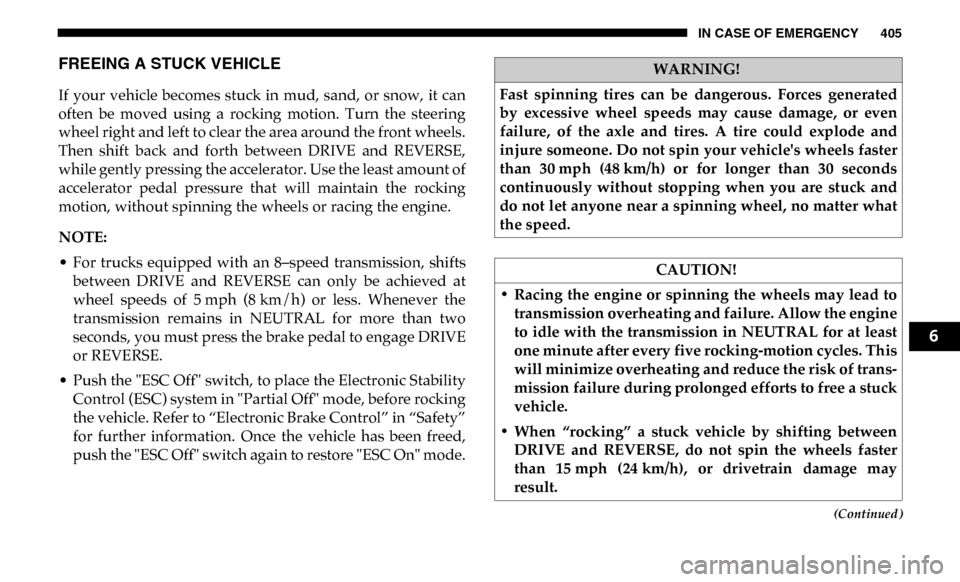
FREEING A STUCK VEHICLE
If your vehicle becomes stuck in mud, sand, or snow, it can
often be moved using a rocking motion. Turn the steering
wheel right and left to clear the area around the front wheels.
Then shift back and forth between DRIVE and REVERSE,
while gently pressing the accelerator. Use the least amount of
accelerator pedal pressure that will maintain the rocking
motion, without spinning the wheels or racing the engine.
NOTE:
• For trucks equipped with an 8–speed transmission, shiftsbetween DRIVE and REVERSE can only be achieved at
wheel speeds of 5 mph (8 km/h) or less. Whenever the
transmission remains in NEUTRAL for more than two
seconds, you must press the brake pedal to engage DRIVE
or REVERSE.
• Push the "ESC Off" switch, to place the Electronic Stability Control (ESC) system in "Partial Off" mode, before rocking
the vehicle. Refer to “Electronic Brake Control” in “Safety”
for further information. Once the vehicle has been freed,
push the "ESC Off" switch again to restore "ESC On" mode.
WARNING!
Fast spinning tires can be dangerous. Forces generated
by excessive wheel speeds may cause damage, or even
failure, of the axle and tires. A tire could explode and
injure someone. Do not spin your vehicle's wheels faster
than 30 mph (48 km/h) or for longer than 30 seconds
continuously without stopping when you are stuck and
do not let anyone near a spinning wheel, no matter what
the speed.
CAUTION!
• Racing the engine or spinning the wheels may lead to transmission overheating and failure. Allow the engine
to idle with the transmission in NEUTRAL for at least
one minute after every five rocking-motion cycles. This
will minimize overheating and reduce the risk of trans -
mission failure during prolonged efforts to free a stuck
vehicle.
• When “rocking” a stuck vehicle by shifting between DRIVE and REVERSE, do not spin the wheels faster
than 15 mph (24 km/h), or drivetrain damage may
result.
6