reset Ram 4500 Chassis Cab 2018 User Guide
[x] Cancel search | Manufacturer: RAM, Model Year: 2018, Model line: 4500 Chassis Cab, Model: Ram 4500 Chassis Cab 2018Pages: 529, PDF Size: 5.89 MB
Page 142 of 529
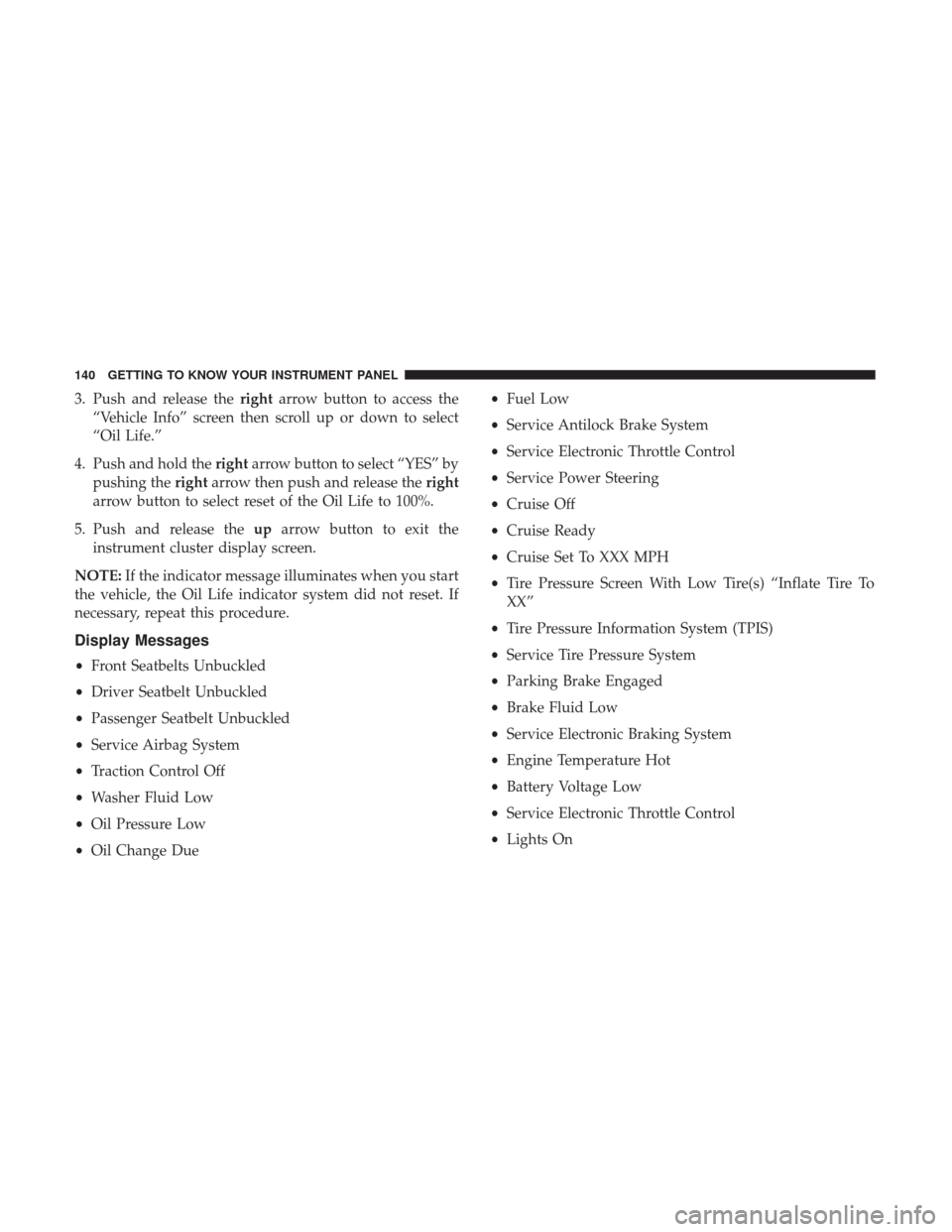
3. Push and release therightarrow button to access the
“Vehicle Info” screen then scroll up or down to select
“Oil Life.”
4. Push and hold the rightarrow button to select “YES” by
pushing the rightarrow then push and release the right
arrow button to select reset of the Oil Life to 100%.
5. Push and release the uparrow button to exit the
instrument cluster display screen.
NOTE: If the indicator message illuminates when you start
the vehicle, the Oil Life indicator system did not reset. If
necessary, repeat this procedure.
Display Messages
• Front Seatbelts Unbuckled
• Driver Seatbelt Unbuckled
• Passenger Seatbelt Unbuckled
• Service Airbag System
• Traction Control Off
• Washer Fluid Low
• Oil Pressure Low
• Oil Change Due •
Fuel Low
• Service Antilock Brake System
• Service Electronic Throttle Control
• Service Power Steering
• Cruise Off
• Cruise Ready
• Cruise Set To XXX MPH
• Tire Pressure Screen With Low Tire(s) “Inflate Tire To
XX”
• Tire Pressure Information System (TPIS)
• Service Tire Pressure System
• Parking Brake Engaged
• Brake Fluid Low
• Service Electronic Braking System
• Engine Temperature Hot
• Battery Voltage Low
• Service Electronic Throttle Control
• Lights On
140 GETTING TO KNOW YOUR INSTRUMENT PANEL
Page 143 of 529

•Right Turn Signal Light Out
• Left Turn Signal Light Out
• Turn Signal On
• Sound Horn With Remote Lock: Off; 1st Press; 2nd Press
• Vehicle Not In Park
• Key In Ignition
• Key In Ignition Lights On
• Remote Start Active Key To Run
• Remote Start Active Push Start Button
• Remote Start Aborted Fuel Low
• Remote Start Aborted Too Cold
• Remote Start Aborted Door Open
• Remote Start Aborted Hood Open
• Remote Start Aborted Trunk Open
• Remote Start Aborted Time Expired
• Remote Start Disabled Start To Reset
• Service Airbag System
• Service Airbag Warning Light •
Driver Seatbelt Unbuckled
• Passenger Seatbelt Unbuckled
• Front Seatbelts Unbuckled
• Door Open
• Doors Open
• Gear Not Available
• Shift Not Allowed
• Shift to Neutral Then Drive Or Reverse
• Autostick Unavailable Service Required
• Automatic Unavailable Use Autostick Service Req.
• Transmission Getting Hot Push Brake
• Trans. Hot Stop Safely Shift To Park Wait To Cool
• Transmission Cool Ready To Drive
• Trailer Brake Disconnected
• Service Transmission
• Service Shifter
• Engage Park Brake To Prevent Rolling
• Transmission Too Cold Idle With Engine On
4
GETTING TO KNOW YOUR INSTRUMENT PANEL 141
Page 144 of 529
•Washer Fluid Low
The Reconfigurable Telltales section is divided into the
white telltales area on the right, yellow telltales in the
middle, and red telltales on the left.
Display Menu Items
Push and release the upordown arrow button until the
desired selectable menu icon is highlighted in the instru-
ment cluster display.
Speedometer
Push and release the upordown arrow button until the
speedometer menu item is highlighted in the instrument
cluster display. Push and release the rightarrow button to
cycle the display between mph and km/h.
Vehicle Info
Push and release the upordown arrow button until the
Vehicle Info menu item is highlighted in the instrument
cluster display. Push and release the rightarrow button to
enter the submenus items of Vehicle Info. Follow the
directional prompts to access or reset any of the following
Vehicle Info submenu items:
• Tire Pressure
• Transmission Temp (Automatic only) •
Oil Temp
• Oil Life
• Coolant Temp — If Equipped
• Oil Pressure — If Equipped
• Battery Voltage — If Equipped
• Gauge Summary — If Equipped
• Engine Hours
Fuel Economy
Push and release the upordown arrow button until the
Fuel Economy menu item is highlighted in the instrument
cluster display. Push and Hold the rightarrow button to
reset Average Fuel Economy.
• Current Fuel Economy Gauge
• Average Fuel Economy Value
• Range To Empty
• Dual Fuel Tank levels — If Equipped
• Push and release the rightarrow button to display the
Fuel Tank Level submenu item. Your instrument cluster
display will display the fuel levels of the Front and Rear
fuel tanks. The fuel is automatically transferred from the
142 GETTING TO KNOW YOUR INSTRUMENT PANEL
Page 145 of 529
Rear tank to the Front tank based on both tank levels.
Fuel transfer is complete once the Front Fuel Level is
greater than the Rear Fuel Level.
Trip A/Trip B
Push and release theupordown arrow button until the
Trip menu item is highlighted in the instrument cluster
display. Push and release the rightarrow button to enter
the submenus of Trip A and Trip B. The Trip A or Trip B
information will display the following:
• Distance
• Average Fuel Economy
• Elapsed Time
Push and hold rightarrow button to reset all information.
Trailer Tow
Push and release the upordown arrow button until the
Trailer Tow menu item is highlighted in the instrument
cluster display. Push and release the rightarrow button
and the next screen will display the following trailer trip
information:
• Trip (trailer specific) Distance: Push and hold the right
arrow button to reset the distance. •
Trailer Brake
• Output
• Type
• Gain
Audio
Push and release the upordown arrow button until the
Audio display icon is highlighted in the instrument cluster
display. Push and release the rightarrow button to display
the active source.
Stored Messages
Push and release the upordown arrow button until the
Messages Menu item is highlighted. This feature shows the
number of stored warning messages. Pushing the right
arrow button will allow you to see what the stored
messages are.
When no messages are present, main menu icon will be a
closed envelope.
Screen Setup Menu Item
Push and release the upordown arrow button until the
Screen Setup menu item is highlighted in the instrument
cluster display. Push and release the rightarrow button to
enter the Screen Setup submenu. The Screen Setup feature
4
GETTING TO KNOW YOUR INSTRUMENT PANEL 143
Page 148 of 529
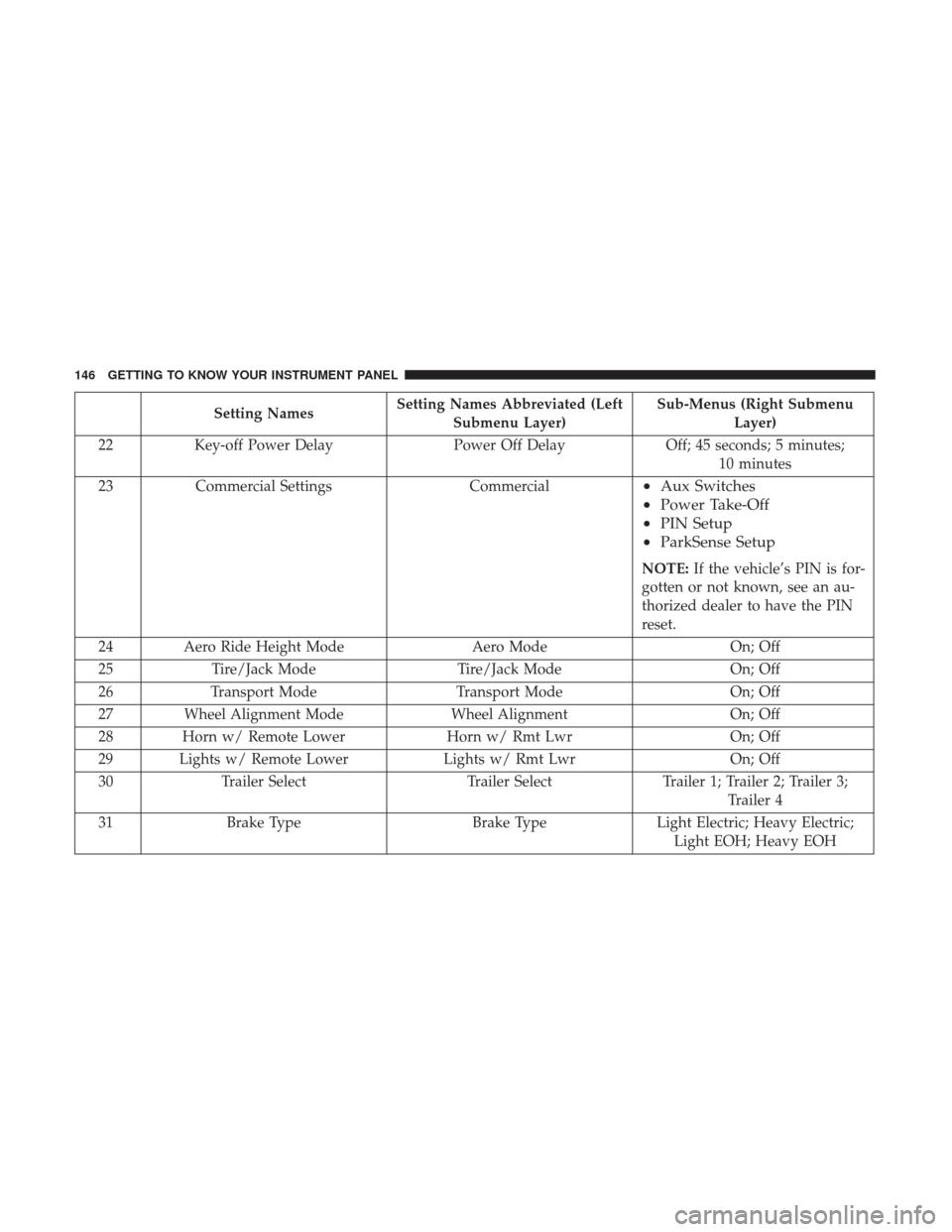
Setting NamesSetting Names Abbreviated (Left
Submenu Layer) Sub-Menus (Right Submenu
Layer)
22 Key-off Power Delay Power Off DelayOff; 45 seconds; 5 minutes;
10 minutes
23 Commercial Settings Commercial
•Aux Switches
• Power Take-Off
• PIN Setup
• ParkSense Setup
NOTE: If the vehicle’s PIN is for-
gotten or not known, see an au-
thorized dealer to have the PIN
reset.
24 Aero Ride Height Mode Aero ModeOn; Off
25 Tire/Jack Mode Tire/Jack Mode On; Off
26 Transport Mode Transport Mode On; Off
27 Wheel Alignment Mode Wheel AlignmentOn; Off
28 Horn w/ Remote Lower Horn w/ Rmt LwrOn; Off
29 Lights w/ Remote Lower Lights w/ Rmt LwrOn; Off
30 Trailer Select Trailer SelectTrailer 1; Trailer 2; Trailer 3;
Trailer 4
31 Brake Type Brake TypeLight Electric; Heavy Electric;
Light EOH; Heavy EOH
146 GETTING TO KNOW YOUR INSTRUMENT PANEL
Page 209 of 529

Enhanced Accident Response System Reset
Procedure
In order to reset the Enhanced Accident Response System
functions after an event, the ignition switch must be
changed from ignition START or ON/RUN to ignition OFF.
Carefully check the vehicle for fuel leaks in the engine
compartment and on the ground near the engine compart-
ment and fuel tank before resetting the system and starting
the engine.
Maintaining Your Air Bag System
WARNING!
•Modifications to any part of the air bag system could
cause it to fail when you need it. You could be
injured if the air bag system is not there to protect
you. Do not modify the components or wiring, in-
cluding adding any kind of badges or stickers to the
steering wheel hub trim cover or the upper right side
of the instrument panel. Do not modify the front
bumper, vehicle body structure, or add aftermarket
side steps or running boards.
(Continued)
WARNING! (Continued)
•It is dangerous to try to repair any part of the air bag
system yourself. Be sure to tell anyone who works on
your vehicle that it has an air bag system.
• Do not attempt to modify any part of your air bag
system. The air bag may inflate accidentally or may
not function properly if modifications are made.
Take your vehicle to an authorized dealer for any air
bag system service. If your seat, including your trim
cover and cushion, needs to be serviced in any way
(including removal or loosening/tightening of seat
attachment bolts), take the vehicle to your authorized
dealer. Only manufacturer approved seat accessories
may be used. If it is necessary to modify the air bag
system for persons with disabilities, contact your
authorized dealer.
Event Data Recorder (EDR)
This vehicle is equipped with an event data recorder
(EDR). The main purpose of an EDR is to record, in certain
crash or near crash-like situations, such as an air bag
deployment or hitting a road obstacle, data that will assist
in understanding how a vehicle’s systems performed. The
EDR is designed to record data related to vehicle dynamics
5
SAFETY 207
Page 255 of 529

NOTE:Use caution when operating a heavily loaded vehicle
at low speeds (such as towing a trailer up a steep grade, or in
stop-and-go traffic) during hot weather. In these conditions,
torque converter slip can impose a significant additional heat
load on the cooling system. Downshifting the transmission to
the lowest possible gear (when climbing a grade), or shifting
to NEUTRAL (when stopped in heavy traffic) can help to
reduce this excess heat generation.
During cold temperatures, transmission operation may be
modified depending on engine and transmission tempera-
ture as well as vehicle speed. This feature improves warm
up time of the engine and transmission to achieve maxi-
mum efficiency. Engagement of the torque converter clutch
is inhibited until the transmission fluid is warm (refer to
the “Note” under “Torque Converter Clutch” in this sec-
tion).
On models with 66RFE transmission, top overdrive gear is
also inhibited until the transmission fluid is warm, and
during extremely cold temperatures (-16°F [-27°C] or be-
low), operation may briefly be limited to first and direct
gears only. On trucks with AS66RC transmission, fifth and
sixth gears may be inhibited briefly on cold starts below
41°F (5°C), and during very cold temperatures (-4°F [-20°C]
or below), operation may briefly be limited to third gear only. During this condition, the ability of the vehicle to
accelerate under heavily loaded conditions may be re-
duced. In all cases, normal operation will resume once the
transmission temperature has risen to a suitable level.
Transmission Limp Home Mode
Transmission function is monitored electronically for ab-
normal conditions. If a condition is detected that could
result in transmission damage, Transmission Limp Home
Mode is activated. In this mode, the transmission remains
in fourth gear (for 66RFE transmission) or third gear (for
AS66RC transmission) regardless of which forward gear is
selected. If an AS66RC equipped truck enters Limp Home
Mode at highway speeds, it will initially engage fifth gear,
until the vehicle slows to a speed where third gear can be
engaged. PARK, REVERSE, and NEUTRAL will continue
to operate. The Malfunction Indicator Light (MIL) may be
illuminated. Limp Home Mode allows the vehicle to be
driven to an authorized dealer for service without damag-
ing the transmission.
In the event of a momentary problem, the transmission can
be reset to regain all forward gears by performing the
following steps:
1. Stop the vehicle.
6
STARTING AND OPERATING 253
Page 256 of 529

2. Shift the transmission into PARK.
3. Turn the ignition OFF.
4. Wait approximately 10 seconds.
5. Restart the engine.
6. Shift into the desired gear range. If the problem is nolonger detected, the transmission will return to normal
operation.
NOTE: Even if the transmission can be reset, we recom-
mend that you visit your authorized dealer at your earliest
possible convenience. Your authorized dealer has diagnos-
tic equipment to assess the condition of your transmission.
If the transmission cannot be reset, authorized dealer
service is required.
Electronic Range Select (ERS) Operation
The Electronic Range Select (ERS) shift control allows the
driver to limit the highest available gear when the trans-
mission is in DRIVE. For example, if you set the transmis-
sion gear limit to 4 (fourth gear), the transmission will not
shift above fourth gear, but will shift through the lower
gears normally. You can switch between DRIVE and ERS mode at any
vehicle speed. When the gear selector is in the DRIVE
position, the transmission will operate automatically, shift-
ing between all available gears. Tapping the ERS (-) switch
will activate ERS mode, display the current gear in the
instrument cluster, and set that gear as the top available
gear. Once in ERS mode, tapping (-) or (+) will change the
top available gear.
To exit ERS mode, simply push and hold the ERS (+) switch
until the gear limit display disappears from the instrument
cluster.
Column Gear Selector
254 STARTING AND OPERATING
Page 270 of 529
•Parking brake must not be applied.
• Brake pedal must not be applied.
• No vehicle, brake or clutch switch faults present.
• Vehicle engine must be running.
• PTO must be correctly installed using the vehicle pro-
vided circuits.
The customer may choose to use the PTO while the vehicle
is moving. To do so, the PTO function must be activated
prior to taking the vehicle out of PARK. This is accom-
plished by activating the upfitter-provided PTO on/off
switch. At this point, the customer may place the vehicle in
a forward or reverse gear and have PTO operation once the
vehicle begins to move. To disengage PTO operation and
return to “standard vehicle operation” simply toggle the
on/off switch to the OFF position.
NOTE: For application specific information with respect
to PTO and pump requirements and additional vehicle
information (wiring schematics, preset idle values, engine
speed limits, and vehicle hardware and software require-
ments) please refer to the Body Builders Guide by access-
ing rambodybuilder.com and choosing the appropriate
links.POWER STEERING
Hydraulic Power Steering
The standard power steering system will give you good
vehicle response and increased ease of maneuverability in
tight spaces. The system will provide mechanical steering
capability if power assist is lost.
If for some reason the power assist is interrupted, it will
still be possible to steer your vehicle. Under these condi-
tions, you will observe a substantial increase in steering
effort, especially at very low vehicle speeds and during
parking maneuvers.
NOTE:
• Increased noise levels at the end of the steering wheel
travel are considered normal and do not indicate that
there is a problem with the power steering system.
• Upon initial start-up in cold weather, the power steering
pump may make noise for a short amount of time. This
is due to the cold, thick fluid in the steering system. This
noise should be considered normal, and it does not in
any way damage the steering system.
268 STARTING AND OPERATING
Page 272 of 529
SPEED CONTROL
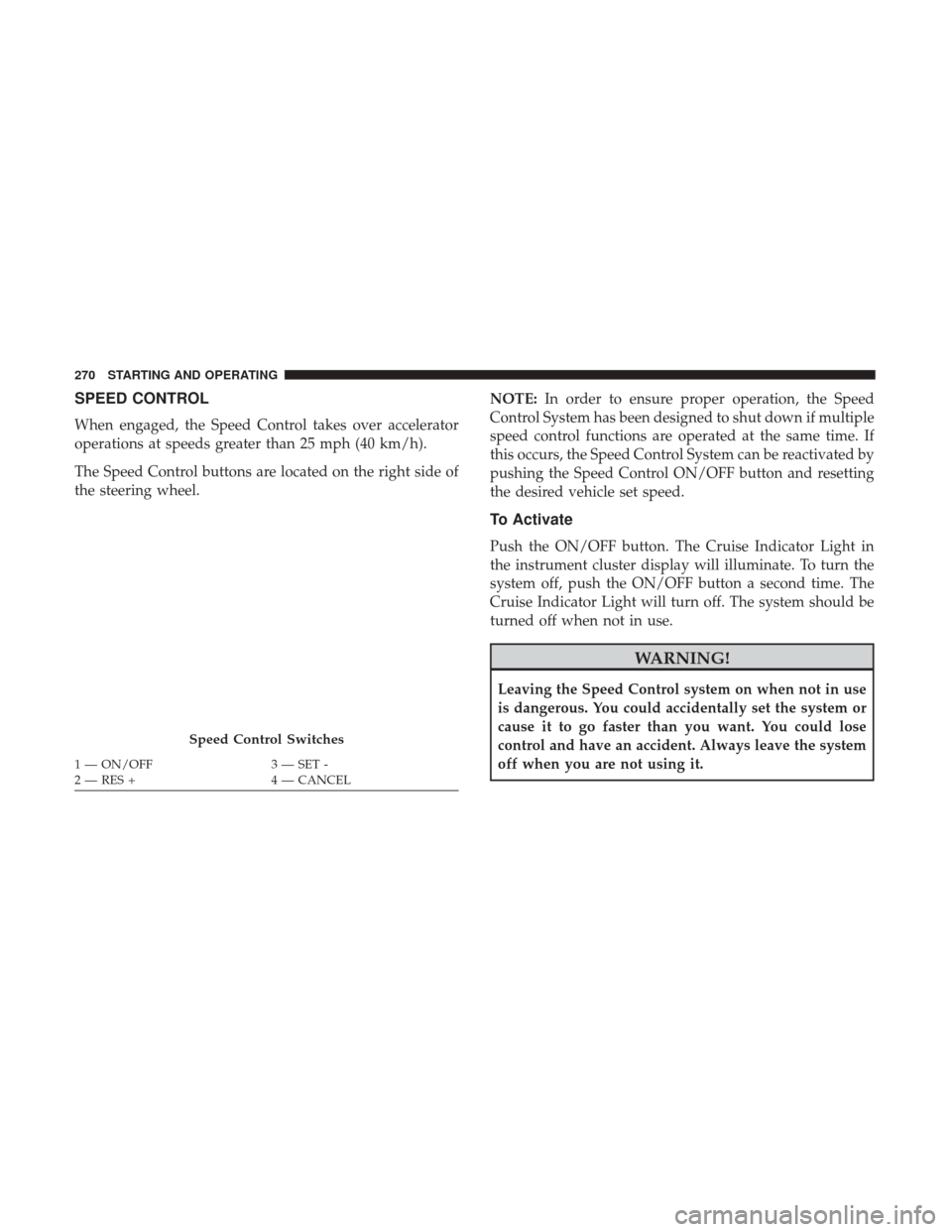
When engaged, the Speed Control takes over accelerator
operations at speeds greater than 25 mph (40 km/h).
The Speed Control buttons are located on the right side of
the steering wheel.NOTE:
In order to ensure proper operation, the Speed
Control System has been designed to shut down if multiple
speed control functions are operated at the same time. If
this occurs, the Speed Control System can be reactivated by
pushing the Speed Control ON/OFF button and resetting
the desired vehicle set speed.
To Activate
Push the ON/OFF button. The Cruise Indicator Light in
the instrument cluster display will illuminate. To turn the
system off, push the ON/OFF button a second time. The
Cruise Indicator Light will turn off. The system should be
turned off when not in use.
WARNING!
Leaving the Speed Control system on when not in use
is dangerous. You could accidentally set the system or
cause it to go faster than you want. You could lose
control and have an accident. Always leave the system
off when you are not using it.
Speed Control Switches
1 — ON/OFF 3 — SET -
2 — RES + 4 — CANCEL
270 STARTING AND OPERATING