air condition Ram 4500 Chassis Cab 2019 User Guide
[x] Cancel search | Manufacturer: RAM, Model Year: 2019, Model line: 4500 Chassis Cab, Model: Ram 4500 Chassis Cab 2019Pages: 607, PDF Size: 10.72 MB
Page 130 of 607
128 GETTING TO KNOW YOUR INSTRUMENT PANEL
INSTRUMENT CLUSTER DISPLAY
Your vehicle will be equipped with an instrument cluster
display, which offers useful information to the driver. With
the ignition in the STOP/OFF mode, opening/closing of a
door will activate the display for viewing, and display the
total miles, or kilometers, in the odometer. Your instrument
cluster display is designed to display important information
about your vehicle’s systems and features. Using a driver
interactive display located on the instrument panel, your
instrument cluster display can show you how systems are
working and give you warnings when they are not. The
steering wheel mounted controls allow you to scroll through
the main menus and submenus. You can access the specific
information you want and make selections and adjustments.
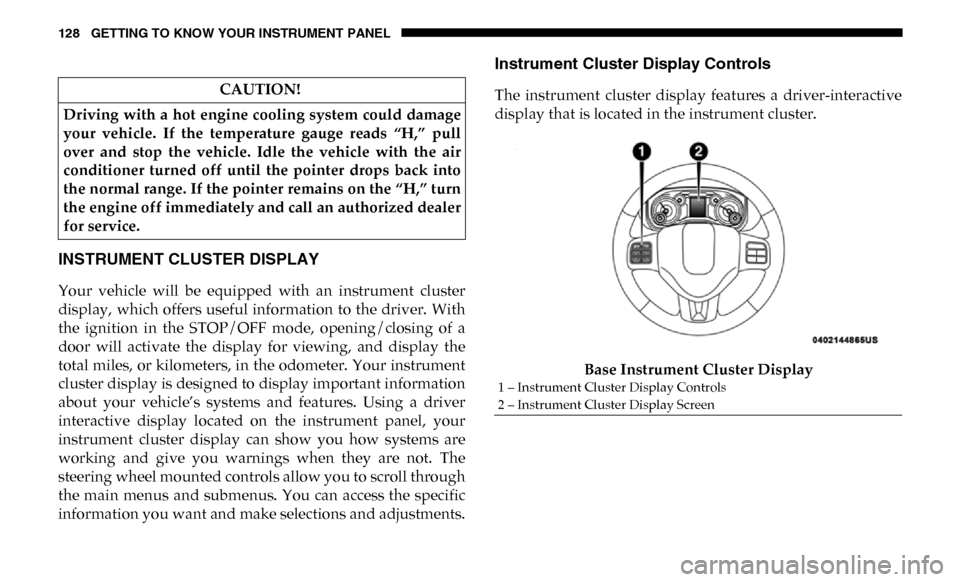
Instrument Cluster Display Controls
The instrument cluster display features a driver-interactive
display that is located in the instrument cluster.Base Instrument Cluster Display
CAUTION!
Driving with a hot engine cooling system could damage
your vehicle. If the temperature gauge reads “H,” pull
over and stop the vehicle. Idle the vehicle with the air
conditioner turned off until the pointer drops back into
the normal range. If the pointer remains on the “H,” turn
the engine off immediately and call an authorized dealer
for service.
1 – Instrument Cluster Display Controls
2 – Instrument Cluster Display Screen
Page 148 of 607

146 GETTING TO KNOW YOUR INSTRUMENT PANEL
WARNING LIGHTS AND MESSAGES
The warning/indicator lights will illuminate in the instru-
ment panel together with a dedicated message and/or
acoustic signal when applicable. These indications are indic-
ative and precautionary and as such must not be considered
as exhaustive. Always refer to the information in this chapter
in the event of a failure indication. All active telltales will
display first if applicable. The system check menu may
appear different based upon equipment options and current
vehicle status. Some telltales are optional and may not
appear.
Red Warning Lights
— Seat Belt Reminder Warning Light
This warning light indicates when the driver or passenger
seat belt is unbuckled. When the ignition is first placed in the
ON/RUN or ACC/ON/RUN position and if the driver’s
seat belt is unbuckled, a chime will sound and the light will
turn on. When driving, if the driver or front passenger seat
belt remains unbuckled, the Seat Belt Reminder Light will
flash or remain on continuously and a chime will sound.
Refer to “Occupant Restraint Systems” in “Safety” for
further information. — Air Bag Warning Light
This warning light will illuminate to indicate a fault with the
air bag, and will turn on for four to eight seconds as a bulb
check when the ignition is placed in the ON/RUN or ACC/
ON/RUN position. This light will illuminate with a single
chime when a fault with the air bag has been detected, it will
stay on until the fault is cleared. If the light is either not on
during startup, stays on, or turns on while driving, have the
system inspected at an authorized dealer as soon as possible.
— Brake Warning Light
This warning light monitors various brake functions,
including brake fluid level and parking brake application. If
the brake light turns on it may indicate that the parking
brake is applied, that the brake fluid level is low, or that there
is a problem with the anti-lock brake system reservoir.
If the light remains on when the parking brake has been
disengaged, and the fluid level is at the full mark on the
master cylinder reservoir, it indicates a possible brake
hydraulic system malfunction or that a problem with the
Brake Booster has been detected by the Anti-Lock Brake
System (ABS) / Electronic Stability Control (ESC) system. In
this case, the light will remain on until the condition has been
corrected. If the problem is related to the brake booster, the
Page 149 of 607
GETTING TO KNOW YOUR INSTRUMENT PANEL 147
ABS pump will run when applying the brake, and a brake
pedal pulsation may be felt during each stop.
The dual brake system provides a reserve braking capacity in
the event of a failure to a portion of the hydraulic system. A
leak in either half of the dual brake system is indicated by the
Brake Warning Light, which will turn on when the brake
fluid level in the master cylinder has dropped below a spec-
ified level.
The light will remain on until the cause is corrected.
NOTE:
The light may flash momentarily during sharp cornering
maneuvers, which change fluid level conditions. The vehicle
should have service performed, and the brake fluid level
checked.
If brake failure is indicated, immediate repair is necessary. Vehicles equipped with the Anti-Lock Brake System (ABS)
are also equipped with Electronic Brake Force Distribution
(EBD). In the event of an EBD failure, the Brake Warning
Light will turn on along with the ABS Light. Immediate
repair to the ABS system is required.
Operation of the Brake Warning Light can be checked by
turning the ignition switch from the OFF position to the ON/
RUN position. The light should illuminate for approximately
two seconds. The light should then turn off unless the
parking brake is applied or a brake fault is detected. If the
light does not illuminate, have the light inspected by an
authorized dealer.
The light also will turn on when the parking brake is applied
with the ignition switch in the ON/RUN position.
NOTE:
This light shows only that the parking brake is applied. It
does not show the degree of brake application.
— Hood Open Warning Light
This warning light will illuminate when the hood is ajar/
open and not fully closed.
NOTE:
If the vehicle is moving, there will also be a single chime.
WARNING!
Driving a vehicle with the red brake light on is
dangerous. Part of the brake system may have failed. It
will take longer to stop the vehicle. You could have a
collision. Have the vehicle checked immediately.
3
Page 154 of 607
152 GETTING TO KNOW YOUR INSTRUMENT PANEL
— Low Washer Fluid Warning Light — If Equipped
This warning light will illuminate when the windshield
washer fluid is low.
— Low Fuel Warning Light
When the fuel level reaches approximately 3.2 gal (12 L) this
light will turn on, and remain on until fuel is added.
A single warning chime will sound with Low Fuel Warning.
— Low Coolant Level Warning Light
This telltale will turn on to indicate the vehicle coolant level
is low.
— Loose Fuel Filler Cap Warning Light — If Equipped
This warning light will illuminate when the fuel filler cap is
loose. Properly close the filler cap to disengage the light. If
the light does not turn off, please see an authorized dealer. — Tire Pressure Monitoring System (TPMS) Warning
Light
The warning light switches on and a message is displayed to
indicate that the tire pressure is lower than the recom -
mended value and/or that slow pressure loss is occurring. In
these cases, optimal tire duration and fuel consumption may
not be guaranteed.
Should one or more tires be in the condition mentioned
above, the display will show the indications corresponding
to each tire.
Each tire, including the spare (if provided), should be checked
monthly when cold and inflated to the inflation pressure
recommended by the vehicle manufacturer on the vehicle
placard or tire inflation pressure label. (If your vehicle has tires
of a different size than the size indicated on the vehicle placard
or tire inflation pressure label, you should determine the
proper tire inflation pressure for those tires.)
CAUTION!
Do not continue driving with one or more flat tires as
handling may be compromised. Stop the vehicle, avoiding
sharp braking and steering. If a tire puncture occurs, repair
immediately using the dedicated tire repair kit and contact
an authorized dealer as soon as possible.
Page 160 of 607
158 GETTING TO KNOW YOUR INSTRUMENT PANEL
— Hill Descent Control (HDC) Indicator Light — If
Equipped
This indicator shows when the Hill Descent Control (HDC)
feature is turned on. The lamp will be on solid when HDC is
armed. HDC can only be armed when the transfer case is in
the “4WD LOW” position and the vehicle speed is less then
20 mph (32 km/h). If these conditions are not met while
attempting to use the HDC feature, the HDC indicator light
will flash on/off.
Blue Indicator Lights
— High Beam Indicator Light
This indicator light will illuminate to indicate that the high
beam headlights are on. With the low beams activated, push
the multifunction lever forward (toward the front of the
vehicle) to turn on the high beams. Pull the multifunction
lever rearward (toward the rear of the vehicle) to turn off the
high beams. If the high beams are off, pull the lever toward
you for a temporary high beam on, "flash to pass" scenario.
ONBOARD DIAGNOSTIC SYSTEM — OBD II
Your vehicle is equipped with a sophisticated Onboard
Diagnostic system called OBD II. This system monitors the
performance of the emissions, engine, and transmission
control systems. When these systems are operating properly,
your vehicle will provide excellent performance and fuel
economy, as well as engine emissions well within current
government regulations.
If any of these systems require service, the OBD II system
will turn on the Malfunction Indicator Light (MIL). It will
also store diagnostic codes and other information to assist
your service technician in making repairs. Although your
vehicle will usually be drivable and not need towing, see an
authorized dealer for service as soon as possible.
CAUTION!
• Prolonged driving with the MIL on could cause further damage to the emission control system. It could also
affect fuel economy and driveability. The vehicle must
be serviced before any emissions tests can be
performed.
• If the MIL is flashing while the vehicle is running, severe catalytic converter damage and power loss will
soon occur. Immediate service is required.
Page 164 of 607
162 SAFETY
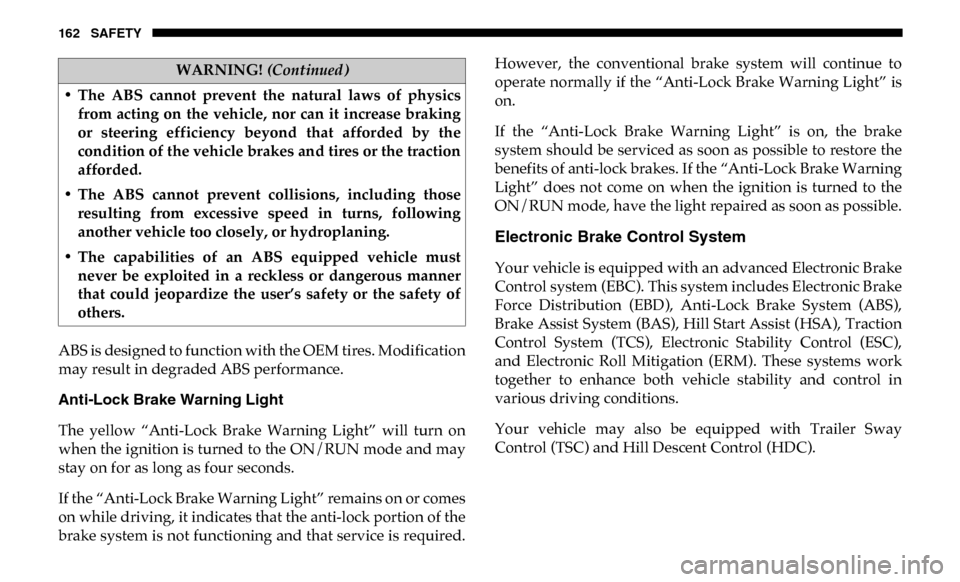
ABS is designed to function with the OEM tires. Modification
may result in degraded ABS performance.
Anti-Lock Brake Warning Light
The yellow “Anti-Lock Brake Warning Light” will turn on
when the ignition is turned to the ON/RUN mode and may
stay on for as long as four seconds.
If the “Anti-Lock Brake Warning Light” remains on or comes
on while driving, it indicates that the anti-lock portion of the
brake system is not functioning and that service is required.However, the conventional brake system will continue to
operate normally if the “Anti-Lock Brake Warning Light” is
on.
If the “Anti-Lock Brake Warning Light” is on, the brake
system should be serviced as soon as possible to restore the
benefits of anti-lock brakes. If the “Anti-Lock Brake Warning
Light” does not come on when the ignition is turned to the
ON/RUN mode, have the light repaired as soon as possible.
Electronic Brake Control System
Your vehicle is equipped with an advanced Electronic Brake
Control system (EBC). This system includes Electronic Brake
Force Distribution (EBD), Anti-Lock Brake System (ABS),
Brake Assist System (BAS), Hill Start Assist (HSA), Traction
Control System (TCS), Electronic Stability Control (ESC),
and Electronic Roll Mitigation (ERM). These systems work
together to enhance both vehicle stability and control in
various driving conditions.
Your vehicle may also be equipped with Trailer Sway
Control (TSC) and Hill Descent Control (HDC).
• The ABS cannot prevent the natural laws of physics
from acting on the vehicle, nor can it increase braking
or steering efficiency beyond that afforded by the
condition of the vehicle brakes and tires or the traction
afforded.
• The ABS cannot prevent collisions, including those resulting from excessive speed in turns, following
another vehicle too closely, or hydroplaning.
• The capabilities of an ABS equipped vehicle must never be exploited in a reckless or dangerous manner
that could jeopardize the user’s safety or the safety of
others.
WARNING! (Continued)
Page 165 of 607
SAFETY 163
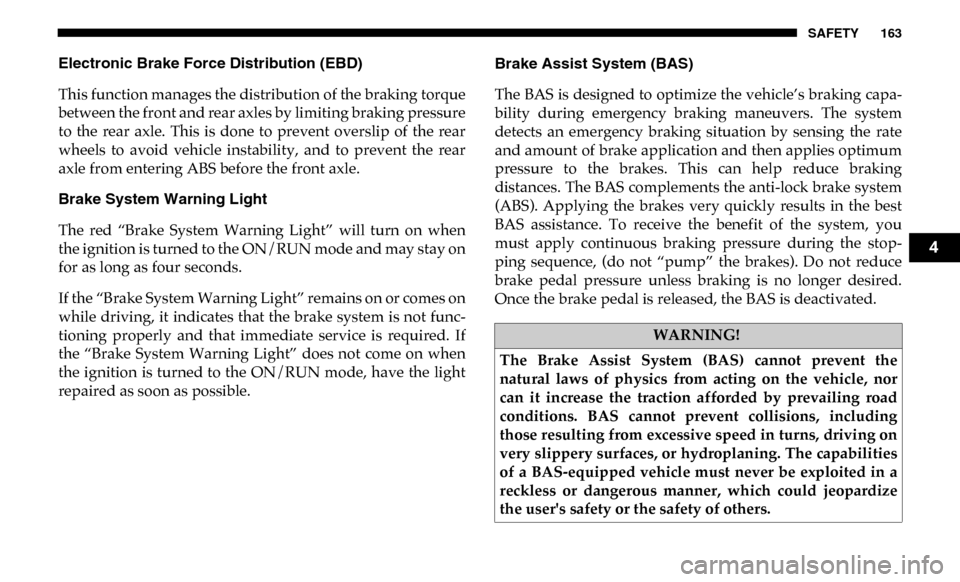
Electronic Brake Force Distribution (EBD)
This function manages the distribution of the braking torque
between the front and rear axles by limiting braking pressure
to the rear axle. This is done to prevent overslip of the rear
wheels to avoid vehicle instability, and to prevent the rear
axle from entering ABS before the front axle.
Brake System Warning Light
The red “Brake System Warning Light” will turn on when
the ignition is turned to the ON/RUN mode and may stay on
for as long as four seconds.
If the “Brake System Warning Light” remains on or comes on
while driving, it indicates that the brake system is not func-
tioning properly and that immediate service is required. If
the “Brake System Warning Light” does not come on when
the ignition is turned to the ON/RUN mode, have the light
repaired as soon as possible. Brake Assist System (BAS)
The BAS is designed to optimize the vehicle’s braking capa
-
bility during emergency braking maneuvers. The system
detects an emergency braking situation by sensing the rate
and amount of brake application and then applies optimum
pressure to the brakes. This can help reduce braking
distances. The BAS complements the anti-lock brake system
(ABS). Applying the brakes very quickly results in the best
BAS assistance. To receive the benefit of the system, you
must apply continuous braking pressure during the stop -
ping sequence, (do not “pump” the brakes). Do not reduce
brake pedal pressure unless braking is no longer desired.
Once the brake pedal is released, the BAS is deactivated.
WARNING!
The Brake Assist System (BAS) cannot prevent the
natural laws of physics from acting on the vehicle, nor
can it increase the traction afforded by prevailing road
conditions. BAS cannot prevent collisions, including
those resulting from excessive speed in turns, driving on
very slippery surfaces, or hydroplaning. The capabilities
of a BAS-equipped vehicle must never be exploited in a
reckless or dangerous manner, which could jeopardize
the user's safety or the safety of others.
4
Page 184 of 607

182 SAFETY
Vehicles With Non Matching Full Size Spare Or Compact
Spare
• The non matching full size spare or compact spare tiredoes not have a TPM sensor. Therefore, the TPMS will not
monitor the pressure in the non matching full size spare or
compact spare tire.
• If you install the non matching full size spare or compact spare tire in place of a road tire that has a pressure below the
low-pressure warning limit, upon the next ignition switch
cycle, the TPM Telltale Light and a “LOW TIRE” message
will remain ON and a chime will sound. In addition, the
graphic in the instrument cluster will still display a pressure
value in a different color and an “Inflate to XX” message.
• After driving the vehicle for up to 20 minutes above 15 mph (24 km/h), the TPM Telltale Light will flash on
and off for 75 seconds and then remain on solid. In addi -
tion, the instrument cluster will display a "SERVICE TPM
SYSTEM" message for a minimum of five seconds and then
display dashes (- -) in place of the pressure value.
• For each subsequent ignition switch cycle, a chime will sound, the TPM Telltale Light will flash on and off for 75
seconds and then remain on solid, and the instrument
cluster will display a "SERVICE TPM SYSTEM" message for
a minimum of five seconds and then display dashes (- -) in
place of the pressure value.
• Once you repair or replace the original road tire and rein
-
stall it on the vehicle in place of the non matching full size
spare or compact spare, the TPMS will update automati -
cally. In addition, the TPM Telltale Light will turn OFF and
the graphic in the instrument cluster will display a new
pressure value instead of dashes (- -), as long as no tire
pressure is below the low-pressure warning limit in any of
the four active road tires. The vehicle may need to be
driven for up to 20 minutes above 15 mph (24 km/h) in
order for the TPMS to receive this information.
Trailer Tire Pressure Monitoring System (TTPMS)
The Trailer Tire Pressure Monitoring System (TTPMS) is a
feature that will display the trailer tire pressure values and
warn the driver of a low trailer tire pressure, based on the
drivers set target tire pressure value, through the Instrument
Cluster (IC).
The TTPMS monitors the pressure of each tire and warns the
driver, through the IC, when either a low tire pressure condi -
tion or a TPM sensor or system malfunction condition exists.
The IC will display the actual tire pressure or dashes for each
of the trailer tires in the correct trailer position, based on
trailer configuration.
Page 186 of 607

184 SAFETY
Trailer Tire Pressure System Not Configured
A “Trailer Tire Pressure System Not Configured” message
will be displayed in the Instrument Cluster when a trailer
number is selected that does not have configuration values
entered for the (Number of Tires, Number of Axles, SET
Target Tire Pressure, trailer TPM sensor ID's).
To correct this condition the (Number of Tires, Number of
Axles, and SET Target Tire Pressure) values must be entered
in the radio for the trailer number selected. The trailer
sensors must also be paired to the trailer. Refer to the “Ucon-
nect Settings” in “Multimedia” for further information.
Trailer Sensors Detected Do Not Match Active Trailer
The “Trailer Sensors Detected Do Not Match Active Trailer”
message will be displayed in the Instrument Cluster when
the trailer sensors being received by the TTPM module do
match the trailer sensors paired to the current trailer number
selected. This message will be displayed when the sensors
being received completely match the sensors paired to
another trailer number configured in the TTPM module.
To correct this condition, the correct trailer number must be
selected in the radio. Refer to the “Uconnect Settings” in
“Multimedia” for further information. Tire Fill Alert
This feature notifies the user when the placard tire pressure
is attained while inflating or deflating the tire.
The customer may choose to disable or enable the Tire Fill
Alert feature through use of the customer settings in the
radio.
NOTE:
• Only one tire can be filled at a time when using the Tire Fill
Alert system.
• The Tire Fill Alert feature cannot be entered if an existing TPM system fault is set to “active” or if the system is in
deactivation mode (if equipped).
The system will be activated when the TPM receiver module
detects a change in tire pressure. The ignition must be in the
RUN mode, with the transmission in PARK (P).
NOTE:
It is not required to have the engine running to enter Tire Fill
Alert mode.
The hazard lamps will come on to confirm the vehicle is in
Tire Fill Alert mode.
Page 189 of 607

SAFETY 187
• Installing aftermarket window tinting that contains mate-
rials that may block radio wave signals.
• Accumulation of snow or ice around the wheels or wheel housings.
• Using tire chains on the vehicle.
• Using wheels/tires not equipped with TPM sensors.
General Information
This device complies with Part 15 of the FCC rules and RSS
210 of Industry Canada. Operation is subject to the following
conditions:
1. This device may not cause harmful interference.
2. This device must accept any interference received, including interference that may cause undesired operation.
NOTE:
Changes or modifications not expressly approved by the
party responsible for compliance could void the user’s
authority to operate the equipment.OCCUPANT RESTRAINT SYSTEMS
Some of the most important safety features in your vehicle
are the restraint systems:
Occupant Restraint Systems Features
• Seat Belt Systems
• Supplemental Restraint Systems (SRS) Air Bags
• Child Restraints
Some of the safety features described in this section may be
standard equipment on some models, or may be optional
equipment on others. If you are not sure, ask an authorized
dealer.
4