engine oil Ram 4500 Chassis Cab 2019 Owner's Manual
[x] Cancel search | Manufacturer: RAM, Model Year: 2019, Model line: 4500 Chassis Cab, Model: Ram 4500 Chassis Cab 2019Pages: 607, PDF Size: 10.72 MB
Page 10 of 607

8
DRIVING TIPS................................................................... 363
Driving On Slippery Surfaces ................................... 363
Driving Through Water ............................................. 364
IN CASE OF EMERGENCY
HAZARD WARNING FLASHERS ............................. 366
ASSIST AND SOS SYSTEM — IF EQUIPPED .............. 366
BULB REPLACEMENT .................................................. 371
Replacement Bulbs ..................................................... 371
Replacing Exterior Bulbs ............................................ 373
FUSES.................................................................................. 380
Power Distribution Center ......................................... 381
JACKING AND TIRE CHANGING .......................... 390
4500/5500 Models ....................................................... 391
Preparations For Jacking ............................................ 391
Jacking Instructions 4500 And 5500 Series............... 392
To Stow The Flat Or Spare — If Equipped .......... 396
Hub Caps/Wheel Covers — If Equipped .............. 397
JUMP STARTING ............................................................ 398
Preparations For Jump Start ...................................... 399
Jump Starting Procedure ............................................ 400
IF YOUR ENGINE OVERHEATS .................................. 401
GEAR SELECTOR OVERRIDE — 6–SPEED
TRANSMISSION .............................................................. 402
MANUAL PARK RELEASE — 8–SPEED
TRANSMISSION ...............................................................403
FREEING A STUCK VEHICLE ......................................405
TOWING A DISABLED VEHICLE ...............................406
Two-Wheel Drive Models .......................................... 407
Four-Wheel Drive Models .......................................... 408
Emergency Tow Hooks — If Equipped....................408
ENHANCED ACCIDENT RESPONSE
SYSTEM (EARS) ...............................................................409
EVENT DATA RECORDER (EDR)................................. 409
SERVICING AND MAINTENANCE
SCHEDULED SERVICING ............................................410
Maintenance Plan ........................................................411
Heavy Duty Use Of The Vehicle ...............................414
ENGINE COMPARTMENT .......................................... 415
6.4L Engine ..................................................................415
Checking Oil Level — Gas Engine ...........................416
Adding Washer Fluid ................................................416
Maintenance-Free Battery .......................................... 417
Page 11 of 607

9
DEALER SERVICE ........................................................... 417
Engine Oil — Gas Engine .......................................... 418
Engine Oil Filter ......................................................... 419
Engine Air Cleaner Filter ......................................... 420
Air Conditioner Maintenance ................................. 421
Accessory Drive Belt Inspection ................................ 426
Body Lubrication ....................................................... 428
Windshield Wiper Blades ......................................... 428
Exhaust System ........................................................... 431
Cooling System ........................................................... 433
Brake System ............................................................... 438
Automatic Transmission ............................................ 439
Rear Axle And 4x4 Front Driving Axle Fluid
Level .......................................................................... 442
Transfer Case ............................................................... 444
HOISTING ......................................................................... 444
TIRES .................................................................................. 444
Tire Safety Information ............................................ 444
Tires — General Information ................................... 454
Tire Types ..................................................................... 460
Spare Tires — If Equipped ..................................... 461
Wheel And Wheel Trim Care ................................. 464
Tire Chains (Traction Devices) ................................. 465
Tire Rotation Recommendations ............................... 466
DEPARTMENT OF TRANSPORTATION UNIFORM
TIRE QUALITY GRADES ...............................................468
Treadwear .....................................................................469
Traction Grades............................................................ 469
Temperature Grades ................................................... 469
STORING THE VEHICLE .............................................470
BODYWORK ......................................................................470
Protection From Atmospheric Agents ....................470
Body And Underbody Maintenance .........................471
Preserving The Bodywork .......................................... 471
INTERIORS .......................................................................472
Seats And Fabric Parts ................................................472
Plastic And Coated Parts ............................................473
Leather Parts.................................................................474
Glass Surfaces ..............................................................474
TECHNICAL SPECIFICATIONS
IDENTIFICATION DATA ...............................................475
Vehicle Identification Number ................................. 475
BRAKE SYSTEM ...............................................................476
Hydraulic Brake Assist ...............................................476
WHEEL AND TIRE TORQUE SPECIFICATIONS .....476
Torque Specifications ................................................477
Page 126 of 607

124 GETTING TO KNOW YOUR INSTRUMENT PANEL
Base / Midline Instrument Cluster Descriptions
1. Tachometer• Indicates the engine speed in revolutions per minute(RPM x 1000).
2. Voltmeter
• When the vehicle is in the RUN state, the gauge indi -
cates the electrical system voltage. The pointer should
stay within the normal range if the battery is charged.
If the pointer moves to either extreme left or right and
remains there during normal driving, the electrical
system should be serviced.
3. Instrument Cluster Display
• When the appropriate conditions exist, this displayshows the instrument cluster display messages. Refer
to “Instrument Cluster Display” in “Getting To Know
Your Instrument Panel” for further information. 4. Oil Pressure Gauge
• The pointer should always indicate the oil pressurewhen the engine is running. A continuous high or low
reading under normal driving conditions may indicate
a lubrication system malfunction. Immediate service
should be obtained from an authorized dealer.
NOTE:
In vehicles equipped with Stop/Start, an oil pressure indica -
tion of zero is normal during an Autostop.
5. Speedometer
• Indicates vehicle speed.
Page 127 of 607

GETTING TO KNOW YOUR INSTRUMENT PANEL 125
6. Fuel Gauge• The pointer shows the level of fuel in the fuel tankwhen the ignition is in the ON/RUN position.
• The fuel pump symbol points to the side of the vehicle where the fuel door is located.
7. Temperature Gauge
• The gauge pointer shows engine coolant temperature.The pointer positioned within the normal range indi -
cates that the engine cooling system is operating satis -
factorily.
• The gauge pointer will likely indicate a higher tempera -
ture when driving in hot weather, up mountain grades,
or when towing a trailer. It should not be allowed to
exceed the upper limits of the normal operating range.WARNING!
A hot engine cooling system is dangerous. You or others
could be badly burned by steam or boiling coolant. You
may want to call an authorized dealer for service if your
vehicle overheats. If you decide to look under the hood
yourself, see “Servicing And Maintenance.” Follow the
warnings under the Cooling System Pressure Cap
paragraph.
CAUTION!
Driving with a hot engine cooling system could damage
your vehicle. If the temperature gauge reads “H,” pull
over and stop the vehicle. Idle the vehicle with the air
conditioner turned off until the pointer drops back into
the normal range. If the pointer remains on the “H,” turn
the engine off immediately and call an authorized dealer
for service.
3
Page 129 of 607
GETTING TO KNOW YOUR INSTRUMENT PANEL 127
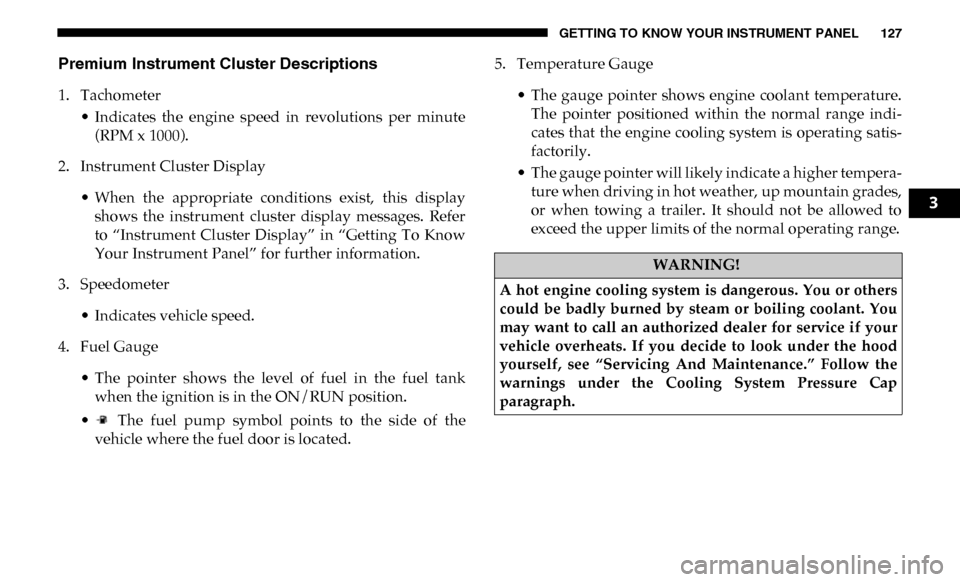
Premium Instrument Cluster Descriptions
1. Tachometer• Indicates the engine speed in revolutions per minute(RPM x 1000).
2. Instrument Cluster Display
• When the appropriate conditions exist, this displayshows the instrument cluster display messages. Refer
to “Instrument Cluster Display” in “Getting To Know
Your Instrument Panel” for further information.
3. Speedometer
• Indicates vehicle speed.
4. Fuel Gauge
• The pointer shows the level of fuel in the fuel tankwhen the ignition is in the ON/RUN position.
• The fuel pump symbol points to the side of the vehicle where the fuel door is located. 5. Temperature Gauge
• The gauge pointer shows engine coolant temperature.The pointer positioned within the normal range indi -
cates that the engine cooling system is operating satis -
factorily.
• The gauge pointer will likely indicate a higher tempera -
ture when driving in hot weather, up mountain grades,
or when towing a trailer. It should not be allowed to
exceed the upper limits of the normal operating range.
WARNING!
A hot engine cooling system is dangerous. You or others
could be badly burned by steam or boiling coolant. You
may want to call an authorized dealer for service if your
vehicle overheats. If you decide to look under the hood
yourself, see “Servicing And Maintenance.” Follow the
warnings under the Cooling System Pressure Cap
paragraph.
3
Page 132 of 607
130 GETTING TO KNOW YOUR INSTRUMENT PANEL
•Up Arrow Button
Push and release the up arrow button to scroll
upward through the main menu items, submenu
screen, and vehicle settings.
•Down Arrow Button
Push and release the down arrow button to scroll
downward through the main menu items,
submenu screen, and vehicle settings.
•Right Arrow Button
Push and release the right arrow button to access/
select the information screens or submenu screens
of a main menu item. Push and hold the RIGHT arrow
button for two seconds to reset displayed/selected
features that can be reset.
•Left Arrow Button
Push and release the left arrow button to access/
select the information screens, submenu screens of
a main menu item, or to return to the main menu.Oil Life Reset
Your vehicle is equipped with an engine oil change indicator
system. The “Oil Change Required” message will display in
the instrument cluster display after a single chime has
sounded, to indicate the next scheduled oil change interval.
The engine oil change indicator system is duty cycle based,
which means the engine oil change interval may fluctuate,
dependent upon your personal driving style.
NOTE:
Use the steering wheel instrument cluster display controls
for the following procedure.
Page 133 of 607

GETTING TO KNOW YOUR INSTRUMENT PANEL 131
Oil Life Reset Procedure
1. Without pushing the brake pedal, push the ENGINESTART/STOP button and place the ignition to the ON/
RUN position (do not start the engine).
2. Push and release the down arrow button to scroll down -
ward through the main menu to “Vehicle Info.”
3. Push and release the right arrow button to access the
”Vehicle Info” screen, then scroll up or down to select
“Oil Life.”
4. Push and hold the right arrow button to select “Reset”.
5. Push and release the down arrow button to select “Yes,”
then push and release the right arrow button to reset the
Oil Life to 100%.
6. Push and release the up arrow button to exit the instru -
ment cluster display screen.
Secondary Method Of Resetting Engine Oil Life
1. Without pressing the brake pedal, push the ENGINE START/STOP button and place the ignition to the ON/
RUN position (do not start the engine). 2. Fully press the accelerator pedal, slowly, three times
within ten seconds.
3. Without pushing the brake pedal, push the ENGINE START/STOP button once to return the ignition to the
OFF/LOCK position.
NOTE:
If the indicator message illuminates when you start the
vehicle, the oil change indicator system did not reset. If
necessary, repeat this procedure.
Display Menu Items
Push and release the up or down arrow button until the
desired selectable menu icon is highlighted in the instrument
cluster display.
Speedometer
Push and release the up or down arrow button until the
speedometer menu item is highlighted in the instrument
cluster display. Push and release the right arrow button to
cycle the display between mph and km/h.
3
Page 134 of 607

132 GETTING TO KNOW YOUR INSTRUMENT PANEL
Vehicle Info
Push and release the up or down arrow button until the
Vehicle Info menu item is highlighted in the instrument
cluster display. Push and release the right arrow button to
enter the submenus items of Vehicle Info. Follow the direc -
tional prompts to access or reset any of the following Vehicle
Info submenu items:
• Tire Pressure
• Coolant Temperature — If Equipped
• Transmission Temperature — If Equipped
• Oil Temperature — If Equipped
• Oil Pressure
• Exhaust Brake — If Equipped
• Turbo Boost — If Equipped
• Diesel Particulate Filter — If Equipped
• Oil Life
• Fuel Filter Life — If Equipped
• Battery Voltage
• Gauge Summary — If Equipped
• Engine Hours Driver Assist — If Equipped
The Driver Assist menu displays the status of the ACC
system.
Push and release the
up or down arrow button until the
Driver Assist menu is displayed in the instrument cluster
display.
Adaptive Cruise Control (ACC) Feature
The instrument cluster display displays the current ACC
system settings. The information displayed depends on ACC
system status.
Push the Adaptive Cruise Control (ACC) on/off button
(located on the steering wheel) until one of the following
displays in the instrument cluster display:
Adaptive Cruise Control Off
When ACC is deactivated, the display will read “Adaptive
Cruise Control Off.”
Adaptive Cruise Control Ready
When ACC is activated but the vehicle speed setting has not
been selected, the display will read “Adaptive Cruise
Control Ready.”
Page 150 of 607

148 GETTING TO KNOW YOUR INSTRUMENT PANEL
— Vehicle Security Warning Light — If Equipped
This light will flash at a fast rate for approximately 15
seconds when the vehicle security alarm is arming, and then
will flash slowly until the vehicle is disarmed.
— Engine Coolant Temperature Warning Light
This warning light warns of an overheated engine condition.
If the engine coolant temperature is too high, this indicator
will illuminate and a single chime will sound. If the tempera -
ture reaches the upper limit, a continuous chime will sound
for four minutes or until the engine is able to cool: whichever
comes first.
If the light turns on while driving, safely pull over and stop
the vehicle. If the A/C system is on, turn it off. Also, shift the
transmission into NEUTRAL and idle the vehicle. If the
temperature reading does not return to normal, turn the
engine off immediately and call for service.
Refer to “If Your Engine Overheats” in “In Case Of Emer -
gency” for further information. — Battery Charge Warning Light
This warning light will illuminate when the battery is not
charging properly. If it stays on while the engine is running,
there may be a malfunction with the charging system.
Contact an authorized dealer as soon as possible.
This indicates a possible problem with the electrical system
or a related component.
— Oil Pressure Warning Light
This warning light will illuminate to indicate low engine oil
pressure. If the light turns on while driving, stop the vehicle,
shut off the engine as soon as possible, and contact an autho -
rized dealer. A chime will sound when this light turns on.
Do not operate the vehicle until the cause is corrected. This
light does not indicate how much oil is in the engine. The
engine oil level must be checked under the hood.
— Oil Temperature Warning Light
This warning light will illuminate to indicate the engine oil
temperature is high. If the light turns on while driving, stop
the vehicle and shut off the engine as soon as possible. Wait
for oil temperature to return to normal levels.
Page 151 of 607

GETTING TO KNOW YOUR INSTRUMENT PANEL 149
— Electronic Throttle Control (ETC) Warning Light
This warning light will illuminate to indicate a problem with
the Electronic Throttle Control (ETC) system. If a problem is
detected while the vehicle is running, the light will either
stay on or flash depending on the nature of the problem.
Cycle the ignition when the vehicle is safely and completely
stopped and the transmission is placed in the PARK position.
The light should turn off. If the light remains on with the
vehicle running, your vehicle will usually be drivable;
however, see an authorized dealer for service as soon as
possible.
NOTE:
This light may turn on if the accelerator and brake pedals are
pressed at the same time.
If the light continues to flash when the vehicle is running,
immediate service is required and you may experience
reduced performance, an elevated/rough idle, or engine
stall and your vehicle may require towing. The light will
come on when the ignition is placed in the ON/RUN or
ACC/ON/RUN position and remain on briefly as a bulb
check. If the light does not come on during starting, have the
system checked by an authorized dealer. — Trailer Brake Disconnected Warning Light
This warning light will illuminate when the Trailer Brake has
been disconnected.
— Transmission Temperature Warning Light — If
Equipped
This warning light will illuminate to warn of a high transmis -
sion fluid temperature. This may occur with strenuous usage
such as trailer towing. If this light turns on, stop the vehicle
and run the engine at idle or slightly faster, with the trans -
mission in PARK or NEUTRAL, until the light turns off.
Once the light turns off, you may continue to drive normally.
WARNING!
If you continue operating the vehicle when the
Transmission Temperature Warning Light is illuminated
you could cause the fluid to boil over, come in contact
with hot engine or exhaust components and cause a fire.
CAUTION!
Continuous driving with the Transmission Temperature
Warning Light illuminated will eventually cause severe
transmission damage or transmission failure.
3