Running lights Ram 4500 Chassis Cab 2020 User Guide
[x] Cancel search | Manufacturer: RAM, Model Year: 2020, Model line: 4500 Chassis Cab, Model: Ram 4500 Chassis Cab 2020Pages: 516, PDF Size: 29.24 MB
Page 224 of 516
222STARTING AND OPERATING
2WD Or 4WD HIGH To 4WD LOW
NOTE:
When shifting into or out of 4WD LOW some
gear noise may be heard. This noise is normal
and is not detrimental to the vehicle or occu -
pants.
Shifting can be performed with the vehicle
rolling 2 to 3 mph (3 to 5 km/h) or completely
stopped. You can use either of the following
procedures:
Preferred Procedure
1. With the engine running, slow the vehicle to 2 to 3 mph (3 to 5 km/h).
2. Shift the transmission into NEUTRAL.
3. While still rolling, push the desired position on the transfer case control switch.
4. After the desired position indicator light is on (not flashing), shift the transmission
back into gear. Alternate Procedure
1. Bring the vehicle to a complete stop.
2. With the ignition switch in the ON position
and the engine running, shift the transmis -
sion into NEUTRAL.
3. Push the desired position on the transfer case control switch.
4. After the desired position indicator light is on (not flashing), shift the transmission
back into gear.
NOTE:
If Steps 1 or 2 of either the Preferred or Alter -
nate Procedure are not satisfied prior to
attempting the shift, then the desired posi -
tion indicator light will flash continuously
while the original position indicator light is
on, until all requirements have been met.
The ignition switch must be in the ON position
for a shift to take place and for the position
indicator lights to be operable. If the ignition
switch is not in the ON position, the shift will
not take place and no position indicator lights
will be on or flashing.
Electronically Shifted Transfer Case (Six
Speed Transmisson) — If Equipped
The electronic shift transfer case is operated by
the 4WD Control Switch (Transfer Case Switch),
which is located on the instrument panel.
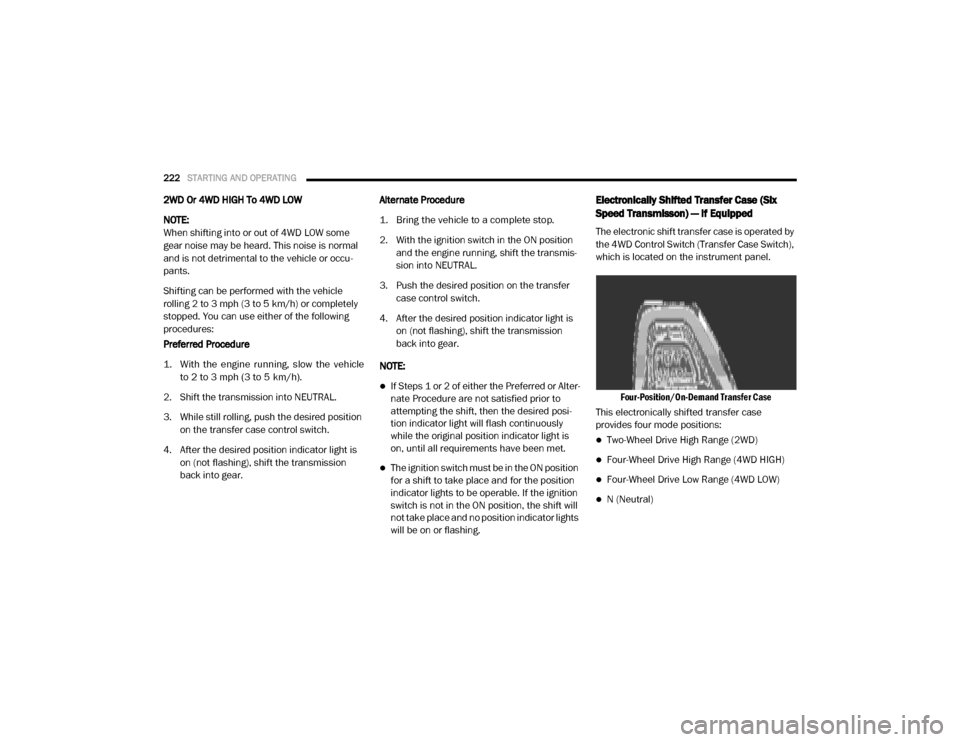
Four-Position/On-Demand Transfer Case
This electronically shifted transfer case
provides four mode positions:
Two-Wheel Drive High Range (2WD)
Four-Wheel Drive High Range (4WD HIGH)
Four-Wheel Drive Low Range (4WD LOW)
N (Neutral)
2020_RAM_CHASSIS_CAB_OM_USA=GUID-6C67832B-7839-4CCF-BEFC-CDF988F949EA=1=en=.book Page 222
Page 227 of 516

STARTING AND OPERATING225
If all the requirements to select a new
transfer case position have been met, the
current position indicator light will turn OFF,
the selected position indicator light will flash
until the transfer case completes the shift.
When the shift is complete, the position indi -
cator light for the selected position will stop
flashing and remain ON.
2WD To 4WD HIGH
Push the desired position on the 4WD control
switch to shift the transfercase. Shifts between
2WD and 4WD HIGH can be done with the
vehicle stopped or in motion. With the vehicle in
motion, the transfer case will engage/disen -
gage faster if you momentarily release the
accelerator pedal after turning the control
switch. If the vehicle is stopped, the ignition
switch must be in the ON position with the
engine either running or off. This shift cannot be
completed if the ignition switch is in the ACC
position.
NOTE:
The four-wheel drive system will not allow shifts
between 2WD/4WD HIGH if the front and/or
rear wheels are spinning (no traction). In this
situation, the selected position indicator light will flash and the original position indicator light
will remain on. At this time, reduce speed and
stop spinning the wheels to complete the shift.
2WD Or 4WD HIGH To 4WD LOW
NOTE:
When shifting into or out of 4WD LOW some
gear noise may be heard. This noise is normal
and is not detrimental to the vehicle or occu
-
pants.
Shifting can be performed with the vehicle
rolling 2 to 3 mph (3 to 5 km/h) or completely
stopped. You can use either of the following
procedures:
Preferred Procedure
1. With the engine running, slow the vehicle to 2 to 3 mph (3 to 5 km/h).
2. Shift the transmission into NEUTRAL.
3. While still rolling, push the desired position on the transfer case control switch.
4. After the desired position indicator light is on (not flashing), shift the transmission
back into gear. Alternate Procedure
1. Bring the vehicle to a complete stop.
2. With the ignition switch in the ON position
and the engine running, shift the transmis -
sion into NEUTRAL.
3. Push the desired position on the transfer case control switch.
4. After the desired position indicator light is on (not flashing), shift the transmission
back into gear.
NOTE:
If Steps 1 or 2 of either the Preferred or Alter -
nate Procedure are not satisfied prior to
attempting the shift, then the desired posi -
tion indicator light will flash continuously
while the original position indicator light is
on, until all requirements have been met.
The ignition switch must be in the ON position
for a shift to take place and for the position
indicator lights to be operable. If the ignition
switch is not in the ON position, the shift will
not take place and no position indicator lights
will be on or flashing.
5
2020_RAM_CHASSIS_CAB_OM_USA=GUID-6C67832B-7839-4CCF-BEFC-CDF988F949EA=1=en=.book Page 225
Page 286 of 516
284STARTING AND OPERATING
Towing Requirements — Trailer Lights And
Wiring
Whenever you pull a trailer, regardless of the
trailer size, stoplights and turn signals on the
trailer are required for motoring safety.
The Trailer Tow Package may include a four- and
seven-pin wiring harness. Use a factory
approved trailer harness and connector.
NOTE:
Do not cut or splice wiring into the vehicle’s
wiring harness.
The electrical connections are all complete to
the vehicle but you must mate the harness to a
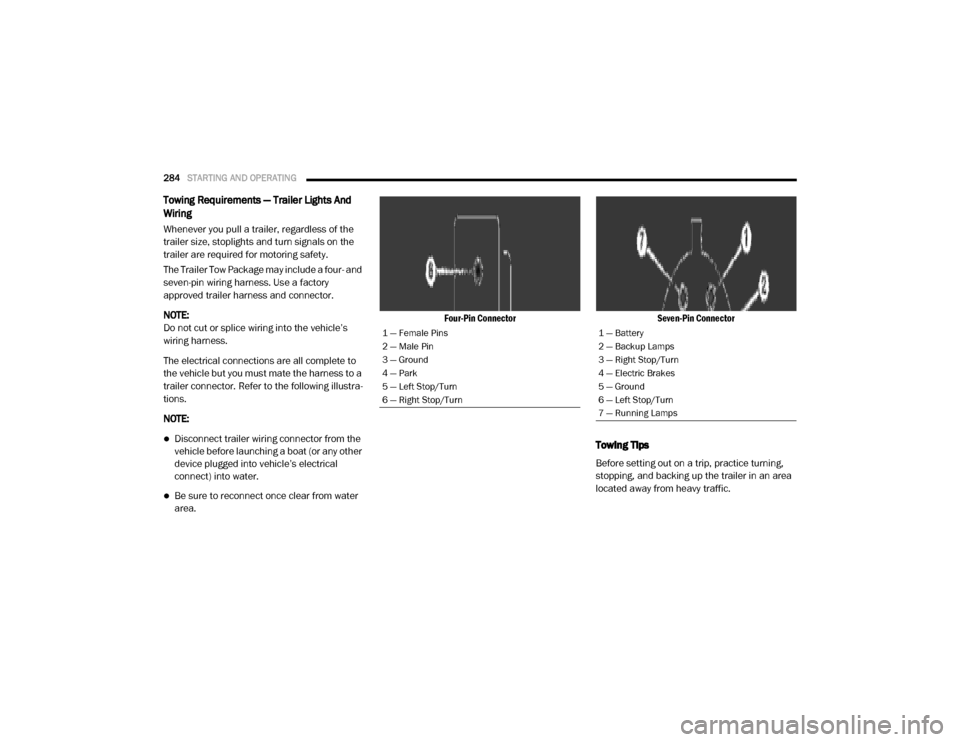
trailer connector. Refer to the following illustra -
tions.
NOTE:
Disconnect trailer wiring connector from the
vehicle before launching a boat (or any other
device plugged into vehicle’s electrical
connect) into water.
Be sure to reconnect once clear from water
area.
Four-Pin Connector
Seven-Pin Connector
Towing Tips
Before setting out on a trip, practice turning,
stopping, and backing up the trailer in an area
located away from heavy traffic.
1 — Female Pins
2 — Male Pin
3 — Ground
4 — Park
5 — Left Stop/Turn
6 — Right Stop/Turn1 — Battery
2 — Backup Lamps
3 — Right Stop/Turn
4 — Electric Brakes
5 — Ground
6 — Left Stop/Turn
7 — Running Lamps
2020_RAM_CHASSIS_CAB_OM_USA=GUID-6C67832B-7839-4CCF-BEFC-CDF988F949EA=1=en=.book Page 284
Page 293 of 516

STARTING AND OPERATING291
NOTE:
With electronic shift transfer case:
Steps 2 through 3 are requirements that
must be met before pushing the N (Neutral)
button, and must continue to be met until the
shift has been completed. If any of these
requirements are not met before pushing the
N (Neutral) button or are no longer met
during the shift, the N (Neutral) indicator light
will flash continuously until all requirements
are met or until the N (Neutral) button is
released.
The ignition must be in the ON/RUN mode for
a shift to take place and for the position indi -
cator lights to be operable. If the ignition is
not in the ON/RUN mode, the shift will not
take place and no position indicator lights will
be on or flashing.
A flashing N (Neutral) position indicator light
indicates that shift requirements have not
been met.
Shifting Out Of N (Neutral)
Use the following procedure to prepare your
vehicle for normal usage:
1. Bring the vehicle to a complete stop,
leaving it connected to the tow vehicle.
2. Firmly apply the parking brake.
3. Press and hold the brake pedal.
4. Start the engine, and shift the transmission into NEUTRAL.
With manual shift transfer case, shift the transfer case lever to the desired posi -
tion.
With electronic shift transfer case with rotary selector switch, push and hold the
transfer case N (Neutral) button until the
N (Neutral) indicator light turns off. After
the N (Neutral) indicator light turns off,
release the N (Neutral) button. After the
N (Neutral) button has been released, the
transfer case will shift to the position indi -
cated by the selector switch.
With electronic shift transfer case with push-button selector switch, push and
hold the switch for the desired transfer
case position, until the N (Neutral) indi -
cator light turns off and the desired posi -
tion indicator light turns on.
NOTE:
When shifting out of transfer case N (Neutral),
turning the engine off is not required, but may
be helpful to avoid gear clash. With 8-speed
automatic transmission, the engine must
remain running, since turning the engine off will
shift the transmission to PARK (and the trans -
mission must be in NEUTRAL for the transfer
case to shift out of NEUTRAL).
5. Turn the engine off. Shift automatic trans- mission into PARK. On 8-speed transmis -
sions the shifter will automatically select
PARK when the engine is turned off.
6. Release the brake pedal.
7. Disconnect vehicle from the tow vehicle.
8. Start the engine.
5
2020_RAM_CHASSIS_CAB_OM_USA=GUID-6C67832B-7839-4CCF-BEFC-CDF988F949EA=1=en=.book Page 291
Page 423 of 516
MULTIMEDIA421
Lights
After pressing the Lights button on the touchscreen, the following settings will be available:
Setting Name Selectable Options
Headlight Off Delay0 sec30 sec
60 sec 90 sec
Headlight Illumination On Approach 0 sec30 sec
60 sec 90 sec
NOTE:
When the “Headlight Illumination On Approach” feature is selected, it allows the adjustment of the amount of time the headlights remain on when
the doors are unlocked with the key fob. Headlights With Wipers — If Equipped OnOff
Auto Dim High Beams — If Equipped OnOff
Daytime Running Lights OnOff
NOTE:
When the “Daytime Running Lights” feature is selected, the daytime running lights can be turned On or Off. This feature is only allowed by law in the
country of the vehicle purchase.
9
2020_RAM_CHASSIS_CAB_OM_USA=GUID-6C67832B-7839-4CCF-BEFC-CDF988F949EA=1=en=.book Page 421
Page 439 of 516

MULTIMEDIA437
Lights
After pressing the Lights button on the touchscreen, the following settings will be available:
Setting Name Selectable Options
Headlight Off Delay–+
NOTE:
When the “Headlight Off Delay” feature is selected, the driver can choose to have the headlights remain on for 0, 30, 60, or 90 seconds when exiting
the vehicle. Headlight Illumination On Approach –+
NOTE:
When the “Headlight Illumination On Approach” feature is selected, the headlights will activate and remain on for 0, 30, 60, or 90 seconds when the
doors are unlocked with the key fob. Headlights With Wipers — If Equipped OnOff
NOTE:
When the “Headlights With Wipers” feature is selected, and the headlight switch is in the AUTO position, the headlights turn on approximately 10
seconds after the wipers are turned on. The headlights also turn off when the wipers are turned off if they were turned on by this feature. Auto Dim High Beams — If Equipped OnOff
NOTE:
When the “Auto Dim High Beams” feature is selected, the high beam headlights deactivate automatically under certain conditions. Daytime Running Lights OnOff
NOTE:
When the “Daytime Running Lights” feature is selected, the daytime running lights can be turned On or Off. This feature is only available if allowed by
law in the country of the vehicle purchase.
9
2020_RAM_CHASSIS_CAB_OM_USA=GUID-6C67832B-7839-4CCF-BEFC-CDF988F949EA=1=en=.book Page 437
Page 459 of 516

MULTIMEDIA457
Headlights With Wipers — If Equipped OnOff
NOTE:
When the “Headlights With Wipers” feature is selected, and the headlight switch is in the AUTO position, the headlights turn on approximately 10
seconds after the wipers are turned on. The headlights also turn off when the wipers are turned off if they were turned on by this feature. Auto Dim High Beams — If Equipped OnOff
NOTE:
When the “Auto Dim High Beams” feature is selected, the high beam headlights deactivate automatically under certain conditions. Daytime Running Lights OnOff
NOTE:
When the “Daytime Running Lights” feature is selected, the daytime running lights can be turned On or Off. This feature is only available if allowed by
law in the country of the vehicle purchase. Flash Lights with Lock OnOff
NOTE:
When the “Flash Lights With Lock” feature is selected, the exterior lamps flash when the doors are locked or unlocked with the key fob. This feature
may be selected with or without the “Sound Horn With Lock” feature selected. Steering Directed Lights OnOff
NOTE:
When the “Steering Directed Lights” feature is selected, the headlights turn with the direction of the steering wheel. Rear Guidance Lights w/ Cargo Lights — If Equipped On
Off
NOTE:
When the “Rear Guidance Lights w/ Cargo Lights” feature is selected, the lights in the cargo and bed of the truck will come on either when the head -
light switch is pressed, or the button on the back bed of the truck is pressed.
Setting Name Selectable Options
9
2020_RAM_CHASSIS_CAB_OM_USA=GUID-6C67832B-7839-4CCF-BEFC-CDF988F949EA=1=en=.book Page 457
Page 507 of 516
505
B-Pillar Location
....................................379Brake Assist System...............................121Brake Control System.............................121Brake Fluid...................................367, 409Brake System............................... 367, 397Fluid Check.......................................367Master Cylinder.................................367Parking............................................204Warning Light....................................109Brake/Transmission Interlock...................206Bulb Replacement.................................300Bulbs, Light.................................. 182, 300
C
Cab Top Clearance Lights........................305Camera...............................................258Camera, AUX................................ 261, 267Camera, Rear............................... 258, 261Capacities, Antifreeze (Engine Coolant).......405Capacities, Fluid....................................405Caps, Filler Oil (Engine)............................... 343, 348Power Steering..................................229Radiator (Coolant Pressure)..................365Car Washes..........................................394Carbon Monoxide Warning............... 180, 401Cargo Light.............................................47Cellular Phone......................................483Center High Mounted Stop Light................304Center Seat Storage Compartment..............73
Changing A Flat Tire............................... 314Charge Air Cooler................................... 366Chart, Tire Sizing................................... 376Check Engine Light (Malfunction Indicator Light)119Checking Your Vehicle For Safety.............. 180Checks, Safety...................................... 180Child Restraint...................................... 160Child RestraintsBooster Seats................................... 164Child Seat Installation................. 172, 174How To Stow An unused ALR Seat Belt.... 171Infant And Child Restraints................... 162Locating The LATCH Anchorages............ 169Lower Anchors And Tethers For Children.. 165Older Children And Child Restraints........ 163Seating Positions............................... 165Clean Air Gasoline................................. 399CleaningWheels............................................ 389Climate Control....................................... 51Automatic.......................................... 55Manual.............................................. 52Cold Weather Operation.......................... 187Compact Spare Tire............................... 387Contract, Service................................... 501Cooling Pressure Cap (Radiator Cap).......... 365Cooling System..................................... 363Adding Coolant (Antifreeze).................. 364Coolant Level............................ 363, 366
Cooling Capacity................................ 405Disposal Of Used Coolant.................... 365Drain, Flush, And Refill........................ 364Inspection........................................ 366Points To Remember.......................... 366Pressure Cap.................................... 365Radiator Cap.................................... 365Selection Of Coolant(Antifreeze)................... 364, 407, 410Corrosion Protection.............................. 393Cruise Control (Speed Control)......... 230, 232Cruise Light......................................... 117Cupholders............................................ 77Customer Assistance............................. 500Cybersecurity....................................... 414
D
Daytime Running Lights............................ 45Dealer Service...................................... 347Defroster, Rear Window............................ 52Defroster, Windshield....................... 52, 181Delay (Intermittent) Wipers........................ 50Diagnostic System, Onboard.................... 118Diesel Exhaust Brake............................. 203Diesel Fuel.......................................... 402Diesel Fuel Requirements....................... 402Bulk Storage Of................................. 269Diesel Fuel System, Re-Priming................ 358Differential, Limited Slip......................... 228
11
2020_RAM_CHASSIS_CAB_OM_USA=GUID-6C67832B-7839-4CCF-BEFC-CDF988F949EA=1=en=.book Page 505
Page 510 of 516
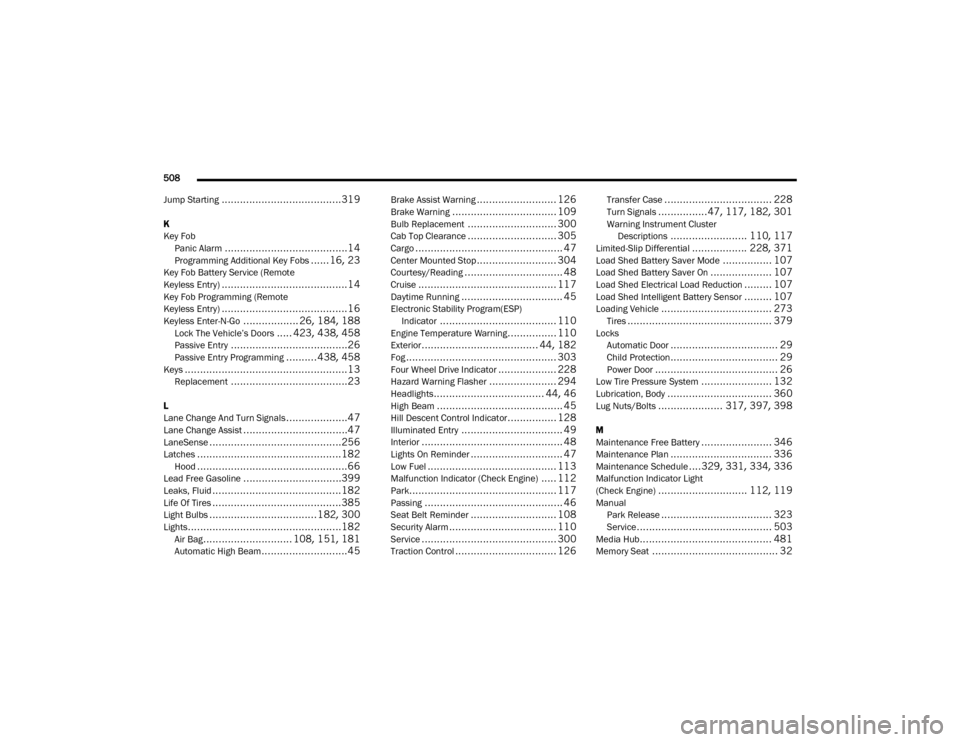
508
Jump Starting
.......................................319
K
Key Fob Panic Alarm
........................................14Programming Additional Key Fobs...... 16, 23Key Fob Battery Service (Remote
Keyless Entry).........................................14Key Fob Programming (Remote
Keyless Entry).........................................16Keyless Enter-N-Go.................. 26, 184, 188Lock The Vehicle’s Doors..... 423, 438, 458Passive Entry......................................26Passive Entry Programming..........438, 458Keys.....................................................13Replacement......................................23
L
Lane Change And Turn Signals....................47Lane Change Assist..................................47LaneSense...........................................256Latches...............................................182Hood.................................................66Lead Free Gasoline................................399Leaks, Fluid..........................................182Life Of Tires..........................................385Light Bulbs...................................182, 300Lights..................................................182Air Bag............................. 108, 151, 181Automatic High Beam............................45
Brake Assist Warning.......................... 126Brake Warning.................................. 109Bulb Replacement............................. 300Cab Top Clearance............................. 305Cargo................................................ 47Center Mounted Stop.......................... 304Courtesy/Reading................................ 48Cruise............................................. 117Daytime Running................................. 45Electronic Stability Program(ESP)Indicator...................................... 110Engine Temperature Warning................ 110Exterior...................................... 44, 182Fog................................................. 303Four Wheel Drive Indicator................... 228Hazard Warning Flasher...................... 294Headlights.................................... 44, 46High Beam......................................... 45Hill Descent Control Indicator................ 128Illuminated Entry................................. 49Interior.............................................. 48Lights On Reminder.............................. 47Low Fuel.......................................... 113Malfunction Indicator (Check Engine)..... 112Park................................................ 117Passing............................................. 46Seat Belt Reminder............................ 108Security Alarm................................... 110Service............................................ 300Traction Control................................. 126
Transfer Case................................... 228Turn Signals................47, 117, 182, 301Warning Instrument ClusterDescriptions......................... 110, 117Limited-Slip Differential.................. 228, 371Load Shed Battery Saver Mode................ 107Load Shed Battery Saver On.................... 107Load Shed Electrical Load Reduction......... 107Load Shed Intelligent Battery Sensor......... 107Loading Vehicle.................................... 273Tires............................................... 379LocksAutomatic Door................................... 29Child Protection................................... 29Power Door........................................ 26Low Tire Pressure System....................... 132Lubrication, Body.................................. 360Lug Nuts/Bolts..................... 317, 397, 398
M
Maintenance Free Battery....................... 346Maintenance Plan................................. 336Maintenance Schedule....329, 331, 334, 336Malfunction Indicator Light
(Check Engine)............................. 112, 119ManualPark Release.................................... 323Service............................................ 503Media Hub........................................... 481Memory Seat......................................... 32
2020_RAM_CHASSIS_CAB_OM_USA=GUID-6C67832B-7839-4CCF-BEFC-CDF988F949EA=1=en=.book Page 508