instrument panel RAM CHASSIS CAB 2009 Owner's Manual
[x] Cancel search | Manufacturer: RAM, Model Year: 2009, Model line: CHASSIS CAB, Model: RAM CHASSIS CAB 2009Pages: 429, PDF Size: 3.51 MB
Page 149 of 429
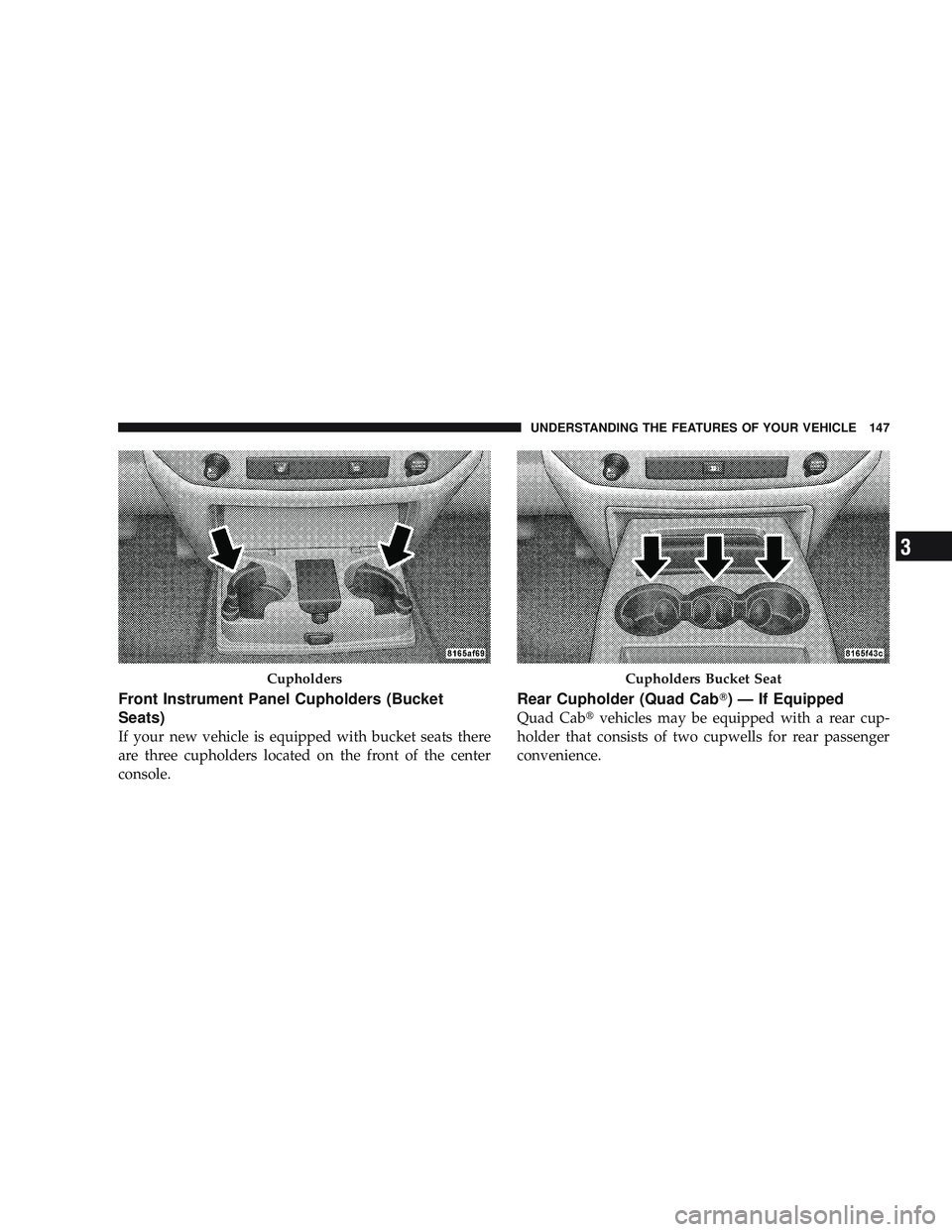
Front Instrument Panel Cupholders (Bucket
Seats)
If your new vehicle is equipped with bucket seats there
are three cupholders located on the front of the center
console.
Rear Cupholder (Quad Cab\5) — If Equipped
Quad Cab\3vehicles may be equipped with a rear cup-
holder that consists of two cupwells for rear passenger
convenience.
CupholdersCupholders Bucket Seat
UNDERSTANDING THE FEATURES OF YOUR VEHICLE 147
3
Page 156 of 429

Power Sliding Rear Window — If Equipped
The power sliding rear window switch is located on the
instrument panel below the climate controls. Press the
right side of the switch to open the glass and the left side
of the switch to close the glass.
Sliding Rear Window — If Equipped
A locking device in the center of the window helps to
prevent entry from the rear of the vehicle. Squeeze the
lock to release the window.
FOLD FLAT LOAD FLOOR — IF EQUIPPED
Quad Cab\3models with a 60/40 rear seat may be
equipped with a folding load floor.
WARNING!
Do not operate the vehicle with loose items stored on
the load floor. While driving or in an accident you
may experience abrupt stopping, rapid acceleration,
or sharp turns. Loose objects stored on the load floor
may move around with force and strike occupants,
resulting in serious or fatal injury.
Power Sliding Rear Window Switch
154 UNDERSTANDING THE FEATURES OF YOUR VEHICLE
Page 159 of 429
UNDERSTANDING YOUR INSTRUMENT PANEL
CONTENTS
\2Instrument Panel Features ............... 160
\2 Instrument Cluster .................... 161
\2 Instrument Cluster Description ............ 162
\2 Electronic Digital Clock ................. 172
\4 Clock Setting Procedure ............... 172
\2 Sales Code RAQ – AM/FM/CD (6-Disc) Radio
With Optional Satellite Radio, Hands Free
Phone, And Video Entertainment Systems
(VES)™ Capabilities .................... 173
\4 Operating Instructions - Radio Mode ...... 173\4
Operation Instructions - (CD Mode For CD
Audio Play) ........................ 179
\4 Load/Eject Button (CD Mode For CD Audio
Play) ............................. 180
\4 Notes On Playing MP3 Files ............ 182
\4 Operation Instructions - (CD Mode For MP3
Audio Play) ........................ 184
\4 Load/Eject Button
(CD Mode For MP3 Play) .............. 1854
Page 160 of 429
\2Sales Code REF — AM/FM/CD (Single-Disc)
Radio With Optional Satellite Radio And
Hands-Free Phone Capability .............. 187
\4 Operating Instructions - Radio Mode ...... 187
\4 Operating Instructions - CD Mode ........ 191
\4 Operating Instructions - Auxiliary Mode .... 192
\4 Operating Instructions - Hands-Free Phone
— If Equipped ...................... 194
\4 Operating Instructions - Satellite Radio —
If Equipped ........................ 194
\2 Sales Code REC — AM/FM/CD (6–Disc)
Radio With Navigation System ............. 194
\4 Operating Instructions — Satellite Radio —
If Equipped ........................ 195
\4 REC Setting The Clock ................ 195 \2
Satellite Radio — If Equipped ............. 197
\4 System Activation .................... 197
\4 Electronic Serial Number/Sirius
Identification Number (ESN/SID) ......... 198
\4 Selecting Satellite Mode In REF, RAQ, And
RAK Radios ........................ 199
\4 Selecting A Channel .................. 199
\4 Storing And Selecting Preset Channels ..... 200
\4 Using The PTY (Program Type) Button —
If Equipped ........................ 200
\4 PTY Button Scan ..................... 200
\4 PTY Button Seek ..................... 200
\4 Satellite Antenna ..................... 200
\4 Reception Quality .................... 201
158 UNDERSTANDING YOUR INSTRUMENT PANEL
Page 161 of 429

\2Video Entertainment System™ (Sales Code
XRV) — If Equipped .................... 201
\2 Remote Sound System Controls —
If Equipped .......................... 201
\4 Radio Operation ..................... 202
\4 Tape Player ........................ 202
\4 CD Player ......................... 202
\2 CD/DVD Maintenance ................. 203
\2 Radio Operation And Cellular Phones ....... 203\2
Climate Controls ...................... 204
\4 Heater Only — If Equipped ............. 204
\4 Air Conditioning And Heating —
If Equipped ........................ 207
\4 Air Conditioning With Dual Zone
Temperature Control — If Equipped ....... 210
\4 Operating Tips ...................... 214
\4 Operating Tips Chart ................. 216
UNDERSTANDING YOUR INSTRUMENT PANEL 159
4
Page 162 of 429

INSTRUMENT PANEL FEATURES
1 - Headlight Switch6 - Passenger Airbag11 - Exhaust Brake Switch* 16 - Parking Brake Release Lever
2 - Air Outlets 7 - Glove Compartment12 - Power Sliding Back Glass
Switch* 17 - Adjustable Pedal Control
Switch*
3 - Instrument Cluster 8 - Passenger Airbag On/Off
Switch* 13 - Cupholders
* If Equipped
4 - Climate Controls 9 - Power Outlet14 - Cigar Lighter
5 - Radio 10 - Heated Seat Switch15 - Transfer Case Control Switch*
160 UNDERSTANDING YOUR INSTRUMENT PANEL
Page 163 of 429
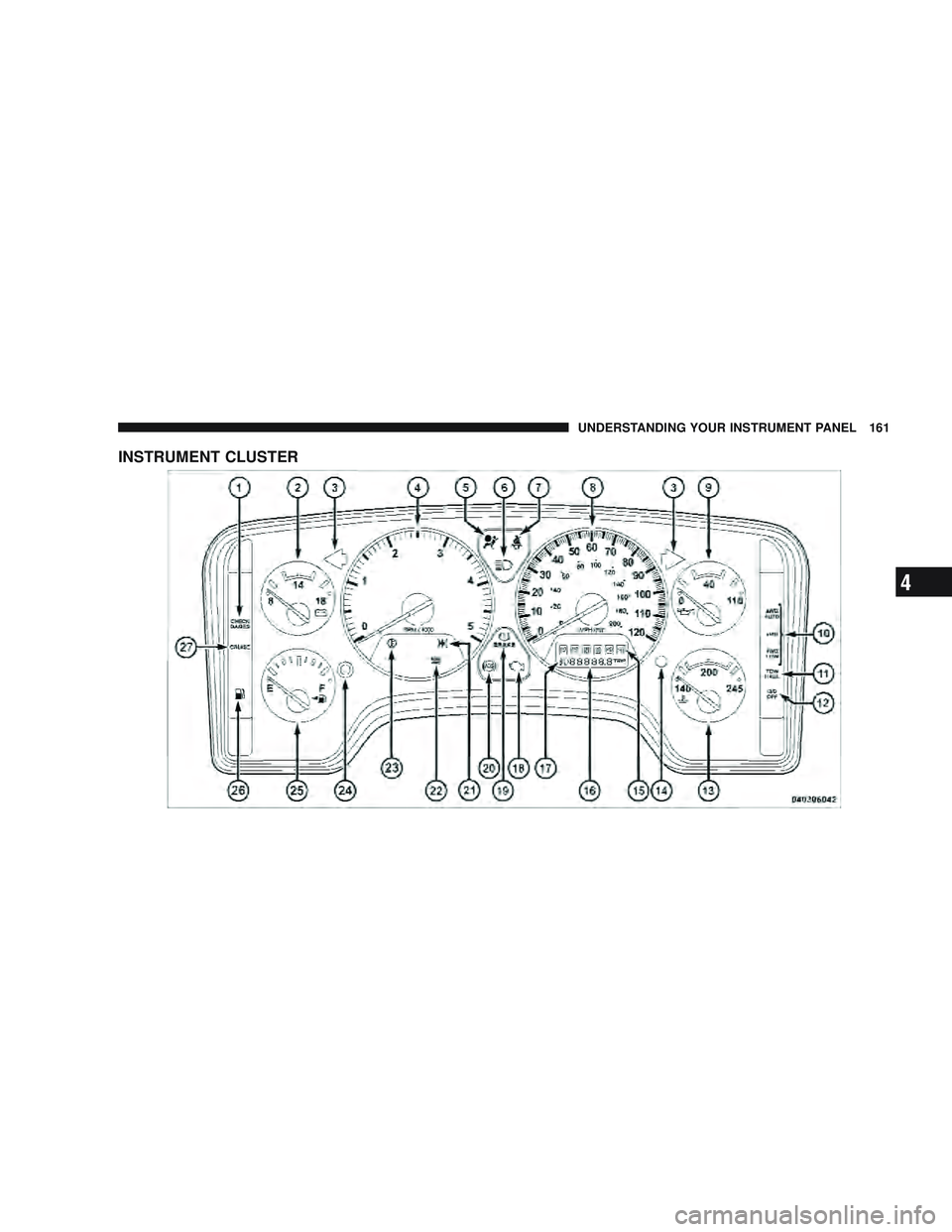
INSTRUMENT CLUSTER
UNDERSTANDING YOUR INSTRUMENT PANEL 161
4
Page 164 of 429

INSTRUMENT CLUSTER DESCRIPTION
1. Check GaugesThis light illuminates when the Voltmeter, Engine
Oil Pressure or Engine Coolant Temperature
gauges indicate a reading either too high or too low.
Examine the gauges carefully, and follow the instructions
contained below for each indicated problem.
NOTE: When the ignition switch is turned to OFF, the
Fuel Gauge, Voltmeter, Oil Pressure and Engine Coolant
Temperature gauges may not show accurate readings.
When the engine is not running, turn the ignition switch
to ON to obtain accurate readings.
2. Voltmeter When the engine is running, the gauge indicates
the electrical system voltage. The pointer should
stay within the normal range if the battery is charged. If the pointer moves to either extreme left or right and
remains there during normal driving, the electrical sys-
tem should be serviced.
NOTE:
•If the gauge pointer moves to either extreme of the
gauge, the “Check Gauges” indicator will illuminate
and a single chime will sound.
•The voltmeter may show a gauge fluctuation at vari-
ous engine temperatures. This cycling operation is
caused by the post-heat cycle of the intake manifold
heater system. The number of cycles and the length of
the cycling operation is controlled by the engine
control module. Post-heat operation can run for sev-
eral minutes, and then the electrical system and volt-
meter needle will stabilize.
3. Turn Signal Indicators Lights in instrument cluster flash when outside turn
signals are operating.
162 UNDERSTANDING YOUR INSTRUMENT PANEL
Page 165 of 429
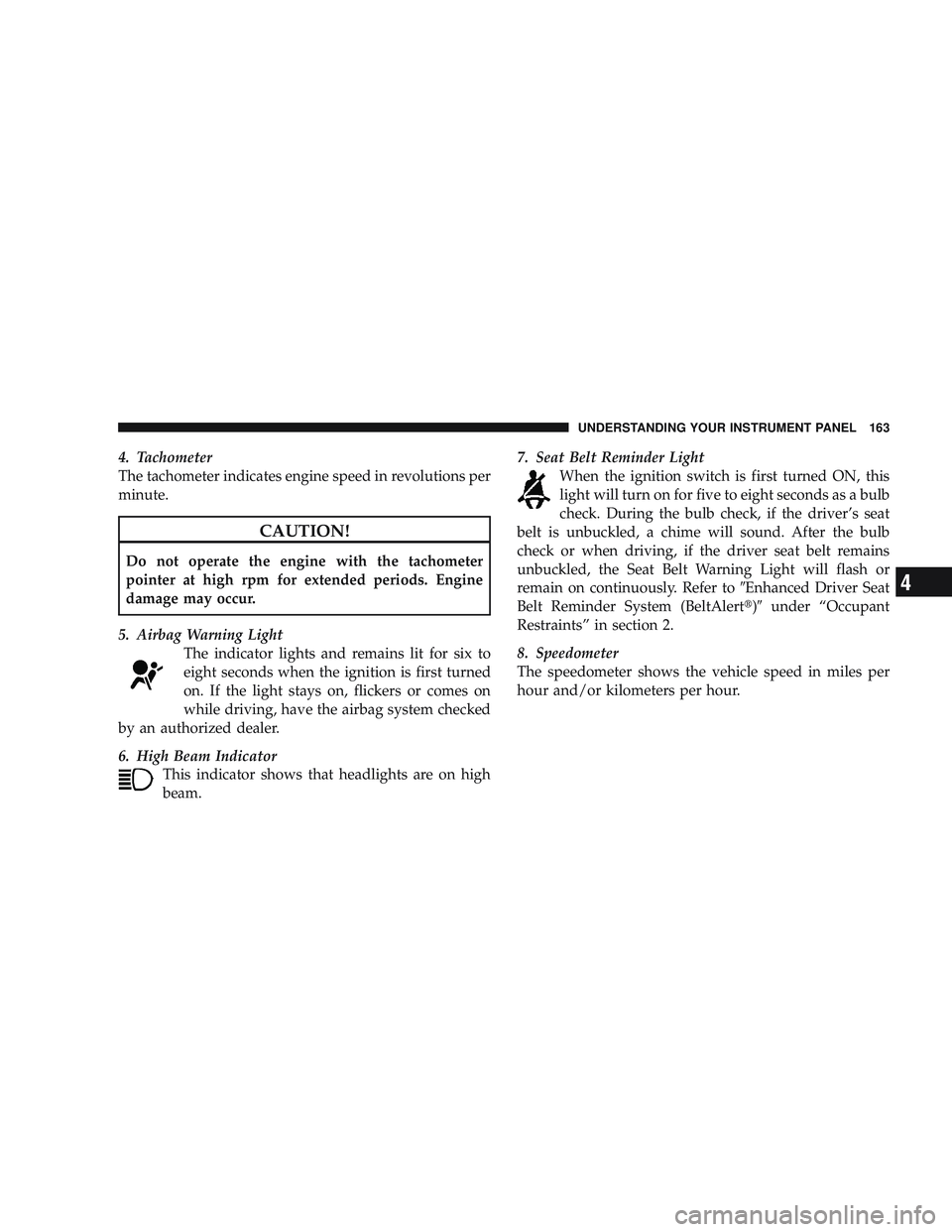
4. Tachometer
The tachometer indicates engine speed in revolutions per
minute.
CAUTION!
Do not operate the engine with the tachometer
pointer at high rpm for extended periods. Engine
damage may occur.
5. Airbag Warning Light The indicator lights and remains lit for six to
eight seconds when the ignition is first turned
on. If the light stays on, flickers or comes on
while driving, have the airbag system checked
by an authorized dealer.
6. High Beam Indicator This indicator shows that headlights are on high
beam. 7. Seat Belt Reminder Light
When the ignition switch is first turned ON, this
light will turn on for five to eight seconds as a bulb
check. During the bulb check, if the driver’s seat
belt is unbuckled, a chime will sound. After the bulb
check or when driving, if the driver seat belt remains
unbuckled, the Seat Belt Warning Light will flash or
remain on continuously. Refer to \6Enhanced Driver Seat
Belt Reminder System (BeltAlert\3)\6 under “Occupant
Restraints” in section 2.
8. Speedometer
The speedometer shows the vehicle speed in miles per
hour and/or kilometers per hour.
UNDERSTANDING YOUR INSTRUMENT PANEL 163
4
Page 166 of 429

9. Oil Pressure GaugeThe pointer should always indicate some oil pres-
sure when the engine is running. A continuous
high or low reading, under normal driving conditions,
may indicate a lubrication system malfunction. Immedi-
ate service should be obtained.
NOTE: If the gauge pointer moves to either extreme of
the gauge, the “Check Gauges” indicator will illuminate
and a single chime will sound.
10. Transfer Case Position
This display indicator shows the transfer case position
selection.
For additional information refer to “Four-Wheel Drive
Operation” in Section 5 of this manual. 11 .
TOW HAUL
The TOW HAUL button is located at the end of
the shift lever. This light will illuminate when
the TOW HAUL OD/OFF button is pushed
once.
12. OD/OFF
the OD/OFF button is located at the end of the shift lever.
This light will illuminate when the TOW HAUL OD/OFF
button is pushed twice.
13. Temperature Gauge The temperature gauge shows engine coolant tem-
perature. Any reading within the normal range
indicates that the engine cooling system is operat-
ing satisfactorily.
164 UNDERSTANDING YOUR INSTRUMENT PANEL