tow RAM CHASSIS CAB 2019 Owner's Manual
[x] Cancel search | Manufacturer: RAM, Model Year: 2019, Model line: CHASSIS CAB, Model: RAM CHASSIS CAB 2019Pages: 607, PDF Size: 12.68 MB
Page 147 of 607

GETTING TO KNOW YOUR INSTRUMENT PANEL 145
Loss of the battery charge may indicate one or more of the
following conditions:
• The charging system cannot deliver enough electrical
power to the vehicle system because the electrical loads are
larger than the capability of charging system. The charging
system is still functioning properly.
• Turning on all possible vehicle electrical loads (e.g. HVAC to
max settings, exterior and interior lights, overloaded power
outlets +12V, 115V AC, USB ports) during certain driving
conditions (city driving, towing, frequent stopping).
• Installing options like additional lights, upfitter electrical
accessories, audio systems, alarms and similar devices.
• Unusual driving cycles (short trips separated by long
parking periods).
• The vehicle was parked for an extended period of time
(weeks, months).
• The battery was recently replaced and was not charged
completely.
• The battery was discharged by an electrical load left on
when the vehicle was parked.
• The battery was used for an extended period with the
engine not running to supply radio, lights, chargers, +12V
portable appliances like vacuum cleaners, game consoles
and similar devices. What to do when an electrical load reduction action
message is present (“Battery Saver On” or “Battery Saver
Mode”)
During a trip:
• Reduce power to unnecessary loads if possible:
• Turn off redundant lights (interior or exterior).
• Check what may be plugged in to power outlets +12V,
115V AC, USB ports.
• Check HVAC settings (blower, temperature).
• Check the audio settings (volume).
After a trip:
• Check if any aftermarket equipment was installed (addi -
tional lights, upfitter electrical accessories, audio systems,
alarms) and review specifications if any (load and Ignition
Off Draw currents).
• Evaluate the latest driving cycles (distance, driving time
and parking time).
• The vehicle should have service performed if the message
is still present during consecutive trips and the evaluation
of the vehicle and driving pattern did not help to identify
the cause. 3
Page 151 of 607
GETTING TO KNOW YOUR INSTRUMENT PANEL 149
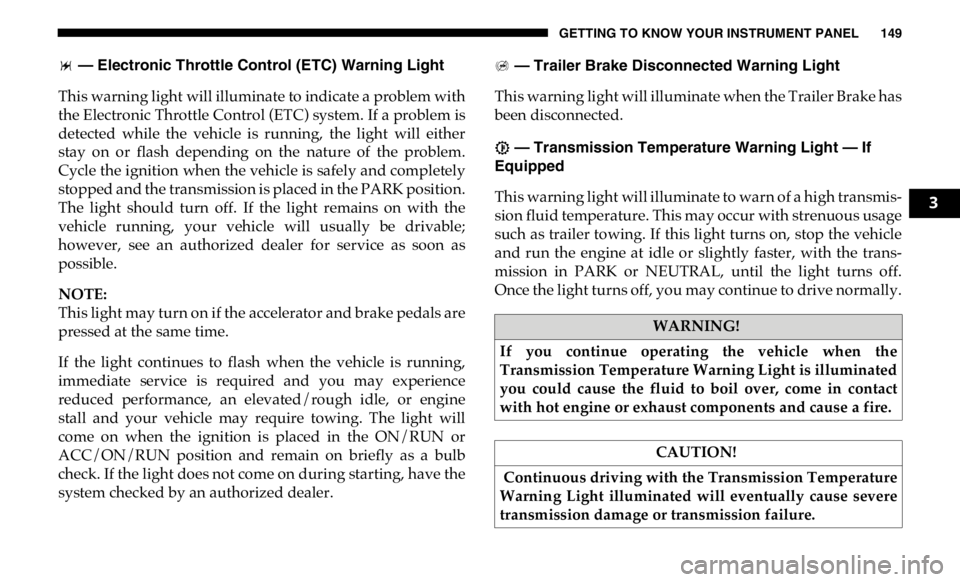
— Electronic Throttle Control (ETC) Warning Light
This warning light will illuminate to indicate a problem with
the Electronic Throttle Control (ETC) system. If a problem is
detected while the vehicle is running, the light will either
stay on or flash depending on the nature of the problem.
Cycle the ignition when the vehicle is safely and completely
stopped and the transmission is placed in the PARK position.
The light should turn off. If the light remains on with the
vehicle running, your vehicle will usually be drivable;
however, see an authorized dealer for service as soon as
possible.
NOTE:
This light may turn on if the accelerator and brake pedals are
pressed at the same time.
If the light continues to flash when the vehicle is running,
immediate service is required and you may experience
reduced performance, an elevated/rough idle, or engine
stall and your vehicle may require towing. The light will
come on when the ignition is placed in the ON/RUN or
ACC/ON/RUN position and remain on briefly as a bulb
check. If the light does not come on during starting, have the
system checked by an authorized dealer. — Trailer Brake Disconnected Warning Light
This warning light will illuminate when the Trailer Brake has
been disconnected.
— Transmission Temperature Warning Light — If
Equipped
This warning light will illuminate to warn of a high transmis -
sion fluid temperature. This may occur with strenuous usage
such as trailer towing. If this light turns on, stop the vehicle
and run the engine at idle or slightly faster, with the trans -
mission in PARK or NEUTRAL, until the light turns off.
Once the light turns off, you may continue to drive normally.
WARNING!
If you continue operating the vehicle when the
Transmission Temperature Warning Light is illuminated
you could cause the fluid to boil over, come in contact
with hot engine or exhaust components and cause a fire.
CAUTION!
Continuous driving with the Transmission Temperature
Warning Light illuminated will eventually cause severe
transmission damage or transmission failure. 3
Page 152 of 607
150 GETTING TO KNOW YOUR INSTRUMENT PANEL
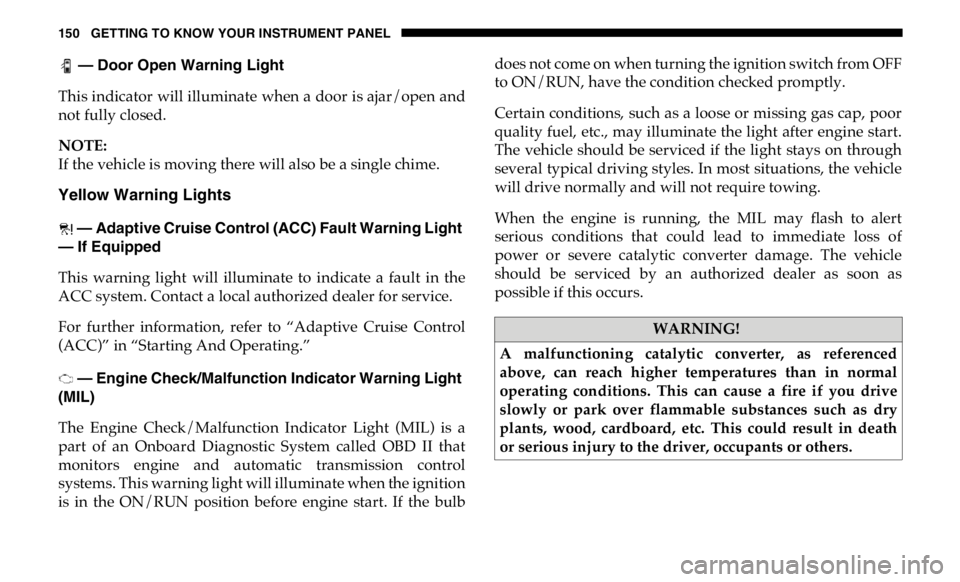
— Door Open Warning Light
This indicator will illuminate when a door is ajar/open and
not fully closed.
NOTE:
If the vehicle is moving there will also be a single chime.
Yellow Warning Lights
— Adaptive Cruise Control (ACC) Fault Warning Light
— If Equipped
This warning light will illuminate to indicate a fault in the
ACC system. Contact a local authorized dealer for service.
For further information, refer to “Adaptive Cruise Control
(ACC)” in “Starting And Operating.”
— Engine Check/Malfunction Indicator Warning Light
(MIL)
The Engine Check/Malfunction Indicator Light (MIL) is a
part of an Onboard Diagnostic System called OBD II that
monitors engine and automatic transmission control
systems. This warning light will illuminate when the ignition
is in the ON/RUN position before engine start. If the bulb does not come on when turning the ignition switch from OFF
to ON/RUN, have the condition checked promptly.
Certain conditions, such as a loose or missing gas cap, poor
quality fuel, etc., may illuminate the light after engine start.
The vehicle should be serviced if the light stays on through
several typical driving styles. In most situations, the vehicle
will drive normally and will not require towing.
When the engine is running, the MIL may flash to alert
serious conditions that could lead to immediate loss of
power or severe catalytic converter damage. The vehicle
should be serviced by an authorized dealer as soon as
possible if this occurs.
WARNING!
A malfunctioning catalytic converter, as referenced
above, can reach higher temperatures than in normal
operating conditions. This can cause a fire if you drive
slowly or park over flammable substances such as dry
plants, wood, cardboard, etc. This could result in death
or serious injury to the driver, occupants or others.
Page 157 of 607

GETTING TO KNOW YOUR INSTRUMENT PANEL 155
— Sway Bar Fault Warning Light
This light will illuminate when there is a fault in the sway bar
disconnect system.
Yellow Indicator Lights
— Forward Collision Warning Off Indicator Light — If
Equipped
This indicator light illuminates to indicate that Forward
Collision Warning is off.
— TOW/HAUL Indicator Light
This indicator light will illuminate when TOW/HAUL mode
is selected.
— Cargo Light — If Equipped
This indicator light will illuminate when the cargo light is
activated by pushing the cargo light button on the headlight
switch. — Sway Bar Indicator Light — If Equipped
This indicator light will illuminate when the front sway bar
is disconnected.
— Snowplow Mode Indicator Light — If Equipped
This indicator light will illuminate when Snowplow Mode
has been activated.
— Front And Rear Axle Lock Indicator Light
This light indicates when the front, rear, or both axles have
been locked. The telltale will display the lock icon on the
front and rear axles to indicate the current lock status.
— Rear Axle Lock Indicator Light
This light indicates when the rear axle lock has been acti -
vated.
— 4WD Lock Indicator Light
This light alerts the driver that the vehicle is in the
four-wheel drive LOCK mode. The front and rear drivesh -
afts are mechanically locked together, forcing the front and
rear wheels to rotate at the same speed. 3
Page 160 of 607

158 GETTING TO KNOW YOUR INSTRUMENT PANEL
— Hill Descent Control (HDC) Indicator Light — If
Equipped
This indicator shows when the Hill Descent Control (HDC)
feature is turned on. The lamp will be on solid when HDC is
armed. HDC can only be armed when the transfer case is in
the “4WD LOW” position and the vehicle speed is less then
20 mph (32 km/h). If these conditions are not met while
attempting to use the HDC feature, the HDC indicator light
will flash on/off.
Blue Indicator Lights
— High Beam Indicator Light
This indicator light will illuminate to indicate that the high
beam headlights are on. With the low beams activated, push
the multifunction lever forward (toward the front of the
vehicle) to turn on the high beams. Pull the multifunction
lever rearward (toward the rear of the vehicle) to turn off the
high beams. If the high beams are off, pull the lever toward
you for a temporary high beam on, "flash to pass" scenario. ONBOARD DIAGNOSTIC SYSTEM — OBD II
Your vehicle is equipped with a sophisticated Onboard
Diagnostic system called OBD II. This system monitors the
performance of the emissions, engine, and transmission
control systems. When these systems are operating properly,
your vehicle will provide excellent performance and fuel
economy, as well as engine emissions well within current
government regulations.
If any of these systems require service, the OBD II system
will turn on the Malfunction Indicator Light (MIL). It will
also store diagnostic codes and other information to assist
your service technician in making repairs. Although your
vehicle will usually be drivable and not need towing, see an
authorized dealer for service as soon as possible.
CAUTION!
• Prolonged driving with the MIL on could cause further
damage to the emission control system. It could also
affect fuel economy and driveability. The vehicle must
be serviced before any emissions tests can be
performed.
• If the MIL is flashing while the vehicle is running,
severe catalytic converter damage and power loss will
soon occur. Immediate service is required.
Page 167 of 607

SAFETY 165
Towing With HSA
HSA will also provide assistance to mitigate roll back while
towing a trailer. Disabling And Enabling HSA
This feature can be turned on or turned off. To change the
current setting, proceed as follows:
• If disabling HSA using your instrument cluster display,
refer to “Instrument Cluster Display” in “Getting To Know
Your Instrument Panel” for further information.
• If disabling HSA using Uconnect Settings, refer to “Ucon -
nect Settings” in “Multimedia” for further information.
For vehicles not equipped with an instrument cluster
display, perform the following steps:
1. Center the steering wheel (front wheels pointing straight
forward).
2. Shift the transmission into PARK.
3. Apply the parking brake.
4. Start the engine.
5. Rotate the steering wheel slightly more than one-half turn
to the left.WARNING!
• If you use a trailer brake controller with your trailer, the
trailer brakes may be activated and deactivated with
the brake switch. If so, there may not be enough brake
pressure to hold both the vehicle and the trailer on a
hill when the brake pedal is released. In order to avoid
rolling down an incline while resuming acceleration,
manually activate the trailer brake or apply more
vehicle brake pressure prior to releasing the brake
pedal.
• HSA is not a parking brake. Always apply the parking
brake fully when exiting your vehicle. Also, be certain
to place the transmission in PARK.
• Failure to follow these warnings can result in a colli -
sion or serious personal injury. 4
Page 172 of 607

170 SAFETY
The “ESC OFF Indicator Light” indicates the
customer has elected to have the Electronic Stability
Control (ESC) in a reduced mode.
Electronic Roll Mitigation (ERM)
This system anticipates the potential for wheel lift by moni -
toring the driver’s steering wheel input and the speed of the
vehicle. When ERM determines that the rate of change of the
steering wheel angle and vehicle’s speed are sufficient to
potentially cause wheel lift, it then applies the appropriate
brake and may also reduce engine power to lessen the chance
that wheel lift will occur. ERM can only reduce the chance of
wheel lift occurring during severe or evasive driving maneu -
vers; it cannot prevent wheel lift due to other factors, such as
road conditions, leaving the roadway, or striking objects or
other vehicles.
NOTE:
ERM is disabled anytime the ESC is in “Full Off” mode (if
equipped). Refer to “Electronic Stability Control (ESC)” in
this section for a complete explanation of the available ESC
modes. Trailer Sway Control (TSC)
TSC uses sensors in the vehicle to recognize an excessively
swaying trailer and will take the appropriate actions to
attempt to stop the sway. TSC will become active automati -
cally once an excessively swaying trailer is recognized.
NOTE:
TSC cannot stop all trailers from swaying. Always use
caution when towing a trailer and follow the trailer tongue
weight recommendations. Refer to “Trailer Towing” in
“Starting And Operating” for further information. WARNING!
Many factors, such as vehicle loading, road conditions
and driving conditions, influence the chance that wheel
lift or rollover may occur. ERM cannot prevent all wheel
lift or roll overs, especially those that involve leaving the
roadway or striking objects or other vehicles. The
capabilities of an ERM-equipped vehicle must never be
exploited in a reckless or dangerous manner which could
jeopardize the user's safety or the safety of others.
Page 192 of 607

190 SAFETY
BeltAlert Warning Sequence
The BeltAlert warning sequence is activated when the
vehicle is moving above a specified vehicle speed range and
the driver or outboard front seat passenger is unbuckled (if
equipped with outboard front passenger seat BeltAlert) (the
outboard front passenger seat BeltAlert is not active when
the outboard front passenger seat is unoccupied). The
BeltAlert warning sequence starts by blinking the Seat Belt
Reminder Light and sounding an intermittent chime. Once
the BeltAlert warning sequence has completed, the Seat Belt
Reminder Light will remain on until the seat belts are
buckled. The BeltAlert warning sequence may repeat based
on vehicle speed until the driver and occupied outboard
front seat passenger seat belts are buckled. The driver should
instruct all occupants to buckle their seat belts.
Change Of Status
If the driver or outboard front seat passenger (if equipped
with outboard front passenger seat BeltAlert) unbuckles
their seat belt while the vehicle is traveling, the BeltAlert
warning sequence will begin until the seat belts are buckled
again. The outboard front passenger seat BeltAlert is not active
when the outboard front passenger seat is unoccupied.
BeltAlert may be triggered when an animal or other items are
placed on the outboard front passenger seat or when the seat
is folded flat (if equipped). It is recommended that pets be
restrained in the rear seat (if equipped) in pet harnesses or
pet carriers that are secured by seat belts, and cargo is prop -
erly stowed.
BeltAlert can be activated or deactivated by an authorized
dealer. FCA US LLC does not recommend deactivating
BeltAlert.
NOTE:
If BeltAlert has been deactivated and the driver or outboard
front seat passenger (if equipped with outboard front
passenger seat BeltAlert) is unbuckled the Seat Belt
Reminder Light will turn on and remain on until the driver
and outboard front seat passenger seat belts are buckled.
Page 196 of 607
194 SAFETY
Positioning The Lap Belt
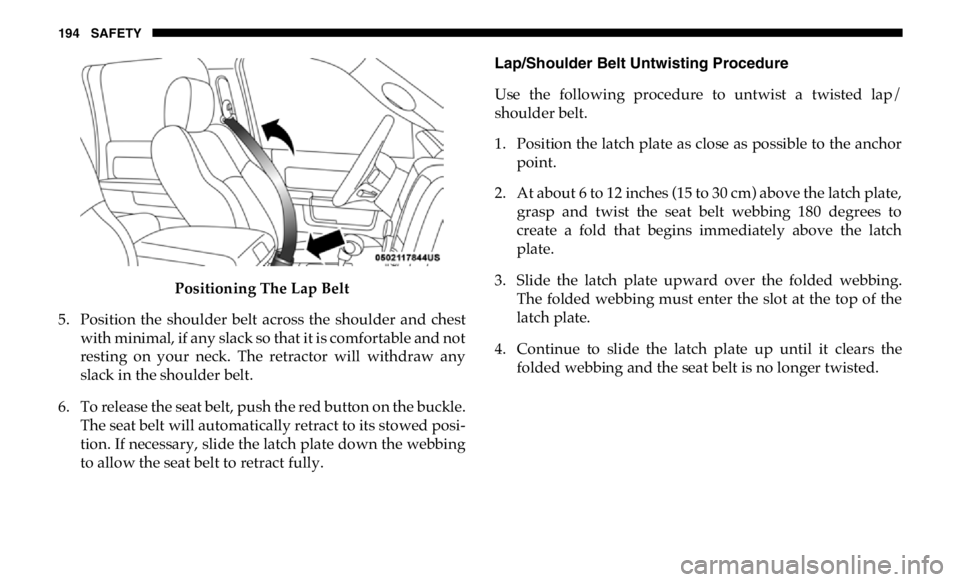
5. Position the shoulder belt across the shoulder and chest
with minimal, if any slack so that it is comfortable and not
resting on your neck. The retractor will withdraw any
slack in the shoulder belt.
6. To release the seat belt, push the red button on the buckle.
The seat belt will automatically retract to its stowed posi -
tion. If necessary, slide the latch plate down the webbing
to allow the seat belt to retract fully. Lap/Shoulder Belt Untwisting Procedure
Use the following procedure to untwist a twisted lap/
shoulder belt.
1. Position the latch plate as close as possible to the anchor
point.
2. At about 6 to 12 inches (15 to 30 cm) above the latch plate,
grasp and twist the seat belt webbing 180 degrees to
create a fold that begins immediately above the latch
plate.
3. Slide the latch plate upward over the folded webbing.
The folded webbing must enter the slot at the top of the
latch plate.
4. Continue to slide the latch plate up until it clears the
folded webbing and the seat belt is no longer twisted.
Page 198 of 607
196 SAFETY
First Row Center Seat Belt Operating Instructions
(Regular Cab Only)
The first row center seat belt (Regular Cab only) features a
seat belt with a mini-latch plate and buckle, which allows the
seat belt to detach from the lower anchor when the seat is
folded. The latch plate and regular latch plate can then be
stored out of the way in the seat for added convenience to
open up utilization of the storage areas behind the front seats
when the seat is not occupied.
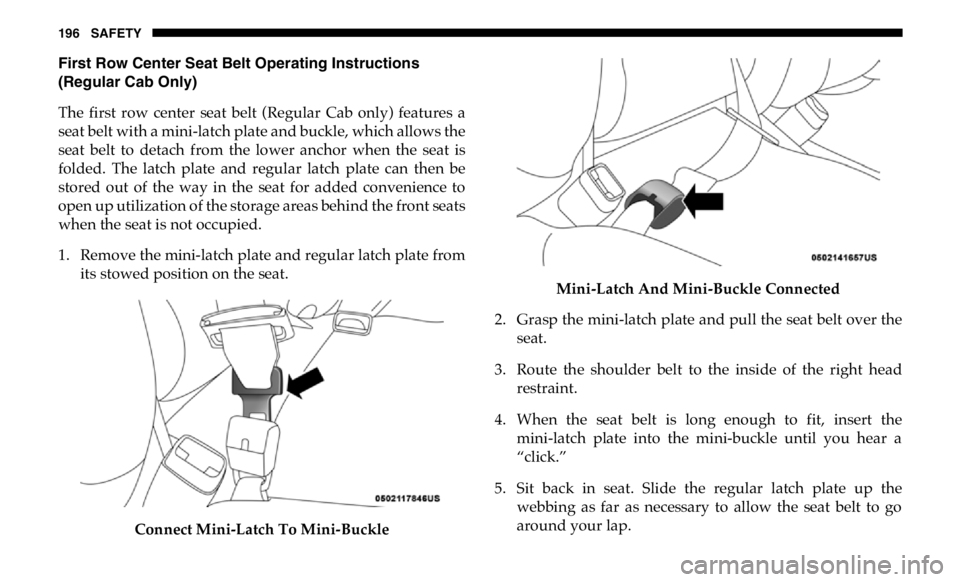
1. Remove the mini-latch plate and regular latch plate from
its stowed position on the seat.
Connect Mini-Latch To Mini-Buckle Mini-Latch And Mini-Buckle Connected
2. Grasp the mini-latch plate and pull the seat belt over the
seat.
3. Route the shoulder belt to the inside of the right head
restraint.
4. When the seat belt is long enough to fit, insert the
mini-latch plate into the mini-buckle until you hear a
“click.”
5. Sit back in seat. Slide the regular latch plate up the
webbing as far as necessary to allow the seat belt to go
around your lap.