phone RAM CHASSIS CAB 2019 Owner's Guide
[x] Cancel search | Manufacturer: RAM, Model Year: 2019, Model line: CHASSIS CAB, Model: RAM CHASSIS CAB 2019Pages: 607, PDF Size: 12.68 MB
Page 568 of 607
566 MULTIMEDIA
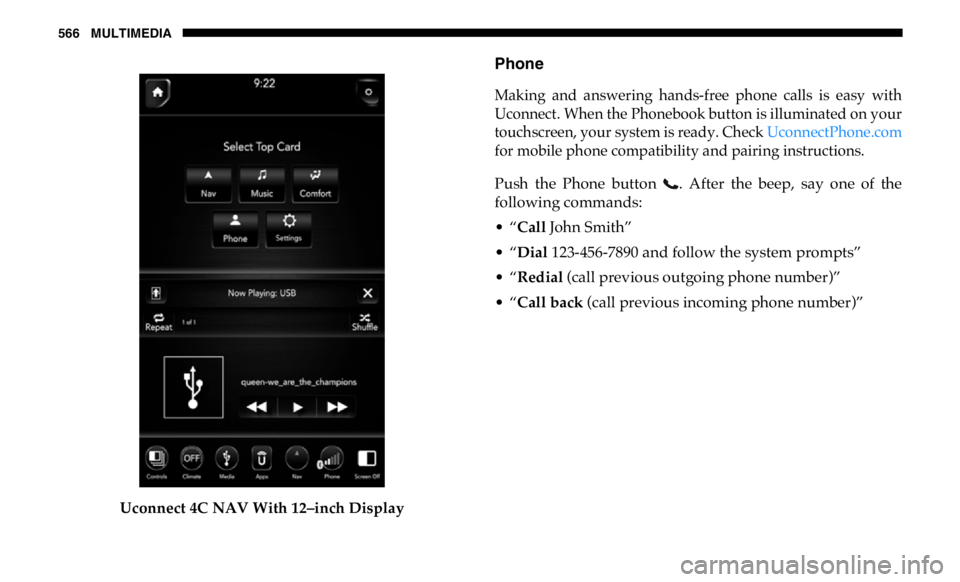
Uconnect 4C NAV With 12–inch Display Phone
Making and answering hands-free phone calls is easy with
Uconnect. When the Phonebook button is illuminated on your
touchscreen, your system is ready. Check UconnectPhone.com
for mobile phone compatibility and pairing instructions.
Push the Phone button . After the beep, say one of the
following commands:
• “ Call John Smith”
• “ Dial 123-456-7890 and follow the system prompts”
• “ Redial (call previous outgoing phone number)”
• “ Call back (call previous incoming phone number)”
Page 569 of 607
MULTIMEDIA 567
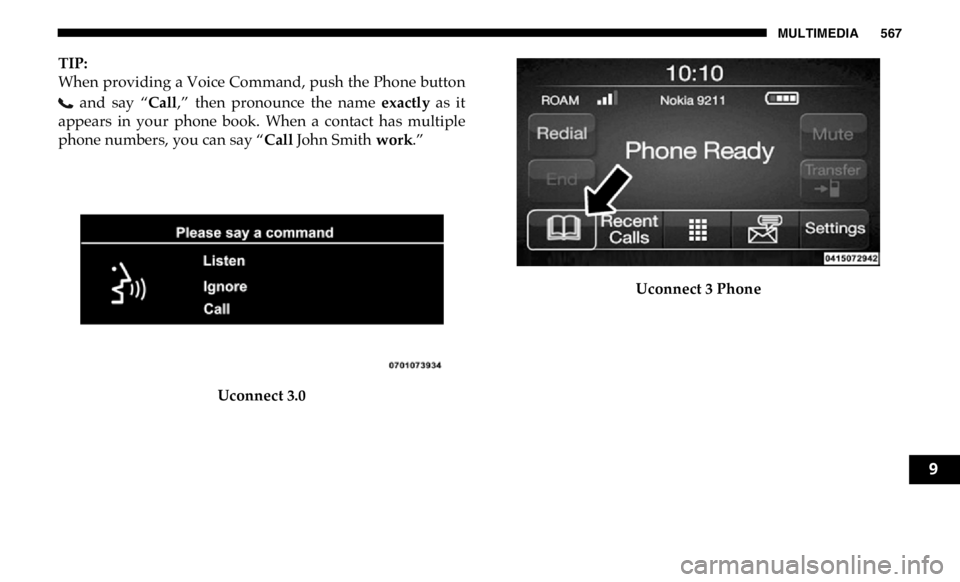
TIP:
When providing a Voice Command, push the Phone button
and say “ Call ,” then pronounce the name exactly as it
appears in your phone book. When a contact has multiple
phone numbers, you can say “ Call John Smith work .”
Uconnect 3.0 Uconnect 3 Phone
9
Page 571 of 607

MULTIMEDIA 569
Voice Text Reply — If Equipped
Uconnect announces incoming text messages. Push the VR
button or Phone button (if enabled) and say “ Listen .”
(Must have compatible mobile phone paired to Uconnect
system.)
1. Once an incoming text message is read to you, push the
VR button or Phone button (if enabled). After the
beep, say: “ Reply .”
2. Listen to the Uconnect prompts. After the beep, repeat
one of the pre-defined messages and follow the system
prompts. NOTE:
Only use the numbering listed, otherwise the system does
not transpose the message.
TIP:
Your mobile phone must have the full implementation of the
Message Access Profile (MAP) to take advantage of this
feature. For details about MAP, visit UconnectPhone.com .
PRE-DEFINED VOICE TEXT REPLY RESPONSES
Yes. Stuck in traffic. See you later.
No. Start without me. I’ll be late.
Okay. Where are you? I will be 5
60> minutes late.Call me. Are you there yet?
I’ll call you later. I need directions.
See you in 5
45, 60> minutes.
I’m on my way. Can’t talk right
now.
I’m lost. Thanks. 9
Page 572 of 607
570 MULTIMEDIA
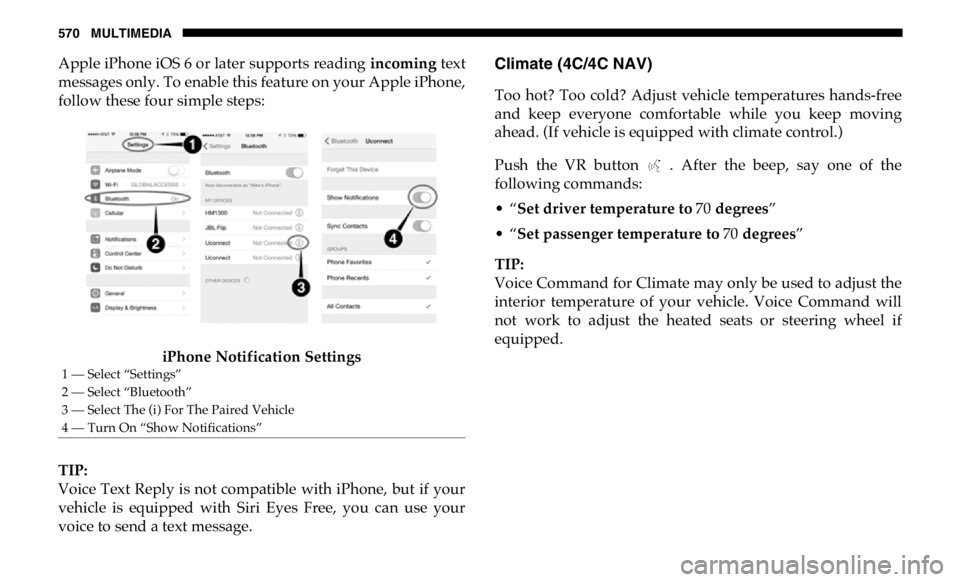
Apple iPhone iOS 6 or later supports reading incoming text
messages only. To enable this feature on your Apple iPhone,
follow these four simple steps:
iPhone Notification Settings
TIP:
Voice Text Reply is not compatible with iPhone, but if your
vehicle is equipped with Siri Eyes Free, you can use your
voice to send a text message. Climate (4C/4C NAV)
Too hot? Too cold? Adjust vehicle temperatures hands-free
and keep everyone comfortable while you keep moving
ahead. (If vehicle is equipped with climate control.)
Push the VR button . After the beep, say one of the
following commands:
• “ Set driver temperature to 70 degrees ”
• “ Set passenger temperature to 70 degrees ”
TIP:
Voice Command for Climate may only be used to adjust the
interior temperature of your vehicle. Voice Command will
not work to adjust the heated seats or steering wheel if
equipped.1 — Select “Settings”
2 — Select “Bluetooth”
3 — Select The (i) For The Paired Vehicle
4 — Turn On “Show Notifications”
Page 579 of 607
MULTIMEDIA 577
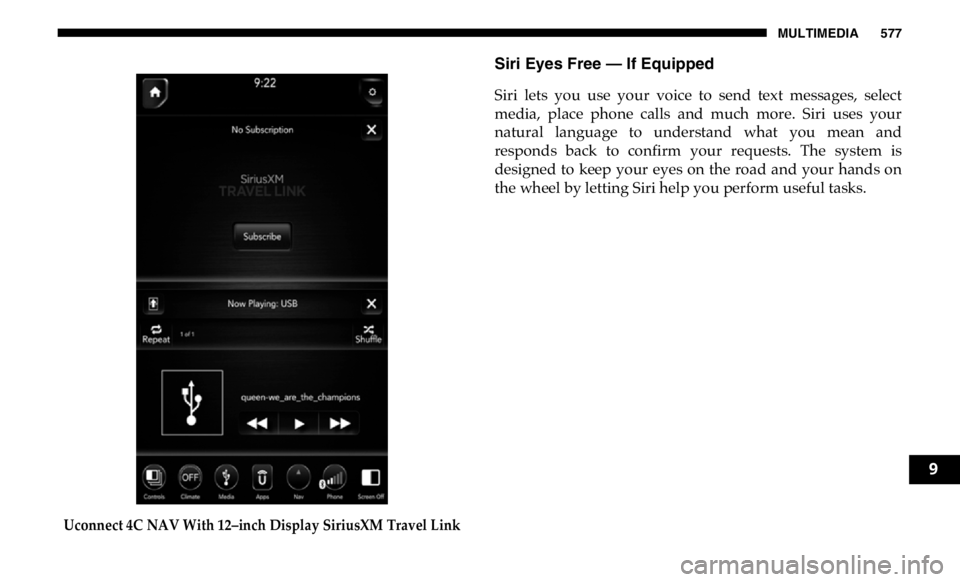
Uconnect 4C NAV With 12–inch Display SiriusXM Travel Link Siri Eyes Free — If Equipped
Siri lets you use your voice to send text messages, select
media, place phone calls and much more. Siri uses your
natural language to understand what you mean and
responds back to confirm your requests. The system is
designed to keep your eyes on the road and your hands on
the wheel by letting Siri help you perform useful tasks.
9
Page 581 of 607

MULTIMEDIA 579
Using Do Not Disturb
With Do Not Disturb, you can disable notifications from
incoming calls and texts, allowing you to keep your eyes on
the road and hands on the wheel. For your convenience,
there is a counter display to keep track of your missed calls
and text messages while you were using Do Not Disturb.
Do Not Disturb can automatically reply with a text message,
a call, or both, when declining an incoming call and send it
to voicemail.
Automatic reply messages can be:
• “I am driving right now, I will get back to you shortly.”
• Create a custom auto reply message up to 160 characters.
While in Do Not Disturb, Conference Call can be selected so
you can still place a second call without being interrupted by
incoming calls.
NOTE:
• Only the beginning of your custom message will be seen
on the touchscreen.
• Reply with text message is not compatible with iPhones.
• Auto reply with text message is only available on phones
that support Bluetooth MAP. Android Auto — If Equipped
NOTE:
Feature availability depends on your carrier and mobile
phone manufacturer. Some Android Auto features may or
may not be available in every region and/or language.
Android Auto allows you to use your voice to interact with
Android’s best-in-class speech technology through your
vehicle’s voice recognition system, and use your smart -
phone’s data plan to project your Android powered smart -
phone and a number of its apps onto your Uconnect
touchscreen. Connect your Android 5.0 (Lollipop), or higher,
to one of the media USB ports, using the factory-provided
USB cable, and press the new Android Auto icon that
replaces your “Phone” icon on the main menu bar to begin
Android Auto. Push and hold the VR button on the steering
wheel, or press and hold the “Microphone” icon within
9
Page 582 of 607
580 MULTIMEDIA
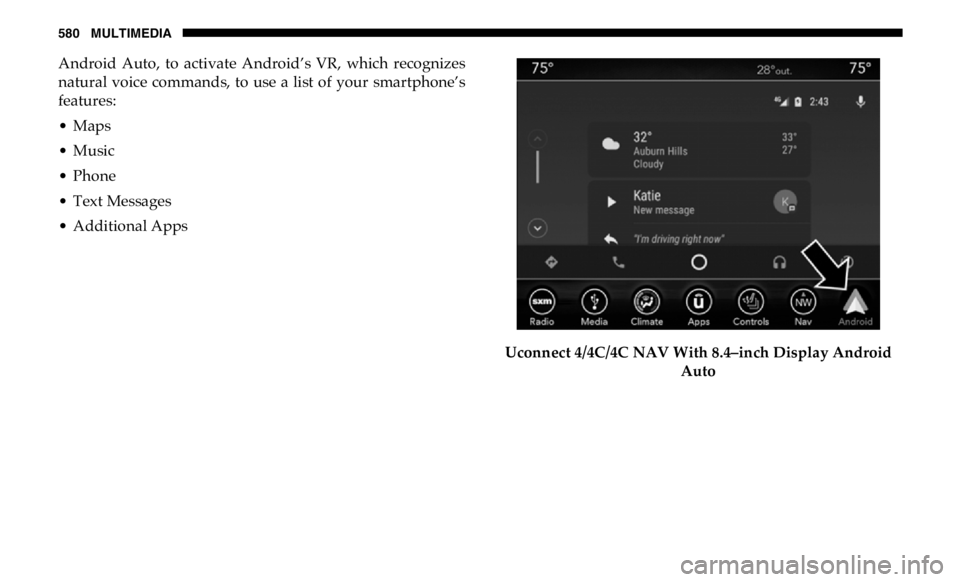
Android Auto, to activate Android’s VR, which recognizes
natural voice commands, to use a list of your smartphone’s
features:
• Maps
• Music
• Phone
• Text Messages
• Additional Apps
Uconnect 4/4C/4C NAV With 8.4–inch Display Android
Auto
Page 583 of 607
MULTIMEDIA 581
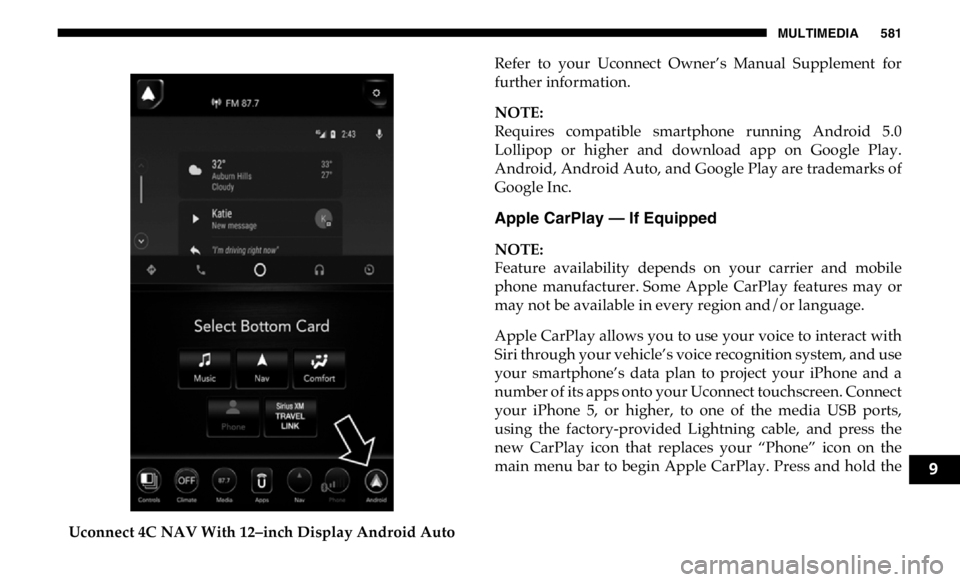
Uconnect 4C NAV With 12–inch Display Android Auto Refer to your Uconnect Owner’s Manual Supplement for
further information.
NOTE:
Requires compatible smartphone running Android 5.0
Lollipop or higher and download app on Google Play.
Android, Android Auto, and Google Play are trademarks of
Google Inc.
Apple CarPlay — If Equipped
NOTE:
Feature availability depends on your carrier and mobile
phone manufacturer. Some Apple CarPlay features may or
may not be available in every region and/or language.
Apple CarPlay allows you to use your voice to interact with
Siri through your vehicle’s voice recognition system, and use
your smartphone’s data plan to project your iPhone and a
number of its apps onto your Uconnect touchscreen. Connect
your iPhone 5, or higher, to one of the media USB ports,
using the factory-provided Lightning cable, and press the
new CarPlay icon that replaces your “Phone” icon on the
main menu bar to begin Apple CarPlay. Press and hold the
9
Page 584 of 607
582 MULTIMEDIA
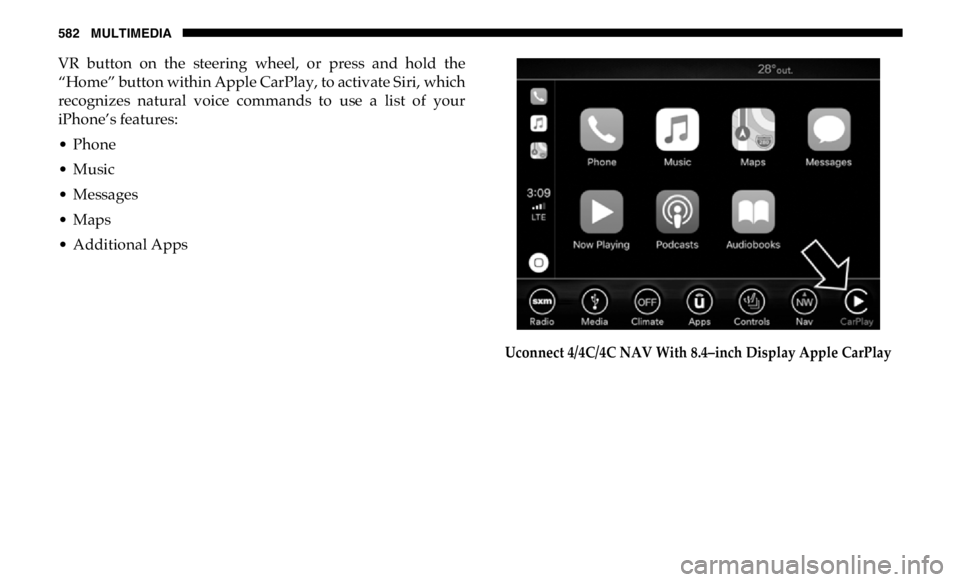
VR button on the steering wheel, or press and hold the
“Home” button within Apple CarPlay, to activate Siri, which
recognizes natural voice commands to use a list of your
iPhone’s features:
• Phone
• Music
• Messages
• Maps
• Additional Apps
Uconnect 4/4C/4C NAV With 8.4–inch Display Apple CarPlay
Page 585 of 607
MULTIMEDIA 583
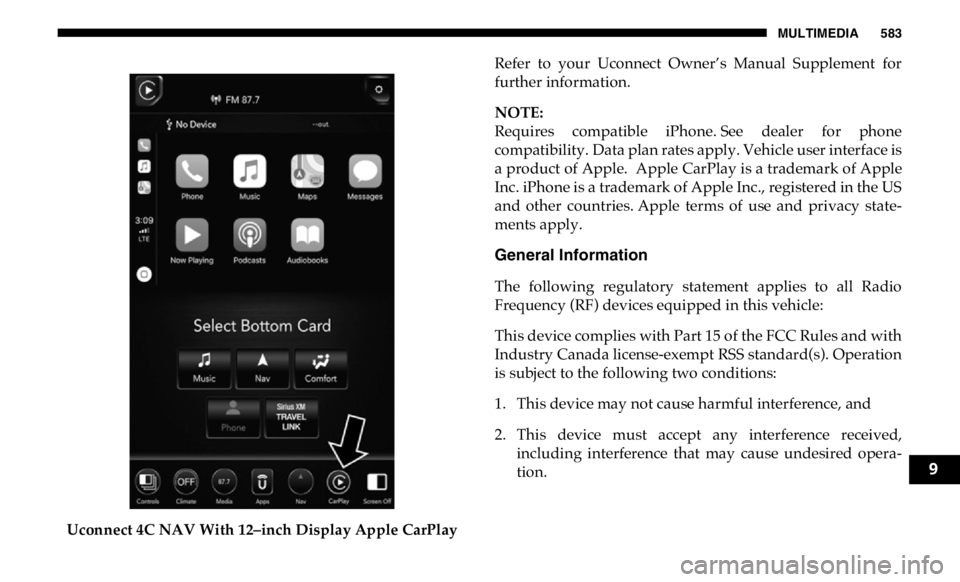
Uconnect 4C NAV With 12–inch Display Apple CarPlay Refer to your Uconnect Owner’s Manual Supplement for
further information.
NOTE:
Requires compatible iPhone. See dealer for phone
compatibility. Data plan rates apply. Vehicle user interface is
a product of Apple. Apple CarPlay is a trademark of Apple
Inc. iPhone is a trademark of Apple Inc., registered in the US
and other countries. Apple terms of use and privacy state -
ments apply.
General Information
The following regulatory statement applies to all Radio
Frequency (RF) devices equipped in this vehicle:
This device complies with Part 15 of the FCC Rules and with
Industry Canada license-exempt RSS standard(s). Operation
is subject to the following two conditions:
1. This device may not cause harmful interference, and
2. This device must accept any interference received,
including interference that may cause undesired opera -
tion.
9