ad blue RAM CHASSIS CAB 2020 Owner's Guide
[x] Cancel search | Manufacturer: RAM, Model Year: 2020, Model line: CHASSIS CAB, Model: RAM CHASSIS CAB 2020Pages: 516, PDF Size: 16.57 MB
Page 480 of 516

478MULTIMEDIA
Setting A Mobile Phone Or A Bluetooth®
Audio Device As A Favorite
To set a mobile phone or Bluetooth® audio
device as a favorite, proceed as follows:
1. Access the Settings menu.
2. Select the Phone/Bluetooth® button.
3. Select the Paired Phones or Paired Audio
list using the corresponding button on the
display.
4. Select the specific device (mobile phone or Bluetooth® device).
5. Press the Make Favorite button.
6. The device selected is moved to the top of the list.
Downloading A Phonebook From Your Mobile
Phone
If equipped and specifically supported by your
phone, Uconnect Phone asks you if you want to
download names (text names) and number
entries from your mobile phone’s phonebook.
Specific Bluetooth®-enabled phones with
Phonebook Access Profile may support this
feature. See UconnectPhone.com for supported
phones. If equipped and specifically supported by your
phone, Uconnect Phone asks you if you want to
download names (text names) and number
entries from your mobile phone’s phonebook.
Specific Bluetooth®-enabled phones with
Phonebook Access Profile may support this
feature.
NOTE:
If supported, the download and update
begins as soon as the Bluetooth® wireless
phone connection is made to the Uconnect
Phone. For example, after you start the
vehicle. You may be asked for permission to
initiate the phonebook download.
A maximum of 2,000 contact names with six
numbers per contact will be downloaded and
updated every time a phone is connected to
the Uconnect Phone.
Depending on the maximum number of
entries downloaded, there may be a short
delay before the latest downloaded names
can be used. Until then, if available, the previ
-
ously downloaded phonebook is available for
use.
Only the phonebook of the currently
connected mobile phone is accessible.
Only the mobile phone’s phonebook is down -
loaded. SIM card phonebook is not part of
the mobile phonebook.
This downloaded phonebook cannot be
edited or deleted on the Uconnect Phone.
These can only be edited on the mobile
phone. The changes are transferred and
updated to Uconnect Phone on the next
phone connection.
Deletion Of Phone Data (Phonebook And
Recent Calls)
Select "Delete Phone Data" on the display to
delete the list of recent calls and the phonebook
copy.
2020_RAM_CHASSIS_CAB_OM_USA=GUID-6C67832B-7839-4CCF-BEFC-CDF988F949EA=1=en=.book Page 478
Page 482 of 516
480MULTIMEDIA
Managing Two Phone Calls
If two calls are in progress (one active and one
on hold), it is possible to switch between them
pressing the Call On Hold button or to merge the
two calls in a conference pressing the Merge
Calls button.
NOTE:
Check whether the mobile phone in use
supports the management of a second call and
the "Conference" mode.
Transferring/Call Continuation
Transferring
The ongoing calls can be transferred from the
mobile phone to the system and vice versa
without ending the call.
To transfer the call, press the Transfer button.
Call Continuation
After the engine is switched off, it is still possible
to continue a phone call.
The call continues until it is ended manually or
for a maximum period of about 20 minutes.
When the system is switched off, the call is
transferred to the mobile phone.
Ending A Call
Press the End button on the touchscreen or the
PHONE button on the steering wheel controls to
end a call in progress.
Only the ongoing call is ended and any call on
hold becomes the new active call.
Depending on the type of mobile phone, if the
ongoing call is ended by the caller, the call on
hold may not be activated automatically.
Uconnect Phone Features
Mute/Unmute
1. During a call, push the VOICE COMMAND
button on the steering wheel.
2. After the beep, say “mute” or “mute off”.
Reading Messages
The system can read the messages received by
the mobile phone.
To use this function, the mobile phone must
support the SMS exchange function via Blue -
tooth®.
If this function is not supported by the phone,
the corresponding message button is deacti -
vated (greyed out) or may only accept incoming
messages. When a text message is received, the display
will show a screen where the options "Listen",
"Call" or "Ignore" can be selected.
Press the Message button to access the list of
SMS messages received by the mobile phone.
The list displays a maximum of 60 messages
received.
Browsing SMS
Using the steering wheel commands, you can
view and manage the last 10 SMS messages
received on the instrument panel. To use this
function, the mobile phone must support the
SMS exchange function through Bluetooth®.
Select the PHONE button on the instrument
panel menu, and then select “SMS Reader”
using the arrow keys on the steering wheel
controls.
The “SMS Reader” submenu allows the last 10
SMS messages to be displayed.
2020_RAM_CHASSIS_CAB_OM_USA=GUID-6C67832B-7839-4CCF-BEFC-CDF988F949EA=1=en=.book Page 480
Page 483 of 516

MULTIMEDIA481
STEERING WHEEL AUDIO CONTROLS — IF
EQUIPPED
The remote sound system controls are located
on the back surface of the steering wheel.
Reach behind the wheel to access the switches.
Steering Wheel Audio Controls (Rearview Of Steering Wheel)
The right-hand control is a rocker type switch
with a push-button in the center. Pushing the
top of the switch will increase the volume, and
pushing the bottom of the switch will decrease
the volume.
Pushing the center button will make the radio
switch between the various modes available
(AM/FM/SXM or Media etc.). The left-hand control is a rocker type switch with
a push-button in the center. The function of the
left-hand control is different depending on
which mode you are in.
The following describes the left-hand control
operation in each mode.
Radio Operation
Pushing the top of the switch will SEEK up for
the next listenable station and pushing the
bottom of the switch will SEEK down for the next
listenable station.
The button located in the center of the left-hand
control will tune to the next preset station that
you have programmed in the radio preset
button.
Media Mode
Pushing the top of the switch once will go to the
next track on the selected media (AUX/USB/
Bluetooth®/CD). Pushing the bottom of the
switch once goes to the beginning of the current
track, or to the beginning of the previous track if
it is within eight seconds after the current track
begins to play.
IPOD®/USB/MP3 CONTROL — IF EQUIPPED
Located on the center stack, just below the
instrument panel, is the main media hub. There
are four total USB Ports: Two Mini-USBs (Type C)
and two Standard USBs (Type A). There is also
an AUX Port located in the middle of the USB
Ports.
Plugging in a smartphone device to a USB Port
may activate Android Auto™ or Apple CarPlay®
features, if equipped. For further information,
refer to “Android Auto™” or “Apple CarPlay®” in
the Owner’s Manual Supplement.
NOTE:
Two devices can be plugged in at the same time
and both ports will provide charging capabili
-
ties. Only one port can transfer data to the
system at a time. A pop-up will appear and allow
you to select the device transferring data.
9
2020_RAM_CHASSIS_CAB_OM_USA=GUID-6C67832B-7839-4CCF-BEFC-CDF988F949EA=1=en=.book Page 481
Page 490 of 516
488MULTIMEDIA
Media
Uconnect offers connections via USB, Blue -
tooth® and auxiliary ports (if equipped). Voice
operation is only available for connected USB
and AUX devices. (Remote CD player optional
and not available on all vehicles.)
Push the VR button on the steering wheel. After
the beep, say one of the following commands
and follow the prompts to switch your media
source or choose an artist.
“ Change source to Bluetooth®”
“Change source to AUX”
“Change source to USB”
“Play artist Beethoven”; “ Play album
Greatest Hits”; “ Play song Moonlight
Sonata”; “ Play genre Classical”
TIP:
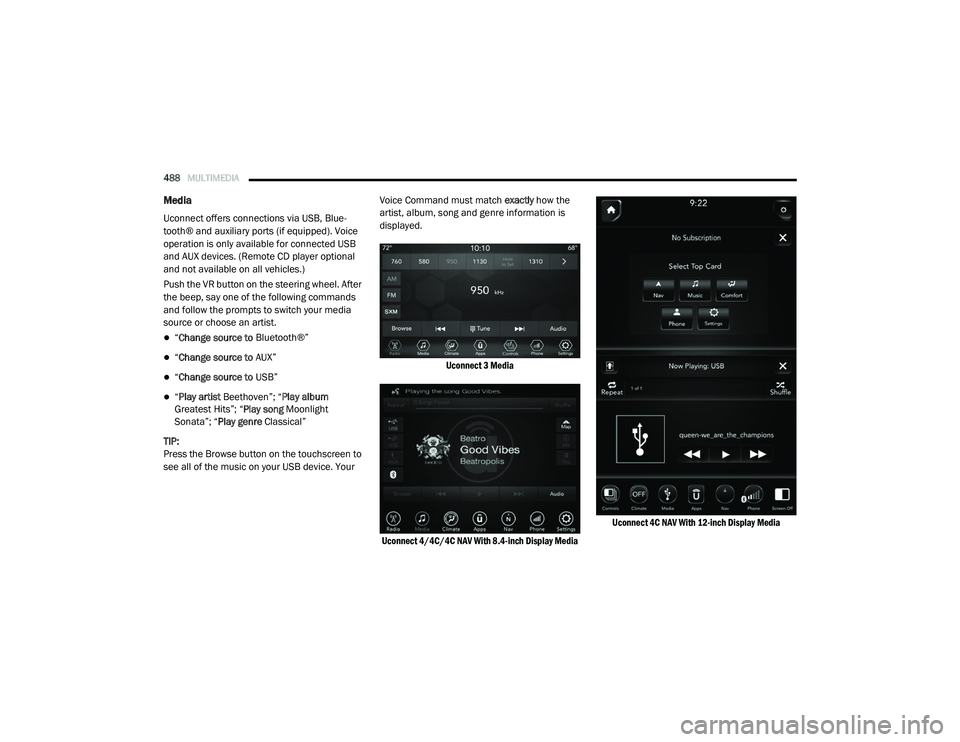
Press the Browse button on the touchscreen to
see all of the music on your USB device. Your Voice Command must match
exactly how the
artist, album, song and genre information is
displayed.
Uconnect 3 Media
Uconnect 4/4C/4C NAV With 8.4-inch Display Media Uconnect 4C NAV With 12-inch Display Media
2020_RAM_CHASSIS_CAB_OM_USA=GUID-6C67832B-7839-4CCF-BEFC-CDF988F949EA=1=en=.book Page 488
Page 498 of 516
496MULTIMEDIA
Using Do Not Disturb
With Do Not Disturb, you can disable notifica -
tions from incoming calls and texts, allowing
you to keep your eyes on the road and hands on
the wheel. For your convenience, there is a
counter display to keep track of your missed
calls and text messages while you were using
Do Not Disturb.
Do Not Disturb can automatically reply with a
text message, a call, or both, when declining an
incoming call and send it to voicemail.
Automatic reply messages can be:
“I am driving right now, I will get back to you
shortly.”
Create a custom auto reply message up to
160 characters.
While in Do Not Disturb, Conference Call can be
selected so you can still place a second call
without being interrupted by incoming calls. NOTE:
Only the beginning of your custom message
will be seen on the touchscreen.
Reply with text message is not compatible
with iPhones®.
Auto reply with text message is only available
on phones that support Bluetooth® Message
Access Profile (MAP).
Android Auto™ — If Equipped
NOTE:
Feature availability depends on your carrier and
mobile phone manufacturer. Some Android
Auto™ features may or may not be available in
every region and/or language.
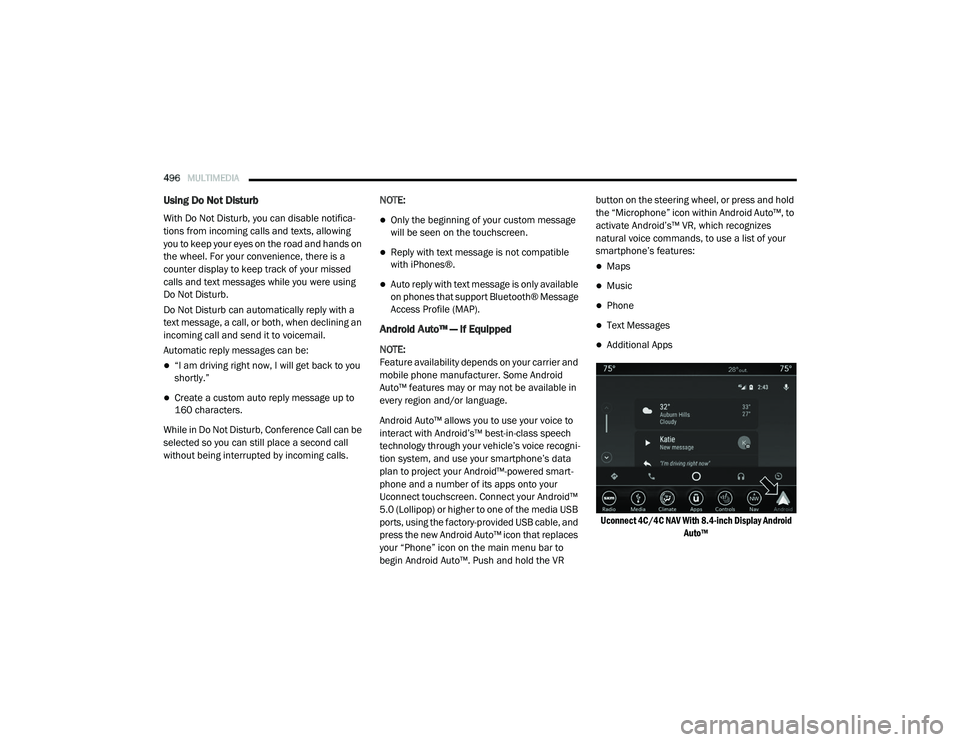
Android Auto™ allows you to use your voice to
interact with Android’s™ best-in-class speech
technology through your vehicle’s voice recogni
-
tion system, and use your smartphone’s data
plan to project your Android™-powered smart -
phone and a number of its apps onto your
Uconnect touchscreen. Connect your Android™
5.0 (Lollipop) or higher to one of the media USB
ports, using the factory-provided USB cable, and
press the new Android Auto™ icon that replaces
your “Phone” icon on the main menu bar to
begin Android Auto™. Push and hold the VR button on the steering wheel, or press and hold
the “Microphone” icon within Android Auto™, to
activate Android’s™ VR, which recognizes
natural voice commands, to use a list of your
smartphone’s features:
Maps
Music
Phone
Text Messages
Additional Apps
Uconnect 4C/4C NAV With 8.4-inch Display Android Auto™
2020_RAM_CHASSIS_CAB_OM_USA=GUID-6C67832B-7839-4CCF-BEFC-CDF988F949EA=1=en=.book Page 496