instrument cluster RAM CHASSIS CAB 2021 User Guide
[x] Cancel search | Manufacturer: RAM, Model Year: 2021, Model line: CHASSIS CAB, Model: RAM CHASSIS CAB 2021Pages: 463, PDF Size: 21.5 MB
Page 55 of 463
GETTING TO KNOW YOUR VEHICLE53
The system directs the headlights to light up the
road in the best way, taking into account the
speed of the vehicle and the bend or corner
angle, as well as the speed of the vehicle while
the steering wheel is being turned.
The adaptive lights are automatically activated
when the vehicle is traveling above approximately
5 mph (8 km/h).
This system can be turned on/off through the
Uconnect Settings under “Steering Directed
Lights” Úpage 228.
PARKING LIGHTS AND PANEL LIGHTS
To turn on the parking lights and instrument
panel lights, rotate the headlight switch
clockwise. To turn off the parking lights, rotate
the headlight switch back to the O (off) position.
AUTOMATIC HEADLIGHTS WITH WIPERS
If your vehicle is equipped with Automatic
Headlights, it also has this customer-programmable
feature. When your headlights are in the automatic
mode and the engine is running, they will
automatically turn on when the wiper system is on.
This feature is programmable through the Uconnect
system
Ú
page 228. If your vehicle is equipped with the Rain Sensing
Wiper system
Ú
page 58, and it is activated, the
headlights will automatically turn on after the wipers
complete five wipe cycles within approximately one
minute, and they will turn off approximately four
minutes after the wipers completely stop.
NOTE:
When your headlights come on during the
daytime, the instrument panel lights will auto -
matically dim to the lower nighttime intensity.
HEADLIGHT DELAY
To assist when exiting the vehicle, the headlight
delay feature will leave the headlights on for up to
90 seconds. This delay is initiated when the ignition
is placed in the OFF position while the headlight
switch is on, and then the headlight switch is cycled
off. Headlight delay can be cancelled by either
turning the headlight switch on then off, or by
placing the ignition in the ON position.
NOTE:
This feature can be programmed through the
Uconnect system Ú page 228.
The headlight delay feature is automatically
activated if the headlight switch is left in the
AUTO position when the ignition is placed in
the OFF position.
LIGHTS-ON REMINDER
If the headlights, parking lights, or cargo lights
are left on after the ignition is placed in the OFF
position, a chime will sound and a message will
appear in the instrument cluster display when
the driver’s door is opened.
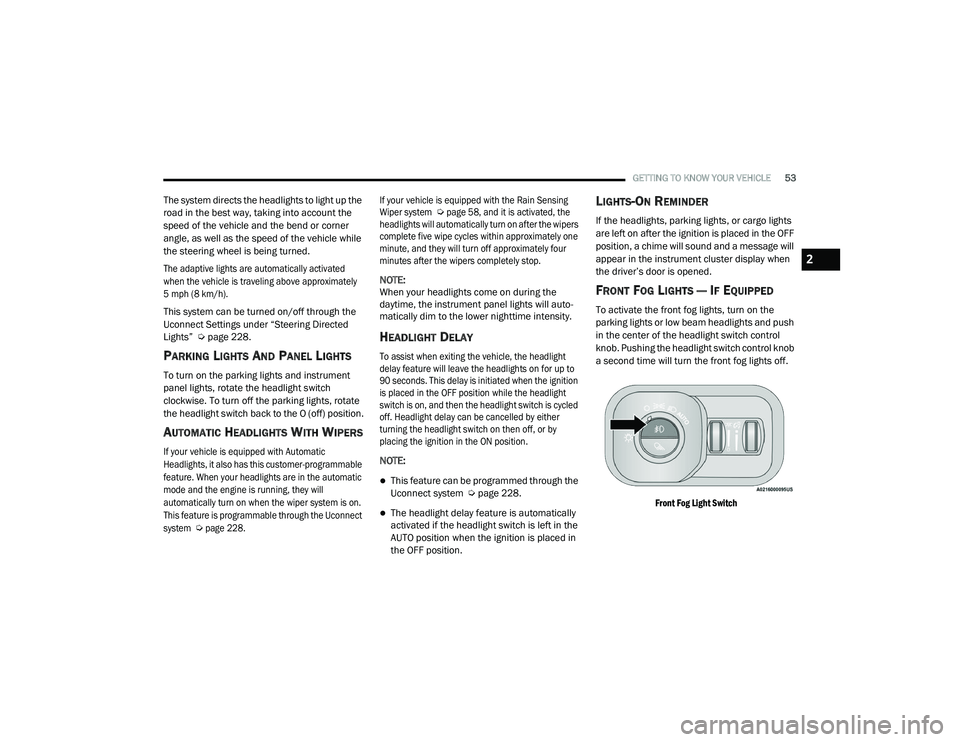
FRONT FOG LIGHTS — IF EQUIPPED
To activate the front fog lights, turn on the
parking lights or low beam headlights and push
in the center of the headlight switch control
knob. Pushing the headlight switch control knob
a second time will turn the front fog lights off.
Front Fog Light Switch
2
21_DPF_OM_EN_USC_t.book Page 53
Page 56 of 463

54GETTING TO KNOW YOUR VEHICLE
TURN SIGNALS
Move the multifunction lever up or down to
activate the turn signals. The arrows on each
side of the instrument cluster flash to show
proper operation.
NOTE:
If either light remains on and does not flash, or
there is a very fast flash rate, check for a defec -
tive outside light bulb.
LANE CHANGE ASSIST — IF EQUIPPED
Lightly push the multifunction lever up or down,
without moving beyond the detent, and the turn
signal will flash three times then automatically
turn off.
CARGO LIGHTS/TRAILER SPOTTER
L
IGHTS — IF EQUIPPED
The cargo lights (if equipped) and trailer spotter
lights (if equipped) are turned on by pushing the
cargo lights button located on the lower half of
the headlight switch.
Cargo Lights Button On Headlight Switch
The cargo lights will turn on for approximately
60 seconds when a key fob unlock button is
pushed, as part of the Illuminated Entry feature.
When these lights are activated using the
button on the headlight switch, the trailer
spotter lights will remain illuminated when
the vehicle transmission is in PARK, NEUTRAL,
or REVERSE. The trailer spotter lights will turn
off when the vehicle transmission is placed in
DRIVE.
BATTERY SAVER
Timers are set to both the interior and exterior
lights to protect the life of your vehicle’s battery.
If the ignition is OFF, the interior lights will
automatically turn off when:
Any door is left ajar for 10 minutes.
The Dome Off button is pushed.
The cargo and spotter lights are manually
activated by the headlight switch.
NOTE:
Battery saver mode is canceled if the ignition is
ON.
If the headlights remain on while the ignition is
placed in the OFF position, the exterior lights will
automatically turn off after eight minutes. If the
headlights are turned on and left on for eight
minutes while the ignition is OFF, the exterior
lights will automatically turn off.
21_DPF_OM_EN_USC_t.book Page 54
Page 82 of 463
80
GETTING TO KNOW YOUR INSTRUMENT PANEL
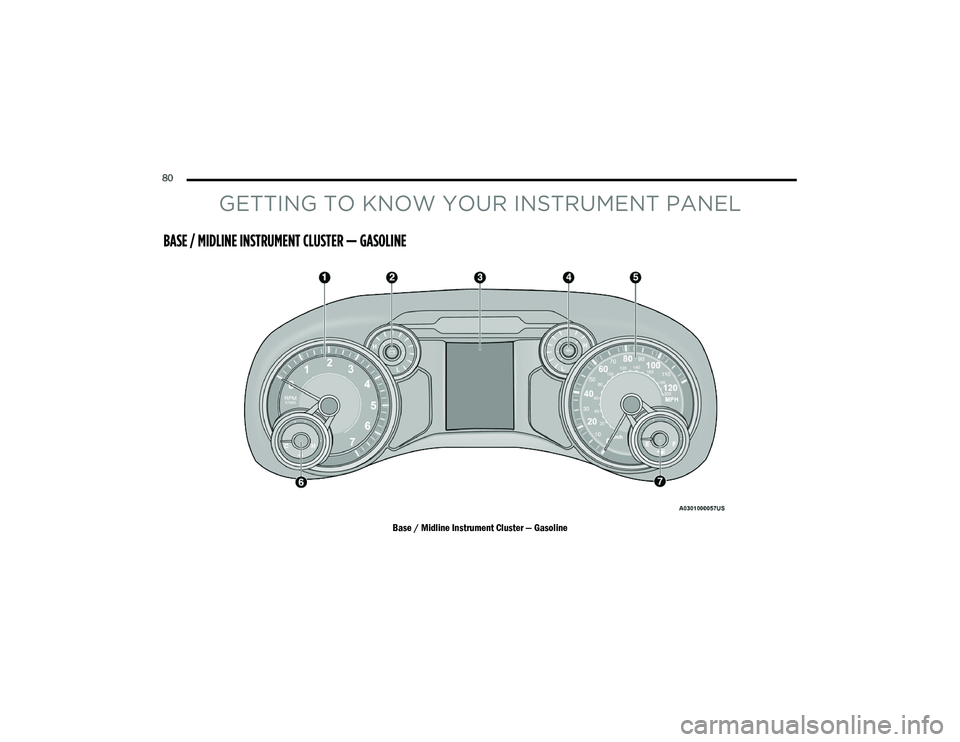
BASE / MIDLINE INSTRUMENT CLUSTER — GASOLINE
Base / Midline Instrument Cluster — Gasoline
21_DPF_OM_EN_USC_t.book Page 80
Page 83 of 463

GETTING TO KNOW YOUR INSTRUMENT PANEL81
BASE / MIDLINE INSTRUMENT CLUSTER
D
ESCRIPTIONS
1. Tachometer
Indicates the engine speed in revolutions
per minute (RPM x 1000).
2. Voltmeter
When the vehicle is in the RUN state, the
gauge indicates the electrical system
voltage. The pointer should stay within
the normal range if the battery is
charged. If the pointer moves to either
extreme left or right and remains there
during normal driving, the electrical
system should be serviced. 3. Instrument Cluster Display
When the appropriate conditions exist,
this display shows the instrument cluster
display messages Ú
page 90.
Base Instrument Cluster Display
The display always shows one of the main
menu item after ignition on. 4. Oil Pressure Gauge
The pointer should always indicate the
oil pressure when the engine is running.
A continuous high or low reading under
normal driving conditions may indicate a
lubrication system malfunction. Imme
-
diate service should be obtained from an
authorized dealer.
5. Speedometer
Indicates vehicle speed.
1 – Instrument Cluster Display Controls
2 – Instrument Cluster Display Screen
3
21_DPF_OM_EN_USC_t.book Page 81
Page 85 of 463
GETTING TO KNOW YOUR INSTRUMENT PANEL83
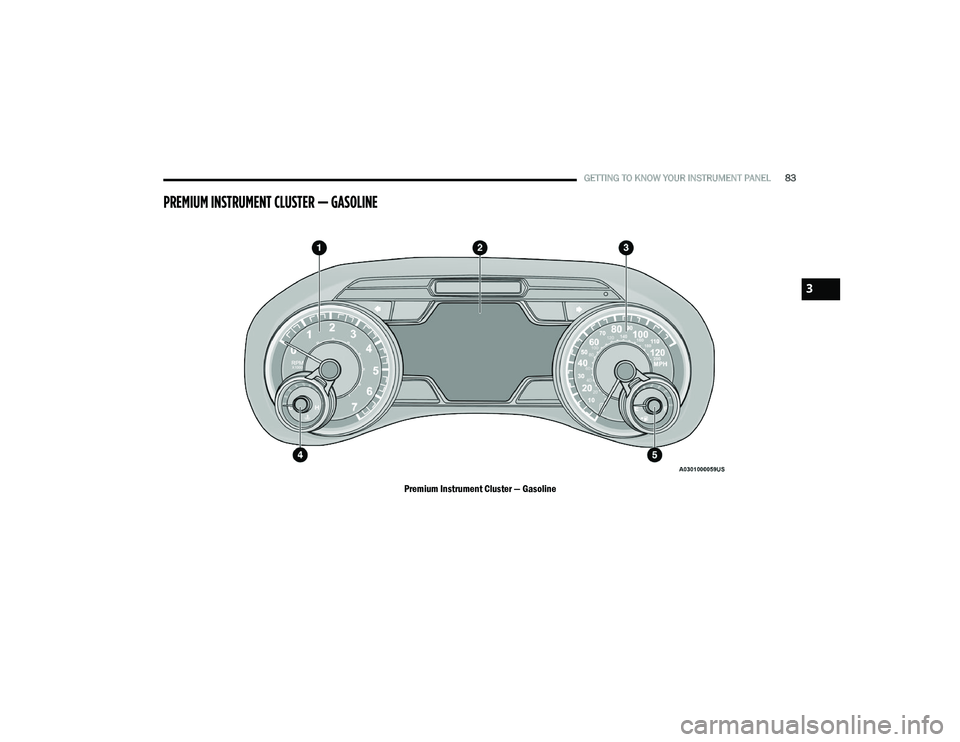
PREMIUM INSTRUMENT CLUSTER — GASOLINE
Premium Instrument Cluster — Gasoline
3
21_DPF_OM_EN_USC_t.book Page 83
Page 86 of 463
84GETTING TO KNOW YOUR INSTRUMENT PANEL
PREMIUM INSTRUMENT CLUSTER
D
ESCRIPTIONS
1. Tachometer
Indicates the engine speed in revolutions
per minute (RPM x 1000).
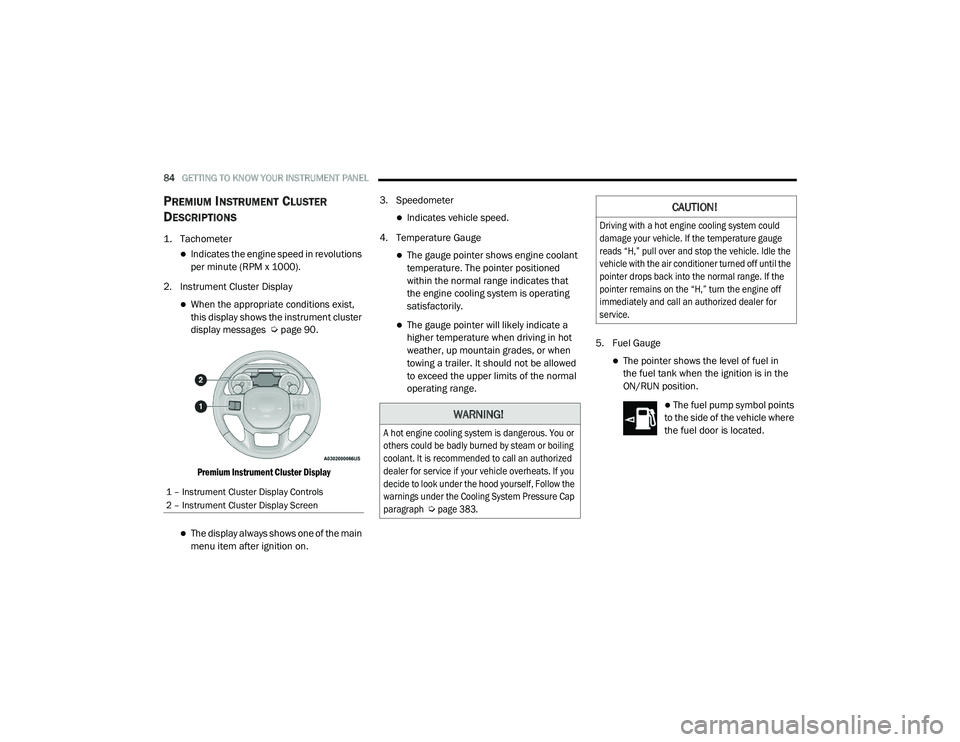
2. Instrument Cluster Display
When the appropriate conditions exist,
this display shows the instrument cluster
display messages Ú page 90.
Premium Instrument Cluster Display
The display always shows one of the main
menu item after ignition on. 3. Speedometer
Indicates vehicle speed.
4. Temperature Gauge
The gauge pointer shows engine coolant
temperature. The pointer positioned
within the normal range indicates that
the engine cooling system is operating
satisfactorily.
The gauge pointer will likely indicate a
higher temperature when driving in hot
weather, up mountain grades, or when
towing a trailer. It should not be allowed
to exceed the upper limits of the normal
operating range. 5. Fuel Gauge
The pointer shows the level of fuel in
the fuel tank when the ignition is in the
ON/RUN position.
The fuel pump symbol points
to the side of the vehicle where
the fuel door is located.
1 – Instrument Cluster Display Controls
2 – Instrument Cluster Display Screen
WARNING!
A hot engine cooling system is dangerous. You or
others could be badly burned by steam or boiling
coolant. It is recommended to call an authorized
dealer for service if your vehicle overheats. If you
decide to look under the hood yourself, Follow the
warnings under the Cooling System Pressure Cap
paragraph
Ú
page 383.
CAUTION!
Driving with a hot engine cooling system could
damage your vehicle. If the temperature gauge
reads “H,” pull over and stop the vehicle. Idle the
vehicle with the air conditioner turned off until the
pointer drops back into the normal range. If the
pointer remains on the “H,” turn the engine off
immediately and call an authorized dealer for
service.
21_DPF_OM_EN_USC_t.book Page 84
Page 87 of 463
GETTING TO KNOW YOUR INSTRUMENT PANEL85
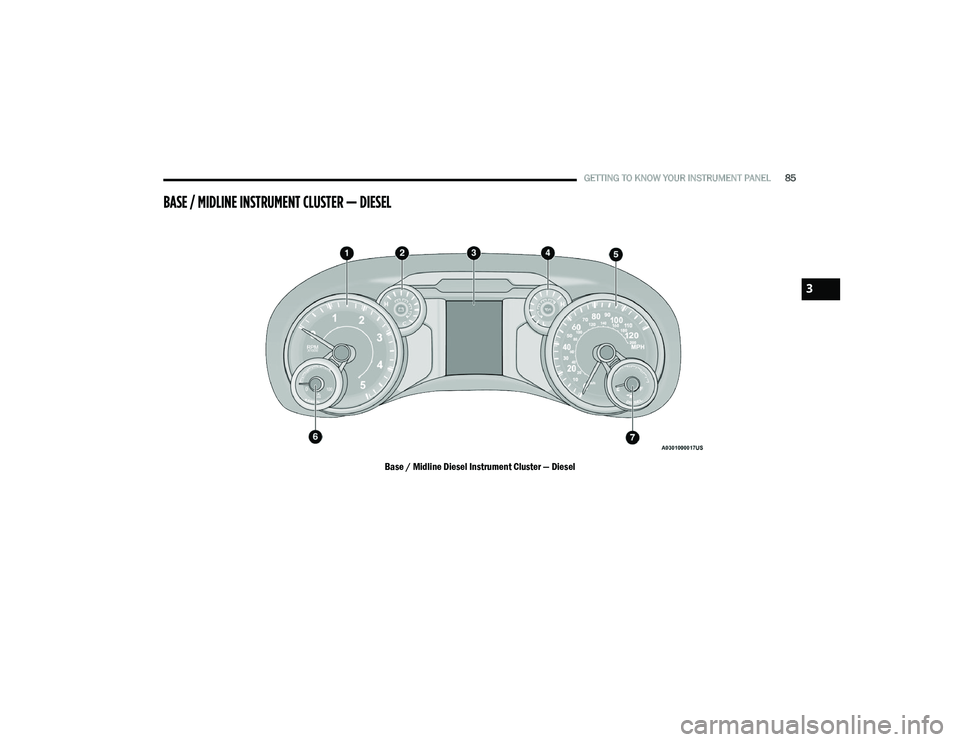
BASE / MIDLINE INSTRUMENT CLUSTER — DIESEL
Base / Midline Diesel Instrument Cluster — Diesel
3
21_DPF_OM_EN_USC_t.book Page 85
Page 88 of 463
86GETTING TO KNOW YOUR INSTRUMENT PANEL
DIESEL INSTRUMENT CLUSTER
1. Tachometer
Indicates the engine speed in revolutions
per minute (RPM x 1000).
2. Engine Coolant Temperature
This gauge shows the engine coolant
temperature. The gauge pointer will likely
show higher temperatures when driving
in hot weather, up mountain grades, or in
heavy stop and go traffic. If the red
Warning Light turns on while driving,
safely bring the vehicle to a stop, and
turn off the engine. DO NOT operate the
vehicle until the cause is corrected. 3. Instrument Cluster Display
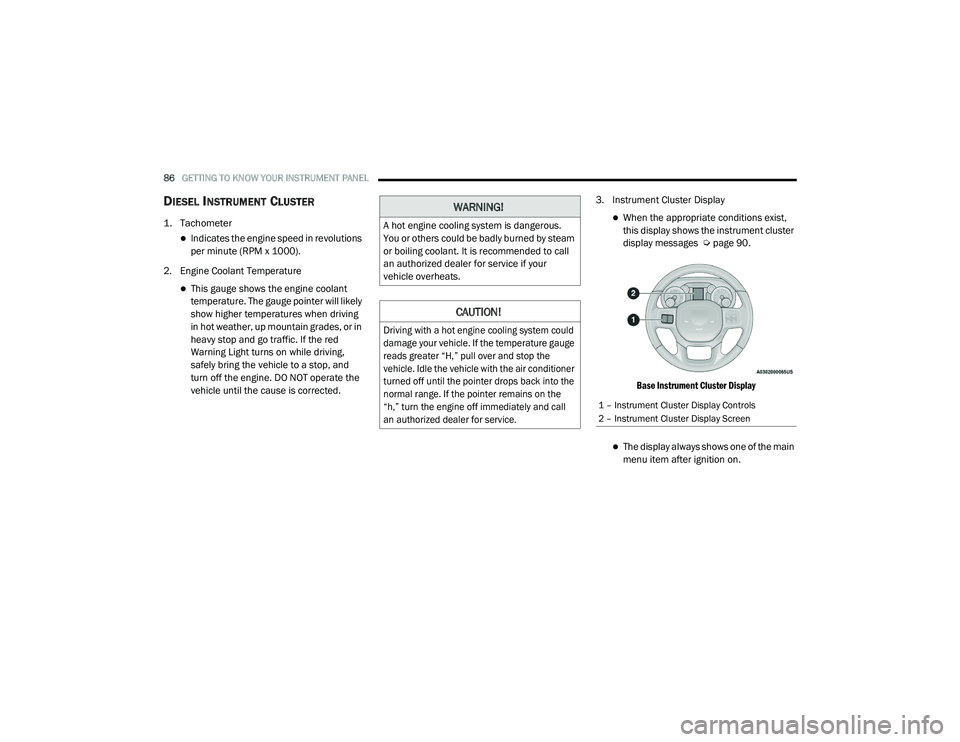
When the appropriate conditions exist,
this display shows the instrument cluster
display messages Ú
page 90.
Base Instrument Cluster Display
The display always shows one of the main
menu item after ignition on.
WARNING!
A hot engine cooling system is dangerous.
You or others could be badly burned by steam
or boiling coolant. It is recommended to call
an authorized dealer for service if your
vehicle overheats.
CAUTION!
Driving with a hot engine cooling system could
damage your vehicle. If the temperature gauge
reads greater “H,” pull over and stop the
vehicle. Idle the vehicle with the air conditioner
turned off until the pointer drops back into the
normal range. If the pointer remains on the
“h,” turn the engine off immediately and call
an authorized dealer for service.
1 – Instrument Cluster Display Controls
2 – Instrument Cluster Display Screen
21_DPF_OM_EN_USC_t.book Page 86
Page 89 of 463

GETTING TO KNOW YOUR INSTRUMENT PANEL87
4. Oil Pressure Gauge
The pointer should always indicate some
oil pressure when the engine is running.
A continuous high or low reading under
normal driving conditions may indicate a
lubrication system malfunction. Imme-
diate service should be obtained from an
authorized dealer.
5. Speedometer
Indicates vehicle speed. 6. Diesel Exhaust Fluid (DEF) Gauge
The DEF Gauge displays the actual level of
Diesel Exhaust Fluid in the DEF tank. DEF
is required to maintain normal vehicle
operation and emissions compliance. If
something is wrong with the gauge, a DEF
Warning Message or Malfunction Indicator
Light (MIL) will be displayed. More informa
-
tion is available in the instrument cluster
display section under the heading of DEF
Warning Messages.
7. Fuel Gauge
The pointer shows the level of fuel in the
fuel tank when the ignition switch is in
the ON/RUN position.
The fuel pump symbol points
to the side of the vehicle where
the fuel filler door is located. NOTE:
The gauge may take up to five seconds to
update after adding a gallon or more of DEF
to the DEF tank. If you have a fault related to
the DEF system, the gauge may not update to
the new level. See an authorized dealer for
service.
The DEF gauge may also not immediately
update after a refill if the temperature of the
DEF fluid is below 39°F (4°C). The DEF tank
heater will possibly warm up the DEF fluid
and allow the gauge to update after a period
of run time. Under very cold conditions, it is
possible that the gauge may not reflect the
new fill level for several drives.
3
21_DPF_OM_EN_USC_t.book Page 87
Page 90 of 463
88GETTING TO KNOW YOUR INSTRUMENT PANEL
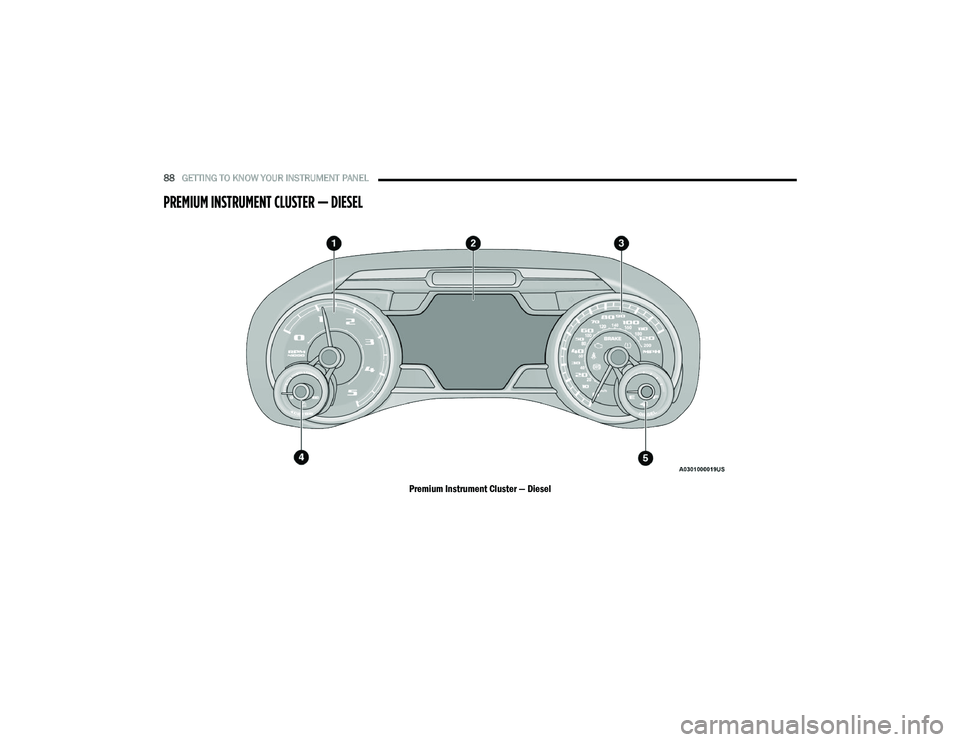
PREMIUM INSTRUMENT CLUSTER — DIESEL
Premium Instrument Cluster — Diesel
21_DPF_OM_EN_USC_t.book Page 88