park assist RAM CHASSIS CAB 2021 User Guide
[x] Cancel search | Manufacturer: RAM, Model Year: 2021, Model line: CHASSIS CAB, Model: RAM CHASSIS CAB 2021Pages: 463, PDF Size: 21.5 MB
Page 165 of 463
STARTING AND OPERATING163
POWER TAKE OFF (PTO) OPERATION — IF
EQUIPPED
This vehicle when equipped with PTO Prep and
the AS66RC/AS69RC automatic six-speed, will
allow for an aftermarket upfit with a transmission
driven PTO (power take off). The customer will
have the ability to operate the PTO in either
a “stationary”, “mobile” or “remote” mode.
The vehicles will be factory set to the “stationary”
mode. To select a different mode, or to change
any other PTO setting, you will need to enter the
commercial vehicle menu on the instrument
cluster screen. Details of the PTO selection
modes and further PTO information is available
at the Ram Truck Bodybuilders web site:
https://
www.ramtrucks.com/ram-commercial/
body-builders-guide.html
POWER STEERING
HYDRAULIC POWER STEERING
The standard power steering system will give
you good vehicle response and increased ease
of maneuverability in tight spaces. The system
will provide mechanical steering capability if
power assist is lost.
If for some reason the power assist is interrupted,
it will still be possible to steer your vehicle. Under
these conditions, you will observe a substantial
increase in steering effort, especially at very low
vehicle speeds and during parking maneuvers.
NOTE:
Increased noise levels at the end of the
steering wheel travel are considered normal
and do not indicate that there is a problem
with the power steering system.
Upon initial start-up in cold weather, the
power steering pump may make noise for a
short amount of time. This is due to the cold,
thick fluid in the steering system. This noise
should be considered normal, and it does not
in any way damage the steering system.
Power Steering Fluid Check
Checking the power steering fluid level at a
defined service interval is not required. The fluid
should only be checked if a leak is suspected,
abnormal noises are apparent, and/or the
system is not functioning as anticipated. Check
fluid level when the engine is cold and off.
Coordinate inspection efforts through an
authorized dealer.
CAUTION!
Prolonged operation of the steering system
at the end of the steering wheel travel will
increase the steering fluid temperature and it
should be avoided when possible. Damage to
the power steering pump may occur.
WARNING!
Fluid level should be checked on a level
surface and with the engine off to prevent
injury from moving parts and to ensure
accurate fluid level reading. Do not overfill.
Use only manufacturer's recommended
power steering fluid.
4
21_DPF_OM_EN_USC_t.book Page 163
Page 179 of 463
STARTING AND OPERATING177
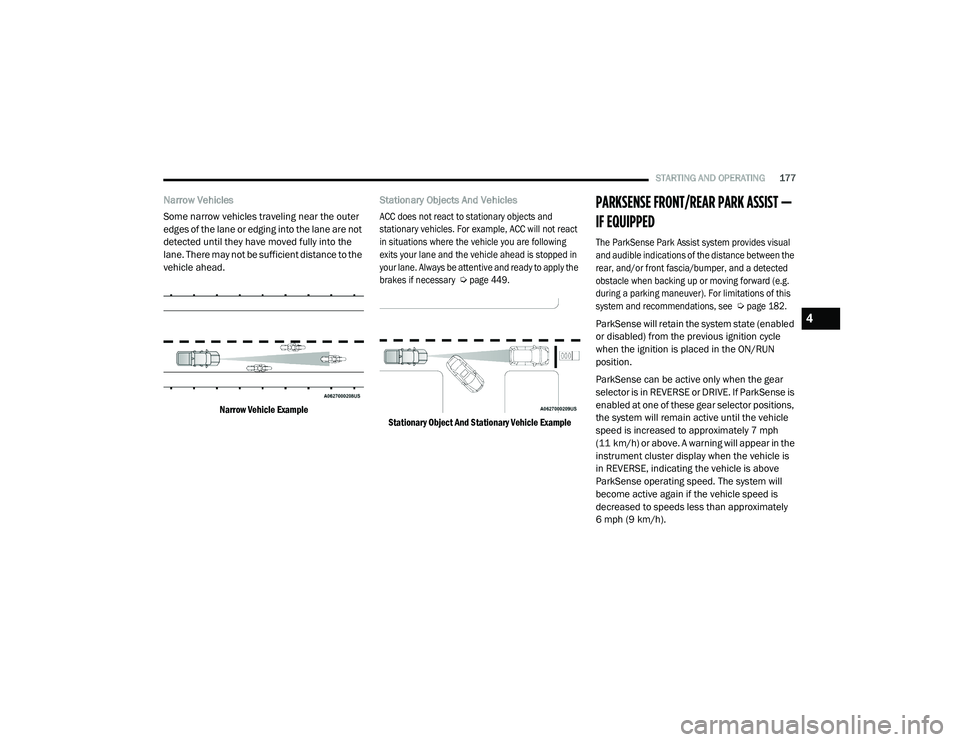
Narrow Vehicles
Some narrow vehicles traveling near the outer
edges of the lane or edging into the lane are not
detected until they have moved fully into the
lane. There may not be sufficient distance to the
vehicle ahead.
Narrow Vehicle Example
Stationary Objects And Vehicles
ACC does not react to stationary objects and
stationary vehicles. For example, ACC will not react
in situations where the vehicle you are following
exits your lane and the vehicle ahead is stopped in
your lane. Always be attentive and ready to apply the
brakes if necessary
Ú
page 449.
Stationary Object And Stationary Vehicle Example
PARKSENSE FRONT/REAR PARK ASSIST —
IF EQUIPPED
The ParkSense Park Assist system provides visual
and audible indications of the distance between the
rear, and/or front fascia/bumper, and a detected
obstacle when backing up or moving forward (e.g.
during a parking maneuver). For limitations of this
system and recommendations, see
Ú
page 182.
ParkSense will retain the system state (enabled
or disabled) from the previous ignition cycle
when the ignition is placed in the ON/RUN
position.
ParkSense can be active only when the gear
selector is in REVERSE or DRIVE. If ParkSense is
enabled at one of these gear selector positions,
the system will remain active until the vehicle
speed is increased to approximately 7 mph
(11 km/h) or above. A warning will appear in the
instrument cluster display when the vehicle is
in REVERSE, indicating the vehicle is above
ParkSense operating speed. The system will
become active again if the vehicle speed is
decreased to speeds less than approximately
6 mph (9 km/h).
4
21_DPF_OM_EN_USC_t.book Page 177
Page 180 of 463

178STARTING AND OPERATING
PARKSENSE SENSORS
For the 3500, 4500 and 5500 Chassis Cab
vehicles, the rear ParkSense sensors are
shipped loose. Please refer to the Ram Body
Builders Guide for more information.
The four ParkSense sensors are to be located in
the rear fascia/bumper, and monitor the area
behind the vehicle that is within the sensors’
field of view.
The sensors can detect obstacles from
approximately 12 inches (30 cm) up to
79 inches (200 cm) from the rear fascia/
bumper in the horizontal direction, depending
on the location, type and orientation of the
obstacle.
NOTE:
If equipped as a dually, the ParkSense system
has six rear sensors to assist in detection
around the dually flares.
The six ParkSense sensors, located in the front
fascia/bumper, monitor the area in front of the
vehicle that is within the sensors’ field of view.
The sensors can detect obstacles from
approximately 12 inches (30 cm) up to 47 inches
(120 cm) from the front fascia/bumper in the
horizontal direction, depending on the location,
type and orientation of the obstacle.
PARKSENSE WARNING DISPLAY
The ParkSense Warning screen is located within
the instrument cluster display
Ú
page 90. It
provides visual warnings to indicate the distance
between the rear fascia/bumper and/or front
fascia/bumper and the detected obstacle.
PARKSENSE DISPLAY
The warning display will turn on indicating the
system status when the vehicle is in REVERSE
or when the vehicle is in DRIVE and an obstacle
has been detected.
The system will indicate a detected obstacle by
showing a single arc in the left and/or right rear
regions based on the obstacle’s distance and
location relative to the vehicle.
21_DPF_OM_EN_USC_t.book Page 178
Page 183 of 463

STARTING AND OPERATING181
NOTE:
ParkSense will reduce the volume of the radio,
if on, when the system is sounding an audio
tone.
Front Park Assist Audible Alerts
ParkSense will turn off the Front Park Assist
audible alert (chime) after approximately three
seconds when an obstacle has been detected,
the vehicle is stationary, and brake pedal is
applied. Adjustable Chime Volume Settings
The Front and Rear chime volume settings are
programmable through the Uconnect system
Ú
page 228.
ENABLING AND DISABLING PARKSENSE
Front ParkSense can be enabled and
disabled with the Front ParkSense
switch.
Rear ParkSense can be enabled and disabled
with the Rear ParkSense switch.
When the gear selector is moved to REVERSE
and the Front or Rear system is disabled, the
instrument cluster display will show a vehicle graphic with an “Off” message overlay over the
system that is off (Front or Rear system). This
vehicle graphic will be displayed for as long as
the vehicle is in REVERSE.
The Front or Rear ParkSense switch LED will be
on when Front or Rear ParkSense is disabled or
requires service. The Front or Rear ParkSense
switch LED will be off when the Front or Rear
system is enabled. If the Front or Rear
ParkSense switch is pushed, and the system
requires service, the Front or Rear ParkSense
switch LED will blink momentarily, and then the
LED will be on.
WARNING ALERTS FOR FRONT
Front Distance
(inches/cm) Greater than 47 inches
(120 cm) 47-39 inches
(120-100 cm) 39-25 inches
(100-65 cm) 25-12 inches
(65-30 cm) Less than 12 inches
(30 cm)
Audible Alert Chime NoneNoneNone FastContinuous
Arcs-Left NoneNoneNone3rd Flashing 4th Flashing
Arcs-Center None1st Solid2nd Flashing 3rd Flashing4th Flashing
Arcs-Right NoneNoneNone3rd Flashing 4th Flashing
Radio Volume Reduced No
NoNo Yes Yes
4
21_DPF_OM_EN_USC_t.book Page 181
Page 184 of 463

182STARTING AND OPERATING
SERVICE THE PARKSENSE PARK ASSIST
S
YSTEM
During vehicle start up, when the Front/Rear
ParkSense System has detected a faulted
condition, the instrument cluster display will
show the "Front/Rear ParkSense Unavailable
Service Required" or the "Front/Rear
ParkSense Unavailable Wipe Sensors"
message.
When the gear selector is moved into REVERSE,
a vehicle graphic will show in the instrument
cluster display, along with the display overlay
“Wipe Sensors.” If the system needs service,
the display overlay will read “Service.” Under
this condition, ParkSense will not operate.
If "Front/Rear ParkSense Unavailable Wipe
Sensors" appears in the instrument cluster
display make sure the outer surface and the
underside of the rear fascia/bumper is clean
and clear of snow, ice, mud, dirt or other
obstruction, and then cycle the ignition. If the
message continues to appear, see an
authorized dealer. If "Front/Rear ParkSense Unavailable Service
Required" appears in the instrument cluster
display, see an authorized dealer.CLEANING THE PARKSENSE SYSTEM
Clean the ParkSense sensors with water, car
wash soap and a soft cloth. Do not use rough or
hard cloths. Do not scratch or poke the sensors.
Otherwise, you could damage the sensors.
PARKSENSE SYSTEM USAGE
P
RECAUTIONS
NOTE:
Ensure that the front and rear bumpers are
free of snow, ice, mud, dirt and debris to keep
the ParkSense system operating properly.
Jackhammers, large trucks, and other vibrations
could affect the performance of ParkSense.
When you move the gear selector to the
REVERSE position and Front or Rear ParkSense
is turned off, the instrument cluster display will
show "Off" on the vehicle graphic arcs. This
vehicle graphic will be displayed for as long as
the vehicle is in REVERSE.
ParkSense, when on, will reduce the volume
of the radio when it is sounding a tone.
Clean the ParkSense sensors regularly,
taking care not to scratch or damage them.
The sensors must not be covered with ice,
snow, slush, mud, dirt or debris. Failure to do
so can result in the system not working prop -
erly. The ParkSense system might not detect
an obstacle behind or in front of the fascia/
bumper, or it could provide a false indication
that an obstacle is behind or in front of the
fascia/bumper.
Use the ParkSense switch to turn the Park -
Sense system off if obstacles such as bicycle
carriers, trailer hitches, etc. are placed within
18 inches (45 cm) from the rear fascia/
bumper. Failure to do so can result in the
system misinterpreting a close obstacle as a
sensor problem, causing the “Front/Rear
ParkSense Unavailable Service Required”
message to be appear in the instrument
cluster display.
21_DPF_OM_EN_USC_t.book Page 182
Page 189 of 463
STARTING AND OPERATING187
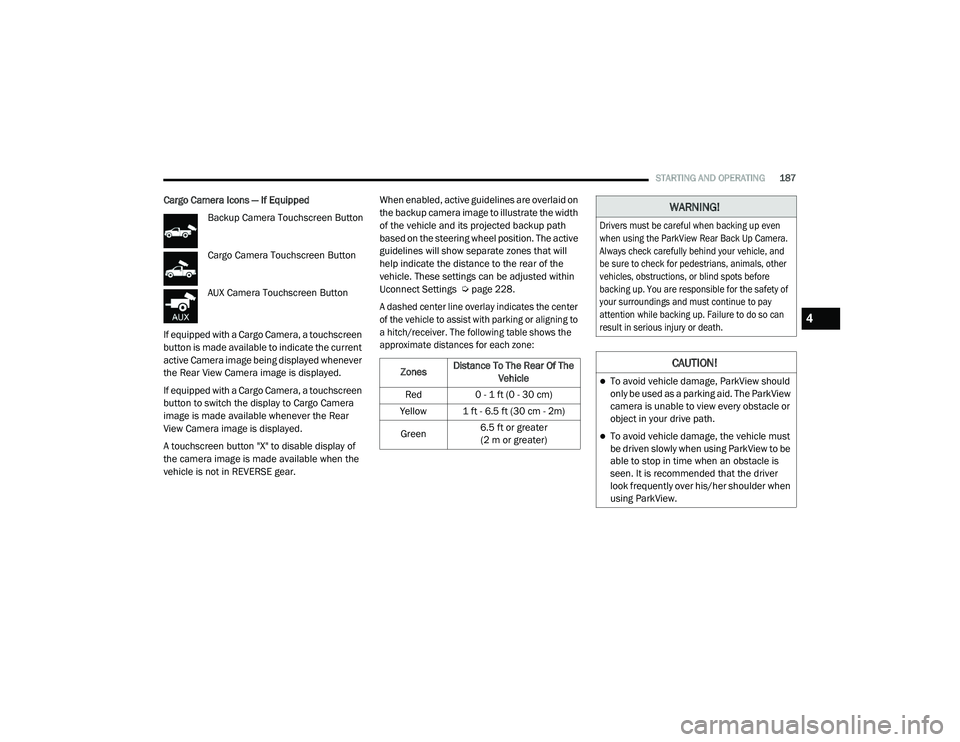
Cargo Camera Icons — If Equipped
Backup Camera Touchscreen Button
Cargo Camera Touchscreen Button
AUX Camera Touchscreen Button
If equipped with a Cargo Camera, a touchscreen
button is made available to indicate the current
active Camera image being displayed whenever
the Rear View Camera image is displayed.
If equipped with a Cargo Camera, a touchscreen
button to switch the display to Cargo Camera
image is made available whenever the Rear
View Camera image is displayed.
A touchscreen button "X" to disable display of
the camera image is made available when the
vehicle is not in REVERSE gear. When enabled, active guidelines are overlaid on
the backup camera image to illustrate the width
of the vehicle and its projected backup path
based on the steering wheel position. The active
guidelines will show separate zones that will
help indicate the distance to the rear of the
vehicle. These settings can be adjusted within
Uconnect Settings Ú
page 228.
A dashed center line overlay indicates the center
of the vehicle to assist with parking or aligning to
a hitch/receiver. The following table shows the
approximate distances for each zone:
Zones Distance To The Rear Of The
Vehicle
Red 0 - 1 ft (0 - 30 cm)
Yellow 1 ft - 6.5 ft (30 cm - 2m)
Green 6.5 ft or greater
(2 m or greater)
WARNING!
Drivers must be careful when backing up even
when using the ParkView Rear Back Up Camera.
Always check carefully behind your vehicle, and
be sure to check for pedestrians, animals, other
vehicles, obstructions, or blind spots before
backing up. You are responsible for the safety of
your surroundings and must continue to pay
attention while backing up. Failure to do so can
result in serious injury or death.
CAUTION!
To avoid vehicle damage, ParkView should
only be used as a parking aid. The ParkView
camera is unable to view every obstacle or
object in your drive path.
To avoid vehicle damage, the vehicle must
be driven slowly when using ParkView to be
able to stop in time when an obstacle is
seen. It is recommended that the driver
look frequently over his/her shoulder when
using ParkView.
4
21_DPF_OM_EN_USC_t.book Page 187
Page 195 of 463

STARTING AND OPERATING193
Activation
The Forward Facing Camera can be activated by
pressing the Forward Camera soft button on the
touchscreen.
Once activated, the camera image will remain
on as long as the vehicle speed is below 8 mph
(13 km/h) and the vehicle is not in 4WD Low.
Deactivation
The Forward Facing Camera is deactivated in
the following conditions:
The vehicle is not in 4WD Low and the vehicle
speed exceeds 8 mph (13 km/h) for
10 seconds.
The “X” button on the display is pressed.
Vehicle is shifted into PARK.
Ignition is placed in the OFF position.
NOTE:
If the vehicle is in 4WD Low, the Forward Facing
Camera image will be displayed until the “X”
button is pressed or the ignition is placed in the
OFF position. If the vehicle goes out of 4WD
Low, then the Forward Facing Camera will deac -
tivate. Trailer Reverse Guidance — If Equipped
The Trailer Reverse Guidance feature assists
the driver in backing up a trailer by providing
adjustable camera views of the trailer and
surrounding area. The cameras are mounted on
the side mirrors and the images will be displayed
side-by-side on the touchscreen. Left and right
camera images are swapped and mirrored on the
touchscreen to show the equivalent area behind
the vehicle as though the driver is using the side
mirrors.
Activation
The Trailer Reverse Guidance feature can
be activated by pressing the Trailer Reverse
Guidance button on the Backup/Cargo Camera
Display.
Deactivation
When the vehicle is shifted out of REVERSE
(with camera delay turned on), the camera
image will continue to be displayed for up to
10 seconds unless the vehicle speed exceeds
8 mph (13 km/h), the vehicle is shifted into
PARK or the ignition is placed in the OFF
position. There is a touchscreen button “X” to
disable the display of the camera image.
If Trailer Reverse Guidance is selected through
manually activated Surround View, Backup
Camera, or Cargo Camera, the following
deactivation conditions apply:
The “X” button on the display is pressed
The vehicle is shifted into PARK
The ignition is placed in the OFF position
The vehicle speed is over 8 mph (13 km/h)
for 10 seconds
WARNING!
Drivers must be careful when backing up
even when using the Surround View Camera.
Always check carefully behind your vehicle,
and be sure to check for pedestrians,
animals, other vehicles, obstructions, or blind
spots before backing up. You are responsible
for the safety of your surroundings and must
continue to pay attention while backing up.
Failure to do so can result in serious injury or
death.
4
21_DPF_OM_EN_USC_t.book Page 193
Page 235 of 463
MULTIMEDIA233
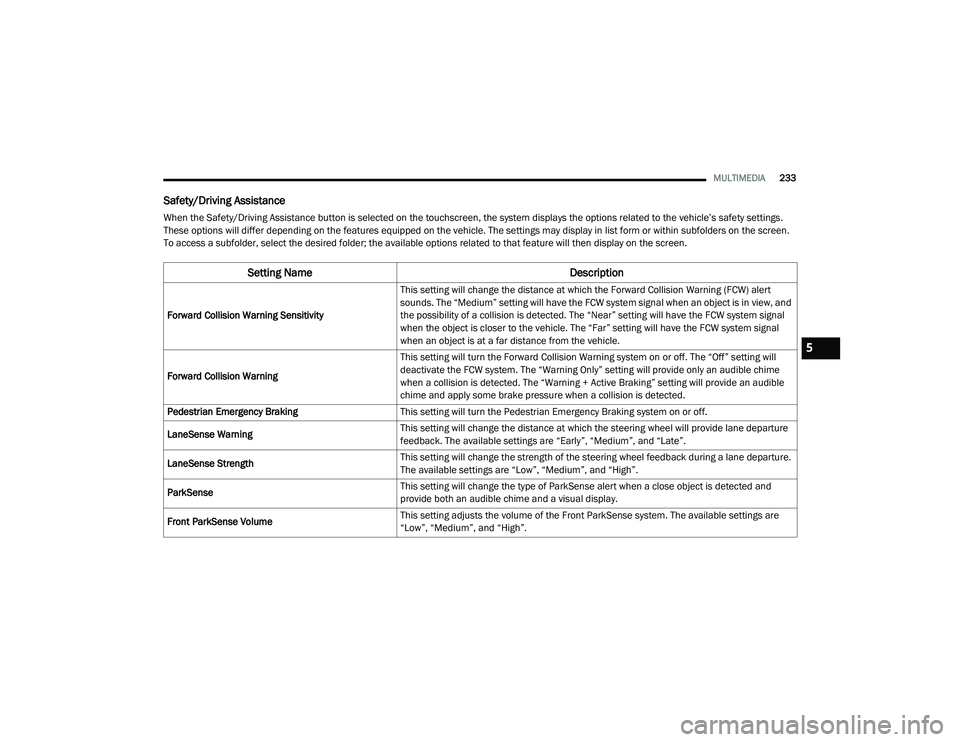
Safety/Driving Assistance
When the Safety/Driving Assistance button is selected on the touchscreen, the system displays the options related to the vehicle’s safety settings.
These options will differ depending on the features equipped on the vehicle. The settings may display in list form or within subfolders on the screen.
To access a subfolder, select the desired folder; the available options related to that feature will then display on the screen.
Setting Name Description
Forward Collision Warning SensitivityThis setting will change the distance at which the Forward Collision Warning (FCW) alert
sounds. The “Medium” setting will have the FCW system signal when an object is in view, and
the possibility of a collision is detected. The “Near” setting will have the FCW system signal
when the object is closer to the vehicle. The “Far” setting will have the FCW system signal
when an object is at a far distance from the vehicle.
Forward Collision Warning This setting will turn the Forward Collision Warning system on or off. The “Off” setting will
deactivate the FCW system. The “Warning Only” setting will provide only an audible chime
when a collision is detected. The “Warning + Active Braking” setting will provide an audible
chime and apply some brake pressure when a collision is detected.
Pedestrian Emergency Braking This setting will turn the Pedestrian Emergency Braking system on or off.
LaneSense Warning This setting will change the distance at which the steering wheel will provide lane departure
feedback. The available settings are “Early”, “Medium”, and “Late”.
LaneSense Strength This setting will change the strength of the steering wheel feedback during a lane departure.
The available settings are “Low”, “Medium”, and “High”.
ParkSense This setting will change the type of ParkSense alert when a close object is detected and
provide both an audible chime and a visual display.
Front ParkSense Volume This setting adjusts the volume of the Front ParkSense system. The available settings are
“Low”, “Medium”, and “High”.
5
21_DPF_OM_EN_USC_t.book Page 233
Page 236 of 463

234MULTIMEDIA
Rear ParkSense Volume This setting adjusts the volume of the Rear ParkSense system. The available settings are
“Low”, “Medium”, and “High”.
Rear ParkSense Braking Assist This setting will turn the Rear ParkSense Braking Assist on or off.
Blind Spot Alert This setting will change the type of alert provided when an object is detected in a vehicle’s
blind spot. The “Off” setting will turn off Blind Spot Alert. The “Lights” setting will activate the
Blind Spot Alert lights on the outside mirrors. The “Lights & Chime” setting will activate both
the lights on the outside mirrors and an audible chime.
Trailer Length For Blind Spot Alert This setting will auto detect the length of an attached trailer. The “Auto” setting will have the
system automatically set the trailer length. The “Max” setting will always set the length to the
maximum 39.5 ft (12 m).
Hill Start Assist This setting will turn the Hill Start Assist system on or off.
ParkView Backup Camera Delay This setting will add a timed delay to the rear backup camera when shifting out of reverse.
ParkView Backup Camera Active Guidelines This setting will turn the Backup Camera Active Guidelines on or off.
ParkView Backup Camera Fixed Guidelines This setting will turn the Backup Camera Fixed Guidelines on or off.
Tire Fill Assist This setting will turn Tire Fill Assist on or off.
Power Side Steps
This setting will raise and lower or stow the power side steps. The available options are “Automatic” to
raise and lower the power side steps and “Stow” to deactivate the power side steps.
Setting Name
Description
21_DPF_OM_EN_USC_t.book Page 234
Page 262 of 463
260MULTIMEDIA
The system handles multiple inputs in the same
phrase or sentence such as “make a phone call”
and “to Kelly Smith”. For multiple inputs in the
same phrase or sentence, the system identifies
the topic or context and provides the associated
follow-up prompt such as “Who do you want to
call?” in the case where a phone call was
requested but the specific name was not
recognized.
The system utilizes continuous dialog. When the
system requires more information from the
user, it will ask a question to which the user can
respond without pushing the Voice Command
button on the steering wheel.
Help Command
If you need assistance at any prompt, or if you
want to know your options at any prompt, say
“Help” following the beep.
To activate the Uconnect Phone from idle,
simply push the Phone button (if active) on your
steering wheel and say a command or say
“Help”. All Phone sessions begin with a push
of the VR button or the Phone button. Cancel Command
At any prompt, after the beep, you can say
“Cancel” and you will be returned to the main
menu.
You can also push the VR button or Phone
button on your steering wheel when the system
is listening for a command and be returned to
the main or previous menu.
Pair (Link) Uconnect Phone To A Mobile Phone
Use this QR code to access your
digital experience.
To begin using your Uconnect Phone, you must
pair your compatible Bluetooth®-enabled
mobile phone. Mobile phone pairing is the
process of establishing a wireless connection
between a cellular phone and the Uconnect
system.
To complete the pairing process, you will need
to reference your mobile phone’s manual. Please visit UconnectPhone.com for complete
mobile phone compatibility information.
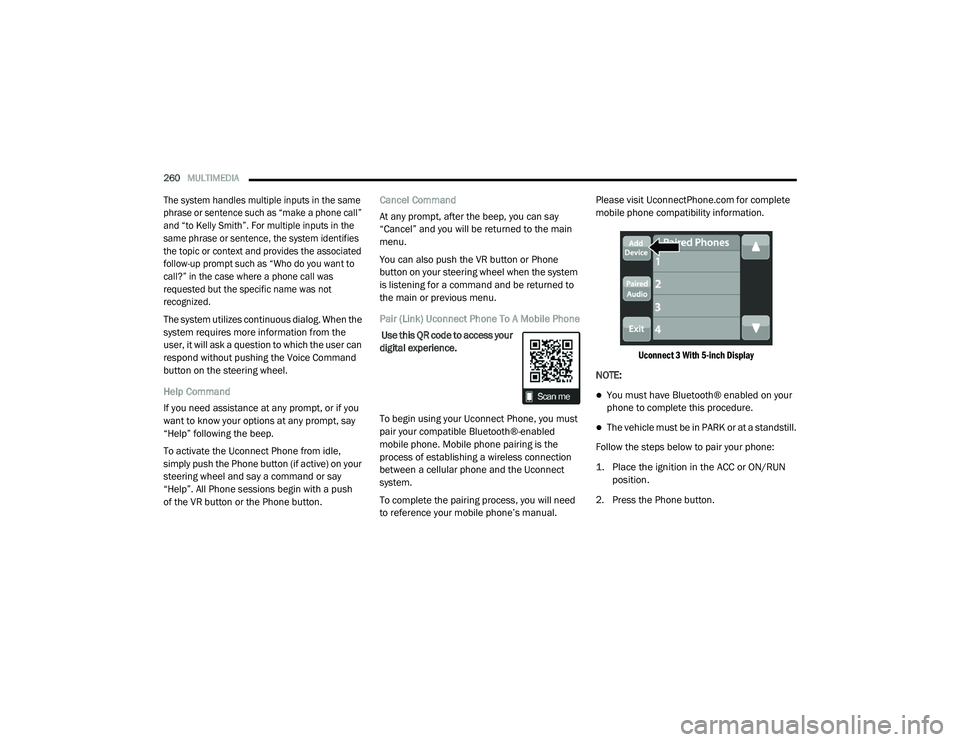
Uconnect 3 With 5-inch Display
NOTE:
You must have Bluetooth® enabled on your
phone to complete this procedure.
The vehicle must be in PARK or at a standstill.
Follow the steps below to pair your phone:
1. Place the ignition in the ACC or ON/RUN position.
2. Press the Phone button.
21_DPF_OM_EN_USC_t.book Page 260