wipers RAM CHASSIS CAB 2022 Owners Manual
[x] Cancel search | Manufacturer: RAM, Model Year: 2022, Model line: CHASSIS CAB, Model: RAM CHASSIS CAB 2022Pages: 428, PDF Size: 20.18 MB
Page 5 of 428
3
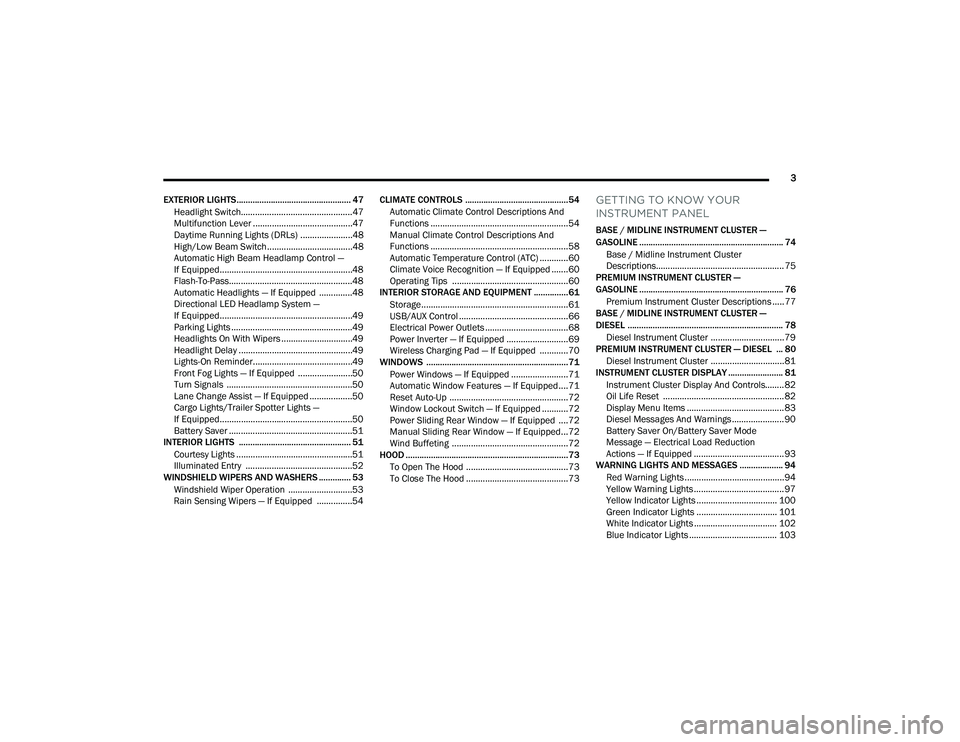
EXTERIOR LIGHTS.................................................. 47 Headlight Switch...............................................47
Multifunction Lever ..........................................47
Daytime Running Lights (DRLs) ......................48
High/Low Beam Switch....................................48
Automatic High Beam Headlamp Control —
If Equipped........................................................48
Flash-To-Pass....................................................48
Automatic Headlights — If Equipped ..............48
Directional LED Headlamp System —
If Equipped........................................................49
Parking Lights ...................................................49
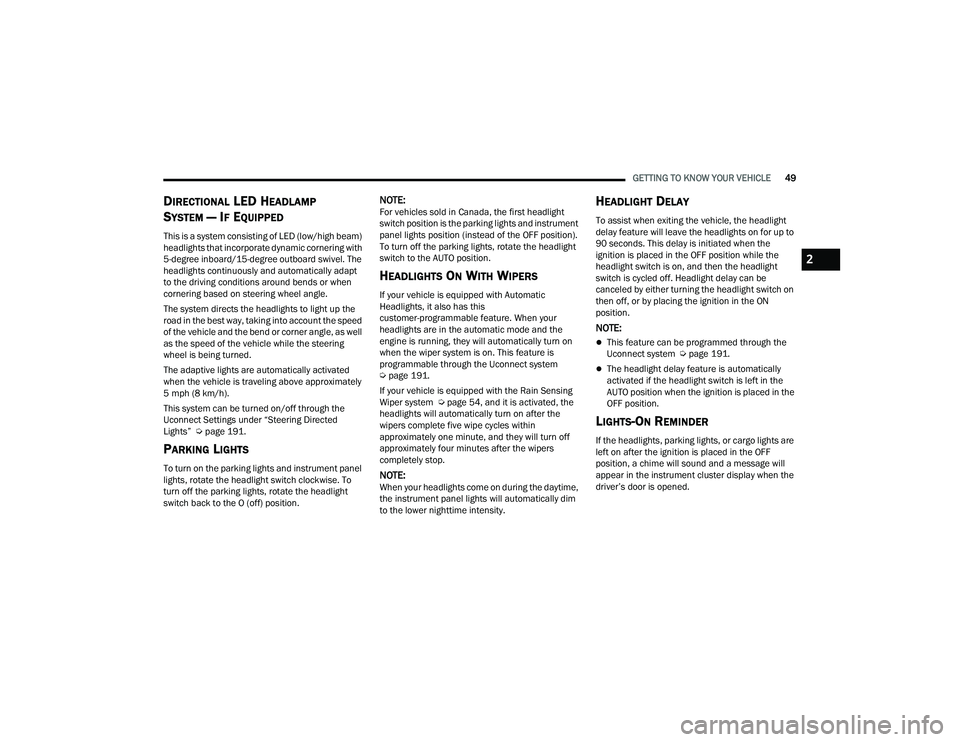
Headlights On With Wipers ..............................49
Headlight Delay ................................................49
Lights-On Reminder..........................................49
Front Fog Lights — If Equipped .......................50
Turn Signals .....................................................50
Lane Change Assist — If Equipped ..................50
Cargo Lights/Trailer Spotter Lights —
If Equipped........................................................50
Battery Saver ....................................................51
INTERIOR LIGHTS ................................................. 51
Courtesy Lights .................................................51
Illuminated Entry .............................................52
WINDSHIELD WIPERS AND WASHERS .............. 53
Windshield Wiper Operation ...........................53
Rain Sensing Wipers — If Equipped ...............54 CLIMATE CONTROLS .............................................54
Automatic Climate Control Descriptions And
Functions ..........................................................54
Manual Climate Control Descriptions And
Functions ..........................................................58
Automatic Temperature Control (ATC) ............60
Climate Voice Recognition — If Equipped .......60
Operating Tips .................................................60
INTERIOR STORAGE AND EQUIPMENT ............... 61
Storage..............................................................61
USB/AUX Control ..............................................66
Electrical Power Outlets ...................................68
Power Inverter — If Equipped ..........................69
Wireless Charging Pad — If Equipped ............70
WINDOWS ..............................................................71
Power Windows — If Equipped ........................71
Automatic Window Features — If Equipped....71
Reset Auto-Up ..................................................72
Window Lockout Switch — If Equipped ...........72
Power Sliding Rear Window — If Equipped ....72
Manual Sliding Rear Window — If Equipped...72
Wind Buffeting .................................................72
HOOD .......................................................................73
To Open The Hood ...........................................73
To Close The Hood ...........................................73
GETTING TO KNOW YOUR
INSTRUMENT PANEL
BASE / MIDLINE INSTRUMENT CLUSTER —
GASOLINE ............................................................... 74Base / Midline Instrument Cluster
Descriptions...................................................... 75
PREMIUM INSTRUMENT CLUSTER —
GASOLINE ............................................................... 76
Premium Instrument Cluster Descriptions ..... 77
BASE / MIDLINE INSTRUMENT CLUSTER —
DIESEL .................................................................... 78
Diesel Instrument Cluster ............................... 79
PREMIUM INSTRUMENT CLUSTER — DIESEL ... 80
Diesel Instrument Cluster ............................... 81
INSTRUMENT CLUSTER DISPLAY ........................ 81
Instrument Cluster Display And Controls........ 82
Oil Life Reset ................................................... 82
Display Menu Items ......................................... 83
Diesel Messages And Warnings ...................... 90
Battery Saver On/Battery Saver Mode
Message — Electrical Load Reduction
Actions — If Equipped ...................................... 93
WARNING LIGHTS AND MESSAGES ................... 94
Red Warning Lights ..........................................94
Yellow Warning Lights ...................................... 97
Yellow Indicator Lights .................................. 100 Green Indicator Lights .................................. 101White Indicator Lights ................................... 102
Blue Indicator Lights ..................................... 103
22_DPF_OM_EN_USC_t.book Page 3
Page 51 of 428
GETTING TO KNOW YOUR VEHICLE49
DIRECTIONAL LED HEADLAMP
S
YSTEM — IF EQUIPPED
This is a system consisting of LED (low/high beam)
headlights that incorporate dynamic cornering with
5-degree inboard/15-degree outboard swivel. The
headlights continuously and automatically adapt
to the driving conditions around bends or when
cornering based on steering wheel angle.
The system directs the headlights to light up the
road in the best way, taking into account the speed
of the vehicle and the bend or corner angle, as well
as the speed of the vehicle while the steering
wheel is being turned.
The adaptive lights are automatically activated
when the vehicle is traveling above approximately
5 mph (8 km/h).
This system can be turned on/off through the
Uconnect Settings under “Steering Directed
Lights” Ú page 191.
PARKING LIGHTS
To turn on the parking lights and instrument panel
lights, rotate the headlight switch clockwise. To
turn off the parking lights, rotate the headlight
switch back to the O (off) position.
NOTE:For vehicles sold in Canada, the first headlight
switch position is the parking lights and instrument
panel lights position (instead of the OFF position).
To turn off the parking lights, rotate the headlight
switch to the AUTO position.
HEADLIGHTS ON WITH WIPERS
If your vehicle is equipped with Automatic
Headlights, it also has this
customer-programmable feature. When your
headlights are in the automatic mode and the
engine is running, they will automatically turn on
when the wiper system is on. This feature is
programmable through the Uconnect system
Úpage 191.
If your vehicle is equipped with the Rain Sensing
Wiper system Ú page 54, and it is activated, the
headlights will automatically turn on after the
wipers complete five wipe cycles within
approximately one minute, and they will turn off
approximately four minutes after the wipers
completely stop.
NOTE:When your headlights come on during the daytime,
the instrument panel lights will automatically dim
to the lower nighttime intensity.
HEADLIGHT DELAY
To assist when exiting the vehicle, the headlight
delay feature will leave the headlights on for up to
90 seconds. This delay is initiated when the
ignition is placed in the OFF position while the
headlight switch is on, and then the headlight
switch is cycled off. Headlight delay can be
canceled by either turning the headlight switch on
then off, or by placing the ignition in the ON
position.
NOTE:
This feature can be programmed through the
Uconnect system Ú page 191.
The headlight delay feature is automatically
activated if the headlight switch is left in the
AUTO position when the ignition is placed in the
OFF position.
LIGHTS-ON REMINDER
If the headlights, parking lights, or cargo lights are
left on after the ignition is placed in the OFF
position, a chime will sound and a message will
appear in the instrument cluster display when the
driver’s door is opened.
2
22_DPF_OM_EN_USC_t.book Page 49
Page 55 of 428

GETTING TO KNOW YOUR VEHICLE53
WINDSHIELD WIPERS AND WASHERS
The windshield wiper/washer controls are located
on the multifunction lever on the left side of the
steering column. The front wipers are operated by
rotating a switch, located on the end of the lever.
Windshield Wiper/Washer Lever
WINDSHIELD WIPER OPERATION
Rotate the end of the lever upward, to the first
detent past the intermittent settings for low-speed
wiper operation. Rotate the end of the lever
upward to the second detent past the intermittent
settings for high-speed wiper operation. Intermittent Wipers
The intermittent feature of this system was
designed for use when weather conditions make a
single wiping cycle, with a variable pause between
cycles, desirable. For maximum delay between
cycles, rotate the control knob upward to the first
detent.
The delay interval decreases as you rotate the
knob until it enters the low continual speed
position. The delay can be regulated from a
maximum of about 18 seconds between cycles, to
a cycle every one second. The delay intervals will
double in duration when the vehicle speed is
10 mph (16 km/h) or less.
Windshield Washers
To use the windshield washer, push the washer
knob, located on the end of the multifunction lever,
inward to the second detent. Washer fluid will be
sprayed and the wiper will operate for two to three
cycles after the washer knob is released from this
position.
If the washer knob is depressed while in the delay
range, the wiper will operate for several seconds
after the washer knob is released. It will then
resume the intermittent interval previously
selected. If the washer knob is pushed while in the
off position, the wiper will turn on and cycle
approximately three times after the wash knob is
released.To prevent freeze-up of your windshield washer
system in cold weather, select a solution or mixture
that meets or exceeds the temperature range of
your climate. This rating information can be found
on most washer fluid containers.
Mist
When a single wipe to clear off road mist or spray
from a passing vehicle is needed, push the washer
knob, located on the end of the multifunction lever,
inward to the first detent and release. The wipers
will cycle one time and automatically shut off.
NOTE:The mist feature does not activate the washer
pump; therefore, no washer fluid will be sprayed on
the windshield. The wash function must be used in
order to spray the windshield with washer fluid.
For information on wiper care and replacement,
see Ú
page 351.
1 — Push End Inward (Hold For Washer Or Short
Press For Mist)
2 — Rotate For Front Wiper Operation
WARNING!
Sudden loss of visibility through the windshield
could lead to a collision. You might not see other
vehicles or other obstacles. To avoid sudden
icing of the windshield during freezing weather,
warm the windshield with the defroster before
and during windshield washer use.
2
22_DPF_OM_EN_USC_t.book Page 53
Page 56 of 428

54GETTING TO KNOW YOUR VEHICLE
RAIN SENSING WIPERS — IF EQUIPPED
This feature senses rain or snowfall on the
windshield and automatically activates the wipers.
Rotate the end of the multifunction lever to one of
five detent positions to activate this feature.
The sensitivity of the system can be adjusted with
the multifunction lever. Wiper delay position 1 is
the least sensitive, and wiper delay position 5 is
the most sensitive. Position 3 should be used for
normal rain conditions. Positions 1 and 2 can be
used if the driver desires less wiper sensitivity.
Positions 4 and 5 can be used if the driver desires
more sensitivity. Place the wiper switch in the
O (off) position when not using the system.
NOTE:
The Rain Sensing feature will not operate when
the wiper switch is in the low or high-speed posi -
tion.
The Rain Sensing feature may not function prop -
erly when ice, or dried salt water is present on
the windshield.
Use of Rain-X or products containing wax or sili-
cone may reduce Rain Sensing performance.
The Rain Sensing feature can be turned on and
off using the Uconnect system Ú page 191.The Rain Sensing system has protection features
for the wiper blades and arms, and will not operate
under the following conditions:
Low Ambient Temperature
— When the ignition
is first placed in the ON position, the Rain
Sensing system will not operate until the wiper
switch is moved, vehicle speed is greater than
0 mph (0 km/h), or the outside temperature is
greater than 32°F (0°C).
Transmission In NEUTRAL Position — When the
ignition is ON, and the transmission is in the
NEUTRAL position, the Rain Sensing system will
not operate until the wiper switch is moved,
vehicle speed is greater than 5 mph (8 km/h),
or the gear selector is moved out of the
NEUTRAL position.
Remote Start Mode Inhibit — On vehicles
equipped with the Remote Start system, Rain
Sensing wipers are not operational when the
vehicle is in the Remote Start mode. Once the
operator is in the vehicle and has placed the
ignition switch in the RUN position, Rain Sensing
wiper operation can resume, if it has been
selected, and no other inhibit conditions
(mentioned previously) exist.
CLIMATE CONTROLS
The Climate Control system allows you to regulate
the temperature, air flow, and direction of air
circulating throughout the vehicle. The controls are
located on the touchscreen (if equipped), on the
sides of the touchscreen, or on the instrument
panel below the radio.
AUTOMATIC CLIMATE CONTROL
D
ESCRIPTIONS AND FUNCTIONS
Uconnect 5/5 NAV With 8.4–inch Display Automatic
Temperature Controls
22_DPF_OM_EN_USC_t.book Page 54
Page 89 of 428

GETTING TO KNOW YOUR INSTRUMENT PANEL87
Restore Defaults
Cancel
Restore
Settings — If Equipped
Personal Settings allows the driver to set and recall
features when the transmission is in PARK.
Push and release the up or down arrow
button until Settings displays in the instrument
cluster display. Follow the prompts to display and set any of the
following Vehicle Settings.
NOTE:Your vehicle may be equipped with the following
settings.
If equipped with a base radio (Non-Touch
-
screen) Vehicle Settings will be included in the
instrument cluster display.
If equipped with a Touchscreen radio, the
Vehicle Settings will be included in the radio
head unit.
Oil Pressure
Oil
Temperature Battery
Voltage
Transmission Temperature Oil LifeTurbo Boost —
If Equipped
Exhaust Brake — If Equipped Fuel Filter Life
— If Equipped
Lower Left and Lower Right — If Equipped
Setting Names Setting Names Abbreviated
(Left Submenu Layer) Submenus (Right Submenu Layer)
Language Select
LanguageEnglish, Spanish, French, Arabic
Units UnitsU.S.; Metric
ParkSense ParkSense
Front Volume — Low; Medium; High
Rear Volume — Low; Medium; High
Tilt Mirror in Reverse Tilt Mirror in ROn; Off
Rain Sensing Wipers Auto WipersOn; Off
Hill Start Assist Hill Start AssistOn; Off
Headlights Off Delay Lights Off Delay0 seconds; 30 seconds; 60 seconds; 90 seconds
Illuminated Approach Lights w/ Unlock0 seconds; 30 seconds; 60 seconds; 90 seconds
Headlights On with Wipers Lights w/ WipersOn; Off
Automatic High beams Auto High beamsOn; Off
Daytime Running Lights Daytime LightsOn; Off
3
22_DPF_OM_EN_USC_t.book Page 87
Page 204 of 428
202MULTIMEDIA
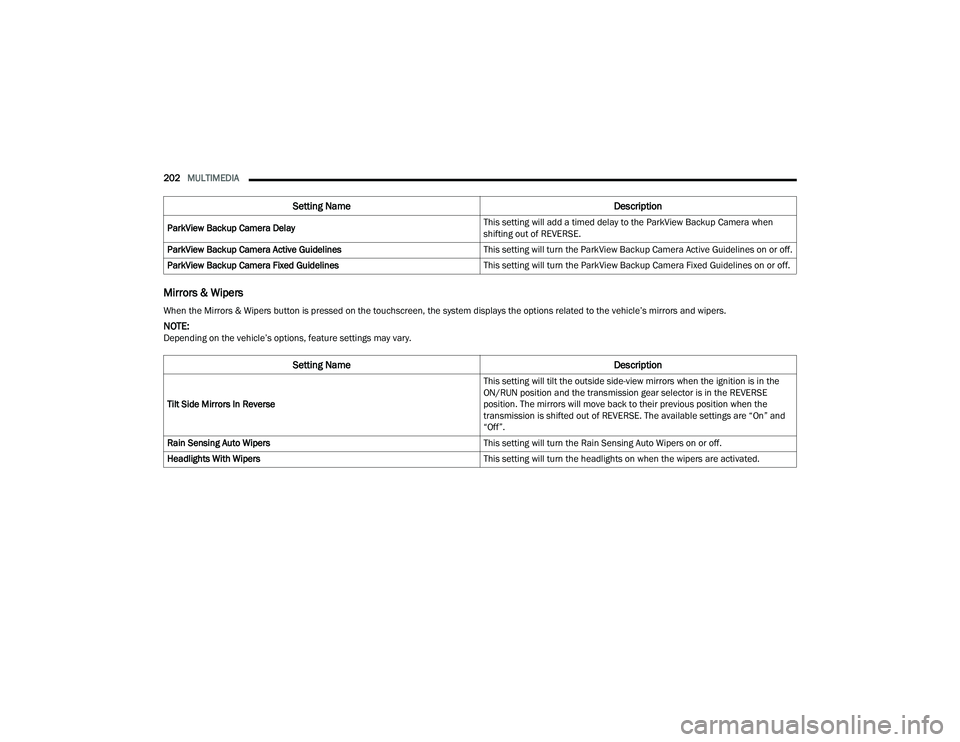
Mirrors & Wipers
ParkView Backup Camera Delay This setting will add a timed delay to the ParkView Backup Camera when
shifting out of REVERSE.
ParkView Backup Camera Active Guidelines This setting will turn the ParkView Backup Camera Active Guidelines on or off.
ParkView Backup Camera Fixed Guidelines This setting will turn the ParkView Backup Camera Fixed Guidelines on or off.
Setting NameDescription
When the Mirrors & Wipers button is pressed on the touchscreen, the system displays the options related to the vehicle’s mirrors and wipers.
NOTE:Depending on the vehicle’s options, feature settings may vary.
Setting NameDescription
Tilt Side Mirrors In Reverse This setting will tilt the outside side-view mirrors when the ignition is in the
ON/RUN position and the transmission gear selector is in the REVERSE
position. The mirrors will move back to their previous position when the
transmission is shifted out of REVERSE. The available settings are “On” and
“Off”.
Rain Sensing Auto Wipers This setting will turn the Rain Sensing Auto Wipers on or off.
Headlights With Wipers This setting will turn the headlights on when the wipers are activated.
22_DPF_OM_EN_USC_t.book Page 202
Page 205 of 428
MULTIMEDIA203
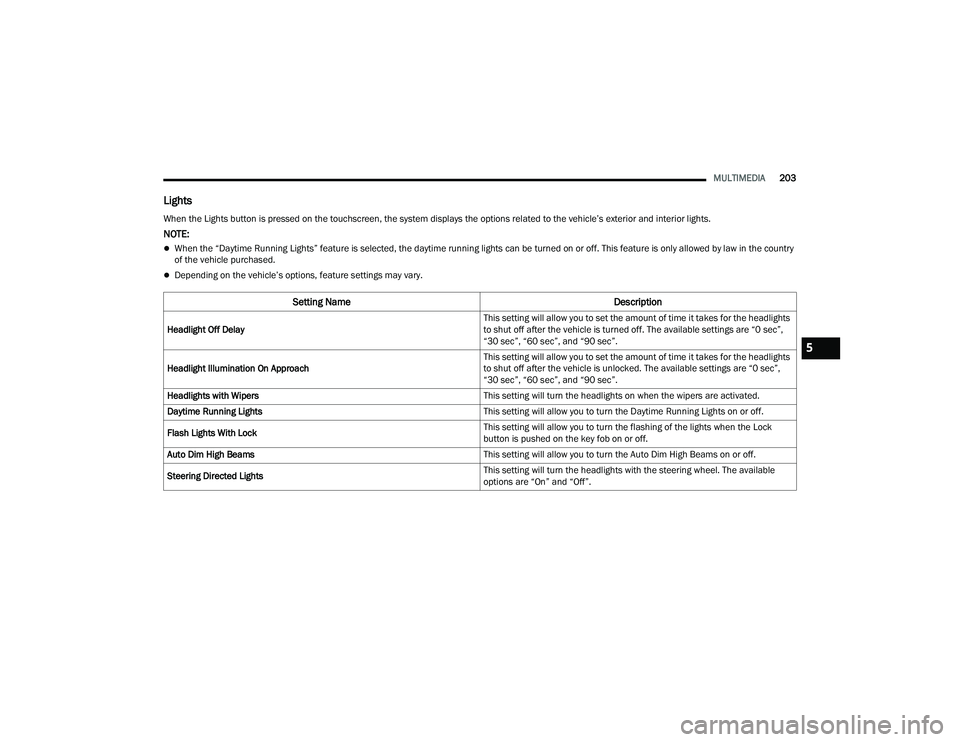
Lights
When the Lights button is pressed on the touchscreen, the system displays the options related to the vehicle’s exterior and interior lights.
NOTE:
When the “Daytime Running Lights” feature is selected, the daytime running lights can be turned on or off. This feature is only allowed by law in the country
of the vehicle purchased.
Depending on the vehicle’s options, feature settings may vary.
Setting Name Description
Headlight Off Delay This setting will allow you to set the amount of time it takes for the headlights
to shut off after the vehicle is turned off. The available settings are “0 sec”,
“30 sec”, “60 sec”, and “90 sec”.
Headlight Illumination On Approach This setting will allow you to set the amount of time it takes for the headlights
to shut off after the vehicle is unlocked. The available settings are “0 sec”,
“30 sec”, “60 sec”, and “90 sec”.
Headlights with Wipers This setting will turn the headlights on when the wipers are activated.
Daytime Running Lights This setting will allow you to turn the Daytime Running Lights on or off.
Flash Lights With Lock This setting will allow you to turn the flashing of the lights when the Lock
button is pushed on the key fob on or off.
Auto Dim High Beams This setting will allow you to turn the Auto Dim High Beams on or off.
Steering Directed Lights This setting will turn the headlights with the steering wheel. The available
options are “On” and “Off”.
5
22_DPF_OM_EN_USC_t.book Page 203
Page 328 of 428

326IN CASE OF EMERGENCY
Proper towing or lifting equipment is required to
prevent damage to your vehicle. Use only tow bars
and other equipment designed for this purpose,
following equipment manufacturer’s instructions.
Use of safety chains is mandatory. Attach a tow bar
or other towing device to main structural members
of the vehicle, not to fascia/bumpers or associated
brackets. State and local laws regarding vehicles
under tow must be observed.
If you must use the accessories (wipers,
defrosters, etc.) while being towed, the ignition
must be in the ON/RUN mode, not the ACC mode.
If the key fob is unavailable or the vehicle's battery
is discharged, Ú page 323.
TWO-WHEEL DRIVE MODELS
FCA US LLC recommends towing your vehicle with
all four wheels OFF the ground using a flatbed.
If flatbed equipment is not available, and the
transmission is operable, the vehicle may be towed (with the rear wheels on the ground) under the
following conditions:
The transmission must be in NEUTRAL
Ú
page 323.
The towing speed must not exceed 30 mph
(48 km/h).
The towing distance must not exceed 15 miles
(24 km) for 6–speed transmission, or 30 miles
(48 km) for 8–speed transmission.
If the transmission is not operable, or the vehicle
must be towed faster than 30 mph (48 km/h) or
farther than 15 miles (24 km) for 6–speed
transmission, or 30 miles (48 km) for 8–speed
transmission, tow with the rear wheels OFF the
ground. Acceptable methods are to tow the vehicle
on a flatbed, or with the front wheels raised and
the rear wheels on a towing dolly, or (when using a
suitable steering wheel stabilizer to hold the front
wheels in the straight position) with rear wheels
raised and the front wheels ON the ground.
FOUR-WHEEL DRIVE MODELS
FCA US LLC recommends towing with all wheels
OFF the ground. Acceptable methods are to tow
the vehicle on a flatbed or with one end of vehicle
raised and the opposite end on a towing dolly.
If flatbed equipment is not available, and the
transfer case is operable, the vehicle may be
towed (in the forward direction, with ALL wheels on
the ground), IF the transfer case is in NEUTRAL and
the transmission is in PARK Ú page 185.
CAUTION!
Do not use sling type equipment when towing.
Vehicle damage may occur.
When securing the vehicle to a flatbed truck,
do not attach to front or rear suspension
components. Damage to your vehicle may
result from improper towing.
CAUTION!
Towing this vehicle in violation of the above
requirements can cause severe engine and/or
transmission damage. Damage from improper
towing is not covered under the New Vehicle
Limited Warranty.
CAUTION!
Front or rear wheel lifts must not be used (if
the remaining wheels are on the ground).
Internal damage to the transmission or
transfer case will occur if a front or rear wheel
lift is used when towing.
Towing this vehicle in violation of the above
requirements can cause severe transmission
and/or transfer case damage. Damage from
improper towing is not covered under the New
Vehicle Limited Warranty.
22_DPF_OM_EN_USC_t.book Page 326
Page 353 of 428

SERVICING AND MAINTENANCE351
the EPA Heavy Duty Diesel Engine Emissions
Standards. These systems are seamlessly
integrated into your vehicle and managed by the
Cummins® Powertrain Control Module (PCM). The
PCM manages engine combustion to allow the
exhaust system’s catalyst to trap and burn
Particulate Matter (PM) pollutants, with no input or
interaction on your part.
If the engine is allowed to idle or the truck is driven
on low engine speed drive cycles for more than two
hours, the system will automatically enter an
emissions operating mode that will increase the
engine idle speed to 1,050 RPM. While in this
mode, which is designed to help maintain the
Diesel Particulate Filter, the engine idle speed will
return to normal when the brake pedal is applied.
A small change in engine tone or a slight change in
engine performance while accelerating may also
be noticeable at speeds below 20 mph (32 km/h).
This operating mode may last for up to an hour of
idle time, or around 20 minutes of driving time.
Additionally, your vehicle has the ability to alert you
to additional maintenance required on your truck
or engine Ú page 81.
DIESEL EXHAUST FLUID (DEF)
DEF sometimes known simply by the name of its
active component, UREA—is a key component of
Selective Catalytic Reduction (SCR) systems, which
help diesel vehicles meet stringent emission
regulations. DEF is a liquid reducing agent that
reacts with engine exhaust in the presence of a
catalyst to convert smog-forming nitrogen oxides
(NOx) into harmless nitrogen and water vapor
Úpage 404.
You can receive assistance in locating DEF by
contacting an authorized dealer.
BODY LUBRICATION
Locks and all body pivot points, including such
items as seat tracks, door hinge pivot points and
rollers, liftgate, tailgate, decklid, sliding doors and
hood hinges, should be lubricated periodically with
a lithium-based grease, such as Mopar® Spray
White Lube to ensure quiet, easy operation and to protect against rust and wear. Prior to the
application of any lubricant, the parts concerned
should be wiped clean to remove dust and grit;
after lubricating excess, oil and grease should be
removed. Particular attention should also be given
to hood latching components to ensure proper
function. When performing other underhood
services, the hood latch, release mechanism and
safety catch should be cleaned and lubricated.
The external lock cylinders should be lubricated
twice a year, preferably in the Autumn and Spring.
Apply a small amount of a high quality lubricant,
such as Mopar® Lock Cylinder Lubricant directly
into the lock cylinder.
WINDSHIELD WIPER BLADES
Clean the rubber edges of the wiper blades and the
windshield periodically with a sponge or soft cloth
and a mild nonabrasive cleaner. This will remove
accumulations of salt or road film.
Operation of the wipers on dry glass for long
periods may cause deterioration of the wiper
blades. Always use washer fluid when using the
wipers to remove salt or dirt from a dry windshield.
Avoid using the wiper blades to remove frost or ice
from the windshield. Keep the blade rubber out of
contact with petroleum products such as engine
oil, gasoline, etc.
WARNING!
A hot exhaust system can start a fire if you park
over materials that can burn. Such materials
might be grass or leaves coming into contact
with your exhaust system. Do not park or oper
-
ate your vehicle in areas where your exhaust sys -
tem can contact anything that can burn.
8
22_DPF_OM_EN_USC_t.book Page 351
Page 355 of 428

SERVICING AND MAINTENANCE353
3. Tilt the lower end of the wiper blade away from the arm and with one finger, push the release
tab toward the wiper arm.
Wiper Disengaging
4. Slide the wiper blade down towards the base of the wiper arm.
5. With the wiper blade disengaged, remove the wiper blade from the wiper arm by holding the
wiper arm with one hand and separating the
wiper blade from the wiper arm with the other
hand (move the wiper blade down toward the
base of the wiper arm and away from the J
hook in the end of the wiper arm).
Removing Wiper From Wiper Arm
6. Gently lower the wiper arm onto the glass.
Installing The Front Wipers
1. Lift the wiper arm off of the glass, until the wiper arm is in the full up position.
2. Position the wiper blade under the hook on the tip of the wiper arm with the wiper locking tab
open.
3. Insert the receiver bracket on the wiper assembly into the hook on the tip of the arm
through the opening in the wiper blade under
the locking tab. 4. Slide the wiper blade up into the hook on the
wiper arm until it is latched (engagement will
be accompanied by an audible click). Fold
down the latch release tab and snap it into its
locked position.
5. Gently lower the wiper blade onto the glass.
EXHAUST SYSTEM
The best protection against carbon monoxide entry
into the vehicle body is a properly maintained
engine exhaust system.
If you notice a change in the sound of the exhaust
system; or if the exhaust fumes can be detected
inside the vehicle; or when the underside or rear of
the vehicle is damaged; have an authorized
technician inspect the complete exhaust system
and adjacent body areas for broken, damaged,
deteriorated, or mispositioned parts. Open seams
or loose connections could permit exhaust fumes
to seep into the passenger compartment. In
addition, have the exhaust system inspected each
time the vehicle is raised for lubrication or oil
change. Replace as required.
1 — Locking Tab
2 — Wiper
3 — Release Tab
1 — Wiper
2 — Locking Tab
3 — Wiper Arm J Hook
8
22_DPF_OM_EN_USC_t.book Page 353