oil reset RAM CHASSIS CAB 2023 Owners Manual
[x] Cancel search | Manufacturer: RAM, Model Year: 2023, Model line: CHASSIS CAB, Model: RAM CHASSIS CAB 2023Pages: 444, PDF Size: 20.51 MB
Page 6 of 444
4
GETTING TO KNOW YOUR
INSTRUMENT PANEL
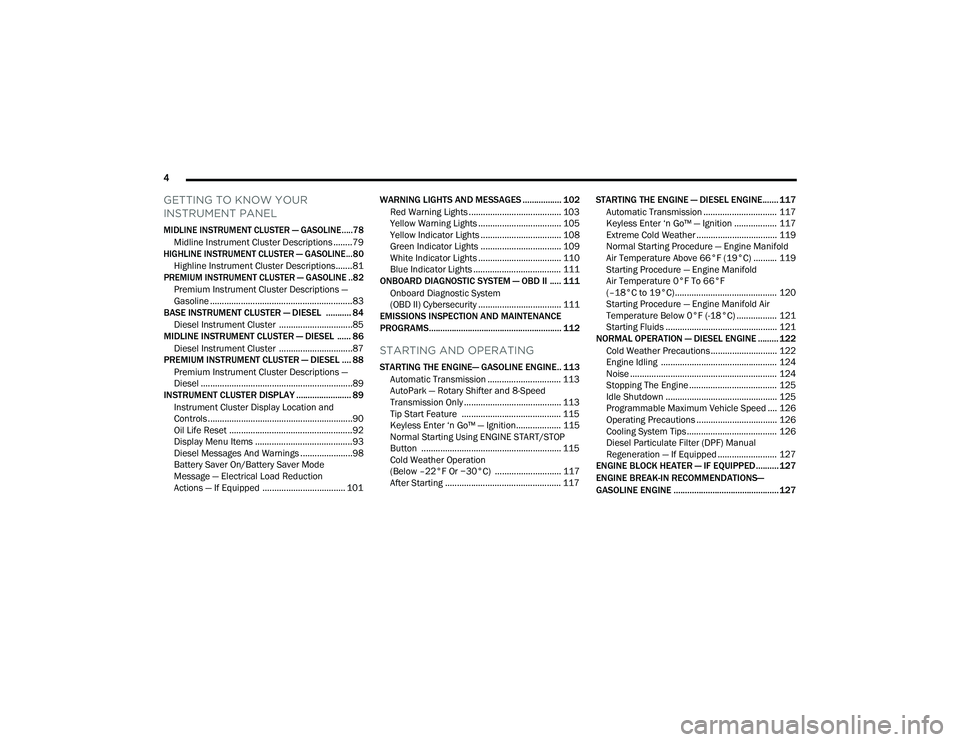
MIDLINE INSTRUMENT CLUSTER — GASOLINE.....78
Midline Instrument Cluster Descriptions ........79
HIGHLINE INSTRUMENT CLUSTER — GASOLINE...80
Highline Instrument Cluster Descriptions.......81
PREMIUM INSTRUMENT CLUSTER — GASOLINE ..82
Premium Instrument Cluster Descriptions —
Gasoline ............................................................83
BASE INSTRUMENT CLUSTER — DIESEL ........... 84
Diesel Instrument Cluster ...............................85
MIDLINE INSTRUMENT CLUSTER — DIESEL ...... 86
Diesel Instrument Cluster ...............................87
PREMIUM INSTRUMENT CLUSTER — DIESEL .... 88
Premium Instrument Cluster Descriptions —
Diesel ................................................................89
INSTRUMENT CLUSTER DISPLAY ........................ 89
Instrument Cluster Display Location and
Controls .............................................................90
Oil Life Reset ....................................................92
Display Menu Items .........................................93
Diesel Messages And Warnings ......................98
Battery Saver On/Battery Saver Mode
Message — Electrical Load Reduction
Actions — If Equipped ................................... 101 WARNING LIGHTS AND MESSAGES ................. 102
Red Warning Lights ....................................... 103
Yellow Warning Lights ................................... 105Yellow Indicator Lights .................................. 108
Green Indicator Lights .................................. 109
White Indicator Lights ................................... 110Blue Indicator Lights ..................................... 111
ONBOARD DIAGNOSTIC SYSTEM — OBD II ..... 111
Onboard Diagnostic System
(OBD II) Cybersecurity ................................... 111
EMISSIONS INSPECTION AND MAINTENANCE
PROGRAMS.......................................................... 112
STARTING AND OPERATING
STARTING THE ENGINE— GASOLINE ENGINE.. 113
Automatic Transmission ............................... 113
AutoPark — Rotary Shifter and 8-Speed
Transmission Only ......................................... 113
Tip Start Feature .......................................... 115
Keyless Enter ‘n Go™ — Ignition................... 115Normal Starting Using ENGINE START/STOP
Button ........................................................... 115
Cold Weather Operation
(Below –22°F Or −30°C) ............................ 117
After Starting ................................................. 117 STARTING THE ENGINE — DIESEL ENGINE....... 117
Automatic Transmission ............................... 117
Keyless Enter ‘n Go™ — Ignition .................. 117
Extreme Cold Weather .................................. 119Normal Starting Procedure — Engine Manifold
Air Temperature Above 66°F (19°C) .......... 119
Starting Procedure — Engine Manifold
Air Temperature 0°F To 66°F
(–18°C to 19°C) ........................................... 120
Starting Procedure — Engine Manifold Air
Temperature Below 0°F (-18°C) ................. 121
Starting Fluids ............................................... 121
NORMAL OPERATION — DIESEL ENGINE ......... 122
Cold Weather Precautions ............................ 122
Engine Idling ................................................. 124
Noise .............................................................. 124
Stopping The Engine ..................................... 125Idle Shutdown ............................................... 125Programmable Maximum Vehicle Speed .... 126
Operating Precautions .................................. 126Cooling System Tips ...................................... 126
Diesel Particulate Filter (DPF) Manual
Regeneration — If Equipped ......................... 127
ENGINE BLOCK HEATER — IF EQUIPPED .......... 127
ENGINE BREAK-IN RECOMMENDATIONS—
GASOLINE ENGINE .............................................. 127
23_DPF_OM_EN_USC_t.book Page 4
Page 94 of 444
92GETTING TO KNOW YOUR INSTRUMENT PANEL
You can customize your Instrument Cluster Display
with up to five tiles that may consist of the
following:
NOTE:These options may vary based on your vehicle trim
level.
Navigation
Route Set / Route Not Set
Trip A / Trip B
Vehicle Info
Coolant Temp
Trans Temp
Oil Temp
Oil Pressure
Battery Voltage
Oil Life
Tire Pressure
Fuel Economy
Air Suspension
Driver Info
Driver Assist
Audio
Audio Info
Off Road
Selec-Terrain / Air Suspension Status
Steering Angle
Pitch
Roll
Trailer Tow
Trailer Trip
Trailer Brake
Trailer Tire Pressure Monitor
OIL LIFE RESET
Use this QR code to access your
digital experience.
Your vehicle is equipped with an
engine oil change indicator
system. The “Oil Change
Required” message will display in
the instrument cluster display
after a single chime has sounded, to indicate the
next scheduled oil change interval. The engine oil
change indicator system is duty cycle based, which
means the engine oil change interval may
fluctuate, dependent upon your personal driving
style.
NOTE:Use the steering wheel instrument cluster display
controls for the following procedure. Oil Life Reset Procedure
1. Without pushing the brake pedal, push the
ENGINE START/STOP button and place the
ignition to the ON/RUN position (do not start
the engine).
2. Push and release the down arrow button to
scroll downward through the main menu to
“Vehicle Info.”
3. Push and release the right arrow button to
access the ”Vehicle Info” screen, then scroll up
or down to select “Oil Life.”
4. Push and hold the right arrow button to
select “Reset”.
5. Push and release the down arrow button to
select “Yes,” then push and release the
right arrow button to reset the Oil Life to
100%.
6. Push and release the up arrow button to
exit the instrument cluster display screen.
Secondary Method Of Resetting Engine Oil Life
1. Without pressing the brake pedal, push the ENGINE START/STOP button and place the
ignition to the ON/RUN position (do not start
the engine).
2. Fully press the accelerator pedal, slowly, three times within ten seconds.
23_DPF_OM_EN_USC_t.book Page 92
Page 95 of 444
GETTING TO KNOW YOUR INSTRUMENT PANEL93
3. Without pushing the brake pedal, push the ENGINE START/STOP button once to return the
ignition to the OFF position.
NOTE:If the indicator message illuminates when you start
the vehicle, the oil change indicator system did not
reset. If necessary, repeat this procedure.
DISPLAY MENU ITEMS
Push and release the up or down arrow
button until the desired selectable menu icon is
highlighted in the instrument cluster display.
The instrument cluster display menu items may
consist of the following:
Speedometer
Push and release the up or down arrow
button until the speedometer menu item is
highlighted in the instrument cluster display. Push
and release the right arrow button to cycle the
display between mph and km/h.
Driver Assist — If Equipped
The Driver Assist menu displays the status of the
ACC system.
Push and release the up or down arrow
button until the Driver Assist menu is displayed in
the instrument cluster display.
Adaptive Cruise Control (ACC) Feature
The instrument cluster display displays the current
ACC system settings. The information displayed
depends on ACC system status.
Push the ACC on/off button (located on the
steering wheel) until one of the following displays
in the instrument cluster display:
Adaptive Cruise Control Off
When ACC is deactivated, the display will read
“Adaptive Cruise Control Off.”
Adaptive Cruise Control Ready
When ACC is activated but the vehicle speed
setting has not been selected, the display will read
“Adaptive Cruise Control Ready.” Push the SET + or the SET- button (located on the
steering wheel) and the following will display in the
instrument cluster display:
ACC SET
When ACC is set, the set speed will display in the
instrument cluster.
The ACC screen may display once again if any ACC
activity occurs, which may include any of the
following:
Distance Setting Change
System Cancel
Driver Override
System Off
ACC Proximity Warning
ACC Unavailable Warning
NOTE:The instrument cluster display will return to the last
display selected after five seconds of no ACC
display activity Ú
page 150.
LaneSense — If Equipped
The instrument cluster display displays the current
LaneSense system settings. The information
displayed depends on LaneSense system status
and the conditions that need to be met
Ú page 163.
Speedometer Vehicle Info
Off Road —
If Equipped
Driver Assist —
If Equipped Fuel Economy Trip A/Trip B
Screen Set Up Vehicle
Settings —
If EquippedCommercial
Settings —
If Equipped
Trailer Tow Audio Messages
3
23_DPF_OM_EN_USC_t.book Page 93
Page 96 of 444
94GETTING TO KNOW YOUR INSTRUMENT PANEL
Vehicle Info
Push and release the up or down arrow
button until the Vehicle Info menu item is
highlighted in the instrument cluster display. Push
and release the right arrow button to enter the
submenus items of Vehicle Info. Follow the
directional prompts to access or reset any of the
following Vehicle Info submenu items:
BASE AND MIDLINE CLUSTER
Tire Pressure Monitor System
Coolant Temperature — If Equipped
Trans Temperature — If Equipped
Oil Temperature
Oil Pressure
Exhaust Brake — If Equipped
Boost Pressure — If Equipped
Diesel Particulate Filter
Oil Life
Fuel Filter Life — If Equipped
Battery Voltage — If Equipped
Gauge Summary — If Equipped
Coolant Temp
Trans Temp
Oil Temp
Oil Pressure
Engine Hours — If Equipped
PREMIUM CLUSTER
Fuel Economy
Average
Current
Range to Empty
Gauge Summary
Coolant Temperature — If Equipped
Battery Voltage — If Equipped
Trans Temperature
Oil Summary
Oil Temperature
Oil Life
Oil Pressure — If Equipped
Tire Pressure Monitor System
Diesel Summary
Exhaust Brake — If Equipped
Boost Pressure — If Equipped
Fuel Filter Life — If Equipped
Diesel Particulate Filter
Fuel Tank Levels
Engine Hours — If Equipped
Off Road
Push and release the up or down arrow
button until the Off Road menu icon is displayed in
the instrument cluster display. Push and release
the left or right arrow button to scroll
through the information submenus.
Drivetrain
Front Wheel Angle: displays the graphical
and numerical value of calculated average
front wheel angle from the steering wheel
orientation.
Transfer Case Lock Status: displays “Lock”
graphic only during 4WD High, 4WD High
Part Time, 4WD Low status.
Axle Lock And Sway Bar Status (If
Equipped): displays front and rear or rear
only axle locker graphic, and sway bar
connection graphic with text message
(connected or disconnected).
23_DPF_OM_EN_USC_t.book Page 94
Page 101 of 444
GETTING TO KNOW YOUR INSTRUMENT PANEL99
Exhaust System — Regeneration Required
Now — "Exhaust Filter XX% Full Safely Drive at
Highway Speeds to Remedy" will be displayed in
the instrument cluster display if the exhaust
particulate filter reaches 80% of its maximum
storage capacity. Under conditions of exclusive
short duration and low speed driving cycles,
your Cummins® diesel engine and exhaust
after-treatment system may never reach the
conditions required to remove the trapped PM.
If this occurs, the “Exhaust Filter XX% Full Safely
Drive at Highway Speeds to Remedy” message
will be displayed in the instrument cluster
display. If this message is displayed, you will
hear one chime to assist in alerting you of this
condition
By simply driving your vehicle at highway speeds
for as little as 45 minutes, you can remedy the
condition in the particulate filter system and
allow your Cummins® diesel engine and
exhaust after-treatment system to remove the
trapped PM and restore the system to normal
operating condition.
Exhaust System — Regeneration In Process
Exhaust Filter XX% Full — Indicates that the DPF
is self-cleaning. Maintain your current driving
condition until regeneration is completed.
Exhaust System — Regeneration Completed —
This message indicates that the DPF
self-cleaning is completed. If this message is
displayed, you will hear one chime to assist in
alerting you of this condition.
Exhaust Service Required — See Dealer Now —
This message indicates regeneration has been
disabled due to a system malfunction. At this
point the engine Powertrain Control Module
(PCM) will register a fault code, the instrument
panel will display a MIL light.
Exhaust Filter Full — Power Reduced See
Dealer — This message indicates the PCM has
derated the engine to limit the likelihood of
permanent damage to the after-treatment
system. If this condition is not corrected and a
dealer service is not performed, extensive
exhaust after-treatment damage can occur. To
correct this condition it will be necessary to have
your vehicle serviced by an authorized dealer.
NOTE:Failing to follow the oil change indicator, changing
your oil and resetting the oil change indicator by
0 miles remaining will prevent the diesel exhaust
filter from performing it's cleaning routine. This will
shortly result in a Malfunction Indicator Light (MIL)
and reduced engine power. Only an authorized
dealer will be able to correct this condition.
Cold Ambient Derate Mode Messages
The vehicle will display messages when a derate
(engine power reduction) is activated to protect the
engine during start-up in cold ambient
temperatures.
Engine Power Reduced During Warm-up — This
message will display during start-up when the
ambient temperature is between 10°F (-12°C)
and -10°F (-23°C).
Engine Power Reduced Up To 30 Sec (Seconds)
During Warm-up — This message will display
during start-up when the ambient temperature
is between -10°F (-23°C) and -25°F (-32°C).
CAUTION!
See an authorized dealer, as damage to the
exhaust system could occur soon with continued
operation.
CAUTION!
See an authorized dealer, as damage to the
exhaust system could occur soon with continued
operation.
3
23_DPF_OM_EN_USC_t.book Page 99
Page 121 of 444

STARTING AND OPERATING119
3. While the Wait To Start Indicator Light is on, the instrument cluster will additionally display
a gauge or bar whose initial length represents
the full "Wait to Start" time period. Its length
will decrease until it disappears when the
"Wait to Start" time has elapsed.
4. After the engine Wait To Start Indicator Light goes off, the engine will automatically crank.
5. After engine start-up, check to see that there is oil pressure.
6. Release the parking brake and drive.
NOTE:
Engine idle speed will automatically increase to
1,000 RPM and engage the Variable Geometry
Turbocharger at low coolant temperatures to
improve engine warm-up.
The engine will not automatically crank after the
engine Wait To Start Indicator Light goes off if a
door or the hood is ajar.
If the engine stalls, or if the ignition switch is left
ON for more than two minutes after the Wait To
Start Indicator Light goes out, reset the intake
air heater by turning the ignition switch to the
OFF position for at least 5 seconds and then
back ON. Repeat steps 1 through 6 of “Keyless
Enter ‘n Go™ Starting Procedure – Engine Mani -
fold Air Temperature 0°F To 66°F (–18°C to
19°C).”
EXTREME COLD WEATHER
The Cummins® Turbo Diesel engine is equipped
with several features designed to assist cold
weather starting and operation:
The engine block heater is a resistance heater
installed in the water jacket of the engine just
above and behind the oil filter. It requires a
110–115 Volt AC electrical outlet with a
grounded, three-wire extension cord.
NOTE:The engine block heater cord is a factory installed
option. If your vehicle is not equipped, heater cords
are available from an authorized Mopar® dealer.
A 12 Volt heater built into the fuel filter housings
aid in preventing fuel gelling. It is controlled by a
built-in thermostat.
An intake air heater system both improves
engine starting and reduces the amount of
white smoke generated by a warming engine.
NORMAL STARTING PROCEDURE —
E
NGINE MANIFOLD AIR TEMPERATURE
A
BOVE 66°F (19°C)
Observe the instrument panel cluster lights when
starting the engine.
1. Always apply the parking brake.
2. Shift into PARK for an automatic transmission.
3. Place the ignition switch in the ON/RUN
position and watch the instrument panel
cluster lights.
CAUTION!
If the Water in Fuel Indicator Light remains on,
DO NOT START the engine before you drain the
water from the fuel filters to avoid engine
damage Ú page 360.
CAUTION!
Do not crank engine for more than 25 seconds
at a time or starter motor damage may result.
Turn the ignition switch to the OFF position and
wait at least two minutes for the starter to cool
before repeating start procedure.
CAUTION!
If the Water in Fuel Indicator Light remains on,
DO NOT START the engine before you drain the
water from the fuel filters to avoid engine
damage Úpage 360.
4
23_DPF_OM_EN_USC_t.book Page 119
Page 122 of 444

120STARTING AND OPERATING
4. Place the ignition switch in the START position and crank the engine. Do not press the
accelerator during starting.
5. Check that the Oil Pressure Warning Light has turned off.
6. Release the parking brake.
STARTING PROCEDURE — ENGINE
M
ANIFOLD AIR TEMPERATURE 0°F TO
66°F (–18°C
TO 19°C)
NOTE:The temperature displayed in the instrument
cluster does not necessarily reflect the engine
manifold air temperature Ú page 89. When
engine temperatures fall below 66°F (19°C) the
Wait To Start Indicator Light will remain on indi -
cating the intake air heater system is active. Follow the steps in the “Normal Starting”
procedure except:
1. The Wait To Start Indicator Light will remain
on for a period of time that varies depending
on the engine temperature.
2. While the Wait To Start Indicator Light is on, the instrument cluster will additionally display
a gauge or bar whose initial length represents
the full “Wait to Start” time period. Its length
will decrease until it disappears when the
“Wait to Start” time has elapsed.
3. After the Wait To Start Indicator Light goes off, place the ignition switch in the START position.
Do not press the accelerator during starting. 4. After engine start-up, check that the Oil
Pressure Warning Light has turned off.
5. Release the parking brake and drive.
NOTE:
Engine idle speed will automatically increase to
1,000 RPM and engage the Variable Geometry
Turbocharger at low coolant temperatures to
improve engine warm-up.
Automatic equipped vehicles with optional
Keyless Enter ‘n Go™ – If the ENGINE START/
STOP button is pushed once while in PARK with
the ignition off and driver’s foot on the brake
pedal, the vehicle will automatically crank and
start after the “Wait to Start” time has elapsed.
If it is desired to abort the start process before it
completes, the driver’s foot should be fully
removed from the brake pedal prior to pushing
the start button again in order for the ignition to
move directly to off.
If the engine stalls, or if the ignition switch is left
on for more than two minutes after the Wait To
Start Indicator Light goes out, reset the intake
air heater by turning the ignition switch to the
OFF position for at least five seconds and then
back to the ON/RUN position. Repeat steps 1
through 5 of “Starting Procedure – Engine Mani -
fold Air Temperature 0°F To 66°F (–18°C to
19°C).”
CAUTION!
Do not crank engine for more than 25 seconds
at a time or starter motor damage may result.
Turn the ignition switch to the OFF position and
wait at least two minutes for the starter to cool
before repeating start procedure.
CAUTION!
If the Water in Fuel Indicator Light remains on,
DO NOT START the engine before you drain the
water from the fuel filters to avoid engine
damage Ú page 360.
CAUTION!
Do not crank engine for more than 25 seconds
at a time or starter motor damage may result.
Turn the ignition switch to the OFF position and
wait at least two minutes for the starter to cool
before repeating start procedure.
23_DPF_OM_EN_USC_t.book Page 120
Page 254 of 444
252MULTIMEDIA
Remote Vehicle Start
Description
The Remote Vehicle Start feature provides you with
the ability to start the engine on your vehicle
without the keys and from virtually any distance.
Once started, the preset climate controls in your
vehicle can warm up or cool down the interior.
You can also send a command to turn off an
engine that has been started using Remote Vehicle
Start. After 15 minutes, if you have not entered
your vehicle with the key, the engine will shut off
automatically.
This remote function requires your vehicle to be
equipped with a factory-installed Remote Start
system.
You can set up push notifications every time a
command is sent to activate or cancel Remote
Start.
Working Vehicle Conditions
The vehicle must be off or in ACC mode.
The vehicle has been started with the key fob
within the last 14 days.
The vehicle must be in PARK or at a standstill.
The vehicle’s security system has been armed
and not triggered since the last vehicle start.
The doors, hood, and trunk/liftgate are closed.
The vehicle’s check engine light must be off.
The vehicle must have at least a quarter tank of
fuel, along with oil and battery power.
The vehicle’s hazard lights must be off.
If equipped, the vehicle must have an automatic
transmission.
The vehicle must be in an open area with cell
tower reception.
Your mobile device must have a cellular or Wi-Fi
connection.
If the Panic button has been pressed, the
vehicle must be started at least once after
alarming the system.
NOTE:The SiriusXM Guardian™ Customer Care agents
are not authorized for Remote Vehicle Start
services. Contact the Uconnect Care Team for
assistance.
Remote Horn & Lights
Description
It is easy to locate a vehicle in a dark, crowded or
noisy parking area by activating the horn and
lights. It may also help if you need to draw attention
to your vehicle for any reason.
If you want, you can set up push notifications every
time a command is sent to turn on the horn and
lights. Working Vehicle Conditions
The vehicle must in PARK or at a standstill.
The vehicle must be in an open area with cell
tower reception.
Your mobile device must have a cellular or Wi-Fi
connection.
NOTE:The Remote Horn & Lights feature is designed to
be loud and get noticed. Please keep in mind the
surroundings when using this feature. You are
responsible for compliance with local laws, rules
and ordinances in the location of your vehicle
when using Remote Horn & Lights.
Assist — If Equipped
Description
Vehicles equipped with the SiriusXM Guardian™
connected services feature may contain an ASSIST
button in the vehicle. Once your SiriusXM
Guardian™ connected services have been
activated, the ASSIST button can connect you
directly to the Customer Care call center (if
equipped). You will be directed to one of the
following four services:
Roadside Assistance
— If you get a flat tire or
need a tow, you’ll be connected to someone
who can help anytime.
23_DPF_OM_EN_USC_t.book Page 252
Page 344 of 444

342
SERVICING AND MAINTENANCE
SCHEDULED SERVICING
Your vehicle is equipped with an engine oil change
indicator system. This system will alert you when it
is time to change your engine oil by displaying the
words “Oil Change Due” in your instrument cluster
display. The engine oil change indicator system is
duty cycle based, which means the engine oil
change interval may fluctuate depending on your
personal driving style. Failure to change the engine
oil per the maintenance schedule can result in
internal engine damage.
An authorized dealer will reset the oil change
indicator message after completing the scheduled
oil change. If a scheduled oil change is performed
by someone other than an authorized dealer, the
message can be reset by referring to the steps
described under instrument cluster display
Úpage 89. For Gasoline Engines, under no circumstances
should oil change intervals exceed 8,000 miles
(13,000 km), 12 months or 350 hours of engine
run time, whichever comes first. The 350 hours of
engine run or idle time is generally only a concern
for fleet customers.
For Diesel Engines, under no circumstances
should oil change intervals exceed 15,000 miles
(24,000 km) or 12 months, whichever comes first
or sooner if prompted by the oil change indicator
system.
NOTE:
It is recommended that every 3,000 miles
(4,800 km), check the engine oil level at least
30 minutes after a fully warmed engine is shut
off. Checking the oil level while the vehicle is on
level ground will improve the accuracy of the oil
level reading. Add oil only when the level is at or
below the ADD or MIN mark.
Severe service (high ambient temperature,
short trips, heavy loading, trailer towing,
off-road, or law enforcement use) may reduce
oil change intervals.
For Diesel Engines, configured with optional B20
capability are operated with greater than 5% levels
of biodiesel, the oil change interval must not
exceed 12,500 miles (20,000 km) or 400 hours,
whichever comes first under any circumstances.
See the Fuel Requirements section for more
information regarding operation with biodiesel
blend (B6-B20) fuel meeting ASTM specification
D-7467.
Perform Service Indicator — Diesel Engine
Your vehicle will require emissions maintenance at
a set interval. To help remind you when this
maintenance is due, the instrument cluster will
display “Perform Service”. When the “Perform
Service” message is displayed on the instrument
cluster it is necessary to have the emissions
maintenance performed. Emissions maintenance
may include replacing the Closed Crankcase
Ventilation (CCV) filter element. The procedure for
clearing and resetting the “Perform Service”
indicator message is located in the appropriate
Service Information.
CAUTION!
Failure to perform the required maintenance
items may result in damage to the vehicle.
23_DPF_OM_EN_USC_t.book Page 342
Page 374 of 444

372SERVICING AND MAINTENANCE
AUTOMATIC TRANSMISSION
Special Additives
The manufacturer strongly recommends against
using any special additives in the transmission.
Automatic Transmission Fluid (ATF) is an
engineered product and its performance may be
impaired by supplemental additives. Therefore, do
not add any fluid additives to the transmission. The
only exception to this policy is the use of special
dyes for diagnosing fluid leaks in 6-speed
transmissions. Avoid using transmission sealers as
they may adversely affect seals.
Fluid Level Check — 8-Speed Transmission
The fluid level is preset at the factory and does not
require adjustment under normal operating
conditions. Routine fluid level checks are not
required, therefore the transmission has no
dipstick. An authorized dealer can check your
transmission fluid level using special service tools. If you notice fluid leakage or transmission
malfunction, visit an authorized dealer
immediately to have the transmission fluid level
checked. Operating the vehicle with an improper
fluid level can cause severe transmission damage.
Fluid Level Check — 6-Speed Transmission
It is best to check the fluid level when the
transmission is at normal operating temperature
(158-176°F / 70-80°C). This normally occurs
after at least 15 miles (25 km) of driving. At normal
operating temperature the fluid cannot be held
comfortably between the fingertips. You can read
the transmission sump temperature in the
instrument cluster screen Ú page 89.
Use the following procedure to check the
transmission fluid level properly:
1. Monitor the transmission temperature using the instrument cluster display, and operate
the vehicle as required to reach the normal
operating temperature. If the transmission is
not functioning properly, or the vehicle cannot be driven, see the following Note and Caution
about checking the fluid level at colder
temperatures.
2. Park the vehicle on level ground.
3. Run the engine at normal idle speed for at least 60 seconds, and leave the engine
running for the rest of this procedure.
4. Fully apply the parking brake, and press the brake pedal.
5. Place the gear selector momentarily into each gear position (allowing time for the
transmission to fully engage in each position),
ending with the transmission in PARK.
6. Remove the dipstick, wipe it clean and reinsert it until seated.
7. Remove the dipstick again and note the fluid level on both sides. The fluid level reading is
only valid if there is a solid coating of oil on
both sides of the dipstick. Note that the holes
in the dipstick will be full of fluid if the actual
level is at or above the hole. The fluid level
should be between the “HOT” (upper)
reference holes on the dipstick at normal
operating temperature. If the fluid level is low,
add fluid through the dipstick tube to bring it to
the proper level. Do not overfill. Use ONLY the
specified fluid Ú page 421. After adding any
quantity of oil through the dipstick tube, wait a
CAUTION!
Do not use chemical flushes in your
transmission as the chemicals can damage your
transmission components. Such damage is not
covered by the New Vehicle Limited Warranty.
CAUTION!
If a transmission fluid leak occurs, visit an
authorized dealer immediately. Severe
transmission damage may occur. An authorized
dealer has the proper tools to adjust the fluid
level accurately.
23_DPF_OM_EN_USC_t.book Page 372