instrument cluster Ram ProMaster 2016 User Guide
[x] Cancel search | Manufacturer: RAM, Model Year: 2016, Model line: ProMaster, Model: Ram ProMaster 2016Pages: 448, PDF Size: 3.28 MB
Page 153 of 448

Electronic Stability Control (ESC) Activation/Malfunction Indicator Light
Yellow TelltaleLight What It Means
Electronic Stability Control (ESC) Activation/Malfunction Indicator Light
The “ESC Activation/Malfunction Indicator Light” in the instrument cluster will come on
when the ignition switch is turned to the ON/RUN position. It should go out with the en-
gine running. If the “ESC Activation/Malfunction Indicator Light” comes on continuously
with the engine running, a malfunction has been detected in the ESC system. If this light
remains on after several ignition cycles, and the vehicle has been driven several miles (kilo-
meters) at speeds greater than 30 mph (48 km/h), see your authorized dealer as soon as
possible to have the problem diagnosed and corrected.
•
The “ESC Off Indicator Light” and the “ESC Activation/Malfunction Indicator Light”
come on momentarily each time the ignition switch is turned to ON/RUN.
• Each time the ignition is turned to ON/RUN, the ESC system will be ON even if it was
manually turned off previously.
• The ESC system will make buzzing or clicking sounds and flash the ESC activation light
when it is active. This is normal; the sounds will stop when ESC becomes inactive
following the maneuver that caused the ESC activation. 4
UNDERSTANDING YOUR INSTRUMENT PANEL 151
Page 159 of 448

Green Telltale Indicator Lights
Turn Signal Indicator Lights
Green Tell-tale Light What It Means
Turn Signal Indicator Lights
The instrument cluster arrow will flash independently for the LEFT or RIGHT turn signal as se-
lected, as well as the exterior turn signal lamp(s) (front and rear) as selected when the multi-
function lever is moved down (LEFT) or up (RIGHT).
NOTE:
•A continuous chime will sound if the vehicle is driven more than 1 mile (1.6 km) with either
turn signal on.
•Check for an inoperative outside light bulb if either indicator flashes at a rapid rate.
4
UNDERSTANDING YOUR INSTRUMENT PANEL 157
Page 163 of 448

ELECTRONIC VEHICLE INFORMATION CENTER
(EVIC)
The Electronic Vehicle Information Center (EVIC) fea-
tures a driver-interactive display that is located in the
instrument cluster.This system allows the driver to select a variety of useful
information by pushing the switches mounted on the
instrument panel. The EVIC Menu items consists of the
following:
•
Speed Beep
• Trip B Data
• Set Time
• Set Date
• Autoclose
• Units
• Language
Electronic Vehicle Information Center (EVIC) Display
4
UNDERSTANDING YOUR INSTRUMENT PANEL 161
Page 168 of 448

Trip Computer
The Trip Computer is located in the instrument cluster. It
features a driver-interactive display (displays informa-
tion such as trip information, range, fuel consumption,
average speed, and travel time).
Trip Button
TheTRIP button, located on the right steering column
stalk, can be used to display and to reset the previously
described values.
• A short button push displays the different values.
• A long button push resets the system and then starts a
new trip.
New Trip
To reset:
• Push and hold the TRIPbutton to reset the system
manually. •
When the “Trip distance” reaches 99999.9 miles or
kilometers or when the “Travel time” reaches 999.59
(999 hours and 59 minutes), the system is reset auto-
matically.
• Disconnecting/Reconnecting the battery resets the
system.
NOTE: If the reset operation occurs in the presence of
the screens concerning Trip A or Trip B, only the infor-
mation associated with Trip A or Trip B functions will be
reset.
Start Of Trip Procedure
With the ignition on, push and hold the TRIPbutton for
over one second to reset.
Exit Trip
To exit the Trip function, wait until all the values have
been displayed or hold the MENUbutton for longer than
one second.
166 UNDERSTANDING YOUR INSTRUMENT PANEL
Page 226 of 448
OFF (key removal) position. The key can only be re-
moved from the ignition when the ignition is in the
LOCK/OFF position, and once removed the transmission
is locked in PARK.
NOTE:If a malfunction occurs, the system will trap the
key in the ignition switch to warn you that this safety
feature is inoperable. The engine can be started and
stopped but the key cannot be removed until you obtain
service.
Brake/Transmission Shift Interlock System
This vehicle is equipped with a Brake Transmission Shift
Interlock System (BTSI) that holds the shift lever in PARK
unless the brakes are applied. To shift the transmission
out of PARK, the ignition switch must be turned to the
ON/RUN position (engine running or not), and the
brake pedal must be pressed. NOTE:
Swivel seats that are unlocked can also prevent
the transmission shift lever from being moved out of the
PARK position. To shift the transmission out of the PARK
position the first time after the cranking is allowed,
ensure swivel seats are locked in forward facing position.
Six-Speed Automatic Transmission
The transmission gear position display (located in the
instrument cluster) indicates the transmission gear range.
You must press the brake pedal to move the shift lever
out of PARK (Refer to “Brake/Transmission Shift Inter-
lock System” in this section). To drive, move the shift
lever from PARK or NEUTRAL to the DRIVE position.
The electronically-controlled transmission provides a
precise shift schedule. The transmission electronics are
self-calibrating; therefore, the first few shifts on a new
vehicle may be somewhat abrupt. This is a normal
condition, and precision shifts will develop within a few
hundred miles (kilometers).
224 STARTING AND OPERATING
Page 227 of 448
Only shift from DRIVE to PARK or REVERSE when the
accelerator pedal is released and the vehicle is stopped.
Be sure to keep your foot on the brake pedal when
shifting between these gears.
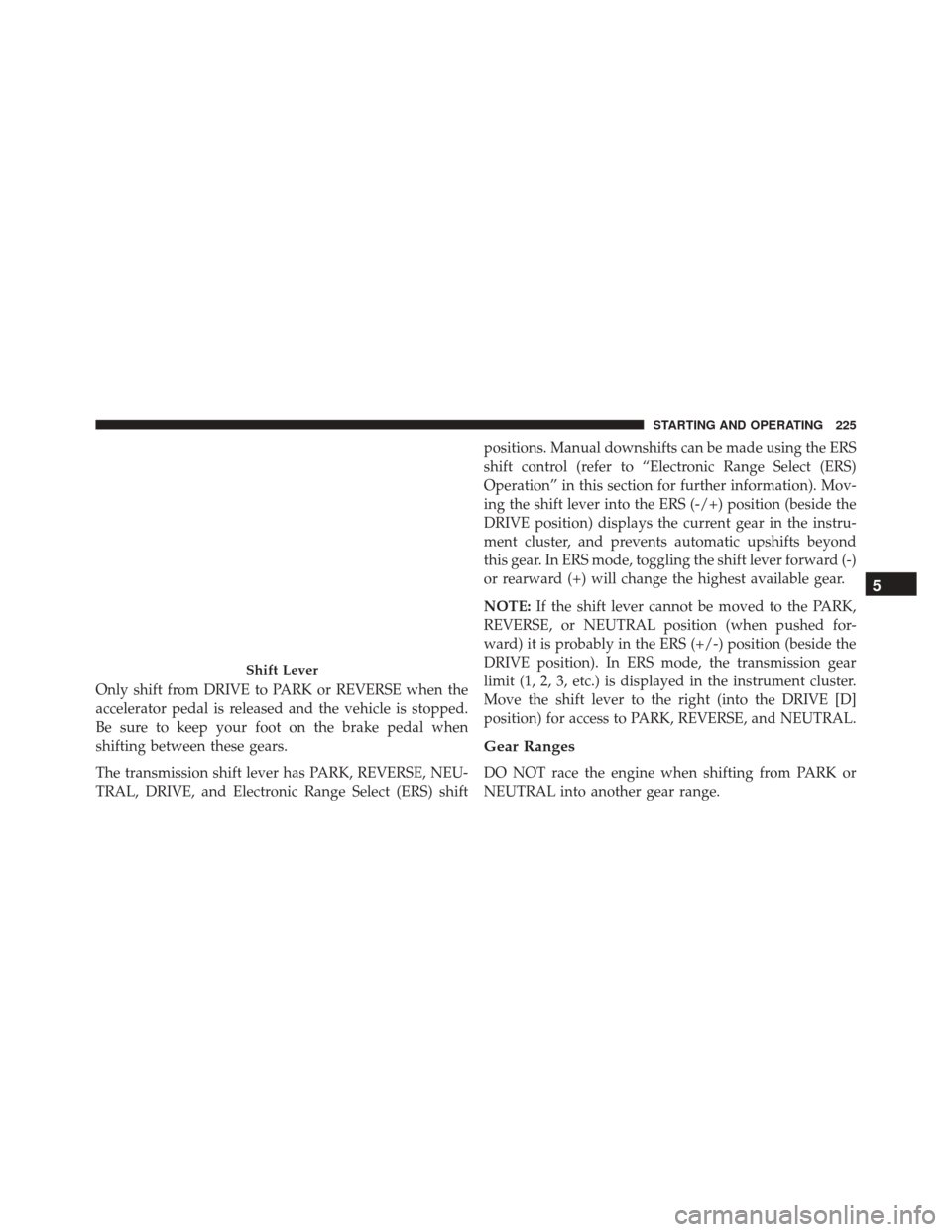
The transmission shift lever has PARK, REVERSE, NEU-
TRAL, DRIVE, and Electronic Range Select (ERS) shiftpositions. Manual downshifts can be made using the ERS
shift control (refer to “Electronic Range Select (ERS)
Operation” in this section for further information). Mov-
ing the shift lever into the ERS (-/+) position (beside the
DRIVE position) displays the current gear in the instru-
ment cluster, and prevents automatic upshifts beyond
this gear. In ERS mode, toggling the shift lever forward (-)
or rearward (+) will change the highest available gear.
NOTE:
If the shift lever cannot be moved to the PARK,
REVERSE, or NEUTRAL position (when pushed for-
ward) it is probably in the ERS (+/-) position (beside the
DRIVE position). In ERS mode, the transmission gear
limit (1, 2, 3, etc.) is displayed in the instrument cluster.
Move the shift lever to the right (into the DRIVE [D]
position) for access to PARK, REVERSE, and NEUTRAL.
Gear Ranges
DO NOT race the engine when shifting from PARK or
NEUTRAL into another gear range.
Shift Lever
5
STARTING AND OPERATING 225
Page 233 of 448
NOTE:Even if the transmission can be reset, we recom-
mend that you visit your authorized dealer at your
earliest possible convenience. Your authorized dealer has
diagnostic equipment to determine if the problem could
recur.
If the transmission cannot be reset, authorized dealer
service is required.
Electronic Range Select (ERS) Operation
The Electronic Range Select (ERS) shift control allows the
driver to limit the highest available gear. For example, if
you set the transmission gear limit to 4 (fourth gear), the
transmission will not shift above fourth gear, but will
shift through the lower gears normally.
You can switch between DRIVE and ERS mode at any
vehicle speed. When the shift lever is in the DRIVE
position, the transmission will operate automatically, shifting between all available gears. Moving the shift
lever to the ERS position (beside DRIVE) will activate
ERS mode, display the current gear in the instrument
cluster, and set that gear as the top available gear. Once in
ERS mode, moving the shift lever forward (-) or rearward
(+) will change the top available gear.
To exit ERS mode, simply return the shift lever to the
DRIVE position.
WARNING!
Do not downshift for additional engine braking on a
slippery surface. The drive wheels could lose their
grip and the vehicle could skid, causing a collision or
personal injury.
5
STARTING AND OPERATING 231
Page 234 of 448
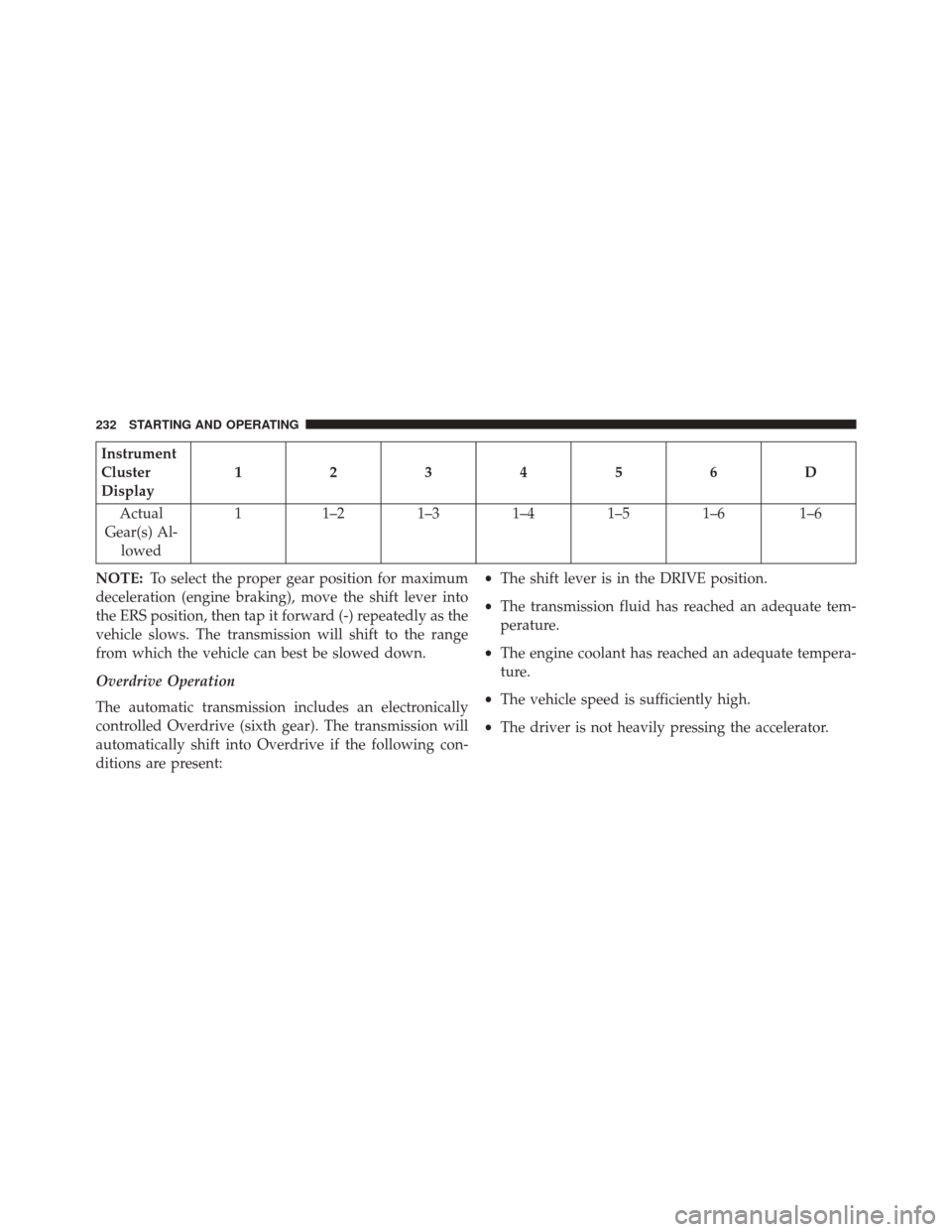
Instrument
Cluster
Display123456D
Actual
Gear(s) Al- lowed 1
1–2 1–3 1–4 1–5 1–6 1–6
NOTE: To select the proper gear position for maximum
deceleration (engine braking), move the shift lever into
the ERS position, then tap it forward (-) repeatedly as the
vehicle slows. The transmission will shift to the range
from which the vehicle can best be slowed down.
Overdrive Operation
The automatic transmission includes an electronically
controlled Overdrive (sixth gear). The transmission will
automatically shift into Overdrive if the following con-
ditions are present: •
The shift lever is in the DRIVE position.
• The transmission fluid has reached an adequate tem-
perature.
• The engine coolant has reached an adequate tempera-
ture.
• The vehicle speed is sufficiently high.
• The driver is not heavily pressing the accelerator.
232 STARTING AND OPERATING
Page 235 of 448
When To Use TOW/HAUL Mode
When driving in hilly areas, towing a trailer, carrying a
heavy load, etc., and frequent transmission shifting oc-
curs, push the TOW/HAUL switch to activate TOW/
HAUL mode. This will improve performance and reduce
the potential for transmission overheating or failure due
to excessive shifting. When operating in TOW/HAUL
mode, transmission upshifts are delayed, and the trans-
mission will automatically downshift (for engine brak-
ing) during steady braking maneuvers.
The “TOW/HAUL Indicator Light” will illuminate in the
instrument cluster to indicate that TOW/HAUL mode
has been activated. Pushing the switch a second time
restores normal operation. Normal operation is always
the default at engine start-up. If TOW/HAUL mode is
desired, the switch must be pushed each time the engine
is started.Torque Converter Clutch
A feature designed to improve fuel economy has been
included in the automatic transmission on your vehicle.
A clutch within the torque converter engages automati-
cally at calibrated speeds. This may result in a slightly
different feeling or response during normal operation in
the upper gears. When the vehicle speed drops or during
some accelerations, the clutch automatically disengages.
NOTE:
•
The torque converter clutch will not engage, until the
transmission fluid and engine coolant are warm [usu-
ally after 1 to 3 miles (2 to 5 km) of driving]. Because
the engine speed is higher when the torque converter
clutch is not engaged, it may seem as if the transmis-
sion is not shifting into Overdrive when cold. This is
normal. Using the Electronic Range Select (ERS) shift
5
STARTING AND OPERATING 233
Page 241 of 448

If necessary, add fluid to restore to the proper indicated
level. With a clean cloth, wipe any spilled fluid from all
surfaces. Refer to “Fluids, Lubricants, And Genuine
Parts” in “Maintaining Your Vehicle” for further informa-
tion.
PARKING BRAKE
Before leaving the vehicle, make sure that the parking
brake is fully applied.
The parking brake lever is located on the outboard side of
the drivers seat. To apply the parking brake, pull the
lever up as firmly as possible. To release the parking
brake, pull the lever up slightly, push the release button
with your thumb, then lower the lever completely.When the parking brake is applied with the ignition
switch in the MAR (ACC/ON/RUN) position, the Brake
Warning Light in the instrument cluster will illuminate.
Parking Brake
1 — Parking Brake Release Button
2 — Parking Brake Lever
5
STARTING AND OPERATING 239