Stop Ram ProMaster 2019 Owner's Manual
[x] Cancel search | Manufacturer: RAM, Model Year: 2019, Model line: ProMaster, Model: Ram ProMaster 2019Pages: 332, PDF Size: 3.66 MB
Page 21 of 332
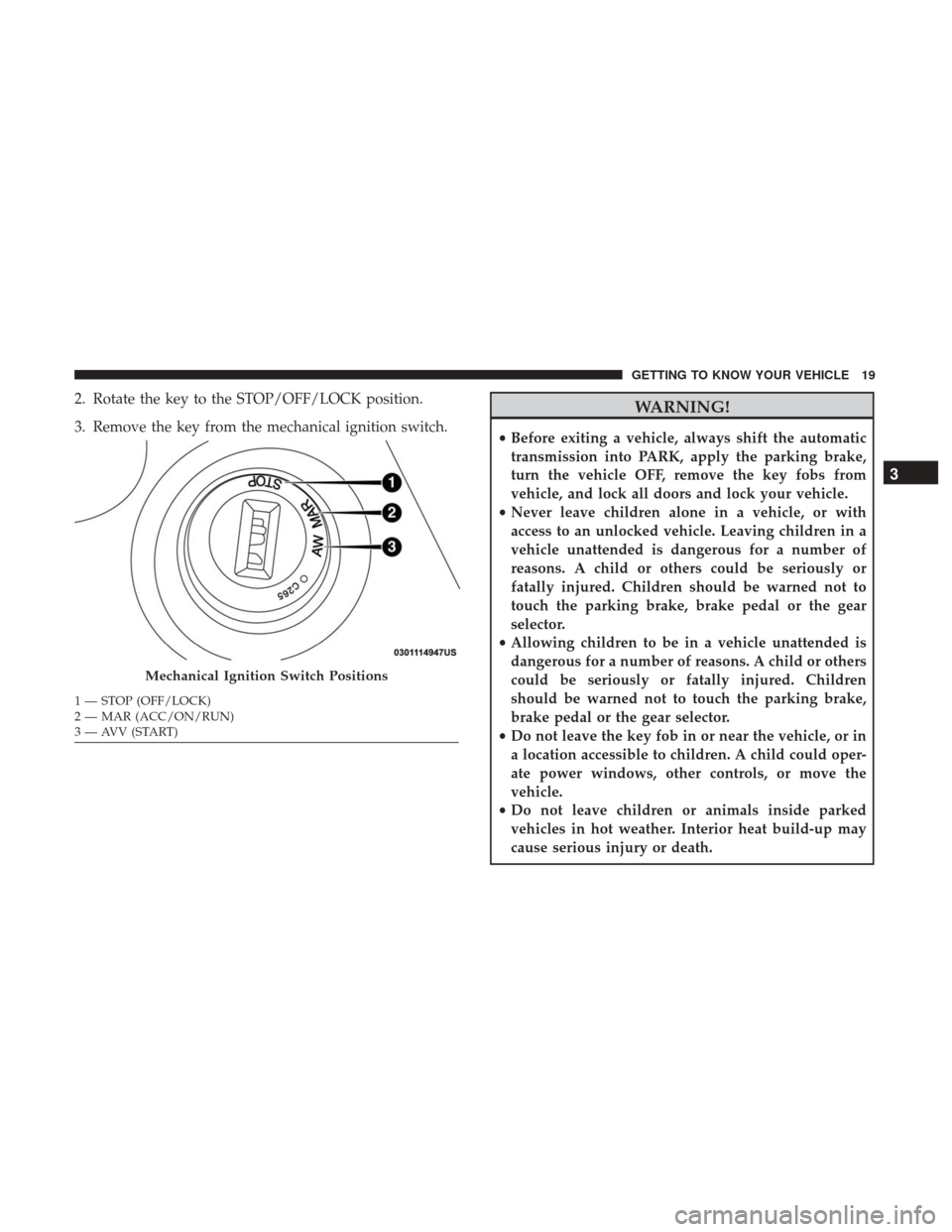
2. Rotate the key to the STOP/OFF/LOCK position.
3. Remove the key from the mechanical ignition switch.WARNING!
•Before exiting a vehicle, always shift the automatic
transmission into PARK, apply the parking brake,
turn the vehicle OFF, remove the key fobs from
vehicle, and lock all doors and lock your vehicle.
• Never leave children alone in a vehicle, or with
access to an unlocked vehicle. Leaving children in a
vehicle unattended is dangerous for a number of
reasons. A child or others could be seriously or
fatally injured. Children should be warned not to
touch the parking brake, brake pedal or the gear
selector.
• Allowing children to be in a vehicle unattended is
dangerous for a number of reasons. A child or others
could be seriously or fatally injured. Children
should be warned not to touch the parking brake,
brake pedal or the gear selector.
• Do not leave the key fob in or near the vehicle, or in
a location accessible to children. A child could oper-
ate power windows, other controls, or move the
vehicle.
• Do not leave children or animals inside parked
vehicles in hot weather. Interior heat build-up may
cause serious injury or death.
Mechanical Ignition Switch Positions
1 — STOP (OFF/LOCK)
2 — MAR (ACC/ON/RUN)
3 — AVV (START)
3
GETTING TO KNOW YOUR VEHICLE 19
Page 22 of 332
CAUTION!
An unlocked vehicle is an invitation. Always remove
the key from the ignition and lock all the doors when
leaving the vehicle unattended.
Key-In-Ignition Reminder
Opening the driver’s door when the key is in the ignition
and the ignition switch position is STOP/OFF/LOCK
sounds a signal to remove the key.
SENTRY KEY
The Sentry Key Immobilizer System prevents unauthor-
ized vehicle operation by disabling the engine. The system
does not need to be armed or activated. Operation is
automatic, regardless of whether the vehicle is locked or
unlocked.
The system uses ignition keys which have an embedded
electronic chip (transponder) to prevent unauthorized ve-
hicle operation. Therefore, only keys that are programmed
to the vehicle can be used to start and operate the vehicle.
NOTE:A key which has not been programmed is also
considered an invalid key, even if it is cut to fit the ignition
switch lock cylinder for that vehicle. If the vehicle security light is on after the key is turned to
the ON/RUN position, it indicates that there is a problem
with the electronics.
CAUTION!
•
Always remove the Sentry Key from the vehicle and
lock all doors when leaving the vehicle unattended.
• The Sentry Key Immobilizer system is not compat-
ible with some aftermarket remote starting systems.
Use of these systems may result in vehicle starting
problems and loss of security protection.
All of the keys provided with your new vehicle have been
programmed to the vehicle electronics.
Replacement Keys
NOTE: Only keys that have been programmed to the
vehicle electronics can be used to start the vehicle. Once a
Sentry Key has been programmed to a vehicle, it cannot be
programmed to any other vehicle. When having the Sentry
Key Immobilizer System serviced, bring all vehicle keys
with you to an authorized dealer.
The VIN is required for authorized dealer replacement of
keys. Duplication of keys may be performed at an autho-
rized dealer.
20 GETTING TO KNOW YOUR VEHICLE
Page 31 of 332
the right position and the first vehicle movement after the
cranking is attempted, a chime and a text message will
appear in the instrument cluster display. Rotate and lock
the swivel seats in the correct position before trying again.
If the driver or the passenger seats are not locked in facing
forward position during movement of the vehicle, a mes-
sage will appear in the instrument cluster display and an
intermittent chime will sound until key-off or until the
swivel seats are locked in facing forward position. Stop and
move the swivel seats in the correct position before pro-
ceeding.
If a fault is present in the system and it is not possible to
check the correct position of the swivel seats, a message
and the generic warning light appears in the instrument
cluster display to inform about the failure. In these condi-
tions, check the status of the swivel seats and not drive the
vehicle until the swivel seats are locked in facing forward
position.
Heated Seats — If Equipped
On some models, the front driver and passenger seats may
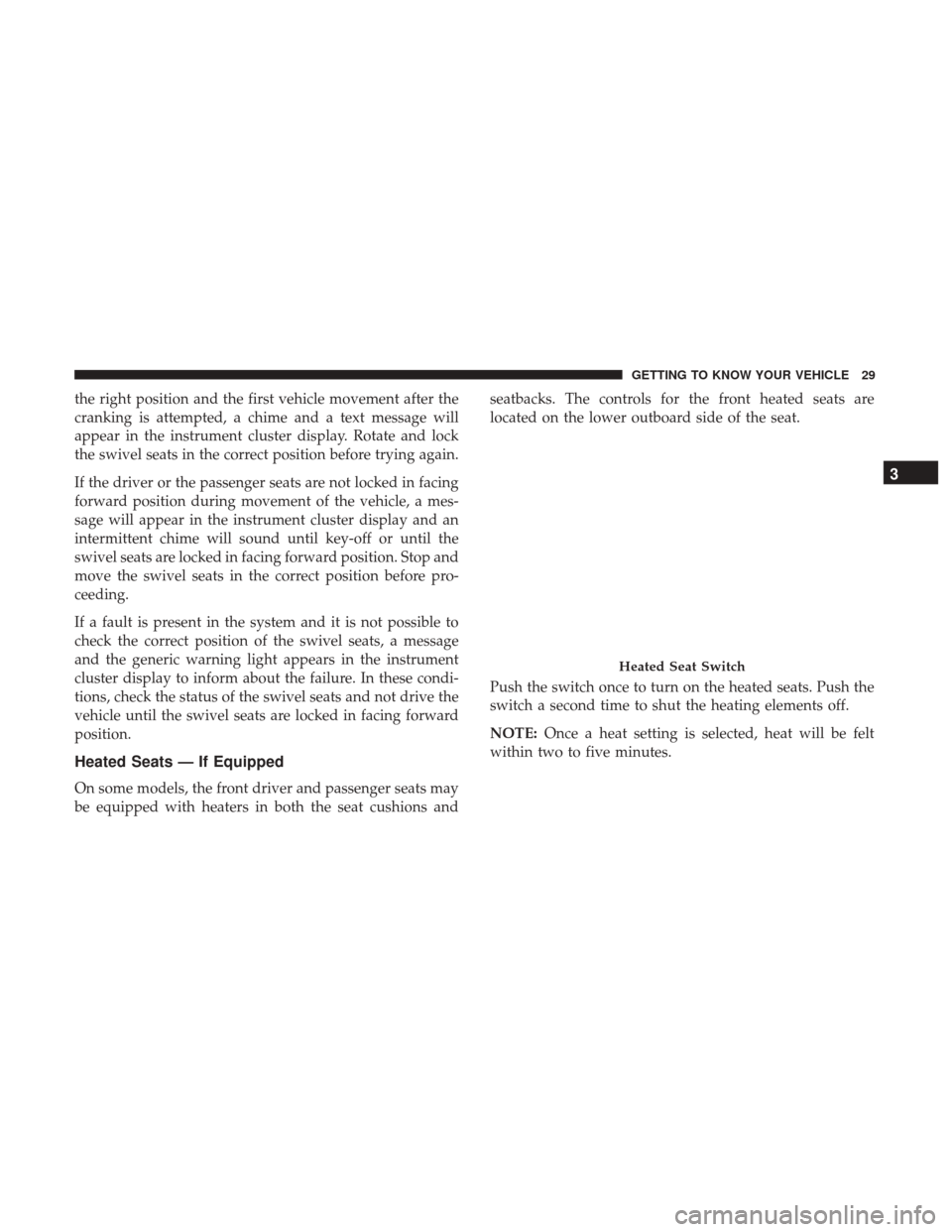
be equipped with heaters in both the seat cushions andseatbacks. The controls for the front heated seats are
located on the lower outboard side of the seat.
Push the switch once to turn on the heated seats. Push the
switch a second time to shut the heating elements off.
NOTE:
Once a heat setting is selected, heat will be felt
within two to five minutes.
Heated Seat Switch
3
GETTING TO KNOW YOUR VEHICLE 29
Page 35 of 332
NOTE:Do not reposition the head restraint 180 degrees to
the incorrect position in an attempt to gain additional
clearance to the back of the head.
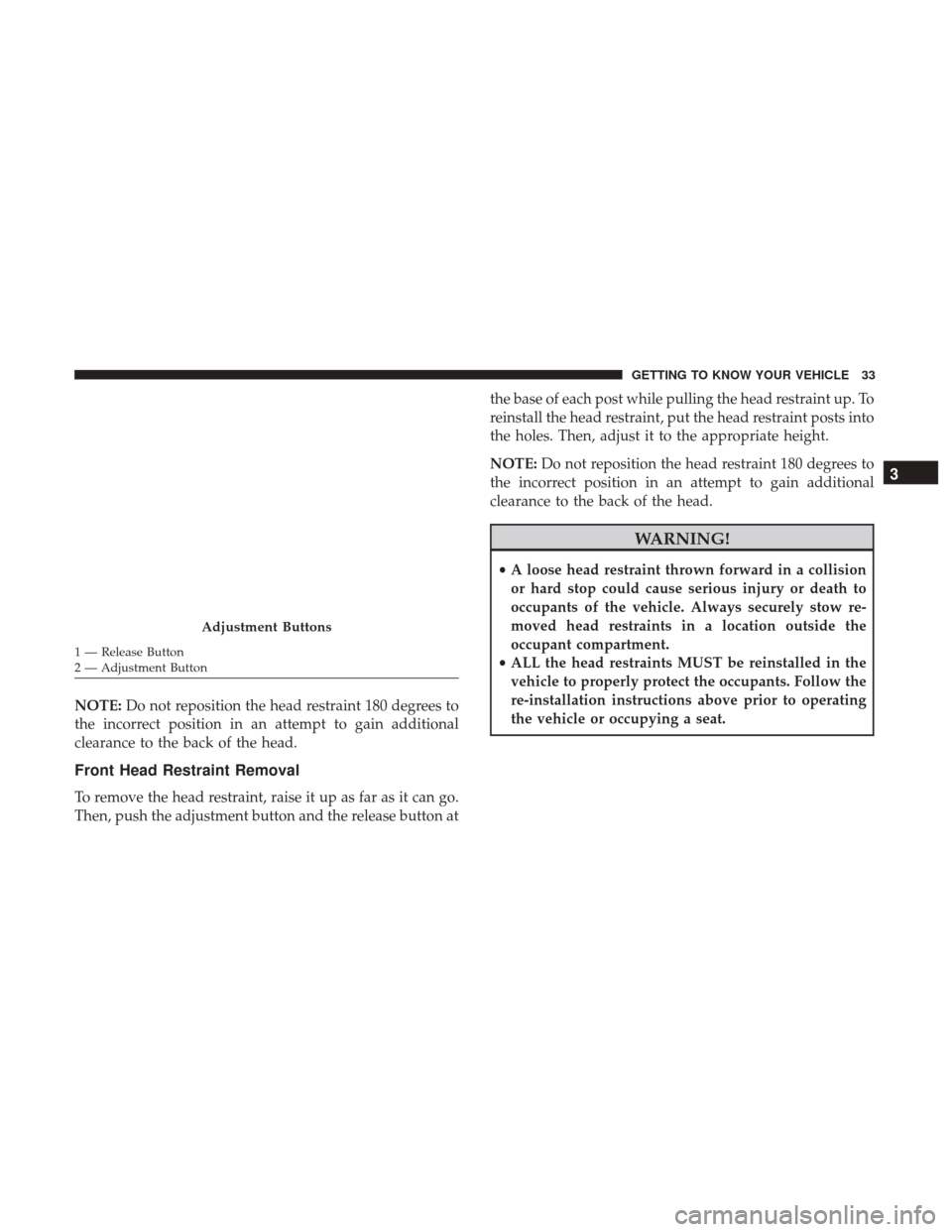
Front Head Restraint Removal
To remove the head restraint, raise it up as far as it can go.
Then, push the adjustment button and the release button at the base of each post while pulling the head restraint up. To
reinstall the head restraint, put the head restraint posts into
the holes. Then, adjust it to the appropriate height.
NOTE:
Do not reposition the head restraint 180 degrees to
the incorrect position in an attempt to gain additional
clearance to the back of the head.
WARNING!
• A loose head restraint thrown forward in a collision
or hard stop could cause serious injury or death to
occupants of the vehicle. Always securely stow re-
moved head restraints in a location outside the
occupant compartment.
• ALL the head restraints MUST be reinstalled in the
vehicle to properly protect the occupants. Follow the
re-installation instructions above prior to operating
the vehicle or occupying a seat.
Adjustment Buttons
1 — Release Button
2 — Adjustment Button
3
GETTING TO KNOW YOUR VEHICLE 33
Page 42 of 332
Flash-To-Pass
You can signal another vehicle with your headlights by
partially pulling the multifunction lever toward the steer-
ing wheel. This will cause the high beam headlights to turn
on until the lever is released.
Parking Lights
These lights can only be turned on with ignition key in the
STOP position or removed, by moving the end of the
multifunction lever to O (off) position and then to the
headlight position.
The warning light telltale in the instrument panel comes
on. The lights stay on until the next ignition cycle is
performed.
Follow Me Home/Headlight Delay
When this feature is selected, the driver can choose to have
the headlights remain on for a preset period of time.
Activation
Remove the key or turn the ignition to the OFF/LOCK
position, and pull the multifunction lever toward the
steering wheel, within two minutes. Each time the lever ispulled, the activation of the lights will be extended by 30
seconds. The activation of the lights can be extended to a
maximum of 210 seconds.
The warning light on the instrument panel will light up
and the corresponding message will appear in the instru-
ment cluster display for as long as the function is activated.
The warning light comes on when the lever is operated and
stays on until the function is automatically deactivated.
Each movement of the lever only increases the amount of
time the lights stay on.
Deactivation
Pull the multifunction lever toward the steering wheel and
hold it for more than two seconds.
Fog Lights — If Equipped
The fog light switch is located on the center stack of the
instrument panel, just below the climate controls. Push the
switch once to turn the fog lights on. Push the switch a
second time to turn the fog lights off.
NOTE:
If the vehicle’s ignition is turned OFF, the fog lights
will also turn off.
40 GETTING TO KNOW YOUR VEHICLE
Page 56 of 332

WARNING!
•Never leave children alone in a vehicle, or with
access to an unlocked vehicle. Allowing children to
be in a vehicle unattended is dangerous for a number
of reasons. A child or others could be seriously or
fatally injured. Children should be warned not to
touch the parking brake, brake pedal or the gear
selector.
• Do not leave the key fob in or near the vehicle or in
a location accessible to children. A child could oper-
ate power windows, other controls, or move the
vehicle.
Auto-Down Feature — If Equipped
The window switches may be equipped with an Auto-
Down feature. Push the window switch for half a second,
release, and the window will go down automatically.
To stop the window from going all the way down during
the auto-down operation, pull up or push down on the
switch briefly.
To open the window part way, lift the window switch to
the detent for less than half a second and release it to stop
the window. NOTE:
The power window switches remain active for up
to three minutes after the ignition switch has been turned
OFF. Opening either of the vehicle’s front doors will cancel
this feature.
Window Bar Grates — If Equipped
This vehicle may be equipped with metal grates over the
side door windows. This feature is a part of the vehicle’s
safety system, and is designed to protect you and your
passengers in the event of an accident.
Window Bar Grates
54 GETTING TO KNOW YOUR VEHICLE
Page 70 of 332

CAUTION!
Driving with a hot engine cooling system could dam-
age your vehicle. If the temperature gauge reads “H,”
pull over and stop the vehicle. Idle the vehicle with the
air conditioner turned off until the pointer drops back
into the normal range. If the pointer remains on the
“H,” turn the engine off immediately and call an
authorized dealer for service.
5. Fuel Gauge •The pointer shows the level of fuel in the fuel tank
when the ignition switch is in the ON/RUN position.
•
The fuel pump symbol points to the side of the
vehicle where the fuel door is located.
INSTRUMENT CLUSTER DISPLAY
Your vehicle will be equipped with an instrument cluster
display, which offers useful information to the driver. With
the ignition in the STOP/OFF mode, opening/closing of a
door will activate the display for viewing, and display the
total miles, or kilometers, in the odometer. Your instrument
cluster display is designed to display important informa-
tion about your vehicle’s systems and features. Using a driver interactive display located on the instrument panel,
your instrument cluster display can show you how sys-
tems are working and give you warnings when they are
not. The steering wheel mounted controls allow you to
scroll through the main menus and submenus. You can
access the specific information you want and make selec-
tions and adjustments.
Location And Controls
The instrument cluster display features a driver-interactive
display that is located in the instrument cluster.
Instrument Cluster Display
68 GETTING TO KNOW YOUR INSTRUMENT PANEL
Page 77 of 332
— Door Open Warning Light
This indicator will illuminate when one or more door(s) are
not fully closed.
NOTE:If the vehicle is moving and a door is opened, there
will also be a single chime.
— Electronic Throttle Control (ETC) Warning
Light
This warning light will illuminate to inform of a problem
with the Electronic Throttle Control (ETC) system. If a
problem is detected while the vehicle is running, the light
will either stay on or flash depending on the nature of the
problem. Cycle the ignition when the vehicle is safely and
completely stopped and the transmission is placed in the
PARK position. The light should turn off. If the light
remains on with the vehicle running, your vehicle will
usually be drivable; however, see an authorized dealer for
service as soon as possible.
If the light continues to flash when the vehicle is running,
immediate service is required and you may experience
reduced performance, an elevated/rough idle, or engine
stall and your vehicle may require towing. The light will
come on when the ignition is placed in the ON/RUN or
MAR/ON/RUN position and remain on briefly as a bulb check. If the light does not come on during starting, have
the system checked by an authorized dealer.
— Transmission Fault Warning Light
This light will illuminate (together with a message in the
instrument cluster display and a buzzer) to indicate a
transmission fault. Contact an authorized dealer if the
message remains after restarting the engine.
— Engine Temperature Warning Light
This light warns of an overheated engine condition. If the
engine coolant temperature is too high, this indicator will
illuminate and a single chime will sound.
If the light turns on while driving, safely pull over and stop
the vehicle. If the A/C system is on, turn it off. Also, shift
the transmission into NEUTRAL and idle the vehicle. If the
temperature reading does not return to normal, turn the
engine off immediately and call for service. Refer to “If
Your Engine Overheats” in “In Case Of Emergency” for
further information.
— Brake Warning Light
This warning light monitors various brake functions, in-
cluding brake fluid level and parking brake application. If
the brake light turns on it may indicate that the parking
4
GETTING TO KNOW YOUR INSTRUMENT PANEL 75
Page 78 of 332
brake is applied, that the brake fluid level is low, or that
there is a problem with the anti-lock brake system reser-
voir.
If the light remains on when the parking brake has been
disengaged, and the fluid level is at the full mark on the
master cylinder reservoir, it indicates a possible brake
hydraulic system malfunction or that a problem with the
Brake Booster has been detected by the Anti-Lock Brake
System (ABS) / Electronic Stability Control (ESC) system.
In this case, the light will remain on until the condition has
been corrected. If the problem is related to the brake
booster, the ABS pump will run when applying the brake,
and a brake pedal pulsation may be felt during each stop.
The dual brake system provides a reserve braking capacity
in the event of a failure to a portion of the hydraulic
system. A leak in either half of the dual brake system is
indicated by the Brake Warning Light, which will turn on
when the brake fluid level in the master cylinder has
dropped below a specified level.
The light will remain on until the cause is corrected.NOTE:
The light may flash momentarily during sharp
cornering maneuvers, which change fluid level conditions.
The vehicle should have service performed, and the brake
fluid level checked.
If brake failure is indicated, immediate repair is necessary.
WARNING!
Driving a vehicle with the red brake light on is
dangerous. Part of the brake system may have failed. It
will take longer to stop the vehicle. You could have a
collision. Have the vehicle checked immediately.
Vehicles equipped with the Anti-Lock Brake System (ABS)
are also equipped with Electronic Brake Force Distribution
(EBD). In the event of an EBD failure, the Brake Warning
Light will turn on along with the ABS Light. Immediate
repair to the ABS system is required.
Operation of the Brake Warning Light can be checked by
turning the ignition switch from the OFF position to the
ON/RUN position. The light should illuminate for ap-
proximately two seconds. The light should then turn off
unless the parking brake is applied or a brake fault is
detected. If the light does not illuminate, have the light
inspected by an authorized dealer.
76 GETTING TO KNOW YOUR INSTRUMENT PANEL
Page 79 of 332
The light also will turn on when the parking brake is
applied with the ignition switch in the ON/RUN position.
NOTE:This light shows only that the parking brake is
applied. It does not show the degree of brake application.
— Oil Pressure Warning Light
This warning light will illuminate to indicate low engine
oil pressure. If the light turns on while driving, stop the
vehicle, shut off the engine as soon as possible, and contact
an authorized dealer. A chime will sound when this light
turns on.
Do not operate the vehicle until the cause is corrected. This
light does not indicate how much oil is in the engine. The
engine oil level must be checked under the hood.
— Vehicle Security Warning Light — If Equipped
This light will flash at a fast rate for approximately 15
seconds when the vehicle security alarm is arming, and
then will flash slowly until the vehicle is disarmed.
Yellow Warning Lights
— Immobilizer Fail / VPS Electrical Alarm
Indicator Light
This telltale will illuminate when the vehicle security alarm
system has detected an attempt to break into the vehicle.
NOTE: After cycling the ignition to the ON/RUN posi-
tion, the Vehicle Security Warning Light could illuminate if
a problem with the system is detected. This condition will
result in the engine being shut off after two seconds.
— Tire Pressure Monitoring System (TPMS)
Warning Light
The warning light switches on and a message is displayed
to indicate that the tire pressure is lower than the recom-
mended value and/or that slow pressure loss is occurring.
In these cases, optimal tire duration and fuel consumption
may not be guaranteed.
Should one or more tires be in the condition mentioned
above, the display will show the indications corresponding
to each tire.
4
GETTING TO KNOW YOUR INSTRUMENT PANEL 77