lights RAM PROMASTER 2021 Owner's Manual
[x] Cancel search | Manufacturer: RAM, Model Year: 2021, Model line: PROMASTER, Model: RAM PROMASTER 2021Pages: 288, PDF Size: 15.22 MB
Page 96 of 288
94MULTIMEDIA
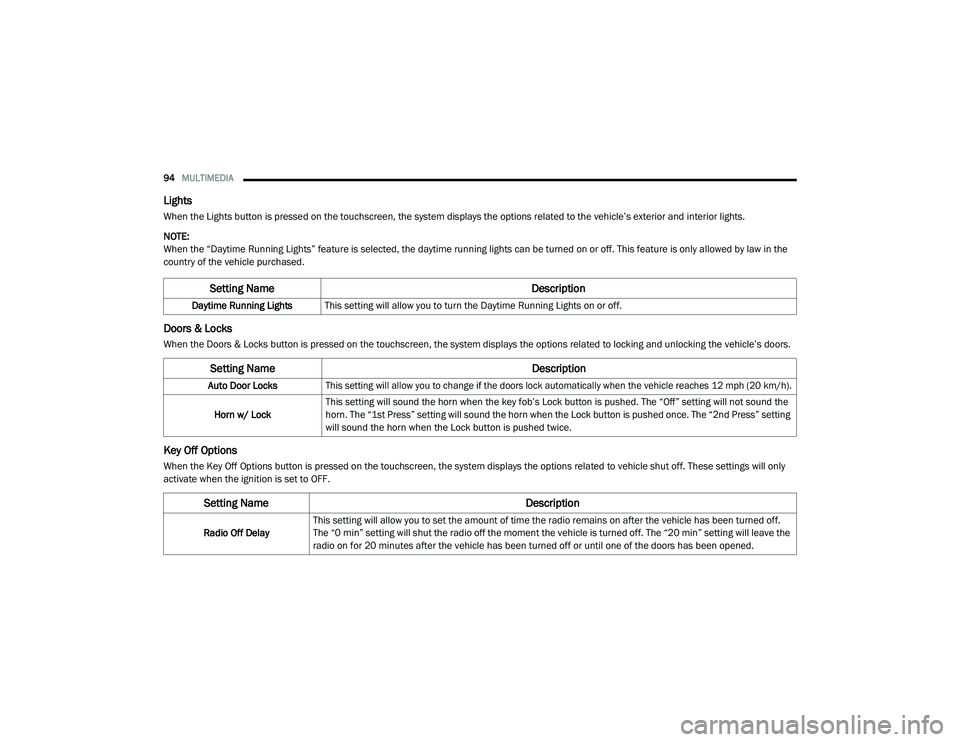
Lights
When the Lights button is pressed on the touchscreen, the system displays the options related to the vehicle’s exterior and interior lights.
NOTE:
When the “Daytime Running Lights” feature is selected, the daytime running lights can be turned on or off. This feature is only allowed by law in the
country of the vehicle purchased.
Doors & Locks
When the Doors & Locks button is pressed on the touchscreen, the system displays the options related to locking and unlocking the vehicle’s doors.
Key Off Options
When the Key Off Options button is pressed on the touchscreen, the system displays the options related to vehicle shut off. These settings will only
activate when the ignition is set to OFF.
Setting Name Description
Daytime Running LightsThis setting will allow you to turn the Daytime Running Lights on or off.
Setting Name Description
Auto Door Locks
This setting will allow you to change if the doors lock automatically when the vehicle reaches 12 mph (20 km/h).
Horn w/ Lock This setting will sound the horn when the key fob’s Lock button is pushed. The “Off” setting will not sound the
horn. The “1st Press” setting will sound the horn when the Lock button is pushed once. The “2nd Press” setting
will sound the horn when the Lock button is pushed twice.
Setting Name
Description
Radio Off DelayThis setting will allow you to set the amount of time the radio remains on after the vehicle has been turned off.
The “0 min” setting will shut the radio off the moment the vehicle is turned off. The “20 min” setting will leave the
radio on for 20 minutes after the vehicle has been turned off or until one of the doors has been opened.
21_VF_OM_EN_USC_t.book Page 94
Page 157 of 288
SAFETY155
NOTE:
TSC cannot stop all trailers from swaying.
Always use caution when towing a trailer and
follow the trailer tongue weight recommenda -
tions Ú page 78.
When TSC is functioning, the ESC Activation/
Malfunction Indicator Light will flash, the engine
power may be reduced, and you may feel the
brakes being applied to individual wheels to
attempt to stop the trailer from swaying. TSC is
disabled when the ESC system is in the “Partial
Off” mode.AUXILIARY DRIVING SYSTEMS
BLIND SPOT MONITORING (BS M) — IF
E
QUIPPED
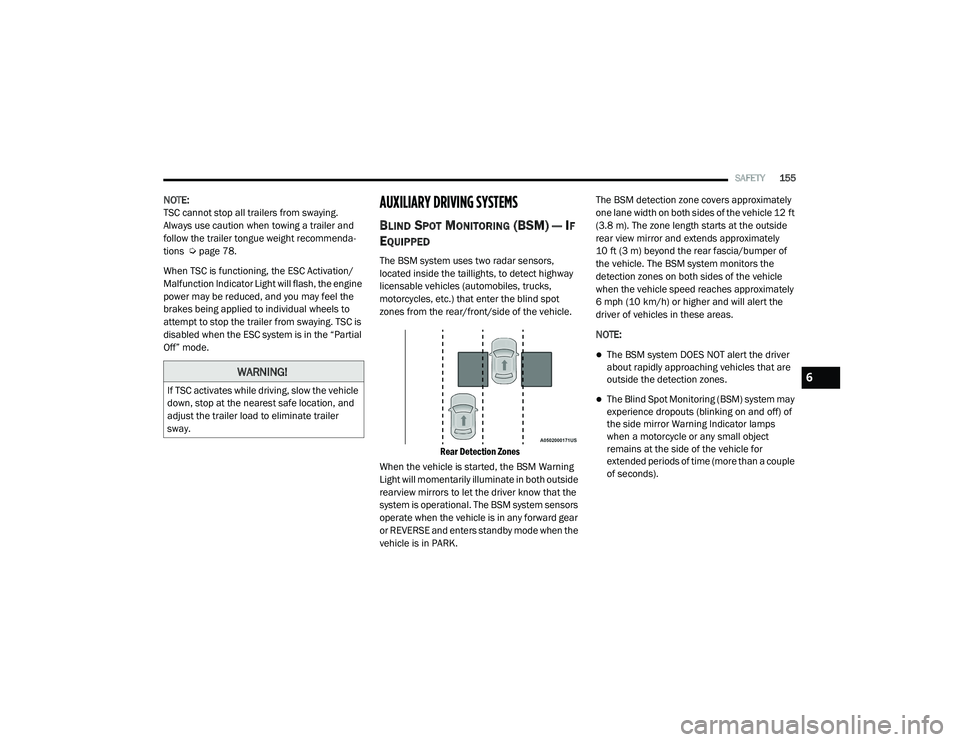
The BSM system uses two radar sensors,
located inside the taillights, to detect highway
licensable vehicles (automobiles, trucks,
motorcycles, etc.) that enter the blind spot
zones from the rear/front/side of the vehicle.
Rear Detection Zones
When the vehicle is started, the BSM Warning
Light will momentarily illuminate in both outside
rearview mirrors to let the driver know that the
system is operational. The BSM system sensors
operate when the vehicle is in any forward gear
or REVERSE and enters standby mode when the
vehicle is in PARK. The BSM detection zone covers approximately
one lane width on both sides of the vehicle 12 ft
(3.8 m). The zone length starts at the outside
rear view mirror and extends approximately
10 ft (3 m) beyond the rear fascia/bumper of
the vehicle. The BSM system monitors the
detection zones on both sides of the vehicle
when the vehicle speed reaches approximately
6 mph (10 km/h) or higher and will alert the
driver of vehicles in these areas.
NOTE:
The BSM system DOES NOT alert the driver
about rapidly approaching vehicles that are
outside the detection zones.
The Blind Spot Monitoring (BSM) system may
experience dropouts (blinking on and off) of
the side mirror Warning Indicator lamps
when a motorcycle or any small object
remains at the side of the vehicle for
extended periods of time (more than a couple
of seconds).
WARNING!
If TSC activates while driving, slow the vehicle
down, stop at the nearest safe location, and
adjust the trailer load to eliminate trailer
sway.
6
21_VF_OM_EN_USC_t.book Page 155
Page 158 of 288

156SAFETY
The vehicle’s taillights, where the radar sensors
are located, must remain free of snow, ice, and
dirt/road contamination so that the BSM
system can function properly. Do not block the
taillights with foreign objects (bumper stickers,
bicycle racks, etc.).
Radar Sensor Locations
If the system detects degraded performance
due to contamination or foreign objects, a
message will warn you of a blocked sensor and
the warning indicators in the side view mirrors
will be on. The warning indicators will remain
illuminated until blockage clearing conditions
are met. First clear the taillights around the
sensors of the blockage. After removing the
blockage, the following procedure can be used
to reset the system, cycle the ignition from ON
to OFF and then back ON. If the blockage message is still present after
cycling the ignition and driving in traffic, check
again for a blockage.
The BSM system notifies the driver of objects in
the detection zones by illuminating the BSM
Warning Light located in the outside mirrors in
addition to sounding an audible (chime) alert
and reducing the radio volume Ú
page 158.
Warning Light Location
The BSM system monitors the detection zone
from three different entry points (side, rear,
front) while driving to see if an alert is
necessary. The BSM system will issue an alert
during these types of zone entries. Entering From The Side
Vehicles that move into your adjacent lanes
from either side of the vehicle.
Side Monitoring
21_VF_OM_EN_USC_t.book Page 156
Page 160 of 288

158SAFETY
Rear Cross Path (RCP)
RCP is intended to aid the driver when backing
out of parking spaces where their vision of
oncoming vehicles may be blocked. Proceed
slowly and cautiously out of the parking space
until the rear end of the vehicle is exposed. The
RCP system will then have a clear view of the
cross traffic, and if an oncoming vehicle is
detected, alert the driver.
RCP Detection Zones
RCP monitors the rear detection zones on both
sides of the vehicle, for objects that are moving
toward the side of the vehicle with a minimum
speed of approximately 3 mph (5 km/h), to
objects moving a maximum of approximately
20 mph (32 km/h), such as in parking lot
situations. When RCP is on and the vehicle is in REVERSE
(R), the driver is alerted using both the visual
and audible alarms, including reducing the
radio volume.
NOTE:
In a parking lot situation, oncoming vehicles can
be blocked by vehicles parked on either side. If
the sensors are blocked by other structures or
vehicles, the system will not be able to alert the
driver.
Blind Spot Modes
Blind Spot has three selectable modes of
operation that are available in the Uconnect
system.
Blind Spot Alert Lights Only
When operating in Blind Spot Alert mode, the
BSM system will provide a visual alert in the
appropriate side view mirror based on a
detected object. However, when the system is
operating in Rear Cross Path (RCP) mode, the
system will respond with both visual and
audible alerts when a detected object is
present. Whenever an audible alert is
requested, the radio is muted.
Blind Spot Alert Lights/Chime
When operating in Blind Spot Alert Lights/
Chime mode, the BSM system will provide a
visual alert in the appropriate side view mirror
based on a detected object. If the turn signal is
then activated, and it corresponds to an alert
present on that side of the vehicle, an audible
chime will also be sounded. Whenever a turn
signal and detected object are present on the
same side at the same time, both the visual and
audible alerts will be issued. In addition to the
audible alert the radio (if on) will also be muted.
WARNING!
Rear Cross Path Detection (RCP) is not a
backup aid system. It is intended to be used
to help a driver detect an oncoming vehicle in
a parking lot situation. Drivers must be
careful when backing up, even when using
RCP. Always check carefully behind your
vehicle, look behind you, and be sure to
check for pedestrians, animals, other
vehicles, obstructions, and blind spots before
backing up. Failure to do so can result in
serious injury or death.
21_VF_OM_EN_USC_t.book Page 158
Page 181 of 288
SAFETY179
(Continued)
Fuel Cut Off Switch
Your vehicle is equipped with a Fuel Cut Off
switch. In the event of an accident, if the
communication network remains intact, and
the power remains intact, depending on the
nature of the event, the Fuel Cut Off Switch may
perform the following functions:
Cut off fuel to the engine and turn off the
engine.
Flash hazard lights as long as the battery has
power or until the hazard light button is
pressed. The hazard lights can be deacti -
vated by pressing the hazard light button.
Turn on the interior lights, which remain on
as long as the battery has power.
Unlock the power door locks.
NOTE:
After an accident, remember to cycle the igni -
tion to the STOP (OFF/LOCK) position and
remove the key from the ignition switch to avoid
draining the battery. Carefully check the vehicle
for fuel leaks in the engine compartment and on
the ground near the engine compartment and
fuel tank before resetting the system and
starting the engine. If there are no fuel leaks or damage to the vehicle electrical devices (e.g.
headlights) after an accident, reset the Fuel Cut
Off Switch by following the procedure described
below. If you have any doubt, contact an autho
-
rized dealer.
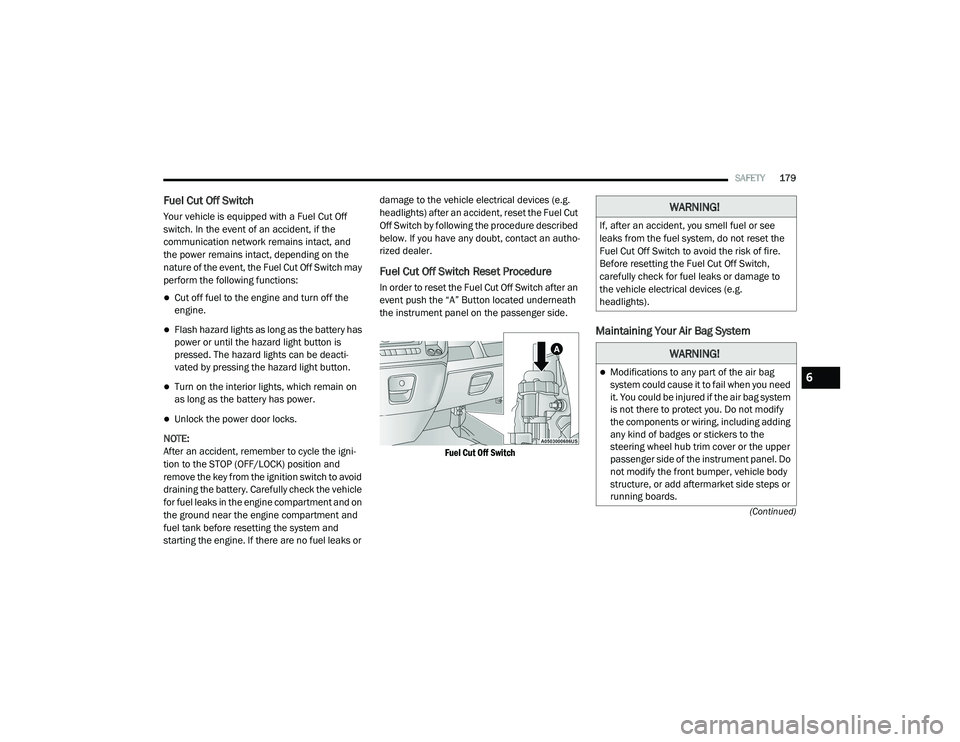
Fuel Cut Off Switch Reset Procedure
In order to reset the Fuel Cut Off Switch after an
event push the “A” Button located underneath
the instrument panel on the passenger side.
Fuel Cut Off Switch
Maintaining Your Air Bag System
WARNING!
If, after an accident, you smell fuel or see
leaks from the fuel system, do not reset the
Fuel Cut Off Switch to avoid the risk of fire.
Before resetting the Fuel Cut Off Switch,
carefully check for fuel leaks or damage to
the vehicle electrical devices (e.g.
headlights).
WARNING!
Modifications to any part of the air bag
system could cause it to fail when you need
it. You could be injured if the air bag system
is not there to protect you. Do not modify
the components or wiring, including adding
any kind of badges or stickers to the
steering wheel hub trim cover or the upper
passenger side of the instrument panel. Do
not modify the front bumper, vehicle body
structure, or add aftermarket side steps or
running boards.6
21_VF_OM_EN_USC_t.book Page 179
Page 190 of 288

188SAFETY
(Continued)
PERIODIC SAFETY CHECKS YOU SHOULD
M
AKE OUTSIDE THE VEHICLE
Tires
Examine tires for excessive tread wear and
uneven wear patterns. Check for stones, nails,
glass, or other objects lodged in the tread or
sidewall. Inspect the tread for cuts and cracks.
Inspect sidewalls for cuts, cracks, and bulges.
Check the lug nut/bolt torque for tightness.
Check the tires (including spare) for proper cold
inflation pressure.
Lights
Have someone observe the operation of brake
lights and exterior lights while you work the
controls. Check turn signal and high beam
indicator lights on the instrument panel.
Door Latches
Check for proper closing, latching, and locking.
ONLY install floor mats designed to fit your
vehicle. NEVER install a floor mat that
cannot be properly attached and secured to
your vehicle. If a floor mat needs to be
replaced, only use a FCA approved floor
mat for the specific make, model, and year
of your vehicle.
ONLY use the driver’s side floor mat on the
driver’s side floor area. To check for inter -
ference, with the vehicle properly parked
with the engine off, fully depress the accel -
erator, the brake, and the clutch pedal (if
present) to check for interference. If your
floor mat interferes with the operation of
any pedal, or is not secure to the floor,
remove the floor mat from the vehicle and
place the floor mat in your trunk.
ONLY use the passenger’s side floor mat on
the passenger’s side floor area.
ALWAYS make sure objects cannot fall or
slide into the driver’s side floor area when
the vehicle is moving. Objects can become
trapped under accelerator, brake, or clutch
pedals and could cause a loss of vehicle
control.
WARNING! (Continued)
NEVER place any objects under the floor
mat (e.g., towels, keys, etc.). These objects
could change the position of the floor mat
and may cause interference with the accel -
erator, brake, or clutch pedals.
If the vehicle carpet has been removed and
re-installed, always properly attach carpet
to the floor and check the floor mat
fasteners are secure to the vehicle carpet.
Fully depress each pedal to check for inter -
ference with the accelerator, brake, or
clutch pedals then re-install the floor mats.
It is recommended to only use mild soap
and water to clean your floor mats. After
cleaning, always check your floor mat has
been properly installed and is secured to
your vehicle using the floor mat fasteners
by lightly pulling mat.
WARNING! (Continued)
21_VF_OM_EN_USC_t.book Page 188
Page 213 of 288
211
SERVICING AND MAINTENANCE
SCHEDULED SERVICING
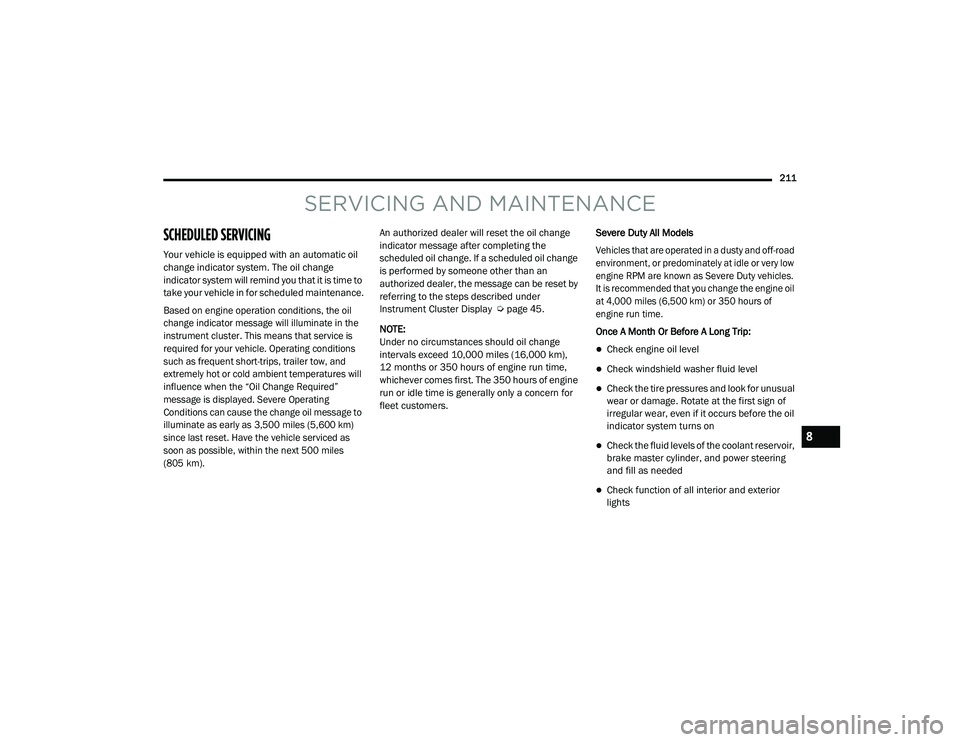
Your vehicle is equipped with an automatic oil
change indicator system. The oil change
indicator system will remind you that it is time to
take your vehicle in for scheduled maintenance.
Based on engine operation conditions, the oil
change indicator message will illuminate in the
instrument cluster. This means that service is
required for your vehicle. Operating conditions
such as frequent short-trips, trailer tow, and
extremely hot or cold ambient temperatures will
influence when the “Oil Change Required”
message is displayed. Severe Operating
Conditions can cause the change oil message to
illuminate as early as 3,500 miles (5,600 km)
since last reset. Have the vehicle serviced as
soon as possible, within the next 500 miles
(805 km).
An authorized dealer will reset the oil change
indicator message after completing the
scheduled oil change. If a scheduled oil change
is performed by someone other than an
authorized dealer, the message can be reset by
referring to the steps described under
Instrument Cluster Display Ú
page 45.
NOTE:
Under no circumstances should oil change
intervals exceed 10,000 miles (16,000 km),
12 months or 350 hours of engine run time,
whichever comes first. The 350 hours of engine
run or idle time is generally only a concern for
fleet customers. Severe Duty All Models
Vehicles that are operated in a dusty and off-road
environment, or predominately at idle or very low
engine RPM are known as Severe Duty vehicles.
It is recommended that you change the engine oil
at 4,000 miles (6,500 km) or 350 hours of
engine run time.
Once A Month Or Before A Long Trip:
Check engine oil level
Check windshield washer fluid level
Check the tire pressures and look for unusual
wear or damage. Rotate at the first sign of
irregular wear, even if it occurs before the oil
indicator system turns on
Check the fluid levels of the coolant reservoir,
brake master cylinder, and power steering
and fill as needed
Check function of all interior and exterior
lights
8
21_VF_OM_EN_USC_t.book Page 211
Page 234 of 288
232SERVICING AND MAINTENANCE
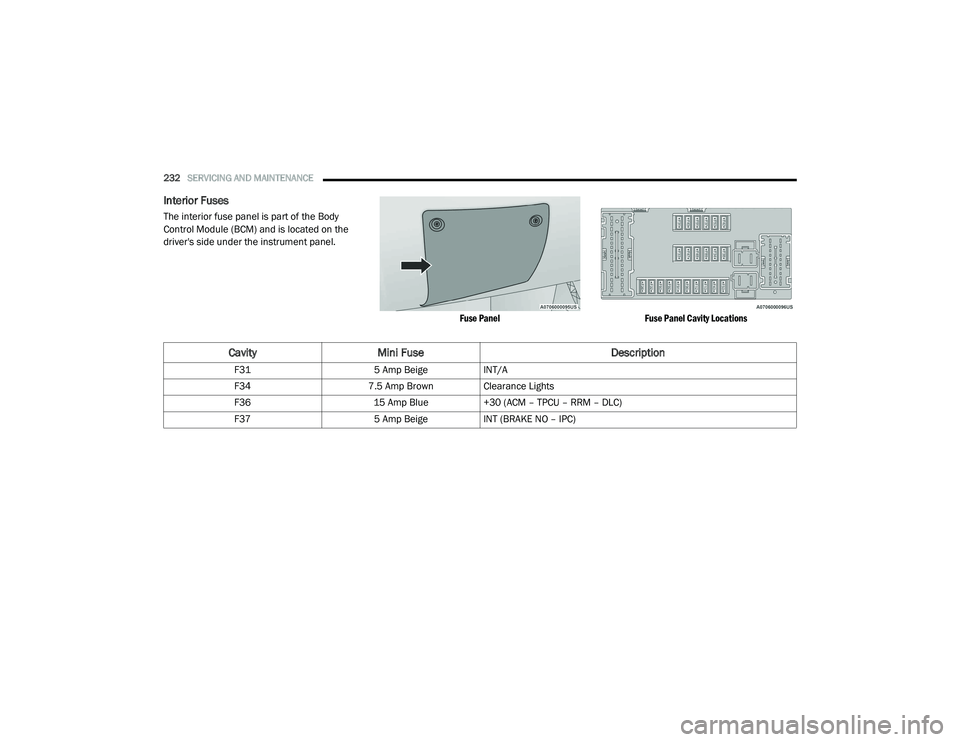
Interior Fuses
The interior fuse panel is part of the Body
Control Module (BCM) and is located on the
driver's side under the instrument panel.
Fuse PanelFuse Panel Cavity Locations
CavityMini Fuse Description
F315 Amp BeigeINT/A
F34 7.5 Amp Brown Clearance Lights
F36 15 Amp Blue+30 (ACM – TPCU – RRM – DLC)
F37 5 Amp BeigeINT (BRAKE NO – IPC)
21_VF_OM_EN_USC_t.book Page 232
Page 262 of 288
260SERVICING AND MAINTENANCE
STORING THE VEHICLE
If you are storing your vehicle for more than
3 weeks, we recommend that you take the
following steps to minimize the drain on your
vehicle's battery:
Disconnect the negative cable from the
battery.
Any time you store your vehicle or keep it out
of service (i.e., vacation) for two weeks or
more, run the air conditioning system at idle
for about five minutes in the fresh air and
high blower setting prior to storing. This will
ensure adequate system lubrication to mini -
mize the possibility of compressor damage
when the system is started again.
BODYWORK
PROTECTION FROM ATMOSPHERIC
A
GENTS
Vehicle body care requirements vary according
to geographic locations and usage. Chemicals
that make roads passable in snow and ice and
those that are sprayed on trees and road
surfaces during other seasons are highly
corrosive to the metal in your vehicle. Outside parking, which exposes your vehicle to
airborne contaminants, road surfaces on which
the vehicle is operated, extreme hot or cold
weather, and other extreme conditions will have
an adverse effect on paint, metal trim, and
underbody protection.
The following maintenance recommendations
will enable you to obtain maximum benefit from
the corrosion resistance built into your vehicle.
What Causes Corrosion?
Corrosion is the result of deterioration or
removal of paint and protective coatings from
your vehicle.
The most common causes are:
Road salt, dirt and moisture accumulation
Stone and gravel impact
Insects, tree sap and tar
Salt in the air near seacoast localities
Atmospheric fallout/industrial pollutants
BODY AND UNDERBODY MAINTENANCE
Cleaning Headlights
Your vehicle is equipped with plastic headlights
and fog lights that are lighter and less
susceptible to stone breakage than glass
headlights.
Plastic is not as scratch resistant as glass and
therefore different lens cleaning procedures
must be followed.
To minimize the possibility of scratching the
lenses and reducing light output, avoid wiping
with a dry cloth. To remove road dirt, wash with
a mild soap solution followed by rinsing.
Do not use abrasive cleaning components,
solvents, steel wool or other aggressive
material to clean the lenses.
21_VF_OM_EN_USC_t.book Page 260
Page 279 of 288

277
Emergency, In Case Of Freeing Vehicle When Stuck
...................... 208Jacking...................................................... 190Jump Starting............................................ 203Emission Control System Maintenance........... 56Engine........................................................... 215Air Cleaner................................................. 219Block Heater............................................... 58Break-In Recommendations........................ 58Checking Oil Level..................................... 216Compartment............................................ 215Compartment Identification...................... 215Coolant (Antifreeze)......................... 223, 268Cooling...................................................... 223Exhaust Gas Caution................................. 189Fails To Start............................................... 57Flooded, Starting......................................... 57Fuel Requirements.......................... 265, 268Jump Starting............................................ 203Oil.................................................... 218, 268Oil Filler Cap.............................................. 215Oil Filter..................................................... 219Oil Selection.................................... 218, 268Oil Synthetic.............................................. 218Overheating............................................... 206Starting....................................................... 57Enhanced Accident Response Feature..........210Entry System, Illuminated................................ 30
Ethanol......................................................... 266Exhaust Gas Cautions................................... 189Exhaust System................................... 189, 221Exterior Lights.........................................26, 188
F
FiltersAir Cleaner
................................................ 219Air Conditioning..................................35, 220Engine Oil........................................ 219, 268Engine Oil Disposal................................... 218FlashersHazard Warning........................................ 190Turn Signals.......................................54, 188Flat Tire Changing................................ 240, 253Flat Tire Stowage................................. 240, 253Flooded Engine Starting................................... 57Fluid Capacities............................................ 268Fluid Leaks................................................... 189Fluid Level ChecksAutomatic Transmission........................... 227Brake........................................................ 226Cooling System......................................... 223Engine Oil................................................. 216Power Steering............................................ 67Fog Lights........................................................ 27Fold-Flat Seats................................................. 15Forward Collision Warning............................ 159
Four-Way Hazard Flasher.............................. 190Freeing A Stuck Vehicle................................. 208Fuel............................................................... 265Additives................................................... 266Clean Air................................................... 266Ethanol..................................................... 266Filler Cap (Gas Cap).....................................75Gasoline................................................... 265Materials Added....................................... 266Methanol.................................................. 266Octane Rating.................................. 265, 268Requirements.................................. 265, 268Tank Capacity........................................... 268Fuses............................................................ 228
G
Gas Cap (Fuel Filler Cap)...........................75, 76Gasoline, Clean Air........................................ 266Gasoline, Reformulated................................ 266Gear Ranges....................................................62Gear Selector Override.................................. 207Glass Cleaning.............................................. 263Gross Axle Weight Rating.......................... 76, 78Gross Vehicle Weight Rating.....................76, 78GuideBody Builders................................................. 7GVWR...............................................................7611
21_VF_OM_EN_USC_t.book Page 277