lights RAM PROMASTER 2023 User Guide
[x] Cancel search | Manufacturer: RAM, Model Year: 2023, Model line: PROMASTER, Model: RAM PROMASTER 2023Pages: 296, PDF Size: 12.31 MB
Page 35 of 296

GETTING TO KNOW YOUR VEHICLE33
Power/Manual Folding Mirror Positions
HEATED MIRRORS — IF EQUIPPED
These mirrors are heated to melt frost
or ice. This feature will be activated
whenever you turn on the rear window
defroster (if equipped) Ú page 40.
EXTERIOR LIGHTS
MULTIFUNCTION LEVER
The multifunction lever controls the operation
of the headlights, parking lights, turn signals,
headlight beam selection and the passing lights.
The multifunction lever is located on the left side of
the steering column.
Multifunction Lever
HEADLIGHTS
To turn on the headlights, turn the end of the
multifunction lever to the headlight position.
When the headlight switch is on, the parking lights,
taillights, license plate light, clearance lights
and instrument panel lights are also turned on.
To turn off the headlights, turn the end of the
multifunction lever back to the O (off) position.
NOTE:On vehicles sold in Canada, the rear parking lights,
clearance lights, and Daytime Running Lights
(DRLs) will turn on when the headlight switch is
rotated to the O (off) position.
DAYTIME RUNNING LIGHTS (DRLS) —
I
F EQUIPPED
The Daytime Running Lights (DRLs) will come on
when the ignition is in the ON position and the
vehicle is in DRIVE or NEUTRAL.
To activate the DRLs, rotate the end of the
multifunction lever to the O (off) position or the
AUTO position.
NOTE:
For vehicles sold in Canada, the Daytime
Running Lights will automatically deactivate
when the front fog lights are turned on.
The low beams and side/taillights will not be on
with DRLs.
On some vehicles, the Daytime Running Lights
may deactivate, or reduce intensity, on one side
of the vehicle (when a turn signal is activated on
that side), or on both sides of the vehicle (when
the hazard warning lights are activated).
1 — Normal Driving Position
2 — Fold In Position
3 — Fold Forward Position
CAUTION!
Leaving the mirror in a non-powered position,
accidental impact or manual fold, may cause
permanent damage to the mirror. Electrically
restore the mirror to its normal position, as soon
as practical.
2
23_VF_OM_EN_USC_t.book Page 33
Page 36 of 296

34GETTING TO KNOW YOUR VEHICLE
HIGH/LOW BEAM SWITCH
With the low beams activated, push the multifunction
lever toward the instrument panel to turn on the high
beams. The High Beam Indicator Light will illuminate in
the instrument cluster to indicated that the high beams
are on. Push the multifunction lever a second time to
switch the headlights back to low beam. When the
ignition is placed in the OFF position, both the high and
low beams will turn off.
AUTOMATIC HIGH BEAM HEADLAMP
C
ONTROL — IF EQUIPPED
The Automatic High Beam Headlamp Control
system provides increased forward lighting at night
by automating high beam control through the use
of a digital camera mounted on the windshield.
This camera detects vehicle specific light and
automatically switches from high beams to low
beams until the approaching vehicle is out of view.
NOTE:
The multifunction lever must be in the high
beam position in order for the Automatic High
Beam Headlamp Control to activate.
The Automatic High Beam Headlamp Control
can be turned on or off through Uconnect
Settings Ú page 134.
Broken, muddy, or obstructed headlights and
taillights of vehicles in the field of view will
cause headlights to remain on longer (closer to the vehicle). Also, dirt, film, and other obstruc
-
tions on the windshield or camera lens will
cause the system to function improperly.
When set to AUTO, the system automatically
turns the headlights on or off based on ambient
light levels.
FLASH-TO-PASS
You can signal another vehicle with your headlights
by lightly pulling the multifunction lever toward you.
This will cause the high beam headlights to turn on,
and remain on, until the lever is released.
AUTOMATIC HEADLIGHTS — IF EQUIPPED
To turn on the automatic headlights, turn the end
of the multifunction lever to the AUTO position. To
turn off the automatic headlights, turn the end of
the multifunction lever back to the O (off) position.
PARKING LIGHTS
These lights can be turned on, with the ignition
in the OFF position, by moving the end of the
multifunction lever to O (off) position and then to
the headlight position.
The indicator light in the instrument panel comes
on. The lights stay on until the next ignition cycle is
performed.
HEADLIGHT DELAY
When this feature is selected, the driver can
choose to have the headlights remain on for a
preset period of time after the engine is turned off.
Activation
To activate the delay feature, place the ignition in
the OFF position while the headlights are still on.
Then, rotate the multifunction lever to the O (off)
position within two minutes. The delay interval
begins when the headlight switch is turned from
O (off) to the low beam position. If the headlight
switch is in AUTO position and headlights were on
before the ignition is OFF, the delay interval begins
automatically.
Deactivation
The feature is disabled by turning on the
headlights, the parking lights or by placing the
ignition in the RUN position. If you shut off the
lights before the ignition is turned on, they will
turn off in the normal manner.
23_VF_OM_EN_USC_t.book Page 34
Page 37 of 296

GETTING TO KNOW YOUR VEHICLE35
Headlights with ignition in the OFF position.
With the ignition in the OFF position, the headlights
can be switched on for a maximum time of
8 minutes. To turn on the headlights with the
ignition in the OFF position, turn the end of the
multifunction lever to the headlight position.
NOTE:If the headlight delay function is disabled in the
Uconnect Setting, when you put the ignition in the
OFF position with the multifunction lever already
set in the headlight position, the headlights remain
on for 8 minutes.
FOG LIGHTS — IF EQUIPPED
The fog light switch is located on the
instrument panel to the left of the
steering column.
To activate the front fog lights, turn on the parking
lights or the low beam headlights and push the
fog light button. To turn off the front fog lights,
push the fog light button a second time or turn
off the headlight switch. An indicator light in the
instrument cluster illuminates when the fog lights
are turned on.
NOTE:The fog lights will operate with the low beam head -
lights or parking lights on. Selecting the high beam
headlights will turn off the fog lights.
If the vehicle’s ignition is turned off, the fog lights
will also turn off.
Cornering Lights
The cornering lights are a feature to improve visibility at
night while turning the vehicle. When activated, a light
incorporated in the front fog light will illuminate on the
side of the vehicle the steering wheel is rotated or the
turn signal indicator is on. It can be activated through
the Uconnect system
Ú
page 134.
TURN SIGNALS
Move the multifunction lever up or down and the
arrows on each side of the instrument cluster will
flash to show proper operation of the front and rear
turn signals.
NOTE:When the Daytime Running Lights are on and a
turn signal is activated, the Daytime Running Lamp
will turn off on the side of the vehicle in which the
turn signal is flashing. The Daytime Running Lamp
will turn back on when the turn signal is turned off. If either light remains on and does not flash, or
there is a very fast flash rate, check for a defective
outside light bulb.
LANE CHANGE ASSIST
Lightly push the multifunction lever up or down, without
moving beyond the detent, and the turn signal will flash
five times then automatically turn off.
BATTERY SAVER
To protect the life of your vehicle’s battery, when
the ignition is OFF and any door is left ajar for
15 minutes, the interior lights will automatically
turn off.
NOTE:Battery saver mode is canceled if the ignition is
placed in the ON/RUN position.
2
23_VF_OM_EN_USC_t.book Page 35
Page 38 of 296

36GETTING TO KNOW YOUR VEHICLE
INTERIOR LIGHTS
COURTESY LIGHTS
These lights are mounted between the sun visors
on the overhead console. Each light is turned on by
pushing the corresponding switch.
Courtesy Lights
Dome Lights
The interior lights can be set to three different
positions (off/left position, center position,
on/right position). Using the switch on the bottom
of the overhead console:
Push the switch to the on/right position from its
center position and the lights are always on.
Push the switch to the off/left position from its
center position and the lights are always off.
Leave the switch in the center position, and the
lights are turned on and off when the doors are
opened or closed.
Map Lights
The switches on the left and right sides of the
overhead console control the map or reading
function of the lights. Push the switch on the right
to turn the right light on; push again to turn off.
Push the switch on the left to turn the left light on;
push again to turn off.
Rear Lights
Your vehicle may be equipped with a Rear Cargo
Lamp located at the upper rear cargo area above
the rear doors.
Rear Cargo Lamp Location
Your vehicle may also be equipped with a Side
Cargo Lamp located at the upper rear area of the
passenger side sliding door opening.
1 — Ambient Light
2 — Left Map Light
3 — Off/Left Position
4 — Center Position
5 — Right Map Light
6 — On/Right Position
CAUTION!
Before getting out of the vehicle be sure that the
switch is in the center position or that the lights
are off to avoid draining the battery.
23_VF_OM_EN_USC_t.book Page 36
Page 39 of 296
GETTING TO KNOW YOUR VEHICLE37
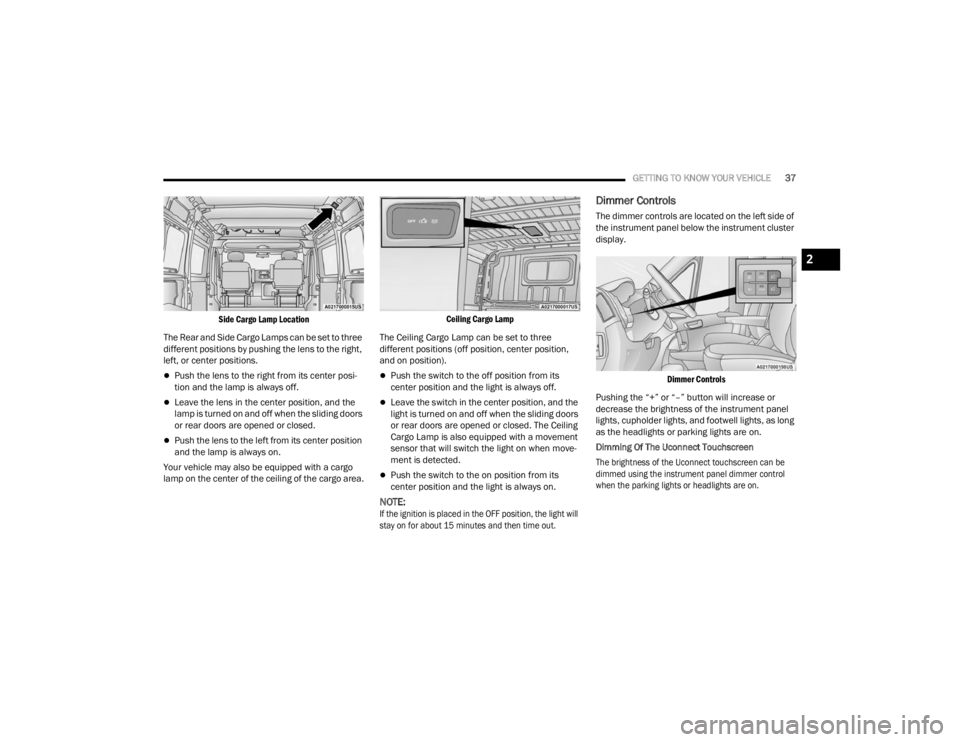
Side Cargo Lamp Location
The Rear and Side Cargo Lamps can be set to three
different positions by pushing the lens to the right,
left, or center positions.
Push the lens to the right from its center posi -
tion and the lamp is always off.
Leave the lens in the center position, and the
lamp is turned on and off when the sliding doors
or rear doors are opened or closed.
Push the lens to the left from its center position
and the lamp is always on.
Your vehicle may also be equipped with a cargo
lamp on the center of the ceiling of the cargo area.
Ceiling Cargo Lamp
The Ceiling Cargo Lamp can be set to three
different positions (off position, center position,
and on position).
Push the switch to the off position from its
center position and the light is always off.
Leave the switch in the center position, and the
light is turned on and off when the sliding doors
or rear doors are opened or closed. The Ceiling
Cargo Lamp is also equipped with a movement
sensor that will switch the light on when move -
ment is detected.
Push the switch to the on position from its
center position and the light is always on.
NOTE:
If the ignition is placed in the OFF position, the light will
stay on for about 15 minutes and then time out.
Dimmer Controls
The dimmer controls are located on the left side of
the instrument panel below the instrument cluster
display.
Dimmer Controls
Pushing the “+” or “–” button will increase or
decrease the brightness of the instrument panel
lights, cupholder lights, and footwell lights, as long
as the headlights or parking lights are on.
Dimming Of The Uconnect Touchscreen
The brightness of the Uconnect touchscreen can be
dimmed using the instrument panel dimmer control
when the parking lights or headlights are on.
2
23_VF_OM_EN_USC_t.book Page 37
Page 40 of 296

38GETTING TO KNOW YOUR VEHICLE
When Display Mode is set to Auto within the
Uconnect system, the brightness will automatically
adjust from daytime intensity to nighttime intensity
(and vice versa) based on ambient light levels
outside of the vehicle.
NOTE:The brightness of the Uconnect touchscreen
cannot be adjusted when the dimmer control is
at the maximum setting (interior lights on), even
when Display Mode is set to Auto within the
Uconnect Settings.
When Display Mode is set to Manual, the
brightness of the Uconnect touchscreen will adjust
to the set brightness (1 - 6) when the headlights
are either on or off. For more information on these
Uconnect Settings, see Ú page 134.
Ambient Light
The vehicle is equipped with ambient light on the
dome lamp. The ambient light will be on all the
time, with the option of dimming it with the dimmer
controls as long as the headlights are turned on.
Ambient LED Lighting — If Equipped
Your vehicle may be equipped with LED lighting
in the front footwells and center cup holders.
The brightness of the lights can be adjusted using
the dimmer controls, located on the left side of the
instrument panel, as long as the headlights are
turned on.
ILLUMINATED ENTRY — IF EQUIPPED
The courtesy lights will turn on when you use the
key fob to unlock the doors or open any door.
They also turn on when unlocking or opening
manually from the driver door cylinder.
The lights will fade to off after approximately
30 seconds, or they will immediately fade to off
once the ignition switch is changed to the ON/RUN
position from the OFF position.
The dome lights illuminate in the following ways:
When the doors are unlocked, the dome light
will illuminate for approximately 27 seconds.
When one of the front doors is opened, the front
dome light will illuminate for approximately
three minutes.
When one of the rear doors is opened, the rear
dome light will illuminate for approximately
three minutes.
When the front doors are closed, the front dome
light will automatically shut off after approxi -
mately 27 seconds.
When the rear doors are closed, the rear dome
light will automatically shut off after approxi -
mately 27 seconds. The timing stops once the
ignition is placed in the RUN or ON position. The dome light will turn off under any of the
following conditions:
The dome light is disabled when the ignition is
placed in the RUN or ON position.
The dome lights will turn off automatically when
the doors are locked.
NOTE:
The front courtesy overhead console and door
courtesy lights will not turn off if the switch on
the overhead console is in the on position.
The illuminated entry system will not operate if
the switch on the overhead console is in the OFF
position.
WIPERS AND WASHERS
The windshield wiper/washer lever is located on
the right side of the steering column. There are
five different modes of operation for the front
windshield wipers. The windshield wiper lever
can be raised or lowered to access the modes.
NOTE:The windshield wipers/washers will only operate
with the ignition in the ON/RUN position.
23_VF_OM_EN_USC_t.book Page 38
Page 48 of 296

46GETTING TO KNOW YOUR VEHICLE
(Continued)
POWER OUTLETS
Passenger Compartment Power Outlet
The power outlet is located on the instrument
panel to the right of the radio. It only operates with
the ignition in the ON/RUN position.
Passenger Compartment Power Outlet
Load Compartment Power Outlet — If Equipped
The load compartment power outlet is located in
the rear cargo compartment. The outlet can be is
used for powering 12 Volt adapter accessories and
recharging communications devices.
Load Compartment Power Outlet
NOTE:Do not connect devices with power higher than
180 W to the socket. Do not damage the socket by
using unsuitable adapters.
Power Outlet Fuses — Under Hood
1 — F14 Fuse 20 Amp Yellow Front Power Outlet
2 — F09 Fuse 15 Amp Blue Rear Power Outlet
WARNING!
To avoid serious injury or death:
Only devices designed for use in this type of outlet
should be inserted into any 12 Volt outlet.
Do not touch with wet hands.
Close the lid when not in use and while driving
the vehicle.
If this outlet is mishandled, it may cause an
electric shock and failure.
CAUTION!
Many accessories that can be plugged in draw
power from the vehicle's battery, even when not in
use (i.e., cellular phones, etc.). Eventually, if
plugged in long enough, the vehicle's battery
will discharge sufficiently to degrade battery life
and/or prevent the engine from starting.
Accessories that draw higher power (i.e., coolers,
vacuum cleaners, lights, etc.) will degrade the
battery even more quickly. Only use these intermit -
tently and with greater caution.
23_VF_OM_EN_USC_t.book Page 46
Page 58 of 296
56GETTING TO KNOW YOUR INSTRUMENT PANEL
INSTRUMENT CLUSTER DISPLAY
Your vehicle will be equipped with an instrument
cluster display, which offers useful information
to the driver. With the ignition in the OFF mode,
opening/closing of a door will activate the display
for viewing, and display the total miles, or
kilometers, in the odometer. Your instrument
cluster display is designed to display important
information about your vehicle’s systems and
features. Using a driver interactive display located
on the instrument panel, your instrument cluster
display can show you how systems are working and
give you warnings when they are not. The steering
wheel mounted controls allow you to scroll through
the main menus and submenus. You can access
the specific information you want and make
selections and adjustments.
LOCATION AND CONTROLS
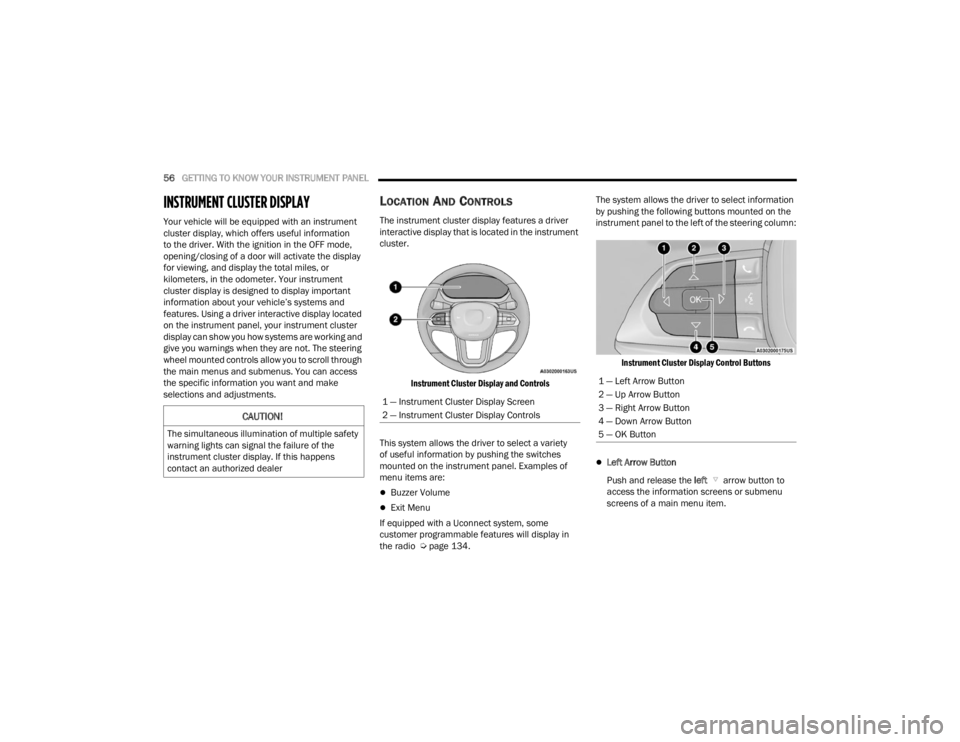
The instrument cluster display features a driver
interactive display that is located in the instrument
cluster.
Instrument Cluster Display and Controls
This system allows the driver to select a variety
of useful information by pushing the switches
mounted on the instrument panel. Examples of
menu items are:
Buzzer Volume
Exit Menu
If equipped with a Uconnect system, some
customer programmable features will display in
the radio Ú page 134. The system allows the driver to select information
by pushing the following buttons mounted on the
instrument panel to the left of the steering column:
Instrument Cluster Display Control Buttons
Left Arrow Button
Push and release the left arrow button to
access the information screens or submenu
screens of a main menu item.
CAUTION!
The simultaneous illumination of multiple safety
warning lights can signal the failure of the
instrument cluster display. If this happens
contact an authorized dealer
1 — Instrument Cluster Display Screen
2 — Instrument Cluster Display Controls
1 — Left Arrow Button
2 — Up Arrow Button
3 — Right Arrow Button
4 — Down Arrow Button
5 — OK Button
23_VF_OM_EN_USC_t.book Page 56
Page 64 of 296

62GETTING TO KNOW YOUR INSTRUMENT PANEL
Safety & Assistance Warning Buzzer Volume
—Off, Low, Medium, High
Backup Alarm —On / Off
Forward Collision —Off, Audio, Audio Brake
Forward Collision Sensitivity —Near, Medium, Far
Side Distance Warning —On / Off
ParkSense —Sound, Sound + Display
Rear ParkSense Volume —Low, Medium, High
Front ParkSense Volume —Low, Medium, High
Lights Headlight Off Delay
—0, 30, 60, 90
Headlight Sensitivity —1, 2, 3
Greeting lights —0, 30, 60, 90
Cornering lights —On / Off
Headlights With Wipers —On / Off
Doors & Locks Auto Door Locks
—On / Off
Auto Unlock On Exit —On / Off
Sound Horn With Lock —Off - First Press
Off - Second Press
Flash Headlights With Lock —On / Off
Sound Horn With Remote Start —On / Off
Passive Entry —Off, All Doors, Approach Door,
or On / Off
*If Equipped
23_VF_OM_EN_USC_t.book Page 62
Page 67 of 296

GETTING TO KNOW YOUR INSTRUMENT PANEL65
Security – If Equipped
By selecting the item “Security” you can make the
following adjustments (if equipped):
Passenger Airbag: Front passenger air bag may
be enabled or disabled
Speed Warning: Set the vehicle speed limit,
which the driver is notified through a visual and
acoustic signaling (display of a message and a
symbol on the display)
Seat Belt Reminder: This function is only view -
able when the Seat Belt Reminder (SBR) system
is active
Hill Start Assist: Activation/Deactivation of the
Hill Start Assist system
WARNING LIGHTS AND MESSAGES
The warning/indicator lights will illuminate in the
instrument panel together with a dedicated message
and/or acoustic signal when applicable. These
indications are indicative and precautionary and as
such must not be considered as exhaustive and/or
alternative to the information contained in the Owner’s
Manual, which you are advised to read carefully in all
cases. Always refer to the information in this chapter in
the event of a failure indication. All active telltales will
display first if applicable. The system check menu may
appear different based upon equipment options and
current vehicle status. Some telltales are optional and
may not appear.
RED WARNING LIGHTS
Air Bag Warning Light
This light will turn on for four to eight seconds
as a bulb check when the ignition is placed in
the ON/RUN or MAR/ON/RUN position. If the
light is either not on during startup, stays on,
or turns on while driving, have the system inspected at
an authorized dealer as soon as possible. This light will
illuminate with a single chime when a fault with the
Air Bag Warning Light has been detected, it will stay
on until the fault is cleared. If the light comes on
intermittently or remains on while driving, have an
authorized dealer service the vehicle immediately.
Safety & Assitance
Warning Buzzer Volume
—Off, Low, Medium, High
Backup Alarm —On / Off
Vehicle Shut Off ——By selecting the item “Vehicle Shut
Off”, you can turn off the engine from
the instrument cluster. This feature is
available in the event of a Keyless
Ignition system failure, and will
display instructions for turning off the
engine via the instrument cluster
display controls.
*If Equipped
3
23_VF_OM_EN_USC_t.book Page 65