side panel Ram ProMaster City 2020 User Guide
[x] Cancel search | Manufacturer: RAM, Model Year: 2020, Model line: ProMaster City, Model: Ram ProMaster City 2020Pages: 350, PDF Size: 13.27 MB
Page 72 of 350
GETTING TO KNOW YOUR VEHICLE 69
Dash Storage
The dash storage is located on the right side of the instru-
ment panel above the glove compartment.Dash Storage Overhead Console Storage
There is additional shelf storage above the front sun visors.
Overhead Console Storage Location
Cupholders
A cupholder is located in the front and rear of the center
console.
2
2020_RAM_PROMASTER_CITY_OM_USA=GUID-7B6A7FCA-79B0-423F-95C5-ED2A949C3D13=1=en=.book Page 69
Page 79 of 350
76 GETTING TO KNOW YOUR INSTRUMENT PANEL
Instrument Cluster Descriptions
1. Speedometer• Indicates vehicle speed.
2. Fuel Gauge
• The pointer shows the level of fuel in the fuel tankwhen the ignition switch is in the ON/RUN position.
• The fuel pump arrow symbol points to the side of the vehicle where the fuel door is located.
3. Temperature Gauge
• The temperature gauge shows engine coolant tempera-ture. Any reading within the normal range indicates that
the engine cooling system is operating satisfactorily.
• The pointer will likely indicate a higher temperature when driving in hot weather or up mountain grades. It
should not be allowed to exceed the upper limits of the
normal operating range.
WARNING!
A hot engine cooling system is dangerous. You or others
could be badly burned by steam or boiling coolant. You
may want to call an authorized dealer for service if your
vehicle overheats. If you decide to look under the hood
yourself, refer to “Cooling System Pressure Cap” in
“Servicing And Maintenance” and follow the warnings
under the Cooling System Pressure Cap paragraph.
CAUTION!
Driving with a hot engine cooling system could damage
your vehicle. If the temperature gauge reads “H,” pull
over and stop the vehicle. Idle the vehicle with the air
conditioner turned off until the pointer drops back into
the normal range. If the pointer remains on the “H,” turn
the engine off immediately and call an authorized dealer
for service.
2020_RAM_PROMASTER_CITY_OM_USA=GUID-7B6A7FCA-79B0-423F-95C5-ED2A949C3D13=1=en=.book Page 76
Page 87 of 350
84 GETTING TO KNOW YOUR INSTRUMENT PANEL
NOTE:
The range depends on several factors: driving style, type of
route (freeway, residential, mountain roads, etc.), conditions
of use of the vehicle (load, tire pressure, etc.). Trip planning
must take into account the above notes.
Travel Distance
This value shows the distance covered since the last reset.
Average Fuel Consumption
This value shows the approximate average consumption
since the last reset.
Current Fuel Consumption
This indicates the fuel consumption. The value is constantly
updated. The message “----” will appear on the display if the
vehicle is parked with the engine running.
Average Speed
This value shows the vehicle's average speed as a function of
the overall time elapsed since the last reset.
Travel Time
This value shows the time elapsed since the last reset.WARNING LIGHTS AND MESSAGES
The warning/indicator lights will illuminate in the instrument
panel together with a dedicated message and/or acoustic signal
when applicable. These indications are indicative and precau-
tionary and as such must not be considered as exhaustive and/
or alternative to the information contained in the Owner’s
Manual, which you are advised to read carefully in all cases.
Always refer to the information in this chapter in the event of a
failure indication. All active telltales will display first if appli -
cable. The system check menu may appear different based upon
equipment options and current vehicle status. Some telltales are
optional and may not appear.
Red Warning Lights
Air Bag Warning Light
This light will turn on for four to eight seconds as a bulb
check when the ignition is placed in the ON/RUN or
MAR/ON/RUN position. If the light is either not on
during startup, stays on, or turns on while driving, have the
system inspected at an authorized dealer as soon as possible.
This light will illuminate with a single chime when a fault with
the Air Bag Warning Light has been detected, it will stay on until
the fault is cleared. If the light comes on intermittently or
remains on while driving, have an authorized dealer service the
vehicle immediately.
2020_RAM_PROMASTER_CITY_OM_USA=GUID-7B6A7FCA-79B0-423F-95C5-ED2A949C3D13=1=en=.book Page 84
Page 95 of 350

92 GETTING TO KNOW YOUR INSTRUMENT PANEL
Electronic Stability Control (ESC) Warning Light — If
Equipped
The Electronic Stability Control (ESC) Indicator Light in
the instrument cluster will come on when the ignition is
placed in the ON/RUN or MAR/ON/RUN position, and
when ESC is activated. It should go out with the engine running. If
the “ESC Indicator Light” comes on continuously with the engine
running, a malfunction has been detected in the ESC system. If this
light remains on after several ignition cycles, and the vehicle has
been driven several miles (kilometers) at speeds greater than
30 mph (48 km/h), see your authorized dealer as soon as possible
to have the problem diagnosed and corrected.
• The “ESC OFF Indicator Light” and the “ESC Indicator Light” come on momentarily each time the ignition is
placed in the ON/RUN or MAR/ON/RUN position.
• Each time the ignition is turned to ON/RUN or MAR/ON/ RUN, the ESC system will be on, even if it was turned off
previously.
• The ESC system will make buzzing or clicking sounds when it is active. This is normal; the sounds will stop when
ESC becomes inactive.
• This light will come on when the vehicle is in an ESC event. Electronic Stability Control (ESC) OFF Warning Light —
If Equipped
This warning light indicates the Electronic Stability
Control (ESC) is off.
Each time the ignition is turned to ON/RUN or ACC/ON/RUN,
the ESC system will be on, even if it was turned off previously.
Green Indicator Lights
Turn Signal Indicator Lights When the left or right turn signal is activated, the
turn signal indicator will flash independently and
the corresponding exterior turn signal lamps will
flash. Turn signals can be activated when the multifunction
lever is moved down (left) or up (right).
NOTE:
• A continuous chime will sound if the vehicle is driven more than 1 mile (1.6 km) with either turn signal on.
• Check for an inoperative outside light bulb if either indicator flashes at a rapid rate.
2020_RAM_PROMASTER_CITY_OM_USA=GUID-7B6A7FCA-79B0-423F-95C5-ED2A949C3D13=1=en=.book Page 92
Page 124 of 350
SAFETY 121
• Supplemental Side Air Bags
• Supplemental Knee Air Bags
• Front and Side Impact Sensors
• Seat Belt Pretensioners
Air Bag Warning Light
The Occupant Restraint Controller (ORC) monitors the
readiness of the electronic parts of the air bag system
whenever the ignition switch is in the AVV/START or
MAR/ACC/ON/RUN position. If the ignition switch is in the
STOP/OFF/LOCK position the air bag system is not on and the air
bags will not inflate.
The ORC contains a backup power supply system that may
deploy the air bag system even if the battery loses power or
it becomes disconnected prior to deployment.
The ORC turns on the Air Bag Warning Light in the instrument
panel for approximately four to eight seconds for a self-check when
the ignition switch is in the MAR/ACC/ON/RUN position. After
the self-check, the Air Bag Warning Light will turn off. If the ORC
detects a malfunction in any part of the system, it turns on the Air
Bag Warning Light, either momentarily or continuously. A single
chime will sound to alert you if the light comes on again after initial
startup.
The ORC also includes diagnostics that will illuminate the
instrument panel Air Bag Warning Light if a malfunction is
detected that could affect the air bag system. The diagnostics
also record the nature of the malfunction. While the air bag
system is designed to be maintenance free, if any of the
following occurs, have an authorized dealer service the air
bag system immediately.
• The Air Bag Warning Light does not come on during the
four to eight seconds when the ignition switch is first in the
MAR/ACC/ON/RUN position.
• The Air Bag Warning Light remains on after the four to eight-second interval.
• The Air Bag Warning Light comes on intermittently or remains on while driving.
NOTE:
If the speedometer, tachometer, or any engine related gauges
are not working, the Occupant Restraint Controller (ORC)
may also be disabled. In this condition the air bags may not
be ready to inflate for your protection. Have an authorized
dealer service the air bag system immediately.
4
2020_RAM_PROMASTER_CITY_OM_USA=GUID-7B6A7FCA-79B0-423F-95C5-ED2A949C3D13=1=en=.book Page 121
Page 127 of 350

124 SAFETY
Front Air Bag Operation
Front Air Bags are designed to provide additional protection
by supplementing the seat belts. Front air bags are not
expected to reduce the risk of injury in rear, side, or rollover
collisions. The front air bags will not deploy in all frontal
collisions, including some that may produce substantial
vehicle damage — for example, some pole collisions, truck
underrides, and angle offset collisions.
On the other hand, depending on the type and location of
impact, front air bags may deploy in crashes with little
vehicle front-end damage but that produce a severe initial
deceleration.
Because air bag sensors measure vehicle deceleration over
time, vehicle speed and damage by themselves are not good
indicators of whether or not an air bag should have
deployed.
Seat belts are necessary for your protection in all collisions,
and also are needed to help keep you in position, away from
an inflating air bag.When the ORC detects a collision requiring the front air bags,
it signals the inflator units. A large quantity of non-toxic gas
is generated to inflate the front air bags.
The steering wheel hub trim cover and the upper passenger
side of the instrument panel separate and fold out of the way
as the air bags inflate to their full size. The front air bags fully
inflate in less time than it takes to blink your eyes. The front
air bags then quickly deflate while helping to restrain the
driver and front passenger.
Knee Impact Bolsters
The Knee Impact Bolsters help protect the knees of the driver
and front passenger, and position the front occupants for
improved interaction with the front air bags.
WARNING!
• Do not drill, cut, or tamper with the knee impact bolsters in any way.
• Do not mount any accessories to the knee impact bolsters such as alarm lights, stereos, citizen band
radios, etc.
2020_RAM_PROMASTER_CITY_OM_USA=GUID-7B6A7FCA-79B0-423F-95C5-ED2A949C3D13=1=en=.book Page 124
Page 128 of 350
SAFETY 125
Supplemental Driver Knee Air Bag
This vehicle is equipped with a Supplemental Driver Knee
Air Bag mounted in the instrument panel below the steering
column. The Supplemental Driver Knee Air Bag provides
enhanced protection during a frontal impact by working
together with the seat belts, pretensioners, and front air bags.
Supplemental Side Air Bags
Supplemental Seat-Mounted Side Air Bags (SABs)
This vehicle is equipped with Supplemental Seat-Mounted
Side Air Bags (SABs).
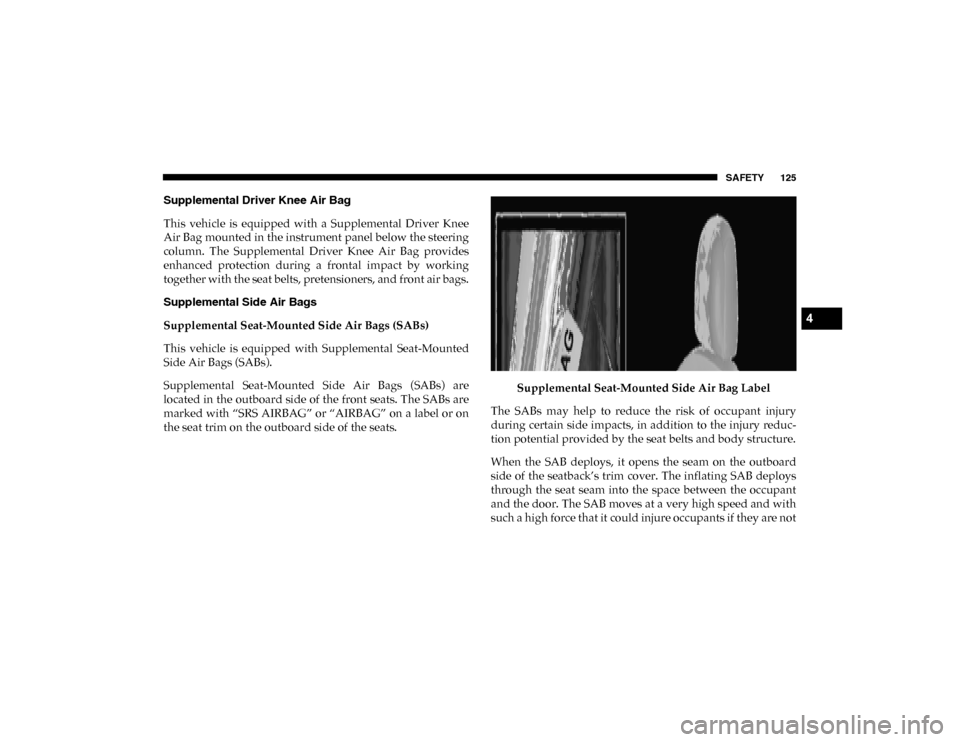
Supplemental Seat-Mounted Side Air Bags (SABs) are
located in the outboard side of the front seats. The SABs are
marked with “SRS AIRBAG” or “AIRBAG” on a label or on
the seat trim on the outboard side of the seats.Supplemental Seat-Mounted Side Air Bag Label
The SABs may help to reduce the risk of occupant injury
during certain side impacts, in addition to the injury reduc -
tion potential provided by the seat belts and body structure.
When the SAB deploys, it opens the seam on the outboard
side of the seatback’s trim cover. The inflating SAB deploys
through the seat seam into the space between the occupant
and the door. The SAB moves at a very high speed and with
such a high force that it could injure occupants if they are not
4
2020_RAM_PROMASTER_CITY_OM_USA=GUID-7B6A7FCA-79B0-423F-95C5-ED2A949C3D13=1=en=.book Page 125
Page 132 of 350

SAFETY 129
Rollover Events
Side Air Bags and seat belt pretensioners are designed to
activate in certain rollover events. The Occupant Restraint
Controller (ORC) determines whether deployment in a
particular rollover event is appropriate, based on the
severity and type of collision. Vehicle damage by itself is not
a good indicator of whether or not Side Air Bags and seat belt
pretensioners should have deployed.
The Side Air Bags and seat belt pretensioners will not deploy
in all rollover events. The rollover sensing system deter-
mines if a rollover event may be in progress and whether
deployment is appropriate. In the event the vehicle experi -
ences a rollover or near rollover event, and deployment is
appropriate, the rollover sensing system will deploy the side
air bags and seat belt pretensioners on both sides of the
vehicle.
The SABICs may help reduce the risk of partial or complete
ejection of vehicle occupants through side windows in
certain rollover or side impact events. Air Bag System Components
NOTE:
The Occupant Restraint Controller (ORC) monitors the
internal circuits and interconnecting wiring associated with
electrical Air Bag System Components listed below:
• Occupant Restraint Controller (ORC)
• Air Bag Warning Light
• Steering Wheel and Column
• Instrument Panel
• Knee Impact Bolsters
• Driver and Front Passenger Air Bags
• Seat Belt Buckle Switch
• Supplemental Side Air Bags
• Supplemental Knee Air Bags
• Front and Side Impact Sensors
• Seat Belt Pretensioners
4
2020_RAM_PROMASTER_CITY_OM_USA=GUID-7B6A7FCA-79B0-423F-95C5-ED2A949C3D13=1=en=.book Page 129
Page 135 of 350

132 SAFETY
(Continued)
Enhanced Accident Response System Reset Procedure
In order to reset the Enhanced Accident Response System
functions after an event, the ignition switch must be changed
from ignition AVV/START or MAR/RUN to ignition
STOP/OFF. Carefully check the vehicle for fuel leaks in the
engine compartment and on the ground near the engine
compartment and fuel tank before resetting the system and
starting the engine.
Maintaining Your Air Bag System
WARNING!
• Modifications to any part of the air bag system could cause it to fail when you need it. You could be injured
if the air bag system is not there to protect you. Do not
modify the components or wiring, including adding
any kind of badges or stickers to the steering wheel hub
trim cover or the upper passenger side of the instru -
ment panel. Do not modify the front bumper, vehicle
body structure, or add aftermarket side steps or
running boards.
• It is dangerous to try to repair any part of the air bag system yourself. Be sure to tell anyone who works on
your vehicle that it has an air bag system.
• Do not attempt to modify any part of your air bag system. The air bag may inflate accidentally or may not
function properly if modifications are made. Take your
vehicle to an authorized dealer for any air bag system
service. If your seat, including your trim cover and
cushion, needs to be serviced in any way (including
removal or loosening/tightening of seat attachment
bolts), take the vehicle to an authorized dealer. Only
manufacturer approved seat accessories may be used. If
it is necessary to modify the air bag system for persons
with disabilities, contact an authorized dealer.
WARNING! (Continued)
2020_RAM_PROMASTER_CITY_OM_USA=GUID-7B6A7FCA-79B0-423F-95C5-ED2A949C3D13=1=en=.book Page 132
Page 159 of 350

156 SAFETY
Periodic Safety Checks You Should Make Outside
The Vehicle
Tires
Examine tires for excessive tread wear and uneven wear
patterns. Check for stones, nails, glass, or other objects
lodged in the tread or sidewall. Inspect the tread for cuts and
cracks. Inspect sidewalls for cuts, cracks, and bulges. Check
the wheel bolts for tightness. Check the tires (including
spare) for proper cold inflation pressure.
Lights
Have someone observe the operation of brake lights and
exterior lights while you work the controls. Check turn signal
and high beam indicator lights on the instrument panel.
Door Latches
Check for proper closing, latching, and locking.
Fluid Leaks
Check area under the vehicle after overnight parking for
fuel, coolant, oil, or other fluid leaks. Also, if gasoline fumes
are detected or if fuel, or brake fluid leaks are suspected, the
cause should be located and corrected immediately.
• NEVER place any objects under the floor mat (e.g.,
towels, keys, etc.). These objects could change the posi -
tion of the floor mat and may cause interference with
the accelerator, brake, or clutch pedals.
• If the vehicle carpet has been removed and re-installed, always properly attach carpet to the floor and check the
floor mat fasteners are secure to the vehicle carpet.
Fully depress each pedal to check for interference with
the accelerator, brake, or clutch pedals then re-install
the floor mats.
• It is recommended to only use mild soap and water to clean your floor mats. After cleaning, always check
your floor mat has been properly installed and is
secured to your vehicle using the floor mat fasteners by
lightly pulling mat.
WARNING! (Continued)
2020_RAM_PROMASTER_CITY_OM_USA=GUID-7B6A7FCA-79B0-423F-95C5-ED2A949C3D13=1=en=.book Page 156