steering RENAULT CLIO 2009 X85 / 3.G User Guide
[x] Cancel search | Manufacturer: RENAULT, Model Year: 2009, Model line: CLIO, Model: RENAULT CLIO 2009 X85 / 3.GPages: 264, PDF Size: 15.68 MB
Page 77 of 264
Downloaded from www.Manualslib.com manuals search engine
steering wheeladjustment ......................................(up to the end of the DU)power-assisted steering.........................................(current page)variable power-assisted steering ...........................(current page)
1.71
ENG_UD10536_1Volant de direction (X85 - B85 - C85 - S85 - K85 - Renault)ENG_NU_853-3_BCSK85_Renault_1
Power Assisted Steering
Never drive with an inadequately charged battery.
Variable power assisted
steering
The variable power assisted steering system is equipped with an electronic control system which alters the level of assistance to suit the vehicle speed.
Steering is made easier during parking
manoeuvres (for added comfort) whilst the force needed to steer increases progressively as the speed rises (for enhanced safety at high speeds).Adjusting the steering wheel
height and depth(depending on vehicle)
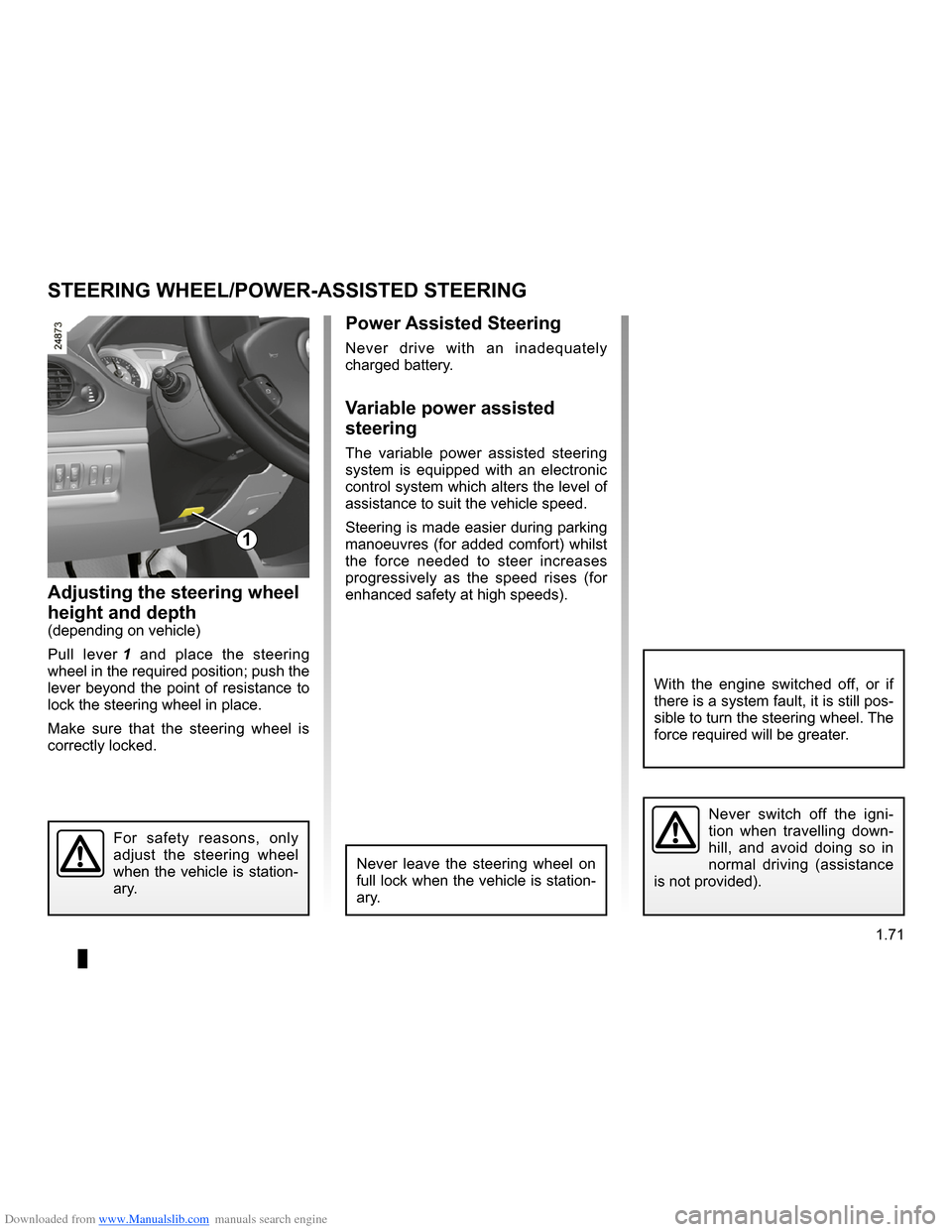
Pull lever
1 and place the steering wheel in the required position; push the lever beyond the point of resistance to lock the steering wheel in place.
Make sure that the steering wheel is correctly locked.
Steering wheel/Power-assisted steering
Never leave the steering wheel on full lock when the vehicle is station- ary.
For safety reasons, only adjust the steering wheel when the vehicle is station- ary.
STEERING WHEEL/POWER-ASSISTED STEERING
1
Never switch off the igni- tion when travelling down- hill, and avoid doing so in normal driving (assistance is not provided).
With the engine switched off, or if there is a system fault, it is still pos- sible to turn the steering wheel. The force required will be greater.
Page 80 of 264
Downloaded from www.Manualslib.com manuals search engine
audible and visual signals.....................(up to the end of the DU)indicators ..............................................(up to the end of the DU)lighting:exterior ............................................(up to the end of the DU)lights:hazard warning ...............................(up to the end of the DU)indicators:direction indicators ..........................(up to the end of the DU)hazard warning lights signal .................(up to the end of the DU)signals and lights ..................................(up to the end of the DU)hazard warning lights signal .................(up to the end of the DU)lights:direction indicators ..........................(up to the end of the DU)horn ......................................................(up to the end of the DU)
1.74
ENG_UD10540_1Avertisseurs sonores et lumineux (X85 - B85 - C85 - S85 - K85 - Renault)\
ENG_NU_853-3_BCSK85_Renault_1
Audible and visual signals
éHazard warning lights
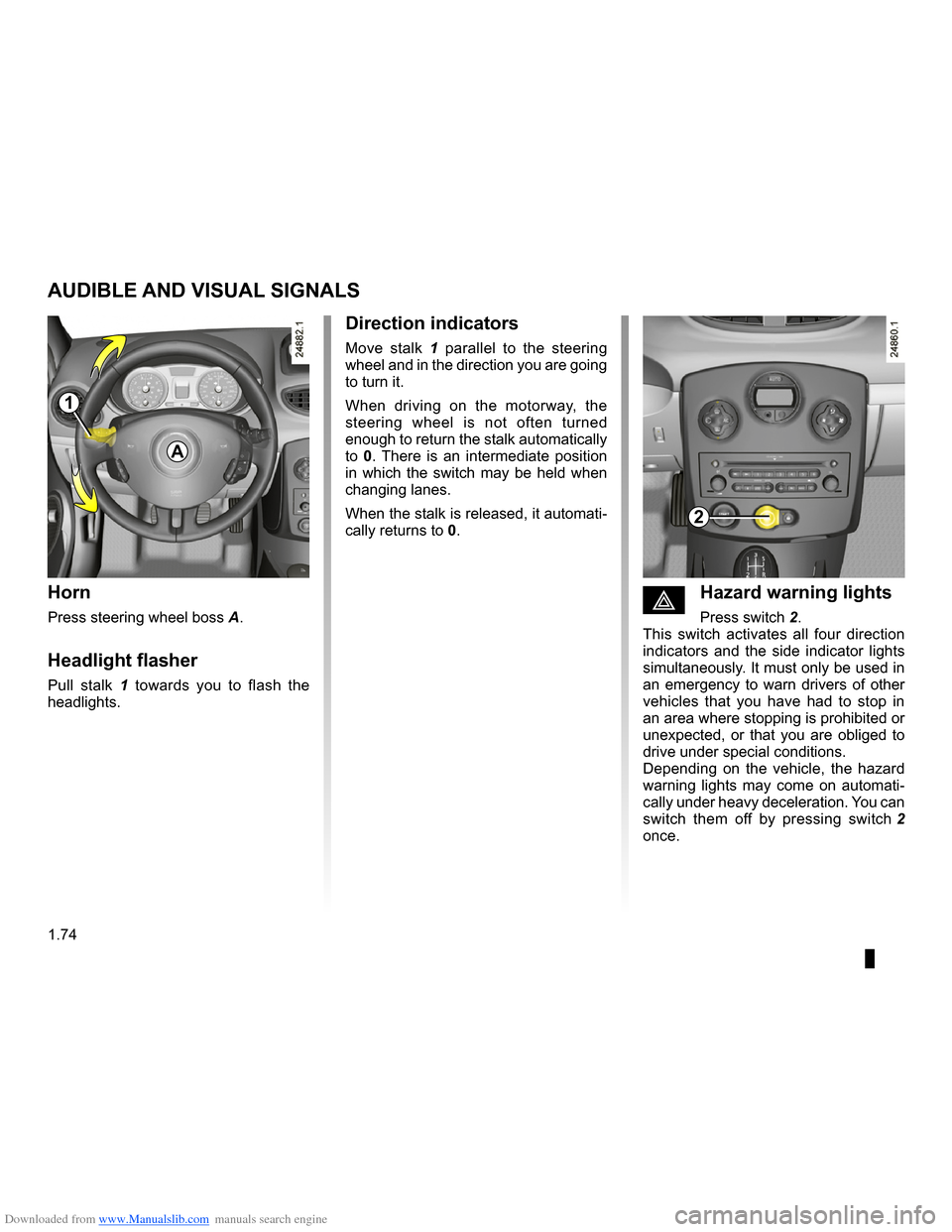
Press switch 2.This switch activates all four direction indicators and the side indicator lights simultaneously. It must only be used in an emergency to warn drivers of other vehicles that you have had to stop in an area where stopping is prohibited or unexpected, or that you are obliged to drive under special conditions.Depending on the vehicle, the hazard warning lights may come on automati- cally under heavy deceleration. You can
switch them off by pressing switch 2 once.
Direction indicators
Move stalk 1 parallel to the steering wheel and in the direction you are going to turn it.
When driving on the motorway, the steering wheel is not often turned enough to return the stalk automatically to 0. There is an intermediate position in which the switch may be held when changing lanes.
When the stalk is released, it automati- cally returns to 0.
Horn
Press steering wheel boss A.
Headlight flasher
Pull stalk 1 towards you to flash the headlights.
AUDIBLE AND VISUAL SIGNALS
A
2
1
Page 83 of 264

Downloaded from www.Manualslib.com manuals search engine
lights:main beam headlights ......................................(current page)lightsmobile directional .............................................(current page)
JauneNoirNoir texte
1.77
ENG_UD10541_1Éclairages et signalisations extérieures (X85 - B85 - C85 - S85 -\
K85 - Renault)ENG_NU_853-3_BCSK85_Renault_1
EXTERIOR LIGHTING AND SIGNALS (3/5)
Cornering lights
Depending on the vehicle, if the dipped beam headlights are on when corner- ing, and under certain driving condi- tions (speed, steering wheel angle, for- wards gear selected, etc.), additional lights are switched on to light the inside of the bend.
Note: under certain conditions of pro- longed use, this system will be switched off automatically as it is intended for use over limited periods.
áMain beam headlights
With the dipped beam head-
lights lit, pull stalk 1 towards you.
When the main beam headlights are lit up, an indicator light on the instrument panel comes on.
To return to the dipped headlight posi- tion, pull stalk 1 towards you again.
Automatic lighting with main
beam headlights
Depending on the vehicle, when you change to main beam headlights, the dipped beam headlight raise to improve lighting.
Note: in the event of an operating fault on this system, when returning from main beam to dipped beam headlights, the dipped beam headlight concerned goes out and the front fog lights come
on, accompanied by the g warning light and a fault message on the instru- ment panel
Warning: as this operating mode is not a normal driving condition, consult an approved Dealer as soon as possible.
1
Page 95 of 264
Downloaded from www.Manualslib.com manuals search engine
engine start/stop button ........................(up to the end of the DU)ignition switch .......................................(up to the end of the DU)starting the engine ................................(up to the end of the DU)starting the engine ................................(up to the end of the DU)switching on the vehicle ignition ...........(up to the end of the DU)
2.3
ENG_UD10549_1Contacteur de démarrage : véhicule avec clé / télécommand\
e à radiofréquence (X85 - B85 - C85 - S85 - K85 - Renault)ENG_NU_853-3_BCSK85_Renault_2
Ignition switch
Special note on vehicles with an au- tomatic gearbox
Before starting, move the lever to posi- tion N or P.
Special note on vehicles with a Quickshift gearbox
Depress the brake pedal with the lever in the N position.
Note:
If a gear other than neutral is displayed, it flashes; starting is not possible unless you depress the brake pedal, while holding the key in the starting position.
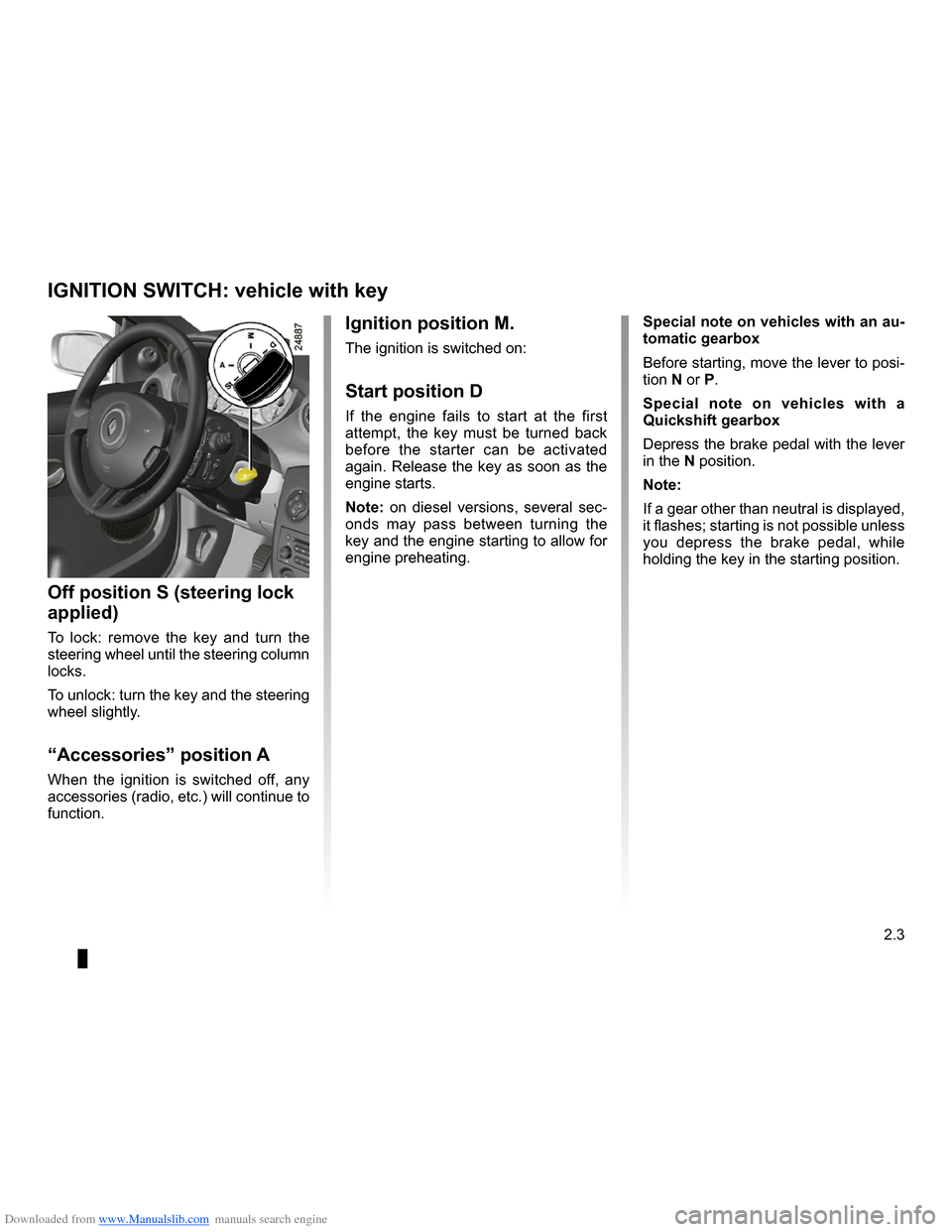
Ignition position M.
The ignition is switched on:
Start position D
If the engine fails to start at the first attempt, the key must be turned back before the starter can be activated again. Release the key as soon as the engine starts.
Note: on diesel versions, several sec- onds may pass between turning the
key and the engine starting to allow for engine preheating.
Off position S (steering lock
applied)
To lock: remove the key and turn the steering wheel until the steering column locks.
To unlock: turn the key and the steering wheel slightly.
“Accessories” position A
When the ignition is switched off, any accessories (radio, etc.) will continue to function.
IGNITION SWITCH: vehicle with key
Page 98 of 264
ENG_NU_853-3_BCSK85_Renault_2
Jaun")
Downloaded from www.Manualslib.com manuals search engine
2.6
ENG_UD10551_1Démarrage moteur : véhicule avec carte Renault (X85 - B85 - C85 -\
S85 - K85 - Renault)ENG_NU_853-3_BCSK85_Renault_2
JauneNoirNoir texte
Vehicles with a Quickshift
gearbox
Depress the brake pedal with the lever in the N position.
Note: if a gear other than neutral is dis- played, it flashes and starting will only be possible by depressing the brake pedal, with the RENAULT card in detec-
tion zone 1 or in card reader 4.
–
in some cases, it will be necessary to
move the steering wheel while press-
ing start button 3 to assist in unlock- ing the steering column; a message
on instrument panel 2 warns of this.
Vehicles with an automatic
gearbox
Depress the brake pedal with the lever in the N or P position.
All vehicles
– if one of the starting conditions is not applied, the following messages: “Depress brake + press start”, “shift to P” or “shift to neutral” will be dis-
played on instrument panel 2;
STARTING THE ENGINE: vehicle with RENAULT CARD (2/3)
2
34
34
1
Page 100 of 264
Downloaded from www.Manualslib.com manuals search engine
stopping the engine ..............................(up to the end of the DU)engine start/stop button ........................(up to the end of the DU)RENAULT carduse ..................................................(up to the end of the DU)driving ...................................................(up to the end of the DU)
2.8
ENG_UD12574_2Arrêt moteur : véhicule avec carte Renault (X85 - B85 - C85 - S85\
- K85 - Renault)ENG_NU_853-3_BCSK85_Renault_2
When you leave your vehi- cle, especially if you have your RENAULT card with you, check that the engine is completely switched off.
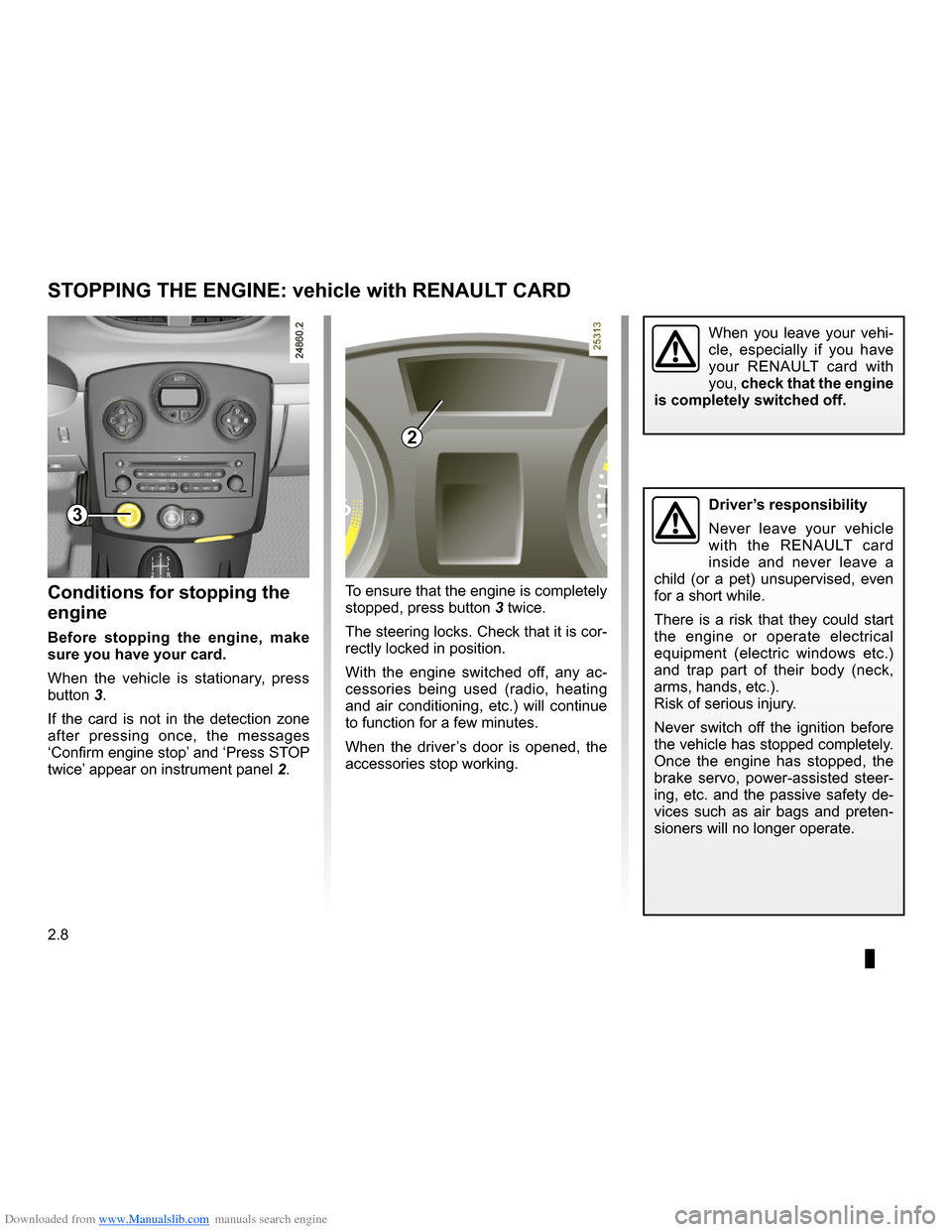
To ensure that the engine is completely
stopped, press button 3 twice.
The steering locks. Check that it is cor- rectly locked in position.
With the engine switched off, any ac- cessories being used (radio, heating and air conditioning, etc.) will continue to function for a few minutes.
When the driver’s door is opened, the accessories stop working.
Conditions for stopping the
engine
Before stopping the engine, make sure you have your card.
When the vehicle is stationary, press
button 3.
If the card is not in the detection zone after pressing once, the messages ‘Confirm engine stop’ and ‘Press STOP
twice’ appear on instrument panel 2.
STOPPING THE ENGINE: vehicle with RENAULT CARD
3
2
Driver’s responsibility
Never leave your vehicle with the RENAULT card inside and never leave a child (or a pet) unsupervised, even for a short while.
There is a risk that they could start the engine or operate electrical equipment (electric windows etc.) and trap part of their body (neck, arms, hands, etc.).Risk of serious injury.
Never switch off the ignition before the vehicle has stopped completely. Once the engine has stopped, the brake servo, power-assisted steer- ing, etc. and the passive safety de- vices such as air bags and preten- sioners will no longer operate.
Page 111 of 264
Downloaded from www.Manualslib.com manuals search engine
driving ...................................................(up to the end of the DU)Electronic Stability Program: ESP ........(up to the end of the DU)ESP: Electronic Stability Program ........(up to the end of the DU)
2.19
ENG_UD10562_1Contrôle dynamique de conduite : E.S.P. avec contrôle de sous-virage (X85 - B85 - C85 - S85 - K85 - Renaul\
t)ENG_NU_853-3_BCSK85_Renault_2
This system helps to keep control of the vehicle in critical driving situations (avoiding an obstacle, loss of grip when cornering, etc.) and works in conjunc- tion with the ‘understeer control’ system.
Electronic Stability Program: ESP
This function is an addi- tional aid in the event of critical driving conditions, enabling the vehicle behav- iour to be adapted to suit the driving conditions.
However, the function does not take the place of the driver. It does not increase the vehicle’s limits and should not encourage you to drive more quickly.
Therefore, it can under no circum- stances replace the vigilance or re- sponsibility of the driver when ma- noeuvring the vehicle (the driver must always be ready for sudden in- cidents which may occur when driv- ing).
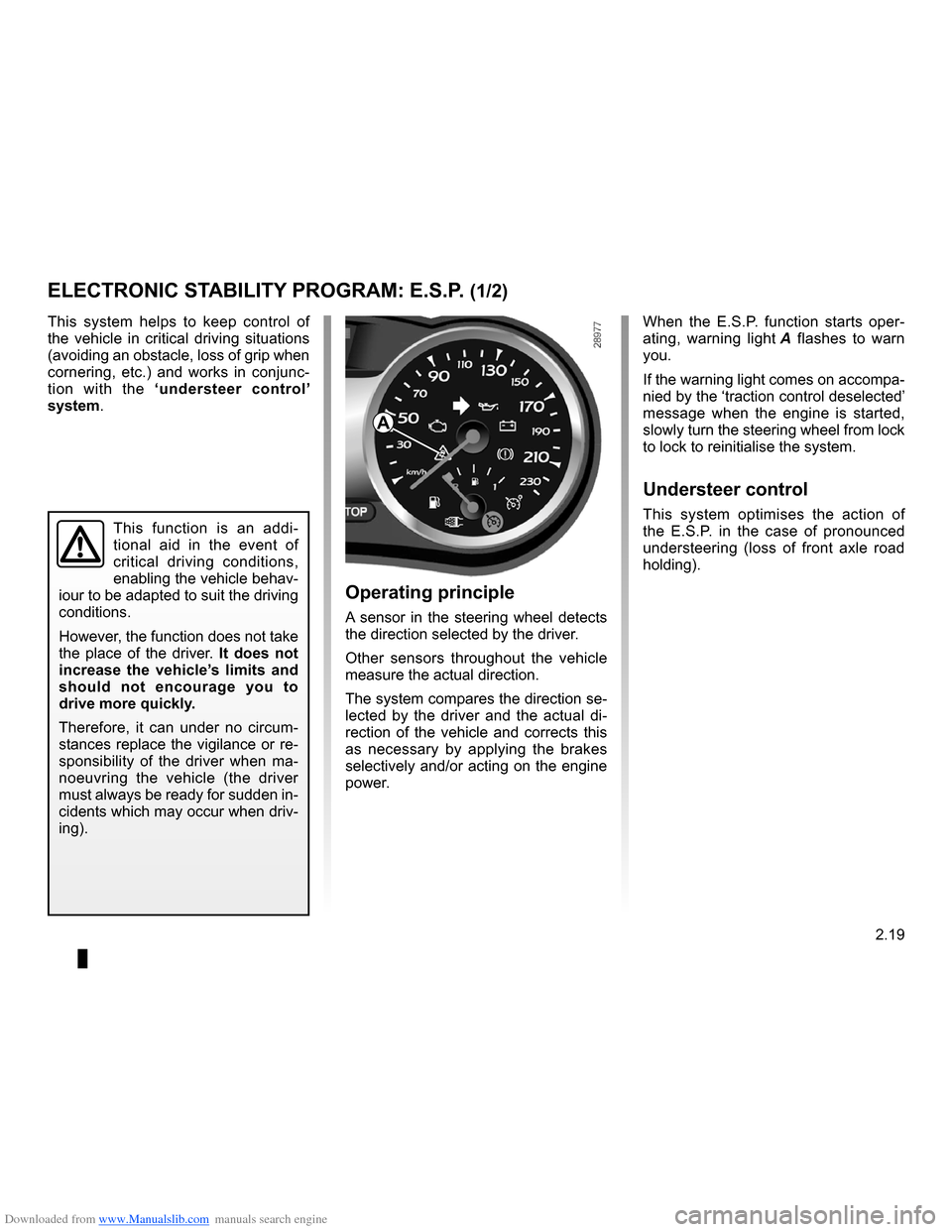
When the E.S.P. function starts oper-
ating, warning light A flashes to warn you.
If the warning light comes on accompa- nied by the ‘traction control deselected’ message when the engine is started, slowly turn the steering wheel from lock to lock to reinitialise the system.
Understeer control
This system optimises the action of the E.S.P. in the case of pronounced understeering (loss of front axle road holding).
Operating principle
A sensor in the steering wheel detects the direction selected by the driver.
Other sensors throughout the vehicle measure the actual direction.
The system compares the direction se- lected by the driver and the actual di- rection of the vehicle and corrects this as necessary by applying the brakes selectively and/or acting on the engine power.
ELECTRONIC STABILITY PROGRAM: E.S.P. (1/2)
A
Page 113 of 264
Downloaded from www.Manualslib.com manuals search engine
traction control: ASR .............................(up to the end of the DU)driving ...................................................(up to the end of the DU)traction control: ASR .............................(up to the end of the DU)
2.21
ENG_UD10563_1Système antipatinage : A.S.R. (X85 - B85 - C85 - S85 - K85 - Renault)ENG_NU_853-3_BCSK85_Renault_2
Traction control: ASR
This function is an addi- tional aid in the event of critical driving conditions, enabling the vehicle behav- iour to be adapted to suit the driving conditions.
However, the function does not take the place of the driver. It does not increase the vehicle’s limits and should not encourage you to drive more quickly.
Therefore, it can under no circum- stances replace the vigilance or re- sponsibility of the driver when ma- noeuvring the vehicle (the driver must always be ready for sudden in- cidents which may occur when driv- ing).
The system also adjusts the engine speed to the grip available under the wheels, independently of the pressure exerted on the accelerator pedal.
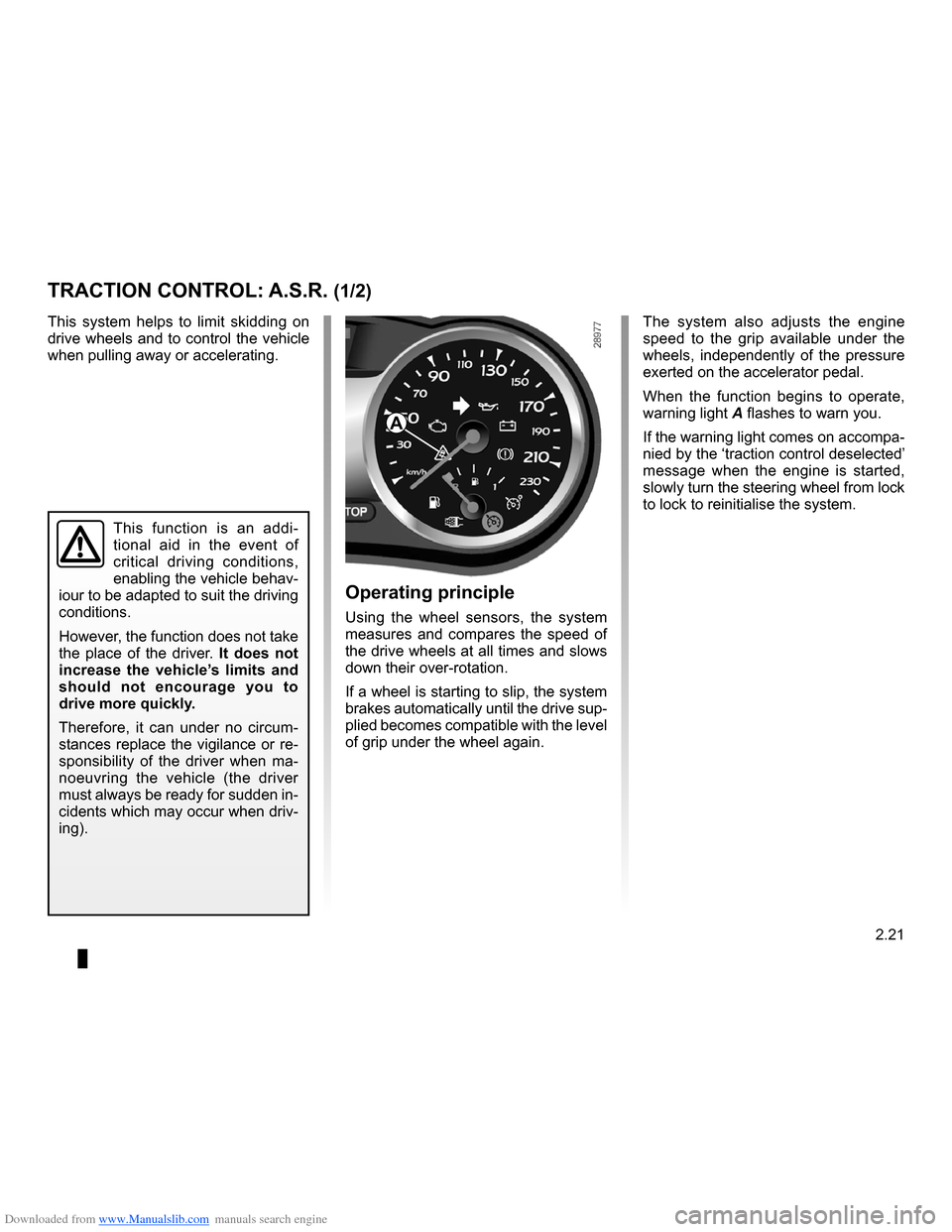
When the function begins to operate,
warning light A flashes to warn you.
If the warning light comes on accompa- nied by the ‘traction control deselected’ message when the engine is started, slowly turn the steering wheel from lock to lock to reinitialise the system.
Operating principle
Using the wheel sensors, the system measures and compares the speed of the drive wheels at all times and slows down their over-rotation.
If a wheel is starting to slip, the system brakes automatically until the drive sup- plied becomes compatible with the level of grip under the wheel again.
This system helps to limit skidding on drive wheels and to control the vehicle when pulling away or accelerating.
TRACTION CONTROL: A.S.R. (1/2)
A
Page 174 of 264
Downloaded from www.Manualslib.com manuals search engine
hands-free telephone integrated control
(up to the end of the DU)
3.42
ENG_UD10587_1Commande intégrée de téléphone mains libres (X85 - B85 - C8\
5 - S85 - K85 - Renault)ENG_NU_853-3_BCSK85_Renault_3
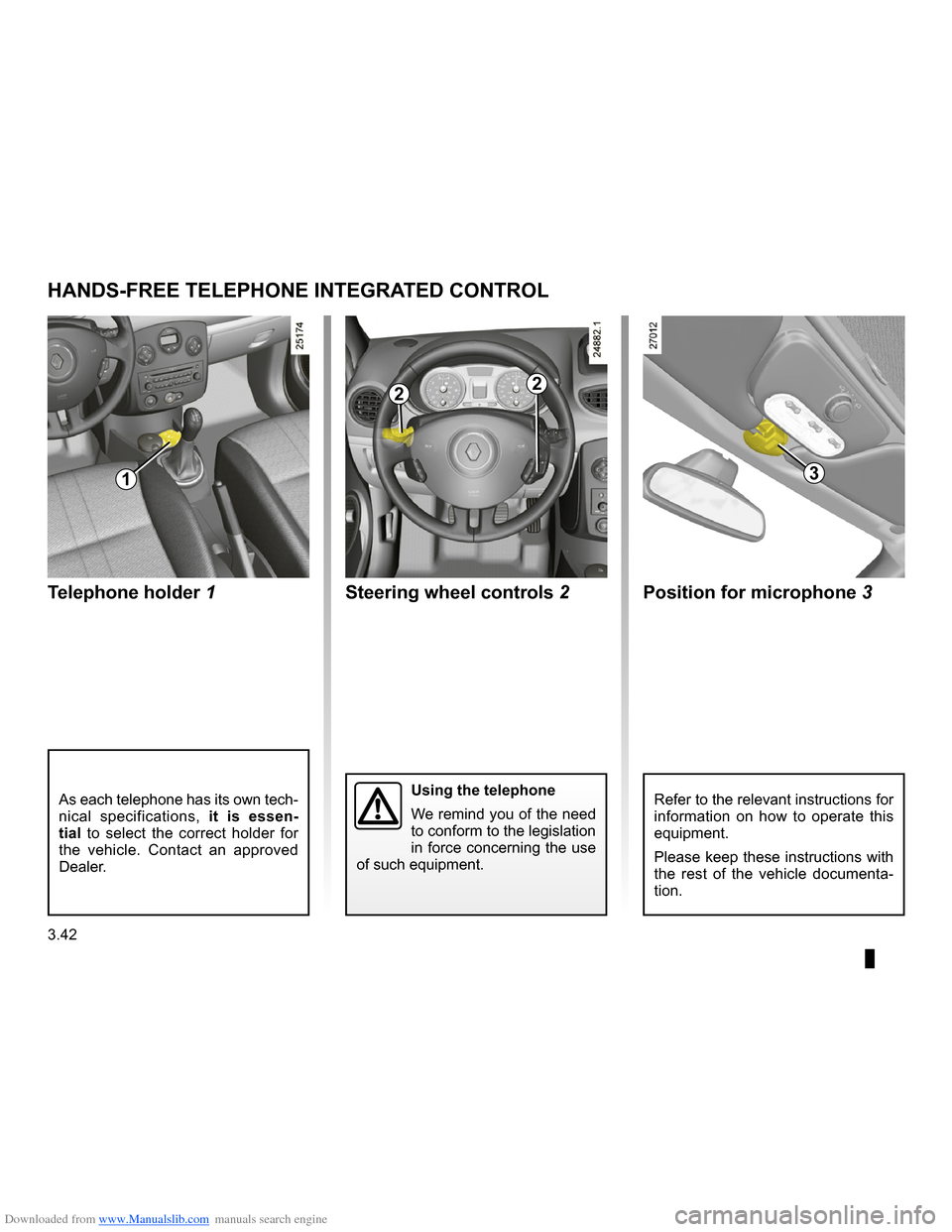
Telephone holder 1 Position for microphone 3
Steering wheel controls 2
Hands-free telephone integrated control
Refer to the relevant instructions for information on how to operate this equipment.
Please keep these instructions with the rest of the vehicle documenta- tion.
Using the telephone
We remind you of the need to conform to the legislation in force concerning the use of such equipment.
As each telephone has its own tech- nical specifications, it is essen- tial to select the correct holder for the vehicle. Contact an approved
Dealer.
HANDS-FREE TELEPHONE INTEGRATED CONTROL
1
22
3
Page 201 of 264
Downloaded from www.Manualslib.com manuals search engine
tyre pressure..........................................................(current page)
JauneNoirNoir texte
5.13
ENG_UD10601_1Pneumatiques (X85 - B85 - C85 - S85 - K85 - Renault)ENG_NU_853-3_BCSK85_Renault_5
Emergency spare wheel
Refer to the information on the “Emergency spare wheel” and instruc- tions on “Changing a wheel” in
Section 5.
Changing wheels around
This practice is not recommended.
Fitting new tyres
For safety reasons, this op- eration must be carried out by a specialist.
Fitting different tyres may change your vehicle as follows:
– it may mean that your vehicle no
longer conforms to current regu- lations;
– it may change the way it handles
when cornering;
– it may cause the steering to be
heavy;
– it may affect the use of snow
chains.
Pressures should be checked when the tyres are cold; ignore higher pressures which may be reached in hot weather or following a fast journey.
If tyre pressures cannot be checked when the tyres are cold, assume an in- crease of 0.2 to 0.3 bar (or 3 PSI).
Never deflate a hot tyre.
TYRES (2/3)
Please be aware that a
poorly tightened or miss- ing valve cap can make the tyres less airtight and lead to pressure loss. Always use valve caps identical to the originals and screw them down fully.
Incorrect tyre pressures lead to abnormal tyre wear and unusually hot running. These are factors which may seriously affect safety and lead to:
– poor road holding,
– risk of bursting or tread separa
- tion.
The pressure depends on the load and the speed of use. Adjust the pressure according to the condi- tions of use (refer to the label affixed to the edge of the driver’s door).
Tyre pressuresAdhere to the tyre pressures (including the emergency spare wheel). The tyre pressures should be checked at least once a month and additionally before any long journey (refer to the label af- fixed to the edge of the driver’s door).