boot RENAULT KADJAR 2018 User Guide
[x] Cancel search | Manufacturer: RENAULT, Model Year: 2018, Model line: KADJAR, Model: RENAULT KADJAR 2018Pages: 310, PDF Size: 8.35 MB
Page 113 of 310
2.5
STARTING, STOPPING THE ENGINE: vehicle with RENAULT CARD (1/3)
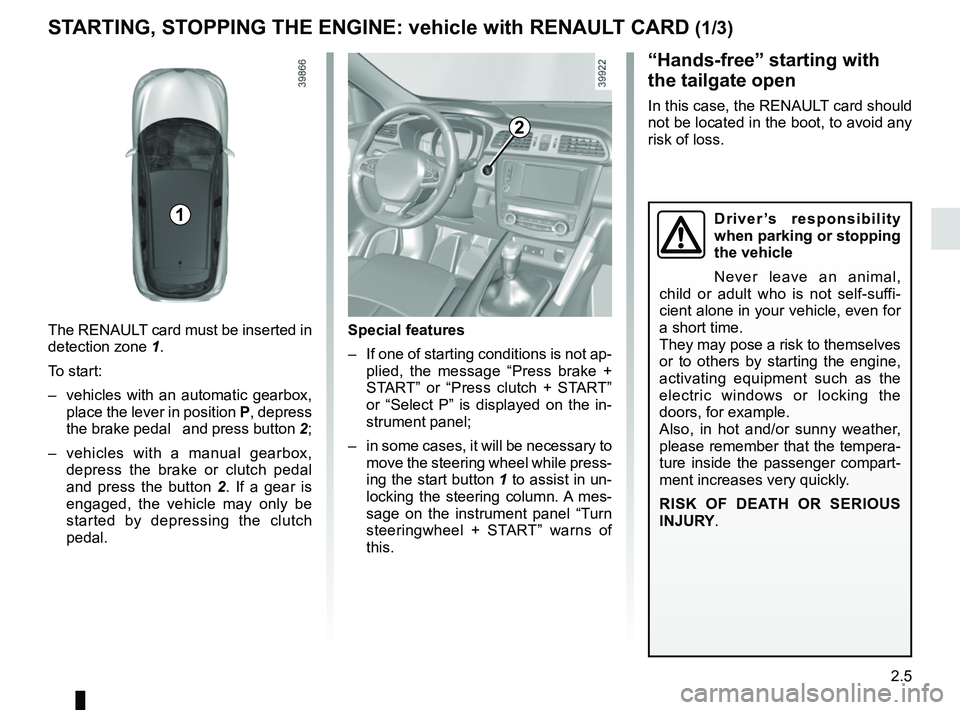
The RENAULT card must be inserted in
detection zone 1.
To start:
– vehicles with an automatic gearbox, place the lever in position P, depress
the brake pedal and press button 2;
– vehicles with a manual gearbox, depress the brake or clutch pedal
and press the button 2 . If a gear is
engaged, the vehicle may only be
started by depressing the clutch
pedal.
“Hands-free” starting with
the tailgate open
In this case, the RENAULT card should
not be located in the boot, to avoid any
risk of loss.
2
1
Special features
– If one of starting conditions is not ap- plied, the message “Press brake +
START” or “Press clutch + START”
or “Select P” is displayed on the in-
strument panel;
– in some cases, it will be necessary to move the steering wheel while press-
ing the start button 1 to assist in un-
locking the steering column. A mes-
sage on the instrument panel “Turn
steeringwheel + START” warns of
this.
Driver’s responsibility
when parking or stopping
the vehicle
Never leave an animal,
child or adult who is not self-suffi-
cient alone in your vehicle, even for
a short time.
They may pose a risk to themselves
or to others by starting the engine,
activating equipment such as the
electric windows or locking the
doors, for example.
Also, in hot and/or sunny weather,
please remember that the tempera-
ture inside the passenger compart-
ment increases very quickly.
RISK OF DEATH OR SERIOUS
INJURY.
Page 175 of 310
2.67
This function is an additional
aid. It cannot, therefore,
under any circumstances
replace the vigilance or the
responsibility of the driver.
The driver should always be ready
for sudden incidents while driv-
ing: always ensure that there are
no small, narrow moving obstacles
(such as a child, animal, pushchair,
bicycle, stone, post, etc.) in the blind
spot when manoeuvring.
The screen shows a reverse mirror
image.
The frames are a representation
projected onto flat ground; this in-
formation must not be taken into
account when superimposed on a
vertical object or an object on the
ground.
Objects which appear on the edge
of the screen may be deformed.
In very bright light (snow, vehicle in
sunshine etc.), the camera vision
may be adversely affected.
If the boot is open or poorly closed,
the message “Boot open” appears
and the camera display disappears.
You can also adjust the camera image
settings (brightness, contrast, etc.)
Activating, deactivating the
reversing camera
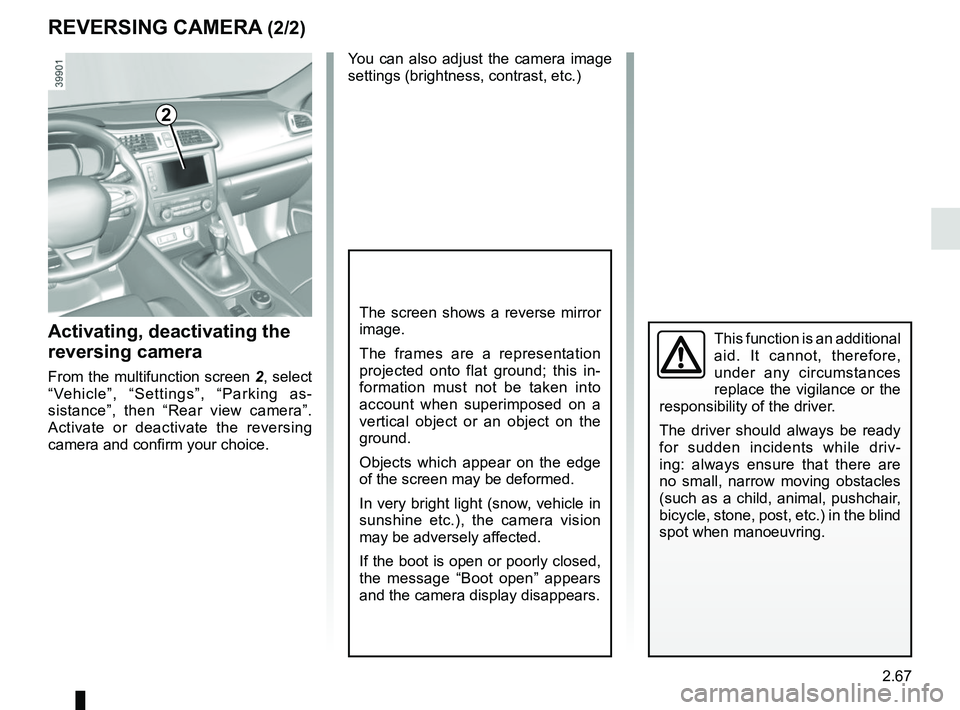
From the multifunction screen 2, select
“Vehicle”, “Settings”, “Parking as-
sistance”, then “Rear view camera”.
Activate or deactivate the reversing
camera and confirm your choice.
REVERSING CAMERA (2/2)
2
Page 178 of 310
2.70
ASSISTED PARKING (3/4)
Your speed should not exceed around
4 mph (7 km/h).
Once in position to exit the space, the
system will notify you of the end of the
manoeuvre.
Once the warning light
on the
instrument panel goes off and a beep
sounds, the manoeuvre has been com-
pleted.
Suspending the manoeuvreThe manoeuvre is suspended in the fol-
lowing circumstances:
– you take control of the wheel;
– a door or the boot is opened;
– the vehicle is at a standstill for too long;
– an obstacle in the direction of move- ment prevents the manoeuvre from
being completed;
– the engine will stop.
Once the warning light
on the
instrument panel goes off and a beep
sounds, the manoeuvre has been sus-
pended. Then to resume the manoeu-
vre, press and hold the system activa-
tion switch. In this case, the reason for suspending
the manoeuvre will be displayed on the
multifunction screen.
Make sure:
– you have released the steering wheel
and;
– that all doors and the boot are closed, and;
– that no obstacles are in the way of the direction of movement, and;
– that the engine is started.
Cancelling the manoeuvre
The manoeuvre can be stopped in the
following cases:
– by pressing the system activation switch;
– the vehicle speed has exceeded 4 mph (7 km/h);
– You have performed more than ten forwards/backwards movements in
one manoeuvre;
– the parking distance control sensors are dirty or blocked;
– the vehicle wheels have skidded.
Once the warning light
on the
instrument panel goes off and a beep
sounds, the manoeuvre has been
ended.
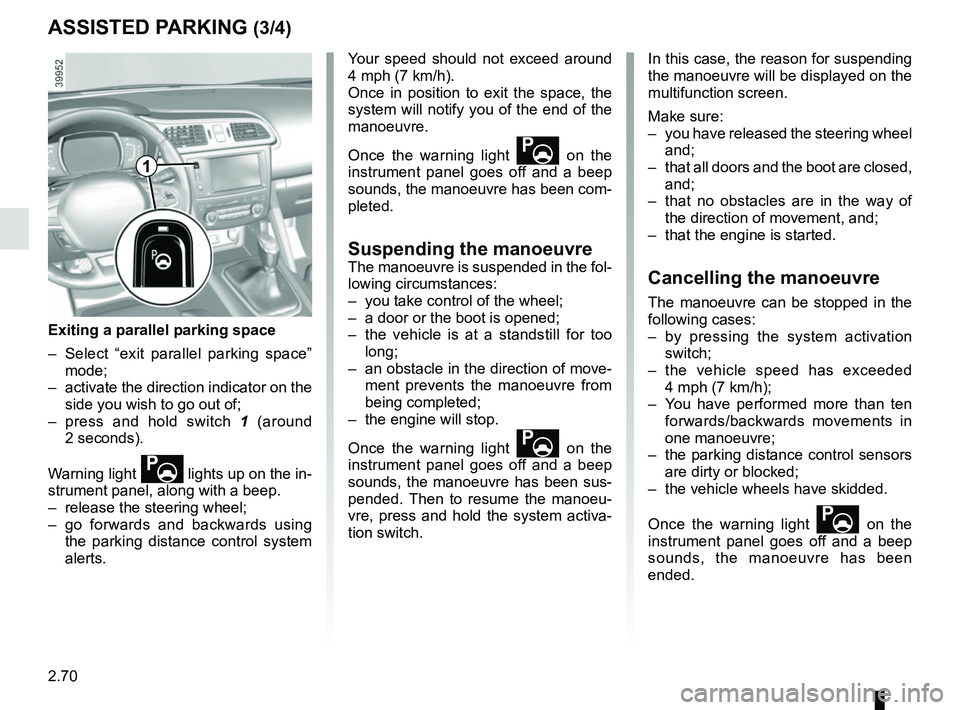
Exiting a parallel parking space
– Select “exit parallel parking space” mode;
– activate the direction indicator on the side you wish to go out of;
– press and hold switch 1 (around
2 seconds).
Warning light
lights up on the in-
strument panel, along with a beep.
– release the steering wheel;
– go forwards and backwards using the parking distance control system
alerts.
1
Page 200 of 310
3.18
Note: for vehicles fitted with a naviga-
tion system, you can use the multifunc-
tion screen to deactivate/activate the
courtesy lights which come on when
the doors or boot are opened. To do
this, please refer to “Vehicle settings
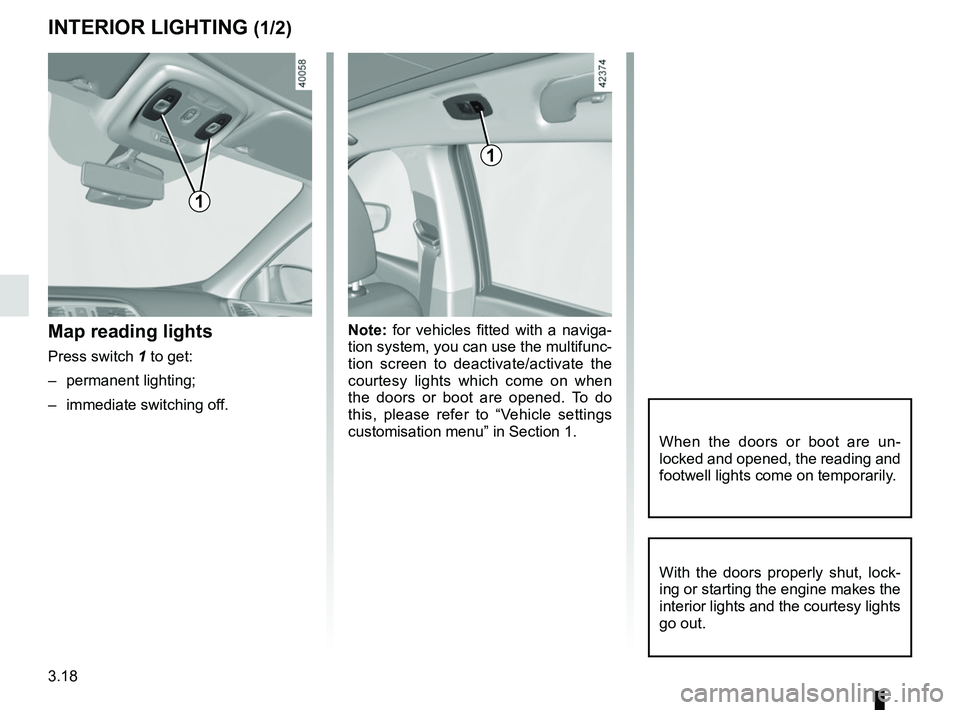
customisation menu” in Section 1.Map reading lights
Press switch 1 to get:
– permanent lighting;
– immediate switching off.
When the doors or boot are un-
locked and opened, the reading and
footwell lights come on temporarily.
INTERIOR LIGHTING (1/2)
With the doors properly shut, lock-
ing or starting the engine makes the
interior lights and the courtesy lights
go out.
1
1
Page 201 of 310
3.19
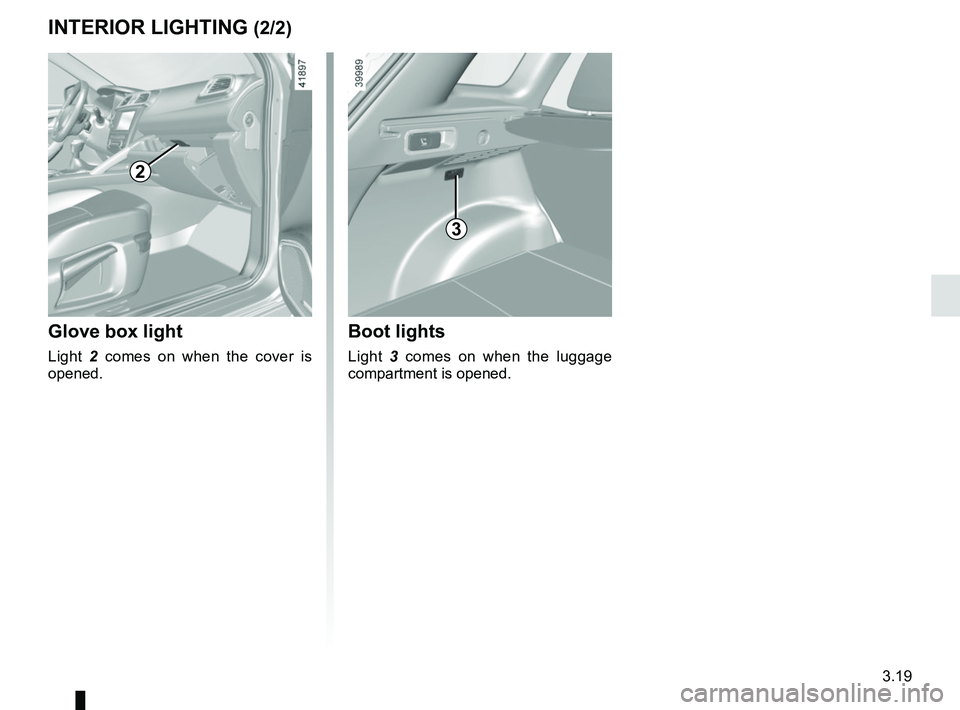
Glove box light
Light 2 comes on when the cover is
opened.
2
3
Boot lights
Light 3 comes on when the luggage
compartment is opened.
INTERIOR LIGHTING (2/2)
Page 210 of 310
3.28
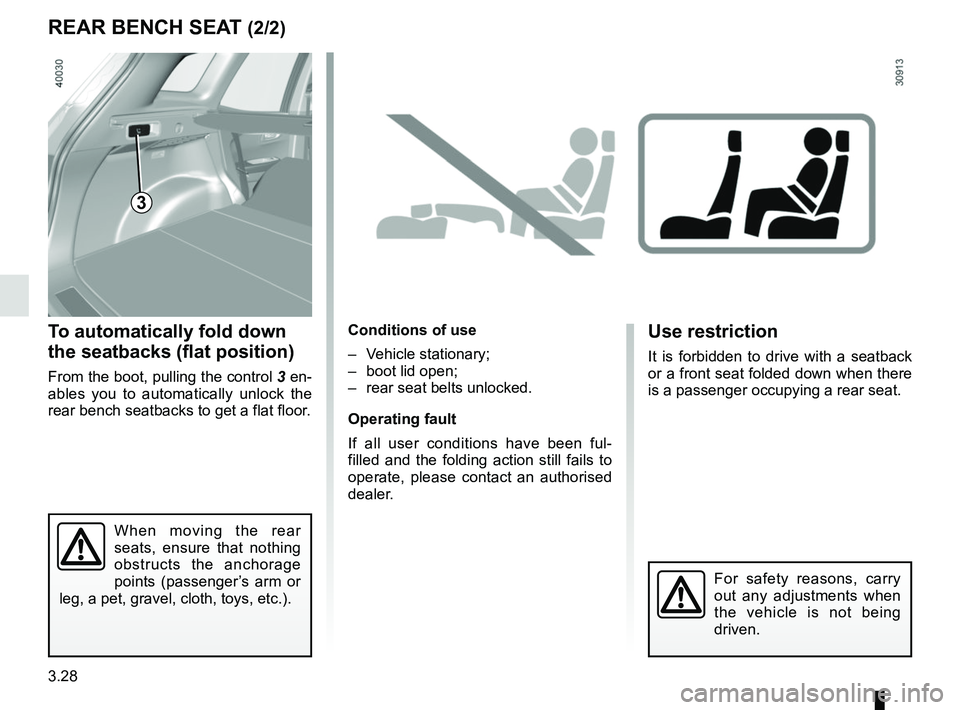
To automatically fold down
the seatbacks (flat position)
From the boot, pulling the control 3 en-
ables you to automatically unlock the
rear bench seatbacks to get a flat floor.
Conditions of use
– Vehicle stationary;
– boot lid open;
– rear seat belts unlocked.
Operating fault
If all user conditions have been ful-
filled and the folding action still fails to
operate, please contact an authorised
dealer.
REAR BENCH SEAT (2/2)
3
When moving the rear
seats, ensure that nothing
obstructs the anchorage
points (passenger’s arm or
leg, a pet, gravel, cloth, toys, etc.).
Use restriction
It is forbidden to drive with a seatback
or a front seat folded down when there
is a passenger occupying a rear seat.
For safety reasons, carry
out any adjustments when
the vehicle is not being
driven.
Page 211 of 310
3.29
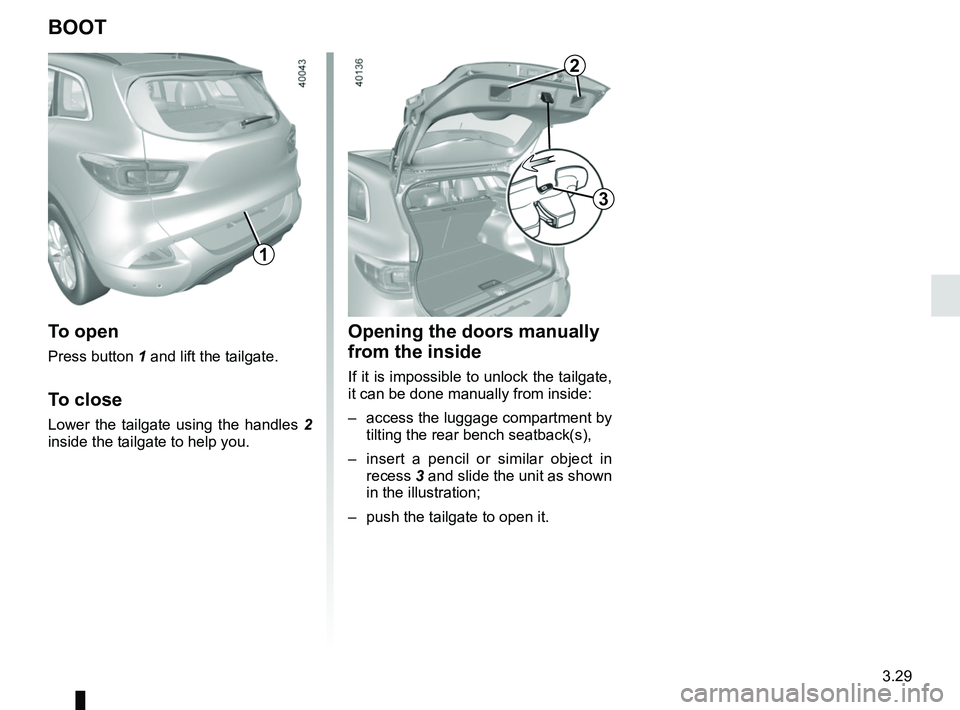
Opening the doors manually
from the inside
If it is impossible to unlock the tailgate,
it can be done manually from inside:
– access the luggage compartment by tilting the rear bench seatback(s),
– insert a pencil or similar object in recess 3 and slide the unit as shown
in the illustration;
– push the tailgate to open it.
BOOT
To open
Press button 1 and lift the tailgate.
To close
Lower the tailgate using the handles 2
inside the tailgate to help you.
1
3
2
Page 212 of 310
3.30
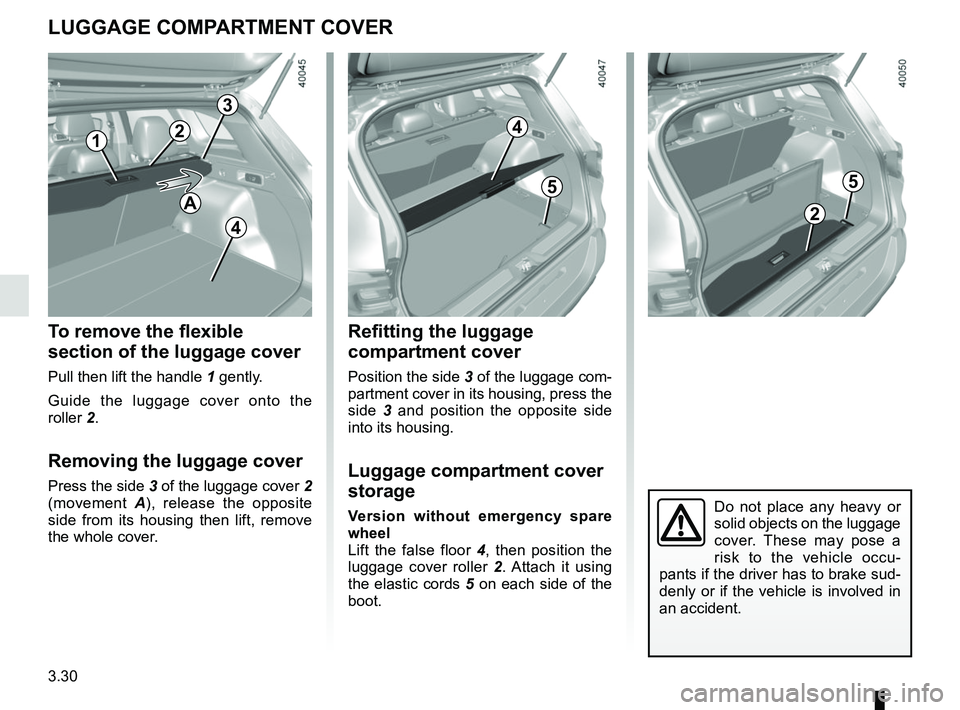
Refitting the luggage
compartment cover
Position the side 3 of the luggage com-
partment cover in its housing, press the
side 3 and position the opposite side
into its housing.
Luggage compartment cover
storage
Version without emergency spare
wheel
Lift the false floor 4, then position the
luggage cover roller 2. Attach it using
the elastic cords 5 on each side of the
boot.
To remove the flexible
section of the luggage cover
Pull then lift the handle 1 gently.
Guide the luggage cover onto the
roller 2.
Removing the luggage cover
Press the side 3 of the luggage cover 2
(movement A), release the opposite
side from its housing then lift, remove
the whole cover.
LUGGAGE COMPARTMENT COVER
3
4
5
2
Do not place any heavy or
solid objects on the luggage
cover. These may pose a
risk to the vehicle occu-
pants if the driver has to brake sud-
denly or if the vehicle is involved in
an accident.
1
2
5
4
A
Page 213 of 310
3.31
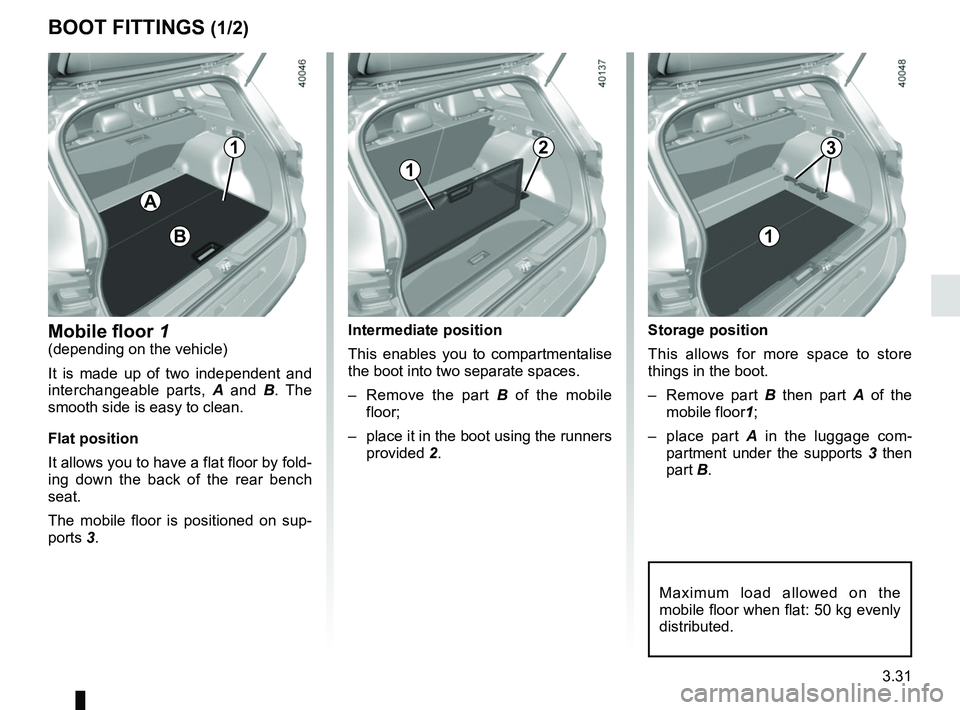
Storage position
This allows for more space to store
things in the boot.
– Remove part B then part A of the
mobile floor 1;
– place part A in the luggage com-
partment under the supports 3 then
part B.
BOOT FITTINGS (1/2)
A
Mobile floor 1(depending on the vehicle)
It is made up of two independent and
interchangeable parts, A and B . The
smooth side is easy to clean.
Flat position
It allows you to have a flat floor by fold-
ing down the back of the rear bench
seat.
The mobile floor is positioned on sup-
ports 3.
Maximum load allowed on the
mobile floor when flat: 50 kg evenly
distributed.
Intermediate position
This enables you to compartmentalise
the boot into two separate spaces.
– Remove the part B of the mobile
floor;
– place it in the boot using the runners provided 2.
1
1
B
123
Page 214 of 310
3.32
BOOT FITTINGS (2/2)
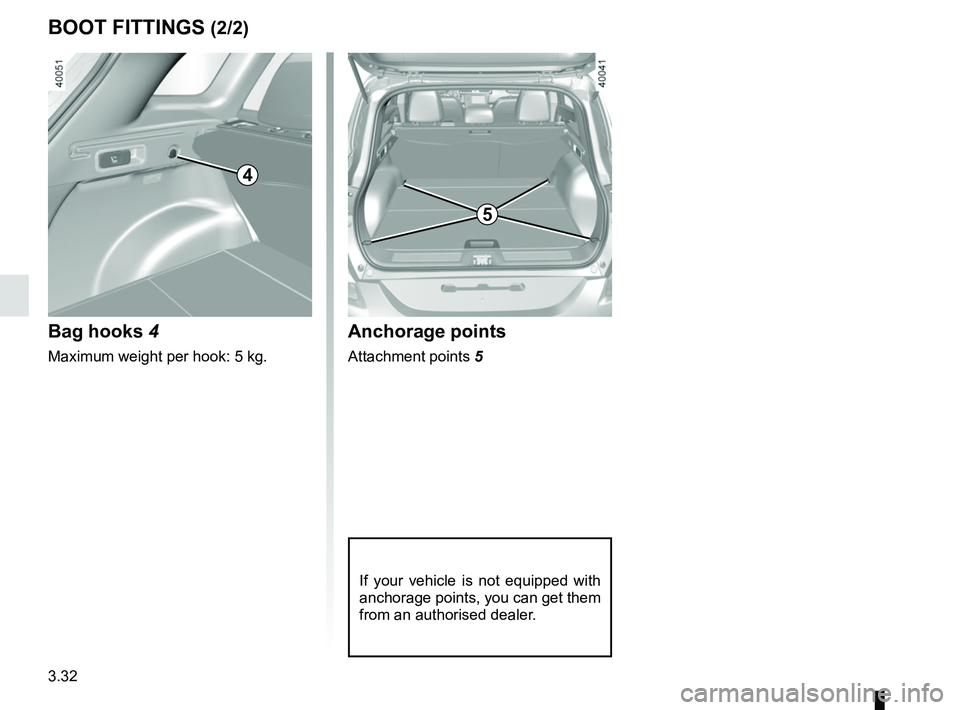
Bag hooks 4
Maximum weight per hook: 5 kg.
Anchorage points
Attachment points 5
If your vehicle is not equipped with
anchorage points, you can get them
from an authorised dealer.
4
5