brake RENAULT KANGOO 2018 User Guide
[x] Cancel search | Manufacturer: RENAULT, Model Year: 2018, Model line: KANGOO, Model: RENAULT KANGOO 2018Pages: 264, PDF Size: 7.09 MB
Page 120 of 264

2.28
Disabling the traction control
system
(depending on vehicle)
In some situations (driving on very wet
ground: snow, mud, etc. or driving with
snow chains fitted), the system may
reduce the engine output to limit wheel-
spin. If this is not required, it is possible
to deactivate the function by pressing
switch 1.
The message “TRACTION CONTROL
OFF” is displayed on the instrument
panel to inform you.The traction control system offers ad-
ditional safety. It is recommended that
you do not drive with the function di-
sabled. Correct this as soon as pos-
sible by pressing the switch
1 again.
Note: The function is reactivated auto-
matically when the ignition is switched
on or when a speed of approximately
24 mph (40 km/h) is exceeded.
Emergency brake assist
This is an additional system to ABS
which helps reduce vehicle stopping
distances.
Operating principle
The system detects an emergency
braking situation. In this case, the brak-
ing assistance immediately develops
maximum power and may trigger ABS
regulation.
ABS braking is maintained as long as
the brake pedal is not released.
DRIVING CORRECTION DEVICES AND AIDS (3/5)
Hazard warning lights switching on
Depending on the vehicle, these may
light up in the event of sudden decel-
eration.
Operating faults
When the system detects an operating
fault the message “BRAKING FAULT”
appears on the instrument panel along
with the
© warning light.
Consult an approved dealer.
Braking anticipation
Depending on the vehicle, when you
rapidly release the accelerator, the
system anticipates the braking ma-
noeuvre in order to reduce stopping
distances.
Special cases
When using the cruise control:
– if you use the accelerator, when you release it, the system may be trig-
gered;
– if you do not use the accelerator, the system will not be triggered.1
Page 122 of 264
2.30
DRIVING CORRECTION DEVICES AND AIDS (5/5)
Hill start assistance
This function assists the driver when
starting on hills. It prevents the vehicle
from rolling backwards, depending on
the slope, by automatically applying the
brakes when the driver lifts his/her foot
off the brake pedal to depress the ac-
celerator pedal.
System operation
It only operates when the gear lever is
in a position other than neutral and the
vehicle is completely stationary (brake
pedal depressed).
The system holds the vehicle for ap-
proximately 2 seconds. The brakes are
then gradually released (the vehicle will
move according to the slope).The hill start assistance
system cannot completely
prevent the vehicle from
rolling backwards in all sit-
uations (extremely steep gradients
etc.).
In all cases, the driver may depress
the brake pedal to prevent the vehi-
cle from rolling backwards.
The hill start assistance function
should not be used for prolonged
stops: use the brake pedal.
This function is not designed to im-
mobilise the vehicle permanently.
If necessary, use the brake pedal to
stop the vehicle.
The driver must remain particularly
vigilant when driving on slippery or
low-grip surfaces.
Risk of serious injury.
Page 126 of 264
2.34
The cruise control function helps you to
maintain your driving speed at a speed
that you choose, called the cruising
speed.
This cruising speed may be set at any
speed above 20 mph (30 km/h).
CRUISE CONTROL (1/4)
The cruise control function
is in no way linked to the
braking system.
This function is an addi-
tional driving aid. The func-
tion does not take the place
of the driver.
Therefore, it can under no circum-
stances replace the driver’s respon-
sibility to respect speed limits and to
be vigilant (the driver must always
be ready to brake).
Cruise control must not be used in
heavy traffic, on undulating or slip-
pery roads (black ice, aquaplan-
ing, gravel) and during bad weather
(fog, rain, side winds etc.).
There is a risk of accidents.
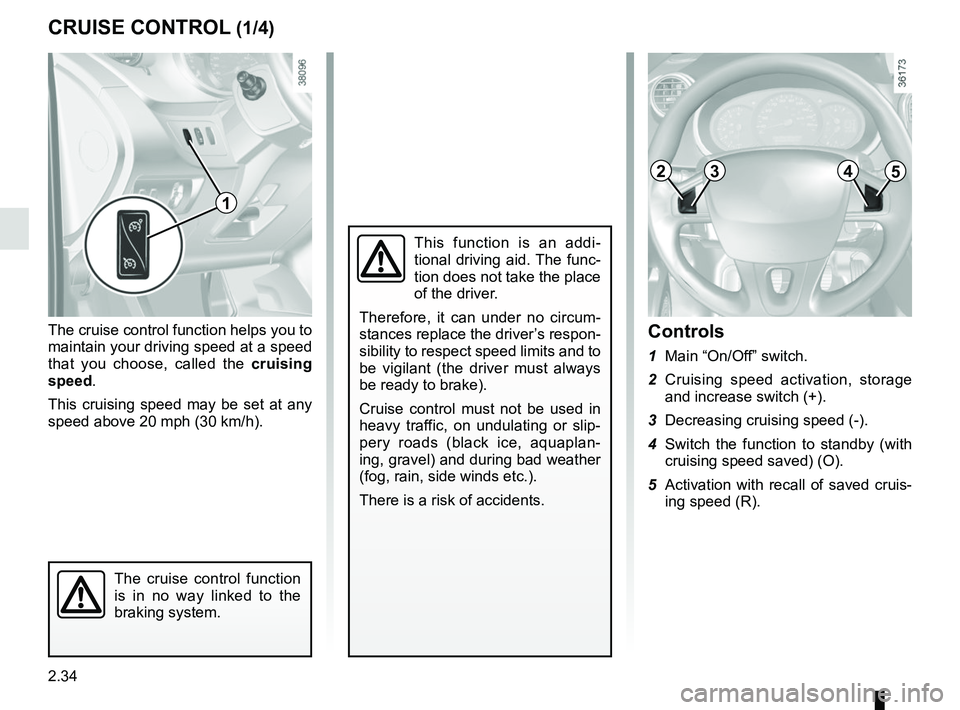
Controls
1 Main “On/Off” switch.
2 Cruising speed activation, storage and increase switch (+).
3 Decreasing cruising speed (-).
4 Switch the function to standby (with cruising speed saved) (O).
5 Activation with recall of saved cruis- ing speed (R).
1
2453
Page 129 of 264
2.37
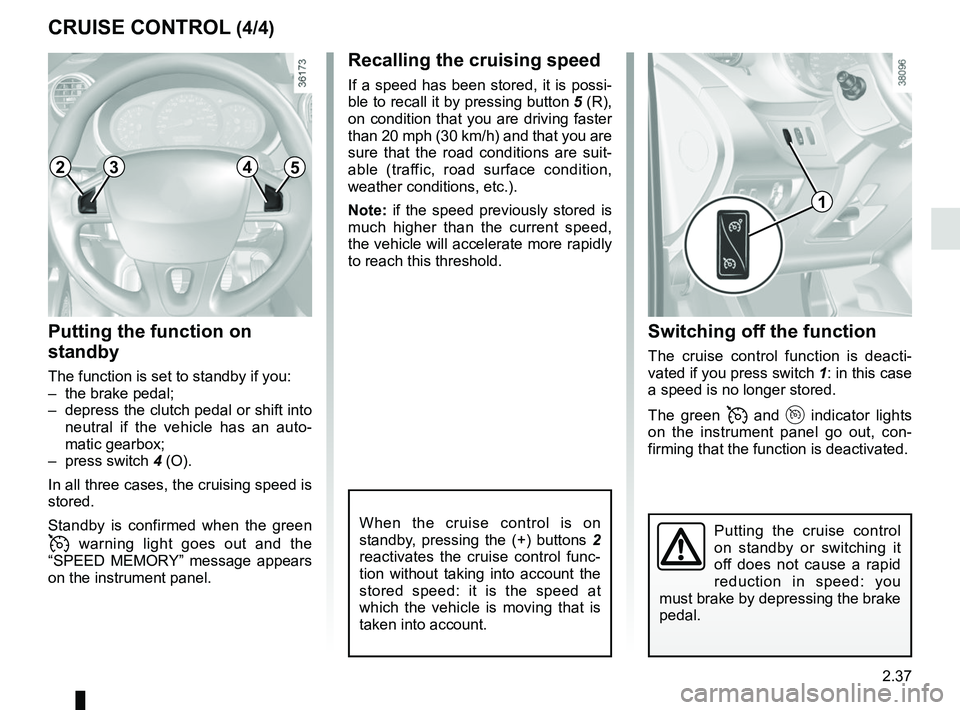
Switching off the function
The cruise control function is deacti-
vated if you press switch 1: in this case
a speed is no longer stored.
The green
and indicator lights
on the instrument panel go out, con-
firming that the function is deactivated.
Recalling the cruising speed
If a speed has been stored, it is possi-
ble to recall it by pressing button 5 (R),
on condition that you are driving faster
than 20 mph (30 km/h) and that you are
sure that the road conditions are suit-
able (traffic, road surface condition,
weather conditions, etc.).
Note: if the speed previously stored is
much higher than the current speed,
the vehicle will accelerate more rapidly
to reach this threshold.
When the cruise control is on
standby, pressing the (+) buttons 2
reactivates the cruise control func-
tion without taking into account the
stored speed: it is the speed at
which the vehicle is moving that is
taken into account.
Putting the function on
standby
The function is set to standby if you:
– the brake pedal;
– depress the clutch pedal or shift into neutral if the vehicle has an auto-
matic gearbox;
– press switch 4 (O).
In all three cases, the cruising speed is
stored.
Standby is confirmed when the green
warning light goes out and the
“SPEED MEMORY” message appears
on the instrument panel.
CRUISE CONTROL (4/4)
Putting the cruise control
on standby or switching it
off does not cause a rapid
reduction in speed: you
must brake by depressing the brake
pedal.
1
2453
Page 134 of 264
2.42
AUTOMATIC GEARBOX (1/3)
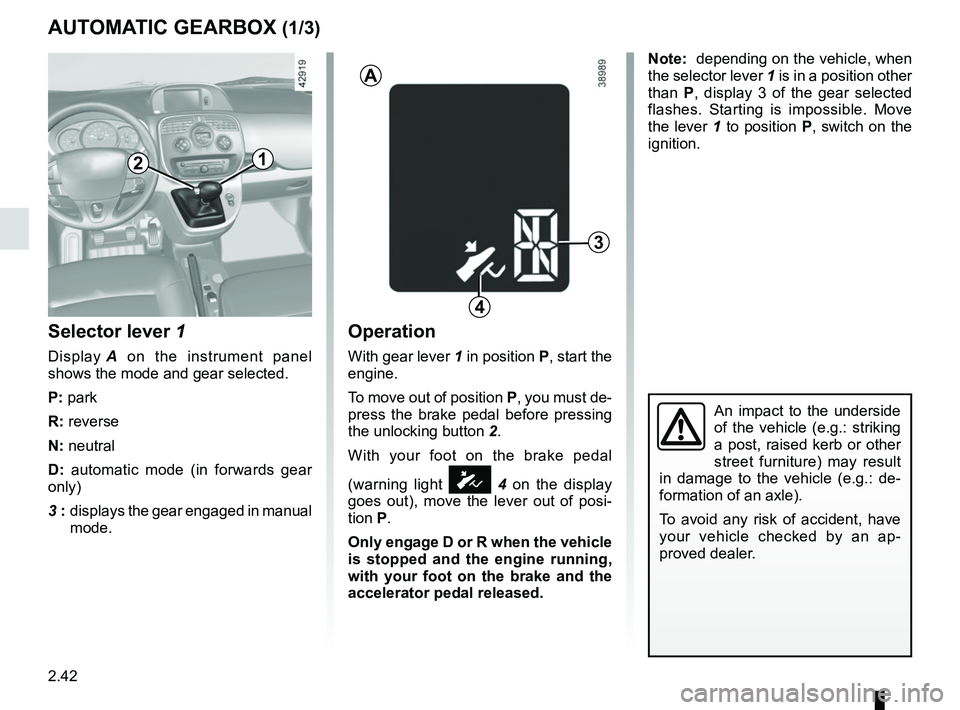
Selector lever 1
Display A on the instrument panel
shows the mode and gear selected.
P: park
R: reverse
N: neutral
D: automatic mode (in forwards gear
only)
3 : displays the gear engaged in manual
mode.
Operation
With gear lever 1 in position P, start the
engine.
To move out of position P, you must de-
press the brake pedal before pressing
the unlocking button 2.
With your foot on the brake pedal
(warning light
Ó 4 on the display
goes out), move the lever out of posi-
tion P.
Only engage D or R when the vehicle
is stopped and the engine running,
with your foot on the brake and the
accelerator pedal released.
3
1
A
4
2
Note: depending on the vehicle, when
the selector lever 1 is in a position other
than P, display 3 of the gear selected
flashes. Starting is impossible. Move
the lever 1 to position P, switch on the
ignition.
An impact to the underside
of the vehicle (e.g.: striking
a post, raised kerb or other
street furniture) may result
in damage to the vehicle (e.g.: de-
formation of an axle).
To avoid any risk of accident, have
your vehicle checked by an ap-
proved dealer.
Page 136 of 264
2.44
Operating faults
– When driving, if the “CHECK
GEARBOX” message and the
© warning light appear on the
instrument panel, this indicates a
fault.
Contact your approved Dealer as
soon as possible.
– When driving, if the message
“GEARBOX OVERHEATING” ap-
pears on the instrument panel, drive
at a moderate speed and avoid lea-
ving the gearstick in the D (or R) po-
sition, where traffic conditions allow:
always return to N while the vehicle
is stationary.
Contact your approved Dealer as
soon as possible.
– If a vehicle with an automatic gearbox breaks down, refer to the
information on “Towing” in Section 5.
AUTOMATIC GEARBOX (3/3)
Parking the vehicleWhen the vehicle is stopped, move the
lever to position P while keeping your
foot on the brake pedal: the gearbox is
in neutral and the drive wheels are me-
chanically locked by the driveshaft.
Apply the handbrake.Special circumstances
– If the bends and road surface do
not allow you to stay in automatic
mode (eg. in the mountains), we rec-
ommend that you change to manual
mode.
This will prevent the automatic gear-
box from changing gear repeatedly
when climbing, and permit engine
braking on long descents.
– In cold weather, start the engine
and wait a few seconds before
moving the selector lever from posi-
tion P or N and engaging it in D or R
to prevent the engine stalling..
Page 167 of 264
3.31
Always position the heavi-
est items directly on the
floor.
Use the lashing points on
the floor of the luggage compart-
ment, if these are fitted to the vehi-
cle.
The luggage should be loaded in
such a way that no items will be
thrown forward and strike the occu-
pants if the driver has to brake sud-
denly.
Fasten the rear seat belts, even if
the seats are not occupied.
TRANSPORTING OBJECTS IN THE BOOT (1/2)
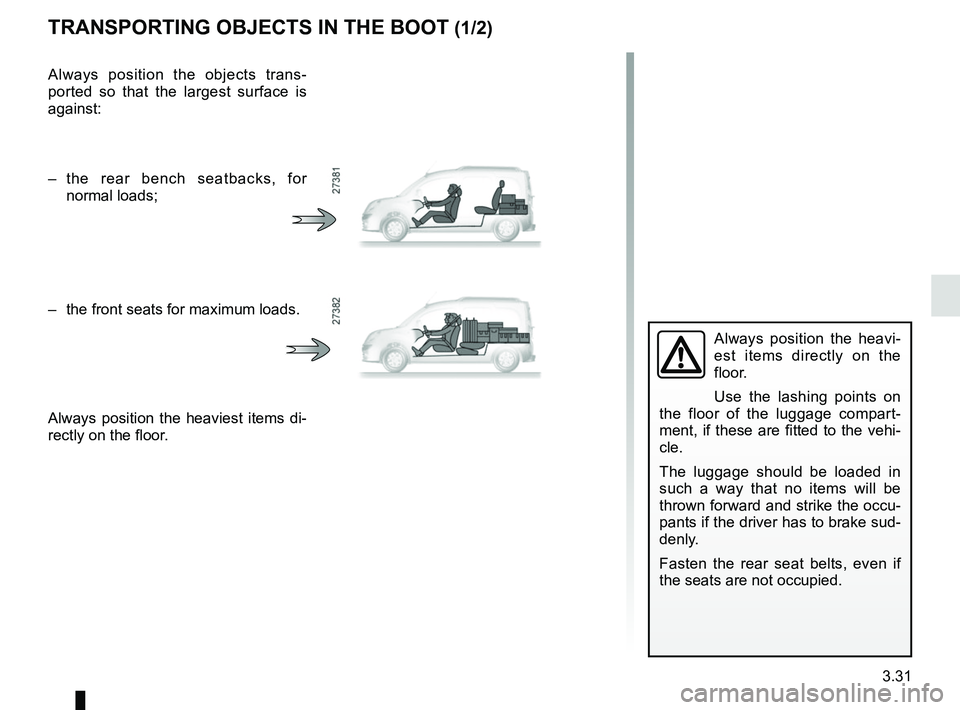
Always position the objects trans-
ported so that the largest surface is
against:
– the rear bench seatbacks, for normal loads;
– the front seats for maximum loads.
Always position the heaviest items di-
rectly on the floor.
Page 168 of 264
3.32
TRANSPORTING OBJECTS IN THE BOOT (2/2)/TOWING
If the towbar ball obscures the regis-
tration plate or the rear fog lights, it
should be removed when not in use.
In all cases, comply with local leg-
islation.
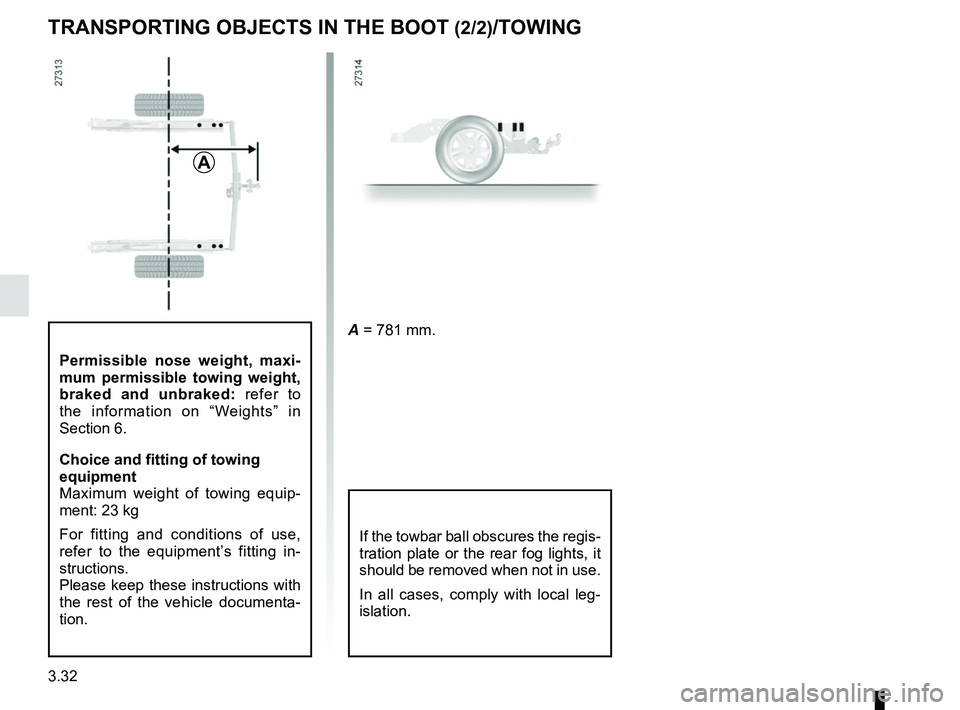
A = 781 mm.
A
Permissible nose weight, maxi-
mum permissible towing weight,
braked and unbraked: refer to
the information on “Weights” in
Section 6.
Choice and fitting of towing
equipment
Maximum weight of towing equip-
ment: 23 kg
For fitting and conditions of use,
refer to the equipment’s fitting in-
structions.
Please keep these instructions with
the rest of the vehicle documenta-
tion.
Page 169 of 264
3.33
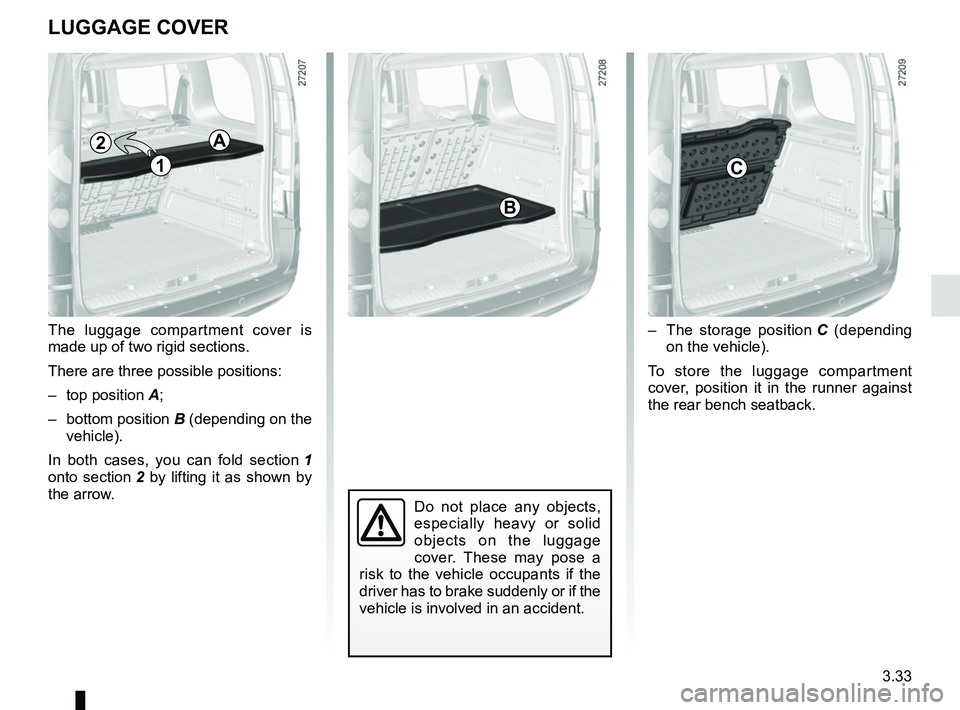
– The storage position C (depending
on the vehicle).
To store the luggage compartment
cover, position it in the runner against
the rear bench seatback.
The luggage compartment cover is
made up of two rigid sections.
There are three possible positions:
– top position
A;
– bottom position B (depending on the
vehicle).
In both cases, you can fold section 1
onto section 2 by lifting it as shown by
the arrow.
Do not place any objects,
especially heavy or solid
objects on the luggage
cover. These may pose a
risk to the vehicle occupants if the
driver has to brake suddenly or if the
vehicle is involved in an accident.
LUGGAGE COVER
A
C
B
1
2
Page 182 of 264
4.8
LEVELS (1/3)
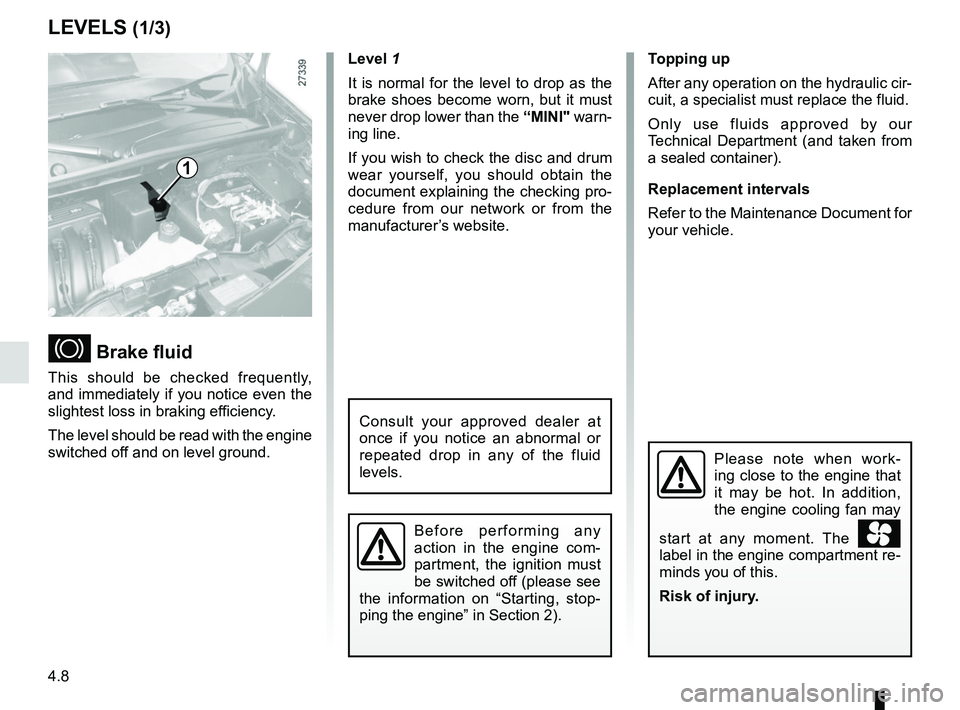
Brake fluid
This should be checked frequently,
and immediately if you notice even the
slightest loss in braking efficiency.
The level should be read with the engine
switched off and on level ground.Level 1
It is normal for the level to drop as the
brake shoes become worn, but it must
never drop lower than the
“MINI" warn-
ing line.
If you wish to check the disc and drum
wear yourself, you should obtain the
document explaining the checking pro-
cedure from our network or from the
manufacturer’s website. Topping up
After any operation on the hydraulic cir-
cuit, a specialist must replace the fluid.
Only use fluids approved by our
Technical Department (and taken from
a sealed container).
Replacement intervals
Refer to the Maintenance Document for
your vehicle.
Please note when work-
ing close to the engine that
it may be hot. In addition,
the engine cooling fan may
start at any moment. The
label in the engine compartment re-
minds you of this.
Risk of injury.
1
Consult your approved dealer at
once if you notice an abnormal or
repeated drop in any of the fluid
levels.
Before performing any
action in the engine com-
partment, the ignition must
be switched off (please see
the information on “Starting, stop-
ping the engine” in Section 2).