warning lights RENAULT KANGOO Z.E. 2018 User Guide
[x] Cancel search | Manufacturer: RENAULT, Model Year: 2018, Model line: KANGOO Z.E., Model: RENAULT KANGOO Z.E. 2018Pages: 230, PDF Size: 5.03 MB
Page 71 of 230
1.65
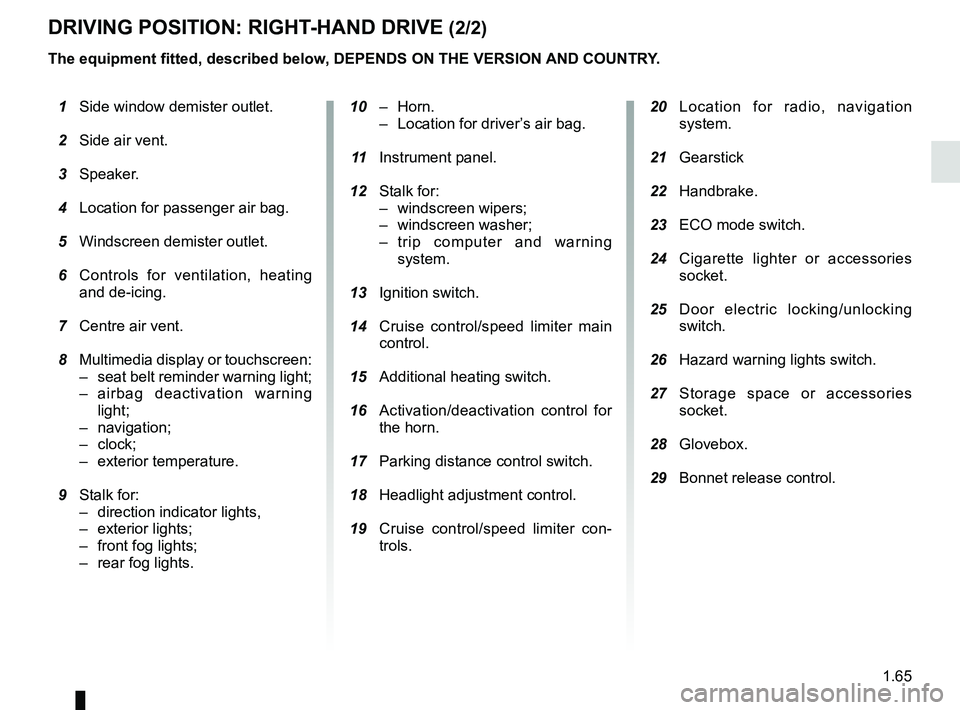
DRIVING POSITION: RIGHT-HAND DRIVE (2/2)
20 Location for radio, navigation
system.
21 Gearstick
22 Handbrake.
23 ECO mode switch.
24 Cigarette lighter or accessories
socket.
25 Door electric locking/unlocking
switch.
26 Hazard warning lights switch.
27 Storage space or accessories
socket.
28 Glovebox.
29 Bonnet release control.
10 – Horn.
– Location for driver’s air bag.
11 Instrument panel.
12 Stalk for:
– windscreen wipers;
– windscreen washer;
– trip computer and warning system.
13 Ignition switch.
14 Cruise control/speed limiter main
control.
15 Additional heating switch.
16 Activation/deactivation control for
the horn.
17 Parking distance control switch.
18 Headlight adjustment control.
19 Cruise control/speed limiter con-
trols.
1 Side window demister outlet.
2 Side air vent.
3 Speaker.
4 Location for passenger air bag.
5 Windscreen demister outlet.
6 Controls for ventilation, heating
and de-icing.
7 Centre air vent.
8 Multimedia display or touchscreen:
– seat belt reminder warning light;
– airbag deactivation warning light;
– navigation;
– clock;
– exterior temperature.
9 Stalk for:
– direction indicator lights,
– exterior lights;
– front fog lights;
–
rear fog lights.
The equipment fitted, described below, DEPENDS ON THE VERSION AND COUNTRY.
Page 72 of 230
1.66
Ú12V battery charge warning
light
If it comes on when you are driving, it
indicates that the circuit is overcharged
or has discharged. Stop and consult an
approved Dealer as soon as possible.
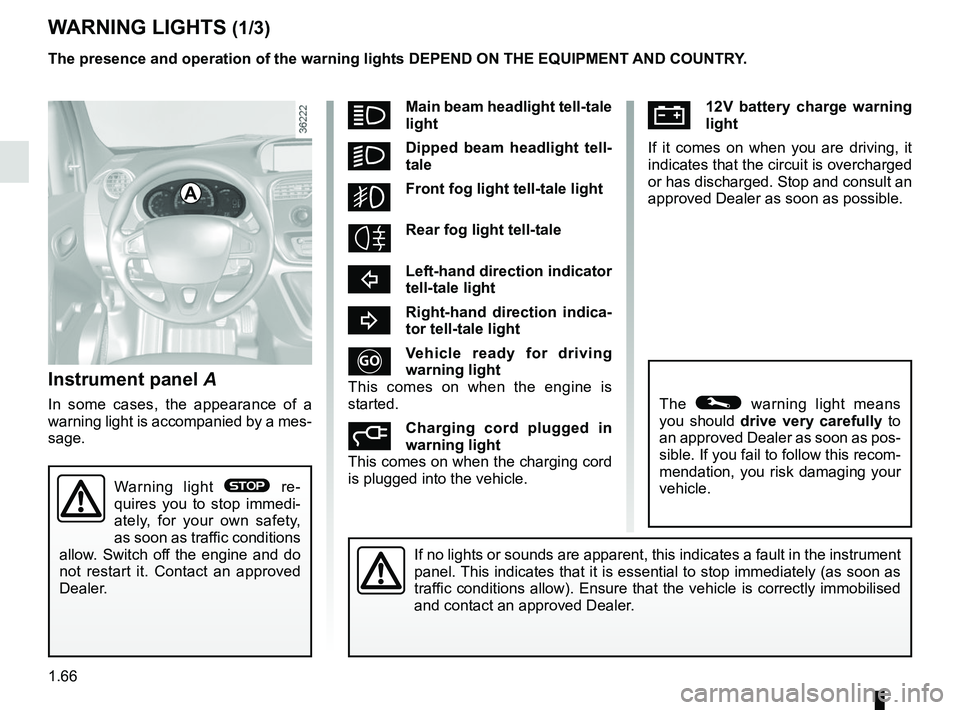
Instrument panel A
In some cases, the appearance of a
warning light is accompanied by a mes-
sage.
WARNING LIGHTS (1/3)
If no lights or sounds are apparent, this indicates a fault in the instr\
ument
panel. This indicates that it is essential to stop immediately (as soon as
traffic conditions allow). Ensure that the vehicle is correctly immobilised\
and contact an approved Dealer.
A
Warning light ® re-
quires you to stop immedi-
ately, for your own safety,
as soon as traffic conditions
allow. Switch off the engine and do
not restart it. Contact an approved
Dealer.
The presence and operation of the warning lights DEPEND ON THE EQUIPMENT\
AND COUNTRY.
The © warning light means
you should drive very carefully to
an approved Dealer as soon as pos-
sible. If you fail to follow this recom-
mendation, you risk damaging your
vehicle.
áMain beam headlight tell-tale
light
kDipped beam headlight tell-
tale
gFront fog light tell-tale light
Rear fog light tell-tale
cLeft-hand direction indicator
tell-tale light
bRight-hand direction indica-
tor tell-tale light
Vehicle ready for driving
warning light
This comes on when the engine is
started.
Charging cord plugged in
warning light
This comes on when the charging cord
is plugged into the vehicle.
Page 73 of 230

The presence and operation of the warning lights DEPEND ON THE EQUIPMENT\
AND COUNTRY.
åIndicator lightAirbag
This comes on when the igni-
tion is switched on and goes out")
1.67
WARNING LIGHTS (2/3)
The presence and operation of the warning lights DEPEND ON THE EQUIPMENT\
AND COUNTRY.
åIndicator lightAirbag
This comes on when the igni-
tion is switched on and goes out after
a few seconds. If it does not come on
when the ignition is switched on or if it
flashes, there is a fault in the system.
Contact an approved Dealer as soon as
possible.
LLow fuel level or additional
heating warning light
This comes on when the ignition is
switched on and goes out after a few
seconds. If it comes on while driving,
accompanied by a beep, this means
the imminent end of fuel power for the
additional heating.
™Seat belt reminder light
Depending on the vehicle, it is
displayed on the instrument panel or on
the central display of the dashboard. It
remains on when the engine is started
if your seat belt is not fastened. A beep
sounds at a low volume for 30 seconds,
then at a high volume for 90 seconds.
DBrake circuit fault warning
light
If it comes on during braking and is ac-
companied by the
® warning light
and a beep, it indicates that the fluid
level in the circuit is low or that there is
a braking system fault. Stop as soon as
traffic conditions allow and contact an
approved Dealer.
© Warning light
This lights up when the ignition is
switched on and goes out as soon as
the engine is started. It can light up in
conjunction with other warning lights
and/or messages on the instrument
panel.
It means you should drive very care-
fully to an approved dealer as soon as
possible. If you fail to follow this recom-
mendation, you risk damaging your ve-
hicle.
Ð ÏCruise control and
speed limiter indica-
tor lights
Refer to the information on the “Speed
limiter” and “Cruise control” in Section
2.
® STOP light
This lights up when the ignition is
switched on and goes out as soon as
the engine is started. It comes on with
other warning lights and/or messages.
It requires you to stop immediately, for
your own safety, as soon as traffic con-
ditions allow. Switch off the engine and
do not restart it.
Contact an approved Dealer.
A
Page 74 of 230

The presence and operation of the warning lights DEPEND ON THE EQUIPMENT\
AND COUNTRY.
Electrotechnical system
warning light
When the blue warning light comes on,
this")
1.68
WARNING LIGHTS (3/3)
The presence and operation of the warning lights DEPEND ON THE EQUIPMENT\
AND COUNTRY.
Electrotechnical system
warning light
When the blue warning light comes on,
this indicates that the traction battery
temperature is too low.
When the orange warning light comes
on, this means the traction battery or
the motor temperature is too high.
If either of these warning lights come
on, this may lead to reduced vehicle
performance.
Opt for a calmer driving style.
xAnti-lock braking warning
light
This lights up when the ignition is
switched on and goes out after a few
seconds.
If it does not go out after the ignition is
switched on, or lights up when driving,
there is a fault with the ABS. Braking
will then be as normal, without the ABS
system.
Contact an approved Dealer as soon as
possible.
\bLow traction battery level
warning light
This comes on when the traction bat-
tery charge level has reached the re-
serve threshold. Please see the infor-
mation on “Displays and indicators” in
Section 1.
Electrotechnical system
warning light
If this comes on while driving, it indi-
cates an electrotechnical fault relating
to the “400V” electrical circuit. Please
contact an authorised dealer as soon
as possible.
A
LLow fuel level or additional
heating warning light
This comes on when the ignition is
switched on and goes out after a few
seconds. When driving, if it comes on
together with a beep, the minimum fuel
level has been reached.
Driving correction device
warning light
Please refer to the information on
“Driver correction devices and aids” in
Section 2.
Tyre pressure loss warning
Please refer to the information
on the “Tyre pressure loss warning” in
Section 2.
Page 84 of 230

1.78
Information messagesThese can help in the vehicle starting phase, or give information about \
a selection or a driving status.
Examples of information messages are given in the following pages.Examples of messages Interpretation of messages
“CHARGE REMAIN 02:10” Indicates the time remaining before a full charge.
“NO MESSAGE AVAILABLE” No warning is stored.
“BRAKE THE VEHICLE” Follow these instructions: risk of damage to the motor.
“BOILER STOPPED” Indicates a halt to the additional heating due to lack of fuel in the ta\
nk.
“PERFORMANCE LIMITED” Indicates deterioration of vehicle performance.
“BATT CHARGE IMPOSSIBLE” Indicates that the charging is prohibited by your battery rental organis\
ation. Rectify
the situation.
“AUTO LIGHTS DEACTIVATED” Indicates that the automatic lights function is deactivated.
TRIP COMPUTER AND WARNING SYSTEM: information messages
Page 85 of 230

1.79
These appear with the © warning light and mean that you should drive very carefully to an approv\
ed Dealer as
soon as possible. If you fail to follow this recommendation, you risk da\
maging your vehicle.
They disappear when the display selection key is pressed or after severa\
l seconds and are stored in the computer log. The
© warning light stays on. Examples of operating fault messages are given \
on the following pages .
Examples of messages Interpretation of messages
“BRAKES TO BE CHECKED” Indicates wear or the need to check the braking system.
“BATT CHARGE IMPOSSIBLE” Indicates a fault on the traction battery recharge system.
“CHECK AUTO LIGHTS” Indicates a fault in the automatic lights operation.
TRIP COMPUTER AND WARNING SYSTEM: operating fault messages
Page 89 of 230
1.83
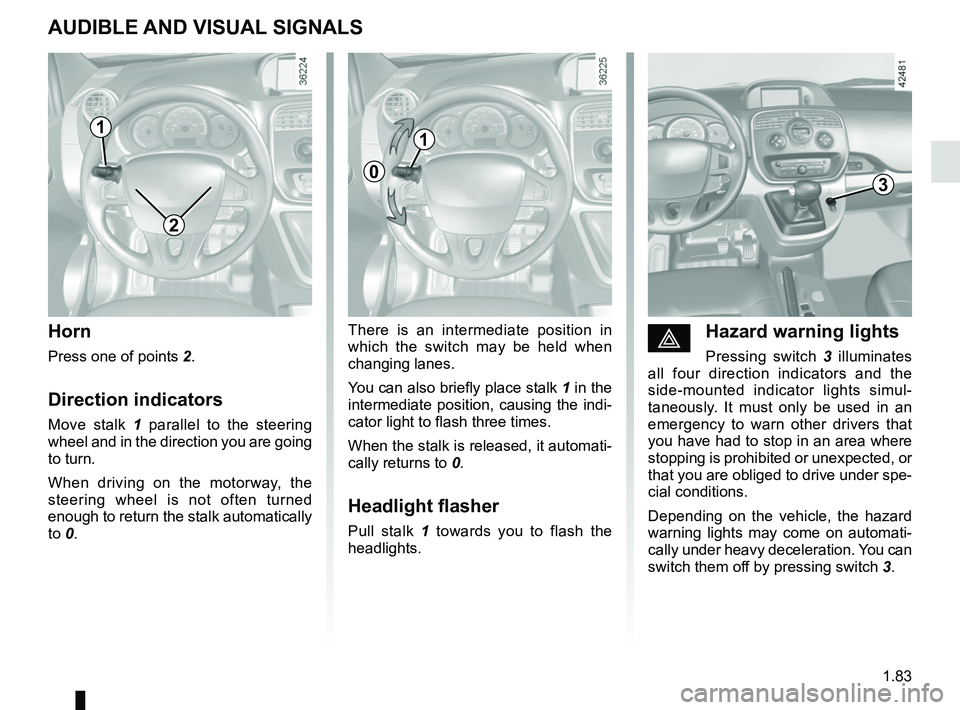
éHazard warning lights
Pressing switch 3 illuminates
all four direction indicators and the
side-mounted indicator lights simul-
taneously. It must only be used in an
emergency to warn other drivers that
you have had to stop in an area where
stopping is prohibited or unexpected, or
that you are obliged to drive under spe-
cial conditions.
Depending on the vehicle, the hazard
warning lights may come on automati-
cally under heavy deceleration. You can
switch them off by pressing switch 3.
Horn
Press one of points 2.
Direction indicators
Move stalk 1 parallel to the steering
wheel and in the direction you are going
to turn.
When driving on the motorway, the
steering wheel is not often turned
enough to return the stalk automatically
to 0. There is an intermediate position in
which the switch may be held when
changing lanes.
You can also briefly place stalk
1 in the
intermediate position, causing the indi-
cator light to flash three times.
When the stalk is released, it automati-
cally returns to 0.
Headlight flasher
Pull stalk 1 towards you to flash the
headlights.
AUDIBLE AND VISUAL SIGNALS
2
3
1
0
1
Page 92 of 230
1.86
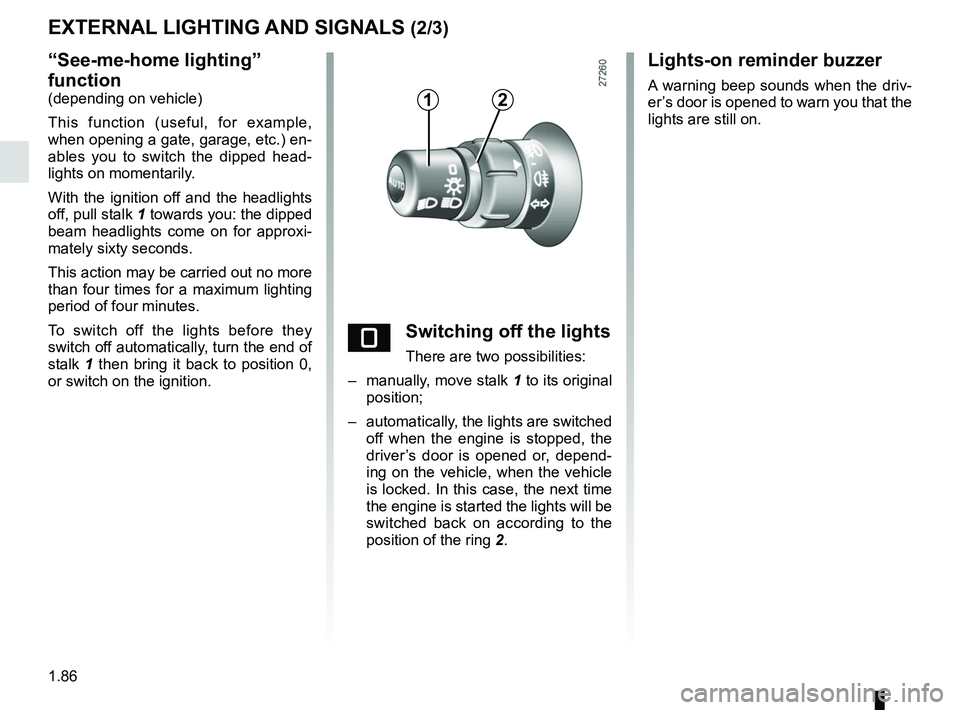
“See-me-home lighting”
function
(depending on vehicle)
This function (useful, for example,
when opening a gate, garage, etc.) en-
ables you to switch the dipped head-
lights on momentarily.
With the ignition off and the headlights
off, pull stalk 1 towards you: the dipped
beam headlights come on for approxi-
mately sixty seconds.
This action may be carried out no more
than four times for a maximum lighting
period of four minutes.
To switch off the lights before they
switch off automatically, turn the end of
stalk 1 then bring it back to position 0,
or switch on the ignition.
EXTERNAL LIGHTING AND SIGNALS (2/3)
eSwitching off the lights
There are two possibilities:
– manually, move stalk 1 to its original
position;
– automatically, the lights are switched off when the engine is stopped, the
driver’s door is opened or, depend-
ing on the vehicle, when the vehicle
is locked. In this case, the next time
the engine is started the lights will be
switched back on according to the
position of the ring 2.
12
Lights-on reminder buzzer
A warning beep sounds when the driv-
er’s door is opened to warn you that the
lights are still on.
Page 99 of 230
1.93
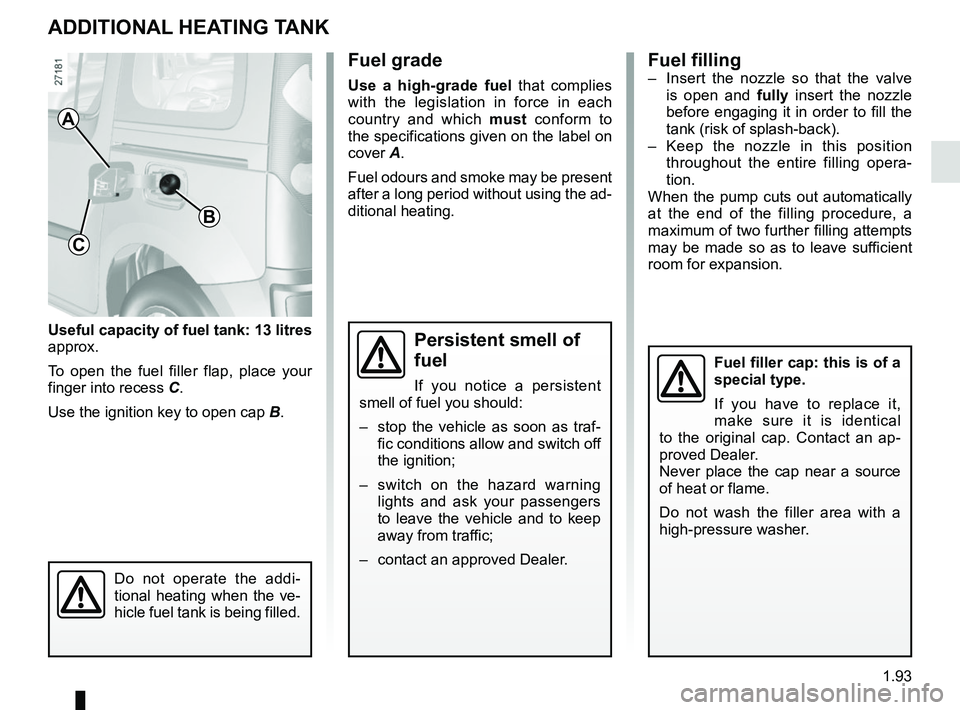
Useful capacity of fuel tank: 13 litres
approx.
To open the fuel filler flap, place your
finger into recess C.
Use the ignition key to open cap B.
ADDITIONAL HEATING TANK
Fuel grade
Use a high-grade fuel that complies
with the legislation in force in each
country and which must conform to
the specifications given on the label on
cover A.
Fuel odours and smoke may be present
after a long period without using the ad-
ditional heating.
A
C
B
Fuel filler cap: this is of a
special type.
If you have to replace it,
make sure it is identical
to the original cap. Contact an ap-
proved Dealer.
Never place the cap near a source
of heat or flame.
Do not wash the filler area with a
high-pressure washer.
Fuel filling– Insert the nozzle so that the valve is open and fully insert the nozzle
before engaging it in order to fill the
tank (risk of splash-back).
– Keep the nozzle in this position throughout the entire filling opera-
tion.
When the pump cuts out automatically
at the end of the filling procedure, a
maximum of two further filling attempts
may be made so as to leave sufficient
room for expansion.
Persistent smell of
fuel
If you notice a persistent
smell of fuel you should:
– stop the vehicle as soon as traf- fic conditions allow and switch off
the ignition;
– switch on the hazard warning lights and ask your passengers
to leave the vehicle and to keep
away from traffic;
– contact an approved Dealer.
Do not operate the addi-
tional heating when the ve-
hicle fuel tank is being filled.
Page 104 of 230

2.4
GEAR CONTROL (1/2)
Operates similar to an automatic gear-
box.
Selector lever 1
The display A on instrument panel indi-
cates the gear lever position as 3.
P : Park
R : Reverse
N : Neutral
D : Forward
Operation
Keeping your foot on the brake pedal
and with the selector lever 1 in position
P, turn the ignition.
Start the motor.
To move out of position P, you must de-
press the brake pedal before pressing
unlocking button 2.
With your foot on the brake pedal
(warning light
c in display A goes
out), move the lever out of position P.
Only engage D or R when the vehi-
cle is stopped, with your foot on the
brake and the accelerator pedal re-
leased.
1
Driving
Put lever 1 in position D.
Hill start
For hill starts, especially after a maxi-
mum traction battery charge and for the
first few miles, we recommend using
the handbrake.
While driving, press the accelerator
pedal to achieve the desired speed.
Reverse
Put lever 1 in position R.
The reversing lights will come on as
soon as reverse gear is selected (with
the ignition on).
32
A
The vehicle can only start if the gear
selector is in position P.
The vehicle can only be started if
the charging cord is unplugged from
the vehicle.