lock RENAULT KANGOO ZERO EMISSION 2012 X61 / 2.G Service Manual
[x] Cancel search | Manufacturer: RENAULT, Model Year: 2012, Model line: KANGOO ZERO EMISSION, Model: RENAULT KANGOO ZERO EMISSION 2012 X61 / 2.GPages: 213, PDF Size: 6.08 MB
Page 95 of 213
handbrake.............................................................. (current page)
2.4
ENG_UD26205_3
Commande de vitesse (X61 électrique - Renault)
ENG_NU_911-4_F61e_Renault_2
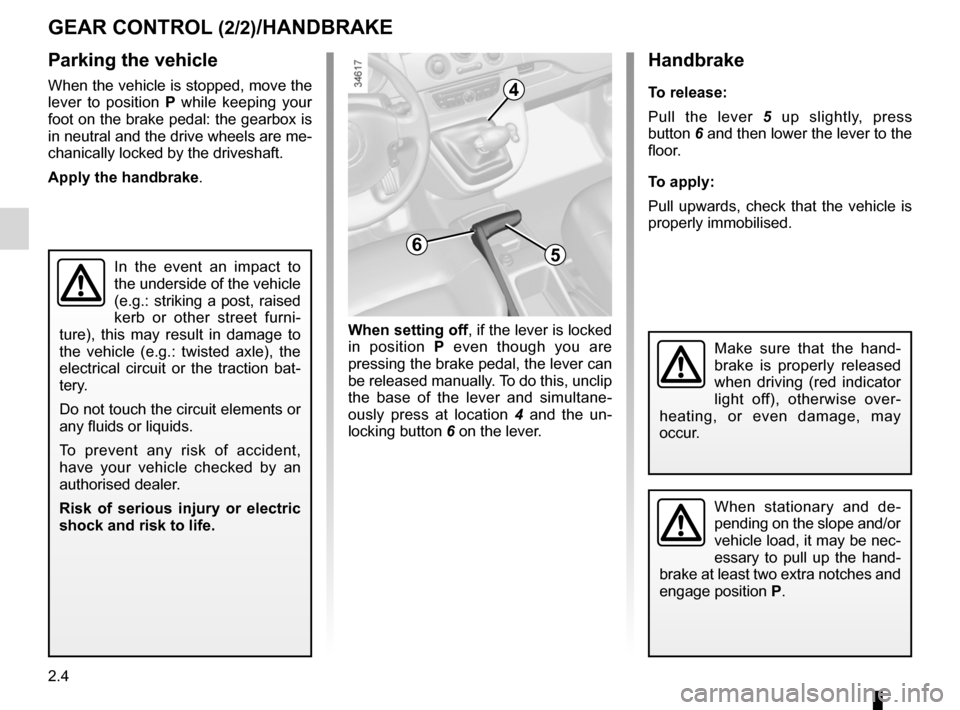
Handbrake
t o release:
Pull the lever 5 up slightly, press
button 6 and then lower the lever to the
floor.
t o apply:
Pull upwards, check that the vehicle is
properly immobilised.
Handbrake
gEar cOntrOl (2/2)/HanDbrakE
Parking the vehicle
When the vehicle is stopped, move the
lever to position P while keeping your
foot on the brake pedal: the gearbox is
in neutral and the drive wheels are me-
chanically locked by the driveshaft.
apply the handbrake.
In the event an impact to
the underside of the vehicle
(e.g.: striking a post, raised
kerb or other street furni -
ture), this may result in damage to
the vehicle (e.g.: twisted axle), the
electrical circuit or the traction bat -
tery.
Do not touch the circuit elements or
any fluids or liquids.
To prevent any risk of accident,
have your vehicle checked by an
authorised dealer.
r isk of serious injury or electric
shock and risk to life.
When setting off, if the lever is locked
in position P even though you are
pressing the brake pedal, the lever can
be released manually. To do this, unclip
the base of the lever and simultane -
ously press at location 4 and the un -
locking button 6 on the lever.
When stationary and de -
pending on the slope and/or
vehicle load, it may be nec-
essary to pull up the hand -
brake at least two extra notches and
engage position P.
Make sure that the hand -
brake is properly released
when driving (red indicator
light off), otherwise over -
heating, or even damage, may
occur.
6
4
5
Page 101 of 213
ABS ...................................................... (up to the end of the DU)
driving ................................................... (up to the end of the DU)
anti-lock braking system: ABS ..............(up to the end of the DU)
emergency brake assist ........................(up to the end of the DU)
emergency braking ............................... (up to the end of the DU)
2.10
ENG_UD23727_2
Dispositifs de correction de conduite (X61 - F61 - Renault)
ENG_NU_911-4_F61e_Renault_2
Jaune NoirNoir texte
Driving correction devices
abS (anti-lock braking
System)
Under heavy braking, the ABS prevents
the wheels from locking, allowing the
stopping distance to be managed and
keeping control of the vehicle.
Under these circumstances, the vehi -
cle can be steered to avoid an obstacle
whilst braking. In addition, this system
can increase stopping distances, par -
ticularly on roads with low surface grip
(wet ground, etc.).
You will feel a pulsation through the
brake pedal each time the system is
activated. The ABS does not in any way
improve the vehicle’s physical perform-
ance relating to the road surface and
roadholding. It is still essential to follow
the rules of good driving practice (such
as driving at a safe distance from the
vehicle in front). Operating faults:
–
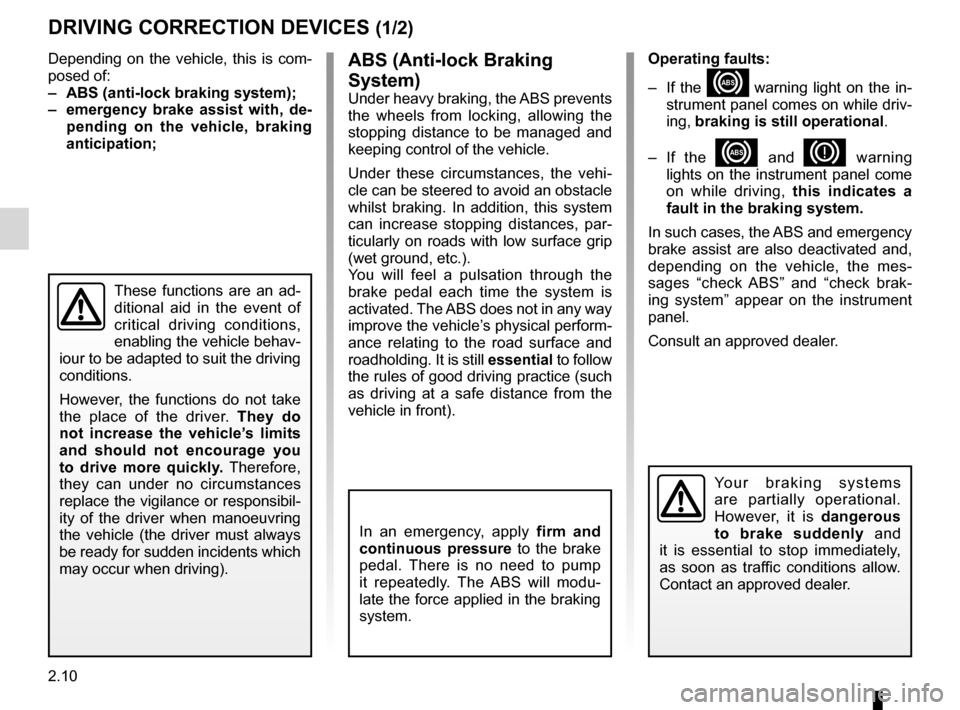
If the x warning light on the in-
strument panel comes on while driv-
ing, braking is still operational .
– If the
x and D warning
lights on the instrument panel come
on while driving, this indicates a
fault in the braking system.
In such cases, the ABS and emergency
brake assist are also deactivated and,
depending on the vehicle, the mes -
sages “check ABS” and “check brak -
ing system” appear on the instrument
panel.
Consult an approved dealer.
DriVing cOrrEctiOn DEVicES (1/2)
Depending on the vehicle, this is com-
posed of:
– abS (anti-lock braking system);
– emergency brake assist with, de -
pending on the vehicle, braking
anticipation;
In an emergency, apply firm and
continuous pressure to the brake
pedal. There is no need to pump
it repeatedly. The ABS will modu -
late the force applied in the braking
system.
These functions are an ad-
ditional aid in the event of
critical driving conditions,
enabling the vehicle behav -
iour to be adapted to suit the driving
conditions.
However, the functions do not take
the place of the driver. they do
not increase the vehicle’s limits
and should not encourage you
to drive more quickly. Therefore,
they can under no circumstances
replace the vigilance or responsibil -
ity of the driver when manoeuvring
the vehicle (the driver must always
be ready for sudden incidents which
may occur when driving).
Yo u r b r a k i n g s y s t e m s
are partially operational.
However, it is dangerous
to brake suddenly and
it is essential to stop immediately,
as soon as traffic conditions allow.
Contact an approved dealer.
Page 123 of 213
lighting:interior ............................................. (up to the end of the DU)
courtesy light ........................................ (up to the end of the DU)
map reading lights ................................ (up to the end of the DU)
3.12
ENG_UD25343_2
Eclairage intérieur (X61 - F61 - Renault)
ENG_NU_911-4_F61e_Renault_3
Jaune NoirNoir texte
Interior lighting
interior liGHtinG (1/2)
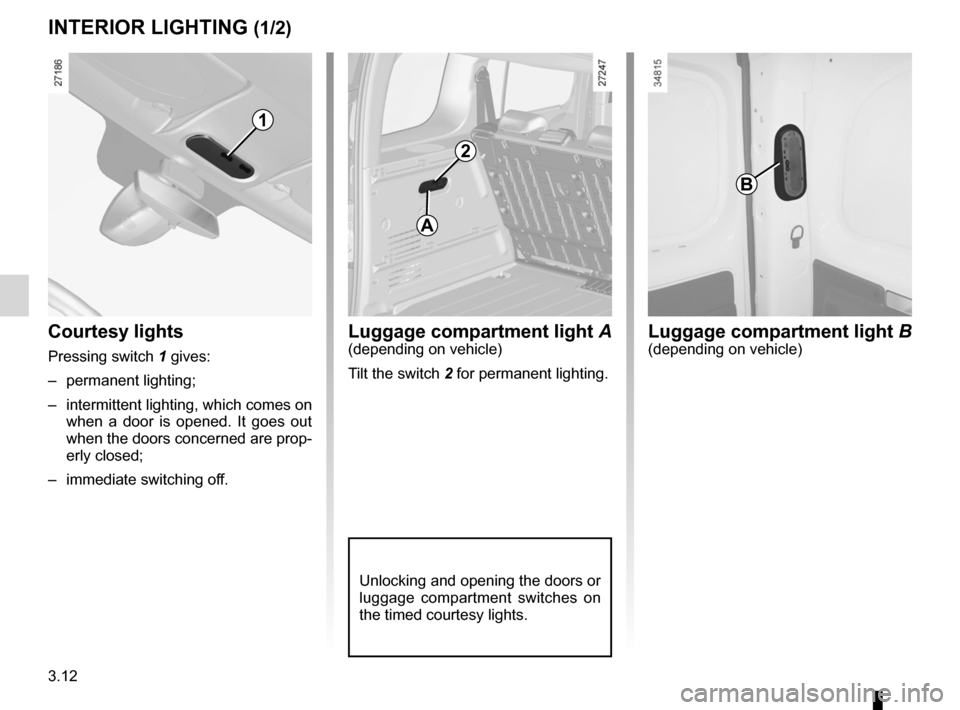
1
luggage compartment light A(depending on vehicle)
Tilt the switch 2 for permanent lighting.
A
2
Unlocking and opening the doors or
luggage compartment switches on
the timed courtesy lights.
Courtesy lights
Pressing switch 1 gives:
– permanent lighting;
– intermittent lighting, which comes on
when a door is opened. It goes out
when the doors concerned are prop-
erly closed;
– immediate switching off.
B
luggage compartment light B(depending on vehicle)
Page 124 of 213
JauneNoirNoir texte
3.13
ENG_UD25343_2
Eclairage intérieur (X61 - F61 - Renault)
ENG_NU_911-4_F61e_Renault_3
special features
Depending on the vehicle, remote un -
locking of the doors triggers timed light-
ing of the passenger compartment. If
one of the front or rear doors is opened,
the period for which the light is switched
on will start again.
Then the courtesy light and the luggage
compartment light dim and go out.
The lighting timer will cut out for vari -
ous reasons:
– if a door has been open for 15 min-
utes;
– if all the doors have been closed for
15 seconds or 5 minutes, depending
on the vehicle;
– when the ignition is switched on.
interior liGHtinG (2/2)
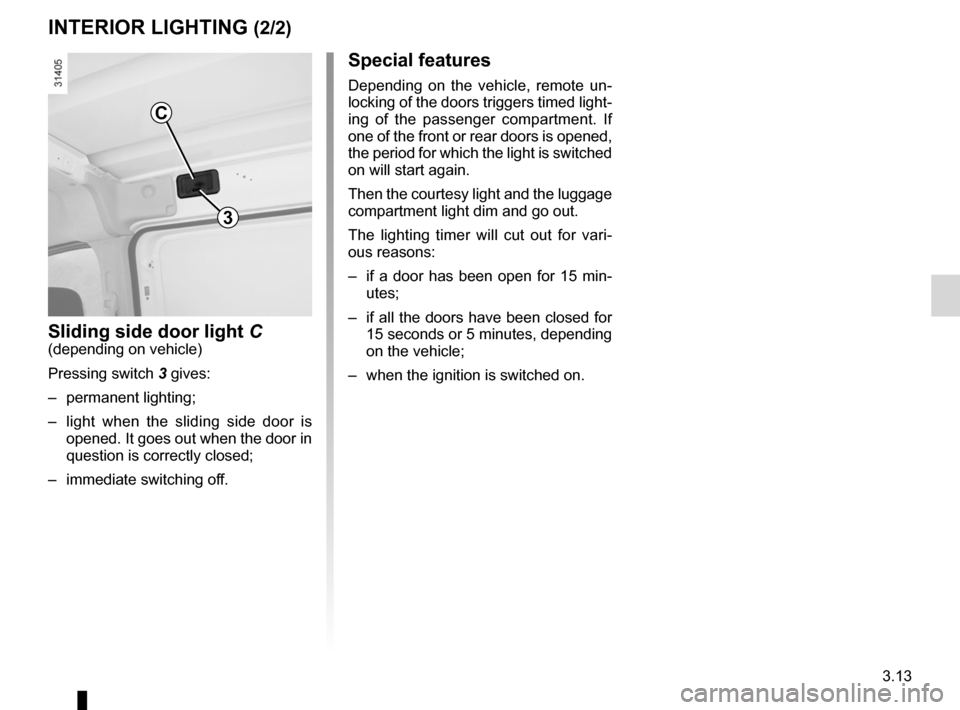
C
sliding side door light C(depending on vehicle)
Pressing switch 3 gives:
– permanent lighting;
– light when the sliding side door is
opened. It goes out when the door in
question is correctly closed;
– immediate switching off.
3
Page 126 of 213
electric windows ................................... (up to the end of the DU)
child safety ............................................................. (current page)
3.15
ENG_UD20962_2
Vitres (X61 - F61 - Renault)ENG_NU_911-4_F61e_Renault_3
Electric windows
electric windows
With the ignition on:
– press the switch for the window
concerned to lower it to the desired
height;
– lift the switch for the window con -
cerned to raise it to the desired
height.
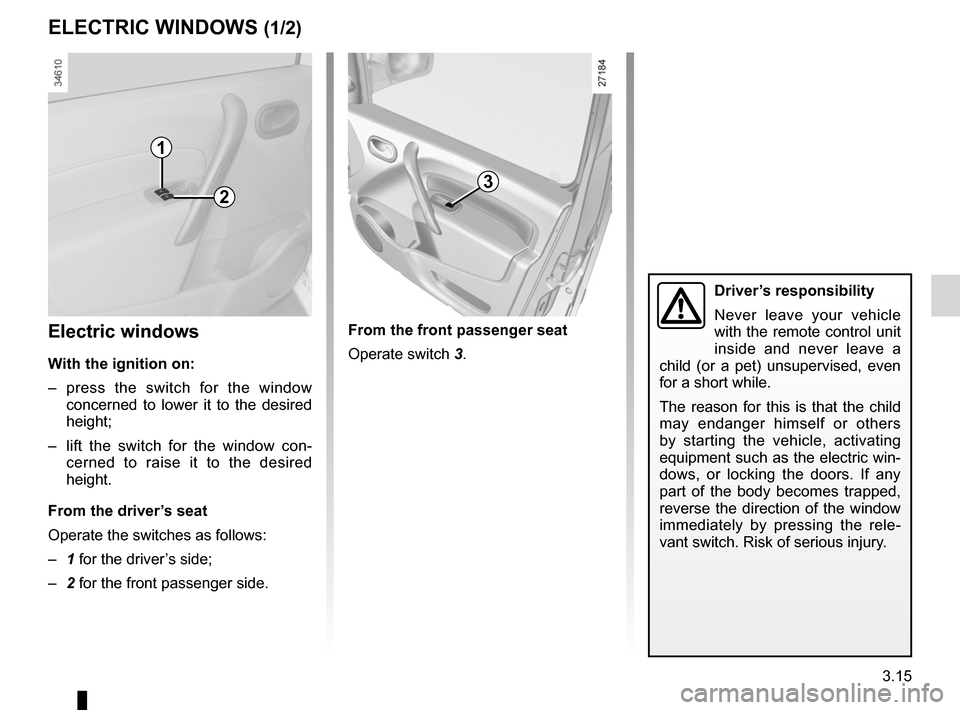
From the driver’s seat
Operate the switches as follows:
– 1 for the driver’s side;
– 2 for the front passenger side.
eleCtriC WindoWs (1/2)
From the front passenger seat
Operate switch 3.
1
23
driver’s responsibility
Never leave your vehicle
with the remote control unit
inside and never leave a
child (or a pet) unsupervised, even
for a short while.
The reason for this is that the child
may endanger himself or others
by starting the vehicle, activating
equipment such as the electric win-
dows, or locking the doors. If any
part of the body becomes trapped,
reverse the direction of the window
immediately by pressing the rele -
vant switch. Risk of serious injury.
Page 127 of 213
side windows ........................................ (up to the end of the DU)
3.16
ENG_UD20962_2
Vitres (X61 - F61 - Renault)ENG_NU_911-4_F61e_Renault_3
Half-opening window
one-touch electric window(depending on vehicle)
The one-touch mode works in addition
to the operation of the electric windows
described previously.
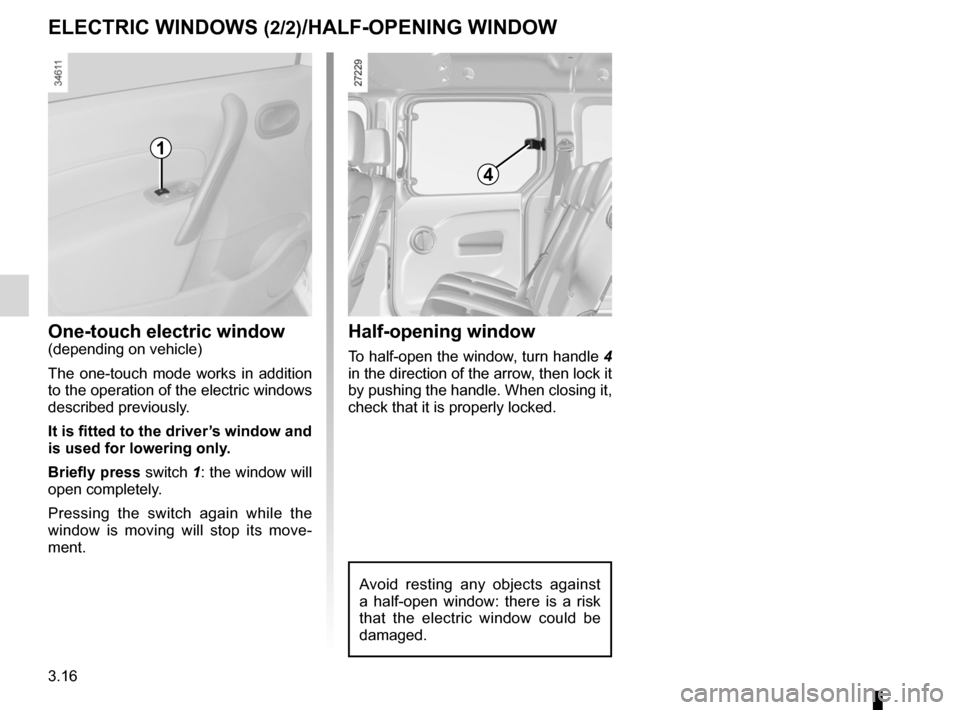
it is fitted to the driver’s window and
is used for lowering only.
Briefly press switch 1: the window will
open completely.
Pressing the switch again while the
window is moving will stop its move -
ment.
eleCtriC WindoWs (2/2)/HAlF-oPeninG WindoW
4
Half-opening window
To half-open the window, turn handle 4
in the direction of the arrow, then lock it
by pushing the handle. When closing it,
check that it is properly locked.
1
Avoid resting any objects against
a half-open window: there is a risk
that the electric window could be
damaged.
Page 132 of 213
rear bench seat..................................... (up to the end of the DU)
rear seats functions ......................................... (up to the end of the DU)
3.21
ENG_UD26786_3
Banquette arrière : fonctionnalité (X61 - F61 - Renault)
ENG_NU_911-4_F61e_Renault_3
Rear bench seat
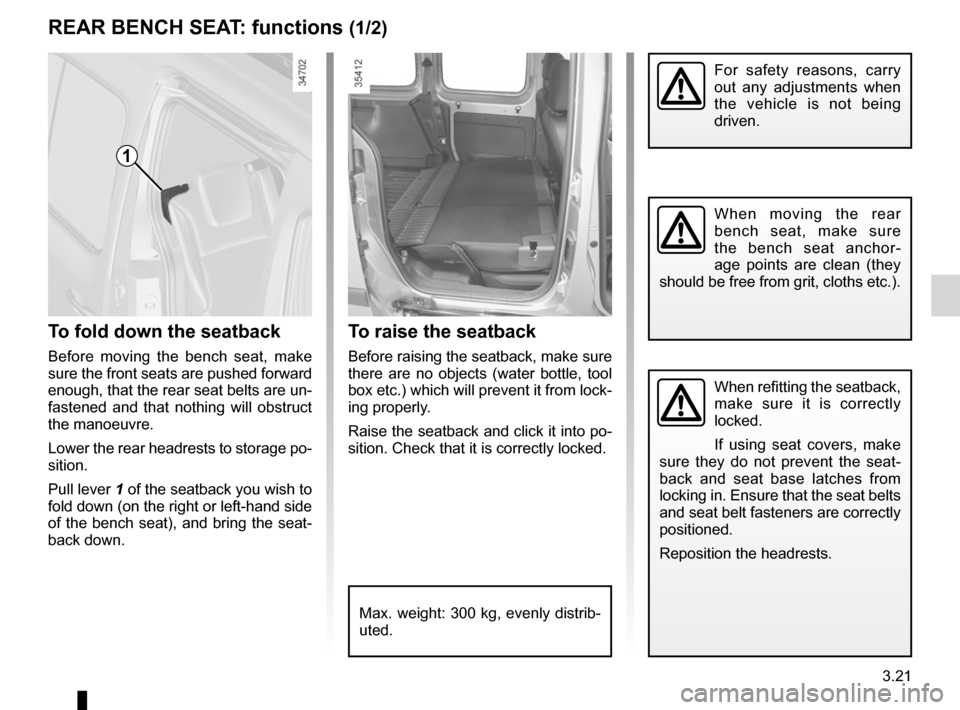
t o raise the seatback
Before raising the seatback, make sure
there are no objects (water bottle, tool
box etc.) which will prevent it from lock-
ing properly.
Raise the seatback and click it into po-
sition. Check that it is correctly locked.
to fold down the seatback
Before moving the bench seat, make
sure the front seats are pushed forward
enough, that the rear seat belts are un-
fastened and that nothing will obstruct
the manoeuvre.
Lower the rear headrests to storage po-
sition.
Pull lever 1 of the seatback you wish to
fold down (on the right or left-hand side
of the bench seat), and bring the seat-
back down.
reAr BenCH seA t: functions (1/2)
For safety reasons, carry
out any adjustments when
the vehicle is not being
driven.
When moving the rear
bench seat, make sure
the bench seat anchor -
age points are clean (they
should be free from grit, cloths etc.).
When refitting the seatback,
make sure it is correctly
locked.
If using seat covers, make
sure they do not prevent the seat -
back and seat base latches from
locking in. Ensure that the seat belts
and seat belt fasteners are correctly
positioned.
Reposition the headrests.
Max. weight: 300 kg, evenly distrib-
uted.
1
Page 139 of 213
bonnet................................................... (up to the end of the DU)
maintenance: mechanical ...................................... (up to the end of the DU)
4.2
ENG_UD20963_2
Capot moteur (X61 - F61 - Renault)
ENG_NU_911-4_F61e_Renault_4
Jaune NoirNoir texte
Bonnet
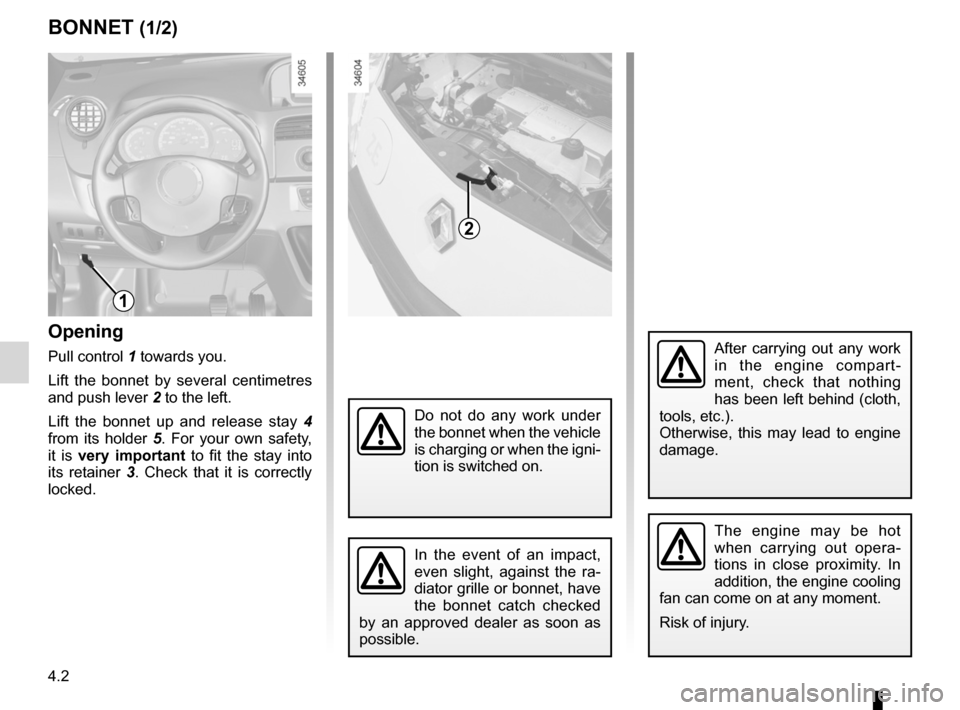
Opening
Pull control 1 towards you.
Lift the bonnet by several centimetres
and push lever 2 to the left.
Lift the bonnet up and release stay 4
from its holder 5. For your own safety,
it is very important to fit the stay into
its retainer 3. Check that it is correctly
locked.
BOnnet (1/2)
The engine may be hot
when carrying out opera -
tions in close proximity. In
addition, the engine cooling
fan can come on at any moment.
Risk of injury.
1
2
In the event of an impact,
even slight, against the ra -
diator grille or bonnet, have
the bonnet catch checked
by an approved dealer as soon as
possible.
After carrying out any work
in the engine compart -
ment, check that nothing
has been left behind (cloth,
tools, etc.).
Otherwise, this may lead to engine
damage.
Do not do any work under
the bonnet when the vehicle
is charging or when the igni -
tion is switched on.
Page 140 of 213
JauneNoirNoir texte
4.3
ENG_UD20963_2
Capot moteur (X61 - F61 - Renault)
ENG_NU_911-4_F61e_Renault_4
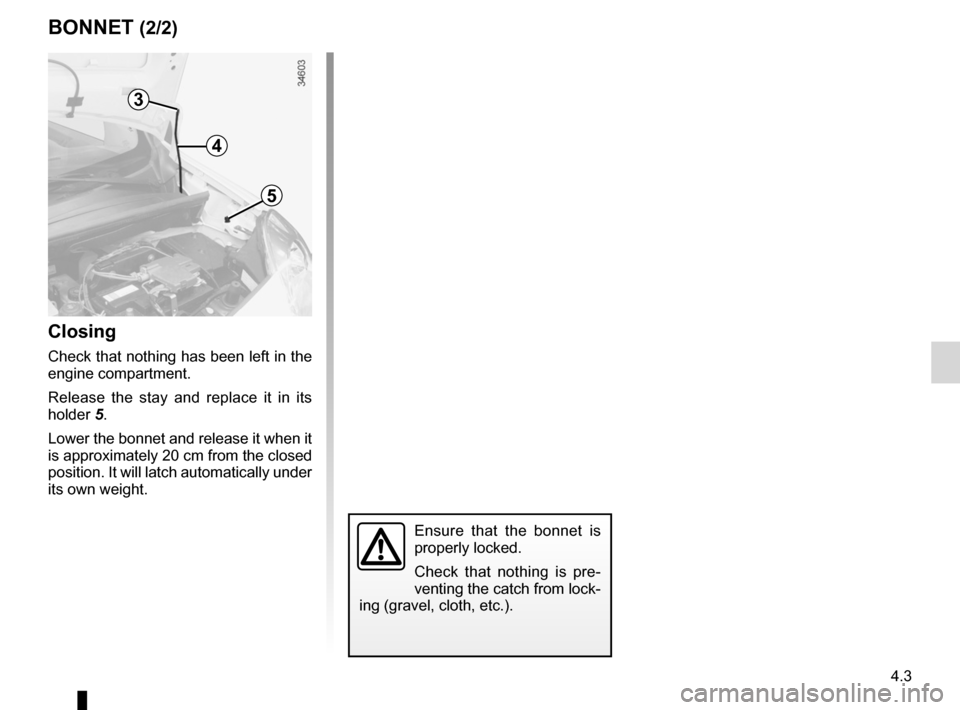
4
5
3
Closing
Check that nothing has been left in the
engine compartment.
Release the stay and replace it in its
holder 5.
Lower the bonnet and release it when it
is approximately 20 cm from the closed
position. It will latch automatically under
its own weight.
Ensure that the bonnet is
properly locked.
Check that nothing is pre -
venting the catch from lock-
ing (gravel, cloth, etc.).
BOnnet (2/2)
Page 148 of 213
maintenance:interior trim ...................................... (up to the end of the DU)
interior trim maintenance ................................... (up to the end of the DU)
cleaning: inside the vehicle ............................ (up to the end of the DU)
4.11
ENG_UD22866_8
Entretien des garnitures intérieures (X35 - X45 - X65 - J77 - X81 - J81 - X85 - X91 - B91 - K91 - D91 - X83 - X61 - X77 ph2 - X95 - B95 - D95 - E95 - K95 - J95 - R95 -
ENG_NU_911-4_F61e_Renault_4
Interior trim maintenance
Glass instrument panel(e.g. instrument panel, clock, exterior
temperature display, radio display, etc.)
Use a soft cloth (or cotton wool).
If this does not clean it properly, use a
soft cloth (or cotton wool) slightly mois-
tened with soapy water and then wipe
clean with a soft damp cloth or cotton
wool.
Finally, carefully dry off with a soft dry
cloth.
Cleaning products containing alco -
hol must not be used under any cir-
cumstances.
seat belts
These must be kept clean.
Use products selected by our Technical
Department (Approved outlets) or
warm, soapy water and a sponge and
wipe with a dry cloth.
Detergents or dyes must not be used
under any circumstances.
InteRIOR tRIM MaIntenanCe (1/2)
textiles (seats, door trim, etc)
Vacuum-clean the textiles regularly.
Liquid stain
Use soapy water.
Dab lightly (never rub) with a soft cloth,
rinse and remove the excess.
solid or pasty stain
Carefully remove the excess solid or
pasty material immediately with a
spatula (working from the edges to the
centre to avoid spreading the stain).
Clean as for a liquid stain.
special instructions for sweets or
chewing gum
Put an ice cube on the stain to solidify
it, then proceed as for a solid stain.
A well-maintained vehicle will last
longer. It is therefore recommended to
maintain the interior of the vehicle regu-
larly.
A stain should always be dealt with
swiftly.
Whatever type of stain is on the trim,
use
cold (or warm) soapy water with
natural soap.
Detergents (washing-up liquid, pow -
dered products, alcohol-based prod-
ucts) should not be used.
Use a soft cloth.
Rinse and soak up the excess.
For further recommendations for
maintaining the interior, and/or for
any unsatisfactory results, please
see an authorised dealer.