door lock RENAULT KOLEOS 2015 1.G User Guide
[x] Cancel search | Manufacturer: RENAULT, Model Year: 2015, Model line: KOLEOS, Model: RENAULT KOLEOS 2015 1.GPages: 232, PDF Size: 18.18 MB
Page 15 of 232
JauneNoir Noir texte
15
ENG_UD23661_6
Verrouillage et déverouillage des portes (X45 - H45 - Renault) ENG_NU_1057-1_H45_Ph3_Renault_1
LOCKING, UNLOCKING THE DOORS (1/2)
Locking/unlocking the doors
from the outside
This is done using the RENAULT
Card; refer to the information on the
RENAULT Card" in Section 1.
In certain cases, the RENAULT card
may not work:
– when the RENAULT card battery is
drained, flat battery, etc.
– use of appliances operating on the
same frequency as the card (mobile
phone, etc.);
– vehicle located in a high electromag-
netic radiation zone.
It is then possible:
– to use the key integrated into the
card to unlock the front left-hand
door;
– to lock each of the doors manually
(see the following page);
– to use the interior door locking/un-
locking control (refer to the following
pages).
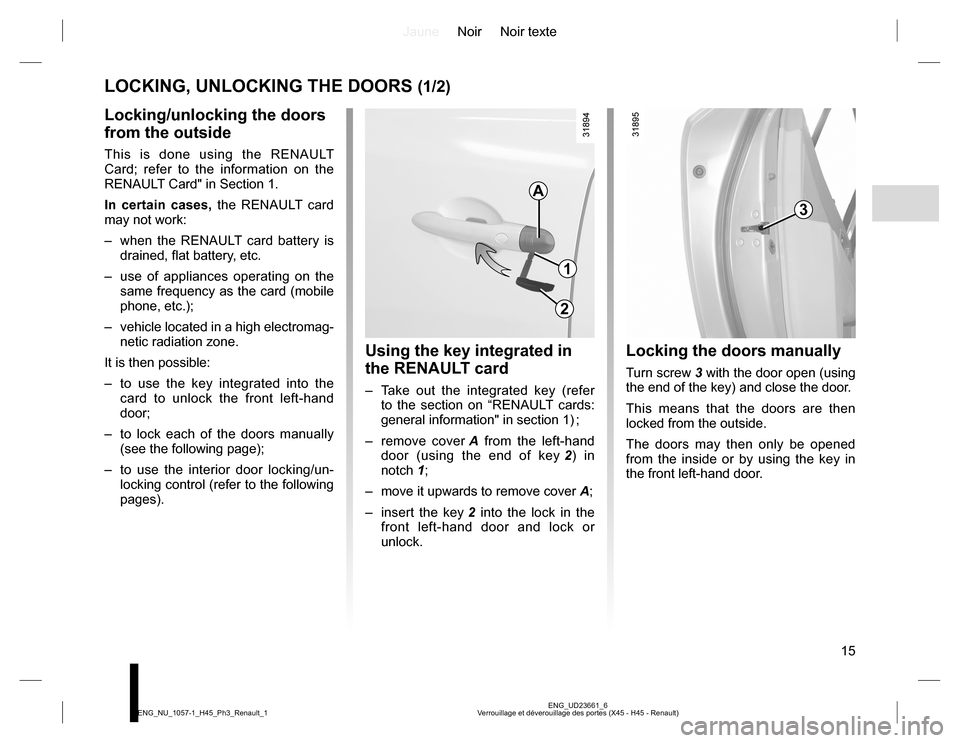
Locking the doors manually
Turn screw 3 with the door open (using
the end of the key) and close the door.
This means that the doors are then
locked from the outside.
The doors may then only be opened
from the inside or by using the key in
the front left-hand door.
Using the key integrated in
the RENAULT card
– Take out the integrated key (refer
to the section on “RENAULT cards:
general information" in section 1) ;
– remove cover A from the left-hand
door (using the end of key 2) in
notch 1;
– move it upwards to remove cover A;
– insert the key 2 into the lock in the
front left-hand door and lock or
unlock.
A
1
2
3
Page 16 of 232
JauneNoir Noir texte
16
ENG_UD23661_6
Verrouillage et déverouillage des portes (X45 - H45 - Renault) ENG_NU_1057-1_H45_Ph3_Renault_1
LOCKING, UNLOCKING THE DOORS (2/2)
Locking the opening
elements without the
RENAULT card
(if the RENAULT card is not working, for
example)
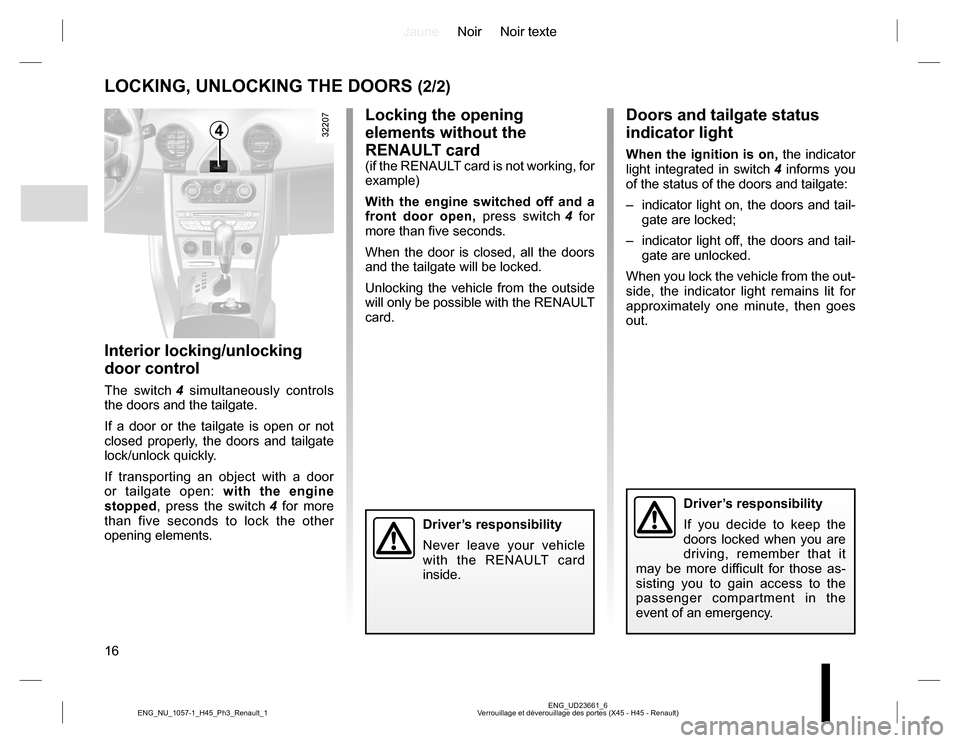
With the engine switched off and a
front door open, press switch 4 for
more than five seconds.
When the door is closed, all the doors
and the tailgate will be locked.
Unlocking the vehicle from the outside
will only be possible with the RENAULT
card.
Doors and tailgate status
indicator light
When the ignition is on, the indicator
light integrated in switch 4 informs you
of the status of the doors and tailgate:
– indicator light on, the doors and tail-
gate are locked;
– indicator light off, the doors and tail-
gate are unlocked.
When you lock the vehicle from the out-
side, the indicator light remains lit for
approximately one minute, then goes
out.
Interior locking/unlocking
door control
The switch 4 simultaneously controls
the doors and the tailgate.
If a door or the tailgate is open or not
closed properly, the doors and tailgate
lock/unlock quickly.
If transporting an object with a door
or tailgate open: with the engine
stopped, press the switch 4 for more
than five seconds to lock the other
opening elements.
4
Driver’s responsibility
Never leave your vehicle
with the RENAULT card
inside.
Driver’s responsibility
If you decide to keep the
doors locked when you are
driving, remember that it
may be more difficult for those as-
sisting you to gain access to the
passenger compartment in the
event of an emergency.
Page 17 of 232
JauneNoir Noir texte
17
ENG_UD27286_6
Condamnation automatique des ouvrants en roulage (X45 - H45 - Renault) ENG_NU_1057-1_H45_Ph3_Renault_1
RAID (RENAULT ANTI-INTRUDER DEVICE)
Operating principle
When the vehicle is started, the system
automatically locks the doors when the
vehicle reaches approximately 6 mph
(10 km/h).
The door can be unlocked:
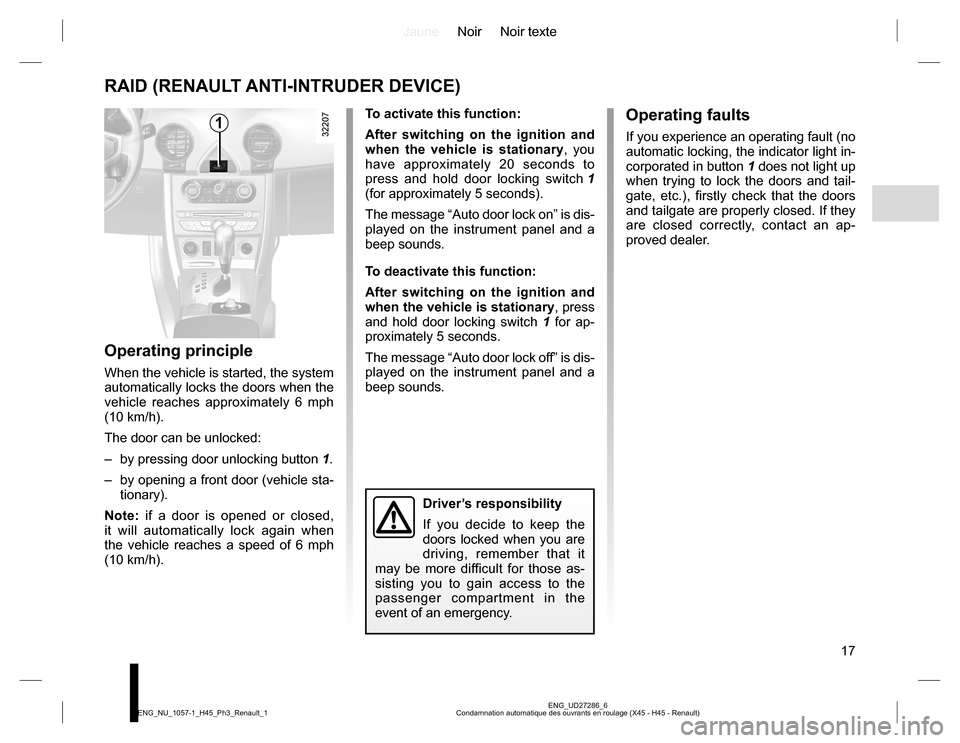
– by pressing door unlocking button 1.
– by opening a front door (vehicle sta-
tionary).
Note: if a door is opened or closed,
it will automatically lock again when
the vehicle reaches a speed of 6 mph
(10 km/h).To activate this function:
After switching on the ignition and
when the vehicle is stationary, you
have approximately 20 seconds to
press and hold door locking switch 1
(for approximately 5 seconds).
The message “Auto door lock on” is dis-
played on the instrument panel and a
beep sounds.
To deactivate this function:
After switching on the ignition and
when the vehicle is stationary, press
and hold door locking switch 1 for ap-
proximately 5 seconds.
The message “Auto door lock off” is dis-
played on the instrument panel and a
beep sounds.
Operating faults
If you experience an operating fault (no
automatic locking, the indicator light in-
corporated in button 1 does not light up
when trying to lock the doors and tail-
gate, etc.), firstly check that the doors
and tailgate are properly closed. If they
are closed correctly, contact an ap-
proved dealer.1
Driver’s responsibility
If you decide to keep the
doors locked when you are
driving, remember that it
may be more difficult for those as-
sisting you to gain access to the
passenger compartment in the
event of an emergency.
Page 32 of 232
JauneNoir Noir texte
32
ENG_UD27170_5
S curit enfants : g n ralit s (X35 - L35 - X45 - H45 - X65 - X81 - X85 - X83 - B95 - D95 - K95 - J95 - R95 - L38 - X38 - X32 - Renault) ENG_NU_1057-1_H45_Ph3_Renault_1
CHILD SAFETY: General information (1/2)
Carrying children
Children, and adults, must be correctly
seated and strapped in for all journeys.
The children being carried in your vehi-
cle are your responsibility.
A child is not a miniature adult. Children
are at risk of specific injuries as their
muscles and bones have not yet fin-
ished growing. The seat belt alone
would not provide suitable protection.
Use an approved child seat and ensure
you use it correctly.
A collision at 30 mph
(50 km/h) is the same as fall-
ing a distance of 10 metres.
Transporting a child without
a restraint is the equivalent of allow-
ing him or her to play on a fourth-
floor balcony without railings.
Never travel with a child held in your
arms. In the event of an accident,
you will not be able to keep hold of
the child, even if you yourself are
wearing a seat belt.
If your vehicle has been involved in
a road accident, replace the child
seat and have the seat belts and
ISOFIX anchorage points checked.
To prevent the doors being
opened, use the “Child
safety” device (refer to the
information on “Opening
and closing the doors” in Section 1).
Driver’s responsibility
when parking or stopping
the vehicle
Never leave an animal,
child or adult who is not self-suffi-
cient alone on your vehicle, even for
a short time.
They may pose a risk to themselves
or to others by starting the engine,
activating equipment such as the
electric windows or by locking the
doors.
Also, in hot and/or sunny weather,
please remember that the tempera-
ture inside the passenger compart-
ment increases very quickly.
RISK OF DEATH OR SERIOUS
INJURY.
Page 45 of 232
JauneNoir Noir texte
45
ENG_UD31458_7
Poste de conduite direction gauche (X45 - H45 - Renault) ENG_NU_1057-1_H45_Ph3_Renault_1
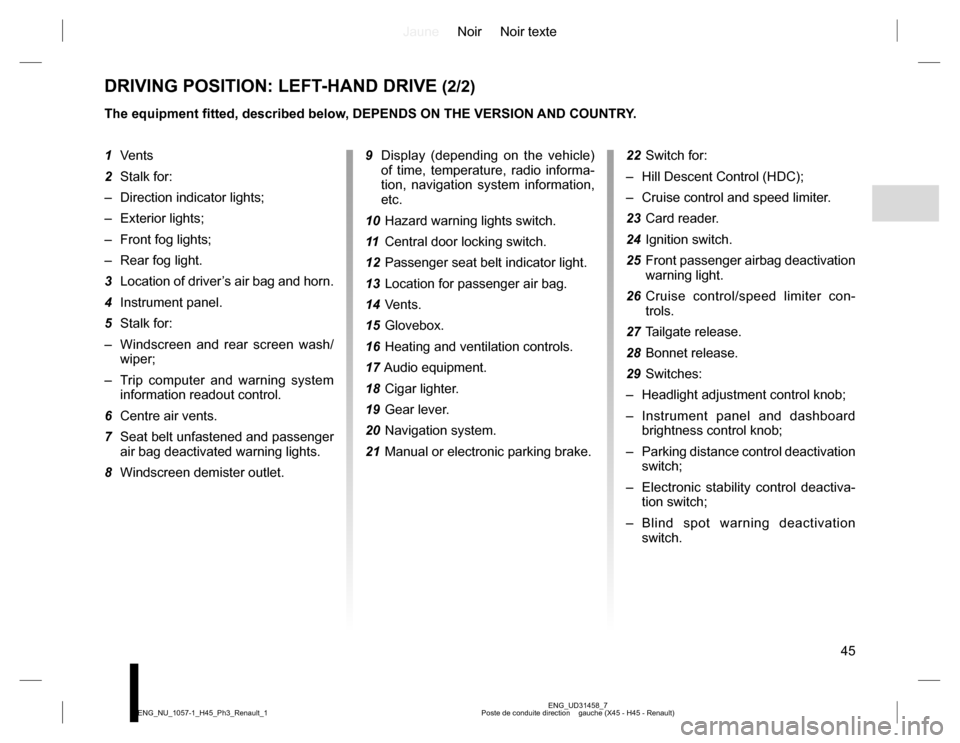
DRIVING POSITION: LEFT-HAND DRIVE (2/2)
The equipment fitted, described below, DEPENDS ON THE VERSION AND COUNTRY.
9 Display (depending on the vehicle)
of time, temperature, radio informa-
tion, navigation system information,
etc.
10 Hazard warning lights switch.
11 Central door locking switch.
12 Passenger seat belt indicator light.
13 Location for passenger air bag.
14 Vents.
15 Glovebox.
16 Heating and ventilation controls.
17 Audio equipment.
18 Cigar lighter.
19 Gear lever.
20 Navigation system.
21 Manual or electronic parking brake.22 Switch for:
– Hill Descent Control (HDC);
– Cruise control and speed limiter.
23 Card reader.
24 Ignition switch.
25 Front passenger airbag deactivation
warning light.
26 Cruise control/speed limiter con-
trols.
27 Tailgate release.
28 Bonnet release.
29 Switches:
– Headlight adjustment control knob;
– Instrument panel and dashboard
brightness control knob;
– Parking distance control deactivation
switch;
– Electronic stability control deactiva-
tion switch;
– Blind spot warning deactivation
switch. 1 Vents
2 Stalk for:
– Direction indicator lights;
– Exterior lights;
– Front fog lights;
– Rear fog light.
3 Location of driver’s air bag and horn.
4 Instrument panel.
5 Stalk for:
– Windscreen and rear screen wash/
wiper;
– Trip computer and warning system
information readout control.
6 Centre air vents.
7 Seat belt unfastened and passenger
air bag deactivated warning lights.
8 Windscreen demister outlet.
Page 47 of 232
JauneNoir Noir texte
47
ENG_UD31459_7
Poste de conduite direction droite (X45 - H45 - Renault) ENG_NU_1057-1_H45_Ph3_Renault_1
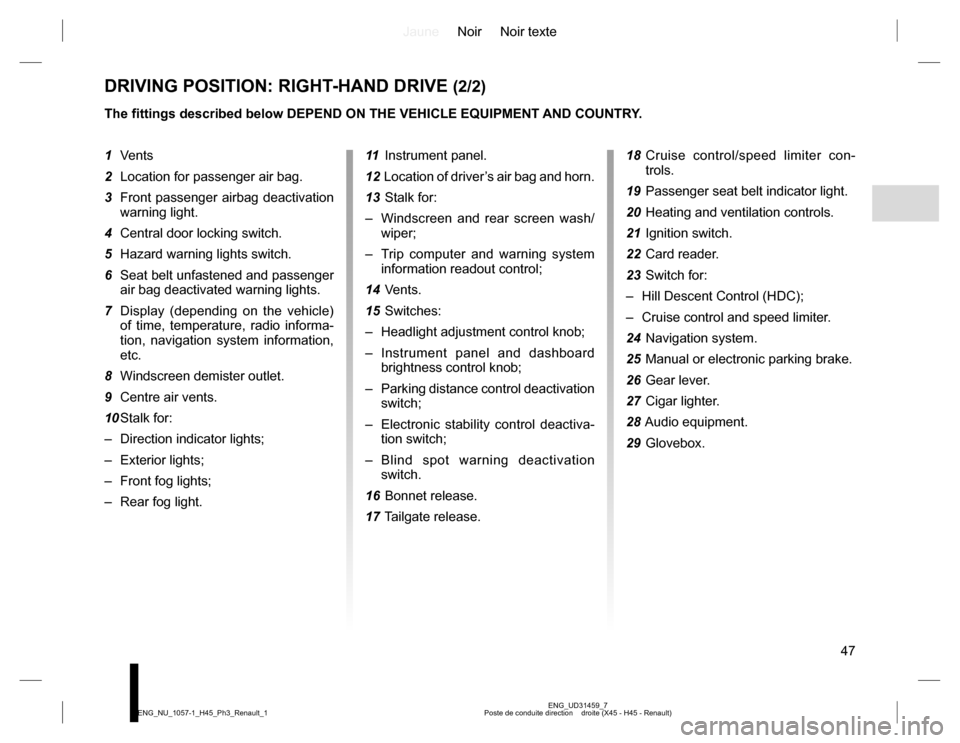
DRIVING POSITION: RIGHT-HAND DRIVE (2/2)
The fittings described below DEPEND ON THE VEHICLE EQUIPMENT AND COUNTRY.
11 Instrument panel.
12 Location of driver’s air bag and horn.
13 Stalk for:
– Windscreen and rear screen wash/
wiper;
– Trip computer and warning system
information readout control;
14 Vents.
15 Switches:
– Headlight adjustment control knob;
– Instrument panel and dashboard
brightness control knob;
– Parking distance control deactivation
switch;
– Electronic stability control deactiva-
tion switch;
– Blind spot warning deactivation
switch.
16 Bonnet release.
17 Tailgate release.18 Cruise control/speed limiter con-
trols.
19 Passenger seat belt indicator light.
20 Heating and ventilation controls.
21 Ignition switch.
22 Card reader.
23 Switch for:
– Hill Descent Control (HDC);
– Cruise control and speed limiter.
24 Navigation system.
25 Manual or electronic parking brake.
26 Gear lever.
27 Cigar lighter.
28 Audio equipment.
29 Glovebox. 1 Vents
2 Location for passenger air bag.
3 Front passenger airbag deactivation
warning light.
4 Central door locking switch.
5 Hazard warning lights switch.
6 Seat belt unfastened and passenger
air bag deactivated warning lights.
7 Display (depending on the vehicle)
of time, temperature, radio informa-
tion, navigation system information,
etc.
8 Windscreen demister outlet.
9 Centre air vents.
10 Stalk for:
– Direction indicator lights;
– Exterior lights;
– Front fog lights;
– Rear fog light.
Page 81 of 232
JauneNoir Noir texte
81
ENG_UD27287_4
Arr t du moteur (X45 - H45 - Renault) ENG_NU_1057-1_H45_Ph3_Renault_2
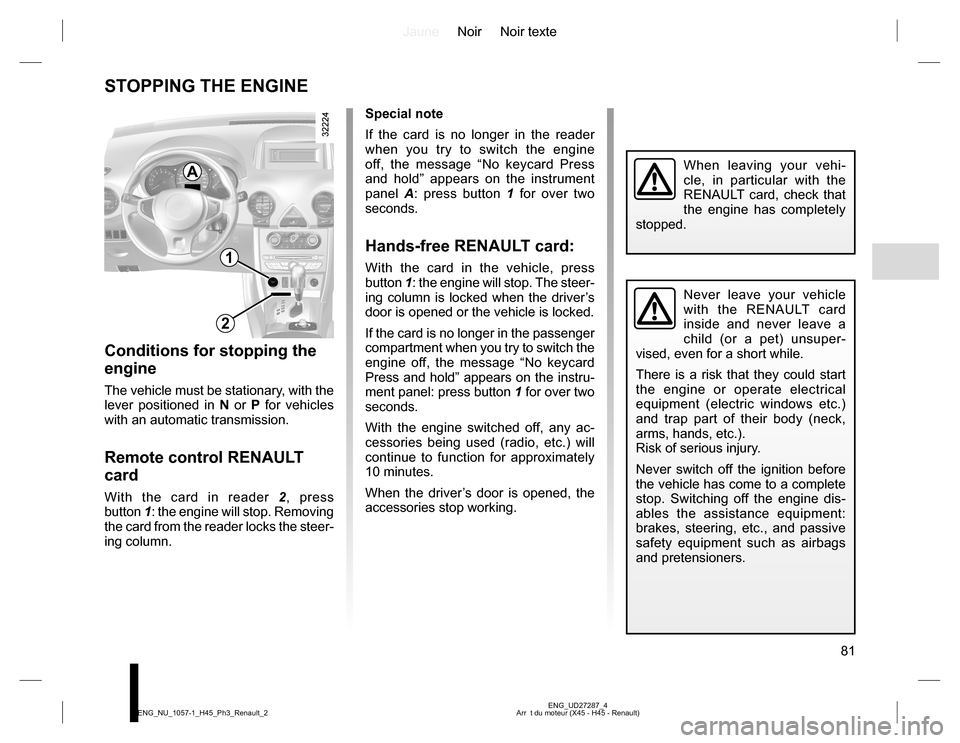
STOPPING THE ENGINE
Special note
If the card is no longer in the reader
when you try to switch the engine
off, the message “No keycard Press
and hold” appears on the instrument
panel A: press button 1 for over two
seconds.
Hands-free RENAULT card:
With the card in the vehicle, press
button 1: the engine will stop. The steer-
ing column is locked when the driver’s
door is opened or the vehicle is locked.
If the card is no longer in the passenger
compartment when you try to switch the
engine off, the message “No keycard
Press and hold” appears on the instru-
ment panel: press button 1 for over two
seconds.
With the engine switched off, any ac-
cessories being used (radio, etc.) will
continue to function for approximately
10 minutes.
When the driver’s door is opened, the
accessories stop working.
Conditions for stopping the
engine
The vehicle must be stationary, with the
lever positioned in N or P for vehicles
with an automatic transmission.
Remote control RENAULT
card
With the card in reader 2, press
button 1: the engine will stop. Removing
the card from the reader locks the steer-
ing column.
Never leave your vehicle
with the RENAULT card
inside and never leave a
child (or a pet) unsuper-
vised, even for a short while.
There is a risk that they could start
the engine or operate electrical
equipment (electric windows etc.)
and trap part of their body (neck,
arms, hands, etc.).
Risk of serious injury.
Never switch off the ignition before
the vehicle has come to a complete
stop. Switching off the engine dis-
ables the assistance equipment:
brakes, steering, etc., and passive
safety equipment such as airbags
and pretensioners.
When leaving your vehi-
cle, in particular with the
RENAULT card, check that
the engine has completely
stopped.
1
2
A
Page 87 of 232
JauneNoir Noir texte
87
ENG_UD31463_9
Frein de parking assist (X45 - H45 - Renault) ENG_NU_1057-1_H45_Ph3_Renault_2
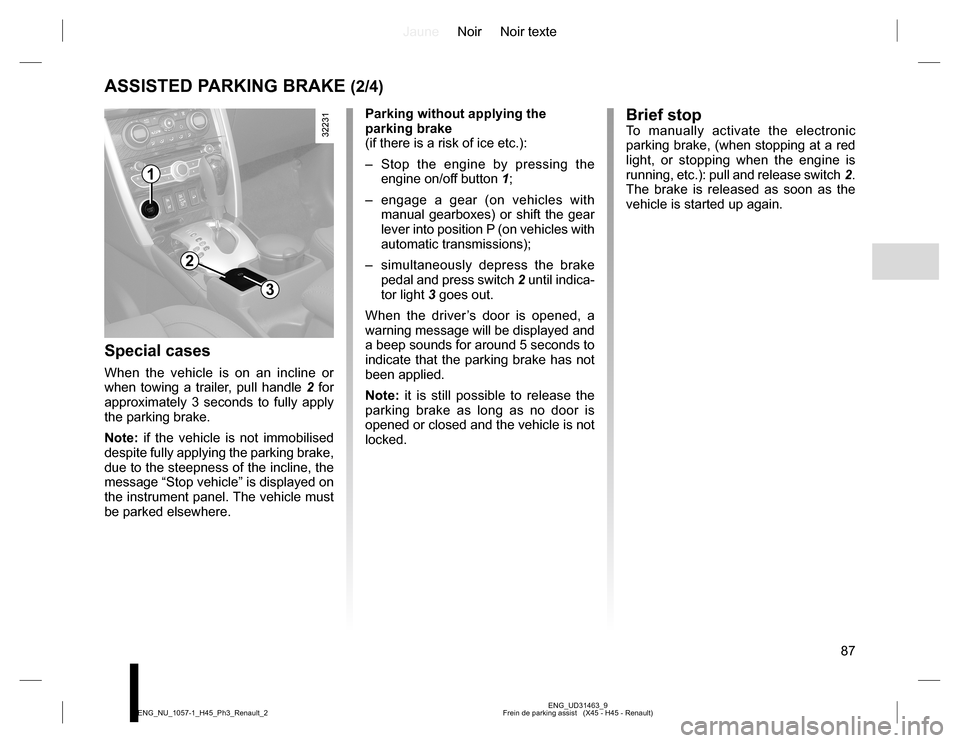
ASSISTED PARKING BRAKE (2/4)
Special cases
When the vehicle is on an incline or
when towing a trailer, pull handle 2 for
approximately 3 seconds to fully apply
the parking brake.
Note: if the vehicle is not immobilised
despite fully applying the parking brake,
due to the steepness of the incline, the
message “Stop vehicle” is displayed on
the instrument panel. The vehicle must
be parked elsewhere.Parking without applying the
parking brake
(if there is a risk of ice etc.):
– Stop the engine by pressing the
engine on/off button 1;
– engage a gear (on vehicles with
manual gearboxes) or shift the gear
lever into position P (on vehicles with
automatic transmissions);
– simultaneously depress the brake
pedal and press switch 2 until indica-
tor light 3 goes out.
When the driver’s door is opened, a
warning message will be displayed and
a beep sounds for around 5 seconds to
indicate that the parking brake has not
been applied.
Note: it is still possible to release the
parking brake as long as no door is
opened or closed and the vehicle is not
locked.
1
2
3
Brief stopTo manually activate the electronic
parking brake, (when stopping at a red
light, or stopping when the engine is
running, etc.): pull and release switch 2.
The brake is released as soon as the
vehicle is started up again.
Page 134 of 232
JauneNoir Noir texte
134
ENG_UD31661_4
L ves-vitres lectriques (X45 - H45 - Renault) ENG_NU_1057-1_H45_Ph3_Renault_3
ELECTRIC WINDOWS (1/2)
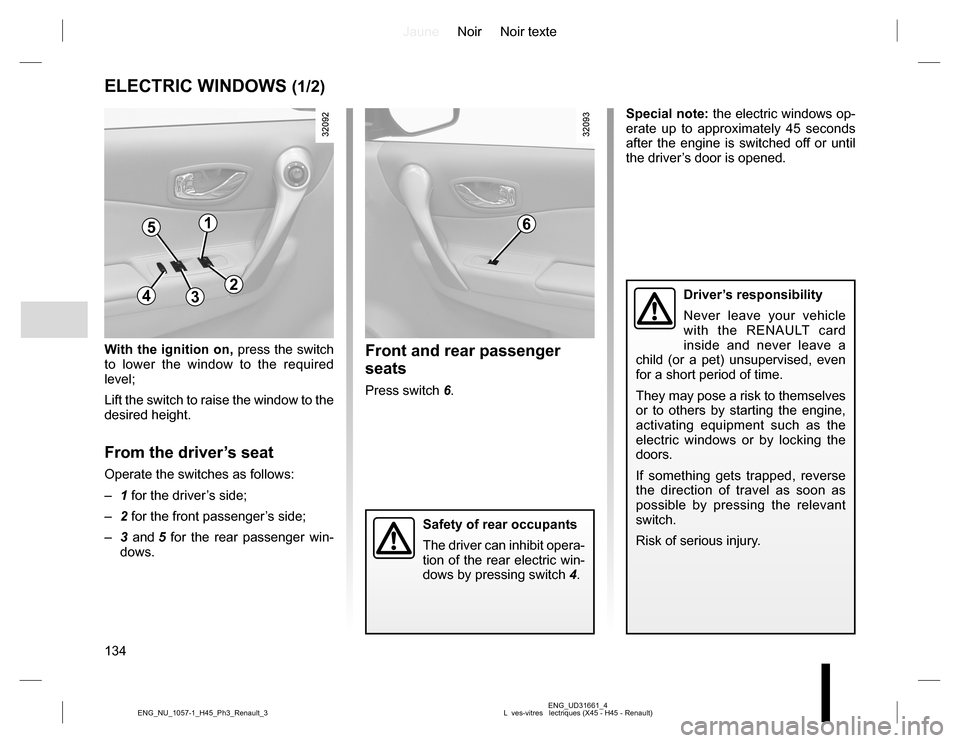
With the ignition on, press the switch
to lower the window to the required
level;
Lift the switch to raise the window to the
desired height.
From the driver’s seat
Operate the switches as follows:
– 1 for the driver’s side;
– 2 for the front passenger’s side;
– 3 and 5 for the rear passenger win-
dows.
Front and rear passenger
seats
Press switch 6.Special note: the electric windows op-
erate up to approximately 45 seconds
after the engine is switched off or until
the driver’s door is opened.
Driver’s responsibility
Never leave your vehicle
with the RENAULT card
inside and never leave a
child (or a pet) unsupervised, even
for a short period of time.
They may pose a risk to themselves
or to others by starting the engine,
activating equipment such as the
electric windows or by locking the
doors.
If something gets trapped, reverse
the direction of travel as soon as
possible by pressing the relevant
switch.
Risk of serious injury.
Safety of rear occupants
The driver can inhibit opera-
tion of the rear electric win-
dows by pressing switch 4.
51
432
6
Page 136 of 232
JauneNoir Noir texte
136
ENG_UD31692_4
Toit ouvrant lectrique (X45 - H45 - Renault) ENG_NU_1057-1_H45_Ph3_Renault_3
ELECTRIC SUNROOF (1/2)
The system operates:
– when the ignition is switched on,
– when the ignition is switched off until
the driver’s door is opened/closed
(limited to approximately 45 sec-
onds).
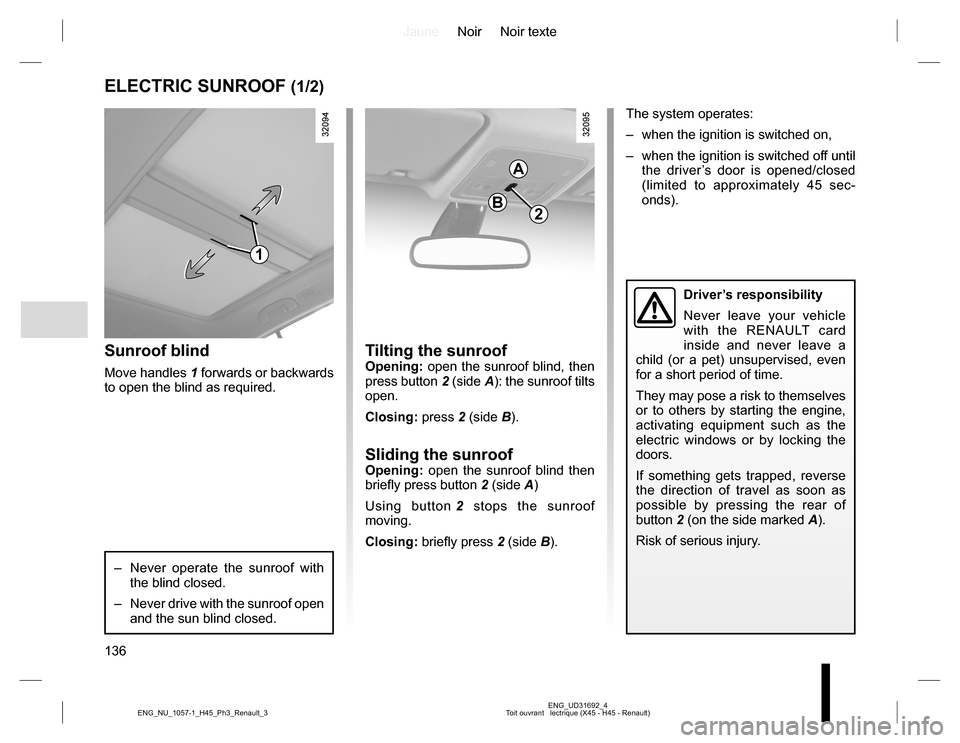
Tilting the sunroofOpening: open the sunroof blind, then
press button 2 (side A): the sunroof tilts
open.
Closing: press 2 (side B).
Sliding the sunroofOpening: open the sunroof blind then
briefly press button 2 (side A)
Using button 2 stops the sunroof
moving.
Closing: briefly press 2 (side B).
Sunroof blind
Move handles 1 forwards or backwards
to open the blind as required.
– Never operate the sunroof with
the blind closed.
– Never drive with the sunroof open
and the sun blind closed.
2
A
B
Driver’s responsibility
Never leave your vehicle
with the RENAULT card
inside and never leave a
child (or a pet) unsupervised, even
for a short period of time.
They may pose a risk to themselves
or to others by starting the engine,
activating equipment such as the
electric windows or by locking the
doors.
If something gets trapped, reverse
the direction of travel as soon as
possible by pressing the rear of
button 2 (on the side marked A).
Risk of serious injury.
1