ELF RENAULT KOLEOS 2018 Owners Manual
[x] Cancel search | Manufacturer: RENAULT, Model Year: 2018, Model line: KOLEOS, Model: RENAULT KOLEOS 2018Pages: 332, PDF Size: 8.91 MB
Page 2 of 332

A passion for performance
ELF, partner of
RENAULT recommends ELF
Partners in cutting-edge automotive technology, Elf and Renault combine their expertise on both
the racetrack and the city streets. This enduring partnership gives drivers a range of lubricants
perfectly suited to Renault cars. Lasting protection and optimum performance for your engine –
guaranteed. Whether changing the oil or simply topping up, to find the approved ELF lubricant
best suited to your vehicle, ask your Renault dealer for a recommendation or consult your vehi-
cle maintenance handbook.
www.lubricants.elf.com
A brand from
2016-Elf-ENG.indd 118/05/2016 14:20
Page 3 of 332

0.1
Translated from English. Copying or translation, in part or in full, is f\
orbidden unless prior written permission has been obtained from the vehicle manu-
facturer.
This Driver’s Handbook contains the information necessary:
– for you to familiarise yourself with your vehicle, to use it to its best\
advantage and to benefit fully from the all the func tions and
the technical developments it incorporates.
– to ensure that it always gives the best performance by following the sim\
ple, but comprehensive advice concerning regular main -
tenance.
– to enable you to deal quickly with minor faults not requiring specialist\
attention.
It is well worth taking a few minutes to read this handbook to familiari\
se yourself with the information and guidelines it cont ains
about the vehicle and its functions and new features. If certain points \
are still unclear, our Network technicians will be only too
pleased to provide you with any additional information.
The following symbol will help you when reading this handbook:
Welcome to your new vehicle
The descriptions of the models given in this handbook are based on the t\
echnical specifications at the time of writing. This hand-
book covers all items of equipment (both standard and optional) available for these models but whether or not these are
fitted to the vehicle depends on the version, options selected and the c\
ountry where the vehicle is sold.
This handbook may also contain information about items of equipment to b\
e introduced later in the model year.
Throughout the manual, the “approved Dealer” is your RENAULT Dealer. To indicate a hazard, danger or safety recommendation.
Enjoy driving your new vehicle.
Page 8 of 332
1.2
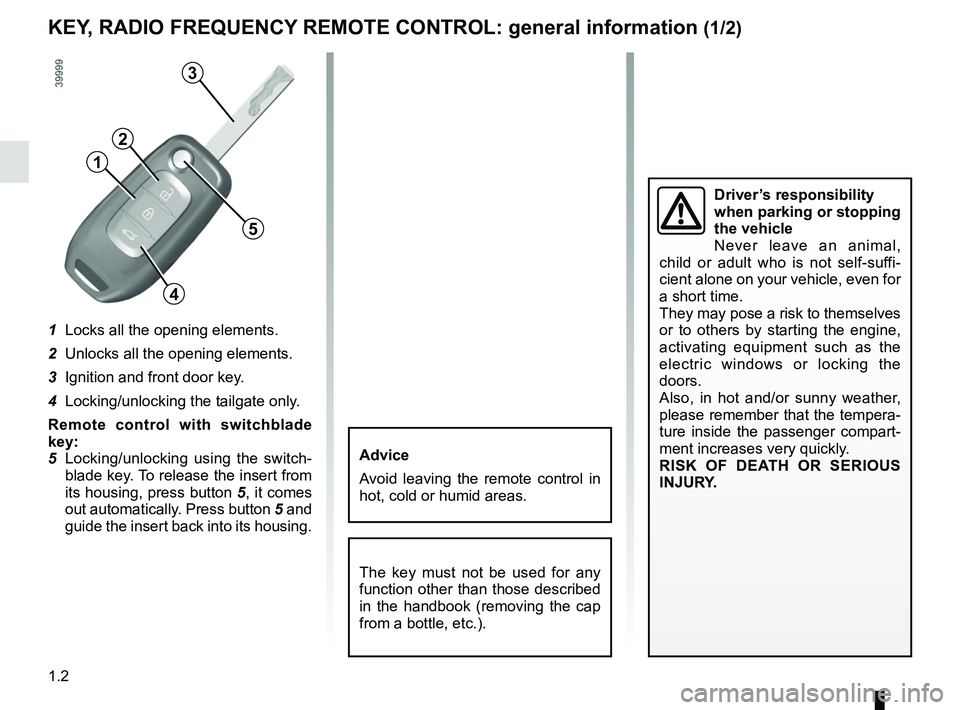
1 Locks all the opening elements.
2 Unlocks all the opening elements.
3 Ignition and front door key.
4 Locking/unlocking the tailgate only.
Remote control with switchblade
key:
5 Locking/unlocking using the switch-blade key. To release the insert from
its housing, press button 5, it comes
out automatically. Press button 5 and
guide the insert back into its housing.
KEY, RADIO FREQUENCY REMOTE CONTROL: general information (1/2)
The key must not be used for any
function other than those described
in the handbook (removing the cap
from a bottle, etc.).
Advice
Avoid leaving the remote control in
hot, cold or humid areas.
Driver’s responsibility
when parking or stopping
the vehicle
Never leave an animal,
child or adult who is not self-suffi-
cient alone on your vehicle, even for
a short time.
They may pose a risk to themselves
or to others by starting the engine,
activating equipment such as the
electric windows or locking the
doors.
Also, in hot and/or sunny weather,
please remember that the tempera-
ture inside the passenger compart-
ment increases very quickly.
RISK OF DEATH OR SERIOUS
INJURY.
5
1
2
3
4
Page 10 of 332
1.4
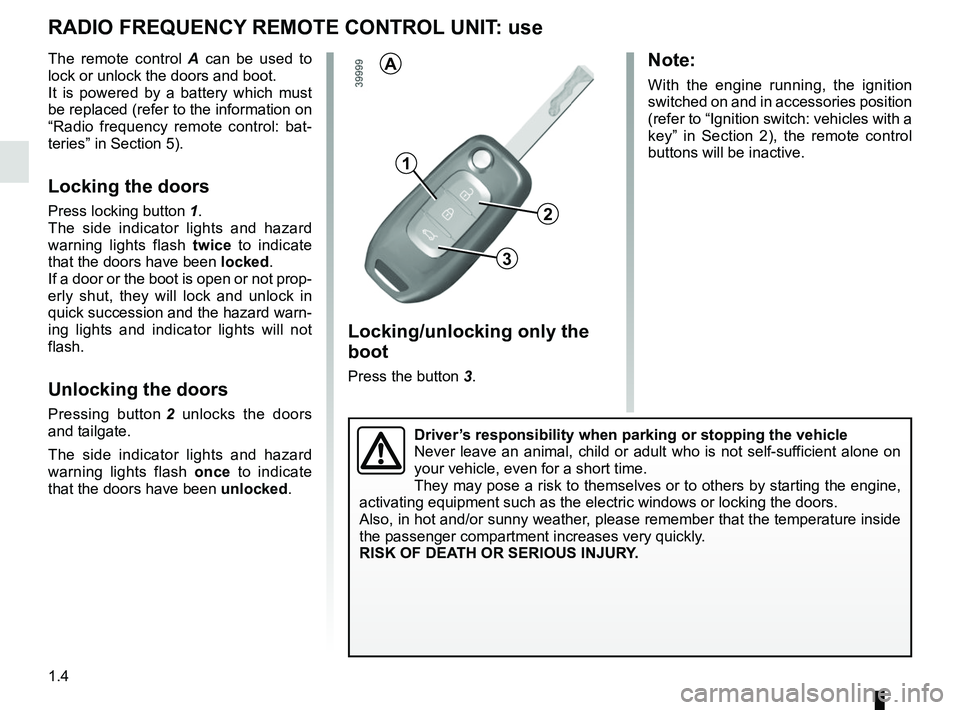
Locking/unlocking only the
boot
Press the button 3.
RADIO FREQUENCY REMOTE CONTROL UNIT: use
The remote control A can be used to
lock or unlock the doors and boot.
It is powered by a battery which must
be replaced (refer to the information on
“Radio frequency remote control: bat-
teries” in Section 5).
Locking the doors
Press locking button 1.
The side indicator lights and hazard
warning lights flash twice to indicate
that the doors have been locked.
If a door or the boot is open or not prop-
erly shut, they will lock and unlock in
quick succession and the hazard warn-
ing lights and indicator lights will not
flash.
Unlocking the doors
Pressing button 2 unlocks the doors
and tailgate.
The side indicator lights and hazard
warning lights flash once to indicate
that the doors have been unlocked.
1
3
A
2
Note:
With the engine running, the ignition
switched on and in accessories position
(refer to “Ignition switch: vehicles with a
key” in Section 2), the remote control
buttons will be inactive.
Driver’s responsibility when parking or stopping the vehicle
Never leave an animal, child or adult who is not self-sufficient alone on
your vehicle, even for a short time.
They may pose a risk to themselves or to others by starting the engine, \
activating equipment such as the electric windows or locking the doors.
Also, in hot and/or sunny weather, please remember that the temperature inside
the passenger compartment increases very quickly.
RISK OF DEATH OR SERIOUS INJURY.
Page 12 of 332
1.6
RENAULT CARD: general information (2/2)
Advice
Avoid leaving the card in hot, cold or
humid areas.
Do not keep the RENAULT card in
a place where it could be bent or
damaged accidentally, such as in a
back pocket of a garment.
Replacement: need for an
additional RENAULT Card
If you lose your RENAULT card or
require another, you can obtain one
from an approved dealer.
If a RENAULT card is replaced, it
will be necessary to take the vehi-
cle and all of its RENAULT cards
to an approved dealer to initialise
the system.
You may use up to four RENAULT
cards per vehicle.
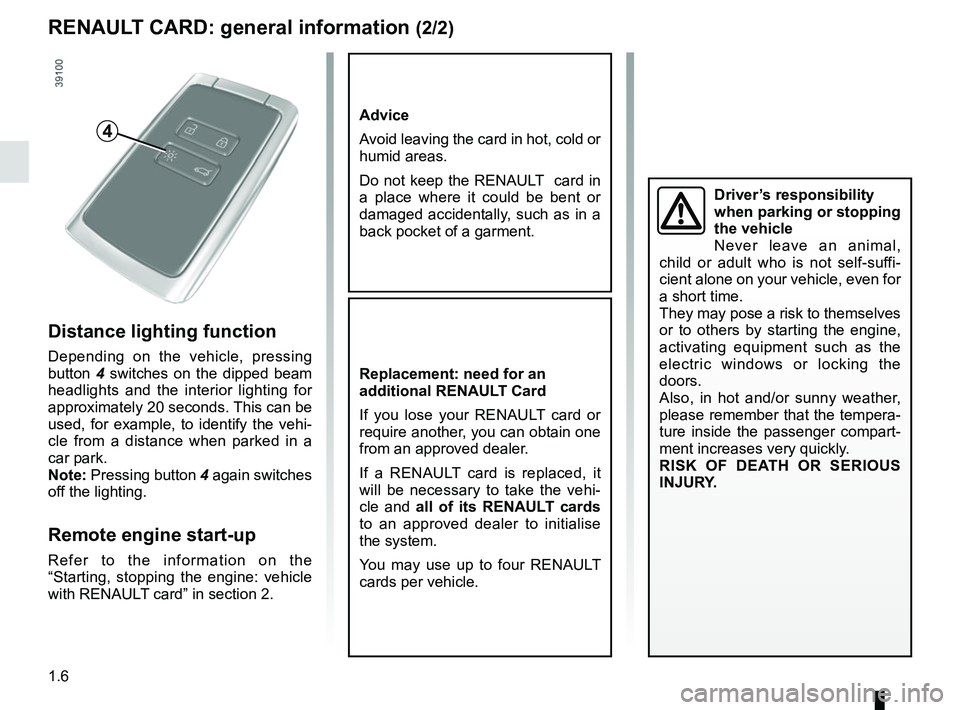
Distance lighting function
Depending on the vehicle, pressing
button 4 switches on the dipped beam
headlights and the interior lighting for
approximately 20 seconds. This can be
used, for example, to identify the vehi-
cle from a distance when parked in a
car park.
Note: Pressing button 4 again switches
off the lighting.
Remote engine start-up
Refer to the information on the
“Starting, stopping the engine: vehicle
with RENAULT card” in section 2.
4
Driver’s responsibility
when parking or stopping
the vehicle
Never leave an animal,
child or adult who is not self-suffi-
cient alone on your vehicle, even for
a short time.
They may pose a risk to themselves
or to others by starting the engine,
activating equipment such as the
electric windows or locking the
doors.
Also, in hot and/or sunny weather,
please remember that the tempera-
ture inside the passenger compart-
ment increases very quickly.
RISK OF DEATH OR SERIOUS
INJURY.
Page 13 of 332
1.7
RENAULT CARD: usage (1/4)
Do not store the RENAULT card
anywhere it may come into con-
tact with other electronic equipment
(computer, phone, etc.) as this could
hinder its operation.
There are two ways to unlock/lock the
vehicle:
– the “hands-free” function;
– RENAULT card buttons.
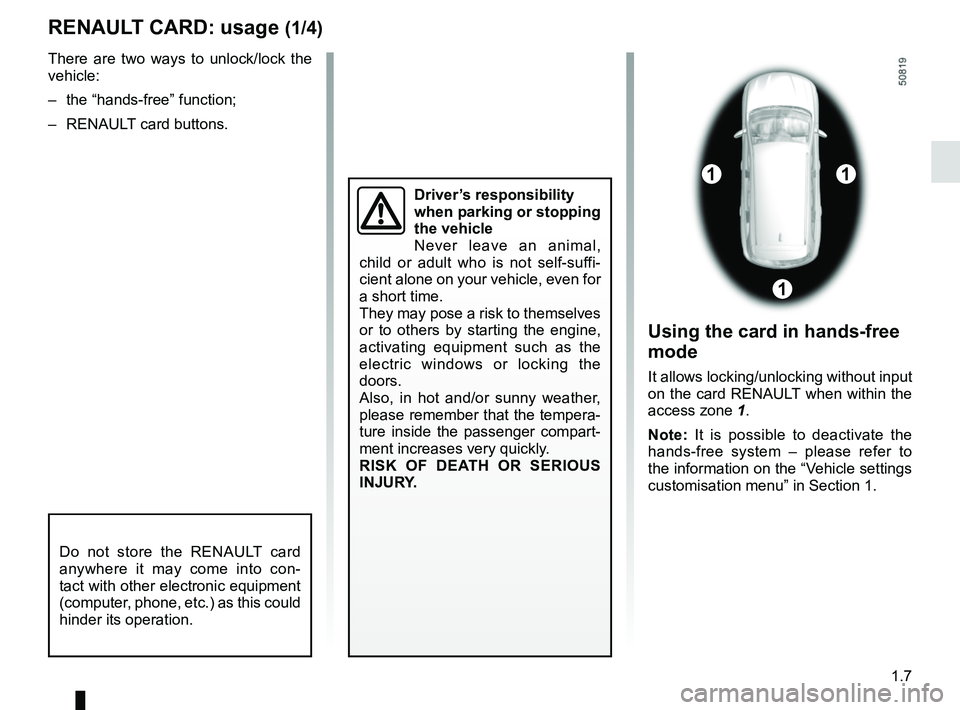
Using the card in hands-free
mode
It allows locking/unlocking without input
on the card RENAULT when within the
access zone 1.
Note: It is possible to deactivate the
hands-free system – please refer to
the information on the “Vehicle settings
customisation menu” in Section 1.
11
1
Driver’s responsibility
when parking or stopping
the vehicle
Never leave an animal,
child or adult who is not self-suffi-
cient alone on your vehicle, even for
a short time.
They may pose a risk to themselves
or to others by starting the engine,
activating equipment such as the
electric windows or locking the
doors.
Also, in hot and/or sunny weather,
please remember that the tempera-
ture inside the passenger compart-
ment increases very quickly.
RISK OF DEATH OR SERIOUS
INJURY.
Page 16 of 332
1.10
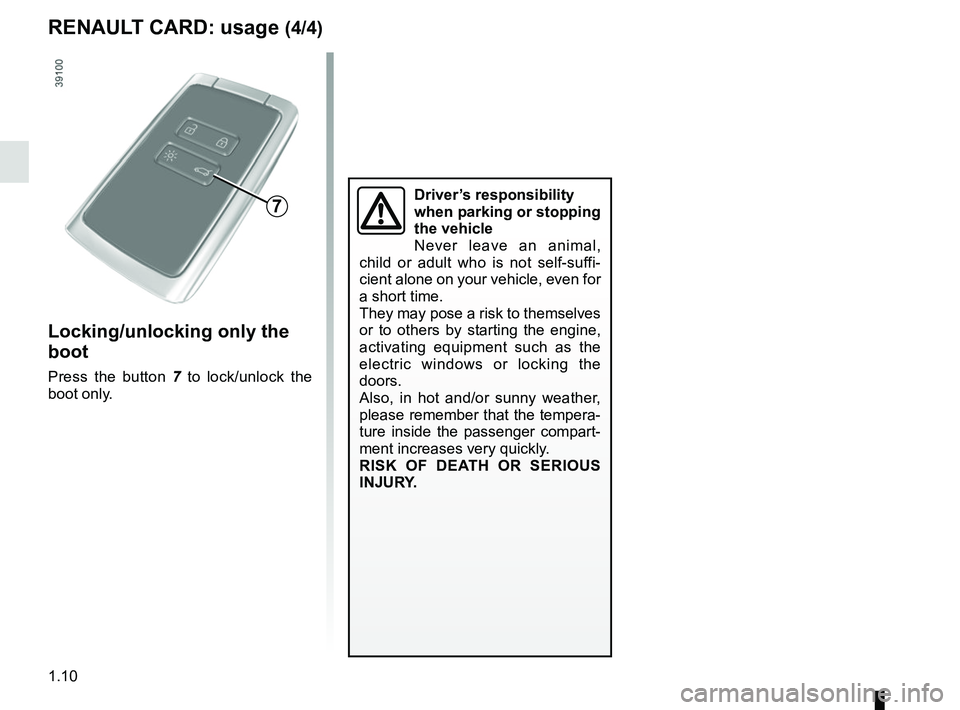
Locking/unlocking only the
boot
Press the button 7 to lock/unlock the
boot only.
7
RENAULT CARD: usage (4/4)
Driver’s responsibility
when parking or stopping
the vehicle
Never leave an animal,
child or adult who is not self-suffi-
cient alone on your vehicle, even for
a short time.
They may pose a risk to themselves
or to others by starting the engine,
activating equipment such as the
electric windows or locking the
doors.
Also, in hot and/or sunny weather,
please remember that the tempera-
ture inside the passenger compart-
ment increases very quickly.
RISK OF DEATH OR SERIOUS
INJURY.
Page 21 of 332
1.15
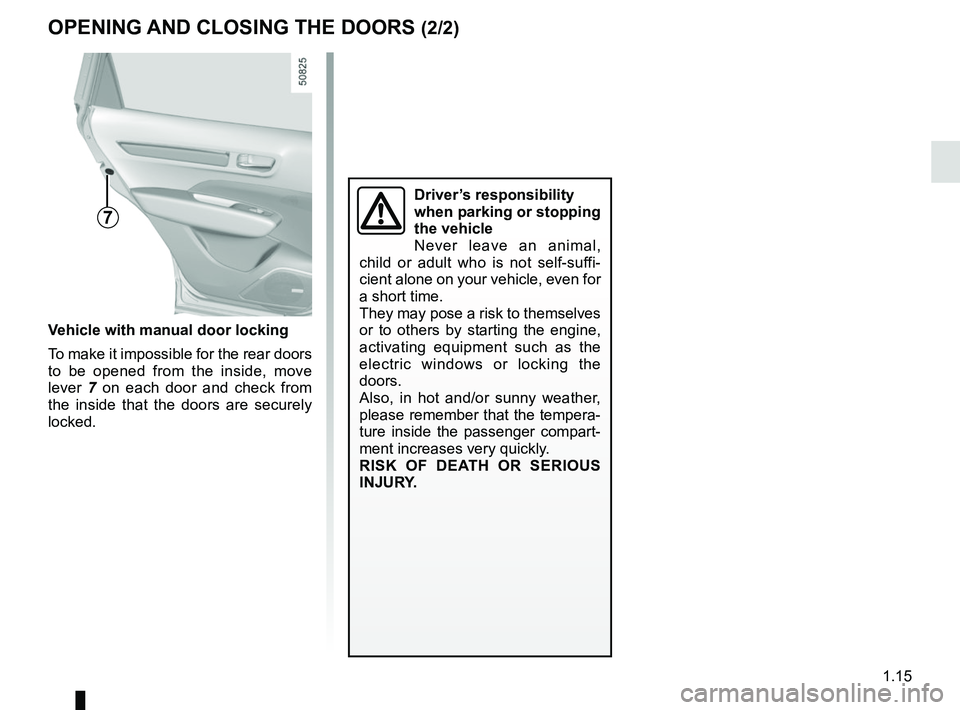
7
Vehicle with manual door locking
To make it impossible for the rear doors
to be opened from the inside, move
lever 7 on each door and check from
the inside that the doors are securely
locked.
OPENING AND CLOSING THE DOORS (2/2)
Driver’s responsibility
when parking or stopping
the vehicle
Never leave an animal,
child or adult who is not self-suffi-
cient alone on your vehicle, even for
a short time.
They may pose a risk to themselves
or to others by starting the engine,
activating equipment such as the
electric windows or locking the
doors.
Also, in hot and/or sunny weather,
please remember that the tempera-
ture inside the passenger compart-
ment increases very quickly.
RISK OF DEATH OR SERIOUS
INJURY.
Page 40 of 332
1.34
CHILD SAFETY: General information (1/2)
Carrying children
Children, and adults, must be correctly
seated and strapped in for all journeys.
The children being carried in your vehi-
cle are your responsibility.
A child is not a miniature adult. Children
are at risk of specific injuries as their
muscles and bones have not yet fin-
ished growing. The seat belt alone
would not provide suitable protection.
Use an approved child seat and ensure
you use it correctly.
Please ensure that you comply with the
legislation of your country.
A collision at 30 mph
(50 km/h) is the same as fall-
ing a distance of 10 metres.
Transporting a child without
a restraint is the equivalent of allow-
ing him or her to play on a fourth-
floor balcony without railings.
Never travel with a child held in your
arms. In the event of an accident,
you will not be able to keep hold of
the child, even if you yourself are
wearing a seat belt.
If your vehicle has been involved in
a road accident, replace the child
seat and have the seat belts and
ISOFIX anchorage points checked.
To prevent the doors being
opened, use the “Child
safety” device (refer to the
information on “Opening
and closing the doors” in Section 1).
Driver’s responsibility
when parking or stopping
the vehicle
Never leave an animal,
child or adult who is not self-suffi-
cient alone on your vehicle, even for
a short time.
They may pose a risk to themselves
or to others by starting the engine,
activating equipment such as the
electric windows or by locking the
doors.
Also, in hot and/or sunny weather,
please remember that the tempera-
ture inside the passenger compart-
ment increases very quickly.
RISK OF DEATH OR SERIOUS
INJURY.
Page 75 of 332
1.69
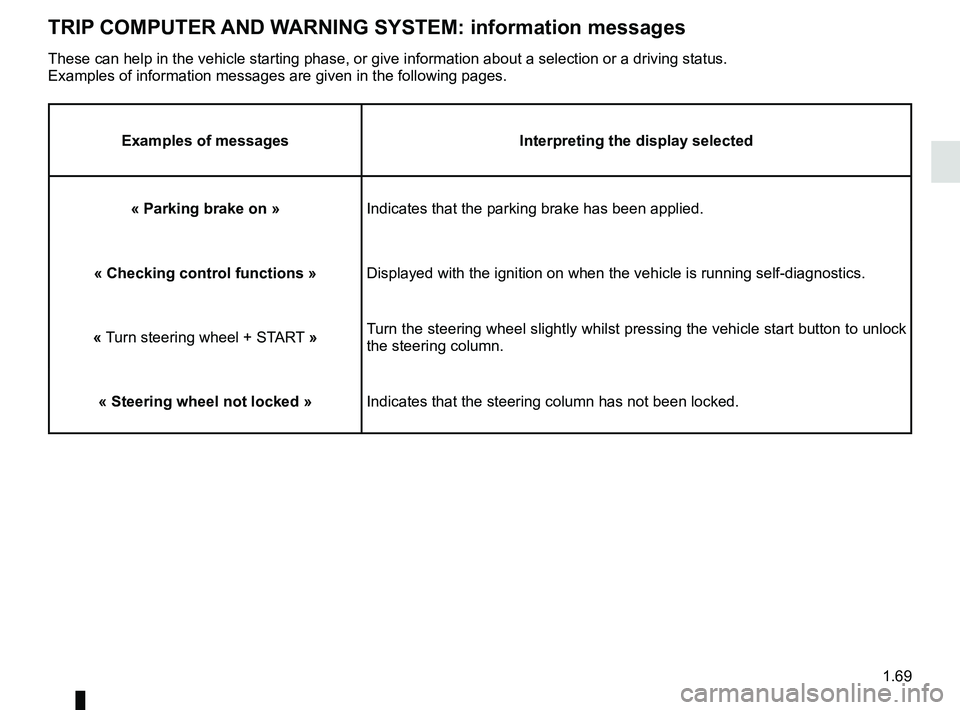
TRIP COMPUTER AND WARNING SYSTEM: information messages
Examples of messagesInterpreting the display selected
« Parking brake on » Indicates that the parking brake has been applied.
« Checking control functions » Displayed with the ignition on when the vehicle is running self-diagnost\
ics.
« Turn steering wheel + START » Turn the steering wheel slightly whilst pressing the vehicle start button\
to unlock
the steering column.
« Steering wheel not locked » Indicates that the steering column has not been locked.
These can help in the vehicle starting phase, or give information about \
a selection or a driving status.
Examples of information messages are given in the following pages.