brake light RENAULT KOLEOS 2018 Owners Manual
[x] Cancel search | Manufacturer: RENAULT, Model Year: 2018, Model line: KOLEOS, Model: RENAULT KOLEOS 2018Pages: 332, PDF Size: 8.91 MB
Page 61 of 332
1.55
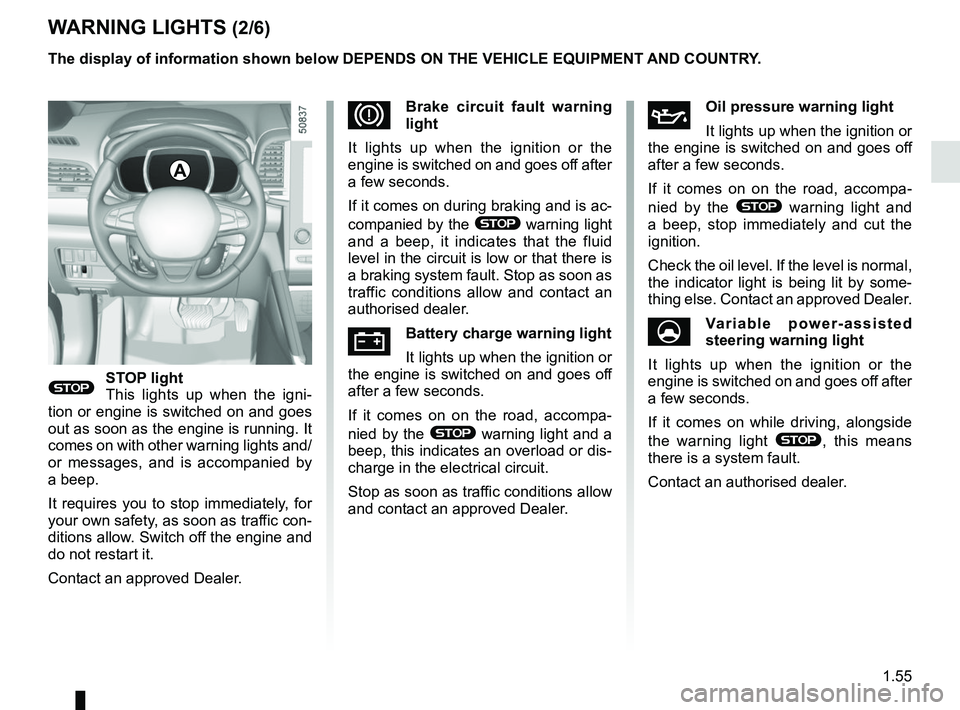
WARNING LIGHTS (2/6)
®STOP light
This lights up when the igni-
tion or engine is switched on and goes
out as soon as the engine is running. It
comes on with other warning lights and/
or messages, and is accompanied by
a beep.
It requires you to stop immediately, for
your own safety, as soon as traffic con-
ditions allow. Switch off the engine and
do not restart it.
Contact an approved Dealer.
ÀOil pressure warning light
It lights up when the ignition or
the engine is switched on and goes off
after a few seconds.
If it comes on on the road, accompa-
nied by the
® warning light and
a beep, stop immediately and cut the
ignition.
Check the oil level. If the level is normal,
the indicator light is being lit by some-
thing else. Contact an approved Dealer.
UVariable power-assisted
steering warning light
It lights up when the ignition or the
engine is switched on and goes off after
a few seconds.
If it comes on while driving, alongside
the warning light
®, this means
there is a system fault.
Contact an authorised dealer.
DBrake circuit fault warning
light
It lights up when the ignition or the
engine is switched on and goes off after
a few seconds.
If it comes on during braking and is ac-
companied by the
® warning light
and a beep, it indicates that the fluid
level in the circuit is low or that there is
a braking system fault. Stop as soon as
traffic conditions allow and contact an
authorised dealer.
ÚBattery charge warning light
It lights up when the ignition or
the engine is switched on and goes off
after a few seconds.
If it comes on on the road, accompa-
nied by the
® warning light and a
beep, this indicates an overload or dis-
charge in the electrical circuit.
Stop as soon as traffic conditions allow
and contact an approved Dealer.
A
The display of information shown below DEPENDS ON THE VEHICLE EQUIPMENT \
AND COUNTRY.
Page 63 of 332
1.57
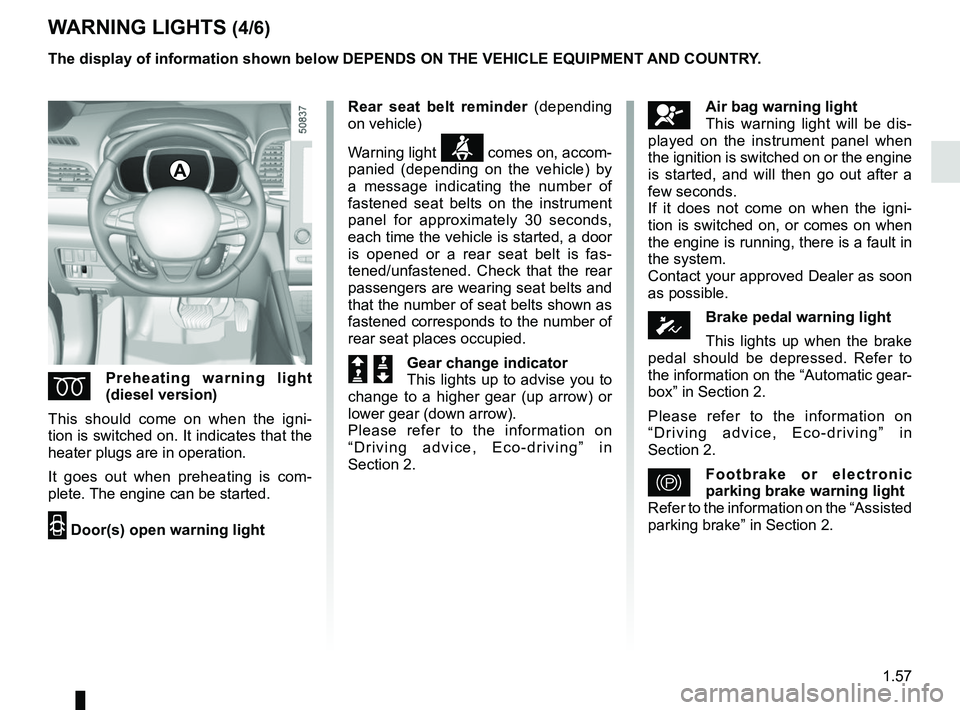
WARNING LIGHTS (4/6)
ÉPreheating warning light
(diesel version)
This should come on when the igni-
tion is switched on. It indicates that the
heater plugs are in operation.
It goes out when preheating is com-
plete. The engine can be started.
2 Door(s) open warning light
A
The display of information shown below DEPENDS ON THE VEHICLE EQUIPMENT \
AND COUNTRY.
åAir bag warning light
This warning light will be dis-
played on the instrument panel when
the ignition is switched on or the engine
is started, and will then go out after a
few seconds.
If it does not come on when the igni-
tion is switched on, or comes on when
the engine is running, there is a fault in
the system.
Contact your approved Dealer as soon
as possible.
ÓBrake pedal warning light
This lights up when the brake
pedal should be depressed. Refer to
the information on the “Automatic gear-
box” in Section 2.
Please refer to the information on
“Driving advice, Eco-driving” in
Section 2.
}Footbrake or electronic
parking brake warning light
Refer to the information on the “Assisted
parking brake” in Section 2.
Rear seat belt reminder
(depending
on vehicle)
Warning light
ß comes on, accom-
panied (depending on the vehicle) by
a message indicating the number of
fastened seat belts on the instrument
panel for approximately 30 seconds,
each time the vehicle is started, a door
is opened or a rear seat belt is fas-
tened/unfastened. Check that the rear
passengers are wearing seat belts and
that the number of seat belts shown as
fastened corresponds to the number of
rear seat places occupied.
Š ‰Gear change indicator
This lights up to advise you to
change to a higher gear (up arrow) or
lower gear (down arrow).
Please refer to the information on
“Driving advice, Eco-driving” in
Section 2.
Page 64 of 332

The display of information shown below DEPENDS ON THE VEHICLE EQUIPMENT \
AND COUNTRY.
Assisted parking brake fault
light
Please refer to the information on the
“Assis")
1.58
WARNING LIGHTS (5/6)
The display of information shown below DEPENDS ON THE VEHICLE EQUIPMENT \
AND COUNTRY.
Assisted parking brake fault
light
Please refer to the information on the
“Assisted parking brake” in Section 2.
Emergency active brake
assist
Refer to the information on “Driving cor-
rection devices and aids” in Section 2.
\bElectronic Stability Program
(ESC) and traction control
system warning light
It lights up when the ignition or the
engine is switched on and goes off after
a few seconds.
There are several reasons for the warn-
ing light to come on: please refer to the
information on “Driver correction de-
vices and aids” in Section 2.
A
ÐÏSpeed limiter and cruise
control indicator lights
See the information on the “Speed lim-
iter” and “Cruise control” in Section 2.
Tyre pressure monitoring
system
Refer to the information on the “Tyre
pressure monitoring system” in Section
2.
ECO mode warning light
This comes on when ECO
mode is activated.
Please refer to the information on “Eco-
driving” in Section 2.
Engine standby warning
light
Please see information in the para-
graph on “Stop and Start Function” in
Section 2.
\fUnavailability of engine
standby warning light
Please see information in the para-
graph on “Stop and Start Function” in
Section 2.
Page 75 of 332
1.69
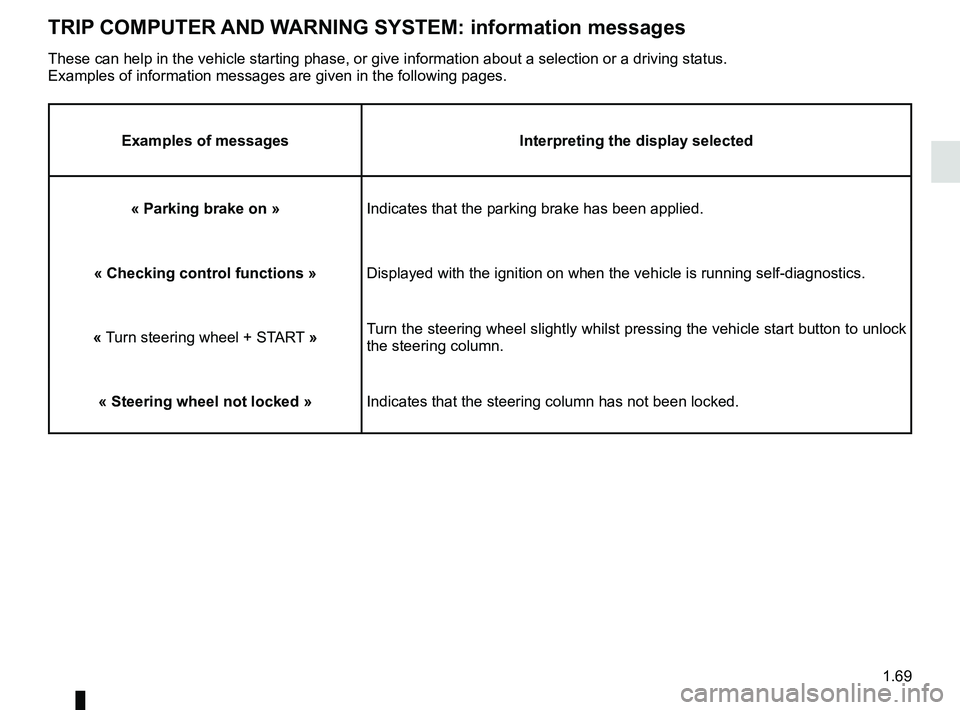
TRIP COMPUTER AND WARNING SYSTEM: information messages
Examples of messagesInterpreting the display selected
« Parking brake on » Indicates that the parking brake has been applied.
« Checking control functions » Displayed with the ignition on when the vehicle is running self-diagnost\
ics.
« Turn steering wheel + START » Turn the steering wheel slightly whilst pressing the vehicle start button\
to unlock
the steering column.
« Steering wheel not locked » Indicates that the steering column has not been locked.
These can help in the vehicle starting phase, or give information about \
a selection or a driving status.
Examples of information messages are given in the following pages.
Page 77 of 332
1.71
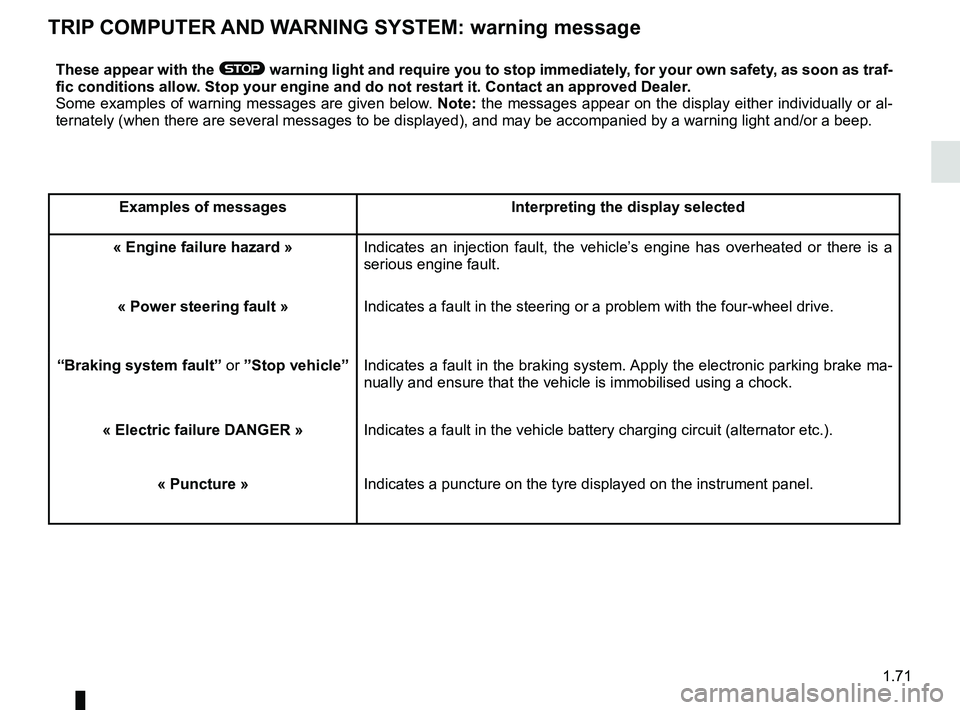
TRIP COMPUTER AND WARNING SYSTEM: warning message
These appear with the ® warning light and require you to stop immediately, for your own safety, as soon as traf-
fic conditions allow. Stop your engine and do not restart it. Contact an approved Dealer.
Some examples of warning messages are given below. Note: the messages appear on the display either individually or al-
ternately (when there are several messages to be displayed), and may b\
e accompanied by a warning light and/or a beep.
Examples of messages Interpreting the display selected
« Engine failure hazard » Indicates an injection fault, the vehicle’s engine has overheated or there is a
serious engine fault.
« Power steering fault » Indicates a fault in the steering or a problem with the four-wheel drive\
.
“Braking system fault” or ”Stop vehicle” Indicates a fault in the braking system. Apply the electronic parking brake ma-
nually and ensure that the vehicle is immobilised using a chock.
« Electric failure DANGER » Indicates a fault in the vehicle battery charging circuit (alternator e\
tc.).
« Puncture » Indicates a puncture on the tyre displayed on the instrument panel.
Page 108 of 332
2.4
STARTING, STOPPING THE ENGINE: vehicle with key
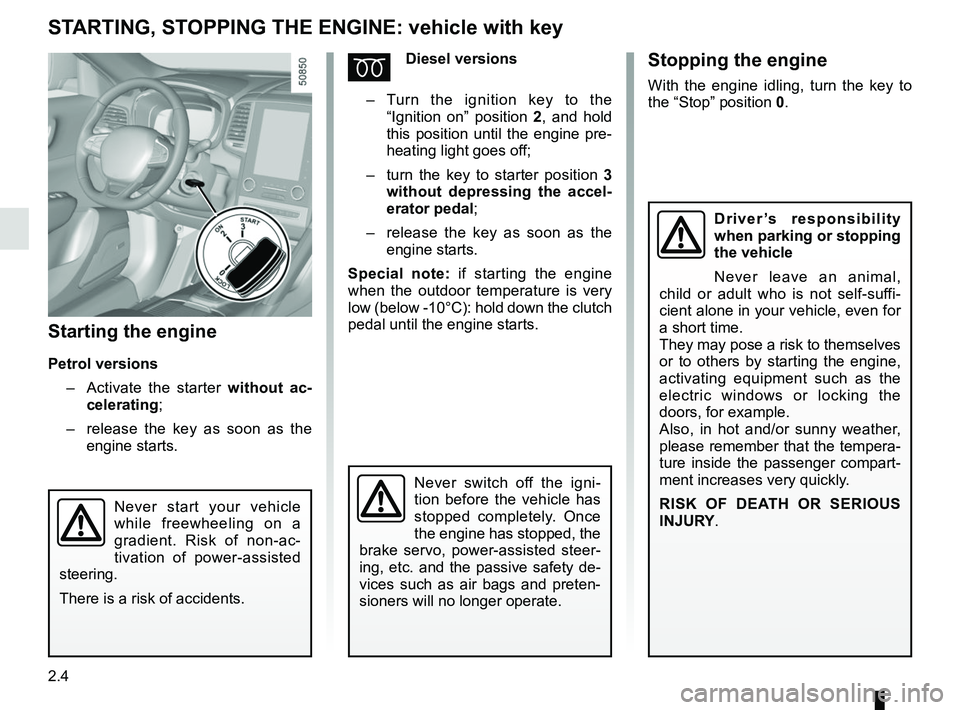
Starting the engine
Petrol versions– Activate the starter without ac-
celerating;
– release the key as soon as the
engine starts.
ÉDiesel versions
– Turn the ignition key to the
“Ignition on” position 2, and hold
this position until the engine pre-
heating light goes off;
– turn the key to starter position 3
without depressing the accel-
erator pedal;
– release the key as soon as the
engine starts.
Special note: if starting the engine
when the outdoor temperature is very
low (below -10°C): hold down the clutch
pedal until the engine starts.
Never start your vehicle
while freewheeling on a
gradient. Risk of non-ac-
tivation of power-assisted
steering.
There is a risk of accidents.
Never switch off the igni-
tion before the vehicle has
stopped completely. Once
the engine has stopped, the
brake servo, power-assisted steer-
ing, etc. and the passive safety de-
vices such as air bags and preten-
sioners will no longer operate.
Driver’s responsibility
when parking or stopping
the vehicle
Never leave an animal,
child or adult who is not self-suffi-
cient alone in your vehicle, even for
a short time.
They may pose a risk to themselves
or to others by starting the engine,
activating equipment such as the
electric windows or locking the
doors, for example.
Also, in hot and/or sunny weather,
please remember that the tempera-
ture inside the passenger compart-
ment increases very quickly.
RISK OF DEATH OR SERIOUS
INJURY.
Stopping the engine
With the engine idling, turn the key to
the “Stop” position 0.
Page 114 of 332
2.10
For manual gearboxes:
– the gearbox is in neutral;
and
– the clutch pedal is released. If the warning light
blinks, this
means that the clutch pedal is not
sufficiently released;
and
– the vehicle speed is less than ap- proximately 7 mph (3 km/h).
For all vehicles:
Warning light
on the instrument
panel appears when the engine is on
standby.
The vehicle equipment remains opera-
tional while the engine is stopped.
STOP AND START FUNCTION (1/4)
This system enables a reduced fuel
consumption and lower greenhouse
gas emissions.
The system is activated automatically
when the vehicle is started.
While driving, the system stops the
engine (standby) when the vehicle is
at a standstill (traffic jam, traffic lights,
etc).
Conditions for engine
standby
The vehicle has set off from where it
was parked;
For automatic gearboxes:
– the gearbox is in position D, M or N;
and
– the brake pedal is pressed (suffi- ciently hard);
and
– the accelerator pedal is not pressed;
and
– the speed is zero for around 1 second.
The engine remains on standby if posi-
tion P is selected, or if position N is se-
lected with the parking brake engaged
and the brake pedal released.
If the engine is put in
standby, the electronic par-
king brake (depending on
the vehicle) is not applied
automatically.
Engine on standby - braking
assistance is no longer ope-
rational.
If the engine stalls while the system
is in operation, the clutch pedal is
pressed slightly and then the engine
will start it again.
Keep your vehicle station-
ary when the engine is
on standby (shown by the
warning light
on the
instrument panel).
The ignition must be
switched off before leaving
the vehicle (please see
section on “Starting, stop-
ping the engine”).
Page 115 of 332
2.11
Conditions for coming out of
the engine standby
For automatic gearboxes:
– the brake pedal is released, position D or M engaged or,
– the brake pedal is released, position N engaged and the parking brake
off, or
– the brake pedal is pressed again, with position P engaged or position
N engaged with the parking brake
applied, or
– position R is engaged or,
– the accelerator pedal is pressed or,
– in manual mode, the gear lever is moved towards + or -.
For manual gearboxes:
– the gearbox is in neutral and the clutch pedal is slightly depressed
To fill up with fuel, the engine must
be stopped (and not on standby):
always stop the engine (please see
“Starting, stopping the engine”).
STOP AND START FUNCTION (2/4)
Preventing the standby of the
engine
In certain situations, such as a cross-
roads for instance, it is possible (with
the system activated) to keep the
engine running so as to be ready to
move off quickly.
Automatic gearbox:
Keep the vehicle stationary with pres-
sing the brake pedal slightly.
Manual gearbox:
Keep the clutch pedal pressed right
down.
Special note: depending on the vehi-
cle, if you switch off the ignition when
the engine is on standby, the warning
light
Ä is displayed for a few sec-
onds on the instrument panel.
Page 116 of 332
2.12
STOP AND START FUNCTION (3/4)
Conditions for preventing the
standby of the engine
Certain conditions prevent the system
from using the engine standby function,
including when:
for vehicles equipped with a
RENAULT card:
– the driver’s door is not closed;
– the driver’s seatbelt is not fastened;
for all vehicles:
– reverse gear is engaged;
– the bonnet is not locked;
– the outdoor temperature is too low or too high;
– the battery is not sufficiently char- ged;
– if available, “4WD Lock” mode is activated (please see the section
“Transmission: 4-wheel drive (4WD)”
in Section 2);
– the difference between the vehicle interior temperature and the auto-
matic climate control instruction is
too high; – parking distance control is in opera-
tion;
– for vehicles with automatic gear- boxes, the gradient is steeper than
approximately 12%;
– the “Clear View” function is activa- ted (please see “Automatic Climate
Control” in Section 3);
– the engine temperature is too low or high;
– the emission control system is being regenerated;
or
– ...
Warning light
is displayed on the
instrument panel. This notifies you that
engine standby is not available.
Deactivate the Stop and
Start function when perfor-
ming any operations in the
engine compartment.
Special cases for vehicles
with a RENAULT card
With the engine on standby (traffic jam,
traffic lights, etc.), if the driver unfas-
tens the seat belt and opens the driv-
er’s door, or gets out of the seat, the
ignition is switched off.
The assisted parking brake is applied
automatically.
To restart and reactivate the Stop and
Start system, start the engine (please
refer to “Starting, stopping the engine”
in Section 2).
Special cases of vehicles
with a key
With the engine on standby (traffic
jam, traffic lights, etc.), if you get out of
the vehicle, a beep warns you that the
engine is on standby and has not been
stopped.
After engine standby, even
driver takes off the vehicle,
it could be restarted. Please
check the safety before you
leave.
Page 117 of 332
2.13
STOP AND START FUNCTION (4/4)
Special feature of the automatic
engine re-start
Under certain conditions, the engine
can restart on its own in order to gua-
rantee your safety and comfort.
This can occur especially when:
– the outdoor temperature is too low or too high;
– the “Clear View” function is activa- ted (please see “Automatic Climate
Control” in Section 3);
– the battery is not sufficiently char- ged;
– the vehicle speed is above 3 mph (5 km/h) (downhill slope, etc.);
– repeated pressing on the brake pedal or braking system require-
ment;
– ...
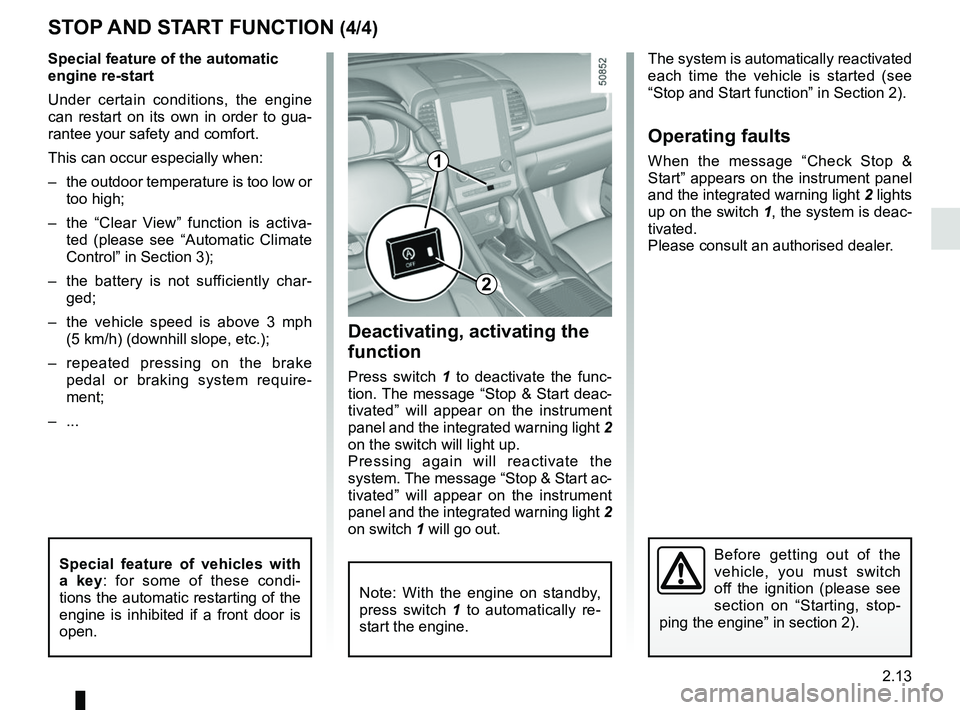
1
2
Deactivating, activating the
function
Press switch 1 to deactivate the func-
tion. The message “Stop & Start deac-
tivated” will appear on the instrument
panel and the integrated warning light 2
on the switch will light up.
Pressing again will reactivate the
system. The message “Stop & Start ac-
tivated” will appear on the instrument
panel and the integrated warning light 2
on switch 1 will go out.
Note: With the engine on standby,
press switch 1 to automatically re-
start the engine.
The system is automatically reactivated
each time the vehicle is started (see
“Stop and Start function” in Section 2).
Operating faults
When the message “Check Stop &
Start” appears on the instrument panel
and the integrated warning light 2 lights
up on the switch 1, the system is deac-
tivated.
Please consult an authorised dealer.
Before getting out of the
vehicle, you must switch
off the ignition (please see
section on “Starting, stop-
ping the engine” in section 2).Special feature of vehicles with
a key: for some of these condi-
tions the automatic restarting of the
engine is inhibited if a front door is
open.