Temperature RENAULT MASTER 2017 X62 / 2.G Owners Manual
[x] Cancel search | Manufacturer: RENAULT, Model Year: 2017, Model line: MASTER, Model: RENAULT MASTER 2017 X62 / 2.GPages: 286, PDF Size: 6.97 MB
Page 7 of 286

1.1
Section 1: Getting to know your vehicle
Key, remote control . . . . . . . . . . . . . . . . . . . . . . . . . . . . . . . . . . . .\
. . . . . . . . . . . . . . . . . . . . . . . . . . 1.2
Hands-free access transmitter/receiver . . . . . . . . . . . . . . . . . . . . . . . . . . . . . . . . . . . . \
. . . . . . . . . . . 1.7
Locking/unlocking the doors . . . . . . . . . . . . . . . . . . . . . . . . . . . . . . . . . . . .\
. . . . . . . . . . . . . . . . . . . 1.9
Doors . . . . . . . . . . . . . . . . . . . . . . . . . . . . . . . . . . . . \
. . . . . . . . . . . . . . . . . . . . . . . . . . . . . . . . . . . . . 1.12
Headrests . . . . . . . . . . . . . . . . . . . . . . . . . . . . . . . . . . . .\
. . . . . . . . . . . . . . . . . . . . . . . . . . . . . . . . . 1.18
Front seats. . . . . . . . . . . . . . . . . . . . . . . . . . . . . . . . . . . . \
. . . . . . . . . . . . . . . . . . . . . . . . . . . . . . . . . 1.19
Seat belts. . . . . . . . . . . . . . . . . . . . . . . . . . . . . . . . . . . . \
. . . . . . . . . . . . . . . . . . . . . . . . . . . . . . . . . . 1.22
Methods of restraint in addition to the front seat belts . . . . . . . . . . . . . . . . . . . . . . . . . . . . . . . . . . . . 1.26
Side protection devices . . . . . . . . . . . . . . . . . . . . . . . . . . . . . . . . . . . . \
. . . . . . . . . . . . . . . . . . . . . . . 1.29
Child safety: General information . . . . . . . . . . . . . . . . . . . . . . . . . . . . . . . . . . . .\
. . . . . . . . . . . . . . . 1.31 choosing a child seat mounting . . . . . . . . . . . . . . . . . . . . . . . . . . . . . . . . . . . .\
. . . . . . . . . . . 1.34
fitting a child seat, general information . . . . . . . . . . . . . . . . . . . . . . . . . . . . . . . . . . . . \
. . . . . . 1.36
Child seats: attachment by seat belt or by Isofix system . . . . . . . . . . . . . . . . . . . . . . . . . . . . . . . . . . 1.38 deactivating/activating the front passenger airbag . . . . . . . . . . . . . . . . . . . . . . . . . . . . . . . . . 1.68
Rear view mirrors . . . . . . . . . . . . . . . . . . . . . . . . . . . . . . . . . . . .\
. . . . . . . . . . . . . . . . . . . . . . . . . . . 1.71
Driving position: left-hand drive . . . . . . . . . . . . . . . . . . . . . . . . . . . . . . . . . . . . \
. . . . . . . . . . . . . . . . . 1.72
Driver’s position, right-hand drive . . . . . . . . . . . . . . . . . . . . . . . . . . . . . . . . . . . .\
. . . . . . . . . . . . . . . 1.74
Warning lights . . . . . . . . . . . . . . . . . . . . . . . . . . . . . . . . . . . .\
. . . . . . . . . . . . . . . . . . . . . . . . . . . . . . 1.76
Trip computer and warning system . . . . . . . . . . . . . . . . . . . . . . . . . . . . . . . . . . . . \
. . . . . . . . . . . . . . 1.82
Steering wheel/power-assisted steering . . . . . . . . . . . . . . . . . . . . . . . . . . . . . . . . . . . .\
. . . . . . . . . . 1.91
Clock . . . . . . . . . . . . . . . . . . . . . . . . . . . . . . . . . \
. . . . . . . . . . . . . . . . . . . . . . . . . . . . . . . . . . . . . . . . 1.92
Exterior temperature . . . . . . . . . . . . . . . . . . . . . . . . . . . . . . . . . . . .\
. . . . . . . . . . . . . . . . . . . . . . . . . 1.92
Windscreen washer/wiper . . . . . . . . . . . . . . . . . . . . . . . . . . . . . . . . . . . . \
. . . . . . . . . . . . . . . . . . . . . 1.93
Exterior lighting and signals. . . . . . . . . . . . . . . . . . . . . . . . . . . . . . . . . . . . \
. . . . . . . . . . . . . . . . . . . . 1.95
Electrical adjustment of the dipped beam headlights . . . . . . . . . . . . . . . . . . . . . . . . . . . . . . . . . . . .\
1.99
Audible and visual signals . . . . . . . . . . . . . . . . . . . . . . . . . . . . . . . . . . . . \
. . . . . . . . . . . . . . . . . . . . . 1.100
Fuel tank . . . . . . . . . . . . . . . . . . . . . . . . . . . . . . . . . . . .\
. . . . . . . . . . . . . . . . . . . . . . . . . . . . . . . . . . 1.101
Additive tank . . . . . . . . . . . . . . . . . . . . . . . . . . . . . . . . . . . .\
. . . . . . . . . . . . . . . . . . . . . . . . . . . . . . . 1.103
Page 83 of 286

The presence and operation of the warning lights DEPEND ON THE EQUIPMENT\
AND COUNTRY.
DHandbrake on and brake cir-
cuit incident warning light
This comes on when the igniti")
1.77
Warning lights (2/4)
The presence and operation of the warning lights DEPEND ON THE EQUIPMENT\
AND COUNTRY.
DHandbrake on and brake cir-
cuit incident warning light
This comes on when the ignition is
switched on. If it lights up while braking
or driving, accompanied by the
®
warning light, this indicates a low level
in one of the circuits; it may be danger-
ous to continue driving - please contact
an authorised dealer.
Tyre pressure loss warning
Please refer to the information
on the “Tyre pressure loss warning” in
Section 2.
©Warning light
This comes on when the igni-
tion is switched on and goes out after
about 3 seconds.
If it comes on, possibly accompanied
by other warning lights, you should visit
an approved dealer as soon as possi-
ble.
Depending on the vehicle, this warning
light is accompanied by a message on
the instrument panel.
ÄToxic fume filter system
warning light
On equipped vehicles, the light comes
on when the ignition is switched on then
goes out.
– If it lights up continuously accom-
panied by the
© warning light,
please consult an authorised dealer
as soon as possible;
– If it flashes, reduce the engine speed until the light stops flashing. Contact
your approved dealer as soon as
possible.
Please refer to the information on
«Maintenance and anti-pollution
advice» in Section 2.
åAir bag warning light
This light comes on when the
ignition is switched on and goes out
within about 3 seconds. If it comes on,
there is a fault in the system. Contact
an approved dealer as soon as possi-
ble.
2
Door status warning light
If it lights up when the ignition
is switched on, it indicates that
a door is not properly closed.
ÜNot used
®STOP light
This comes on when the igni-
tion is switched on and goes out after
about 3 seconds.
If it comes on, possibly accompanied
by other warning lights, stop soon as
traffic conditions allow. Contact an ap-
proved dealer as soon as possible.
Depending on the vehicle, this warning
light is accompanied by a message on
the instrument panel.
ÔCoolant temperature warn-
ing light
If this remains lit while driving accom-
panied by the
® indicator light, it
indicates engine overheating. Stop and
allow the engine to run at idle speed for
about a minute or two. The tempera-
ture should drop. Otherwise, stop the
engine. Let the engine cool down, then
check the coolant level. Contact an ap-
proved Dealer if necessary.
Page 87 of 286
1.81
Displays and indicators (2/2)
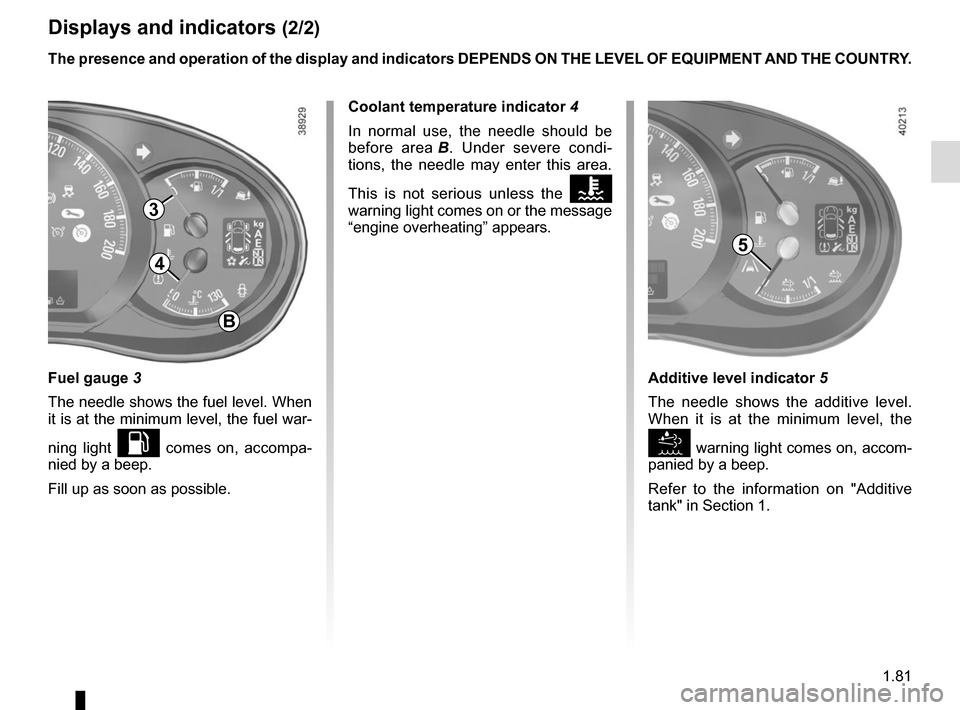
Fuel gauge 3
The needle shows the fuel level. When
it is at the minimum level, the fuel war-
ning light
L comes on, accompa-
nied by a beep.
Fill up as soon as possible. The presence and operation of the display and indicators DEPENDS ON THE \
LEVEL OF EQUIPMENT AND THE COUNTRY.
3
4
B
Coolant temperature indicator 4
In normal use, the needle should be
before area B. Under severe condi-
tions, the needle may enter this area.
This is not serious unless the
Ô
warning light comes on or the message
“engine overheating” appears.
Additive level indicator 5
The needle shows the additive level.
When it is at the minimum level, the
warning light comes on, accom-
panied by a beep.
Refer to the information on "Additive
tank" in Section 1.
5
Page 89 of 286
1.83
TRIP COMPUTER: general information (2/2)
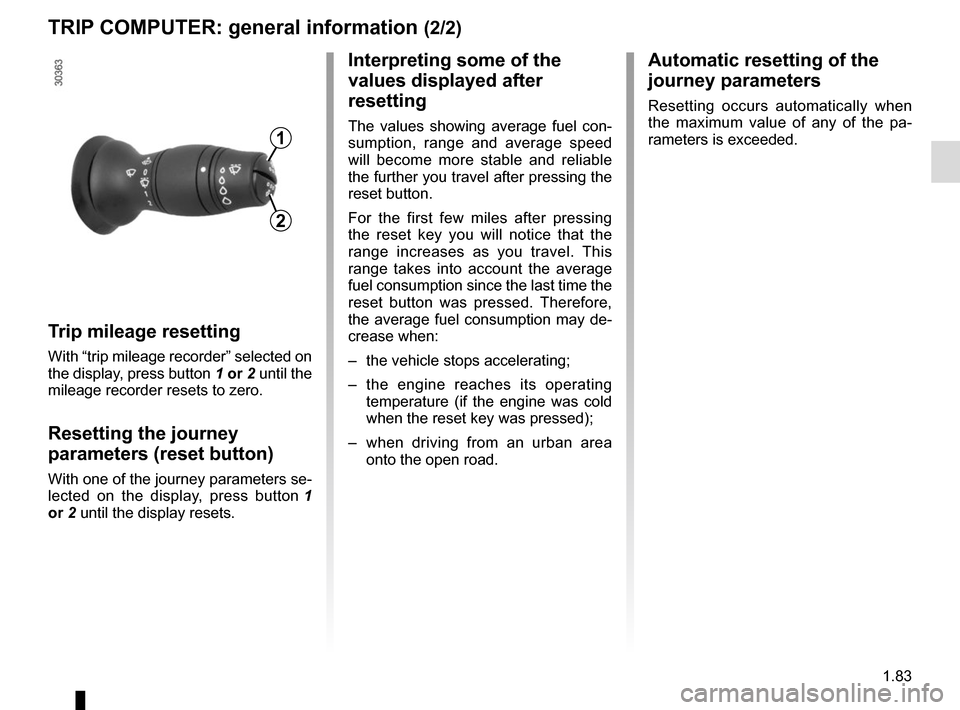
Trip mileage resetting
With “trip mileage recorder” selected on
the display, press button 1 or 2 until the
mileage recorder resets to zero.
Resetting the journey
parameters (reset button)
With one of the journey parameters se-
lected on the display, press button 1
or 2 until the display resets.
Interpreting some of the
values displayed after
resetting
The values showing average fuel con-
sumption, range and average speed
will become more stable and reliable
the further you travel after pressing the
reset button.
For the first few miles after pressing
the reset key you will notice that the
range increases as you travel. This
range takes into account the average
fuel consumption since the last time the
reset button was pressed. Therefore,
the average fuel consumption may de-
crease when:
– the vehicle stops accelerating;
– the engine reaches its operating
temperature (if the engine was cold
when the reset key was pressed);
– when driving from an urban area
onto the open road.
Automatic resetting of the
journey parameters
Resetting occurs automatically when
the maximum value of any of the pa-
rameters is exceeded.
1
2
Page 98 of 286
1.92
Exterior temperature
When the temperature is between –3°C
and +3°C, the °C characters flash (indi-
cates risk of ice formation).
CLOCK AND EXTERIOR TEMPERATURE
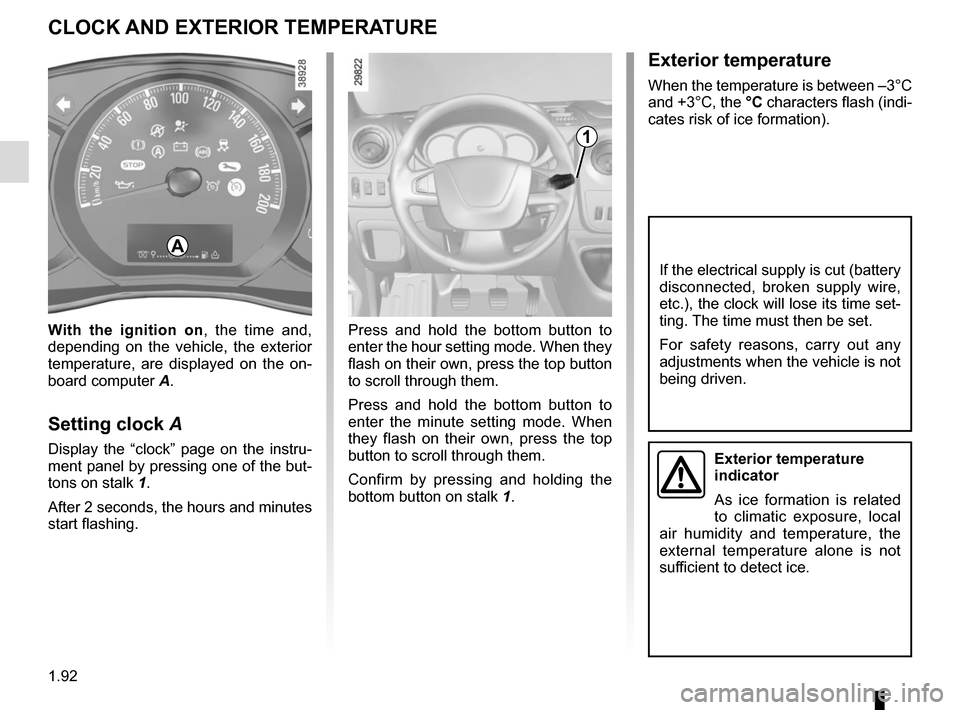
Press and hold the bottom button to
enter the hour setting mode. When they
flash on their own, press the top button
to scroll through them.
Press and hold the bottom button to
enter the minute setting mode. When
they flash on their own, press the top
button to scroll through them.
Confirm by pressing and holding the
bottom button on stalk 1.
With the ignition on
, the time and,
depending on the vehicle, the exterior
temperature, are displayed on the on-
board computer A.
Setting clock A
Display the “clock” page on the instru-
ment panel by pressing one of the but-
tons on stalk 1.
After 2 seconds, the hours and minutes
start flashing.
1
A
If the electrical supply is cut (battery
disconnected, broken supply wire,
etc.), the clock will lose its time set-
ting. The time must then be set.
For safety reasons, carry out any
adjustments when the vehicle is not
being driven.
Exterior temperature
indicator
As ice formation is related
to climatic exposure, local
air humidity and temperature, the
external temperature alone is not
sufficient to detect ice.
Page 119 of 286
2.5
STOP AND START FUNCTION (2/3)Conditions for coming out of
engine standby
For sequential gearbox:
– the brake pedal is released, position A or M engaged, or;
– the brake pedal is released, position N engaged and the handbrake off,
or;
– or the brake pedal is pressed again, with position P engaged or position
N engaged with the parking brake
applied or;
– position R is engaged or;
– the accelerator pedal is pressed.
For manual gearboxes:
– the gearbox is in neutral and the clutch pedal is slightly depressed, or
– the engine is in gear and the clutch pedal is pressed right down.
Conditions preventing the
standby of the engine
Certain conditions prevent the system
from using the engine standby function,
including when:
– reverse gear is engaged;
– the bonnet is not locked; – the outdoor temperature is too low or
too high (less than around 0 °C or
higher than around 30 °C);
– the battery is not sufficiently charged;
– the difference between the vehicle interior temperature and the auto-
matic climate control instruction is
too high;
– the “Clear View” function is activated (please see “Automatic Climate
Control” in Section 3);
– the engine coolant temperature is too low;
– automatic particle filter cleaning is underway;
or
– ...
Warning light
is displayed on the
instrument panel. This notifies you that
the engine is on standby.
To fill up with fuel, the engine must
be stopped (and not on standby):
always stop the engine (please see
“Starting, stopping the engine”).
Preventing the engine from
standing by
In certain situations, such as negotiat-
ing a crossroads for instance, it is pos-
sible (with the system activated) to keep
the engine running so as to be ready to
move off quickly.
Sequential gearbox:
keep the vehicle stationary without
pressing too hard on the brake pedal.
Manual gearbox:
keep the clutch pedal pressed right
down.
Page 120 of 286
2.6
STOP AND START FUNCTION (3/3)
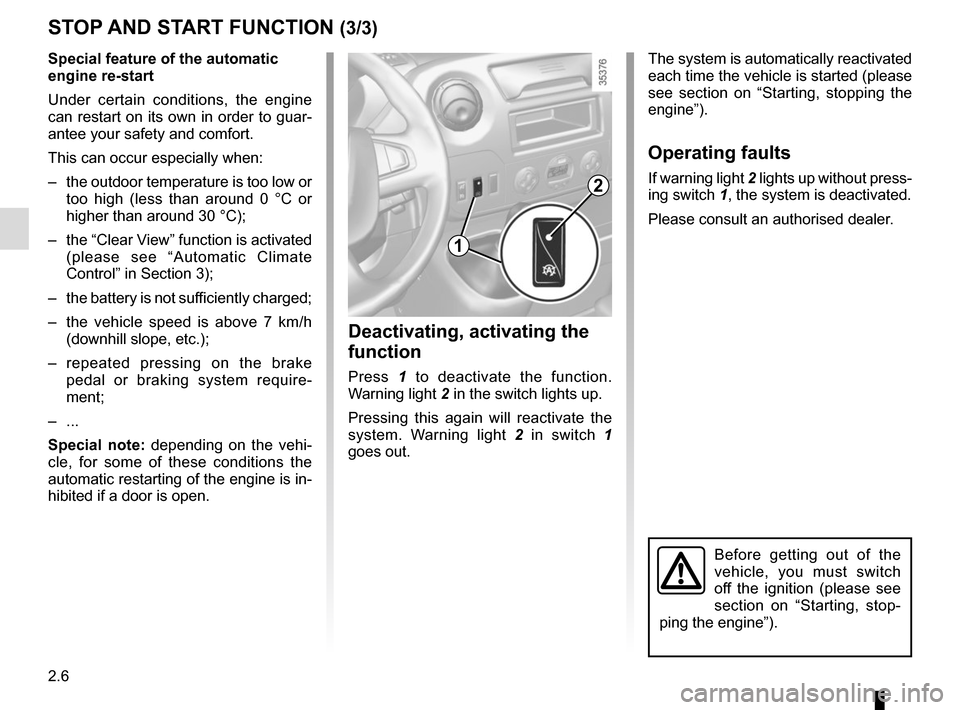
Deactivating, activating the
function
Press 1 to deactivate the function.
Warning light 2 in the switch lights up.
Pressing this again will reactivate the
system. Warning light 2 in switch 1
goes out.
The system is automatically reactivated
each time the vehicle is started (please
see section on “Starting, stopping the
engine”).
Operating faults
If warning light 2 lights up without press-
ing switch 1, the system is deactivated.
Please consult an authorised dealer.
1
2
Before getting out of the
vehicle, you must switch
off the ignition (please see
section on “Starting, stop-
ping the engine”).
Special feature of the automatic
engine re-start
Under certain conditions, the engine
can restart on its own in order to guar-
antee your safety and comfort.
This can occur especially when:
– the outdoor temperature is too low or too high (less than around 0 °C or
higher than around 30 °C);
– the “Clear View” function is activated (please see “Automatic Climate
Control” in Section 3);
– the battery is not sufficiently charged;
– the vehicle speed is above 7 km/h (downhill slope, etc.);
– repeated pressing on the brake pedal or braking system require-
ment;
– ...
Special note: depending on the vehi-
cle, for some of these conditions the
automatic restarting of the engine is in-
hibited if a door is open.
Page 124 of 286
2.10
Driving advice, Eco-driving
Behaviour
– Drive carefully for the first few miles until the engine reaches its normal
operating temperature, rather than
let it warm up while the vehicle is sta-
tionary.
– Speed is expensive.
– Sporty driving uses a lot of fuel: drive with a light right foot.
– Do not overrev the engine in the in- termediate gears.
You should always use the highest gear possible.
DRIVING ADVICE, ECO-DRIVING (3/4)
Obstructions to the driver
On the driver’s side, only
use mats suitable for the
vehicle, attached with the
pre-fitted components, and check
the fitting regularly. Do not lay one
mat on top of another.
There is a risk of wedging the
pedals
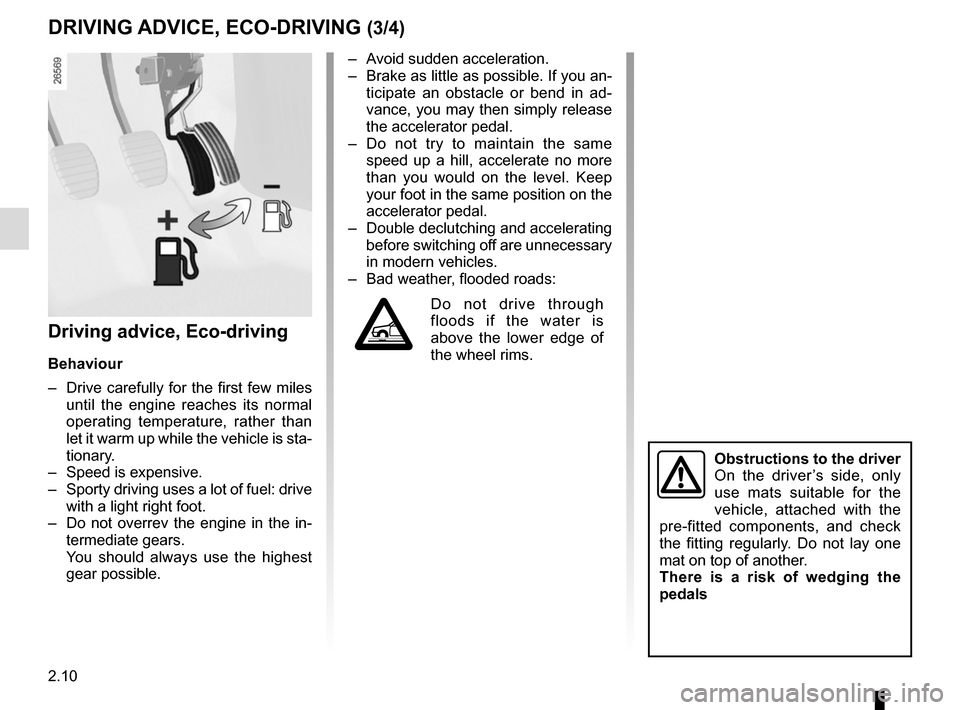
– Avoid sudden acceleration.
– Brake as little as possible. If you an- ticipate an obstacle or bend in ad-
vance, you may then simply release
the accelerator pedal.
– Do not try to maintain the same speed up a hill, accelerate no more
than you would on the level. Keep
your foot in the same position on the
accelerator pedal.
– Double declutching and accelerating before switching off are unnecessary
in modern vehicles.
– Bad weather, flooded roads:
Do not drive through
floods if the water is
above the lower edge of
the wheel rims.
Page 166 of 286
3.4
MANUAL AIR CONDITIONING/HEATING SYSTEM (1/3)
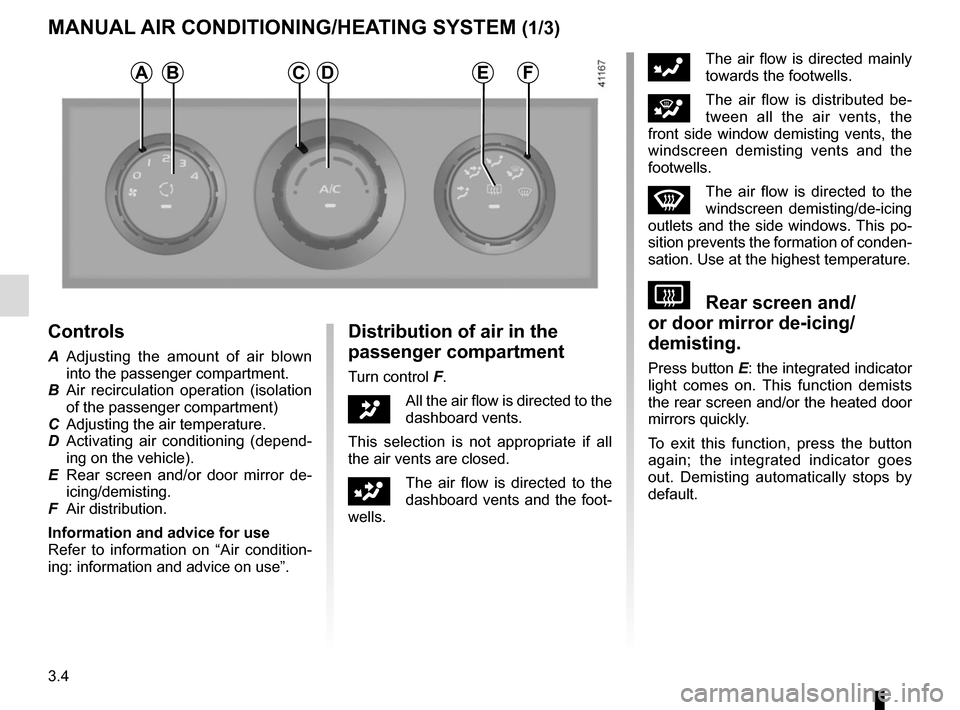
Controls
A Adjusting the amount of air blown into the passenger compartment.
B Air recirculation operation (isolation of the passenger compartment)
C Adjusting the air temperature.
D Activating air conditioning (depend- ing on the vehicle).
E Rear screen and/or door mirror de- icing/demisting.
F Air distribution.
Information and advice for use
Refer to information on “Air condition-
ing: information and advice on use”.
Distribution of air in the
passenger compartment
Turn control F.
JAll the air flow is directed to the
dashboard vents.
This selection is not appropriate if all
the air vents are closed.
GThe air flow is directed to the
dashboard vents and the foot-
wells.
FThe air flow is directed mainly
towards the footwells.
iThe air flow is distributed be-
tween all the air vents, the
front side window demisting vents, the
windscreen demisting vents and the
footwells.
WThe air flow is directed to the
windscreen demisting/de-icing
outlets and the side windows. This po-
sition prevents the formation of conden-
sation. Use at the highest temperature.
VRear screen and/
or door mirror de-icing/
demisting.
Press button E: the integrated indicator
light comes on. This function demists
the rear screen and/or the heated door
mirrors quickly.
To exit this function, press the button
again; the integrated indicator goes
out. Demisting automatically stops by
default.
ABDFCE
Page 167 of 286
3.5
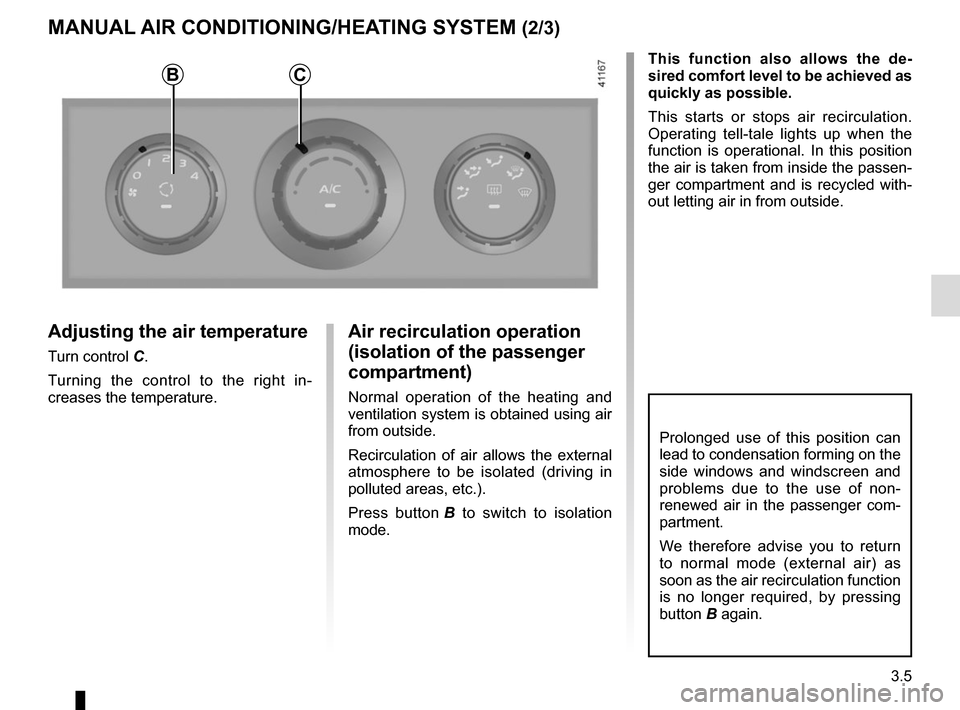
Adjusting the air temperature
Turn control C.Turning the control to the right in-
creases the temperature.
MANUAL AIR CONDITIONING/HEATING SYSTEM (2/3)
Air recirculation operation
(isolation of the passenger
compartment)
Normal operation of the heating and
ventilation system is obtained using air
from outside.
Recirculation of air allows the external
atmosphere to be isolated (driving in
polluted areas, etc.).
Press button B to switch to isolation
mode. This function also allows the de-
sired comfort level to be achieved as
quickly as possible.
This starts or stops air recirculation.
Operating tell-tale lights up when the
function is operational. In this position
the air is taken from inside the passen-
ger compartment and is recycled with-
out letting air in from outside.
Prolonged use of this position can
lead to condensation forming on the
side windows and windscreen and
problems due to the use of non-
renewed air in the passenger com-
partment.
We therefore advise you to return
to normal mode (external air) as
soon as the air recirculation function
is no longer required, by pressing
button B again.
BC