scr RENAULT MASTER 2017 X62 / 2.G User Guide
[x] Cancel search | Manufacturer: RENAULT, Model Year: 2017, Model line: MASTER, Model: RENAULT MASTER 2017 X62 / 2.GPages: 286, PDF Size: 6.97 MB
Page 98 of 286
1.92
Exterior temperature
When the temperature is between –3°C
and +3°C, the °C characters flash (indi-
cates risk of ice formation).
CLOCK AND EXTERIOR TEMPERATURE
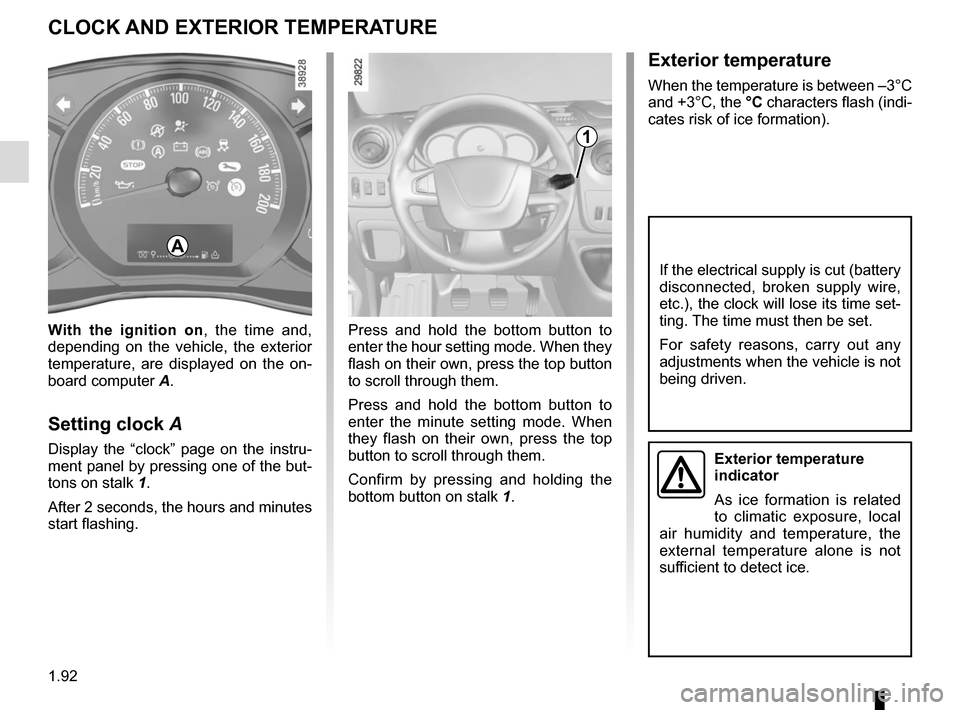
Press and hold the bottom button to
enter the hour setting mode. When they
flash on their own, press the top button
to scroll through them.
Press and hold the bottom button to
enter the minute setting mode. When
they flash on their own, press the top
button to scroll through them.
Confirm by pressing and holding the
bottom button on stalk 1.
With the ignition on
, the time and,
depending on the vehicle, the exterior
temperature, are displayed on the on-
board computer A.
Setting clock A
Display the “clock” page on the instru-
ment panel by pressing one of the but-
tons on stalk 1.
After 2 seconds, the hours and minutes
start flashing.
1
A
If the electrical supply is cut (battery
disconnected, broken supply wire,
etc.), the clock will lose its time set-
ting. The time must then be set.
For safety reasons, carry out any
adjustments when the vehicle is not
being driven.
Exterior temperature
indicator
As ice formation is related
to climatic exposure, local
air humidity and temperature, the
external temperature alone is not
sufficient to detect ice.
Page 99 of 286
1.93
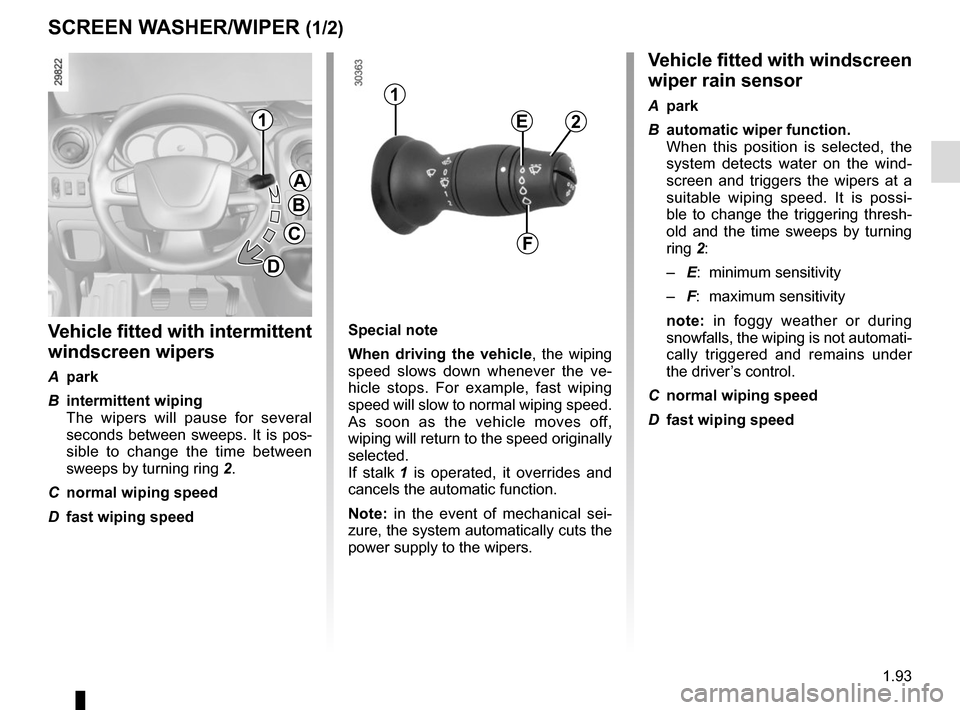
SCREEN WASHER/WIPER (1/2)Vehicle fitted with windscreen
wiper rain sensor
A park
B automatic wiper function.
When this position is selected, the system detects water on the wind-
screen and triggers the wipers at a
suitable wiping speed. It is possi-
ble to change the triggering thresh-
old and the time sweeps by turning
ring 2:
– E: minimum sensitivity
– F: maximum sensitivity
note: in foggy weather or during
snowfalls, the wiping is not automati-
cally triggered and remains under
the driver’s control.
C normal wiping speed
D fast wiping speed
Vehicle fitted with intermittent
windscreen wipers
A park
B intermittent wiping
The wipers will pause for several seconds between sweeps. It is pos-
sible to change the time between
sweeps by turning ring 2.
C normal wiping speed
D fast wiping speed
1
A
B
C
D
1
2E
F
Special note
When driving the vehicle, the wiping
speed slows down whenever the ve-
hicle stops. For example, fast wiping
speed will slow to normal wiping speed.
As soon as the vehicle moves off,
wiping will return to the speed originally
selected.
If stalk 1 is operated, it overrides and
cancels the automatic function.
Note: in the event of mechanical sei-
zure, the system automatically cuts the
power supply to the wipers.
Page 100 of 286
1.94
SCREEN WASHER/WIPER (2/2)
When working in the engine
compartment, ensure that
the windscreen wiper stalk
is in position A (park).
Risk of injury.
In snowy or icy conditions, make
sure the wiper blades are not stuck
by ice.
Keep an eye on the condition of the
blades. Replace the wiper blades as
soon as they begin to lose efficiency
(approximately once a year).
Before any action involving
the windscreen (washing
the vehicle, de-icing, clean-
ing the windscreen, etc.)
return stalk 1 to position A (park).
Risk of injury and/or damage.
1
A
B
C
D
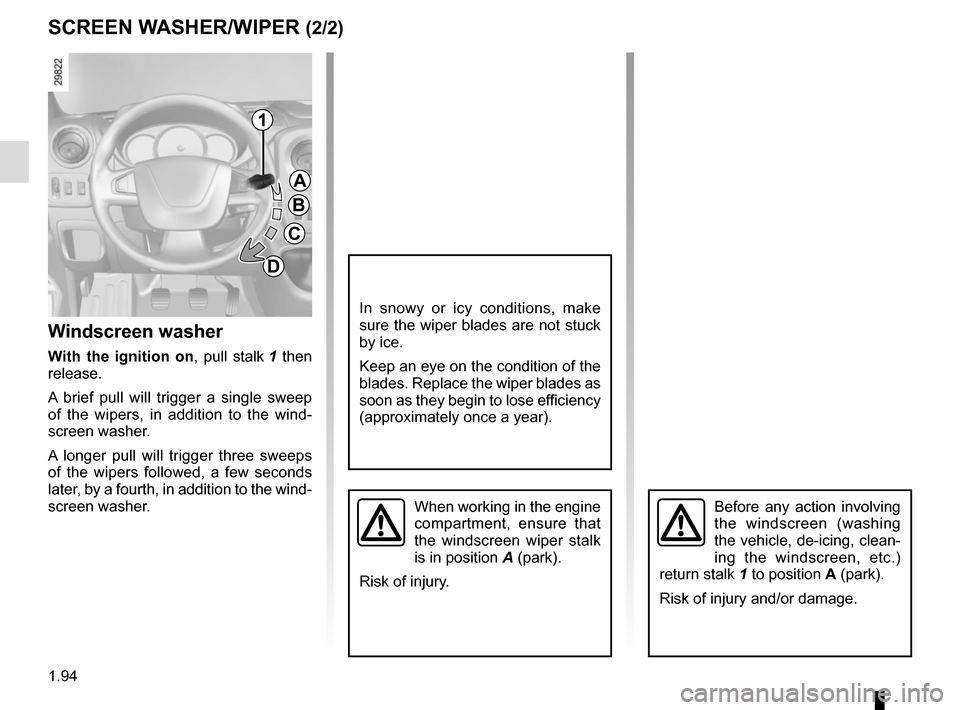
Windscreen washer
With the ignition on , pull stalk 1 then
release.
A brief pull will trigger a single sweep
of the wipers, in addition to the wind-
screen washer.
A longer pull will trigger three sweeps
of the wipers followed, a few seconds
later, by a fourth, in addition to the wind-
screen washer.
Page 103 of 286
1.97
Automatic main beam
headlights
Depending on the vehicle, this system
switches the main beam headlights on
and off automatically. The function uses
a camera located behind the interior
rear-view mirror to detect vehicles that
are following and coming in the oppo-
site direction.
The main beam headlights come on au-
tomatically if:
– exterior light is weak;
– no other vehicles or lighting are de-tected;
– the vehicle speed is above approxi- mately 30 mph (45 km/h).
If any of the above conditions are not
fulfilled, the system switches to dipped
beam headlights.
The “automatic main beam
headlights” system should
under no circumstances be
used to replace driver atten-
tion and responsibility with regard
to vehicle lighting and adapting to
light, visibility and traffic conditions.Using the portable naviga-
tion system at night in the
windscreen area below the
camera may disturb the op-
eration of the “automatic main beam
headlights” system (risk of reflection
on the windscreen).
The system may encounter difficul-
ties under certain conditions, inclu-
ding :
– extreme weather conditions (rain, snow, fog, etc.);
– obstruction in front of the wind- screen or camera;
– when a following or oncoming ve- hicle has weak or hidden lighting;
– incorrect settings for the front headlights;
– reflective systems;
– ...
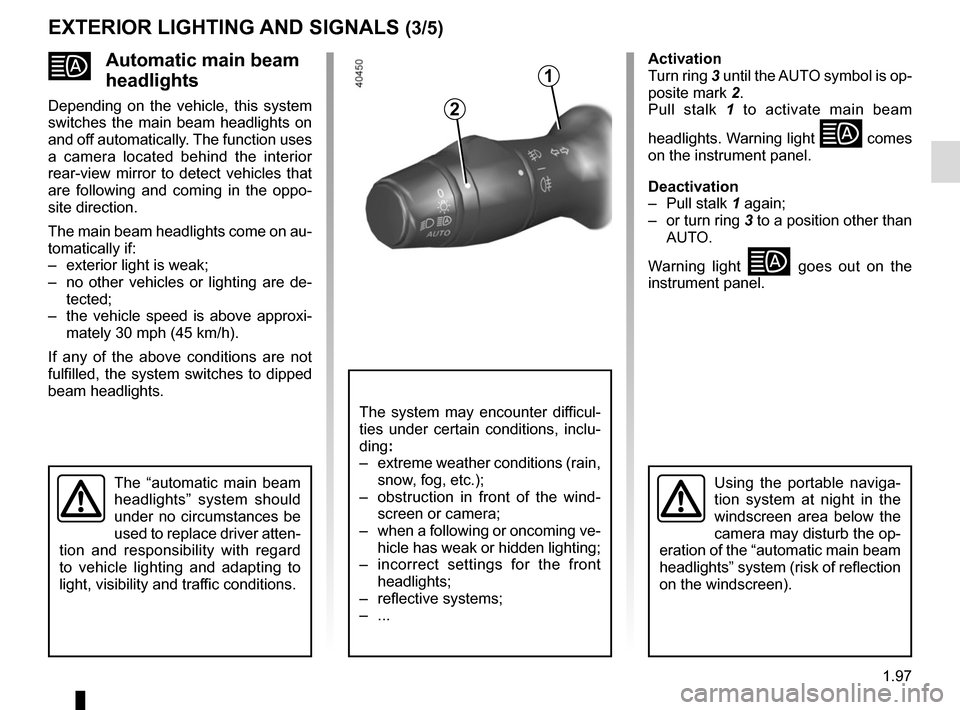
Activation
Turn ring 3 until the AUTO symbol is op-
posite mark 2.
Pull stalk 1 to activate main beam
headlights. Warning light
comes
on the instrument panel.
Deactivation
– Pull stalk 1 again;
– or turn ring 3 to a position other than AUTO.
Warning light
goes out on the
instrument panel.
EXTERIOR LIGHTING AND SIGNALS (3/5)
2
1
Page 109 of 286
1.103
Please ensure that you comply with the
legislation of your country.
It is important to remember that failure
to respect regulations in force could
lead to legal action being taken against
the vehicle owner.
Operating principleThe use of additives reduces exhaust
emissions by transforming the pollu-
tants into water vapour and nitrogen.
Topping upCapacity of the fuel tank: 20 litres ap-
proximately.
Open the front passenger door to open
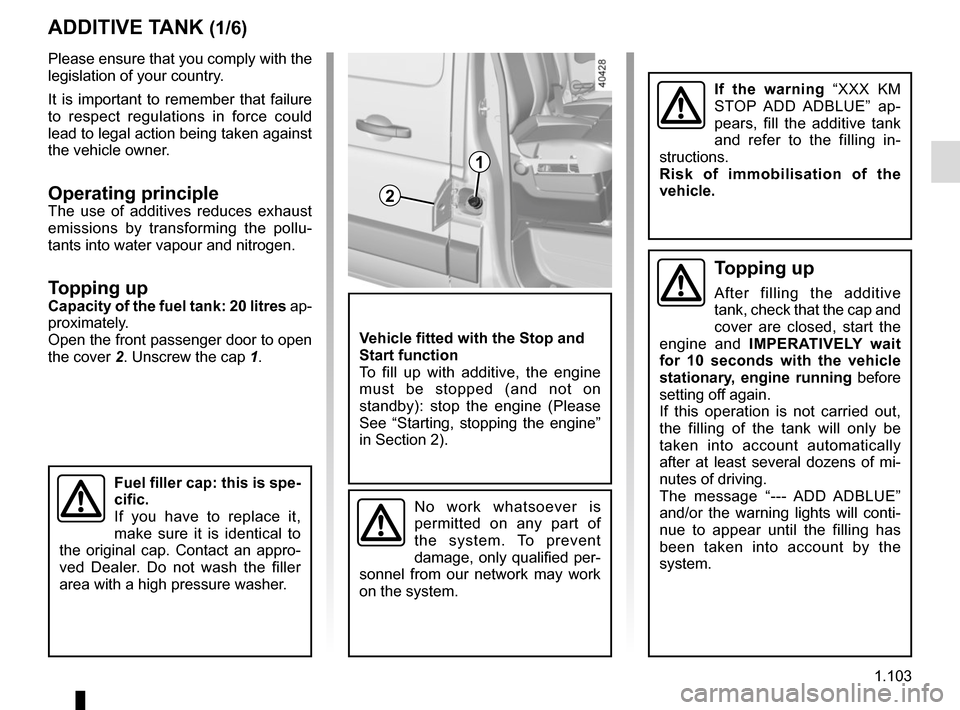
the cover 2. Unscrew the cap 1.
ADDITIVE TANK (1/6)
Fuel filler cap: this is spe-
cific.
If you have to replace it,
make sure it is identical to
the original cap. Contact an appro-
ved Dealer. Do not wash the filler
area with a high pressure washer.
2
1
Vehicle fitted with the Stop and
Start function
To fill up with additive, the engine
must be stopped (and not on
standby): stop the engine (Please
See “Starting, stopping the engine”
in Section 2).
No work whatsoever is
permitted on any part of
the system. To prevent
damage, only qualified per-
sonnel from our network may work
on the system.
If the warning “XXX KM
STOP ADD ADBLUE” ap-
pears, fill the additive tank
and refer to the filling in-
structions.
Risk of immobilisation of the
vehicle.
Topping up
After filling the additive
tank, check that the cap and
cover are closed, start the
engine and IMPERATIVELY wait
for 10 seconds with the vehicle
stationary, engine running before
setting off again.
If this operation is not carried out,
the filling of the tank will only be
taken into account automatically
after at least several dozens of mi-
nutes of driving.
The message “--- ADD ADBLUE”
and/or the warning lights will conti-
nue to appear until the filling has
been taken into account by the
system.
Page 111 of 286

Maintenance/Range
When the indicator lights described light up, this may be accompanied by\
a beep.
Indicator lights MessageWhat to do?
comes on
each time the vehi-
cle")
1.105
ADDITIVE TANK (3/6)
Maintenance/Range
When the indicator lights described light up, this may be accompanied by\
a beep.
Indicator lights MessageWhat to do?
comes on
each time the vehi-
cle is started. “LEVEL ADBLUE
LOW”
Fill or have an Approved Dealer fill or
top up the additive tank.
comes on.“TOP UP ADBLUE”
comes on.“XXX KM STOP
ADD ADBLUE”
Fill or have an Approved Dealer fill
the additive tank as soon as possible.
comes on.“0 KM STOP ADD
ADBLUE The engine will not start.
To restart, you must fill the additive
tank yourself.
Alert with message on the
instrument panel on display
3
(depending on vehicle)
3
Page 112 of 286

System fault
When the indicator lights described light up, this may be accompanied by\
a beep.
Indicator lightsMessage Readings
and © come
on. « CHECK ANTI- -
POLLUTI")
1.106
ADDITIVE TANK (4/6)
System fault
When the indicator lights described light up, this may be accompanied by\
a beep.
Indicator lightsMessage Readings
and © come
on. « CHECK ANTI- -
POLLUTION SYSTEM »
Indicates a fault in the system. Contact your approved dealer as
soon as possible.
and © come
on. “ANTIPOLLUTION xxx KM FAIL” Indicates that in less than 680 miles (1100 km) it will become
impossible to restart the vehicle
. These warnings will be re-
peated every 60 miles (100 km). Contact your approved dealer
as soon as possible.
and © come
on. “ANTIPOLLUTION 0 KM
FAILURE”
Indicates that after the ignition is switched off the vehicle will not
restart
. Call an approved Dealer.
Page 114 of 286

System fault
When the indicator lights described light up, this may be accompanied by\
a beep.
Indicator lightsReadings
and © come on.Indicates a fault in the system. C")
1.108
ADDITIVE TANK (6/6)
System fault
When the indicator lights described light up, this may be accompanied by\
a beep.
Indicator lightsReadings
and © come on.Indicates a fault in the system. Contact your approved dealer as soon as\
possible.
and © flash when the engine
is started then stay lit. Indicates a system fault with a loss of engine power
. Contact your approved dealer
as soon as possible.
and © flash. Indicates a fault in the system. In this case, at the next engine stop/s\
tart, the vehi-
cle speed is limited to approximately 12 mph (20 km/h)
. Contact your approved
dealer as soon as possible.
Page 123 of 286
2.9
DRIVING ADVICE, ECO-DRIVING (2/4)ECO mode
ECO mode is a function which op-
timises fuel consumption. It acts on
certain power consuming systems in
the vehicle (heating, air conditioning,
power-assisted steering, etc.) and on
certain driving actions (acceleration,
gear changing, cruise control, deceler-
ation, etc.).
Activating the function
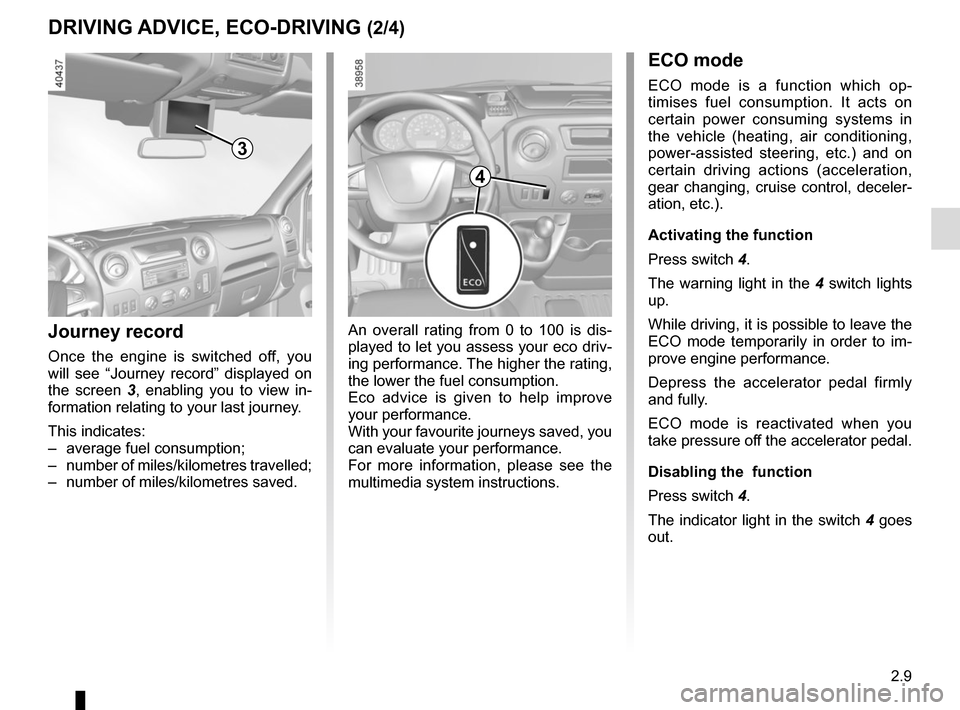
Press switch 4.
The warning light in the 4 switch lights
up.
While driving, it is possible to leave the
ECO mode temporarily in order to im-
prove engine performance.
Depress the accelerator pedal firmly
and fully.
ECO mode is reactivated when you
take pressure off the accelerator pedal.
Disabling the function
Press switch 4.
The indicator light in the switch 4 goes
out.
4
An overall rating from 0 to 100 is dis-
played to let you assess your eco driv-
ing performance. The higher the rating,
the lower the fuel consumption.
Eco advice is given to help improve
your performance.
With your favourite journeys saved, you
can evaluate your performance.
For more information, please see the
multimedia system instructions.Journey record
Once the engine is switched off, you
will see “Journey record” displayed on
the screen 3, enabling you to view in-
formation relating to your last journey.
This indicates:
– average fuel consumption;
– number of miles/kilometres travelled;
– number of miles/kilometres saved.
3
Page 138 of 286
2.24
LANE DEPARTURE WARNING (1/3)
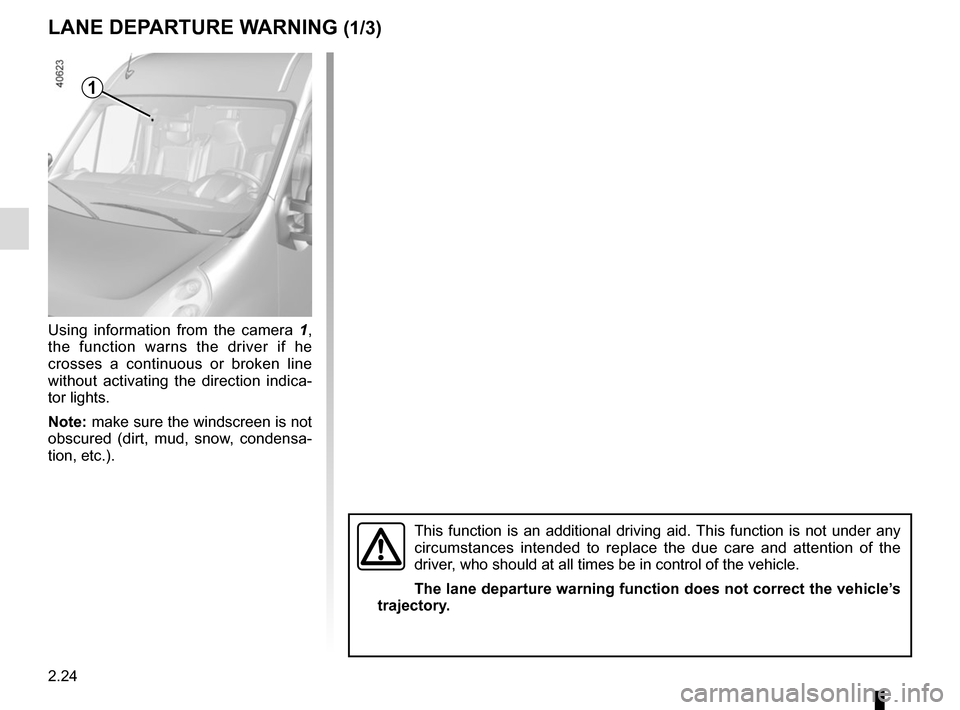
Using information from the camera 1,
the function warns the driver if he
crosses a continuous or broken line
without activating the direction indica-
tor lights.
Note: make sure the windscreen is not
obscured (dirt, mud, snow, condensa-
tion, etc.).
1
This function is an additional driving aid. This function is not under any
circumstances intended to replace the due care and attention of the
driver, who should at all times be in control of the vehicle.
The lane departure warning function does not correct the vehicle’s
trajectory.