wheel RENAULT MASTER 2017 X62 / 2.G User Guide
[x] Cancel search | Manufacturer: RENAULT, Model Year: 2017, Model line: MASTER, Model: RENAULT MASTER 2017 X62 / 2.GPages: 286, PDF Size: 6.97 MB
Page 116 of 286
2.2
RUNNING IN, IGNITION SWITCH
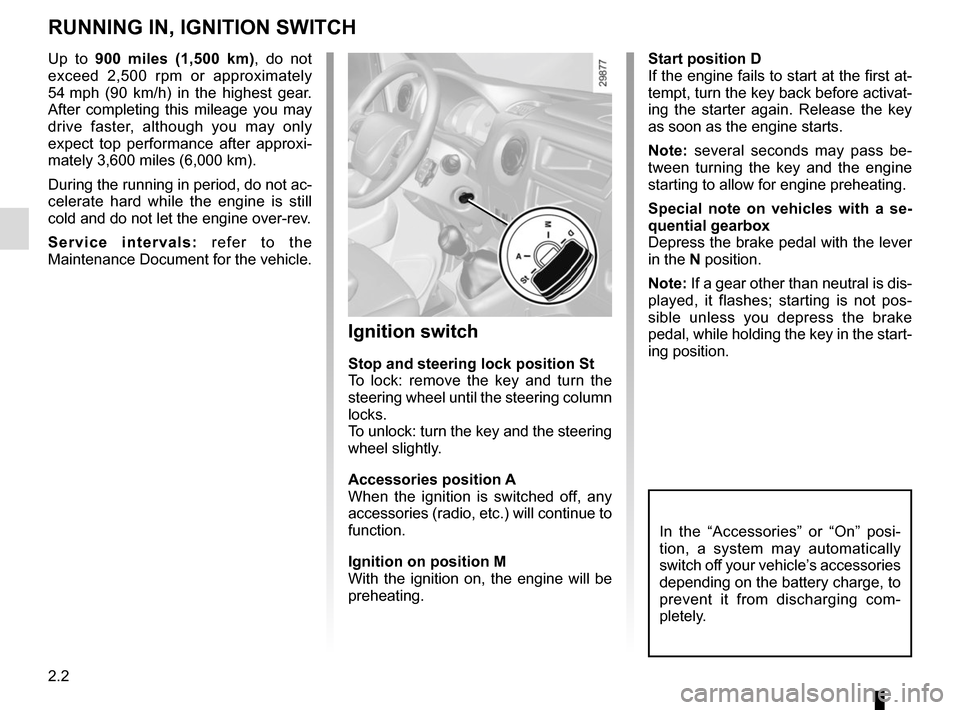
Start position D
If the engine fails to start at the first at-
tempt, turn the key back before activat-
ing the starter again. Release the key
as soon as the engine starts.
Note: several seconds may pass be-
tween turning the key and the engine
starting to allow for engine preheating.
Special note on vehicles with a se-
quential gearbox
Depress the brake pedal with the lever
in the N position.
Note: If a gear other than neutral is dis-
played, it flashes; starting is not pos-
sible unless you depress the brake
pedal, while holding the key in the start-
ing position.
Ignition switch
Stop and steering lock position St
To lock: remove the key and turn the
steering wheel until the steering column
locks.
To unlock: turn the key and the steering
wheel slightly.
Accessories position A
When the ignition is switched off, any
accessories (radio, etc.) will continue to
function.
Ignition on position M
With the ignition on, the engine will be
preheating.
In the “Accessories” or “On” posi-
tion, a system may automatically
switch off your vehicle’s accessories
depending on the battery charge, to
prevent it from discharging com-
pletely.
Up to 900 miles (1,500 km), do not exceed 2,500 rpm or approximately
54 mph (90 km/h) in the highest gear.
After completing this mileage you may
drive faster, although you may only
expect top performance after approxi-
mately 3,600 miles (6,000 km).
During the running in period, do not ac-
celerate hard while the engine is still
cold and do not let the engine over-rev.
Service intervals: refer to the
Maintenance Document for the vehicle.
Page 117 of 286
2.3
STARTING/STOPPING THE ENGINE
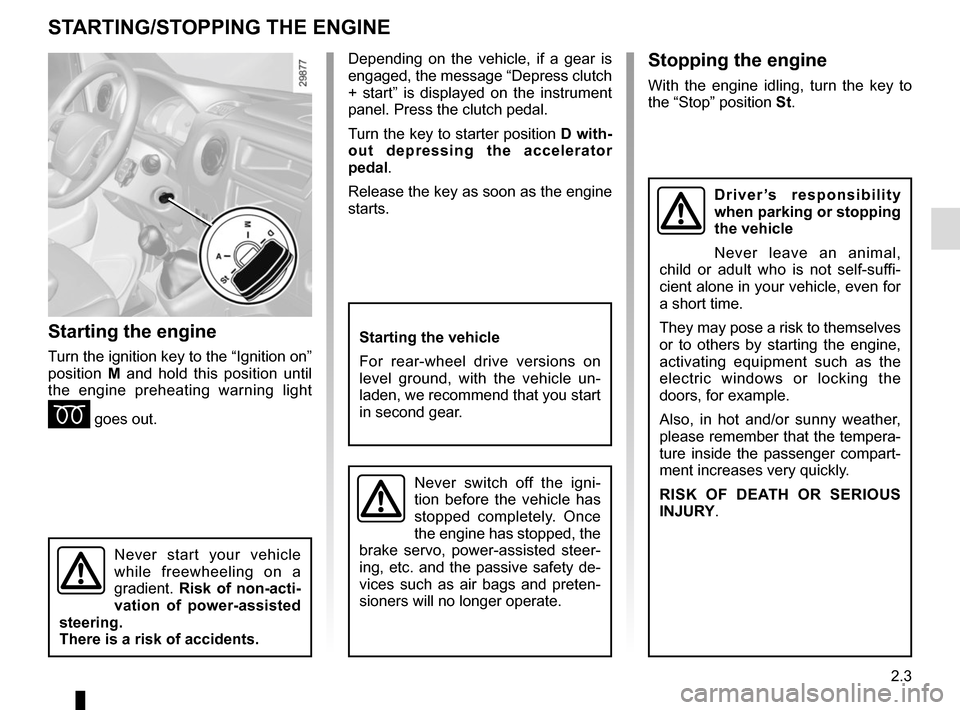
Starting the engine
Turn the ignition key to the “Ignition on”
position M and hold this position until
the engine preheating warning light
É goes out.
Stopping the engine
With the engine idling, turn the key to
the “Stop” position St.
Starting the vehicle
For rear-wheel drive versions on
level ground, with the vehicle un-
laden, we recommend that you start
in second gear.
Never switch off the igni-
tion before the vehicle has
stopped completely. Once
the engine has stopped, the
brake servo, power-assisted steer-
ing, etc. and the passive safety de-
vices such as air bags and preten-
sioners will no longer operate.
Driver’s responsibility
when parking or stopping
the vehicle
Never leave an animal,
child or adult who is not self-suffi-
cient alone in your vehicle, even for
a short time.
They may pose a risk to themselves
or to others by starting the engine,
activating equipment such as the
electric windows or locking the
doors, for example.
Also, in hot and/or sunny weather,
please remember that the tempera-
ture inside the passenger compart-
ment increases very quickly.
RISK OF DEATH OR SERIOUS
INJURY.
Never start your vehicle
while freewheeling on a
gradient. Risk of non-acti-
vation of power-assisted
steering.
There is a risk of accidents.
Depending on the vehicle, if a gear is
engaged, the message “Depress clutch
+ start” is displayed on the instrument
panel. Press the clutch pedal.
Turn the key to starter position D with-
out depressing the accelerator
pedal.
Release the key as soon as the engine
starts.
Page 124 of 286
2.10
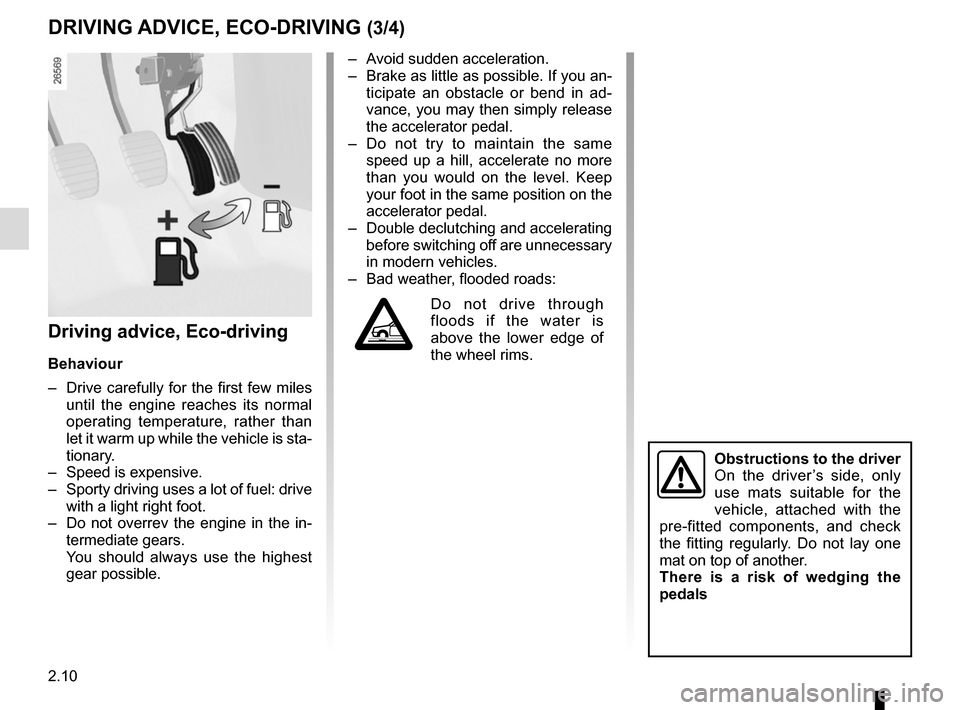
Driving advice, Eco-driving
Behaviour
– Drive carefully for the first few miles until the engine reaches its normal
operating temperature, rather than
let it warm up while the vehicle is sta-
tionary.
– Speed is expensive.
– Sporty driving uses a lot of fuel: drive with a light right foot.
– Do not overrev the engine in the in- termediate gears.
You should always use the highest gear possible.
DRIVING ADVICE, ECO-DRIVING (3/4)
Obstructions to the driver
On the driver’s side, only
use mats suitable for the
vehicle, attached with the
pre-fitted components, and check
the fitting regularly. Do not lay one
mat on top of another.
There is a risk of wedging the
pedals
– Avoid sudden acceleration.
– Brake as little as possible. If you an- ticipate an obstacle or bend in ad-
vance, you may then simply release
the accelerator pedal.
– Do not try to maintain the same speed up a hill, accelerate no more
than you would on the level. Keep
your foot in the same position on the
accelerator pedal.
– Double declutching and accelerating before switching off are unnecessary
in modern vehicles.
– Bad weather, flooded roads:
Do not drive through
floods if the water is
above the lower edge of
the wheel rims.
Page 130 of 286
2.16
DRIVING CORRECTION DEVICES AND AIDS (1/5)
Operating faults:
–
© and x lit on the ins-
trument panel with the messages
“CHECK ABS”, “Check braking
system” and “CHECK ESC”: ABS,
ESC and emergency brake assist
are deactivated. Braking is always
enabled;
–
x, D, © and ® lit
up on the instrument panel alongside
the message “BRAKING FAULT”:
this indicates a fault in the braking
system.
In both cases, please consult an
Authorised Dealer.
Anti-lock braking system
(ABS)
Under heavy braking, the ABS prevents
the wheels from locking, allowing the
stopping distance to be managed and
keeping control of the vehicle.
Under these circumstances, the vehi-
cle can be steered to avoid an obstacle
whilst braking. In addition, this system
can increase stopping distances, par-
ticularly on roads with low surface grip
(wet ground etc.).
You will feel a pulsation through the
brake pedal each time the system is
activated. The ABS does not in any
way improve the vehicle's physical per-
formance relating to the road surface
and road-holding. It is still essential to
follow the rules of good driving practice
(such as driving at a safe distance from
the vehicle in front etc.).
In an emergency, apply firm and
continuous pressure to the brake
pedal. There is no need to pump
it repeatedly. The ABS will modu-
late the force applied in the braking
system.
Your braking systems
are partially operational.
However, it is dangerous
to brake suddenly and
it is essential to stop immediately,
as soon as traffic conditions allow.
Contact an approved dealer.
Depending on the vehicle, this is com-
posed of:
– anti-lock braking system (ABS);
– electronic stability program (ESC) with understeer control and trac-
tion control;
– driver assistance with a trailer;
– emergency brake assist;
– grip control;
– hill start assistance.
Page 131 of 286

2.17
Operating faults
When the system detects an operating
fault the message “CHECK ESC” and
warning light
© and appear
on the instrument panel. In this case,
the ESC and traction control system
are deactivated.
Consult an approved dealer.
Electronic stability program
(ESC) with understeer control
and traction control
Electronic stability control ESC
This system helps you to keep control
of the vehicle in critical driving condi-
tions (avoiding an obstacle, loss of grip
on a bend, etc.).
Operating principle
A sensor in the steering wheel detects
the direction selected by the driver.
Other sensors throughout the vehicle
measure the actual direction.
The system compares driver input to
the actual trajectory of the vehicle and
corrects the trajectory if necessary by
controlling the braking of certain wheels
and/or engine power. In the event that
the system is engaged, indicator light
flashes on the instrument panel.
DRIVING CORRECTION DEVICES AND AIDS (2/5)
Understeer control
This system optimises the action of the
ESC in the case of pronounced under-
steer (loss of front axle road holding).
Traction control
This system helps to limit wheelspin of
the drive wheels and to control the ve-
hicle when pulling away accelerating or
decelerating.
Operating principle
Using the wheel sensors, the system
measures and compares the speed of
the drive wheels at all times and slows
down their over-rotation. If a wheel is
starting to slip, the system brakes au-
tomatically until the drive supplied be-
comes compatible with the level of grip
under the wheel again.
The system also adjusts the engine
speed to the grip available under the
wheels, independently of the pressure
exerted on the accelerator pedal.
These functions are an ad-
ditional aid in the event of
critical driving conditions,
enabling the vehicle behav-
iour to be adapted to suit the driving
conditions.
The functions do not take the place
of the driver. They do not increase
the vehicle’s limits and should
not encourage you to drive more
quickly. Therefore, they can under
no circumstances replace the vigi-
lance or responsibility of the driver
when manoeuvring the vehicle (the
driver must always be ready for
sudden incidents which may occur
when driving).
Page 132 of 286
2.18
DRIVING CORRECTION DEVICES AND AIDS (3/5)
Emergency brake assist
This system supplements the ABS
and helps reduce vehicle stopping dis-
tances.
Operating principle
The system is for detecting an emer-
gency braking situation. In this case,
the braking assistance immediately de-
velops maximum power and may trig-
ger ABS regulation.
ABS braking is maintained as long as
the brake pedal is applied.
Hazard warning lights switching on
Depending on the vehicle, these may
light up in the event of sudden decel-
eration. Operating faults
When the system detects an operating
fault the message “CHECK ABS” ap-
pears on the instrument panel along
with the
© warning light.
Consult an approved dealer.
Driver assistance with a
trailer
This system helps to maintain control
over the vehicle while using a trailer.
It detects shaking caused by towing a
trailer under certain driving conditions.
Operating conditions
– the towbar must be approved by an authorised dealer;
– the harness must be approved by an authorised dealer;
– the towbar must be connected to the vehicle.
Operating principle
The function stabilises the vehicle by:
– asymmetric braking of the front wheels to reduce shaking caused by
the trailer;
– braking of all four wheels and limita- tion on engine torque to reduce the
vehicle speed until the shaking has
stopped.
Warning light
flashes on the in-
strument panel to inform the driver.
Page 135 of 286
2.21
TYRE PRESSURE LOSS WARNING (1/3)
1
When fitted to the vehicle, this system
notifies the driver if one or more tyres
lose pressure.
Operating principle
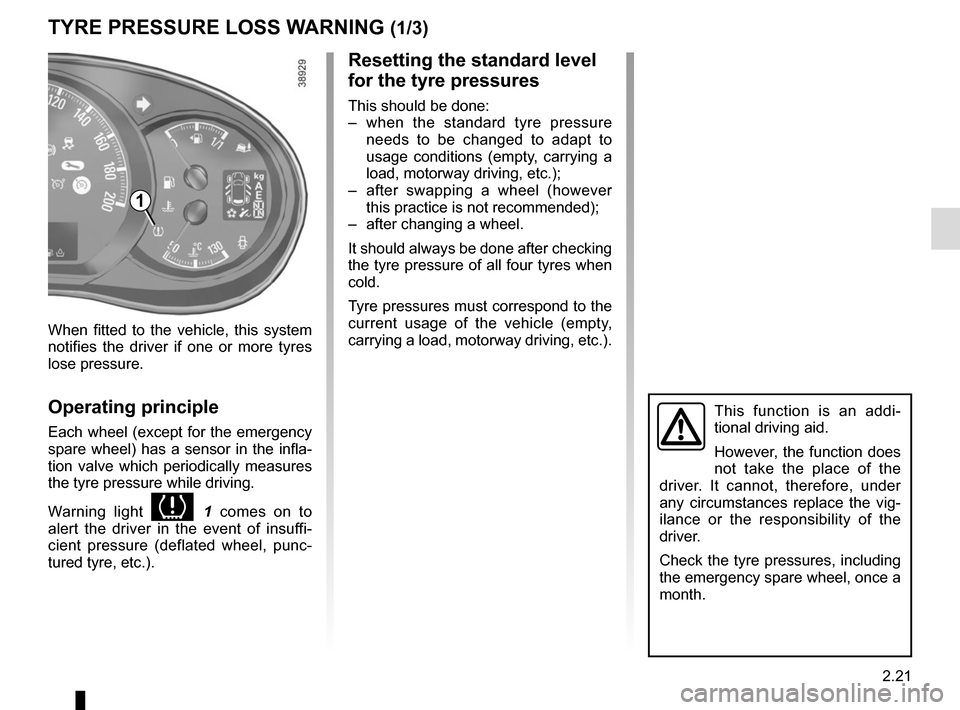
Each wheel (except for the emergency
spare wheel) has a sensor in the infla-
tion valve which periodically measures
the tyre pressure while driving.
Warning light
1 comes on to
alert the driver in the event of insuffi-
cient pressure (deflated wheel, punc-
tured tyre, etc.).
This function is an addi-
tional driving aid.
However, the function does
not take the place of the
driver. It cannot, therefore, under
any circumstances replace the vig-
ilance or the responsibility of the
driver.
Check the tyre pressures, including
the emergency spare wheel, once a
month.
Resetting the standard level
for the tyre pressures
This should be done:
– when the standard tyre pressure needs to be changed to adapt to
usage conditions (empty, carrying a
load, motorway driving, etc.);
– after swapping a wheel (however this practice is not recommended);
– after changing a wheel.
It should always be done after checking
the tyre pressure of all four tyres when
cold.
Tyre pressures must correspond to the
current usage of the vehicle (empty,
carrying a load, motorway driving, etc.).
Page 136 of 286
2.22
TYRE PRESSURE LOSS WARNING (2/3)
2
3
4
Note:
The standard tyre pressure cannot be
less than that recommended and indi-
cated on the door frame.
Display
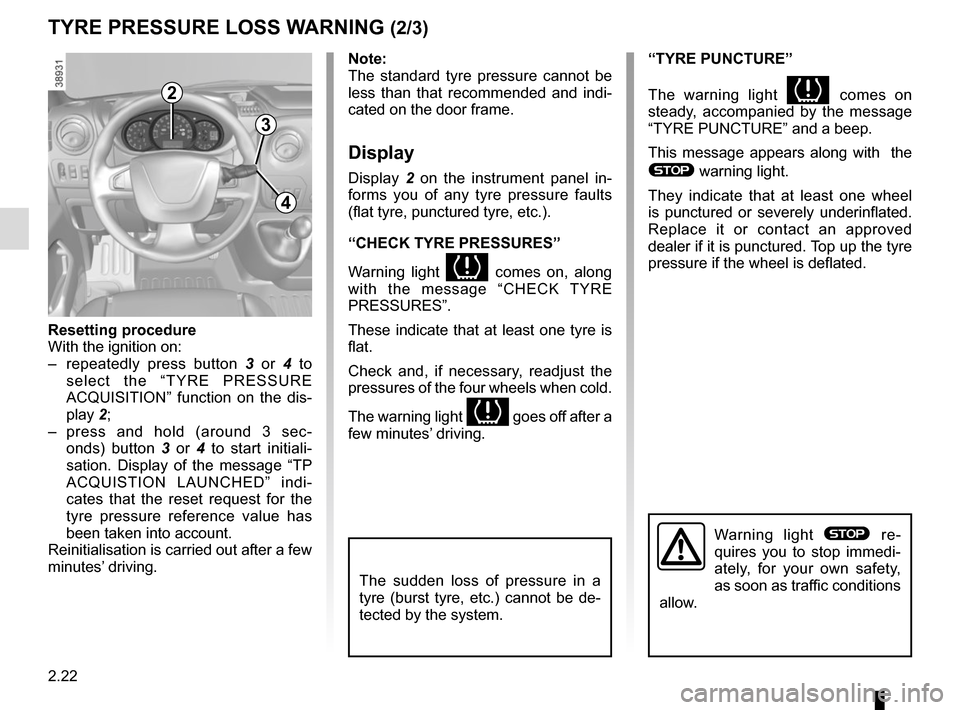
Display 2 on the instrument panel in-
forms you of any tyre pressure faults
(flat tyre, punctured tyre, etc.).
“CHECK TYRE PRESSURES”
Warning light
comes on, along
with the message “CHECK TYRE
PRESSURES”.
These indicate that at least one tyre is
flat.
Check and, if necessary, readjust the
pressures of the four wheels when cold.
The warning light
goes off after a
few minutes’ driving.
“TYRE PUNCTURE”
The warning light
comes on
steady, accompanied by the message
“TYRE PUNCTURE” and a beep.
This message appears along with the
® warning light.
They indicate that at least one wheel
is punctured or severely underinflated.
Replace it or contact an approved
dealer if it is punctured. Top up the tyre
pressure if the wheel is deflated.
Warning light ® re-
quires you to stop immedi-
ately, for your own safety,
as soon as traffic conditions
allow.
Resetting procedure
With the ignition on:
– repeatedly press button 3 or 4 to
select the “TYRE PRESSURE
ACQUISITION” function on the dis-
play 2;
– press and hold (around 3 sec- onds) button 3 or 4 to start initiali-
sation. Display of the message “TP
ACQUISTION LAUNCHED” indi-
cates that the reset request for the
tyre pressure reference value has
been taken into account.
Reinitialisation is carried out after a few
minutes’ driving.
The sudden loss of pressure in a
tyre (burst tyre, etc.) cannot be de-
tected by the system.
Page 137 of 286
2.23
TYRE PRESSURE LOSS WARNING (3/3)
“CHECK TYRE SENSORS”
The warning light
flashes for
several seconds, then stays on, along
with the message “CHECK TYRE
SENSORS”.
This message appears along with the
© warning light.
They indicate that at least one tyre is
not fitted with sensors (e.g. emergency
spare wheel). Otherwise, consult an
authorised dealer.
Readjustment of tyre
pressures
The tyre pressures must be adjusted
when cold (please refer to the label lo-
cated on the edge of the driver’s door).
If tyre pressures cannot be checked
when the tyres are cold, the recom-
mended pressures must be increased
by 0.2 to 0.3 bar (3 PSI).
Never deflate a hot tyre.
Replacing wheels/tyres
This system requires specific equip-
ment (wheels, tyres, hubcaps, etc.).
Please see the information on “Tyres”
in Section 5.
Contact an approved Dealer to fit new
tyres and to find out about available ac-
cessories compatible with the system
and available from your dealer net-
work: the use of any other accessory
could affect the correct operation of the
system or damage a sensor.
Emergency spare wheel
If the vehicle is equipped with an emer- -
gency spare wheel, it will not have a
sensor. When it is fitted on the vehicle,
the warning light
flashes for sev-
eral seconds, then stays on, together
with the warning light
© and the
message “CHECK TYRE SENSORS”
appears on the instrument panel.
Tyre repair product and
inflation kit
Because the valves are specially de-
signed, only use equipment approved
by the approved network. Please refer
to “Tyre inflation kit” in Section 5.
Changing a wheel
The system may take sev-
eral minutes depending on
use for the new wheel pres-
sures to be recognised; check the
tyre pressures after all operations.
Page 152 of 286
2.38
REVERSING CAMERA (2/2)
The screen shows a reverse image.
The frames are a representation
projected on a flat surface. This in-
formation is to not be taken into ac-
count when superimposed on a
vertical object or an object on the
ground.
Objects which appear on the edge
of the screen may be deformed.
In very bright light (snow, vehicle in
sunshine etc.), the camera vision
may be adversely affected.
If the rear doors are open or poorly
closed, the camera display disap-
pears and, depending on the ve-
hicle, the message “BOOT OPEN”
appears.
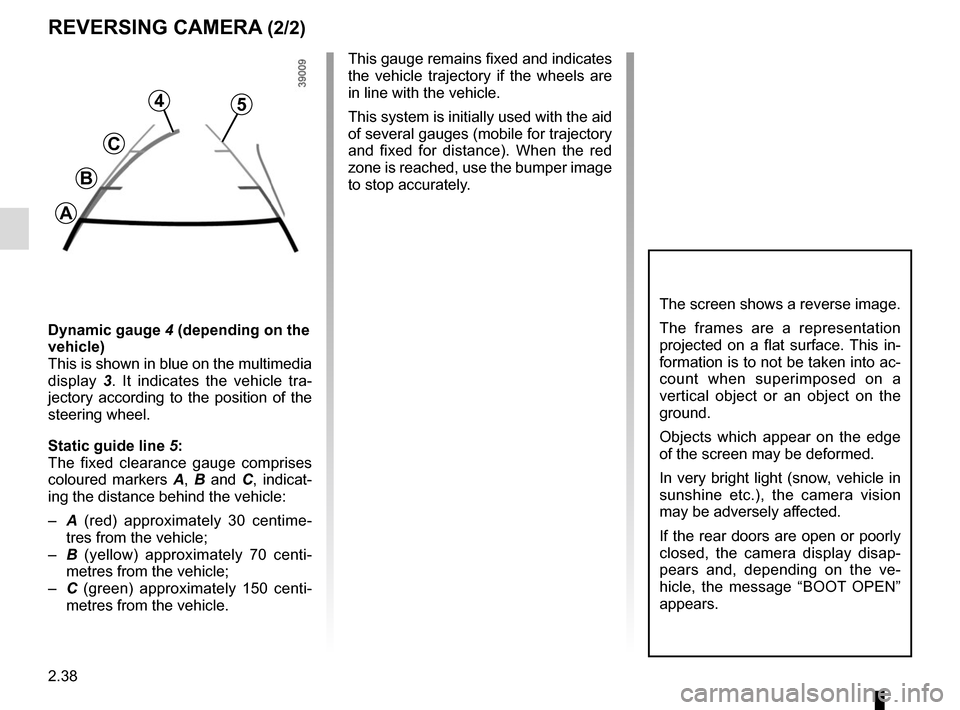
Dynamic gauge 4 (depending on the
vehicle)
This is shown in blue on the multimedia
display 3. It indicates the vehicle tra-
jectory according to the position of the
steering wheel.
Static guide line 5:
The fixed clearance gauge comprises
coloured markers A, B and C , indicat-
ing the distance behind the vehicle:
– A (red) approximately 30 centime-
tres from the vehicle;
– B (yellow) approximately 70 centi-
metres from the vehicle;
– C (green) approximately 150 centi-
metres from the vehicle. This gauge remains fixed and indicates
the vehicle trajectory if the wheels are
in line with the vehicle.
This system is initially used with the aid
of several gauges (mobile for trajectory
and fixed for distance). When the red
zone is reached, use the bumper image
to stop accurately.
4
C
B
A
5