ground RENAULT MASTER 2017 X62 / 2.G Owners Manual
[x] Cancel search | Manufacturer: RENAULT, Model Year: 2017, Model line: MASTER, Model: RENAULT MASTER 2017 X62 / 2.GPages: 286, PDF Size: 6.97 MB
Page 108 of 286
1.102
FUEL TANK (2/2)
No modifications what-
soever are permitted on
any part of the fuel supply
system (computers, wiring,
fuel circuit, injector, protection
covers, etc.) as this may be danger-
ous (such work must be undertaken
by qualified Network personnel).
Persistent smell of
fuel
If you notice a persistent
smell of fuel you should:
– stop the vehicle as soon as traf-
fic conditions allow and switch off
the ignition;
– switch on the hazard warning lights and ask your passengers
to leave the vehicle and to keep
away from traffic;
– contact an approved Dealer.
Running out of fuel on diesel
versions
After a breakdown caused by com-
pletely running out of fuel, the system
must be reprimed before the engine is
restarted:
Fill the tank on level ground with a mini-
mum of 5 litres of diesel.
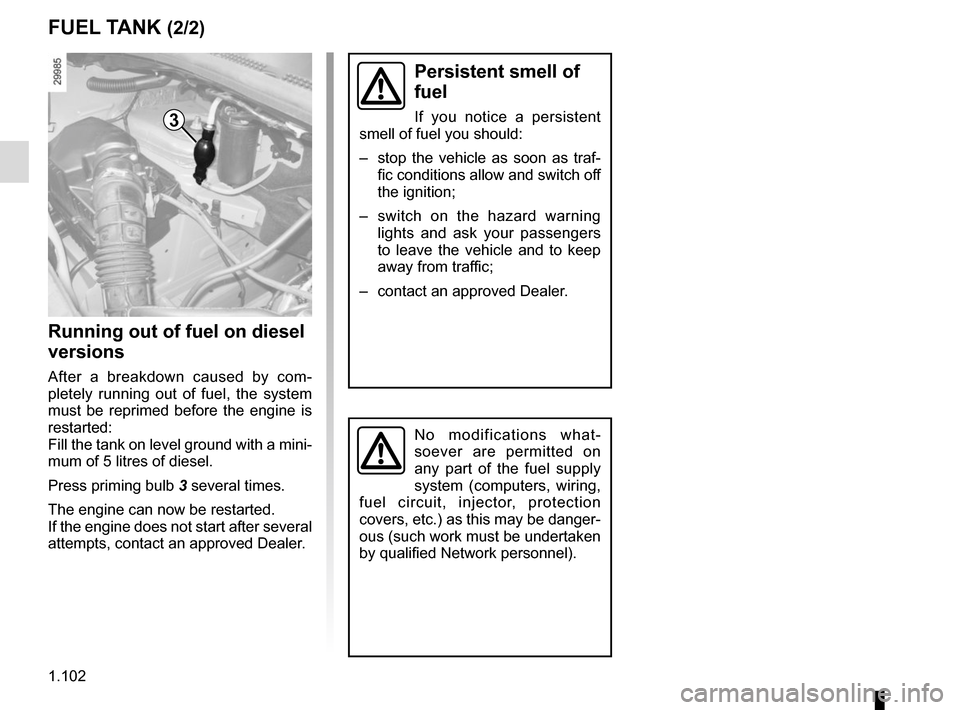
Press priming bulb 3 several times.
The engine can now be restarted.
If the engine does not start after several
attempts, contact an approved Dealer.
3
Page 117 of 286
2.3
STARTING/STOPPING THE ENGINE
Starting the engine
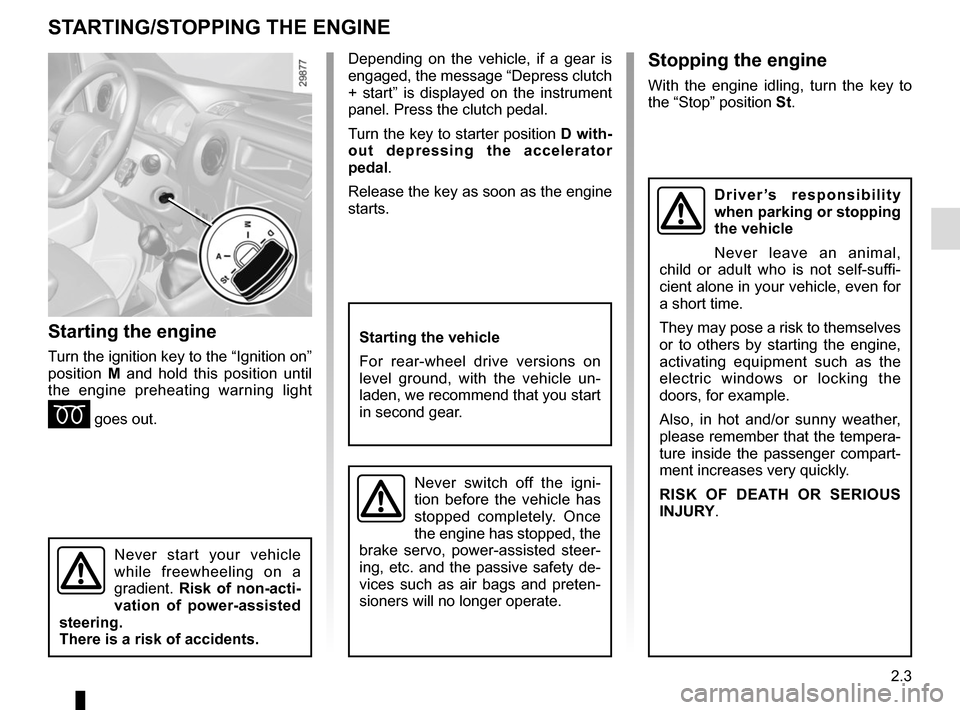
Turn the ignition key to the “Ignition on”
position M and hold this position until
the engine preheating warning light
É goes out.
Stopping the engine
With the engine idling, turn the key to
the “Stop” position St.
Starting the vehicle
For rear-wheel drive versions on
level ground, with the vehicle un-
laden, we recommend that you start
in second gear.
Never switch off the igni-
tion before the vehicle has
stopped completely. Once
the engine has stopped, the
brake servo, power-assisted steer-
ing, etc. and the passive safety de-
vices such as air bags and preten-
sioners will no longer operate.
Driver’s responsibility
when parking or stopping
the vehicle
Never leave an animal,
child or adult who is not self-suffi-
cient alone in your vehicle, even for
a short time.
They may pose a risk to themselves
or to others by starting the engine,
activating equipment such as the
electric windows or locking the
doors, for example.
Also, in hot and/or sunny weather,
please remember that the tempera-
ture inside the passenger compart-
ment increases very quickly.
RISK OF DEATH OR SERIOUS
INJURY.
Never start your vehicle
while freewheeling on a
gradient. Risk of non-acti-
vation of power-assisted
steering.
There is a risk of accidents.
Depending on the vehicle, if a gear is
engaged, the message “Depress clutch
+ start” is displayed on the instrument
panel. Press the clutch pedal.
Turn the key to starter position D with-
out depressing the accelerator
pedal.
Release the key as soon as the engine
starts.
Page 130 of 286
2.16
DRIVING CORRECTION DEVICES AND AIDS (1/5)
Operating faults:
–
© and x lit on the ins-
trument panel with the messages
“CHECK ABS”, “Check braking
system” and “CHECK ESC”: ABS,
ESC and emergency brake assist
are deactivated. Braking is always
enabled;
–
x, D, © and ® lit
up on the instrument panel alongside
the message “BRAKING FAULT”:
this indicates a fault in the braking
system.
In both cases, please consult an
Authorised Dealer.
Anti-lock braking system
(ABS)
Under heavy braking, the ABS prevents
the wheels from locking, allowing the
stopping distance to be managed and
keeping control of the vehicle.
Under these circumstances, the vehi-
cle can be steered to avoid an obstacle
whilst braking. In addition, this system
can increase stopping distances, par-
ticularly on roads with low surface grip
(wet ground etc.).
You will feel a pulsation through the
brake pedal each time the system is
activated. The ABS does not in any
way improve the vehicle's physical per-
formance relating to the road surface
and road-holding. It is still essential to
follow the rules of good driving practice
(such as driving at a safe distance from
the vehicle in front etc.).
In an emergency, apply firm and
continuous pressure to the brake
pedal. There is no need to pump
it repeatedly. The ABS will modu-
late the force applied in the braking
system.
Your braking systems
are partially operational.
However, it is dangerous
to brake suddenly and
it is essential to stop immediately,
as soon as traffic conditions allow.
Contact an approved dealer.
Depending on the vehicle, this is com-
posed of:
– anti-lock braking system (ABS);
– electronic stability program (ESC) with understeer control and trac-
tion control;
– driver assistance with a trailer;
– emergency brake assist;
– grip control;
– hill start assistance.
Page 133 of 286
2.19
DRIVER CORRECTION DEVICES AND AIDS (4/5)
Grip control
If fitted on the vehicle, grip control
makes it easier to control the vehicle on
low grip surfaces (soft ground, etc.).“Soft ground” mode
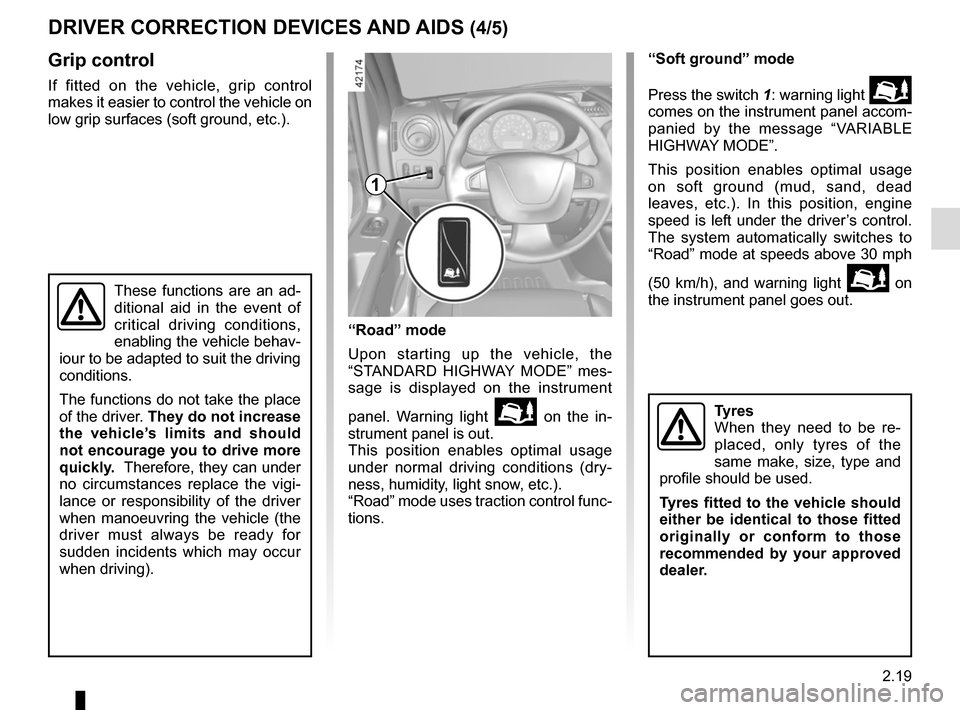
Press the switch 1: warning light
comes on the instrument panel accom-
panied by the message “VARIABLE
HIGHWAY MODE”.
This position enables optimal usage
on soft ground (mud, sand, dead
leaves, etc.). In this position, engine
speed is left under the driver’s control.
The system automatically switches to
“Road” mode at speeds above 30 mph
(50 km/h), and warning light
on
the instrument panel goes out.
Tyres
When they need to be re-
placed, only tyres of the
same make, size, type and
profile should be used.
Tyres fitted to the vehicle should
either be identical to those fitted
originally or conform to those
recommended by your approved
dealer.
These functions are an ad-
ditional aid in the event of
critical driving conditions,
enabling the vehicle behav-
iour to be adapted to suit the driving
conditions.
The functions do not take the place
of the driver. They do not increase
the vehicle’s limits and should
not encourage you to drive more
quickly. Therefore, they can under
no circumstances replace the vigi-
lance or responsibility of the driver
when manoeuvring the vehicle (the
driver must always be ready for
sudden incidents which may occur
when driving).
“Road” mode
Upon starting up the vehicle, the
“STANDARD HIGHWAY MODE” mes-
sage is displayed on the instrument
panel. Warning light
on the in-
strument panel is out.
This position enables optimal usage
under normal driving conditions (dry-
ness, humidity, light snow, etc.).
“Road” mode uses traction control func-
tions.
1
Page 152 of 286
2.38
REVERSING CAMERA (2/2)
The screen shows a reverse image.
The frames are a representation
projected on a flat surface. This in-
formation is to not be taken into ac-
count when superimposed on a
vertical object or an object on the
ground.
Objects which appear on the edge
of the screen may be deformed.
In very bright light (snow, vehicle in
sunshine etc.), the camera vision
may be adversely affected.
If the rear doors are open or poorly
closed, the camera display disap-
pears and, depending on the ve-
hicle, the message “BOOT OPEN”
appears.
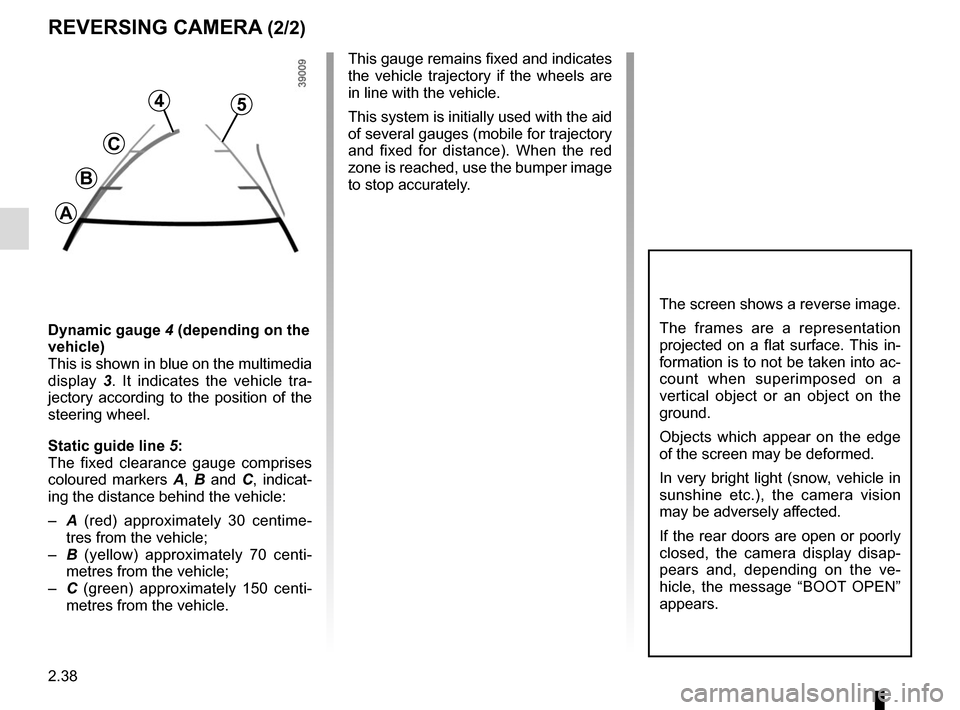
Dynamic gauge 4 (depending on the
vehicle)
This is shown in blue on the multimedia
display 3. It indicates the vehicle tra-
jectory according to the position of the
steering wheel.
Static guide line 5:
The fixed clearance gauge comprises
coloured markers A, B and C , indicat-
ing the distance behind the vehicle:
– A (red) approximately 30 centime-
tres from the vehicle;
– B (yellow) approximately 70 centi-
metres from the vehicle;
– C (green) approximately 150 centi-
metres from the vehicle. This gauge remains fixed and indicates
the vehicle trajectory if the wheels are
in line with the vehicle.
This system is initially used with the aid
of several gauges (mobile for trajectory
and fixed for distance). When the red
zone is reached, use the bumper image
to stop accurately.
4
C
B
A
5
Page 155 of 286
2.41
The self-locking differential controls the
torque transmitted to each rear wheel.
Depending on the grip conditions on
the road surface, and at low speeds
(under 20 mph / 30 kph), this device en-
ables wheel torque to move automati-
cally, thereby providing increased grip.
This enables the grip potential of each
wheel to be used to the fullest possi-
ble extent, thereby enabling the vehicle
to run over areas with decreased grip
(e.g.: work sites, muddy ground, etc.).
Once the rear wheels return to surfaces
with normal grip (eg: return to paved
roads), the self-locking differential
device will be deactivated, sometimes
accompanied by a noise (with no con-
sequence to vehicle behaviour). You
have the option of turning this device
off yourself, once normal grip condi-
tions have resumed, by briefly releas-
ing the accelerator
SELF-LOCKING DIFFERENTIAL
This function is an addi-
tional driving aid.
However, it does not in-
crease the vehicle’s limits
and should not encourage you to
drive more quickly.
It cannot, therefore, under any cir-
cumstances replace the vigilance or
the responsibility of the driver.
Page 160 of 286
2.46
SEQUENTIAL GEARBOX (5/6)
Special circumstances
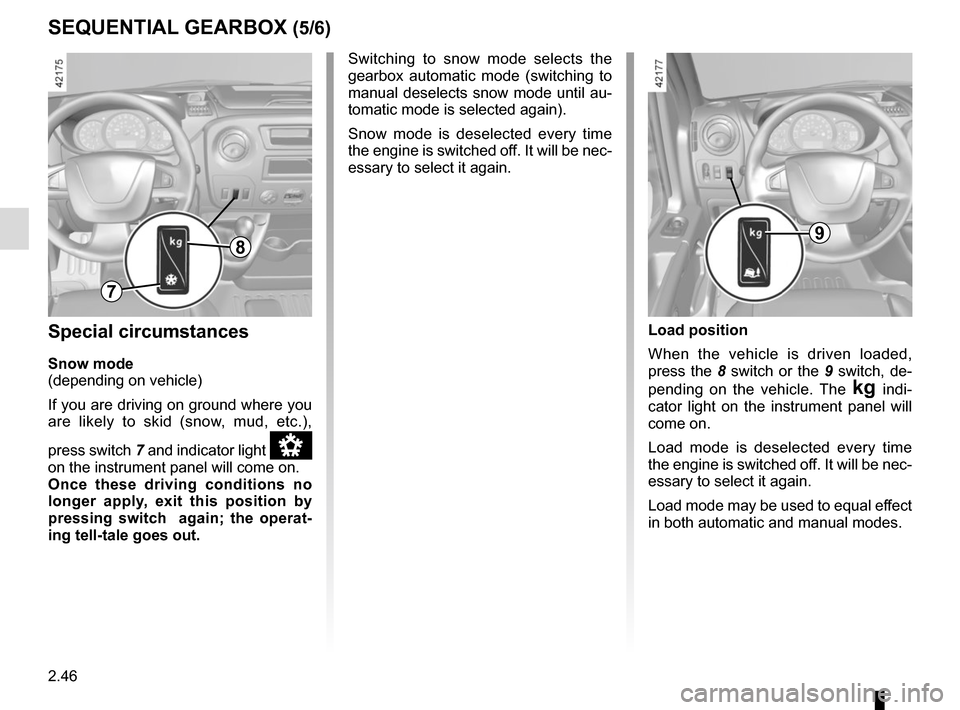
Snow mode
(depending on vehicle)
If you are driving on ground where you
are likely to skid (snow, mud, etc.),
press switch 7 and indicator light
â
on the instrument panel will come on.
Once these driving conditions no
longer apply, exit this position by
pressing switch again; the operat-
ing tell-tale goes out. Switching to snow mode selects the
gearbox automatic mode (switching to
manual deselects snow mode until au-
tomatic mode is selected again).
Snow mode is deselected every time
the engine is switched off. It will be nec-
essary to select it again.
Load position
When the vehicle is driven loaded,
press the 8 switch or the 9 switch, de-
pending on the vehicle. The
§ indi-
cator light on the instrument panel will
come on.
Load mode is deselected every time
the engine is switched off. It will be nec-
essary to select it again.
Load mode may be used to equal effect
in both automatic and manual modes.
7
89
Page 196 of 286
4.4
ENGINE OIL LEVEL: general information (1/2)
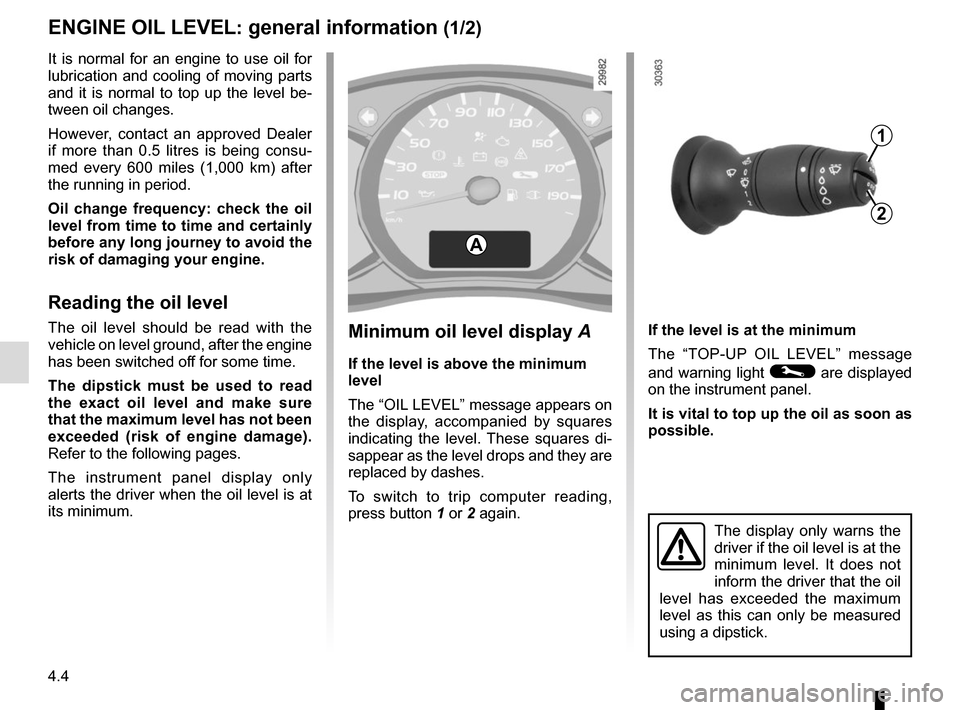
If the level is at the minimum
The “TOP-UP OIL LEVEL” message
and warning light
© are displayed
on the instrument panel.
It is vital to top up the oil as soon as
possible.
The display only warns the
driver if the oil level is at the
minimum level. It does not
inform the driver that the oil
level has exceeded the maximum
level as this can only be measured
using a dipstick.
It is normal for an engine to use oil for
lubrication and cooling of moving parts
and it is normal to top up the level be-
tween oil changes.
However, contact an approved Dealer
if more than 0.5 litres is being consu-
med every 600 miles (1,000 km) after
the running in period.
Oil change frequency: check the oil
level from time to time and certainly
before any long journey to avoid the
risk of damaging your engine.
Reading the oil level
The oil level should be read with the
vehicle on level ground, after the engine
has been switched off for some time.
The dipstick must be used to read
the exact oil level and make sure
that the maximum level has not been
exceeded (risk of engine damage).
Refer to the following pages.
The instrument panel display only
alerts the driver when the oil level is at
its minimum.
A
1
2
Minimum oil level display A
If the level is above the minimum
level
The “OIL LEVEL” message appears on
the display, accompanied by squares
indicating the level. These squares di-
sappear as the level drops and they are
replaced by dashes.
To switch to trip computer reading,
press button 1 or 2 again.
Page 198 of 286
4.6
Topping up/filling
The vehicle must be parked on level
ground and the engine should be cold
(for instance, before the engine is
started up for the first time in the day).
Engine oil grade
Refer to the Maintenance Document for
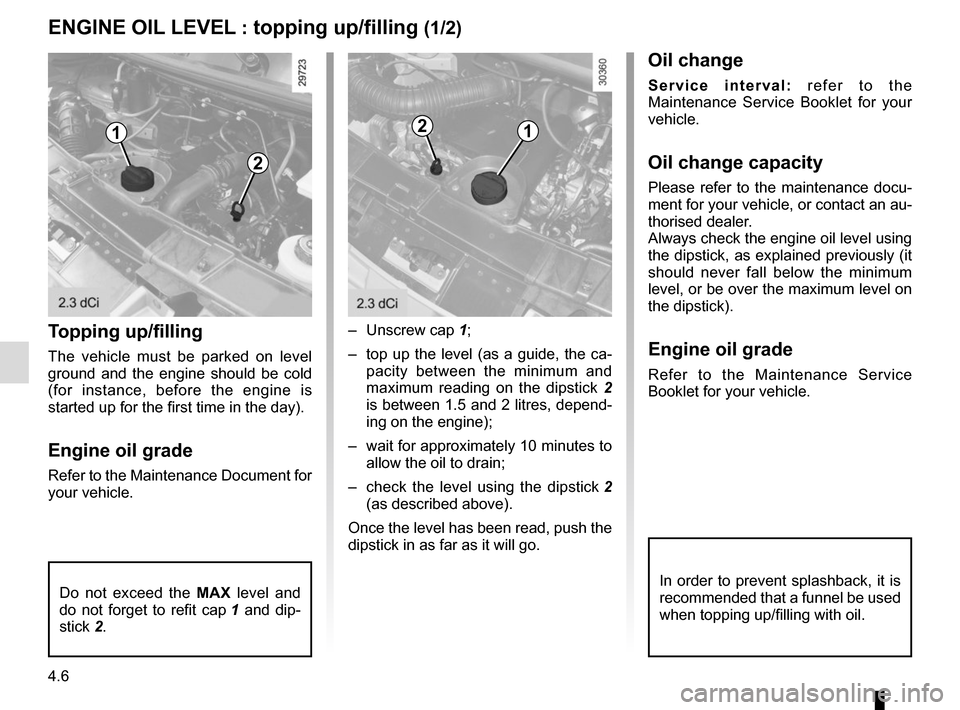
your vehicle.– Unscrew cap
1;
– top up the level (as a guide, the ca- pacity between the minimum and
maximum reading on the dipstick 2
is between 1.5 and 2 litres, depend-
ing on the engine);
– wait for approximately 10 minutes to allow the oil to drain;
– check the level using the dipstick 2
(as described above).
Once the level has been read, push the
dipstick in as far as it will go.
Do not exceed the MAX level and
do not forget to refit cap 1 and dip-
stick 2.
ENGINE OIL LEVEL : topping up/filling (1/2)
In order to prevent splashback, it is
recommended that a funnel be used
when topping up/filling with oil.
1
2
12
Oil change
Service interval: refer to the
Maintenance Service Booklet for your
vehicle.
Oil change capacity
Please refer to the maintenance docu-
ment for your vehicle, or contact an au-
thorised dealer.
Always check the engine oil level using
the dipstick, as explained previously (it
should never fall below the minimum
level, or be over the maximum level on
the dipstick).
Engine oil grade
Refer to the Maintenance Service
Booklet for your vehicle.
Page 200 of 286
4.8
LEVELS (1/3)
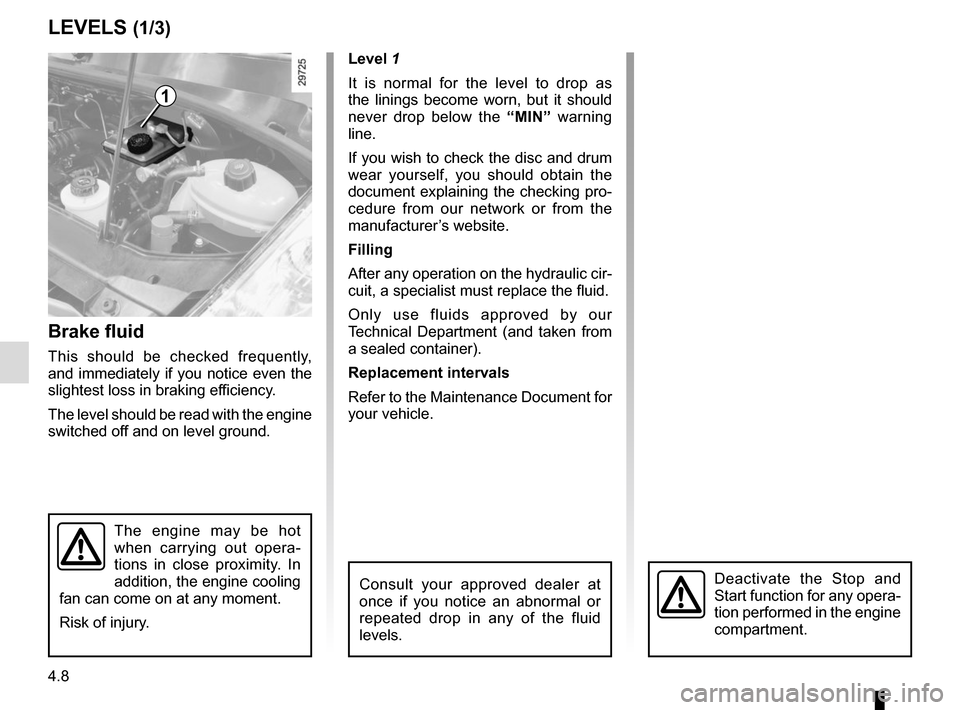
Brake fluid
This should be checked frequently,
and immediately if you notice even the
slightest loss in braking efficiency.
The level should be read with the engine
switched off and on level ground. Level 1
It is normal for the level to drop as
the linings become worn, but it should
never drop below the
“MIN” warning
line.
If you wish to check the disc and drum
wear yourself, you should obtain the
document explaining the checking pro-
cedure from our network or from the
manufacturer’s website.
Filling
After any operation on the hydraulic cir-
cuit, a specialist must replace the fluid.
Only use fluids approved by our
Technical Department (and taken from
a sealed container).
Replacement intervals
Refer to the Maintenance Document for
your vehicle.
Consult your approved dealer at
once if you notice an abnormal or
repeated drop in any of the fluid
levels.
1
The engine may be hot
when carrying out opera-
tions in close proximity. In
addition, the engine cooling
fan can come on at any moment.
Risk of injury.
Deactivate the Stop and
Start function for any opera-
tion performed in the engine
compartment.