SD card RENAULT MEGANE 2017 4.G Owner's Manual
[x] Cancel search | Manufacturer: RENAULT, Model Year: 2017, Model line: MEGANE, Model: RENAULT MEGANE 2017 4.GPages: 346, PDF Size: 7.04 MB
Page 118 of 346
2.6
STARTING, STOPPING THE ENGINE: vehicle with RENAULT card (2/3)
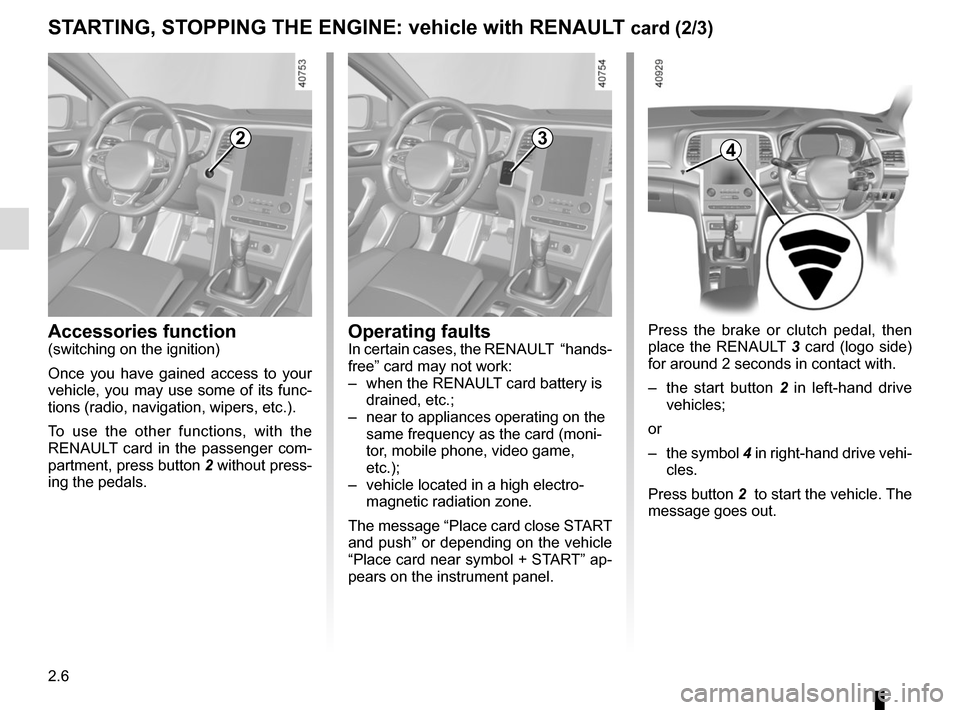
Press the brake or clutch pedal, then
place the RENAULT 3 card (logo side)
for around 2 seconds in contact with.
– the start button 2 in left-hand drive
vehicles;
or
– the symbol 4 in right-hand drive vehi-
cles.
Press button 2 to start the vehicle. The
message goes out.
2
Accessories function(switching on the ignition)
Once you have gained access to your
vehicle, you may use some of its func-
tions (radio, navigation, wipers, etc.).
To use the other functions, with the
RENAULT card in the passenger com-
partment, press button 2 without press-
ing the pedals.
3
Operating faultsIn certain cases, the RENAULT “hands-
free” card may not work:
– when the RENAULT card battery is drained, etc.;
– near to appliances operating on the same frequency as the card (moni-
tor, mobile phone, video game,
etc.);
– vehicle located in a high electro- magnetic radiation zone.
The message “Place card close START
and push” or depending on the vehicle
“Place card near symbol + START” ap-
pears on the instrument panel.
4
Page 119 of 346
2.7
STARTING, STOPPING THE ENGINE: vehicle with RENAULT card (3/3)
If the RENAULT card is no longer in the
passenger compartment when you try
to switch the engine off, the message
“No keycard Press and hold” appears
on the instrument panel: press the
button 2 for longer than two seconds.
If the card is no longer in the passen-
ger compartment, make sure you can
retrieve it before pressing and holding
the button. Without the card RENAULT
, you will not be able to start.
With the engine switched off, any ac-
cessories being used (radio, etc.) will
continue to function for approximately
10 minutes.
When the driver’s door is opened, the
accessories stop working.
Conditions for stopping the
engine
The vehicle must stationary, with the
lever positioned in N or P for vehicles
with an automatic transmission.
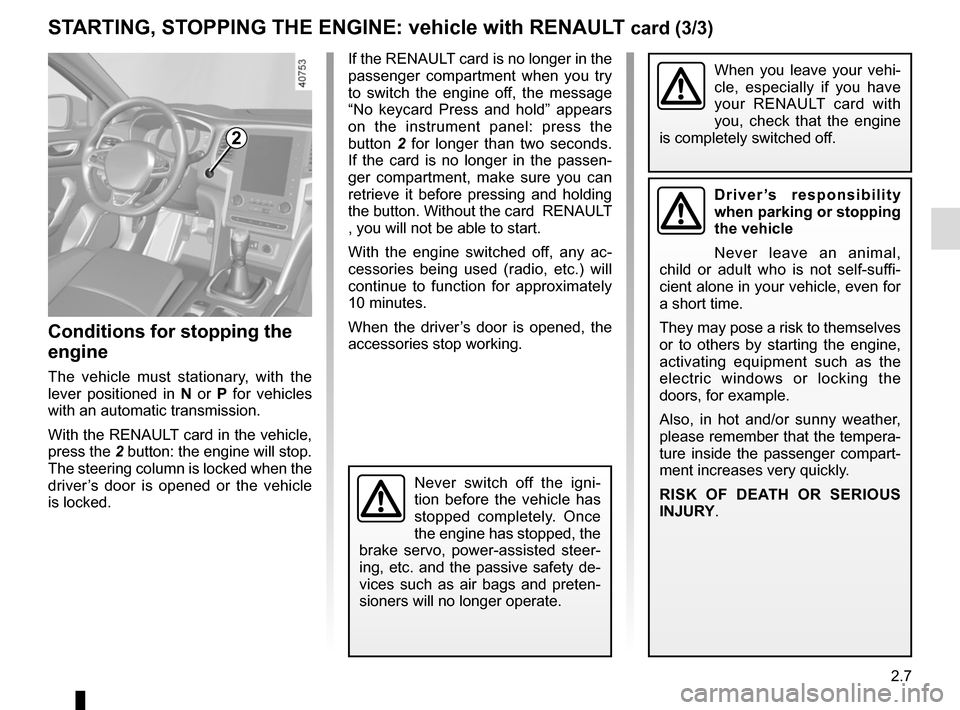
With the RENAULT card in the vehicle,
press the 2 button: the engine will stop. The steering column is locked when the
driver’s door is opened or the vehicle
is locked.
When you leave your vehi-
cle, especially if you have
your RENAULT card with
you, check that the engine
is completely switched off.
2
Driver’s responsibility
when parking or stopping
the vehicle
Never leave an animal,
child or adult who is not self-suffi-
cient alone in your vehicle, even for
a short time.
They may pose a risk to themselves
or to others by starting the engine,
activating equipment such as the
electric windows or locking the
doors, for example.
Also, in hot and/or sunny weather,
please remember that the tempera-
ture inside the passenger compart-
ment increases very quickly.
RISK OF DEATH OR SERIOUS
INJURY.
Never switch off the igni-
tion before the vehicle has
stopped completely. Once
the engine has stopped, the
brake servo, power-assisted steer-
ing, etc. and the passive safety de-
vices such as air bags and preten-
sioners will no longer operate.
Page 124 of 346
2.12
STOP AND START FUNCTION (3/4)
Conditions preventing the
standby of the engine
Certain conditions prevent the system
from using the engine standby function,
including when:
for vehicles equipped with a
RENAULT card:
– the driver’s door is not closed;
– the driver’s seatbelt is not fastened.
for all vehicles:
– reverse gear is engaged;
– the bonnet is not locked;
– the outdoor temperature is too low or too high (less than around 0 °C or
higher than around 30 °C);
– the battery is not sufficiently charged;
– the difference between the vehicle interior temperature and the auto-
matic climate control instruction is
too high;
– parking distance control is in opera- tion; – for vehicles with automatic gear-
boxes, the gradient is steeper than
approximately 12%;
– the “Clear View” function is activated (please see “Automatic Climate
Control” in Section 3);
– the engine temperature is too low;
– the emission control system is being regenerated;
– the Sport mode of the Multi-Sense is activated (depending on the vehicle);
– ...
Warning light
is displayed on the
instrument panel. This notifies you that
engine standby is not available.
Deactivate the Stop and
Start function when per-
forming any operations in
the engine compartment.
Special case for vehicles with
a RENAULT card
With the engine on standby (traffic jam,
traffic lights, etc.), if the driver unfas-
tens the seat belt and opens the driv-
er’s door, or gets out of the seat, the
ignition is switched off.
The assisted parking brake is applied
automatically.
To restart and reactivate the Stop and
Start system, start the engine (please
refer to “Starting, stopping the engine”
in Section 2).
Special case of vehicles with
a key
With the engine on standby (traffic
jam, traffic lights, etc.), if you get out of
the vehicle, a beep warns you that the
engine is on standby and has not been
stopped.
Page 215 of 346
3.21
ELECTRIC WINDOWS (1/2)
1
2
34
5
6
Electric windows
These systems operate:
– with the engine running;
– with the ignition off until one of the front doors is opened (limited to ap-
proximately 12 minutes).
– with the engine off, front doors closed, after pressing the start
button.
Press the window switch down or pull it
up to lower or raise the window to the
desired height: the rear windows do not
open fully.
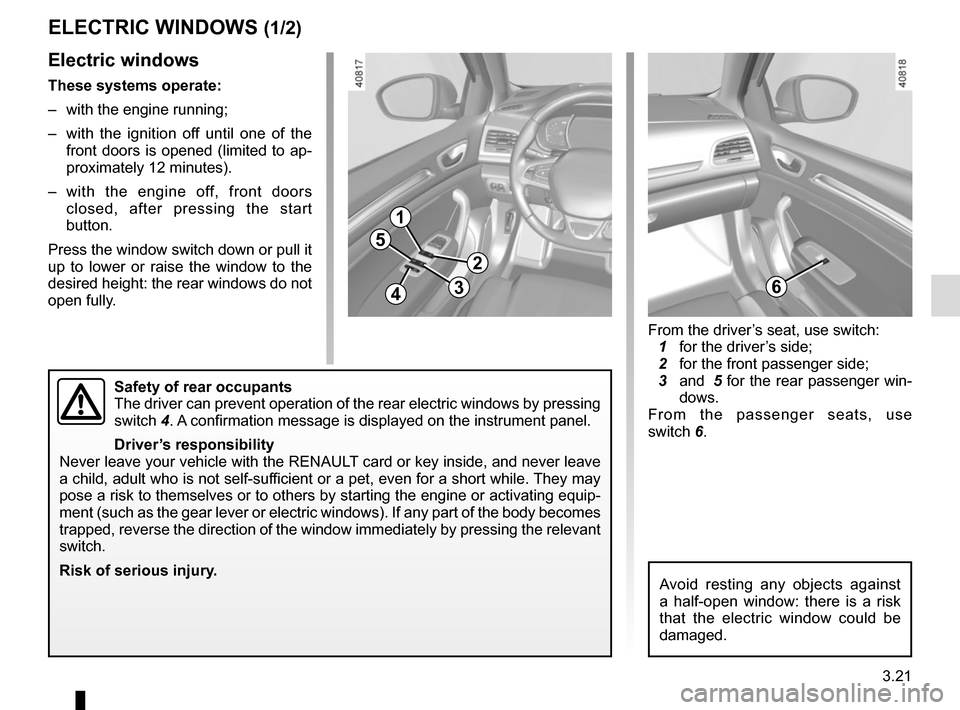
Safety of rear occupants
The driver can prevent operation of the rear electric windows by pressin\
g
switch 4. A confirmation message is displayed on the instrument panel.
Driver’s responsibility
Never leave your vehicle with the RENAULT card or key inside, and never leave
a child, adult who is not self-sufficient or a pet, even for a short while. They may
pose a risk to themselves or to others by starting the engine or activat\
ing equip-
ment (such as the gear lever or electric windows). If any part of the \
body becomes
trapped, reverse the direction of the window immediately by pressing the\
relevant
switch.
Risk of serious injury.
Avoid resting any objects against
a half-open window: there is a risk
that the electric window could be
damaged.
From the driver’s seat, use switch:
1 for the driver’s side;
2 for the front passenger side;
3 and 5 for the rear passenger win-
dows.
From the passenger seats, use
switch 6.
Page 216 of 346
3.22
ELECTRIC WINDOWS (2/2)
Operating faults
In case of a fault when closing a
window, the system reverts to normal
mode: pull the switch as many times as
necessary until the window closes com-
pletely, hold the switch (still on the clo-
sing side) for around one second, then
completely lower then raise the window
to reset the system.
If necessary, contact an approved
Dealer.
When closing the windows,
ensure that no part of the
body (arm, hand, etc.) is
protruding from the vehicle.
Risk of serious injury.
One-touch mode
This mode works in addition to the ope-
ration of the electric windows described
previously.
Briefly press or pull the window switch
fully: the window is fully lowered or
raised. Pressing the switch again stops
the window moving.
Note: if the window detects resistance
when closing (e.g.: branch of a tree,
etc.) it stops and then lowers again by a
few centimetres.
Remote control window closing
(vehicles with 4 one-touch electric win-
dows).
When you lock the doors from the out-
side, press the locking button on the
RENAULTcard twice in quick suc-
cession, or on the driver’s door in
hands-free mode, and all the windows
will close automatically (and, depend-
ing on the vehicle, the sunroof).
It is recommended that the user only
operates the system when the vehi-
cle can be seen clearly and no one is
inside.
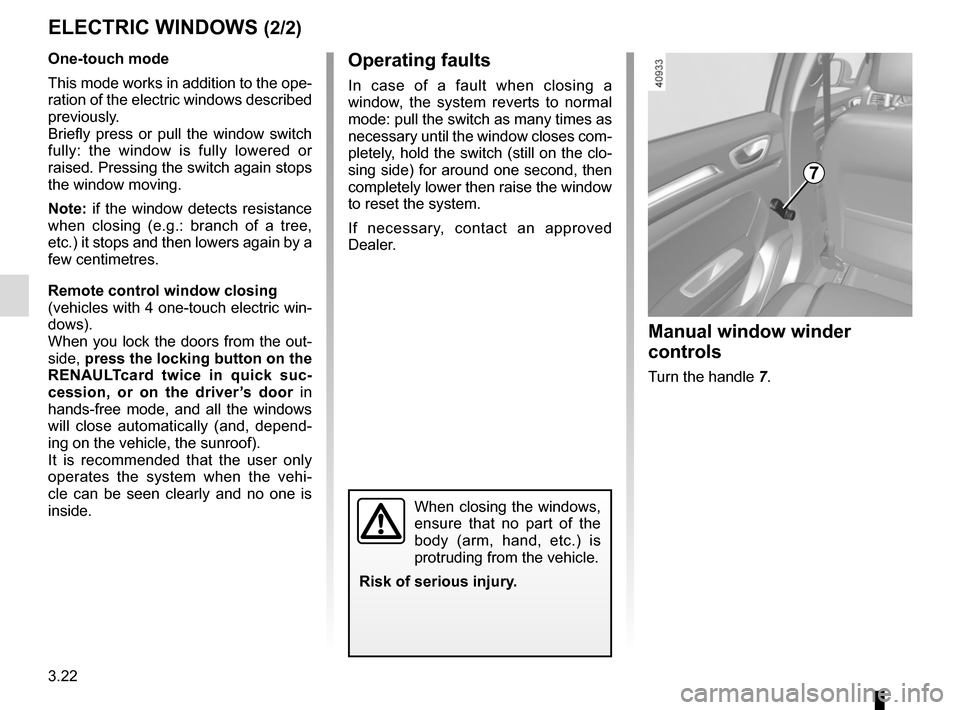
7
Manual window winder
controls
Turn the handle 7.
Page 217 of 346
3.23
ELECTRIC SUNROOF (1/3)
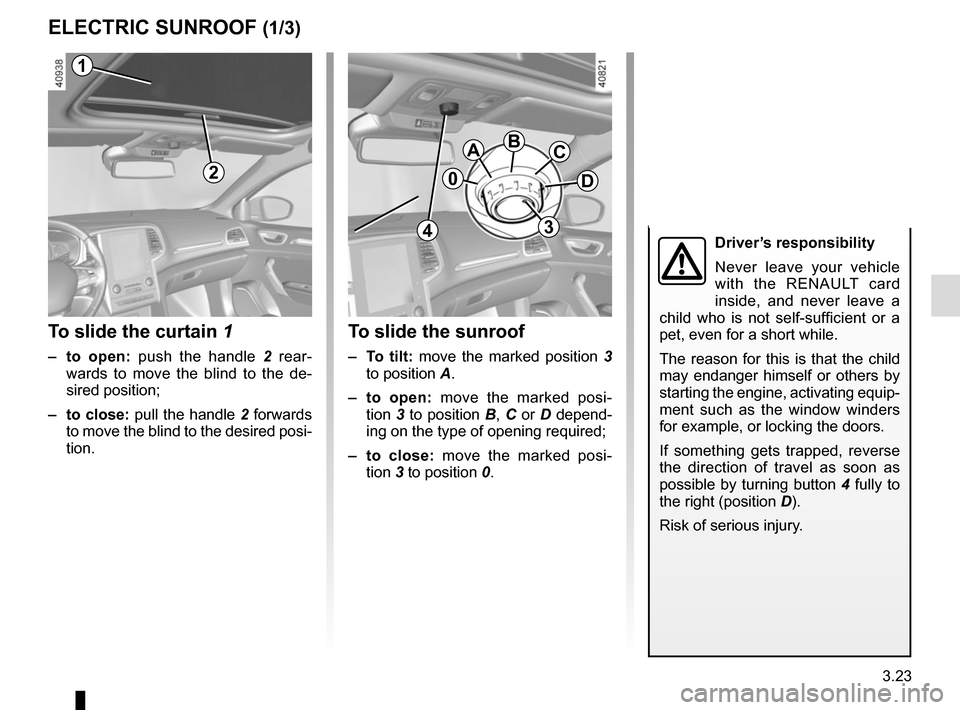
To slide the curtain 1
– to open: push the handle 2 rear-
wards to move the blind to the de-
sired position;
– to close: pull the handle 2 forwards
to move the blind to the desired posi-
tion.
To slide the sunroof
– To tilt: move the marked position 3
to position A.
– to open: move the marked posi-
tion 3 to position B, C or D depend-
ing on the type of opening required;
– to close: move the marked posi- tion 3 to position 0.
2
1
0
ABC
D
3
1
4Driver’s responsibility
Never leave your vehicle
with the RENAULT card
inside, and never leave a
child who is not self-sufficient or a
pet, even for a short while.
The reason for this is that the child
may endanger himself or others by
starting the engine, activating equip-
ment such as the window winders
for example, or locking the doors.
If something gets trapped, reverse
the direction of travel as soon as
possible by turning button 4 fully to
the right (position D).
Risk of serious injury.
Page 218 of 346
3.24
ELECTRIC SUNROOF (2/3)
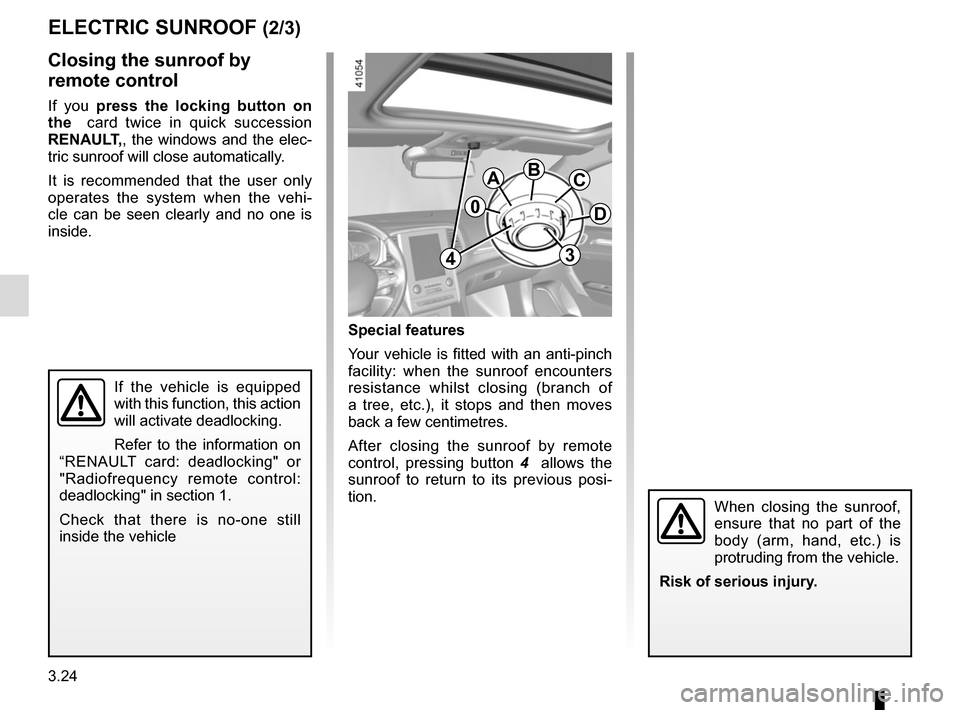
Special features
Your vehicle is fitted with an anti-pinch
facility: when the sunroof encounters
resistance whilst closing (branch of
a tree, etc.), it stops and then moves
back a few centimetres.
After closing the sunroof by remote
control, pressing button 4 allows the
sunroof to return to its previous posi-
tion.
Closing the sunroof by
remote control
If you press the locking button on
the card twice in quick succession
RENAULT,, the windows and the elec-
tric sunroof will close automatically.
It is recommended that the user only
operates the system when the vehi-
cle can be seen clearly and no one is
inside.
If the vehicle is equipped
with this function, this action
will activate deadlocking.
Refer to the information on
“RENAULT card: deadlocking" or
"Radiofrequency remote control:
deadlocking" in section 1.
Check that there is no-one still
inside the vehicle
0
ABC
D
34
When closing the sunroof,
ensure that no part of the
body (arm, hand, etc.) is
protruding from the vehicle.
Risk of serious injury.
Page 219 of 346
3.25
Precautions during use
– Vehicle with loaded roof bars.As a general rule, if there is a load
on the roof, use of the sunroof is not
recommended.
Before using the sunroof, check the
objects and/or accessories (bike
racks, roof boxes, etc.) attached to
the roof bars: they should be prop-
erly arranged and secured and
should not interfere with the opera-
tion of the sunroof.
Contact an approved dealer for de-
tails of possible conversions;
– check that the sunroof is properly
closed before leaving your vehicle;
– clean the seal every three months using products recommended by our
Technical Department;
– do not open the sunroof immedi-
ately after it has rained or immedi-
ately after washing the vehicle.
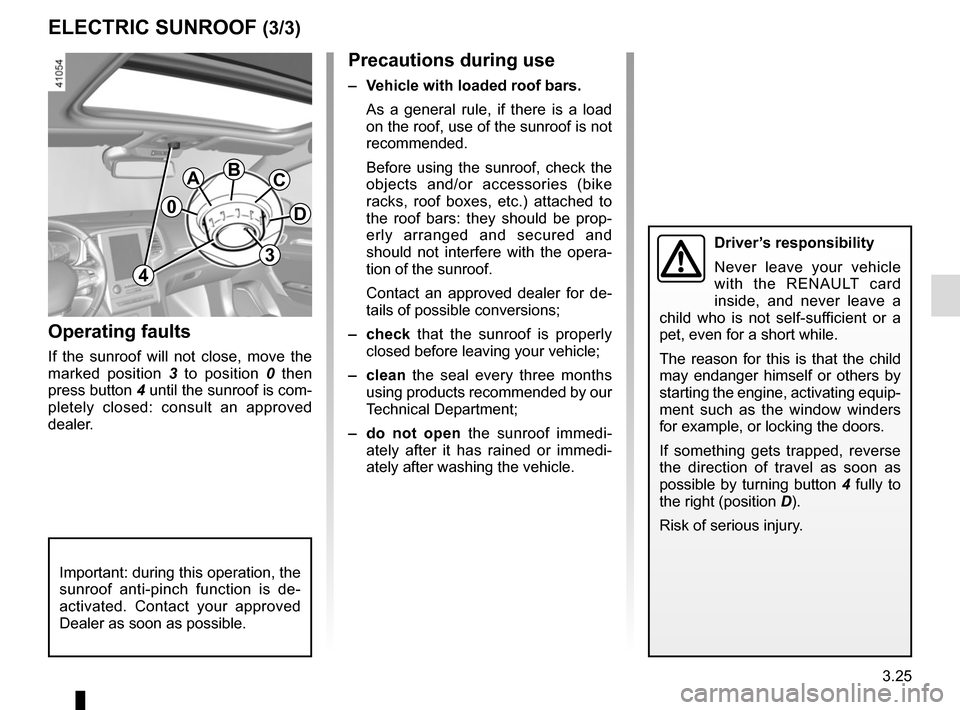
Operating faults
If the sunroof will not close, move the
marked position 3 to position 0 then
press button 4 until the sunroof is com-
pletely closed: consult an approved
dealer.
0
ABC
D
3
4
Important: during this operation, the
sunroof anti-pinch function is de-
activated. Contact your approved
Dealer as soon as possible.
Driver’s responsibility
Never leave your vehicle
with the RENAULT card
inside, and never leave a
child who is not self-sufficient or a
pet, even for a short while.
The reason for this is that the child
may endanger himself or others by
starting the engine, activating equip-
ment such as the window winders
for example, or locking the doors.
If something gets trapped, reverse
the direction of travel as soon as
possible by turning button 4 fully to
the right (position D).
Risk of serious injury.
ELECTRIC SUNROOF (3/3)
Page 234 of 346
3.40
LUGGAGE COMPARTMENT: 4-DOOR VERSION (2/3)
The sensor detects the approach and
then the removal of your foot and trig-
gers the opening of the boot lid.
Do not keep your foot in the air. Perform
the movement without stopping and wi-
thout touching the rear bumper.Activation/deactivation of the
hands-free function
Using the multifunction screen, select
menu “Vehicle”, “User settings” then
“Use handsfree card: open/close”.
Select “ON" or "OFF" to activate or de-
activate the function.
Usage features of the hands-free
function
– The hands-free function is no longer
available after a few days of lack of
movement of the vehicle, or after
around 15 minutes if the vehicle is
unlocked. To reactivate it, use the
unlocking button on the RENAULT
card.
– The hands-free function is only avail- able if the vehicle is stationary and
the engine is switched off (and not
on standby with the Stop and Start
function).
– The ‘hands-free’ feature may not work if the vehicle is equipped with a
towbar or is in an area of high elec-
tromagnetic radiation.
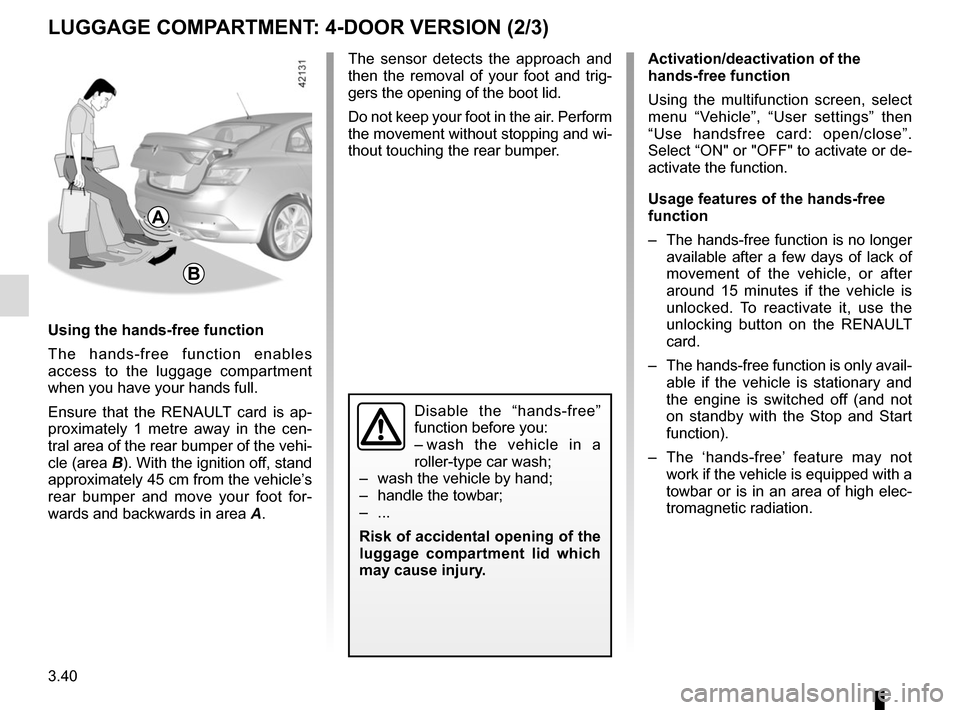
Using the hands-free function
The hands-free function enables
access to the luggage compartment
when you have your hands full.
Ensure that the RENAULT card is ap-
proximately 1 metre away in the cen-
tral area of the rear bumper of the vehi-
cle (area B). With the ignition off, stand
approximately 45 cm from the vehicle’s
rear bumper and move your foot for-
wards and backwards in area
A.
A
B
Disable the “hands-free”
function before you:
– wash the vehicle in a
roller-type car wash;
– wash the vehicle by hand;
– handle the towbar;
– ...
Risk of accidental opening of the
luggage compartment lid which
may cause injury.
Page 251 of 346
3.57
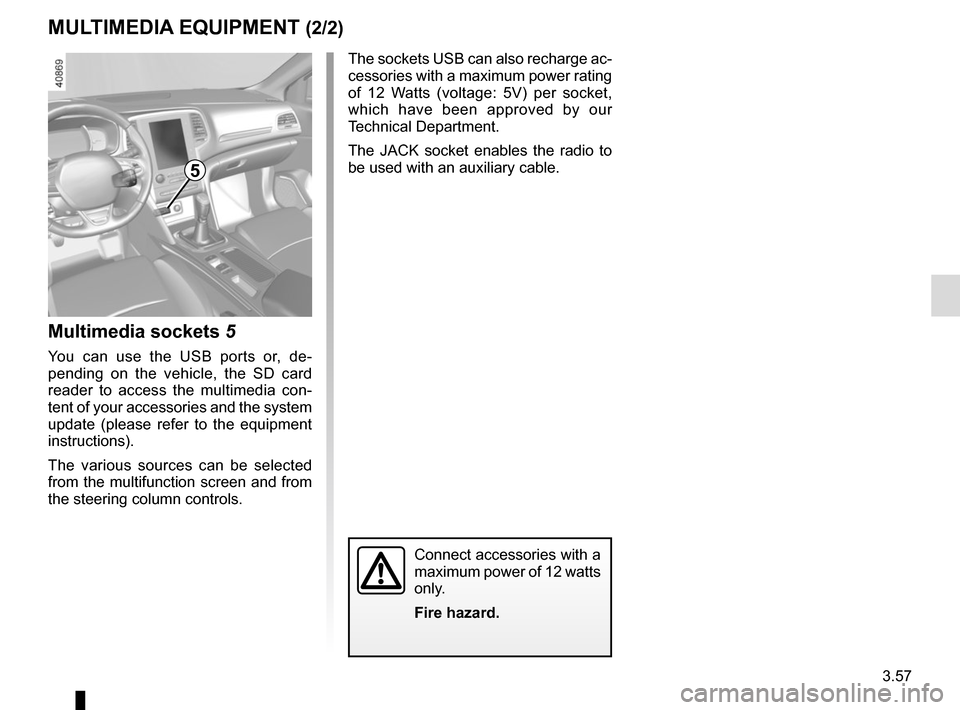
Multimedia sockets 5
You can use the USB ports or, de-
pending on the vehicle, the SD card
reader to access the multimedia con-
tent of your accessories and the system
update (please refer to the equipment
instructions).
The various sources can be selected
from the multifunction screen and from
the steering column controls.
MULTIMEDIA EQUIPMENT (2/2)
The sockets USB can also recharge ac-
cessories with a maximum power rating
of 12 Watts (voltage: 5V) per socket,
which have been approved by our
Technical Department.
The JACK socket enables the radio to
be used with an auxiliary cable.
Connect accessories with a
maximum power of 12 watts
only.
Fire hazard.
5