brake RENAULT MEGANE 2018 User Guide
[x] Cancel search | Manufacturer: RENAULT, Model Year: 2018, Model line: MEGANE, Model: RENAULT MEGANE 2018Pages: 348, PDF Size: 9.25 MB
Page 117 of 348
2.5
STARTING, STOPPING THE ENGINE: vehicle with RENAULT card (1/3)
Conditions for starting the
engine
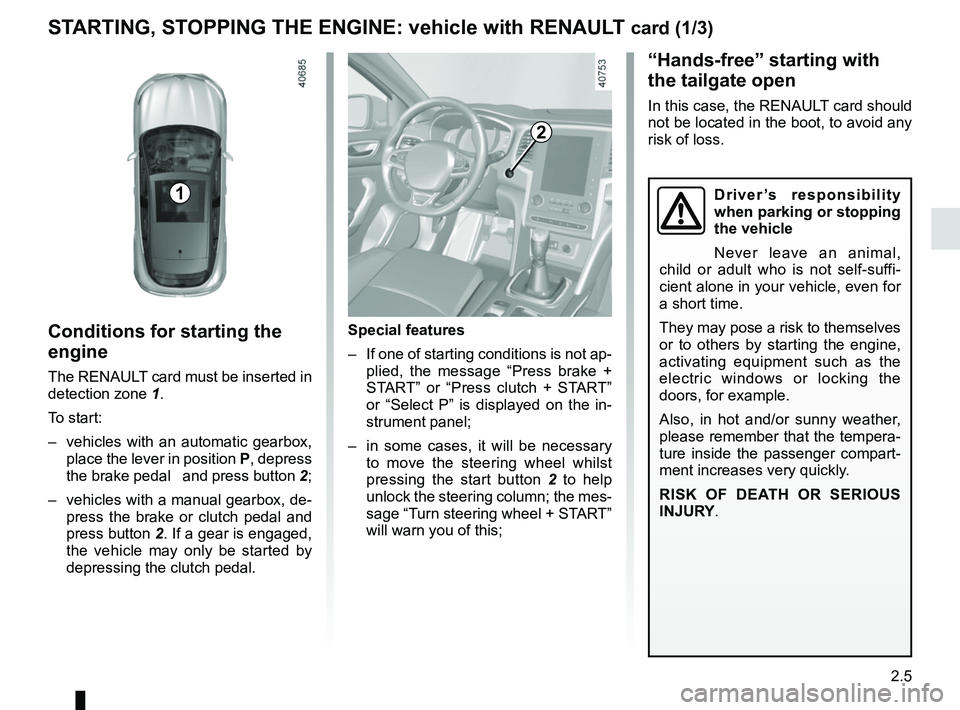
The RENAULT card must be inserted in
detection zone 1.
To start:
– vehicles with an automatic gearbox, place the lever in position P, depress
the brake pedal and press button 2;
– vehicles with a manual gearbox, de- press the brake or clutch pedal and
press button 2. If a gear is engaged, the vehicle may only be started by
depressing the clutch pedal.
“Hands-free” starting with
the tailgate open
In this case, the RENAULT card should
not be located in the boot, to avoid any
risk of loss.
2
1
Special features
– If one of starting conditions is not ap- plied, the message “Press brake +
START” or “Press clutch + START”
or “Select P” is displayed on the in-
strument panel;
– in some cases, it will be necessary to move the steering wheel whilst
pressing the start button 2 to help
unlock the steering column; the mes-
sage “Turn steering wheel + START”
will warn you of this;
Driver’s responsibility
when parking or stopping
the vehicle
Never leave an animal,
child or adult who is not self-suffi-
cient alone in your vehicle, even for
a short time.
They may pose a risk to themselves
or to others by starting the engine,
activating equipment such as the
electric windows or locking the
doors, for example.
Also, in hot and/or sunny weather,
please remember that the tempera-
ture inside the passenger compart-
ment increases very quickly.
RISK OF DEATH OR SERIOUS
INJURY.
Page 118 of 348
2.6
STARTING, STOPPING THE ENGINE: vehicle with RENAULT card (2/3)
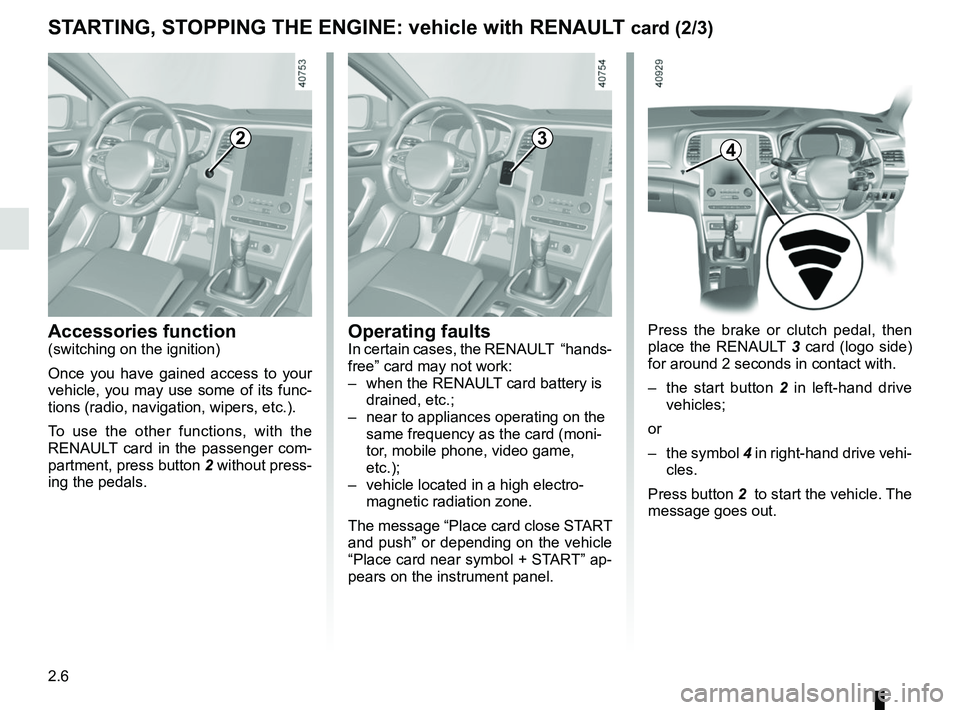
Press the brake or clutch pedal, then
place the RENAULT 3 card (logo side)
for around 2 seconds in contact with.
– the start button 2 in left-hand drive
vehicles;
or
– the symbol 4 in right-hand drive vehi-
cles.
Press button 2 to start the vehicle. The
message goes out.
2
Accessories function(switching on the ignition)
Once you have gained access to your
vehicle, you may use some of its func-
tions (radio, navigation, wipers, etc.).
To use the other functions, with the
RENAULT card in the passenger com-
partment, press button 2 without press-
ing the pedals.
3
Operating faultsIn certain cases, the RENAULT “hands-
free” card may not work:
– when the RENAULT card battery is drained, etc.;
– near to appliances operating on the same frequency as the card (moni-
tor, mobile phone, video game,
etc.);
– vehicle located in a high electro- magnetic radiation zone.
The message “Place card close START
and push” or depending on the vehicle
“Place card near symbol + START” ap-
pears on the instrument panel.
4
Page 119 of 348
2.7
STARTING, STOPPING THE ENGINE: vehicle with RENAULT card (3/3)
If the RENAULT card is no longer in the
passenger compartment when you try
to switch the engine off, the message
“No keycard Press and hold” appears
on the instrument panel: press the
button 2 for longer than two seconds.
If the card is no longer in the passen-
ger compartment, make sure you can
retrieve it before pressing and holding
the button. Without the card RENAULT
, you will not be able to start.
With the engine switched off, any ac-
cessories being used (radio, etc.) will
continue to function for approximately
10 minutes.
When the driver’s door is opened, the
accessories stop working.
Conditions for stopping the
engine
The vehicle must stationary, with the
lever positioned in N or P for vehicles
with an automatic transmission.
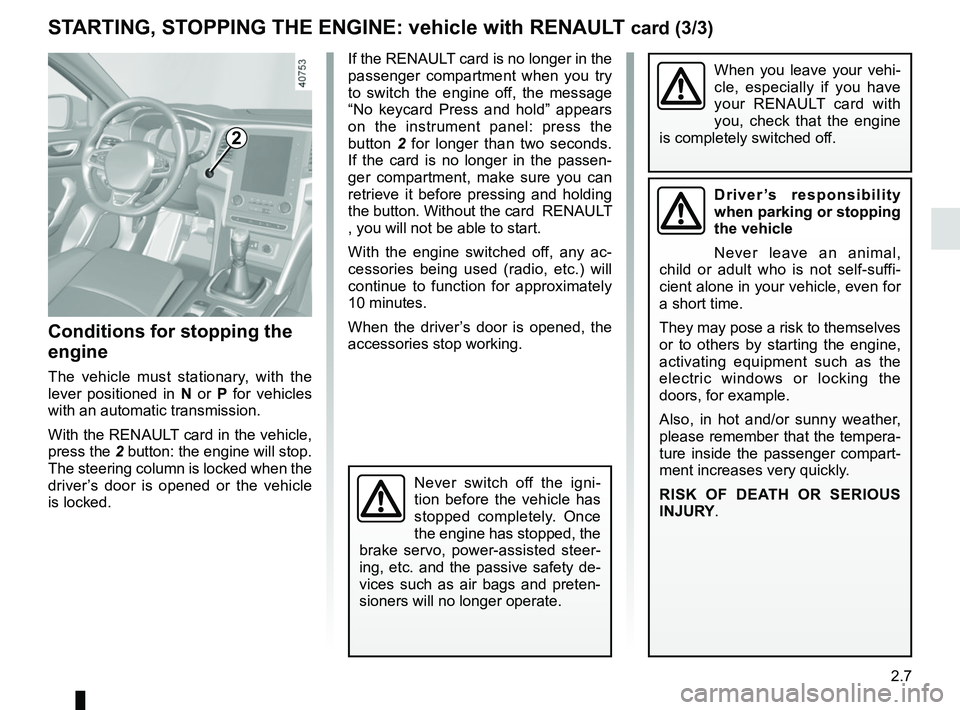
With the RENAULT card in the vehicle,
press the 2 button: the engine will stop. The steering column is locked when the
driver’s door is opened or the vehicle
is locked.
When you leave your vehi-
cle, especially if you have
your RENAULT card with
you, check that the engine
is completely switched off.
2
Driver’s responsibility
when parking or stopping
the vehicle
Never leave an animal,
child or adult who is not self-suffi-
cient alone in your vehicle, even for
a short time.
They may pose a risk to themselves
or to others by starting the engine,
activating equipment such as the
electric windows or locking the
doors, for example.
Also, in hot and/or sunny weather,
please remember that the tempera-
ture inside the passenger compart-
ment increases very quickly.
RISK OF DEATH OR SERIOUS
INJURY.
Never switch off the igni-
tion before the vehicle has
stopped completely. Once
the engine has stopped, the
brake servo, power-assisted steer-
ing, etc. and the passive safety de-
vices such as air bags and preten-
sioners will no longer operate.
Page 120 of 348
2.8
STANDING START PROCEDURE (1/2)
Activating the system
The system is activated by:
– with the engine running, and the ve-hicle stationary;
– Sport mode activated (please see the “Multi-Sense” section);
– depress the brake pedal with the left foot;
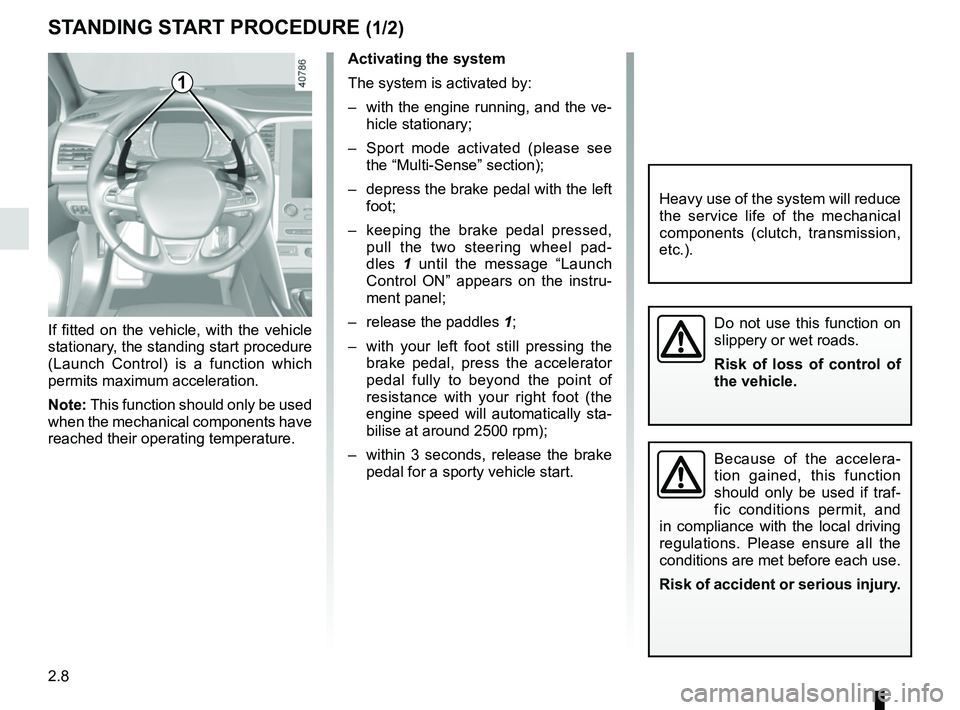
– keeping the brake pedal pressed, pull the two steering wheel pad-
dles 1 until the message “Launch
Control ON” appears on the instru-
ment panel;
– release the paddles 1;
– with your left foot still pressing the brake pedal, press the accelerator
pedal fully to beyond the point of
resistance with your right foot (the
engine speed will automatically sta-
bilise at around 2500 rpm);
– within 3 seconds, release the brake pedal for a sporty vehicle start.
If fitted on the vehicle, with the vehicle
stationary, the standing start procedure
(Launch Control) is a function which
permits maximum acceleration.
Note: This function should only be used
when the mechanical components have
reached their operating temperature.
1
Do not use this function on
slippery or wet roads.
Risk of loss of control of
the vehicle.
Because of the accelera-
tion gained, this function
should only be used if traf-
fic conditions permit, and
in compliance with the local driving
regulations. Please ensure all the
conditions are met before each use.
Risk of accident or serious injury.
Heavy use of the system will reduce
the service life of the mechanical
components (clutch, transmission,
etc.).
Page 122 of 348
2.10
For all vehicles:
The warning light
on the instru-
ment panel is lit when the engine is on
standby. The vehicle equipment re-
mains operational while the engine is
stopped.
Depending on the vehicle, when the
engine switches to standby, the steer-
ing assistance may no longer be opera-
tional.
In this case it becomes operational
again when the engine is no longer on
standby or the speed exceeds approxi-
mately 0.62 mph (1 km/h) (downhill,
slope, etc.).
For manual gearboxes:
– the gearbox is in neutral;
– and the clutch pedal is released. If
the warning light
flashes, this
means that the clutch pedal is not
sufficiently released;
– and the vehicle speed is less than approximately 1.86 mph (3 km/h).
FUNCTION STOP AND START (1/4)
This system enables a reduced fuel
consumption and lower greenhouse
gas emissions.
The system is activated automati-
cally when the vehicle is started. While
driving, the system stops the engine
(standby) when the vehicle is at a
standstill (traffic jam, traffic lights, etc).
Conditions for engine
standby
The vehicle has set off from where it
was parked;
For automatic gearboxes:
– the gearbox is in position D, M or N;
– and the brake pedal is pressed (suf-ficiently hard);
– and the accelerator pedal is not pressed;
– and the speed is zero for around 1 second.
The engine remains on standby if posi-
tion P is selected, or if position N is se-
lected with the handbrake engaged and
the brake pedal released.
If the engine is put in
standby, the electronic
parking brake (depending
on the vehicle) is not ap-
plied automatically.If the engine stalls while the system
is in operation, pressing the clutch
pedal right down will start it again.
Keep your vehicle station-
ary when the engine is
on standby (shown by the
warning light
on the
instrument panel).
The ignition must be
switched off before leav-
ing the vehicle (please see
the information on “Starting,
stopping the engine” in Section 2).
Page 123 of 348
2.11
Conditions for coming out of
engine standby
For automatic gearboxes:
– the brake pedal is released, posi-tion D or M engaged;
– or the brake pedal is released, po- sition N engaged and the parking
brake off;
– or the brake pedal is pressed again, with position P engaged or posi-
tion N engaged with the parking
brake applied;
– or position R is engaged;
– or the accelerator pedal is pressed;
– or in manual mode the gear lever is moved towards + or -.
For manual gearboxes:
– the gearbox is in neutral and the clutch pedal is slightly depressed, or
– the engine is in gear and the clutch pedal is pressed right down.
To fill up with fuel, the engine must
be stopped (and not on standby):
stop the engine (Please See
“Starting, stopping the engine” in
Section 2).
FUNCTION STOP AND START (2/4)
Preventing the engine from
standing by
In certain situations, such as negotiat-
ing a crossroads for instance, it is pos-
sible (with the system activated) to keep
the engine running so as to be ready to
move off quickly.
Automatic gearbox:
Keep the vehicle stationary without
pressing too hard on the brake pedal.
Manual gearbox:
Keep the clutch pedal pressed right
down.
Special note: depending on the vehi-
cle, if you switch off the ignition when
the engine is on standby, the warning
light
Ä is displayed for a few sec-
onds on the instrument panel.
Page 124 of 348
2.12
FUNCTION STOP AND START (3/4)
Conditions preventing the
standby of the engine
Certain conditions prevent the system
from using the engine standby function,
including when:
for vehicles equipped with a
RENAULT card:
– the driver’s door is not closed;
– the driver’s seatbelt is not fastened.
for all vehicles:
– reverse gear is engaged;
– the bonnet is not locked;
– the outdoor temperature is too low or too high (less than around 5°C or
higher than around 35°C);
– the battery is not sufficiently charged;
– the difference between the vehicle interior temperature and the auto-
matic climate control instruction is
too high;
– parking distance control is in opera- tion; – for vehicles with automatic gear-
boxes, the gradient is steeper than
approximately 12%;
– the “Clear View” function is activated (please see “Automatic climate con-
trol” in Section 3);
– the engine temperature is too low;
– the emission control system is being regenerated;
– Multi-Sense Sport mode is activated (depending on the vehicle);
– ...
Warning light
is displayed on the
instrument panel. This notifies you that
engine standby is not available.
Deactivate the Stop and
Start function for any opera-
tion performed in the engine
compartment.
Special case for vehicles with
a RENAULT card
With the engine on standby (traffic jam,
traffic lights, etc.), if the driver unfas-
tens the seat belt and opens the driv-
er’s door, or gets out of the seat, the
ignition is switched off.
The assisted parking brake is applied
automatically.
To restart and reactivate the Stop and
Start system, start the engine (please
refer to the information on "Starting,
stopping the engine" in Section 2).
Special case of vehicles with
a key
With the engine on standby (traffic
jam, traffic lights, etc.), if you get out of
the vehicle, a beep warns you that the
engine is on standby and has not been
stopped.
Page 125 of 348
2.13
FUNCTION STOP AND START (4/4)
Special feature of the automatic
engine re-start
Under certain conditions, the engine
can restart on its own in order to guar-
antee your safety and comfort.
This can occur especially when:
– the outdoor temperature is too low or too high (less than around 5°C or
higher than around 35°C);
– the “Clear View” function is activated (please see “Automatic climate con-
trol” in Section 3);
– the battery is not sufficiently charged;
– the vehicle speed is above 3 mph (5 km/h) (downhill slope, etc.);
– repeated pressing on the brake pedal or braking system require-
ment;
– ...
For vehicles fitted with a manual gear-
box, the restarting of the engine may be
stopped if the clutch pedal is released
too quickly and a gear is engaged.
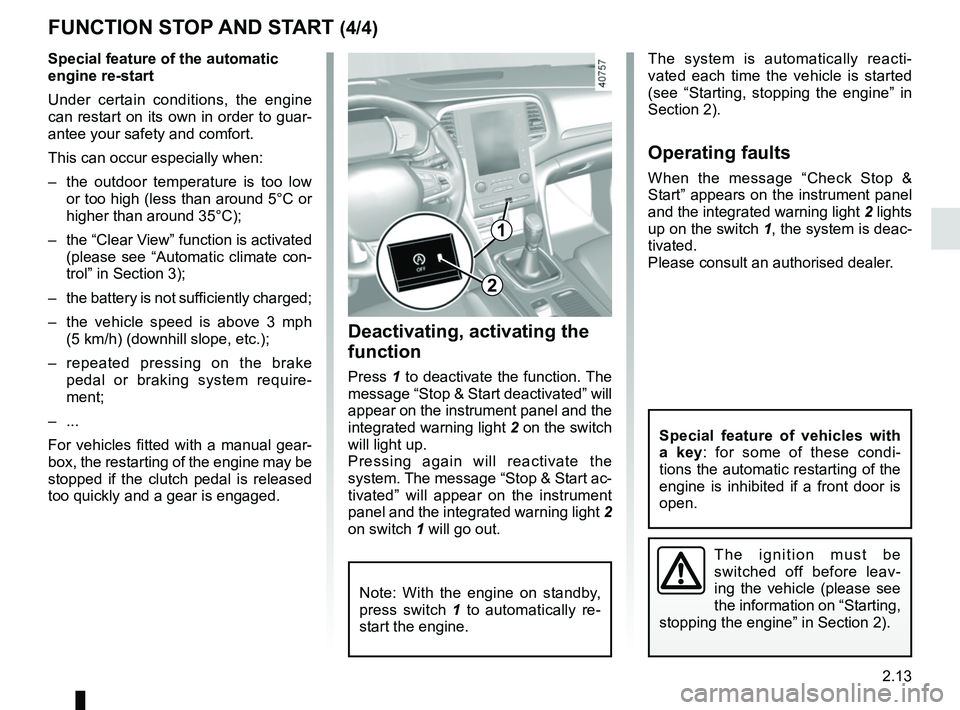
1
2
Deactivating, activating the
function
Press 1 to deactivate the function. The
message “Stop & Start deactivated” will
appear on the instrument panel and the
integrated warning light 2 on the switch
will light up.
Pressing again will reactivate the
system. The message “Stop & Start ac-
tivated” will appear on the instrument
panel and the integrated warning light 2
on switch 1 will go out.
Note: With the engine on standby,
press switch 1 to automatically re-
start the engine.
The system is automatically reacti-
vated each time the vehicle is started
(see “Starting, stopping the engine” in
Section 2).
Operating faults
When the message “Check Stop &
Start” appears on the instrument panel
and the integrated warning light 2 lights
up on the switch 1, the system is deac-
tivated.
Please consult an authorised dealer.
The ignition must be
switched off before leav-
ing the vehicle (please see
the information on “Starting,
stopping the engine” in Section 2).
Special feature of vehicles with
a key: for some of these condi-
tions the automatic restarting of the
engine is inhibited if a front door is
open.
Page 128 of 348
2.16
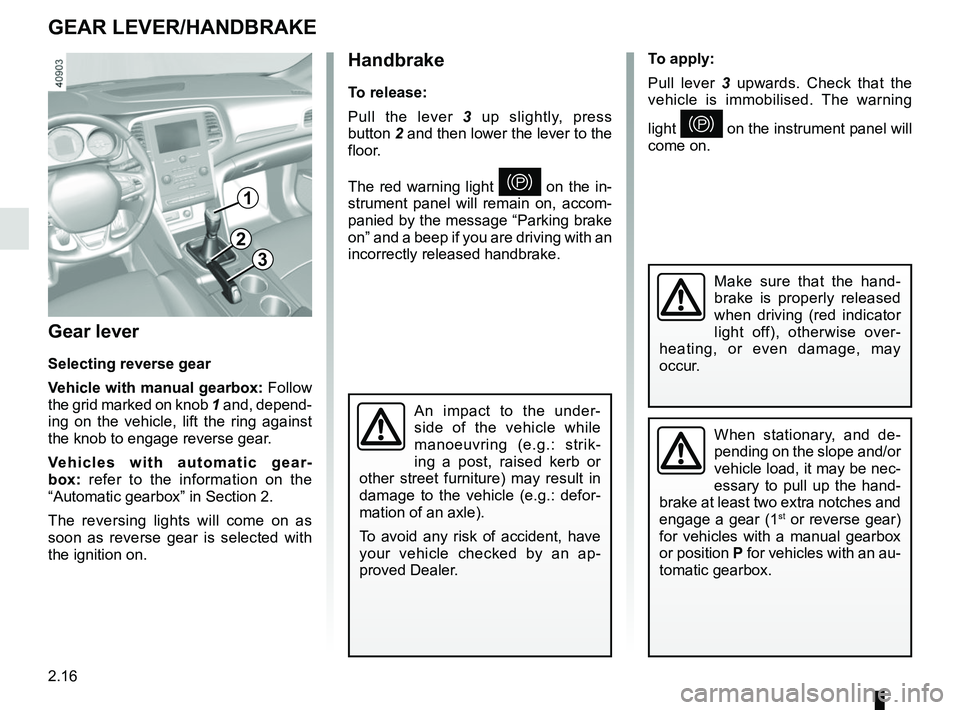
Gear lever
Selecting reverse gear
Vehicle with manual gearbox: Follow
the grid marked on knob 1 and, depend-
ing on the vehicle, lift the ring against
the knob to engage reverse gear.
Vehicles with automatic gear-
box: refer to the information on the
“Automatic gearbox” in Section 2.
The reversing lights will come on as
soon as reverse gear is selected with
the ignition on.
1
GEAR LEVER/HANDBRAKE
Handbrake
To release:
Pull the lever 3 up slightly, press
button 2 and then lower the lever to the
floor.
The red warning light
} on the in-
strument panel will remain on, accom-
panied by the message “Parking brake
on” and a beep if you are driving with an
incorrectly released handbrake.
3
2
When stationary, and de-
pending on the slope and/or
vehicle load, it may be nec-
essary to pull up the hand-
brake at least two extra notches and
engage a gear (1
st or reverse gear)
for vehicles with a manual gearbox
or position P for vehicles with an au-
tomatic gearbox.
An impact to the under-
side of the vehicle while
manoeuvring (e.g.: strik-
ing a post, raised kerb or
other street furniture) may result in
damage to the vehicle (e.g.: defor-
mation of an axle).
To avoid any risk of accident, have
your vehicle checked by an ap-
proved Dealer.
Make sure that the hand-
brake is properly released
when driving (red indicator
light off), otherwise over-
heating, or even damage, may
occur.
To apply:
Pull lever 3 upwards. Check that the
vehicle is immobilised. The warning
light
} on the instrument panel will
come on.
Page 129 of 348
2.17
ELECTRONIC PARKING BRAKE (1/3)
Note:
To indicate that the electronic parking
brake is released, a beep sounds and
the message “Apply parking brake” ap-
pears on the instrument panel:
– with the engine running: when the driver’s door is opened;
– with the engine switched off (eg. when the engine stalls): when a front
door is opened.
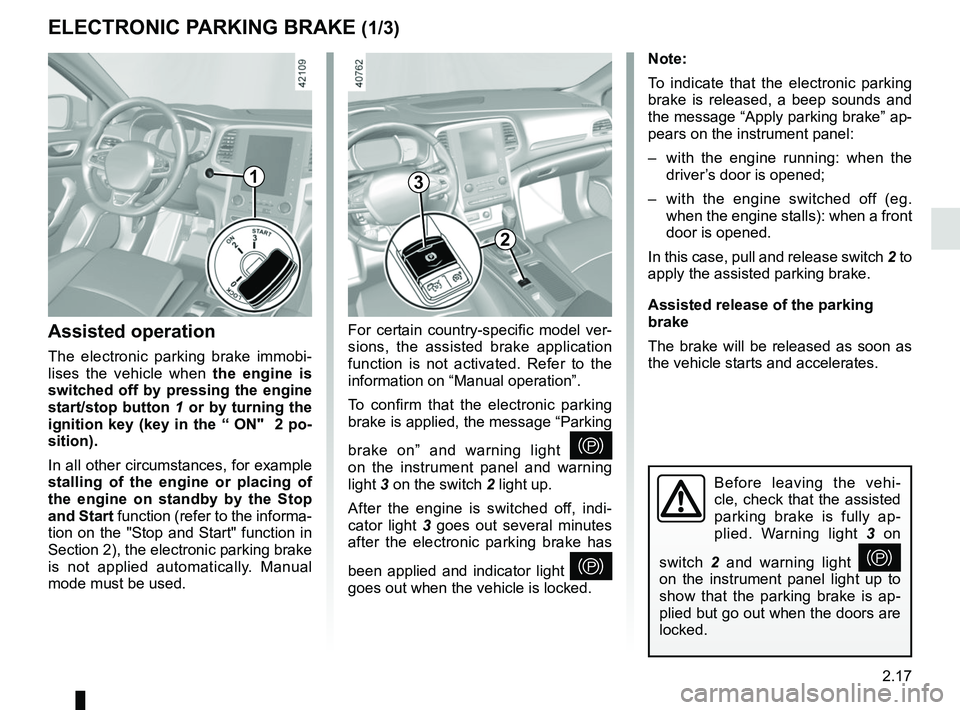
In this case, pull and release switch 2 to
apply the assisted parking brake.
Assisted release of the parking
brake
The brake will be released as soon as
the vehicle starts and accelerates.
Assisted operation
The electronic parking brake immobi-
lises the vehicle when the engine is
switched off by pressing the engine
start/stop button 1 or by turning the
ignition key (key in the “ ON" 2 po-
sition).
In all other circumstances, for example
stalling of the engine or placing of
the engine on standby by the Stop
and Start function (refer to the informa-
tion on the "Stop and Start" function in
Section 2), the electronic parking brake
is not applied automatically. Manual
mode must be used. For certain country-specific model ver-
sions, the assisted brake application
function is not activated. Refer to the
information on “Manual operation”.
To confirm that the electronic parking
brake is applied, the message “Parking
brake on” and warning light
}
on the instrument panel and warning
light 3 on the switch 2 light up.
After the engine is switched off, indi-
cator light 3 goes out several minutes
after the electronic parking brake has
been applied and indicator light
}
goes out when the vehicle is locked.
Before leaving the vehi-
cle, check that the assisted
parking brake is fully ap-
plied. Warning light 3 on
switch 2 and warning light
}
on the instrument panel light up to
show that the parking brake is ap-
plied but go out when the doors are
locked.
3
2
1