motor RENAULT MEGANE 2018 User Guide
[x] Cancel search | Manufacturer: RENAULT, Model Year: 2018, Model line: MEGANE, Model: RENAULT MEGANE 2018Pages: 348, PDF Size: 9.25 MB
Page 183 of 348
2.71
System sound
Enables the system sound to be
chosen.
Deactivating the system sound
Activate or deactivate the parking dis-
tance control sound.
Note: if you deactivate the sound, you
will no longer be notified with beeps
when approaching an obstacle.
Deactivating the system
Activate or deactivate parking distance
control.
Vehicles not fitted with a multimedia
system
Vehicle stationary:
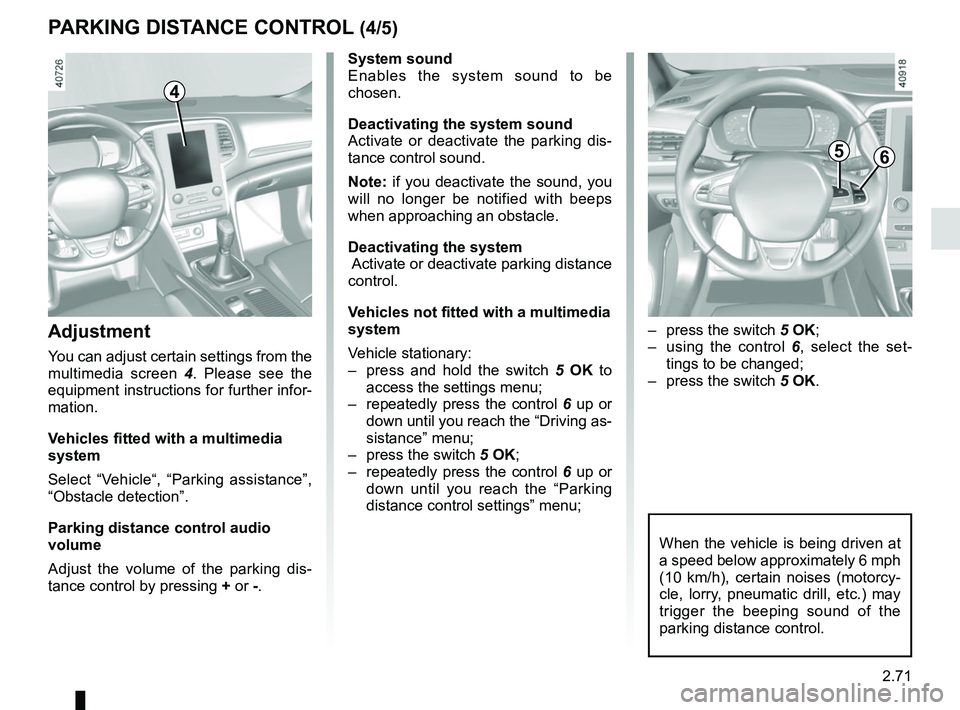
– press and hold the switch 5 OK to
access the settings menu;
– repeatedly press the control 6 up or
down until you reach the “Driving as-
sistance” menu;
– press the switch 5 OK;
– repeatedly press the control 6 up or
down until you reach the “Parking
distance control settings” menu;
PARKING DISTANCE CONTROL (4/5)
When the vehicle is being driven at
a speed below approximately 6 mph
(10 km/h), certain noises (motorcy-
cle, lorry, pneumatic drill, etc.) may
trigger the beeping sound of the
parking distance control.
4
Adjustment
You can adjust certain settings from the
multimedia screen 4. Please see the
equipment instructions for further infor-
mation.
Vehicles fitted with a multimedia
system
Select “Vehicle“, “Parking assistance”,
“Obstacle detection”.
Parking distance control audio
volume
Adjust the volume of the parking dis-
tance control by pressing + or -.
– press the switch 5 OK;
– using the control 6, select the set-
tings to be changed;
– press the switch 5 OK.
56
Page 223 of 348
3.29
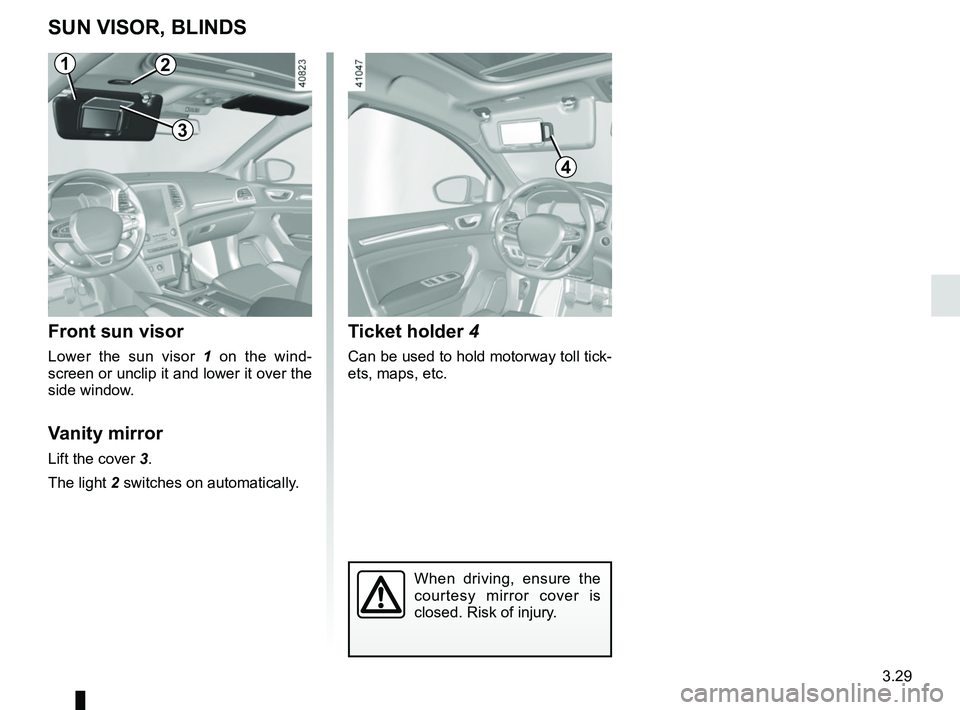
Ticket holder 4
Can be used to hold motorway toll tick-
ets, maps, etc.
SUN VISOR, BLINDS
Front sun visor
Lower the sun visor 1 on the wind-
screen or unclip it and lower it over the
side window.
Vanity mirror
Lift the cover 3.
The light 2 switches on automatically.
2
3
When driving, ensure the
courtesy mirror cover is
closed. Risk of injury.
4
1
Page 283 of 348
5.11
TYRES (1/3)
Maintaining the tyres
The tyres must be in good condition
and the tread form must have sufficient
depth; tyres approved by our Technical
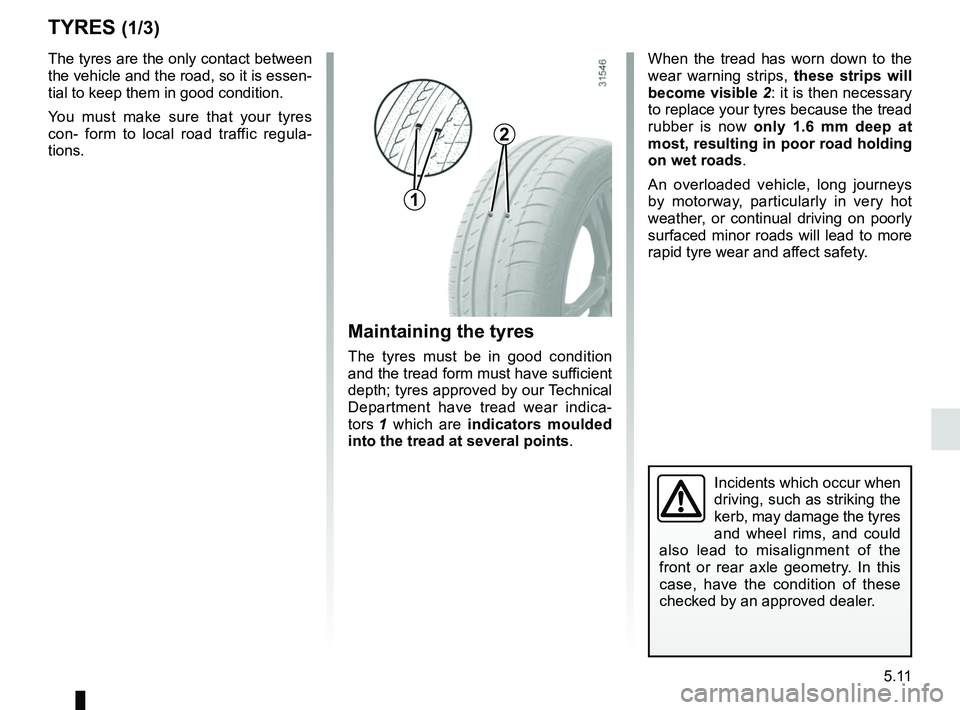
Department have tread wear indica-
tors 1 which are indicators moulded
into the tread at several points .
The tyres are the only contact between
the vehicle and the road, so it is essen-
tial to keep them in good condition.
You must make sure that your tyres
con- form to local road traffic regula-
tions.
When the tread has worn down to the
wear warning strips,
these strips will
become visible 2: it is then necessary
to replace your tyres because the tread
rubber is now only 1.6 mm deep at
most, resulting in poor road holding
on wet roads.
An overloaded vehicle, long journeys
by motorway, particularly in very hot
weather, or continual driving on poorly
surfaced minor roads will lead to more
rapid tyre wear and affect safety.
Incidents which occur when
driving, such as striking the
kerb, may damage the tyres
and wheel rims, and could
also lead to misalignment of the
front or rear axle geometry. In this
case, have the condition of these
checked by an approved dealer.
2
1
Page 307 of 348
5.35
WIPER BLADES: REPLACEMENT (1/2)
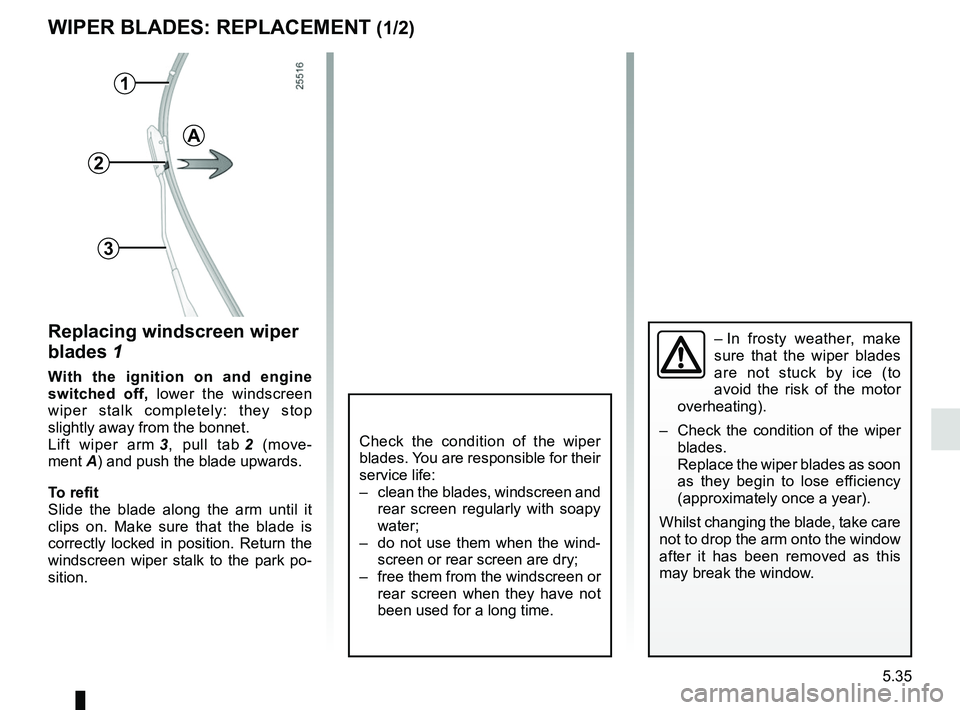
Replacing windscreen wiper
blades 1
With the ignition on and engine
switched off, lower the windscreen
wiper stalk completely: they stop
slightly away from the bonnet.
Lift wiper arm 3, pull tab 2 (move-
ment A) and push the blade upwards.
To refit
Slide the blade along the arm until it
clips on. Make sure that the blade is
correctly locked in position. Return the
windscreen wiper stalk to the park po-
sition.
1
2
3
Check the condition of the wiper
blades. You are responsible for their
service life:
– clean the blades, windscreen and rear screen regularly with soapy
water;
– do not use them when the wind- screen or rear screen are dry;
– free them from the windscreen or rear screen when they have not
been used for a long time.
A
– In frosty weather, make
sure that the wiper blades
are not stuck by ice (to
avoid the risk of the motor
overheating).
– Check the condition of the wiper
blades.
Replace the wiper blades as soon
as they begin to lose efficiency
(approximately once a year).
Whilst changing the blade, take care
not to drop the arm onto the window
after it has been removed as this
may break the window.
Page 315 of 348
5.43
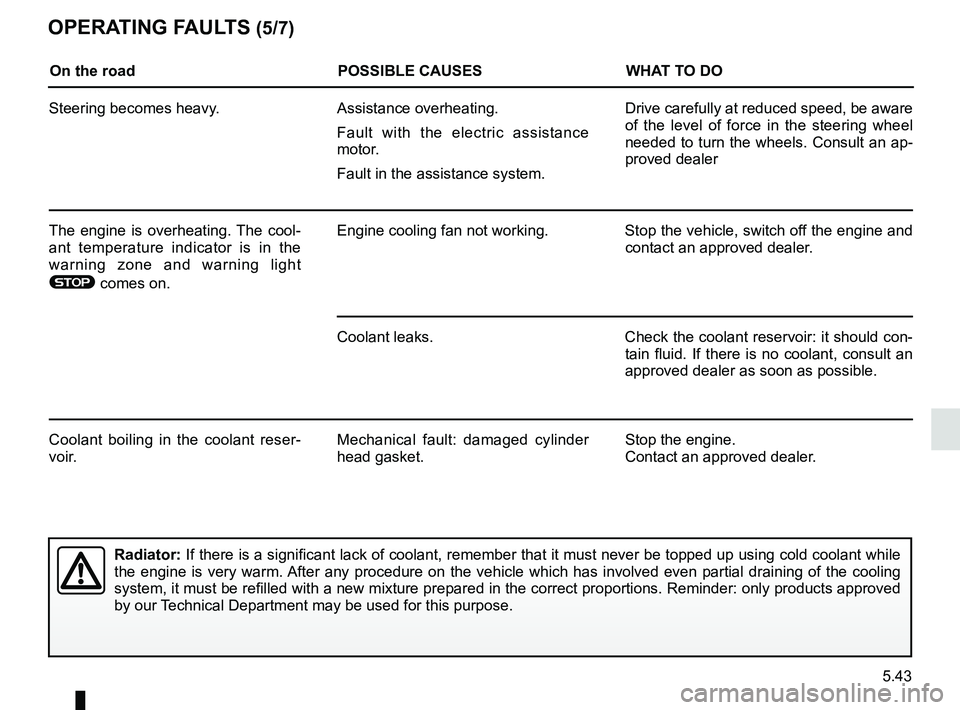
OPERATING FAULTS (5/7)
On the roadPOSSIBLE CAUSESWHAT TO DO
Steering becomes heavy. Assistance overheating.
Fault with the electric assistance
motor.
Fault in the assistance system. Drive carefully at reduced speed, be aware
of the level of force in the steering wheel
needed to turn the wheels. Consult an ap-
proved dealer
The engine is overheating. The cool-
ant temperature indicator is in the
warning zone and warning light
® comes on. Engine cooling fan not working. Stop the vehicle, switch off the engine and
contact an approved dealer.
Coolant leaks. Check the coolant reservoir: it should con- tain fluid. If there is no coolant, consult an
approved dealer as soon as possible.
Coolant boiling in the coolant reser-
voir. Mechanical fault: damaged cylinder
head gasket. Stop the engine.
Contact an approved dealer.
Radiator:
If there is a significant lack of coolant, remember that it must never b\
e topped up using cold coolant while
the engine is very warm. After any procedure on the vehicle which has involved even partial drain\
ing of the cooling
system, it must be refilled with a new mixture prepared in the correct p\
roportions. Reminder: only products approved
by our Technical Department may be used for this purpose.